If you’re like many of our users, you have been using forms to market your business and sell your products or services. Keap (formerly known as Infusionsoft) provides a great campaign builder that will allow you to launch multi-step campaigns in order to drum up interest and get more potential customers.
Say, user Maria entered her email up on your form so she can get some valuable information related to your service. She will be added to the campaign so you can follow up on her with marketing emails. The end goal for this campaign might be getting her to order a year of subscription or at least sign up to a free trial.
How to Integrate Your Keap Account
Before triggering any campaign goal, you should integrate your Keap account with your form. Here’s how you can achieve that:
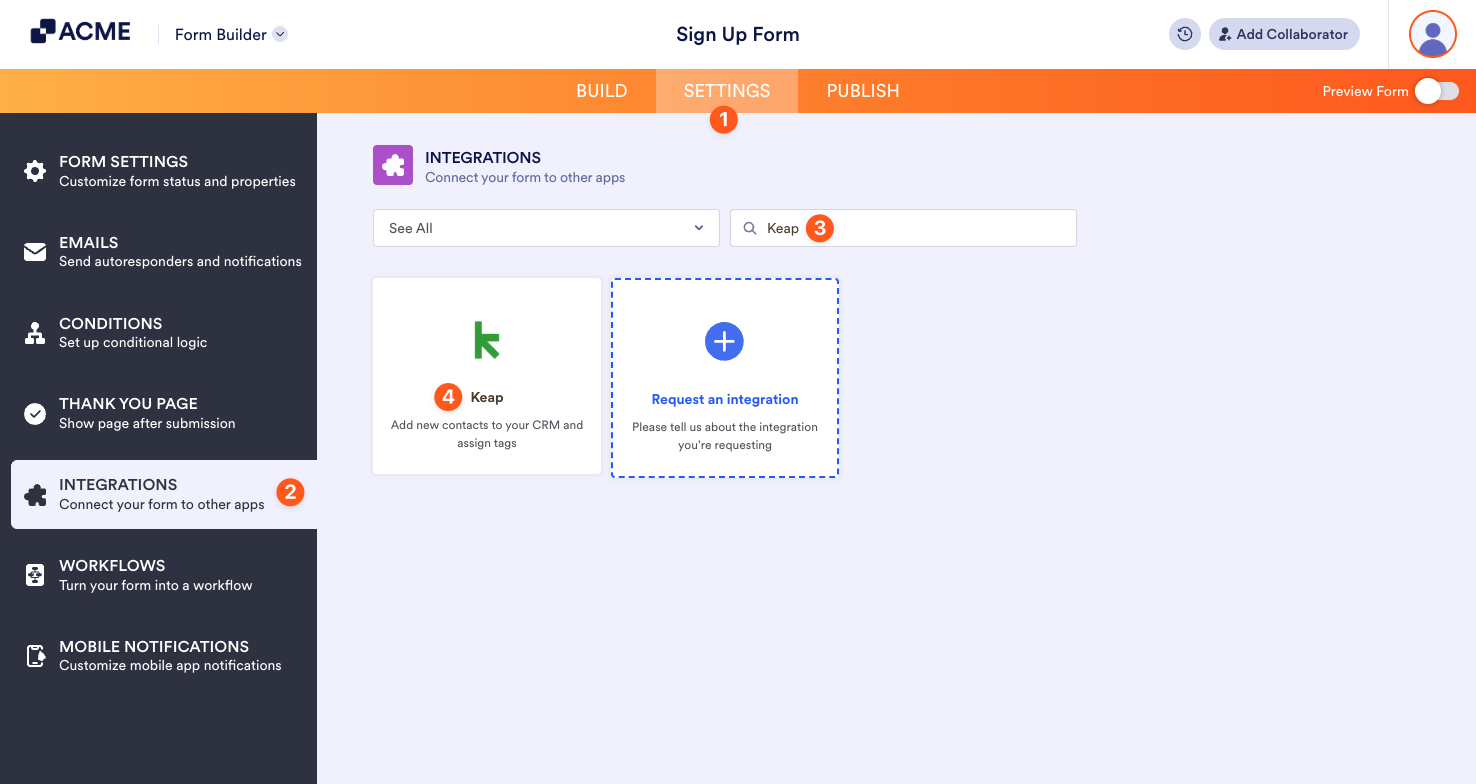
- In the Form Builder, go to the Settings tab.
- Select the Integrations tab from the left menu.
- Search for “Keap” integration.
- Click on the integration.
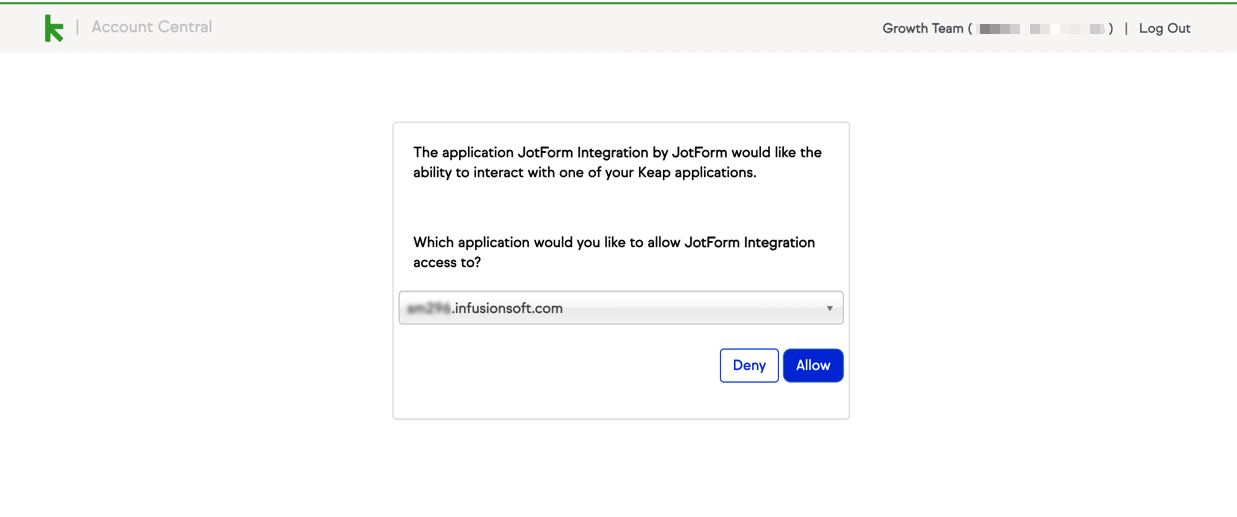
In the next window, select the account to integrate.
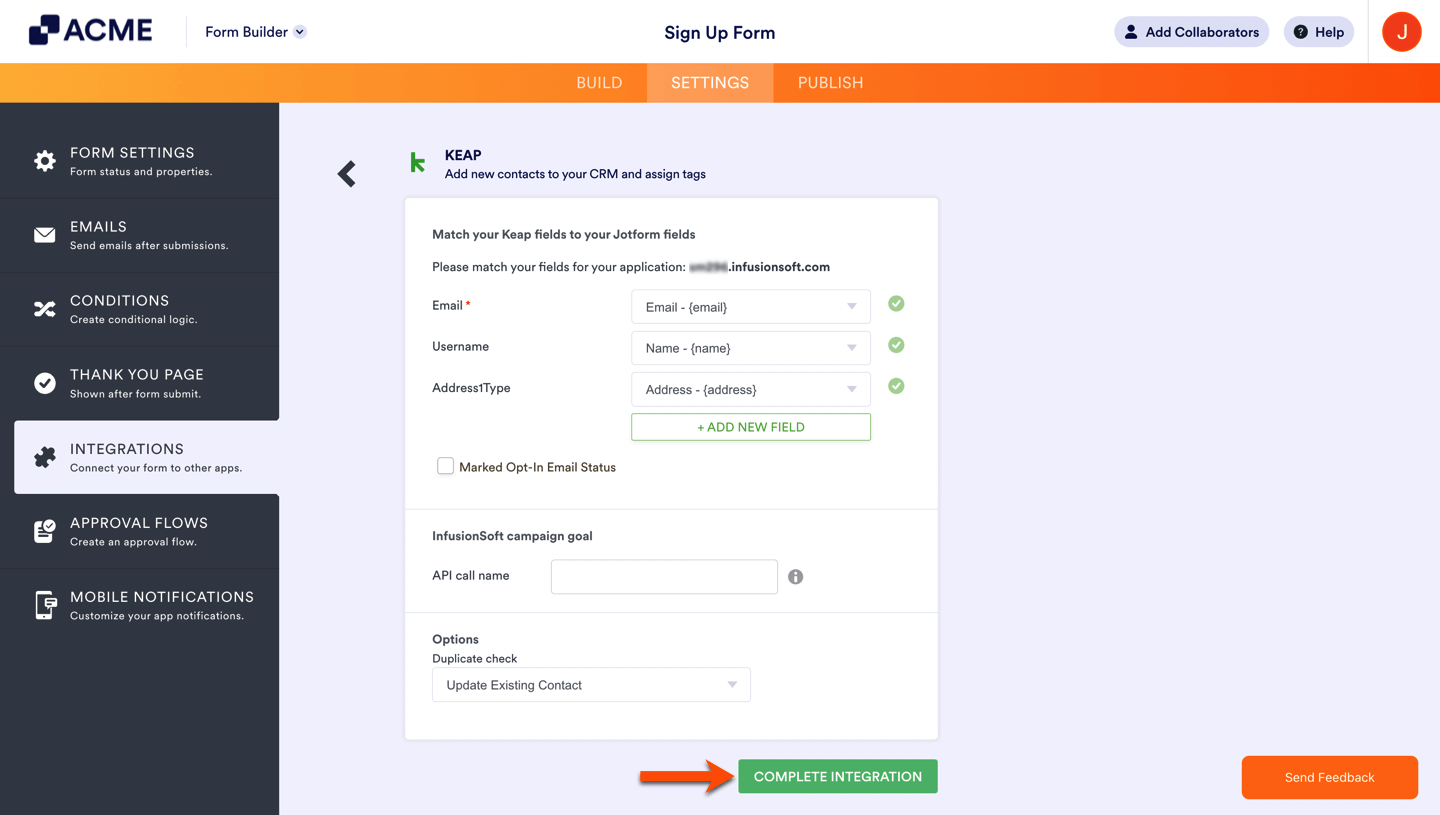
Map the form fields with your Keap fields, select tags and actions for the integration. After that, click on the Complete Integration button.
How to Trigger a Campaign Goal
When you linked your Keap account, the data from the form will be transferred to your CRM. You can also trigger a campaign goal with form submissions. Here’s how to achieve that:
- Go to Campaign Builder and click on your campaign’s name (or create if you don’t have one yet).
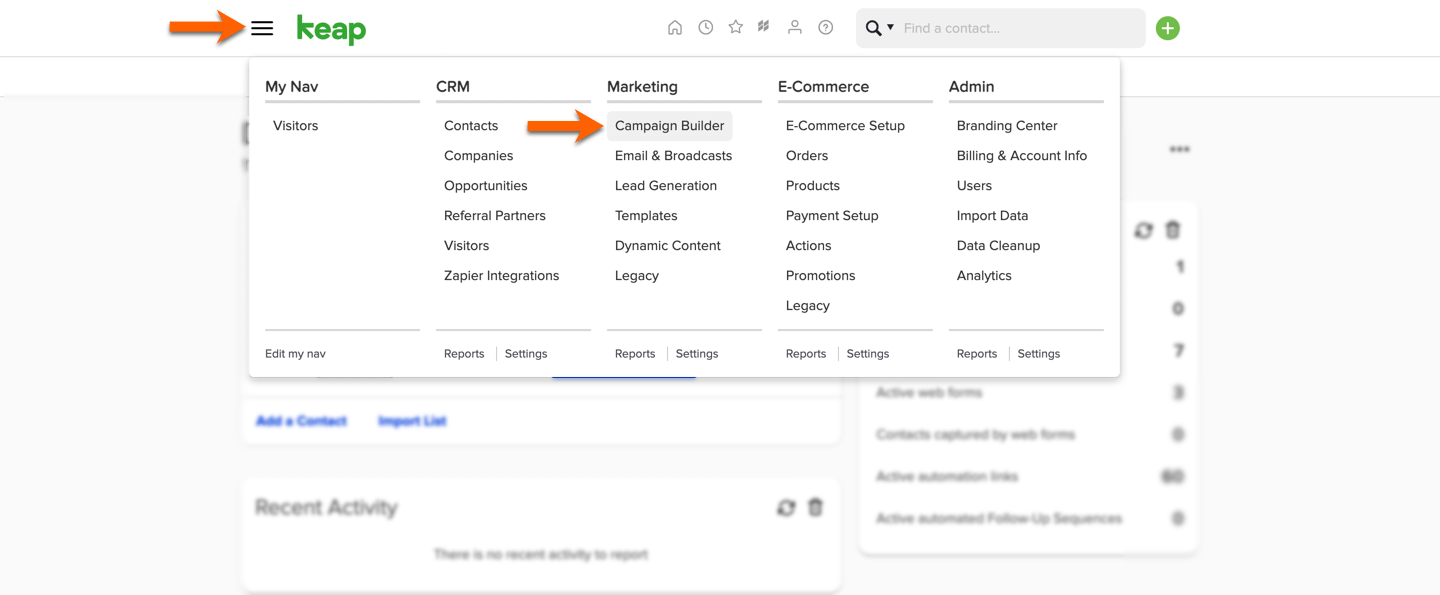
- In order to edit your campaign, first enter the edit mode and then drag and drop the API goal. After that, set and remember the call name for this API goal. You can check this guide as a reference.
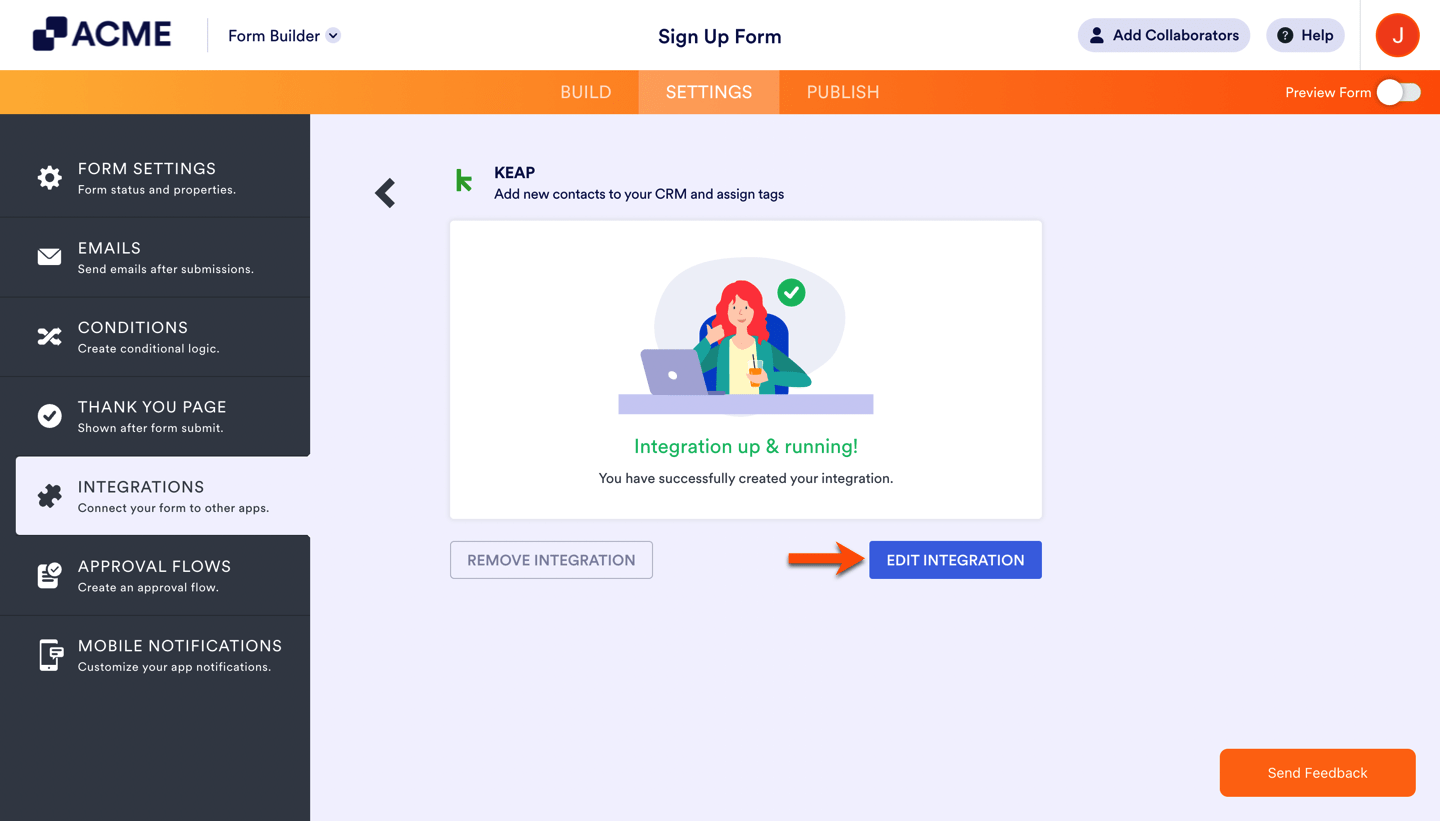
- Go back to the Form Builder and edit the current integration.
- Add the recently created call name to the integration.
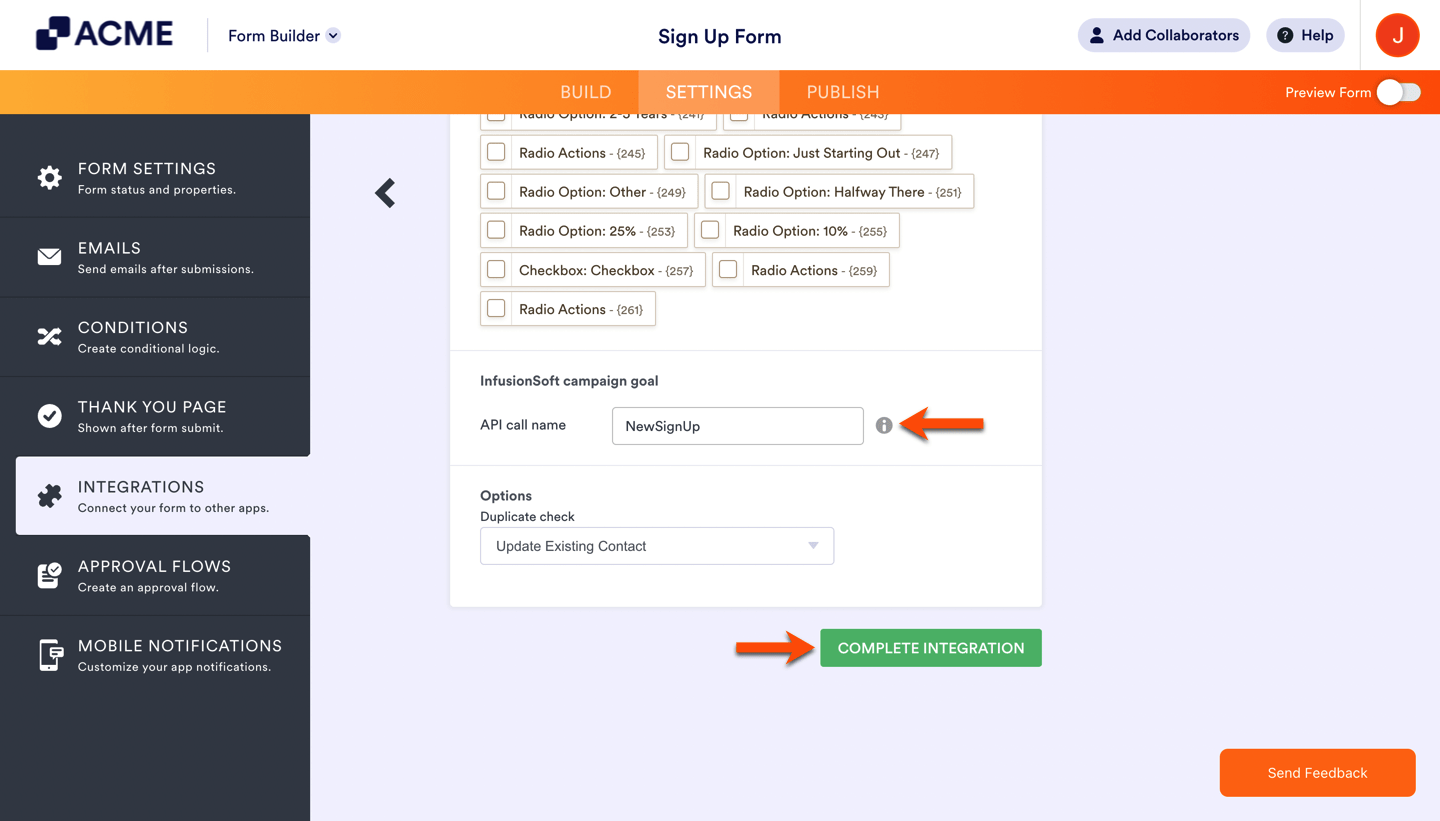
That’s it! Each time your form is submitted, the campaign goal will be triggered for the corresponding user in your campaign.

Send Comment: