Once a user submits the form, you, as a form owner, can receive an Email Notification with the filled information inside. If there’s a need to send the form data to multiple recipients, adding them to the notification emails is possible.
Note: You can add multiple email templates with multiple recipients, but it’s recommended to add up to 10 recipients per template only.
To add multiple recipients
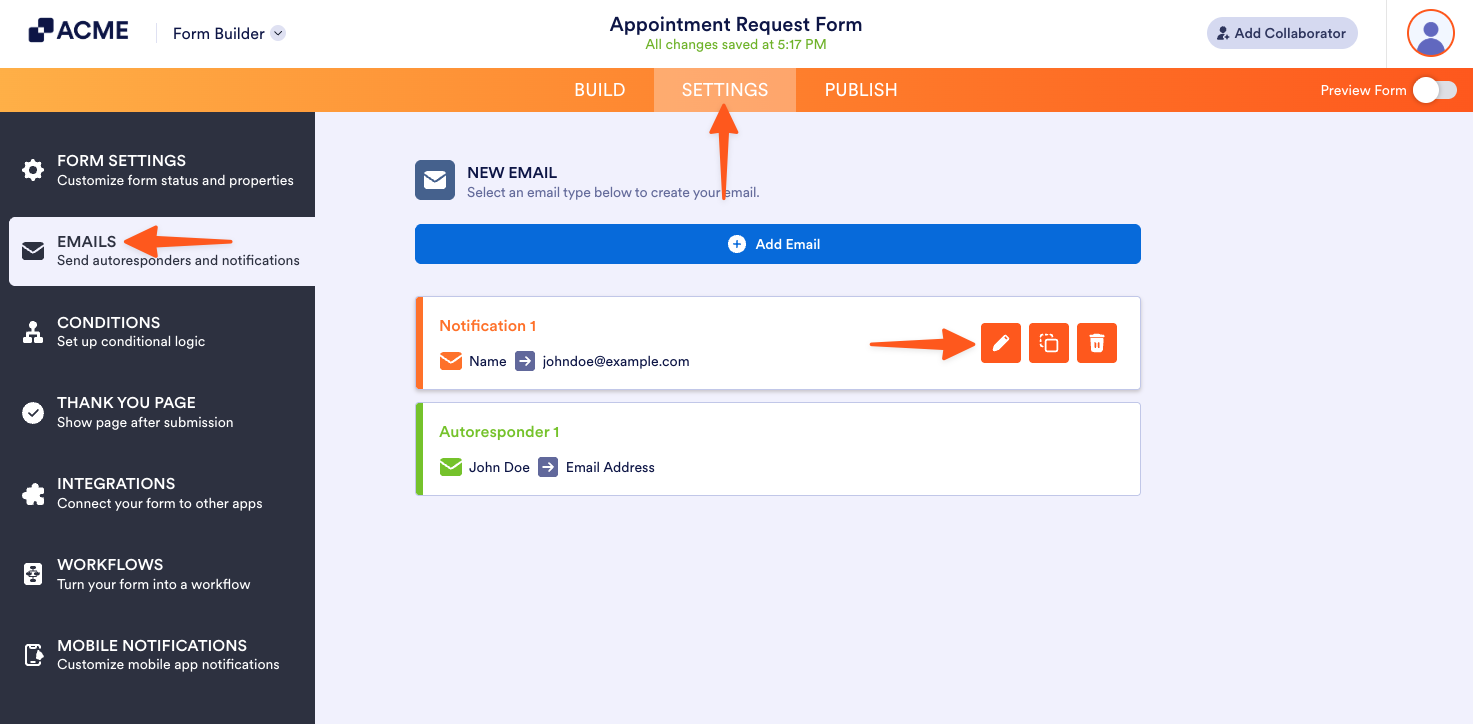
- In the Form Builder, go to the Settings tab.
- Select the Emails tab from the left side of the Settings page.
- Hover your mouse over the Email Notification and click the Pencil icon to edit it.
- Go to the Recipients tab of the Email Notification.
- Under the Recipient Email, add your recipients.
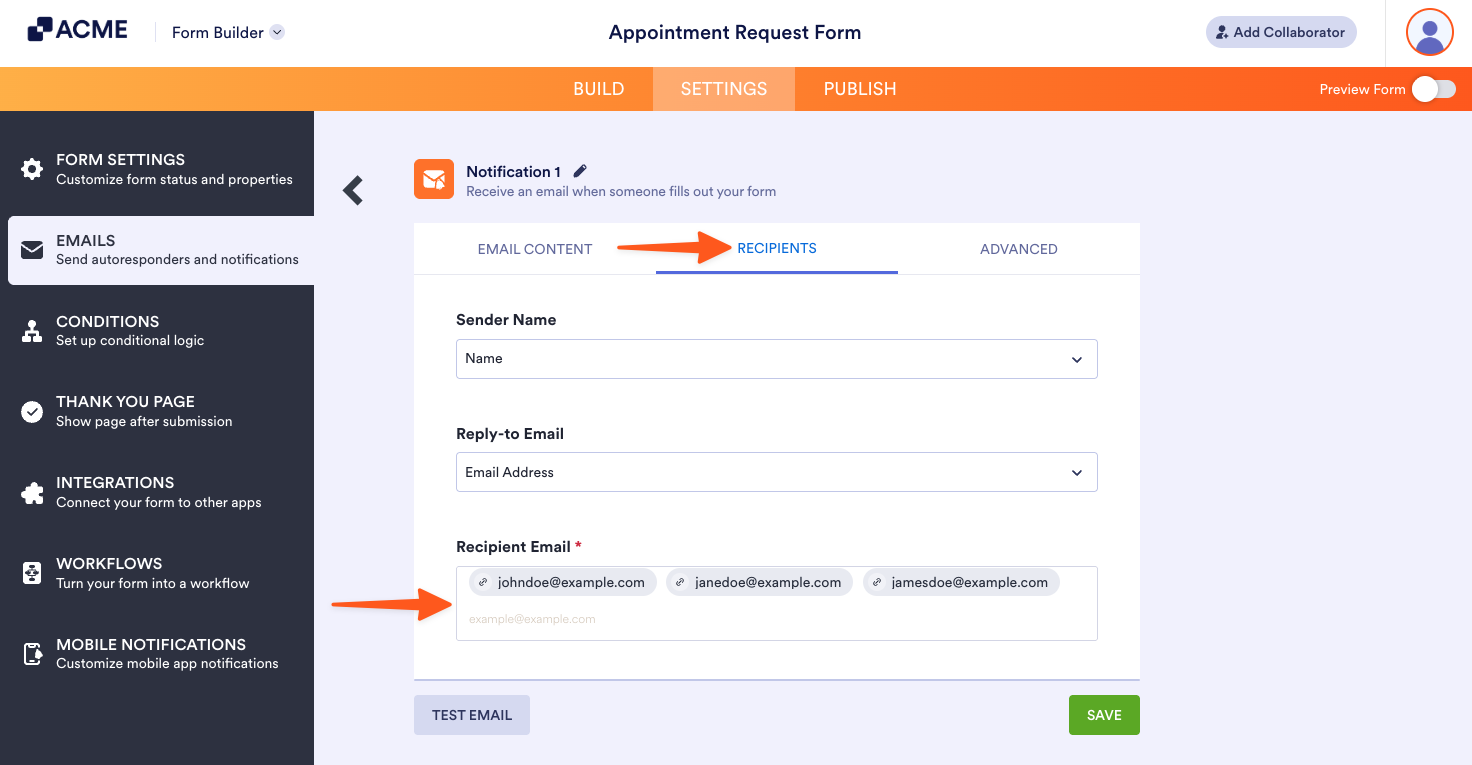
- Finally, click the Save button to save the changes.

Send Comment: