Highrise is a Customer Relationship Management software that helps you track people, conversations, and tasks to keep your relationships fresh. With Highrise integration, you can automatically send new contacts or cases to your Highrise account with every form submission.
To set up the integration:
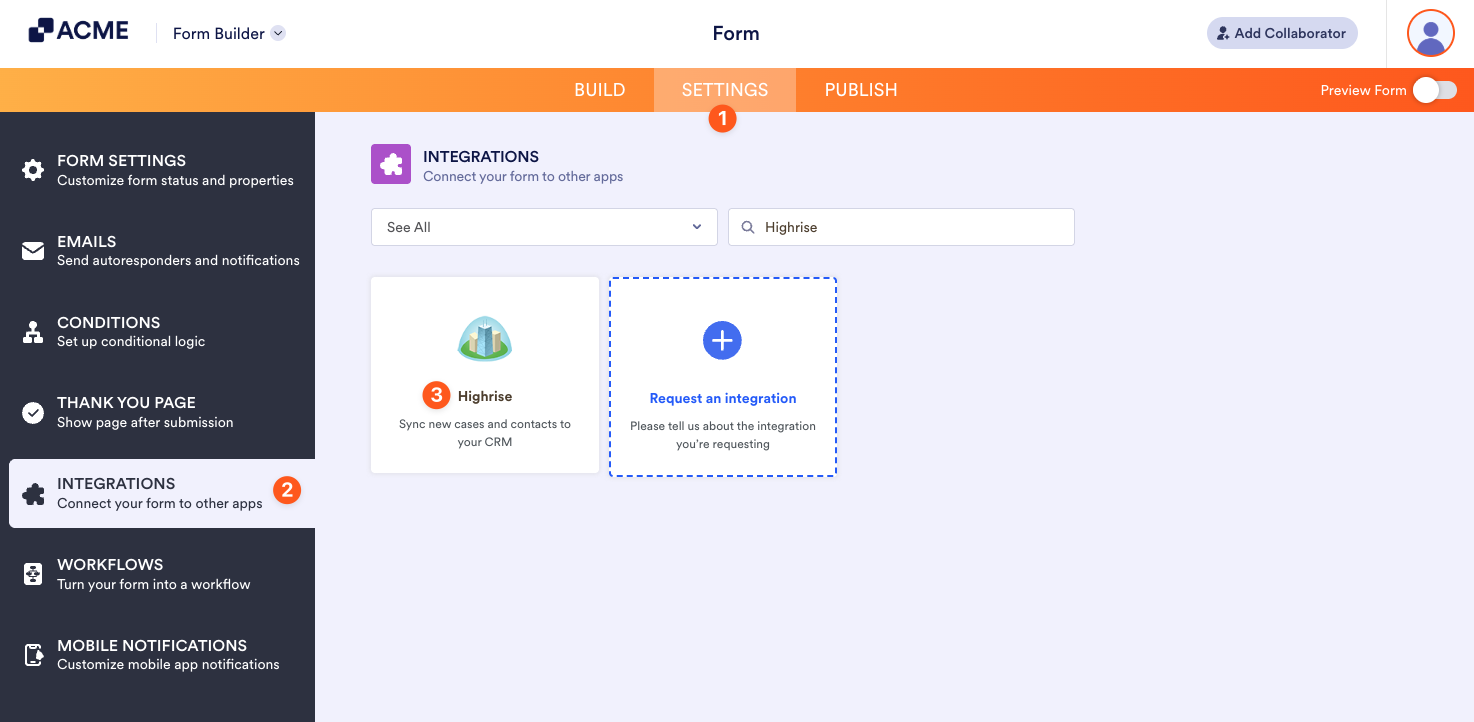
- Go to the Settings tab in the Form Builder.
- Click Integrations on the left panel.
- Search for Highrise, and click it.
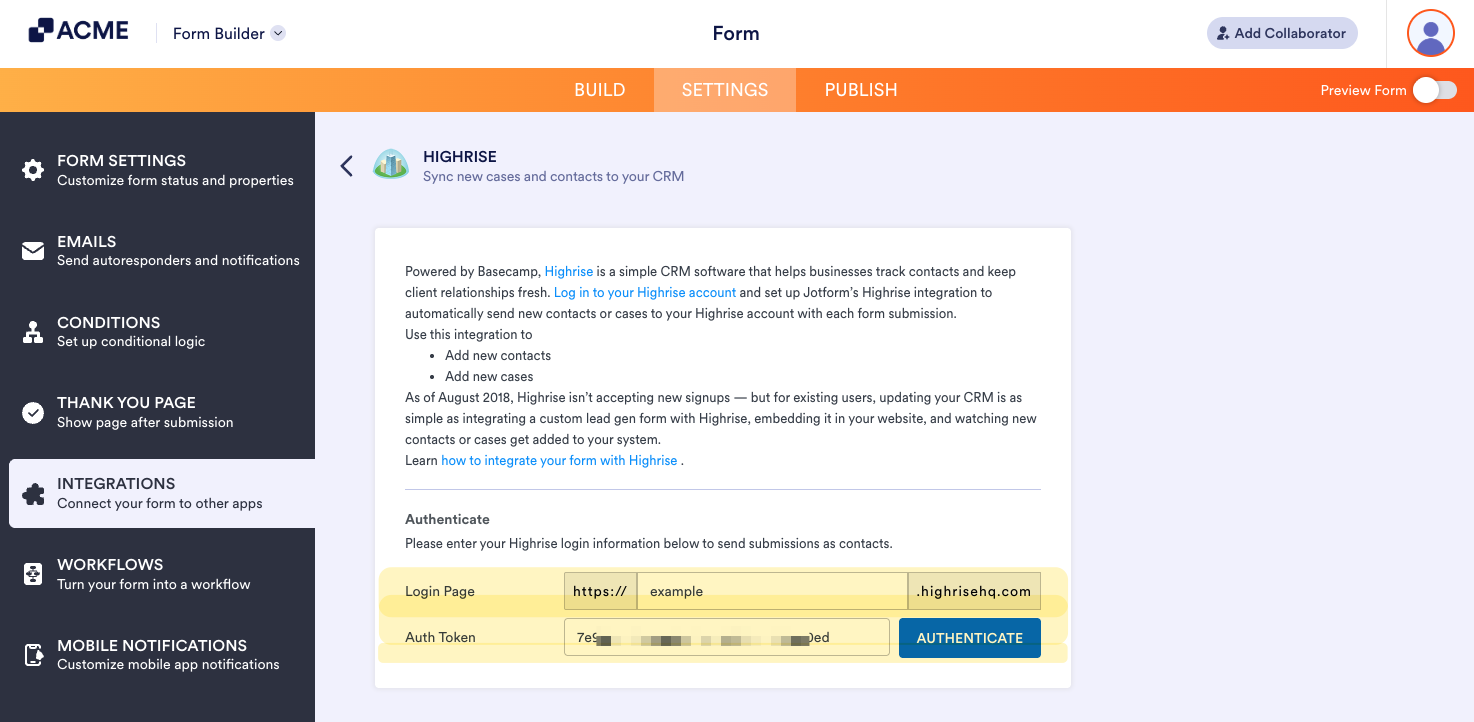
- Enter both your Highrise Subdomain and Authentication Token. To know how to get these two, visit: Find Your API Token.
- Click the Authenticate button to connect.
- Next, you must choose the list from the Choose a List dropdown.
- The integration will automatically match the appropriate fields. Click the Add New Field button to match the other fields.
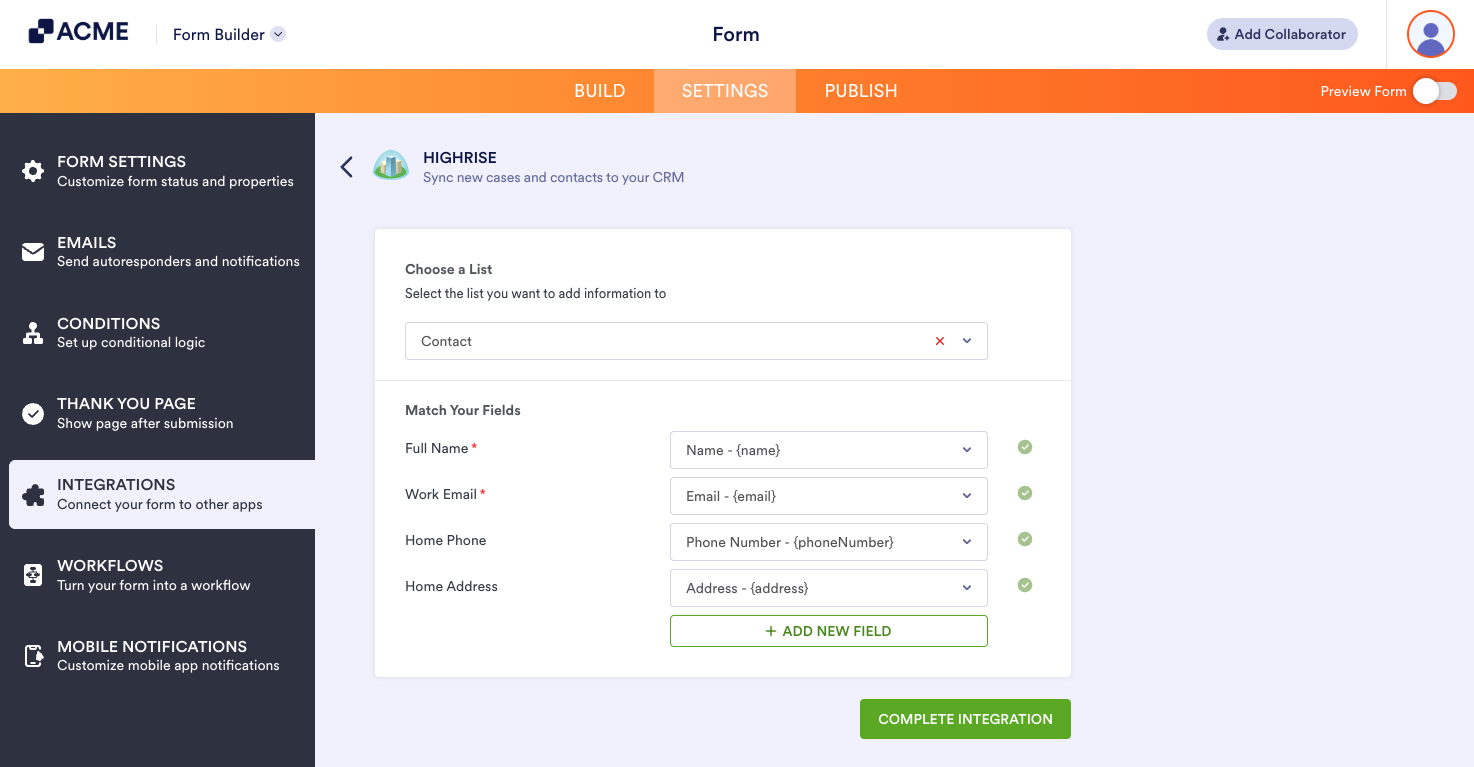
- If you’re all set with matching the fields, click the Complete Integration button to save your settings.
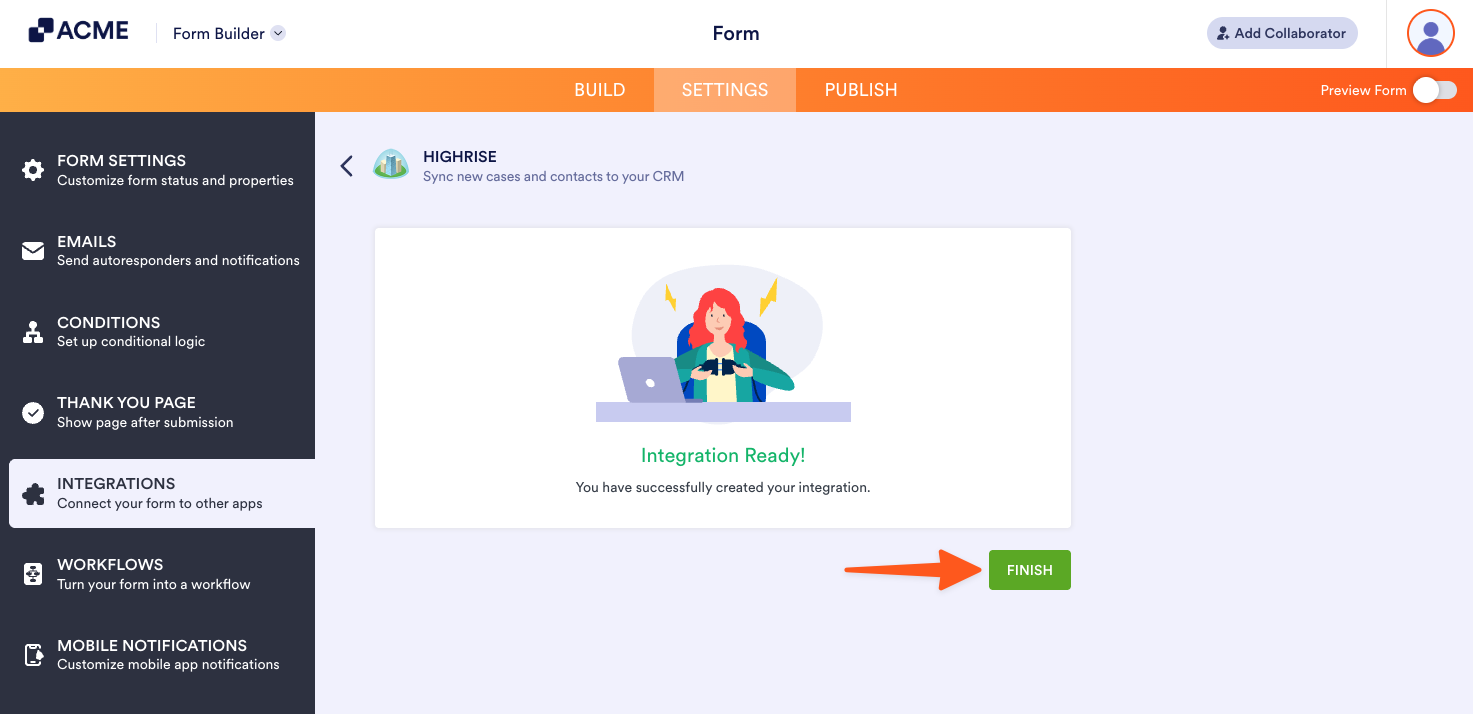
- Finally, click the Finish button. That’s it.

Send Comment: