Groups are useful for creating audience segments to target specific recipients. Through the Mailchimp integration, you can either assign groups yourself or allow form respondents to select the groups they belong to directly from the form.
Note: Interest Groups will appear in the integration only if they’ve been previously created in your Mailchimp audience settings. You can check out Mailchimp’s guide on Getting Started with Groups to learn more.
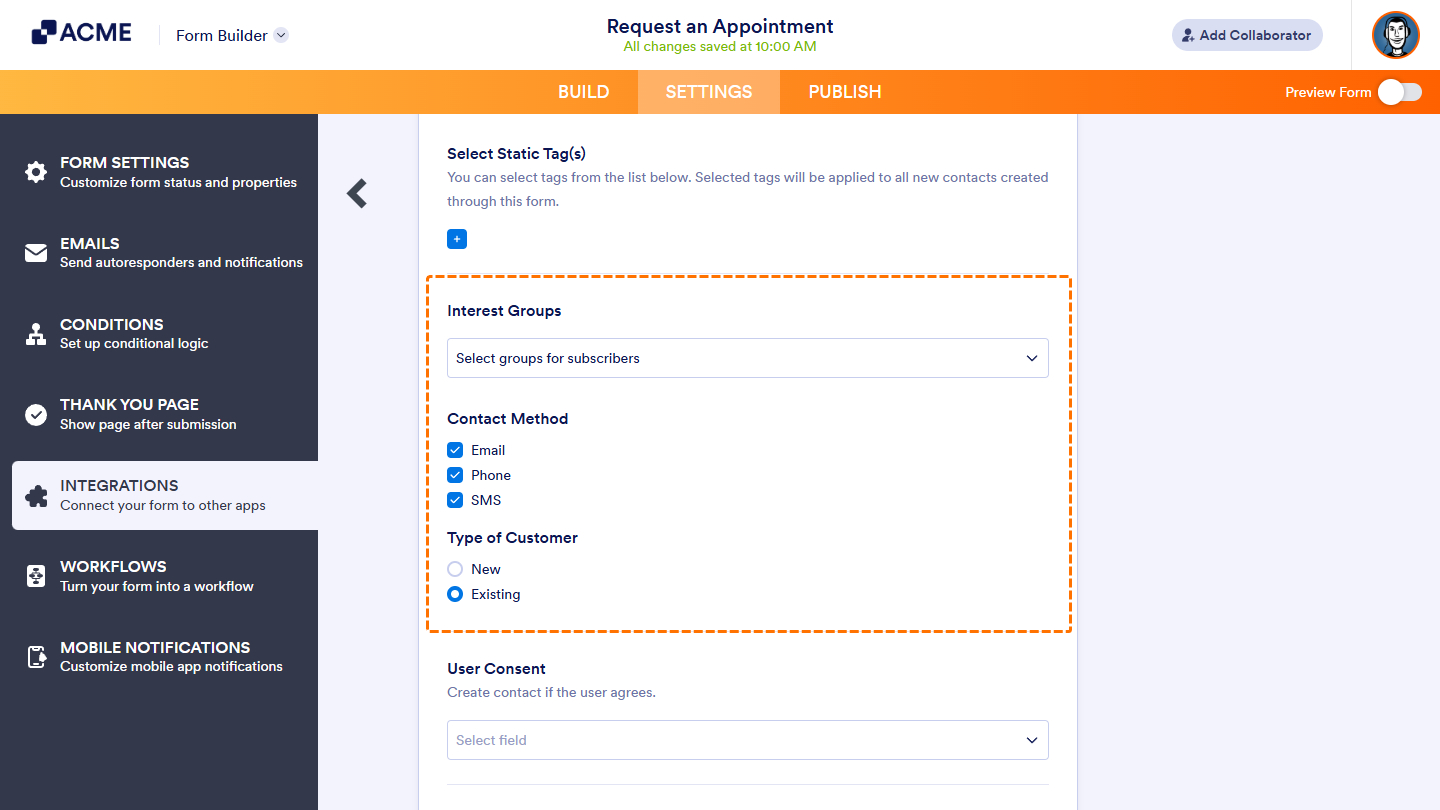
Select Groups for Subscribers
When you choose this option, the integration automatically lists all available groups, organized under their respective categories. Simply review the list, select the groups you want to associate with your form submissions, and you’re done — the integration will handle the rest.
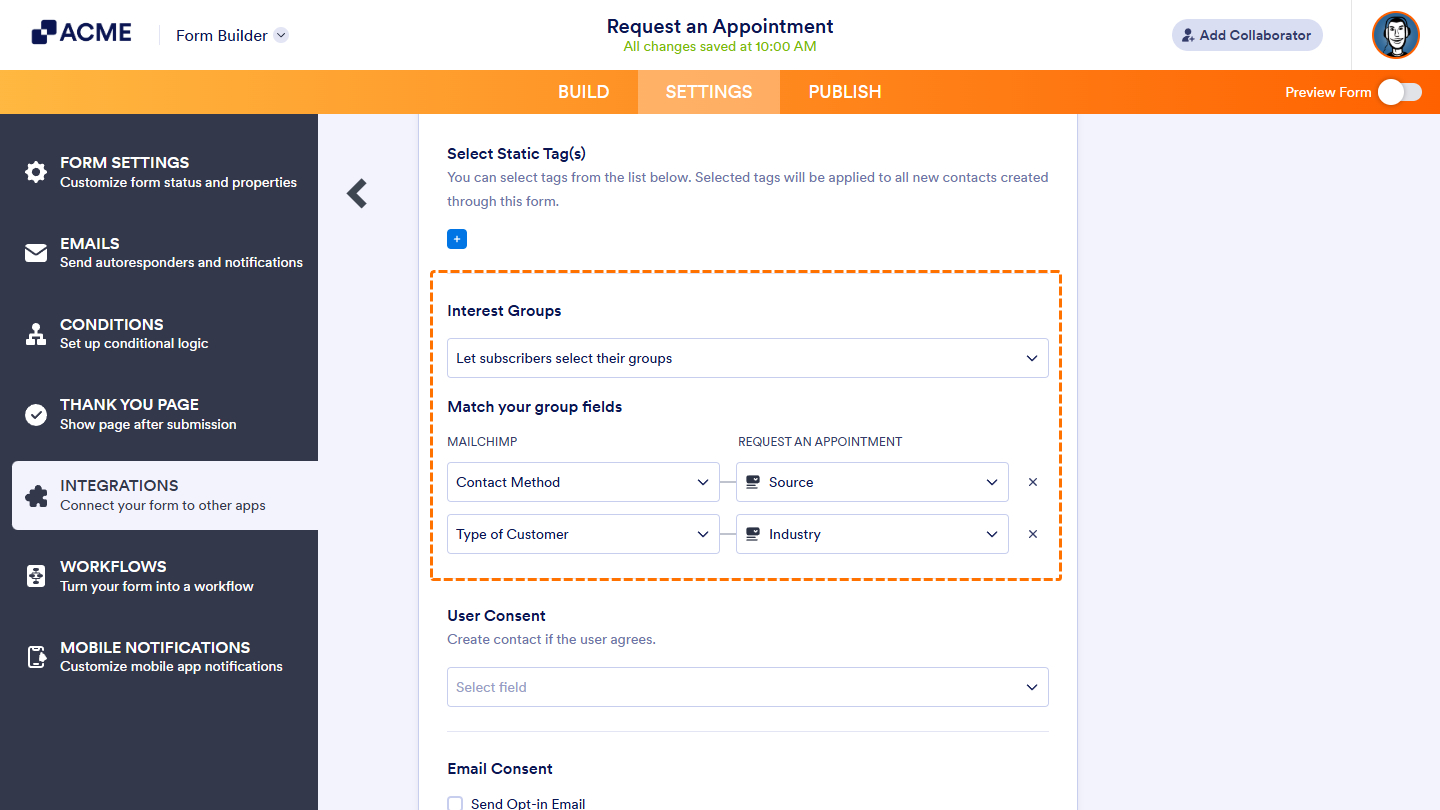
Let Subscribers Select Their Groups
Before selecting this option, make sure the groups are added to your form as individual fields. The field labels don’t need to match the category names in Mailchimp, but the field options must be identical to the group names.
If the Mailchimp group uses checkboxes, use a Multiple Choice field. For single-selection groups, use a Single Choice or Dropdown field instead. You can also use any field that produces a single value, such as a Short Text field or a Calculation widget.
Once you’ve added the necessary fields, map them to the corresponding Mailchimp groups in the integration settings. Here’s an example of how that looks:
Be sure to save your changes before exiting the Form Builder to ensure all updates are applied.

Send Comment: