Jotform’s AI App Builder lets you create apps using voice prompts, existing documents, or text descriptions. You can also add an AI chatbot to your app to provide instant support and help users find the information they need.
The chatbot can answer common questions, guide users through your app, and reduce the need for manual assistance. It’s especially useful for customer support apps, internal tools, and service portals where users may need quick help or guidance.
Adding an AI Chatbot to Your App with AI
Adding an AI chatbot is a simple way to provide instant support right inside your app. It can answer questions, guide users, and handle common requests automatically, helping create a smoother experience for your audience. Here’s how to set it up:
- On the top-left side of your Workspace page, click on Create.
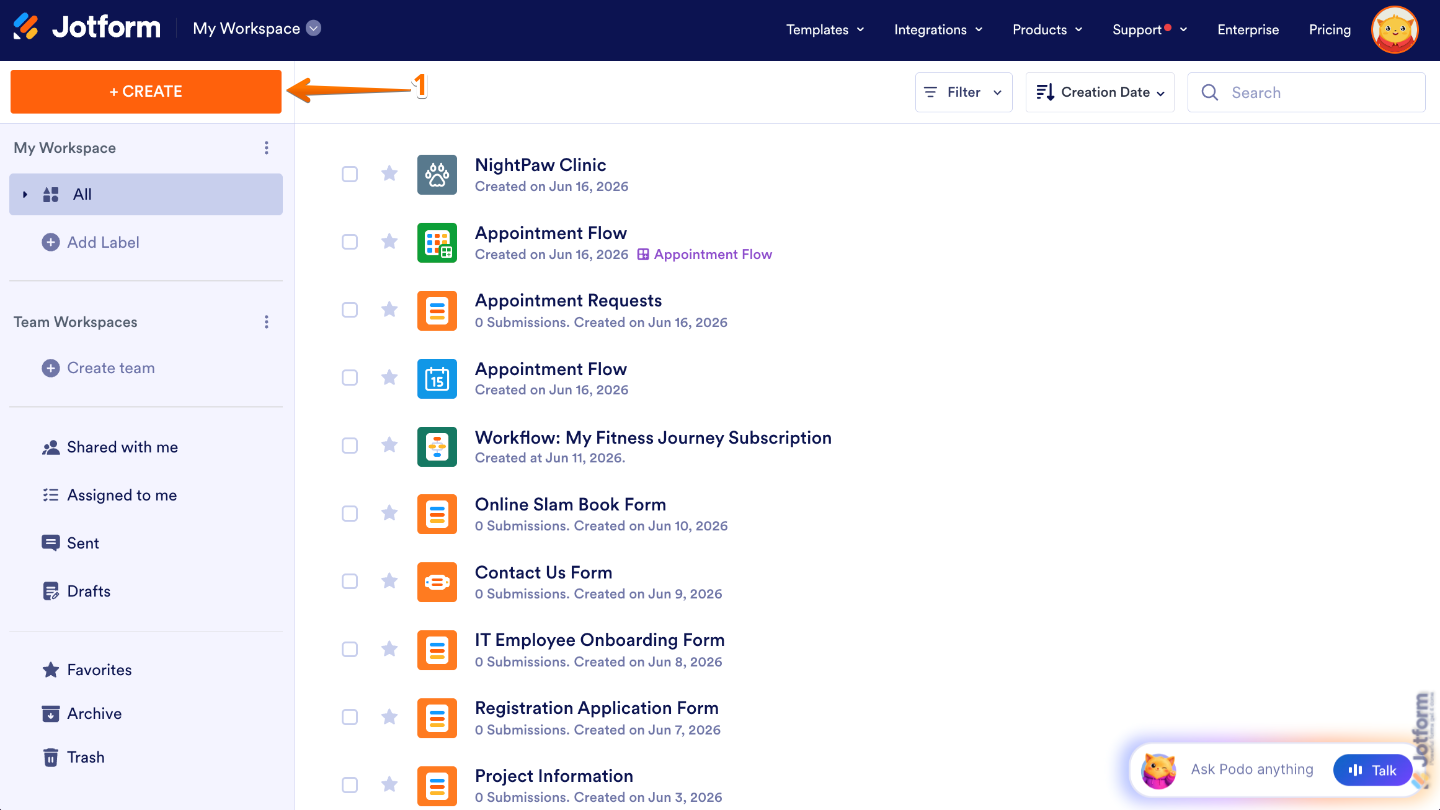
- Next, in the menu that opens, select App.
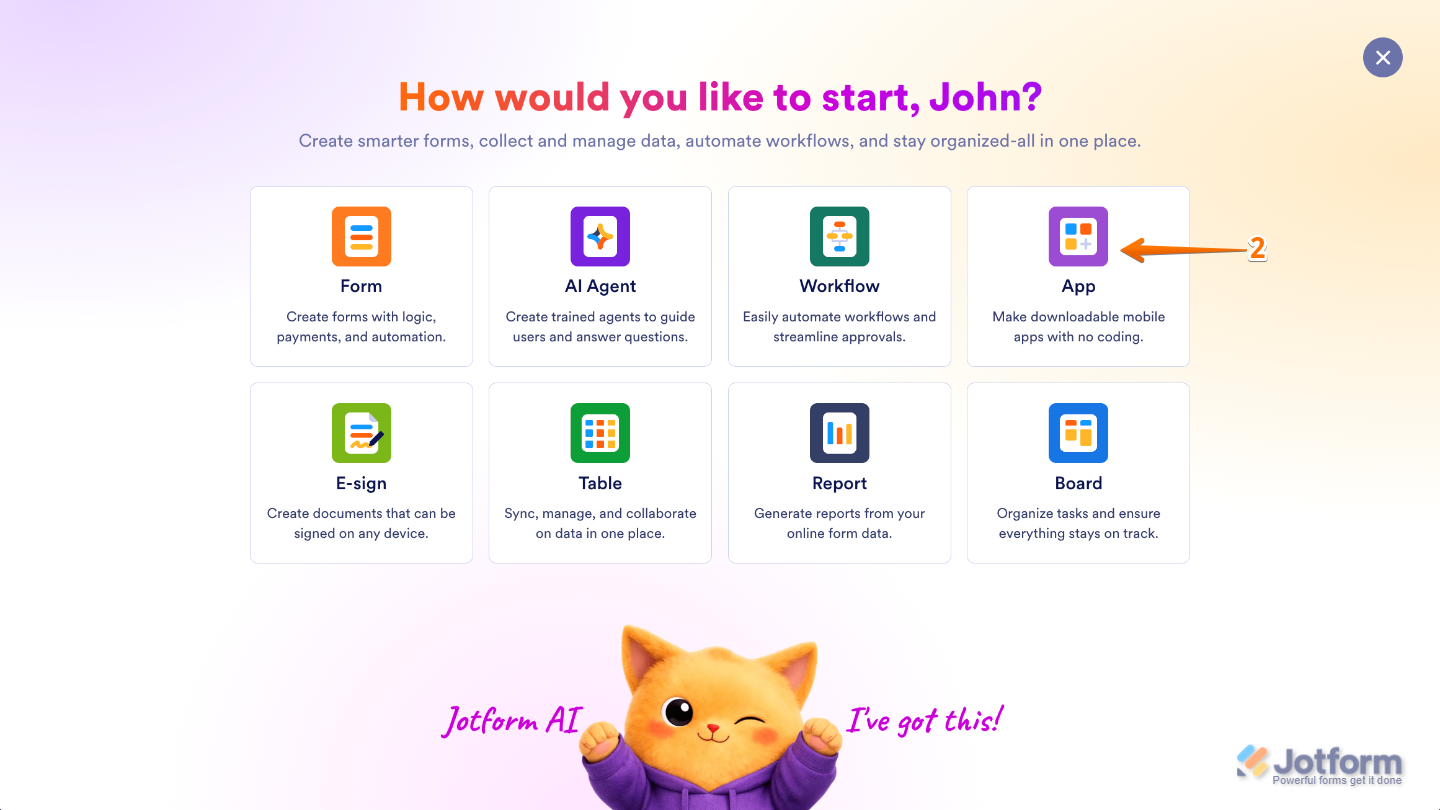
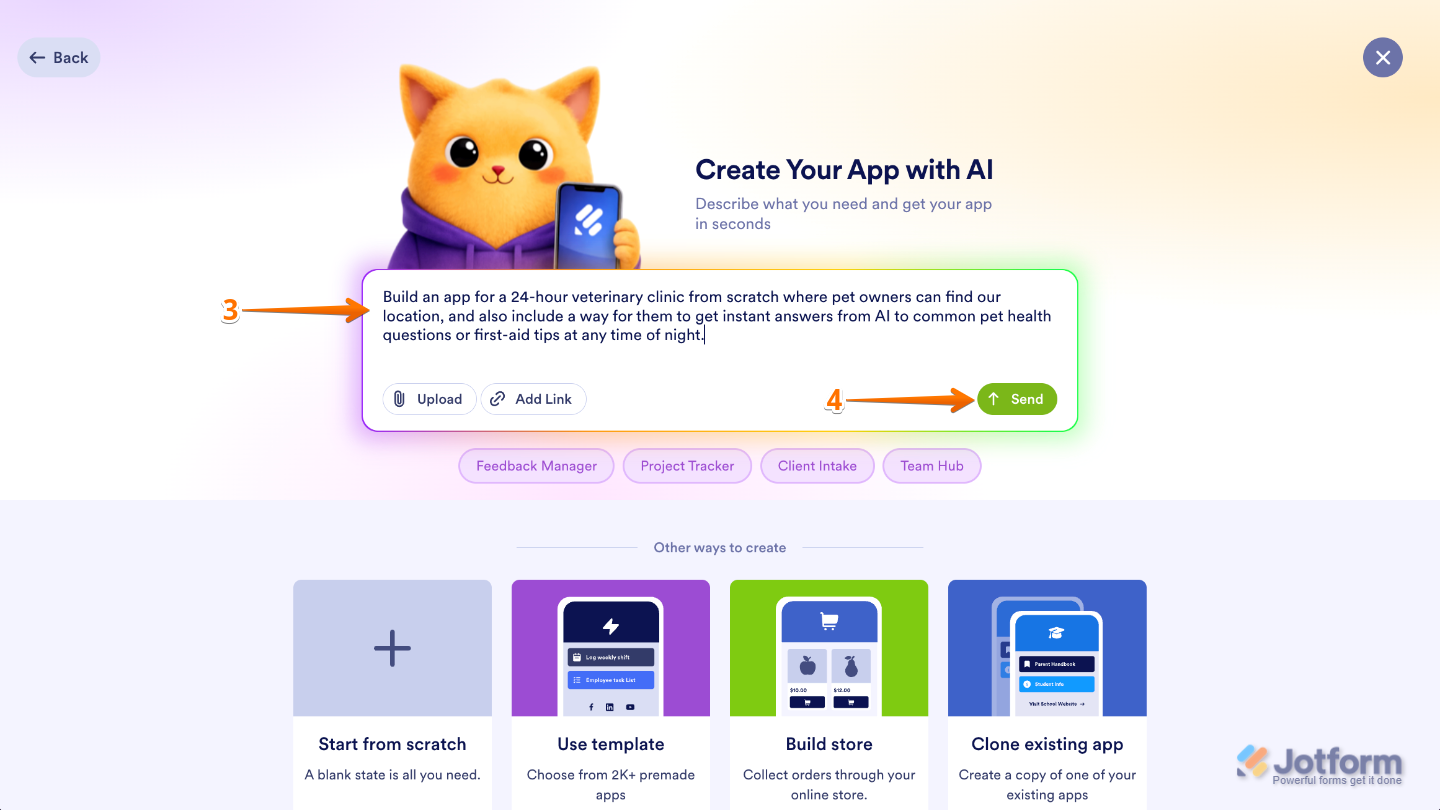
- Now, in the Create Your App with AI window, enter a description of the app and the AI chatbot you want to create. Here are some example prompts you can use:
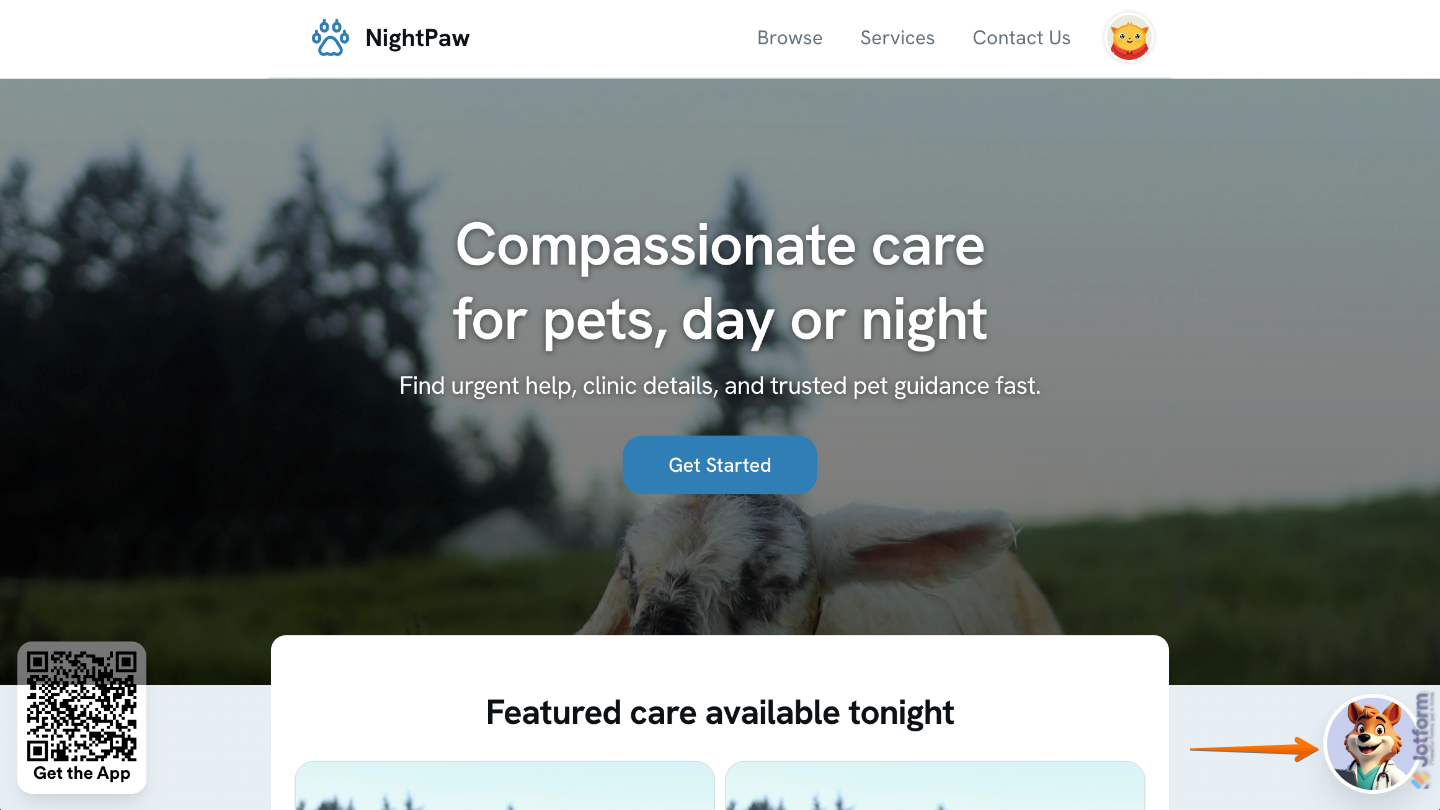
- Build an app for a 24-hour veterinary clinic from scratch where pet owners can find our location, and also include a way for them to get instant answers from an AI chatbot to common pet health questions or first-aid tips at any time of night.
- Create a mental wellness app where users can book human therapists, featuring a 24/7 digital companion AI chatbot they can message anytime for instant breathing exercises and grounding techniques.
- Develop a law firm portal for document uploads and case tracking, complete with an interactive text assistant AI chatbot that instantly answers basic legal questions and helps users draft simple NDA templates.
- Code a fitness app with workout logging that embeds a virtual pocket trainer AI chatbot, allowing users to text and get instant recipe ideas from leftover fridge ingredients or alternative exercises.
- Once you’re done, click on Send.
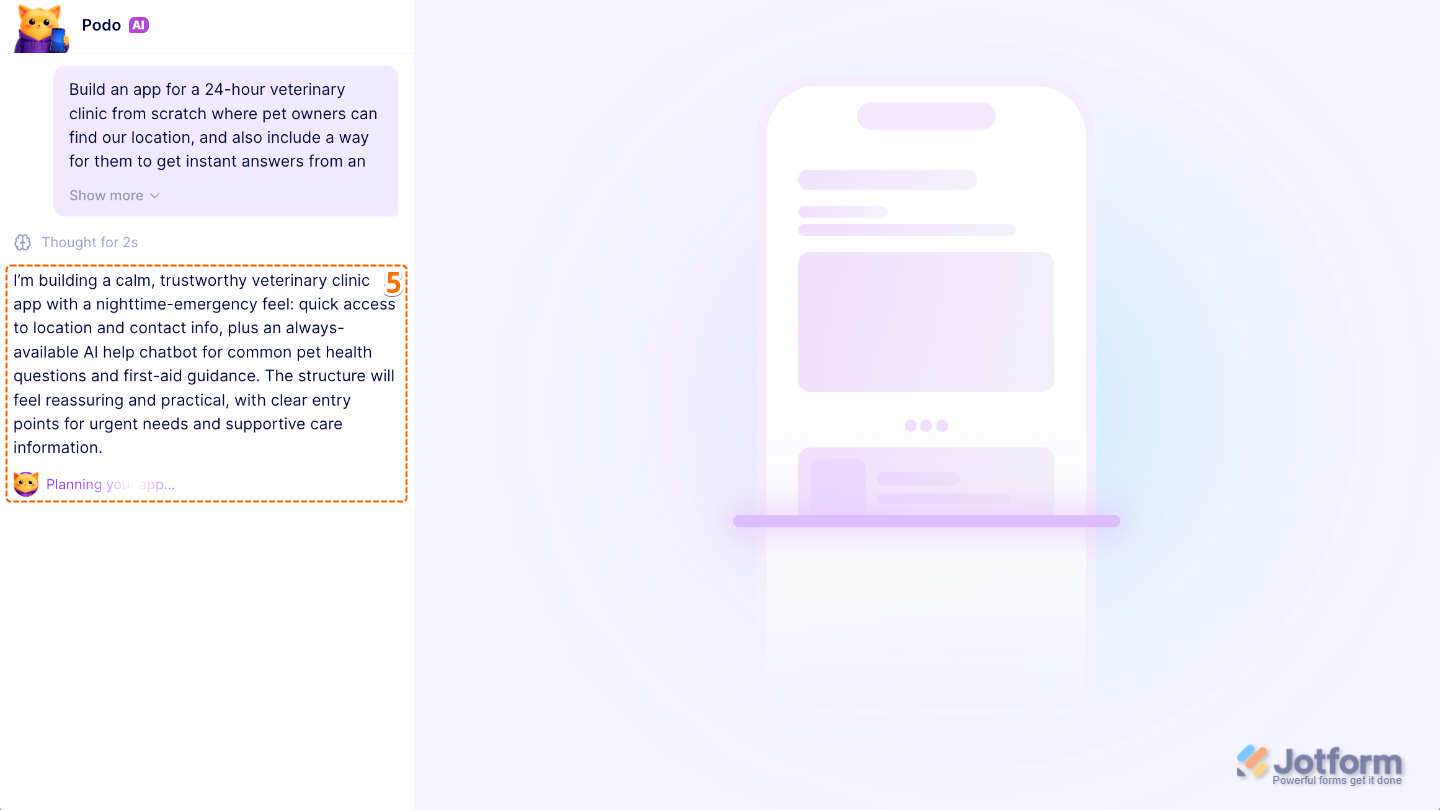
- Now, Podo AI will analyze the description you gave it to create an app tailored to what you need. Once it’s ready, you can review it and make any adjustments you need.
That’s it. Your AI Chatbot is now added to your app and ready to help users, answer their questions, and provide support right where they need it. As your app grows, you can continue refining your chatbot’s instructions and knowledge sources to create an even better experience for your users.
Adding an AI Chatbot to Your App Manually
If you already have an app and want to add AI Chatbot support, you can easily add and customize a chatbot to match what you need. This gives you greater control over how it responds, what information it can provide, and the overall experience it delivers to your users. For a full breakdown of how to do it, head over to our guide on How to Add an AI Agent Chatbot to Jotform Apps.

Send Comment: