Agents can be archived or unarchived one by one or in bulk, giving admins simple control over which agents are active and visible. Archiving helps keep your workspace clean by hiding agents that are not currently in use, without deleting them. When needed, you can easily unarchive them and make them available again. Bulk actions make it quick and easy to manage multiple agents at the same time.
Archiving an AI Agent
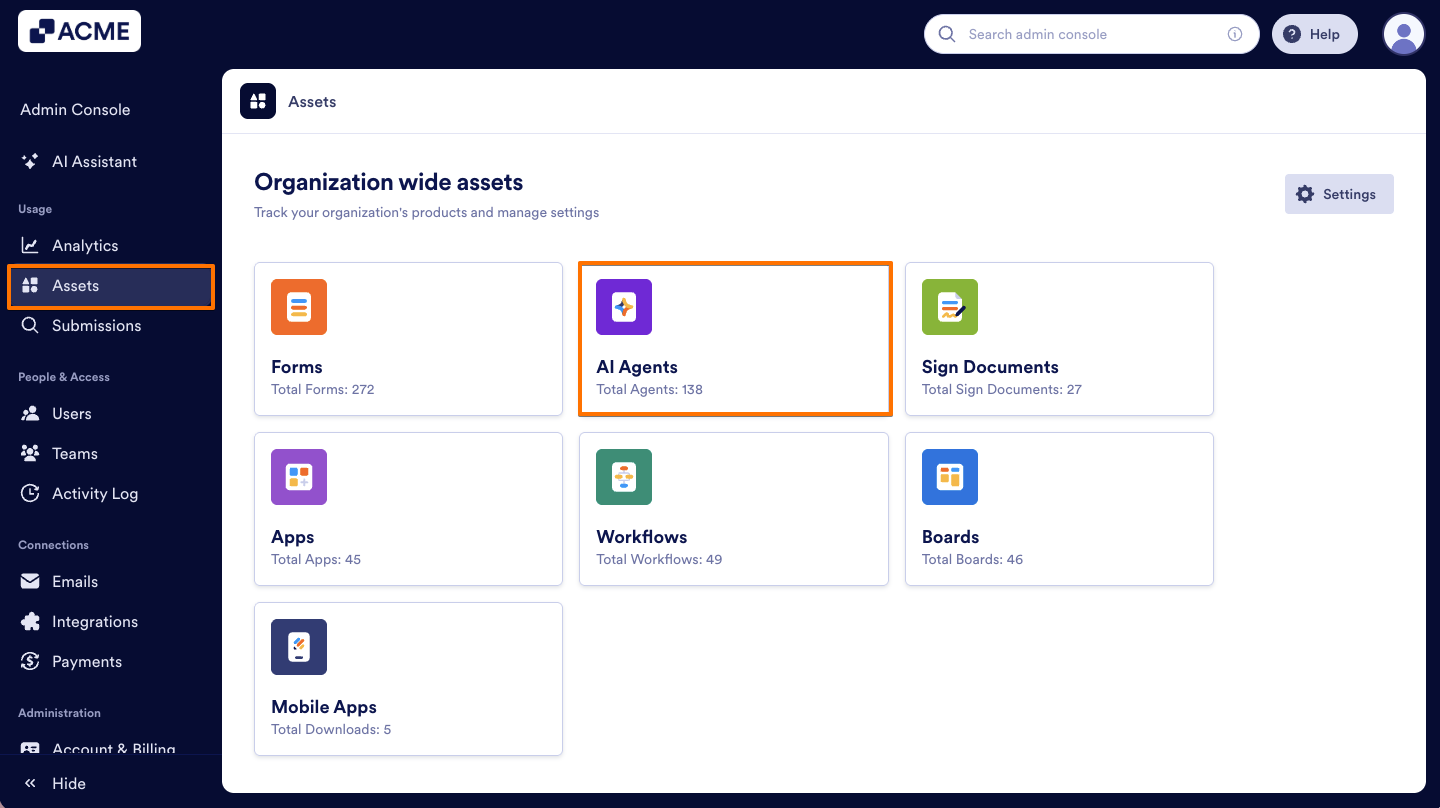
- In your organization’s Admin Console, on the left side of the page, click on Assets.
- Then, select AI Agents.
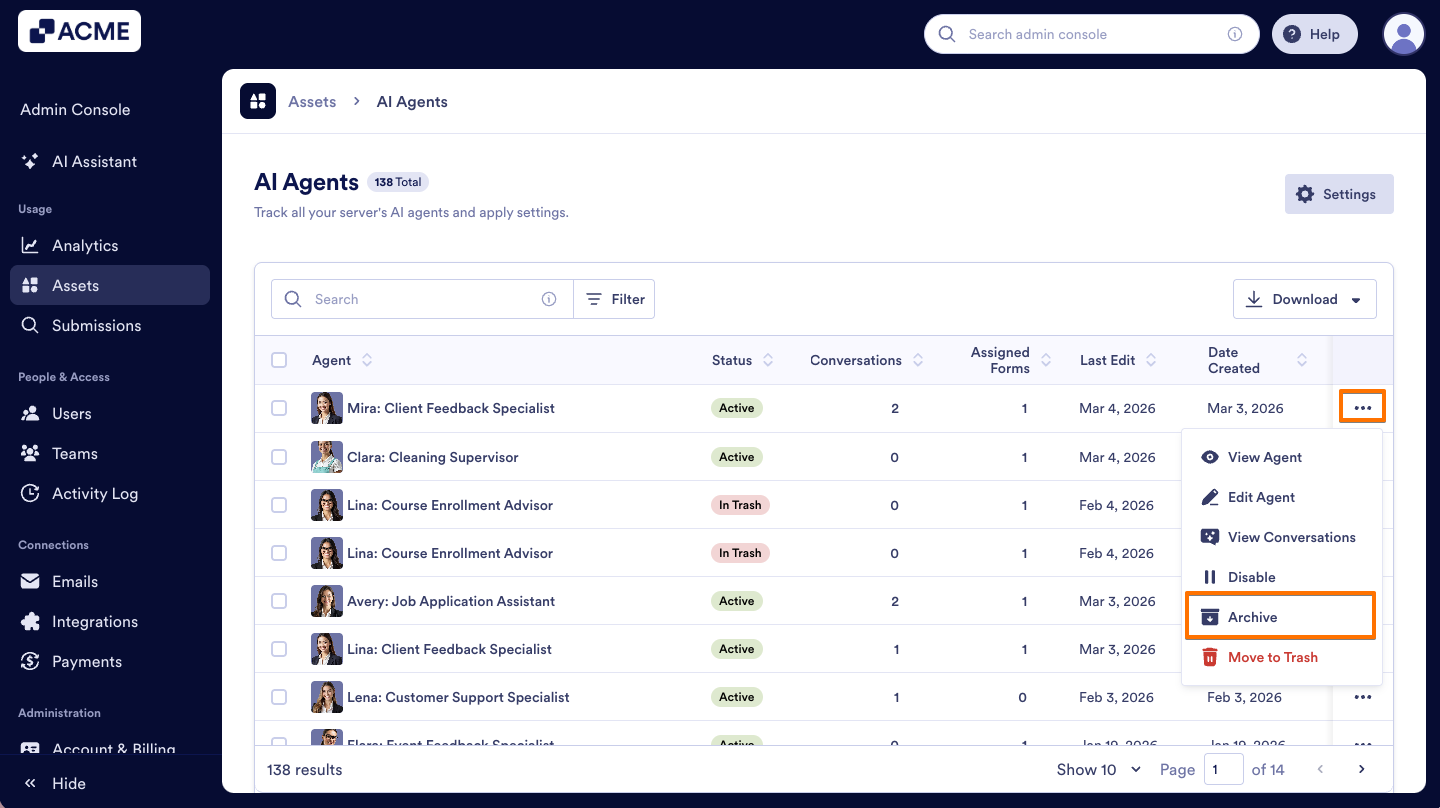
- Next to the AI Agent you want to archive, click on the Three dots icon to open the menu.
- From the menu, select Archive.
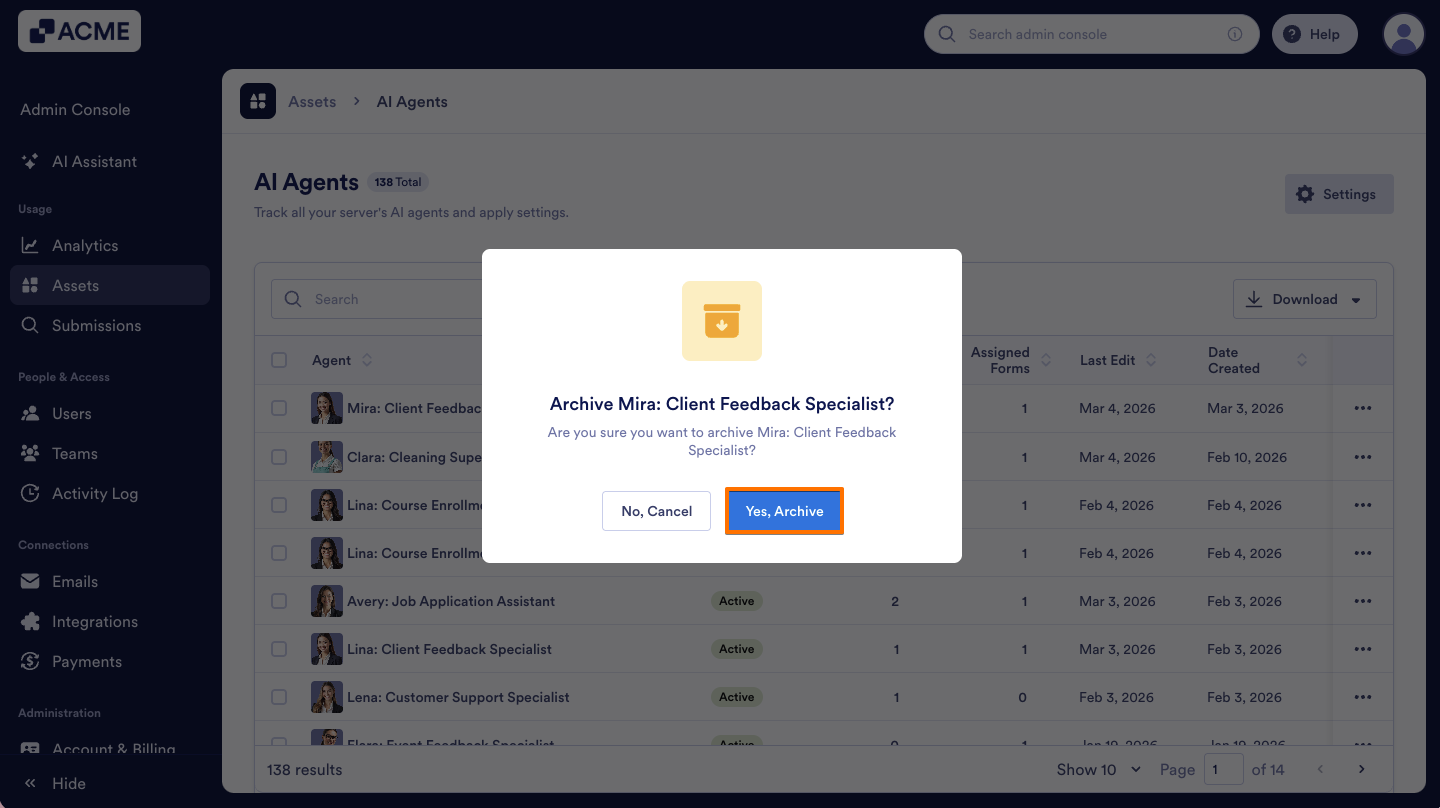
- In the pop-up window that comes up, click on Yes, Archive to confirm.
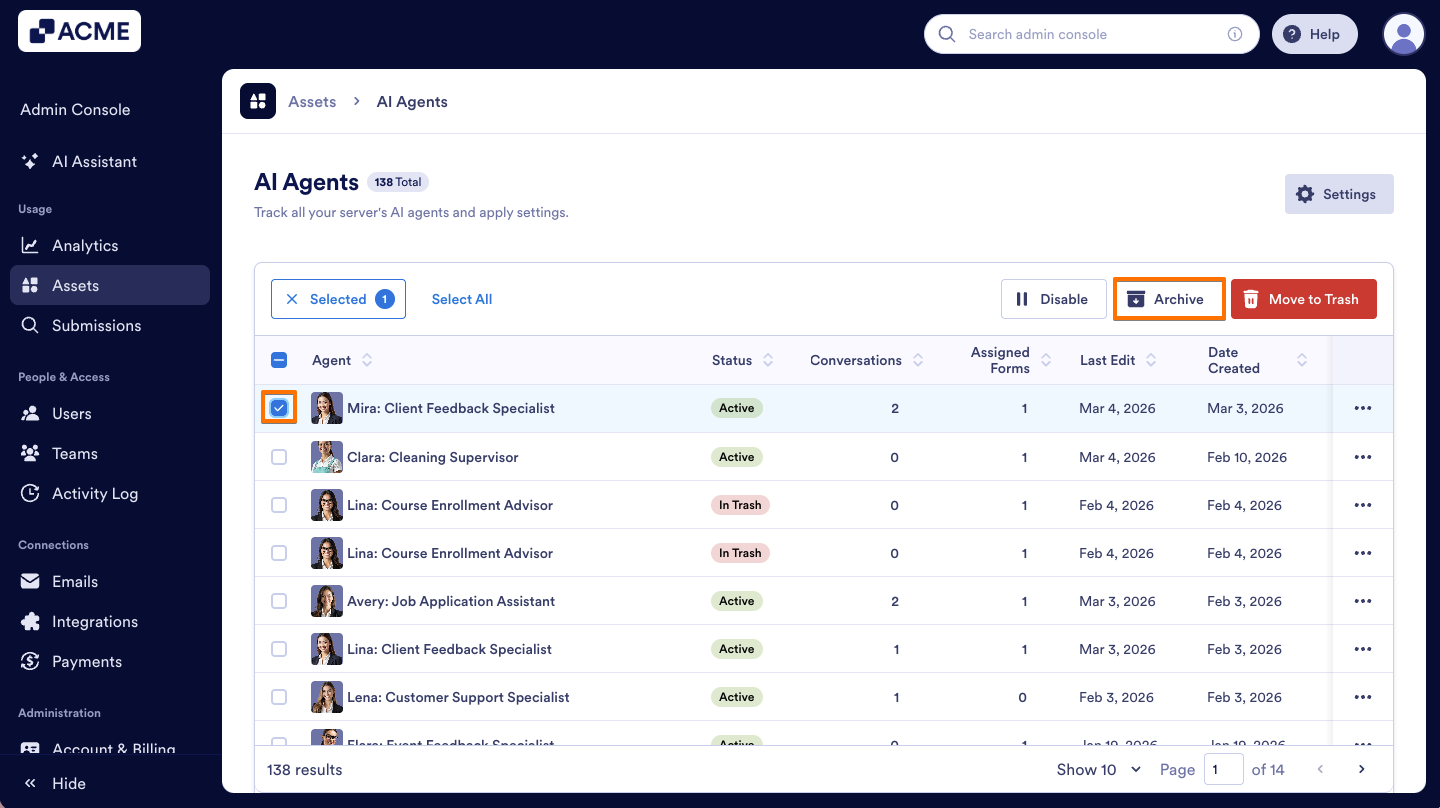
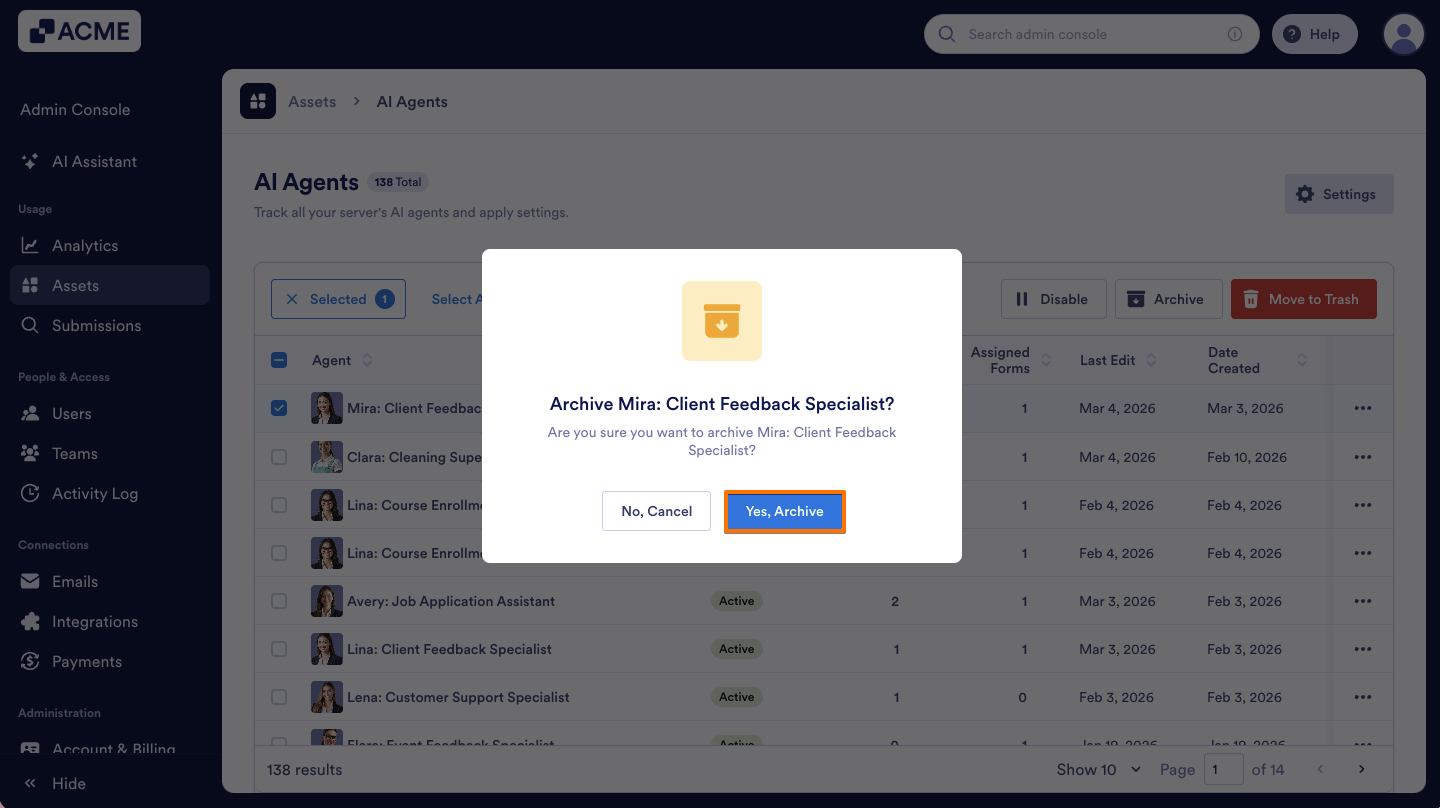
You also have the option to archive an AI Agent by selecting it from the list and clicking the Archive button. Let me show you how:
- In your organization’s AI Agents Assets page, on the left side of the agent, click on the Checkbox.
- Then, on the upper right side of the list, click on the Archive button.
- Finally, in the pop-up window, select Yes, Archive.
Unarchiving an AI Agent
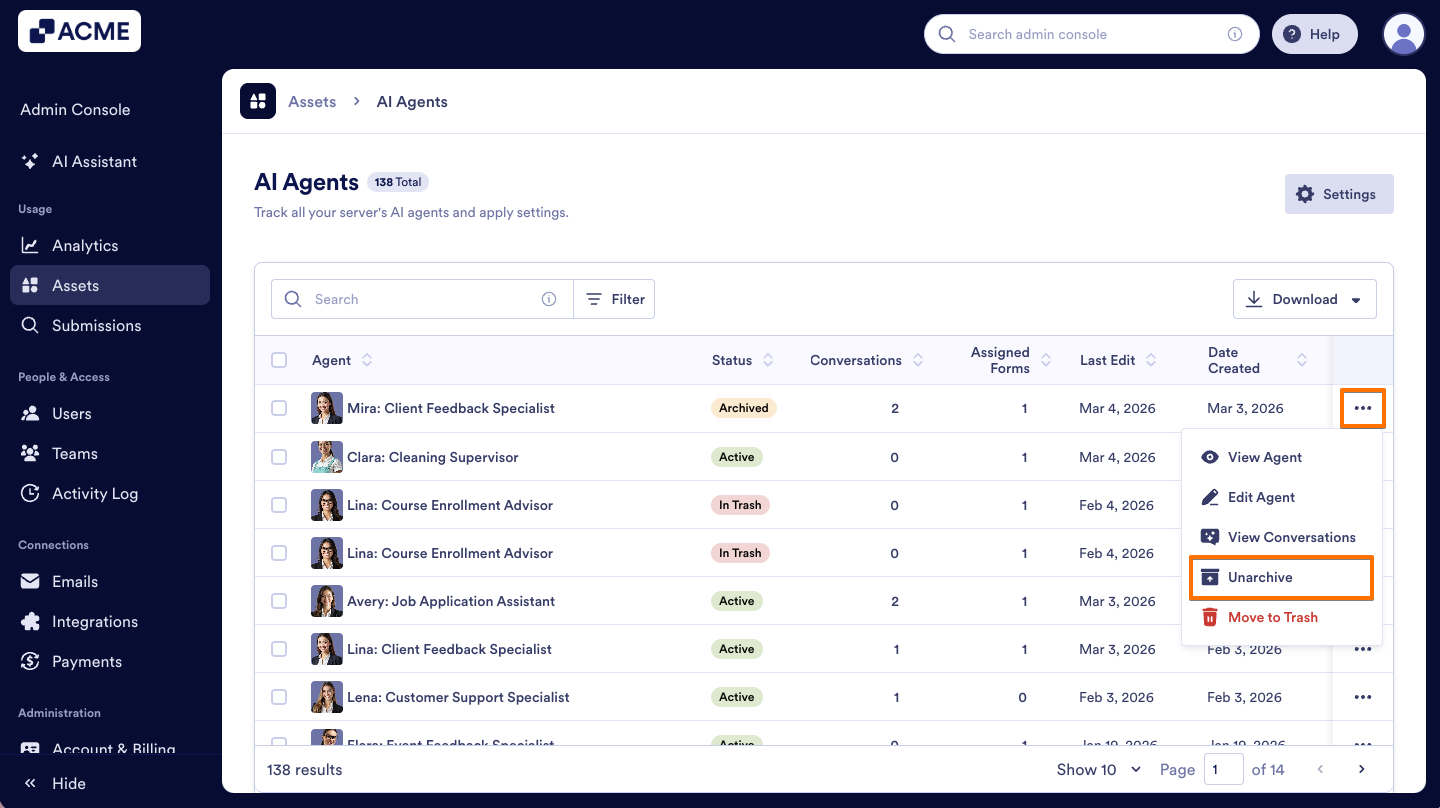
- On the AI Agents Assets page, click on the Three dots icon next to the agent that was archived before.
- In the menu, click on the Unarchive option.
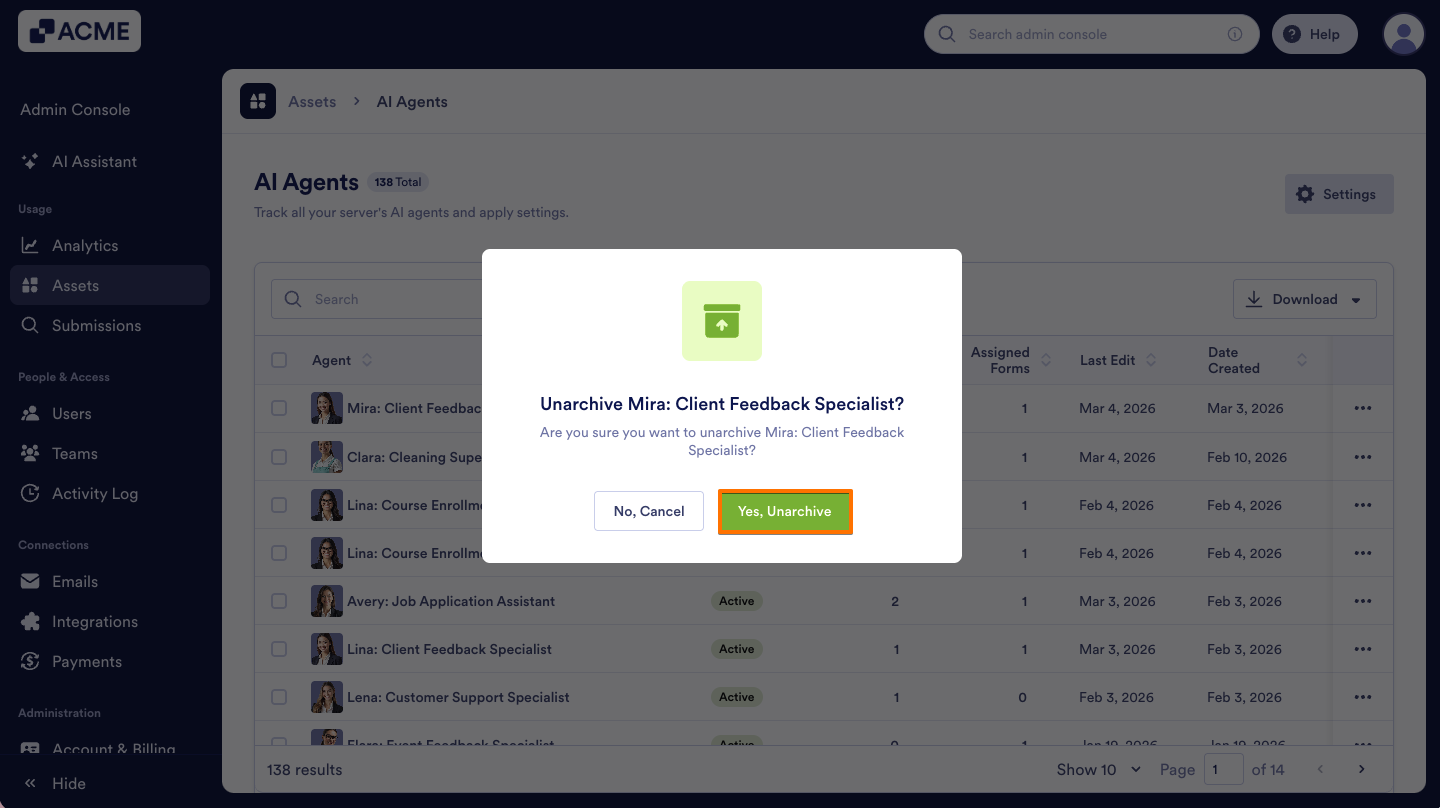
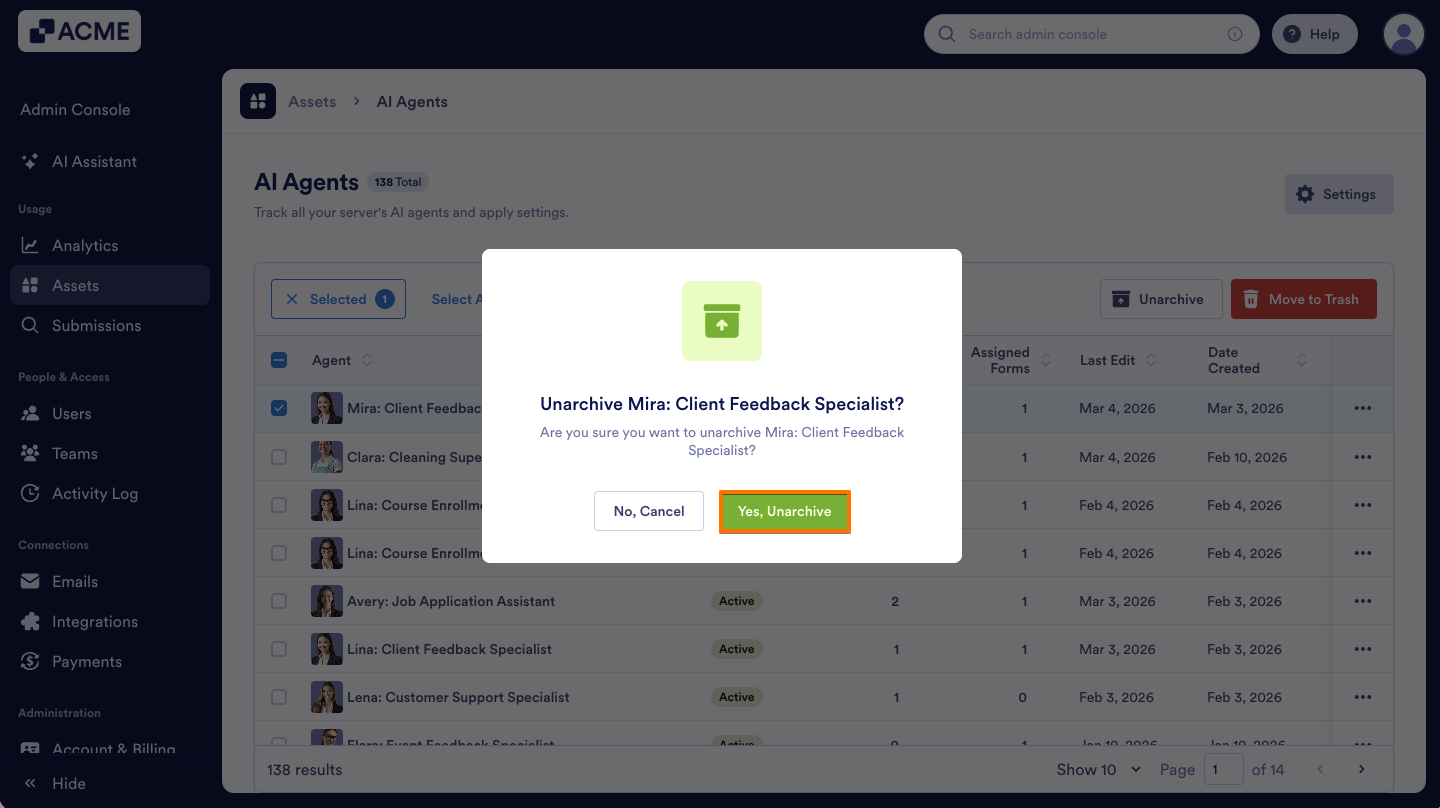
- Then, on the pop-up window, select Yes, Unarchive to confirm.
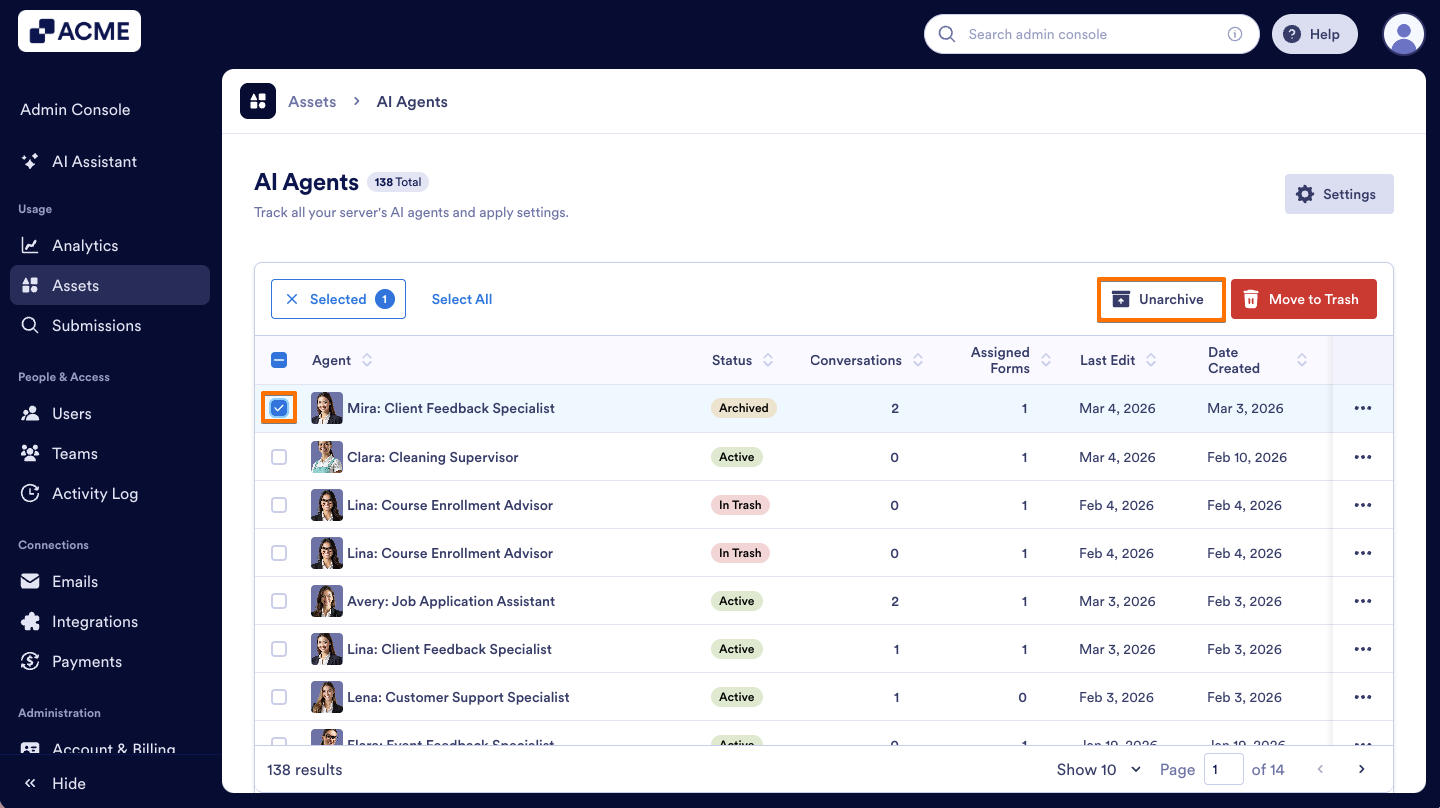
Another way to unarchive an AI Agent is by clicking the Unarchive button that appears after selecting the agent from the list. Here’s how:
- In your Admin Console’s AI Agents Assets page, select the Checkbox next to the agent that was archived before.
- Next, at the top of the list, click on the Unarchive button.
- In the pop-up window, select Yes, Unarchive to confirm.
Archiving AI agents in Bulk
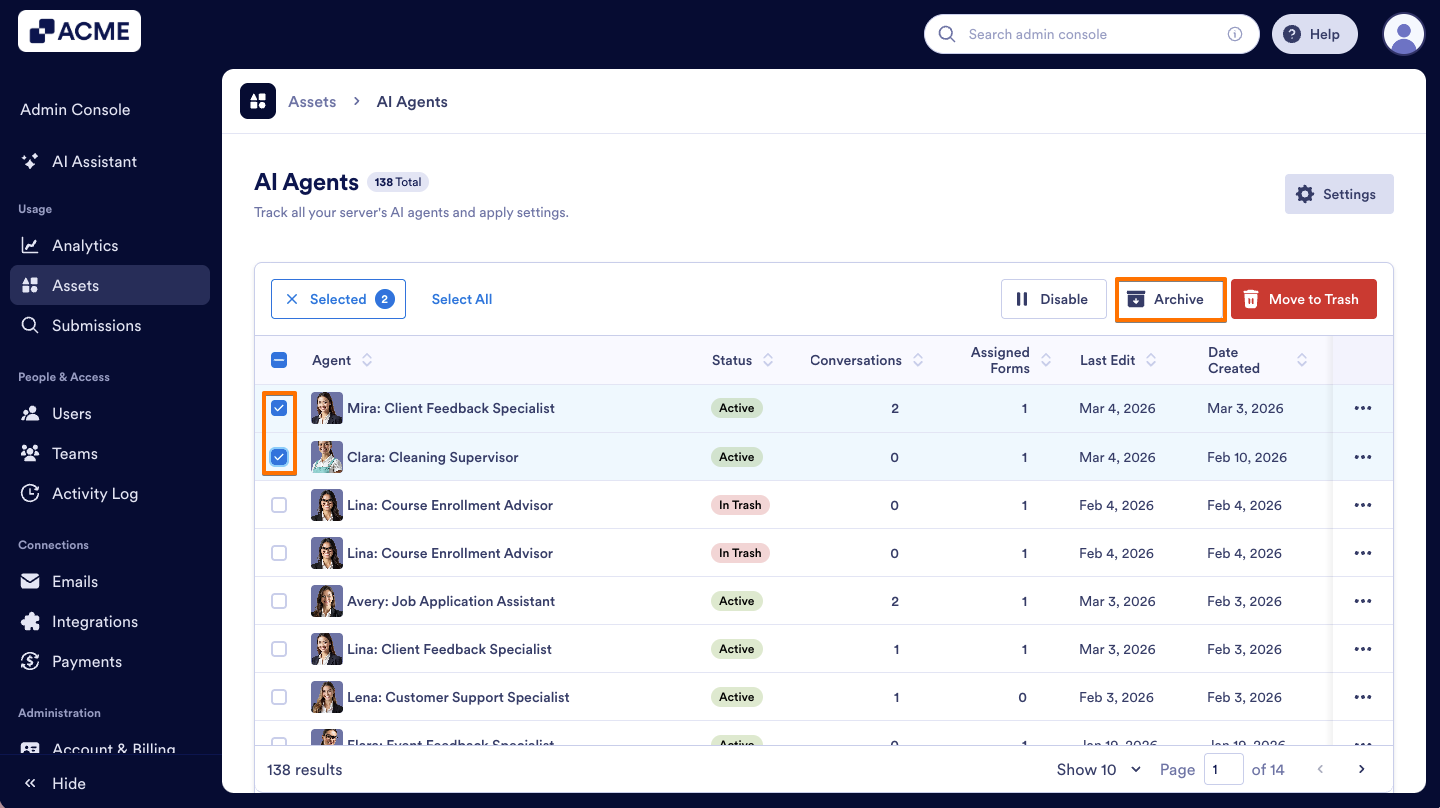
- On the AI Agents Assets page, on the left side of the agents you want to unarchive, select the Checkboxes.
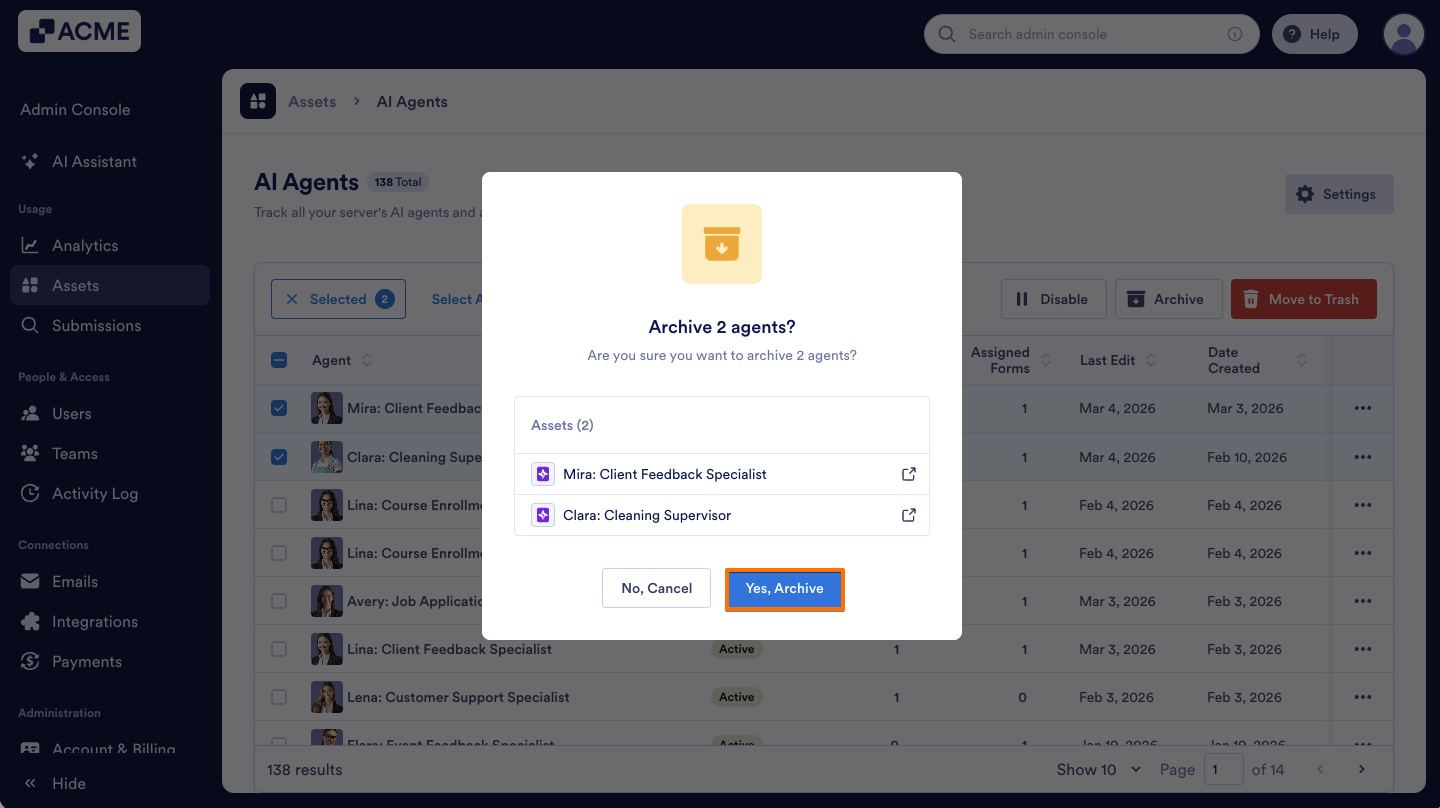
- Then, on the top of the list, click on the Archive button.
- On the pop-up window, select Yes, Archive to confirm.
Unarchiving AI Agents in Bulk
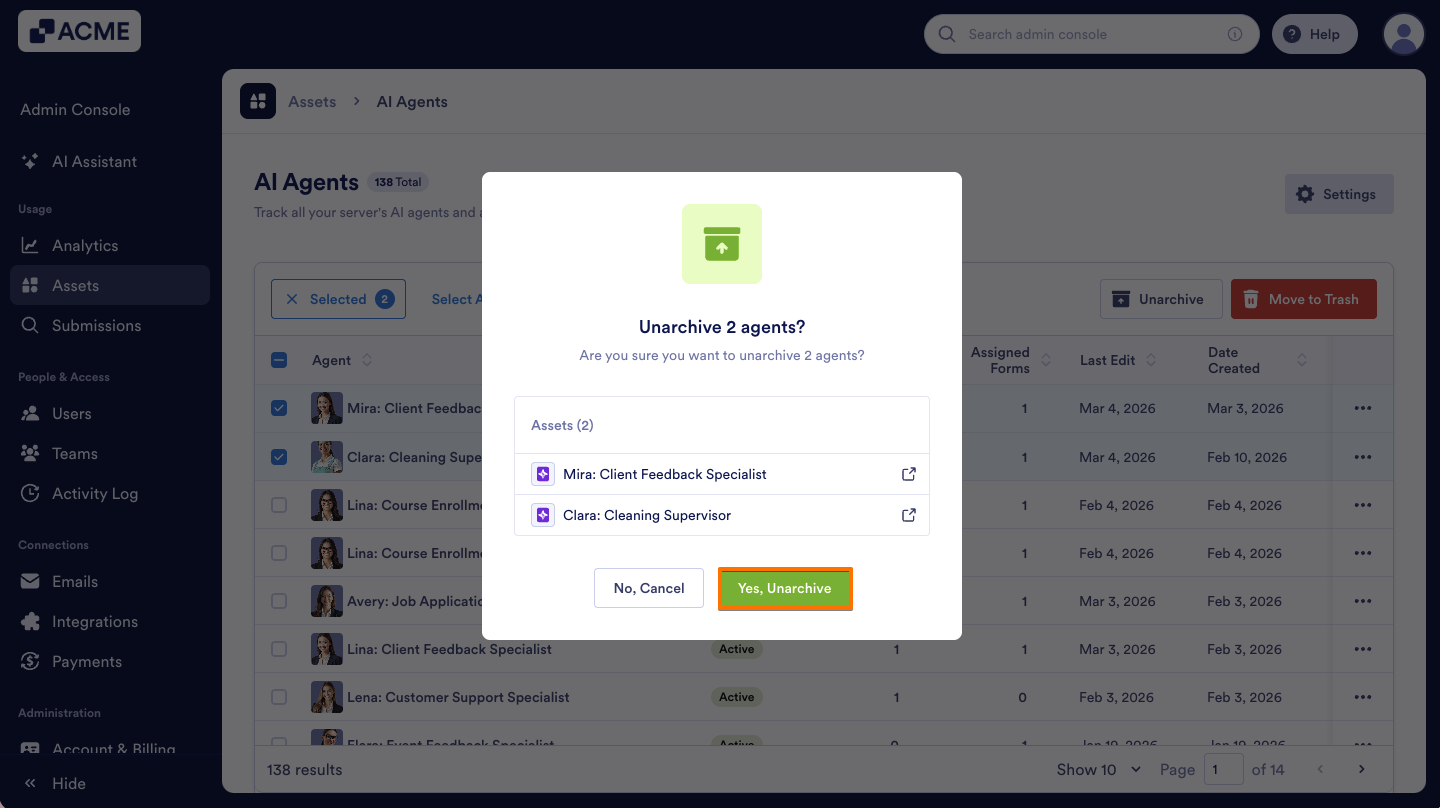
- On the AI Agents Assets page, on the left side of the agents you want to unarchive, select the Checkboxes.
- Next, click on the Unarchive button above.
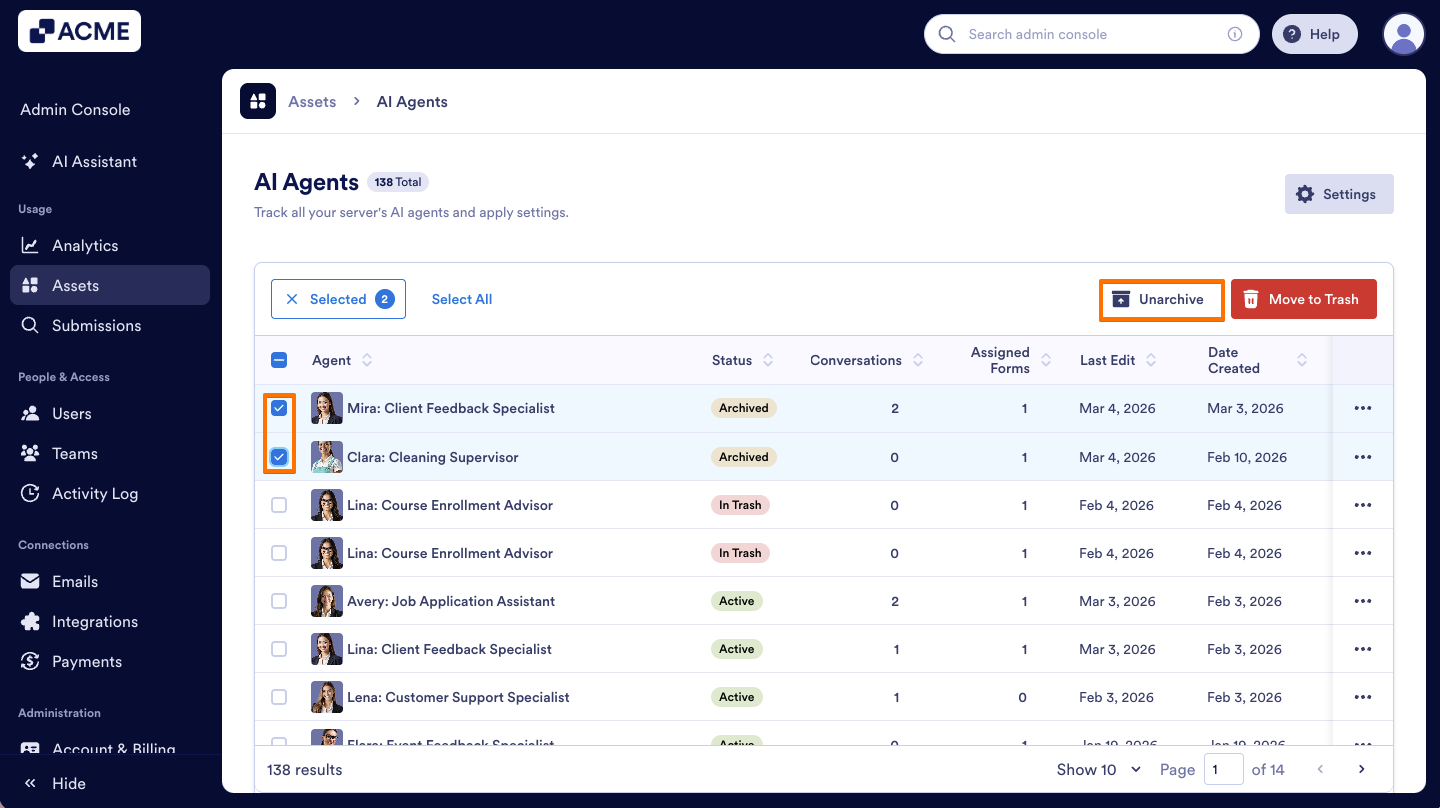
- On the pop-up window that opens, select Yes, Unarchive.
Filtering AI agents to View Archived AI Agents
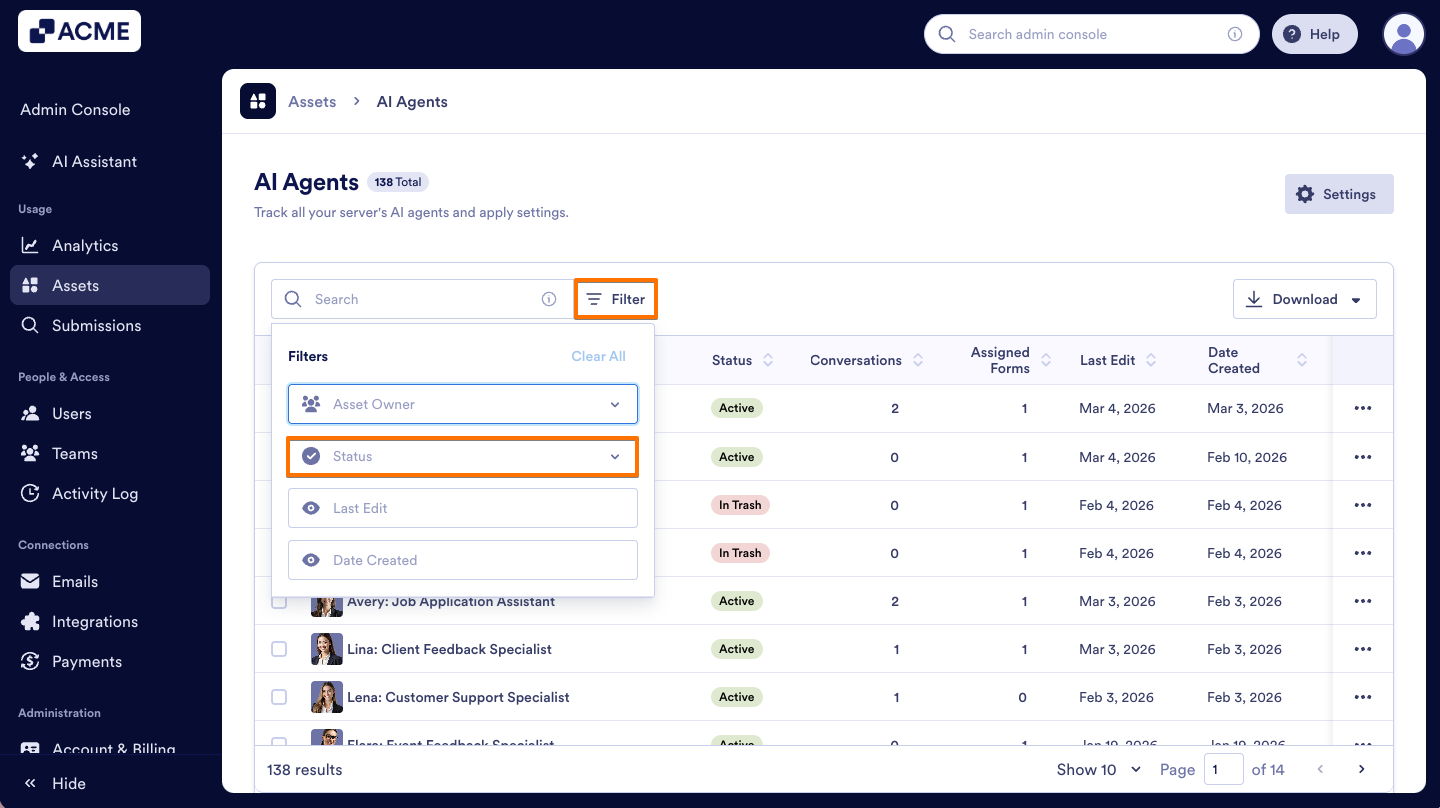
- On the AI Agents Assets page, on the right side of the Search bar, click on Filter.
- Click on the Status dropdown menu.
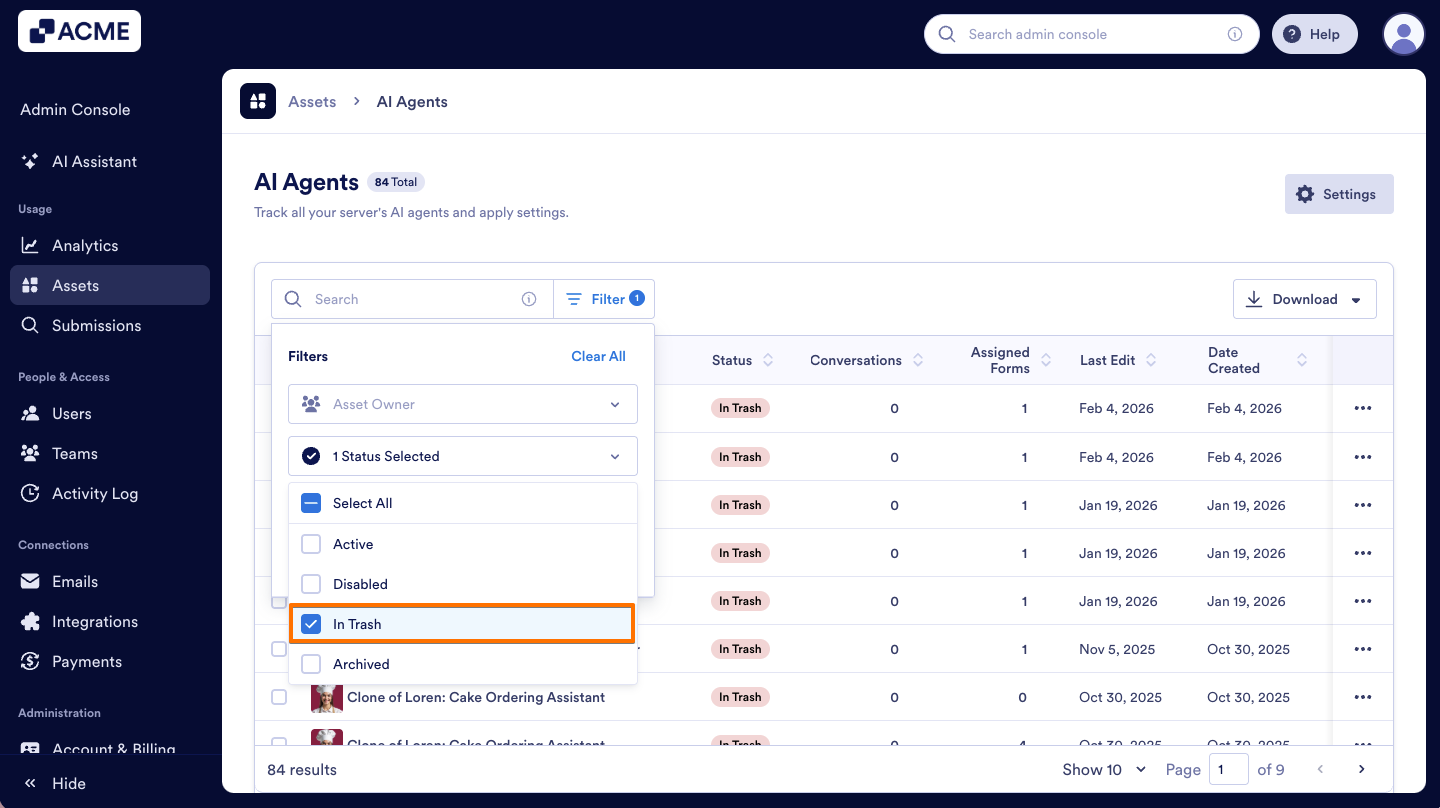
- From the menu, select the Archived option to view all archived agents in your organization.

Send Comment: