Archiving forms is a great way to keep your organization organized without permanently deleting important assets. Through the Admin Console, you can archive forms that are not actively in use, keeping them out of your main forms view while preserving their data. When needed, you can easily unarchive these forms to make them active again, ensuring your team always has access to the forms they need.
Archiving Individual Forms in the Admin Console
If you want, you can move individual forms out of active view without permanently deleting them by archiving them in the Admin Console. Let me show you how:
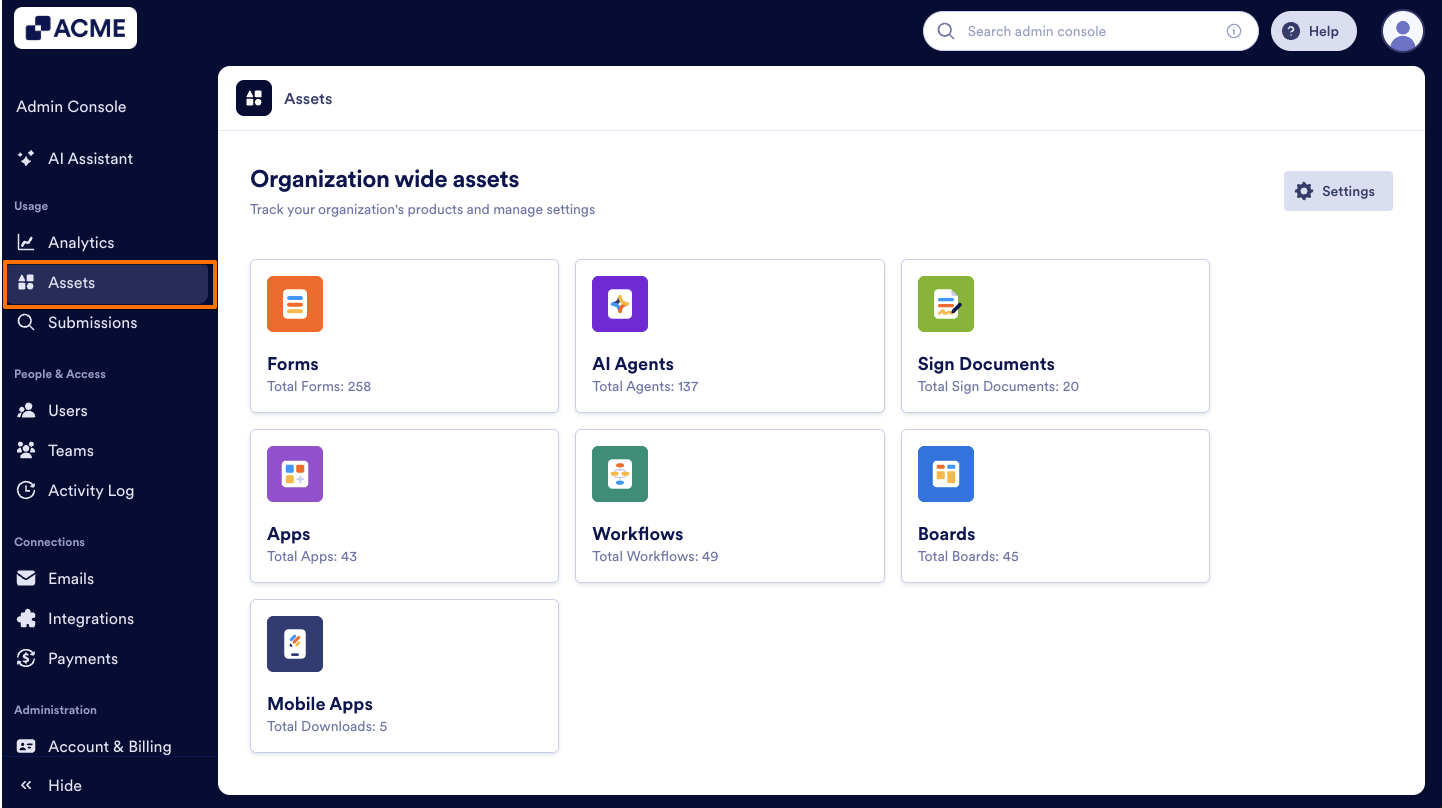
- In your organization’s Admin Console, on the left side of the page, click on Assets.
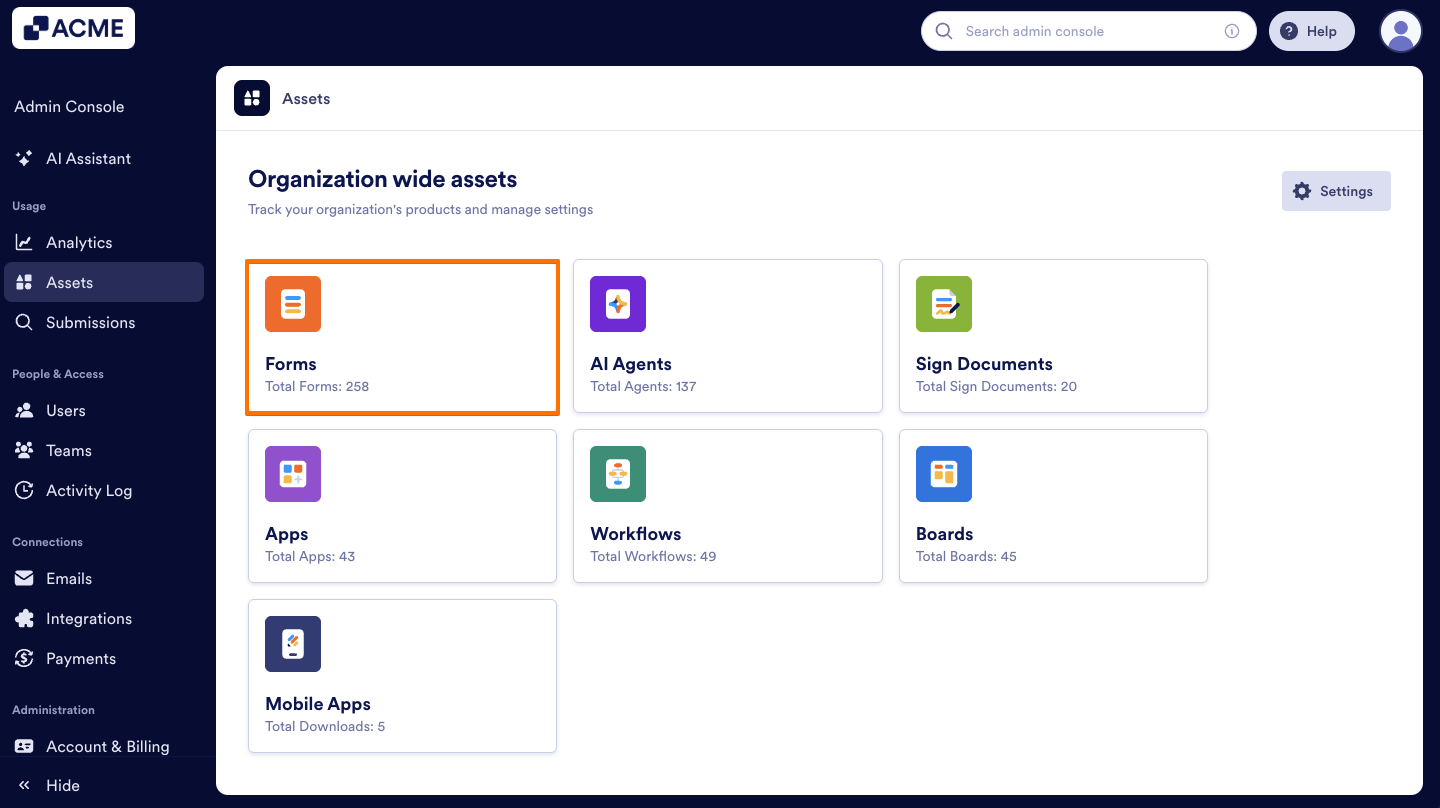
- Next, click on Forms.
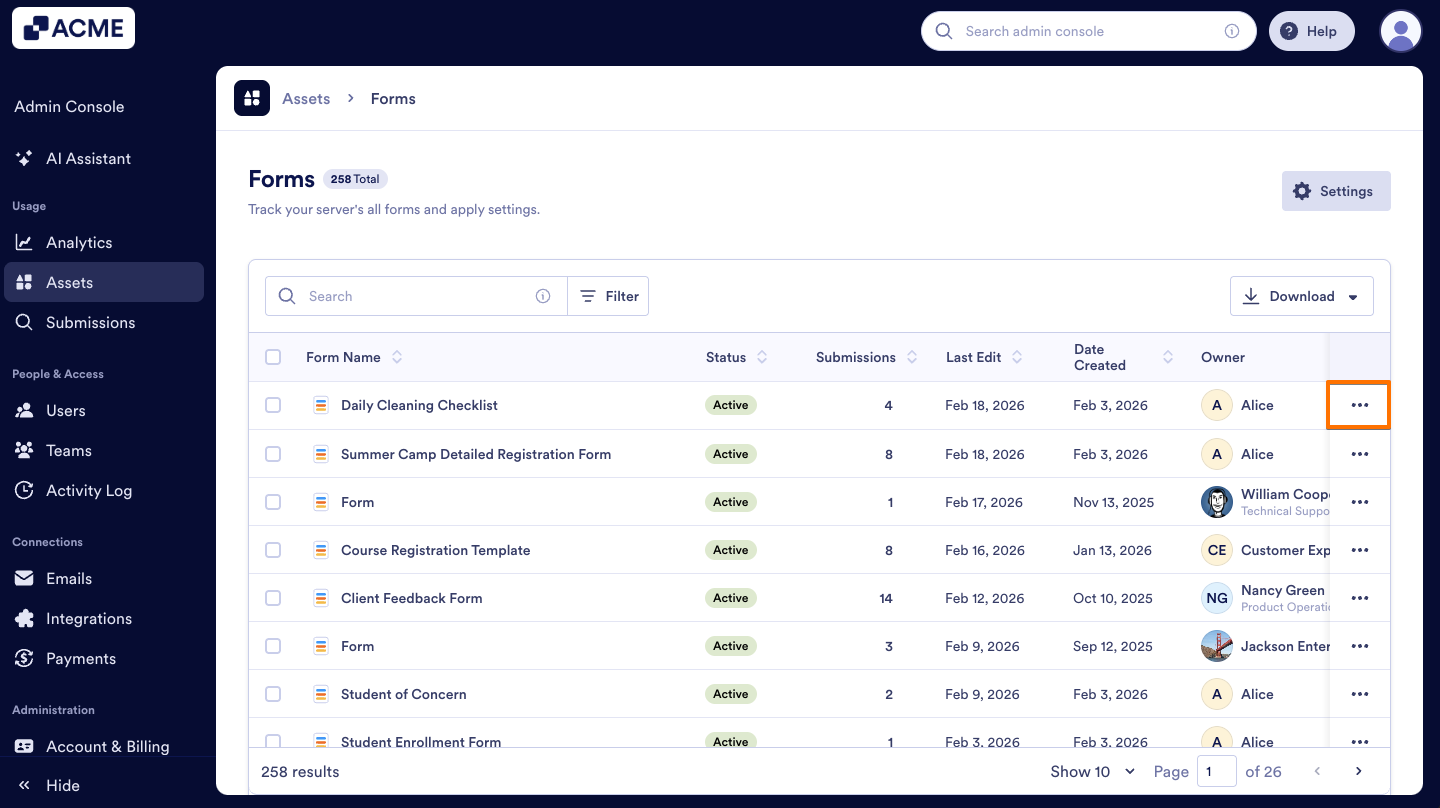
- On the right side of the form you want to Archive, click on the Three dots icon.
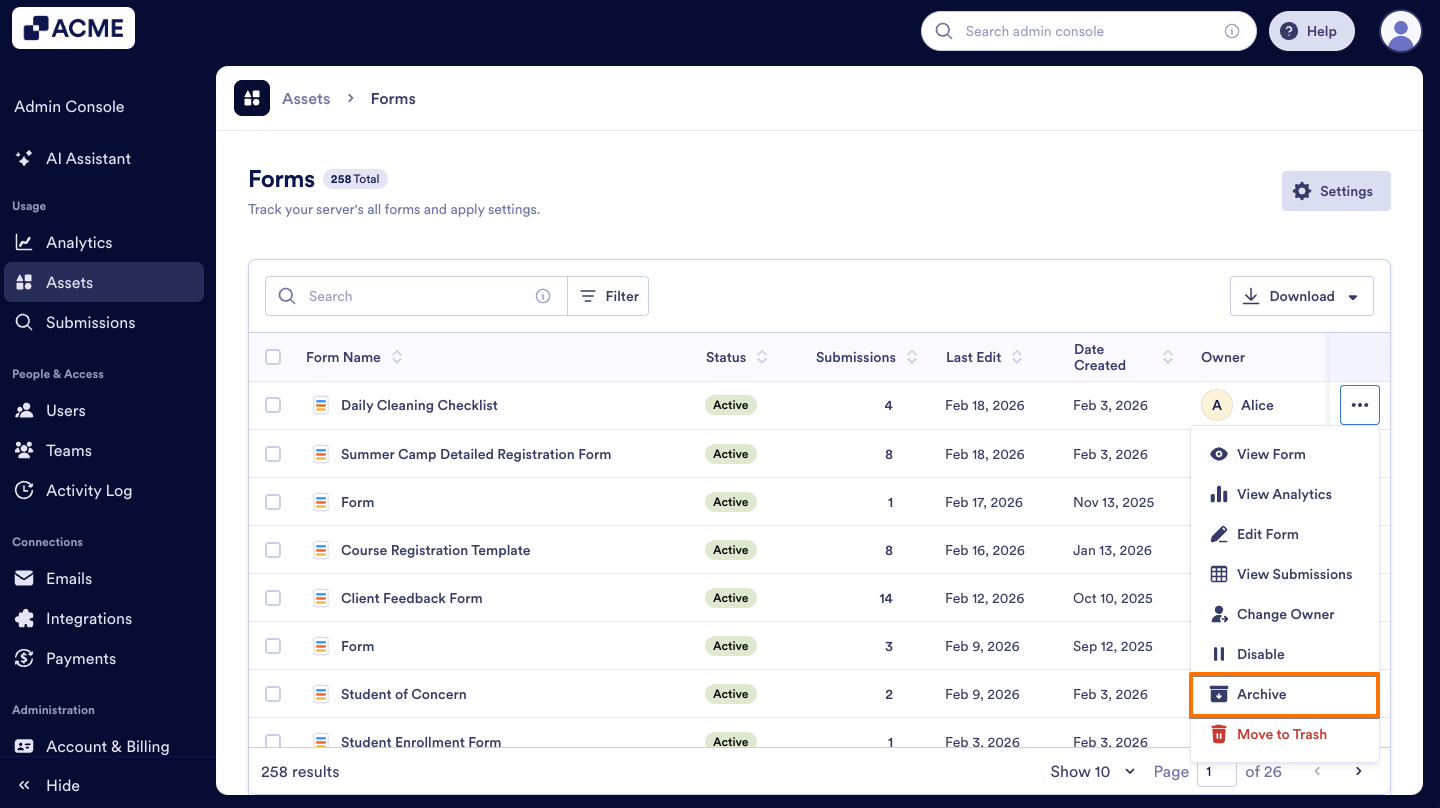
- Select Archive from the menu.
- On the pop-up window that comes up, click on Yes, Archive.
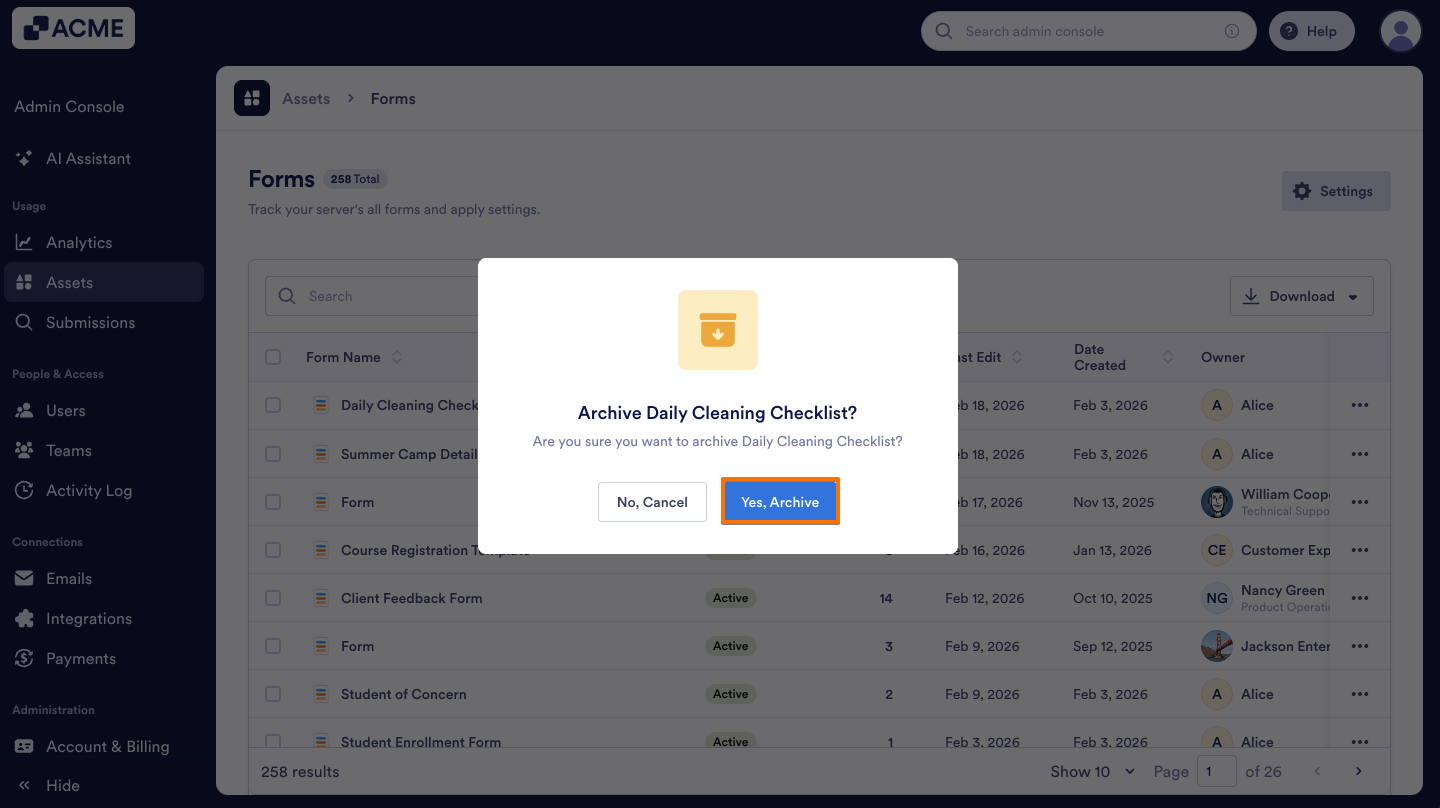
Unarchiving a Form
Unarchiving allows you to move a form back to active status so it becomes visible and usable again in the Admin Console. Here’s how to do it:
- In Forms page, click on the Three dots icon on the right side of the form you archived.
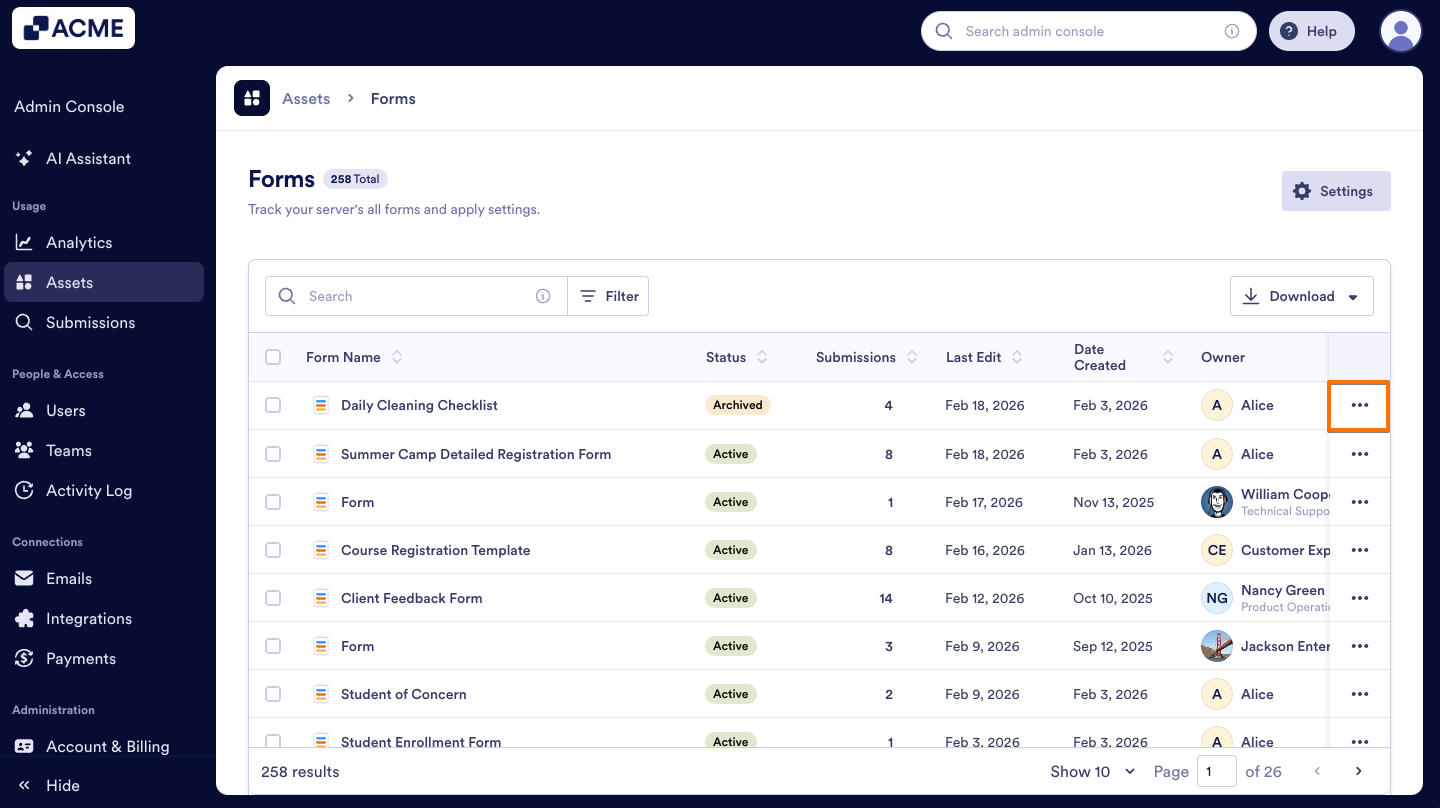
- In the menu, select Unarchive.
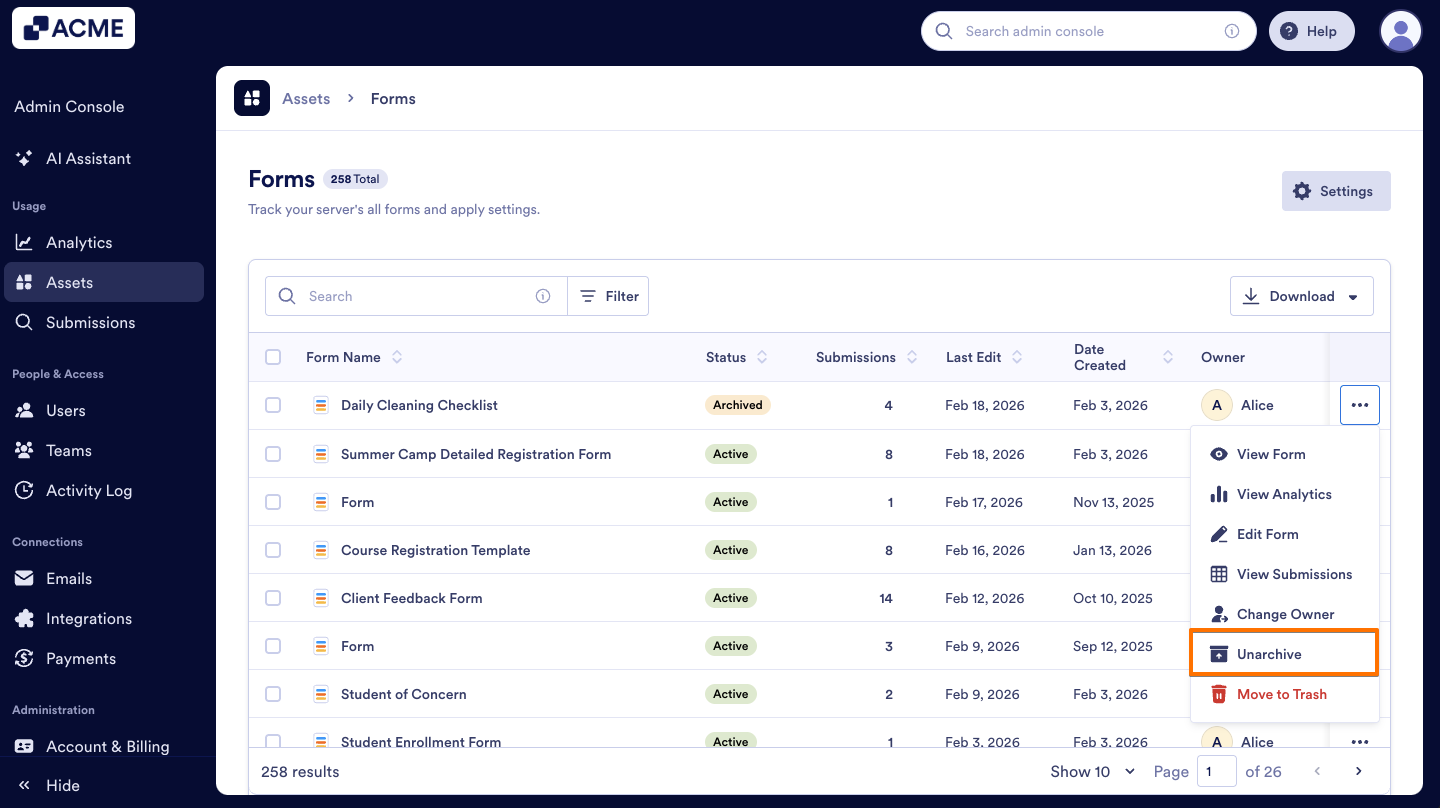
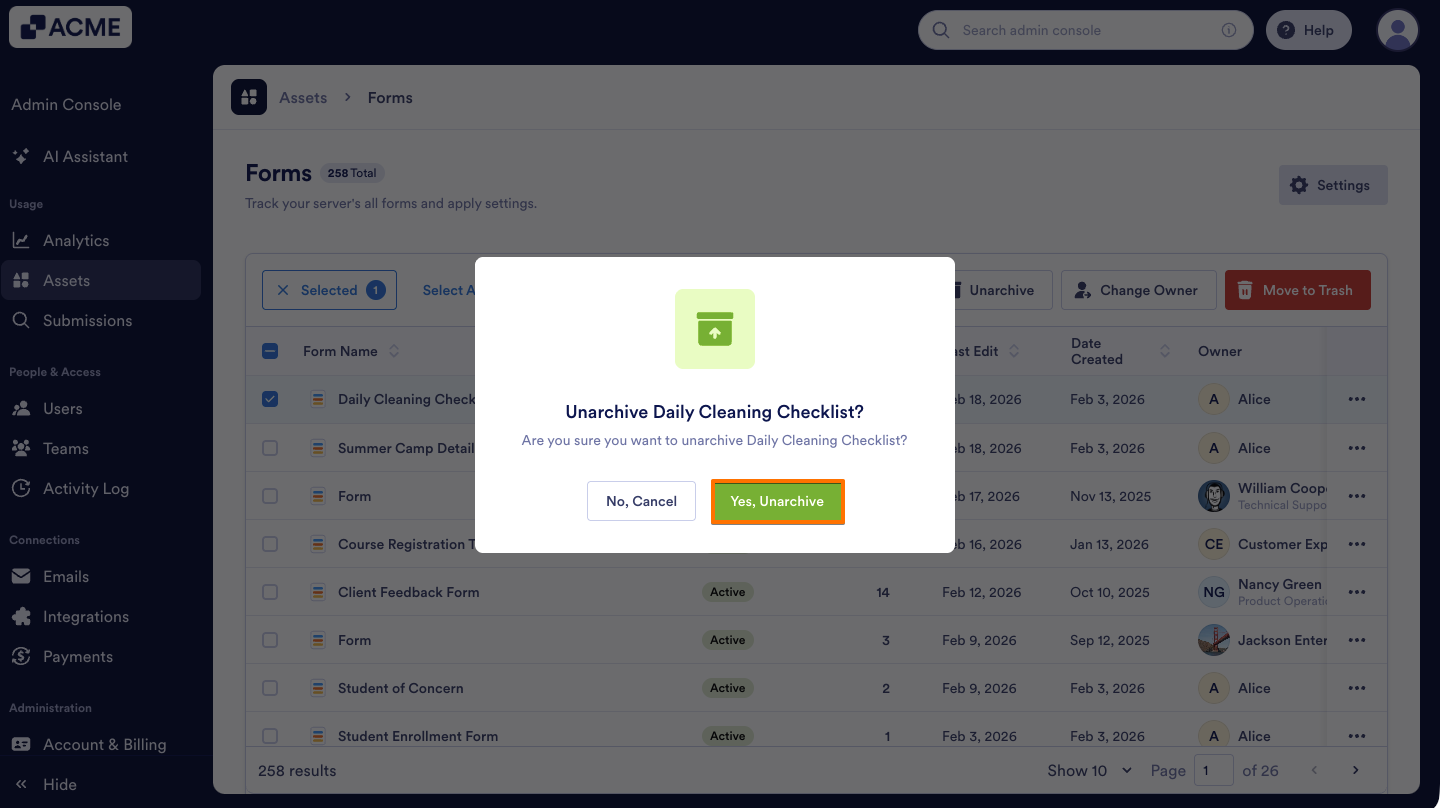
- Finally, in the pop-up window, click Yes, Unarchive.
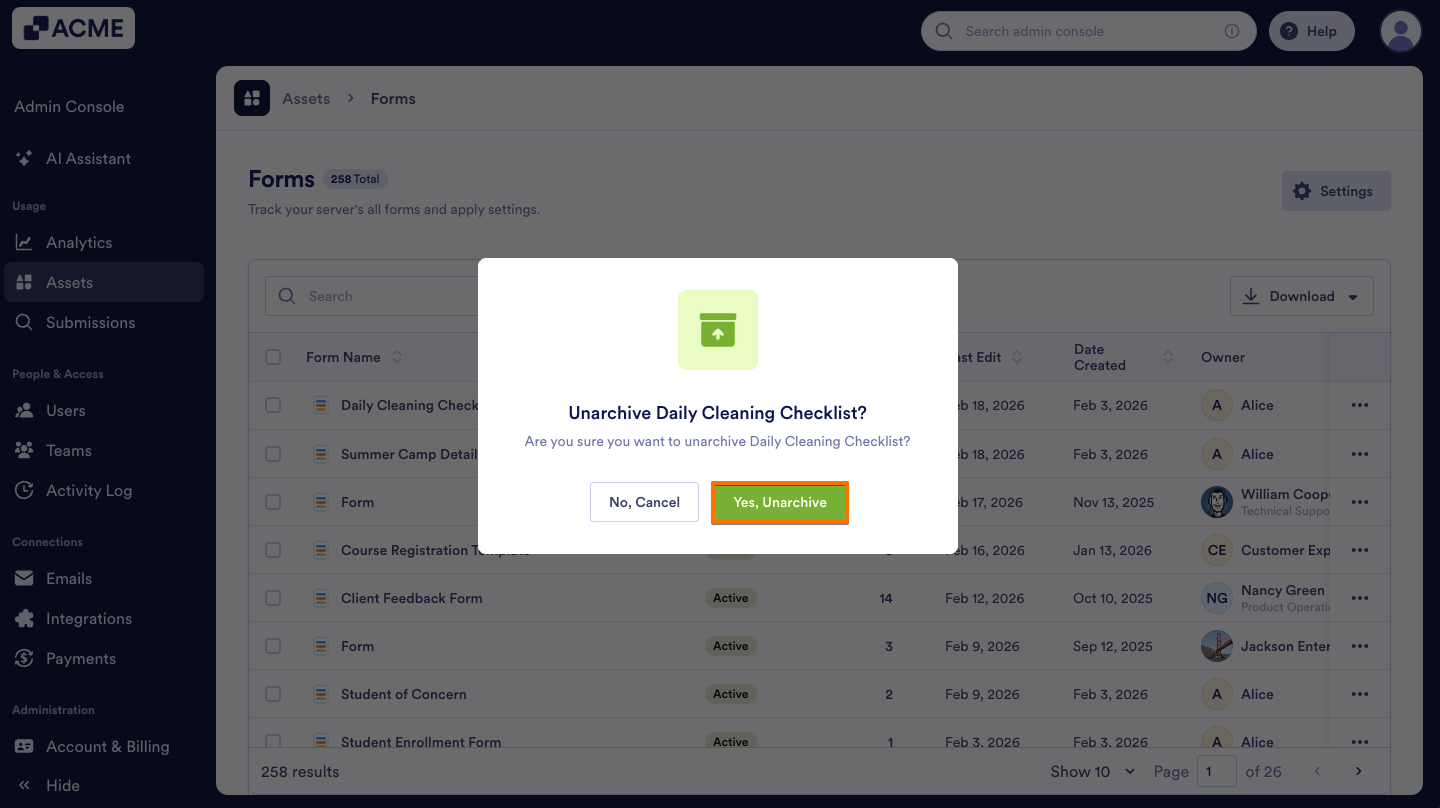
You can also Archive or Unarchive a single form using the three dots icon that appears above the forms list when you select that form. Here’s how:
- On the Forms page, select the checkbox next to the form.
- Next, click on the Three dots icon at the top.
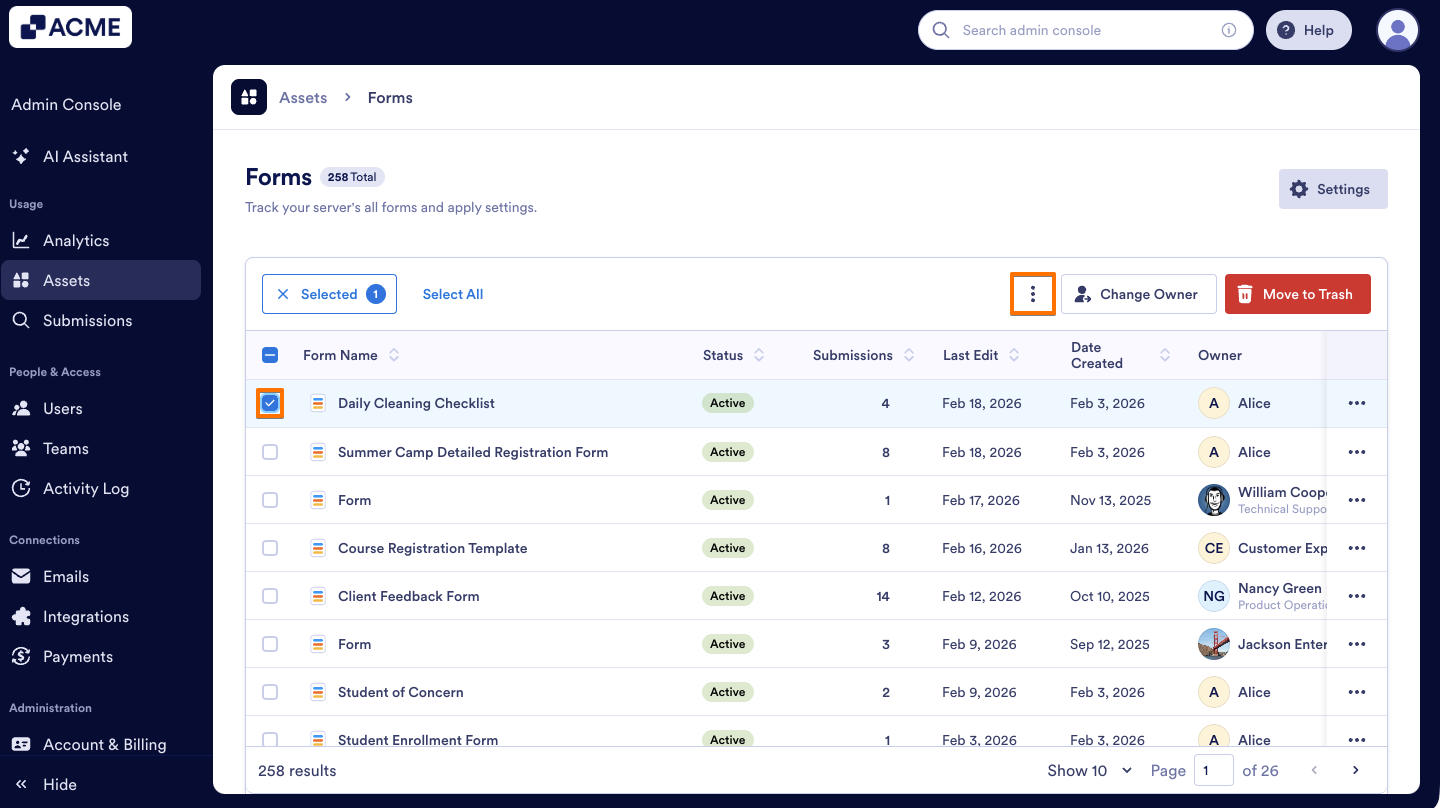
- Select Archive from the options.
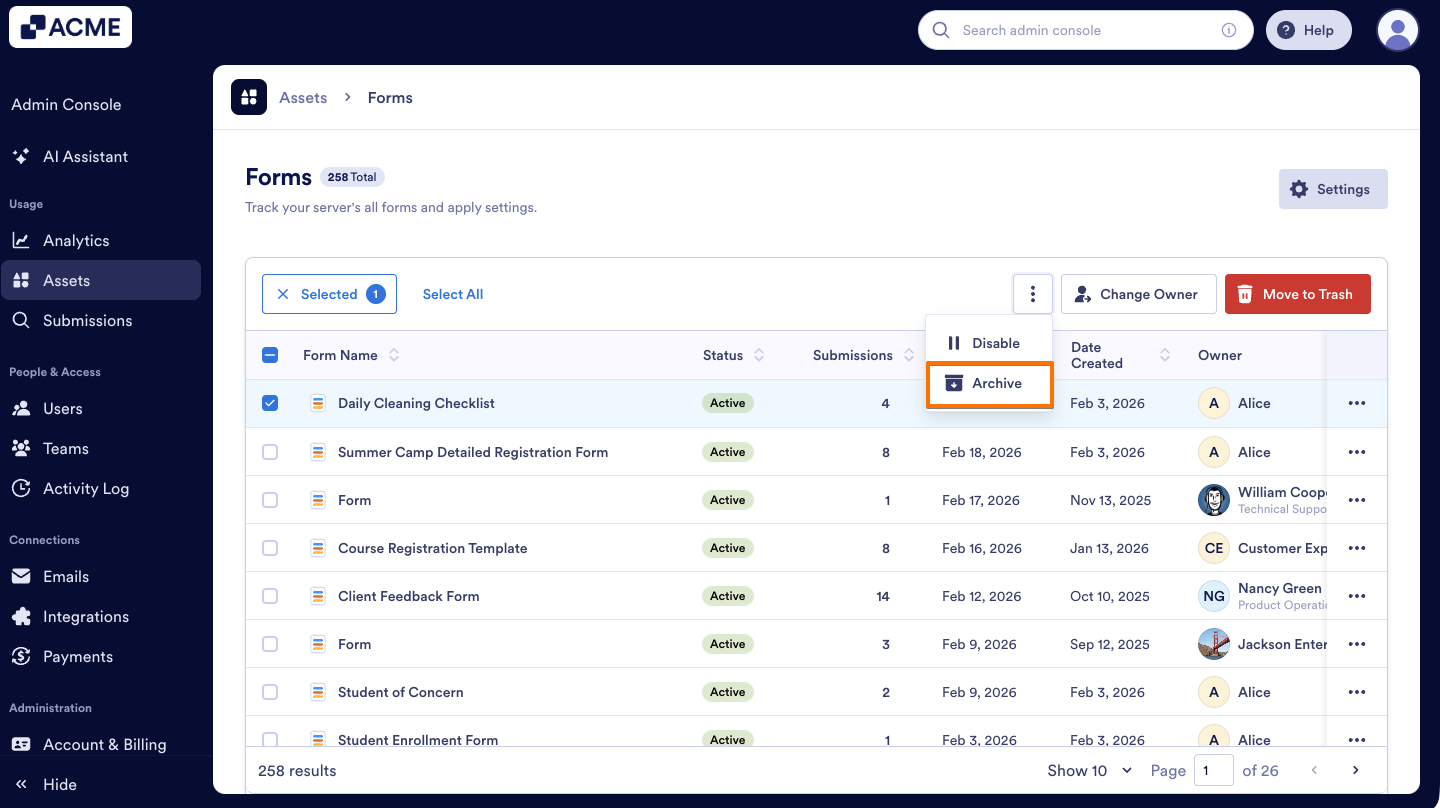
- Confirm by clicking Yes, Archive in the pop-up window.
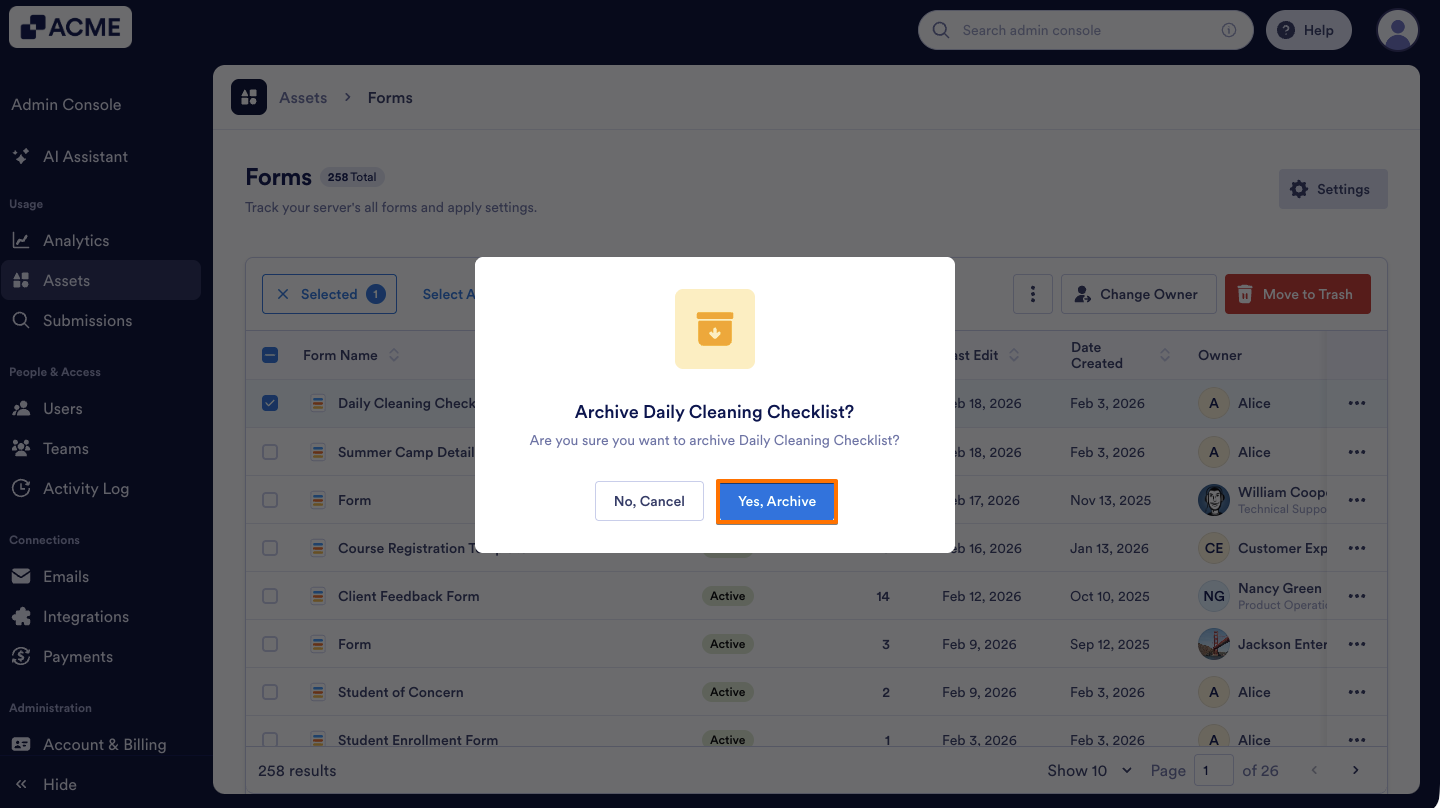
To Unarchive the form in the same way again:
- Select the form you want to enable by clicking the checkbox next to them.
- Click on the Unarchive button at the top.
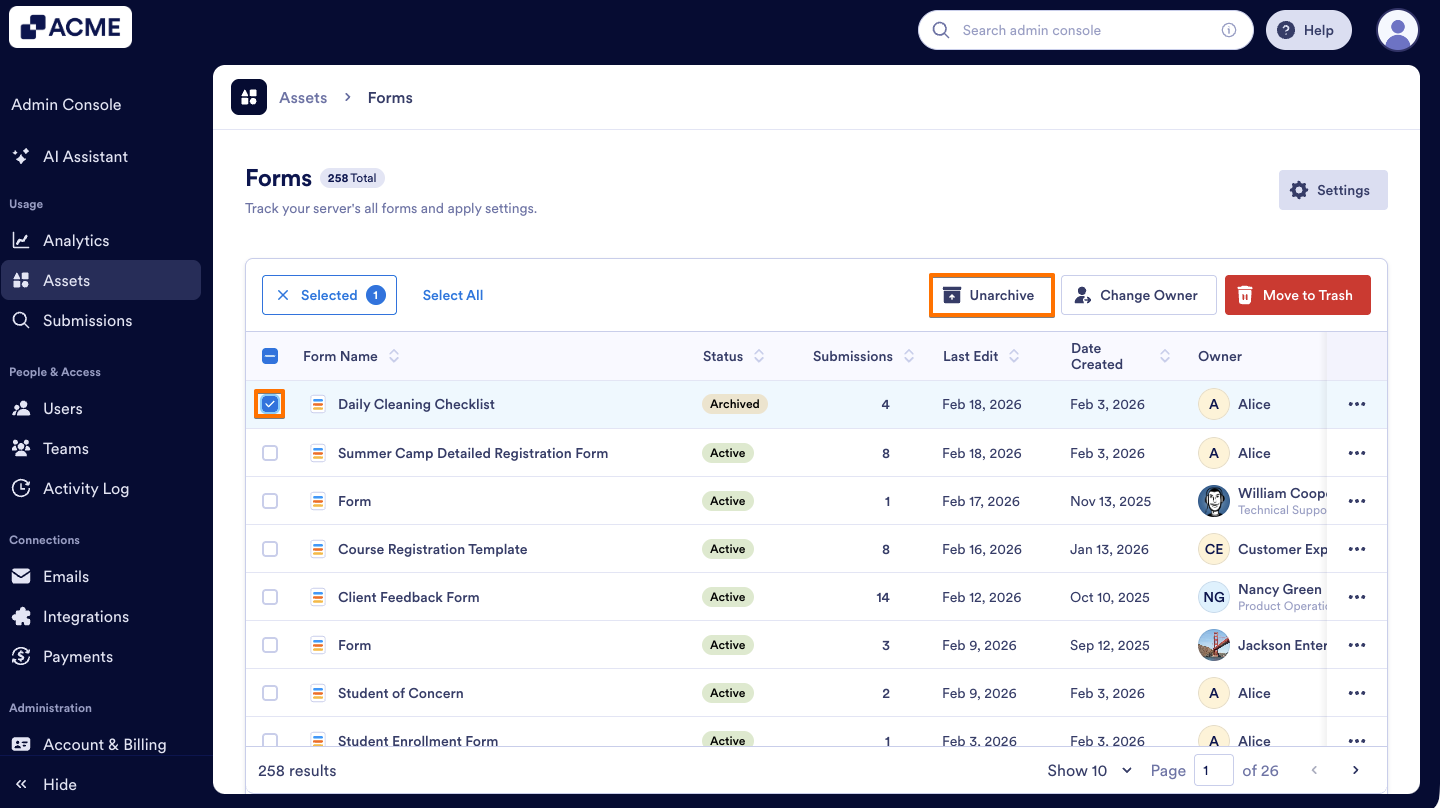
- Finally, in the pop-up window that appears, click Yes, Unarchive to complete the action.
How to Archive Forms in Bulk
You can archive multiple forms at once in the Admin Console to quickly manage and organize them. Here’s what to do:
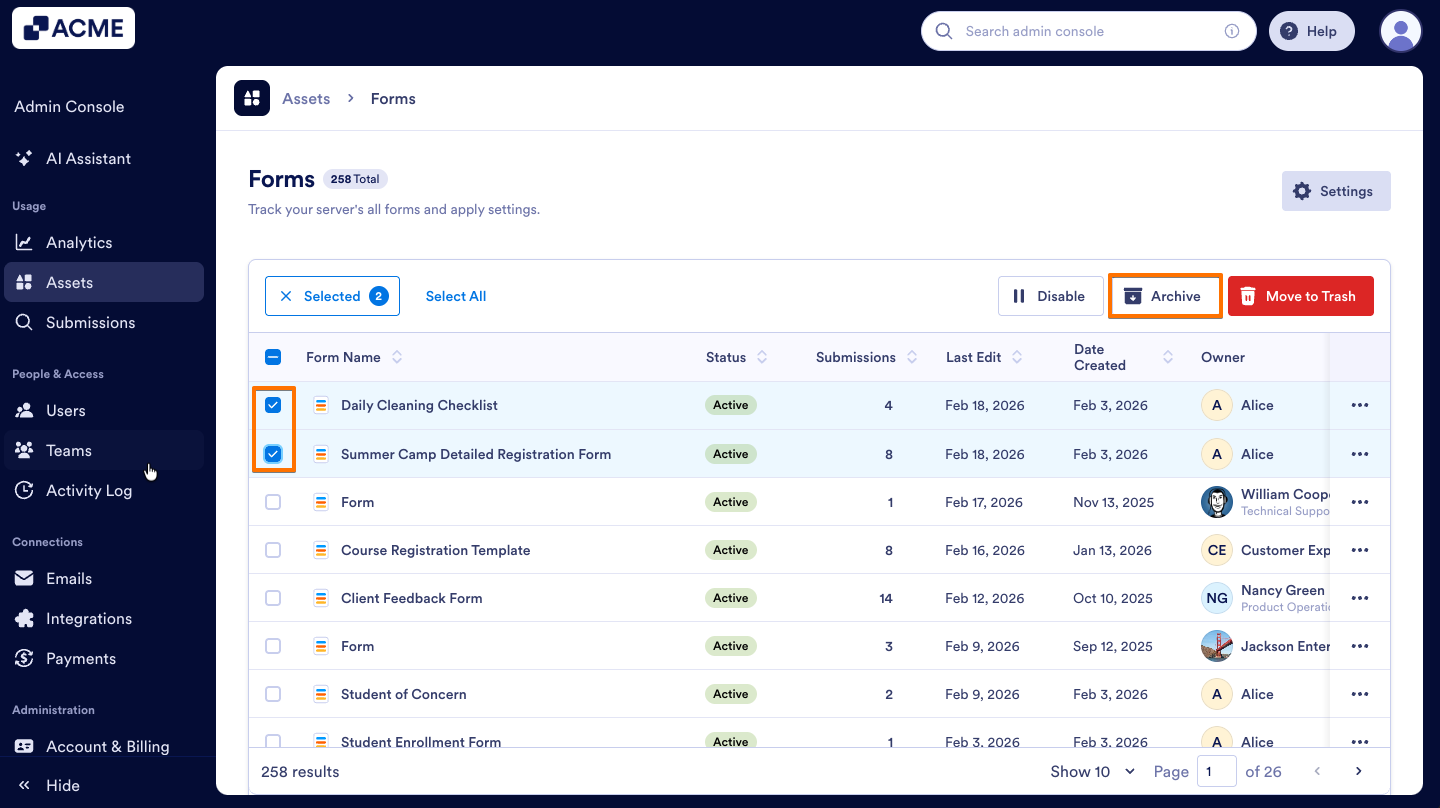
- On the Forms page, select the Checkboxes next to the forms you want to archive and then click on Archive at the top.
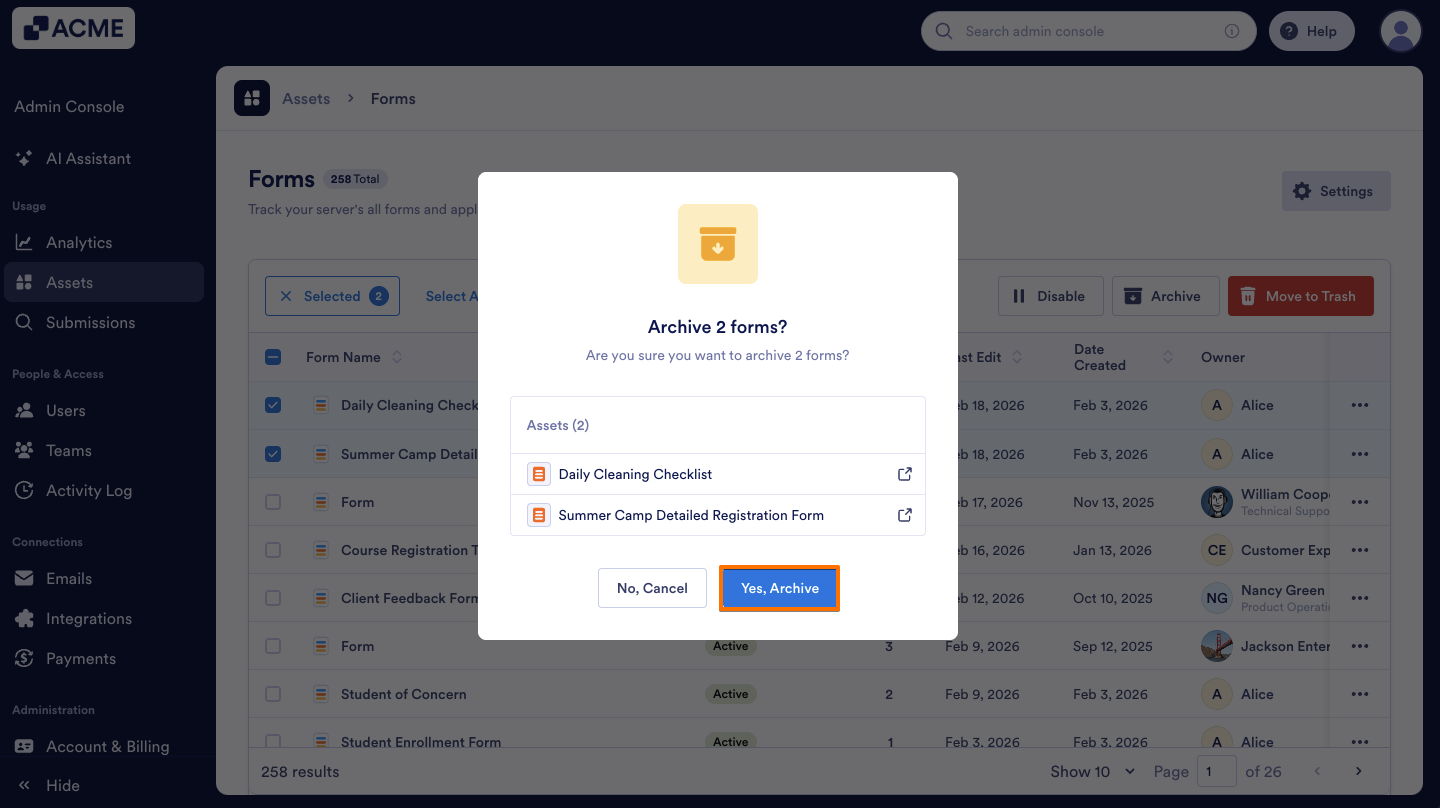
- In the pop-up window, click on Yes, Archive to confirm.
How to Unarchive Forms in Bulk
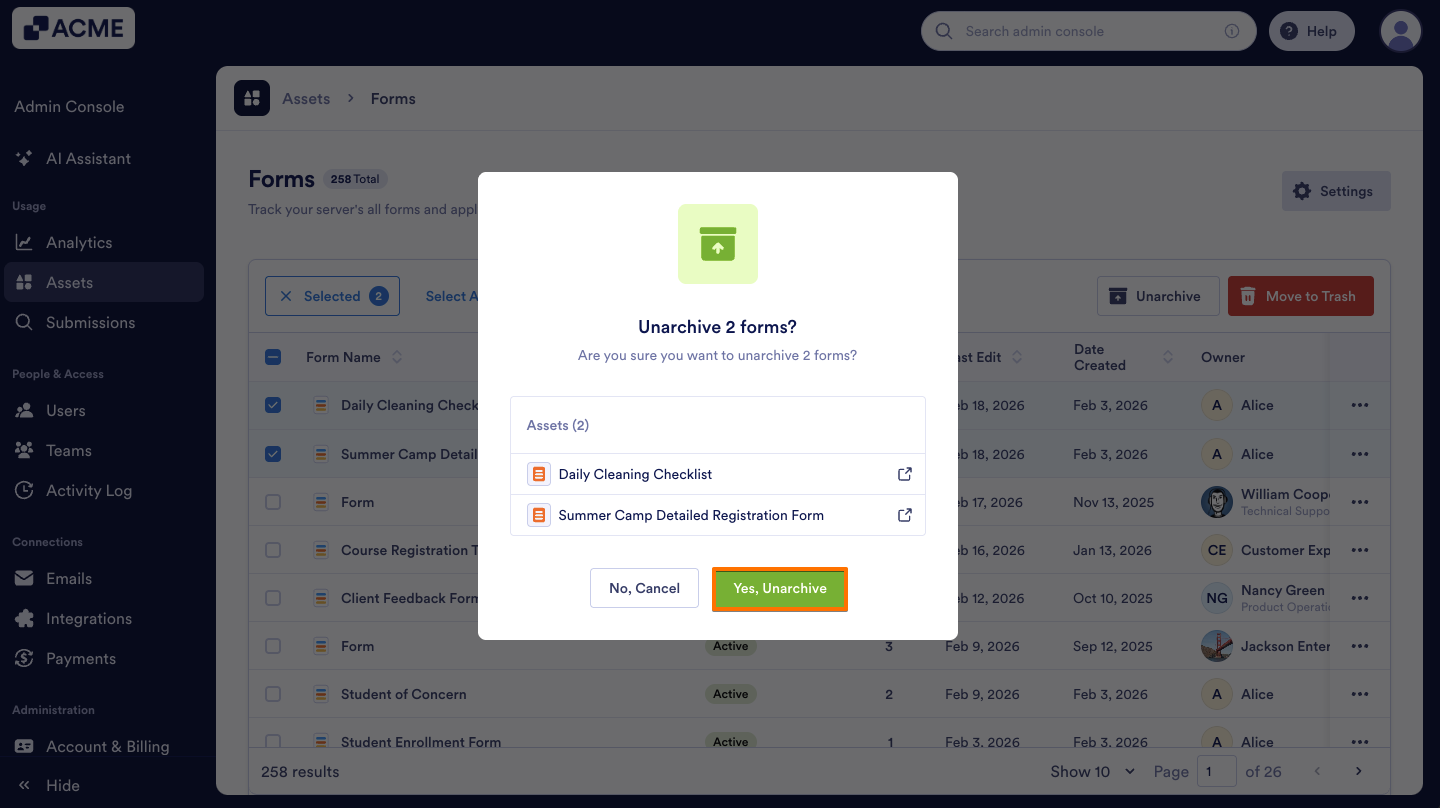
Use the bulk unarchive option to efficiently restore several archived forms at the same time in the Admin Console. Here’s how to do it:
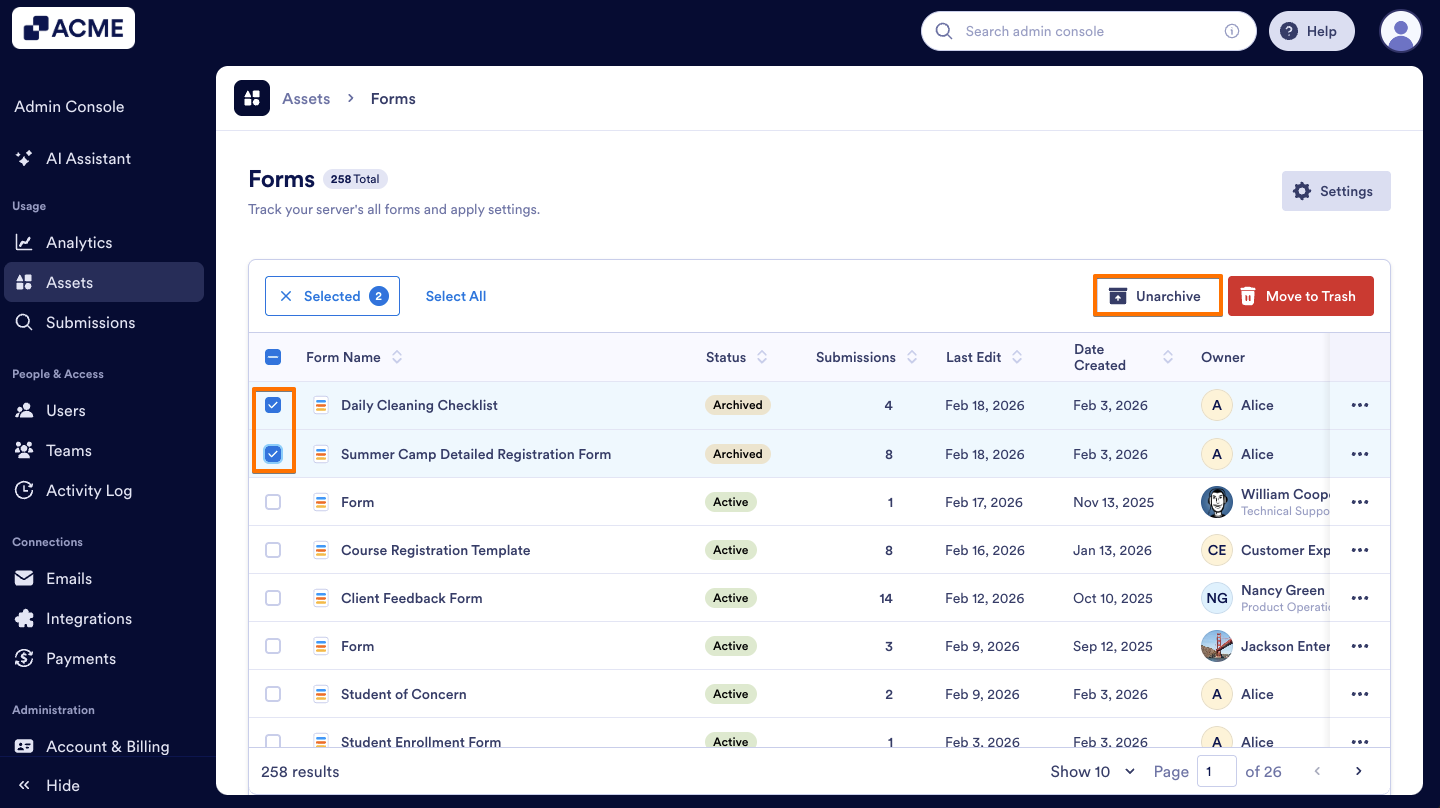
- On the Forms page, select the Checkboxes next to the forms you previously archived, then click on the Unarchive button above.
- In the pop-up window, click Yes, Unarchive.
Using Filters to View Archived Forms
You can easily access all archived forms by applying filters in the Admin Console, allowing you to view them quickly without searching individually. Here’s how:
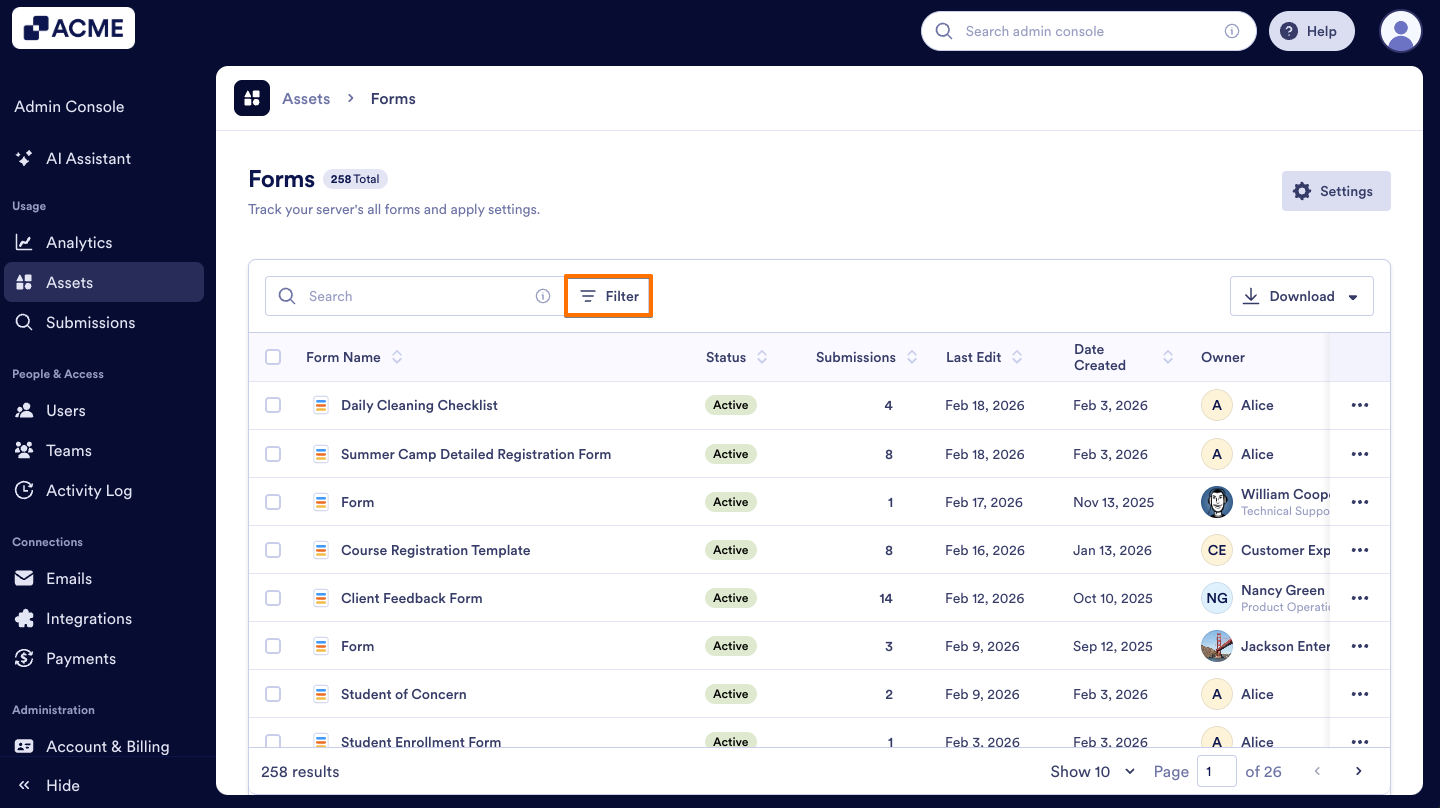
- In Forms page, on the right side of the search bar , click on Filter.
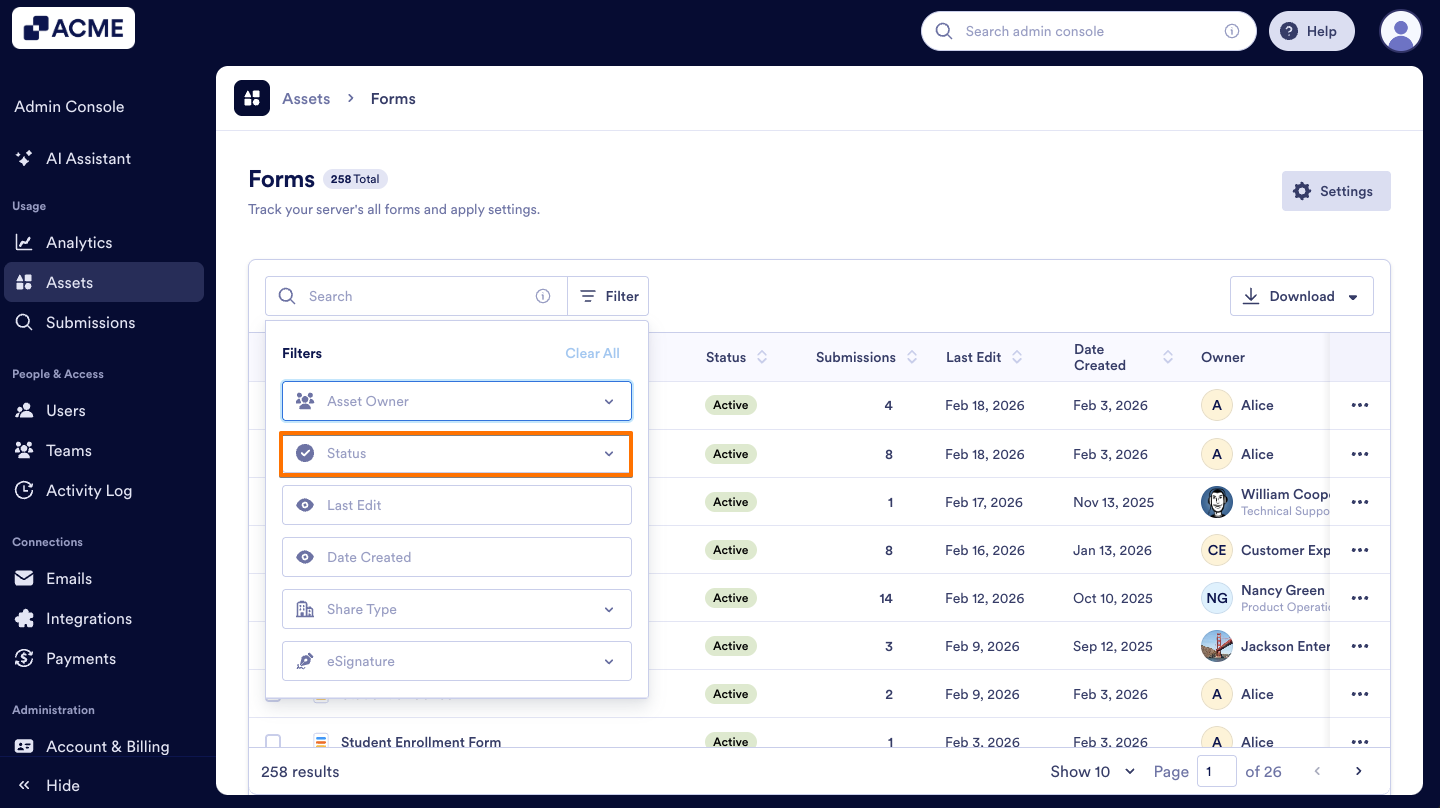
- In the filter panel, select the Status dropdown menu.
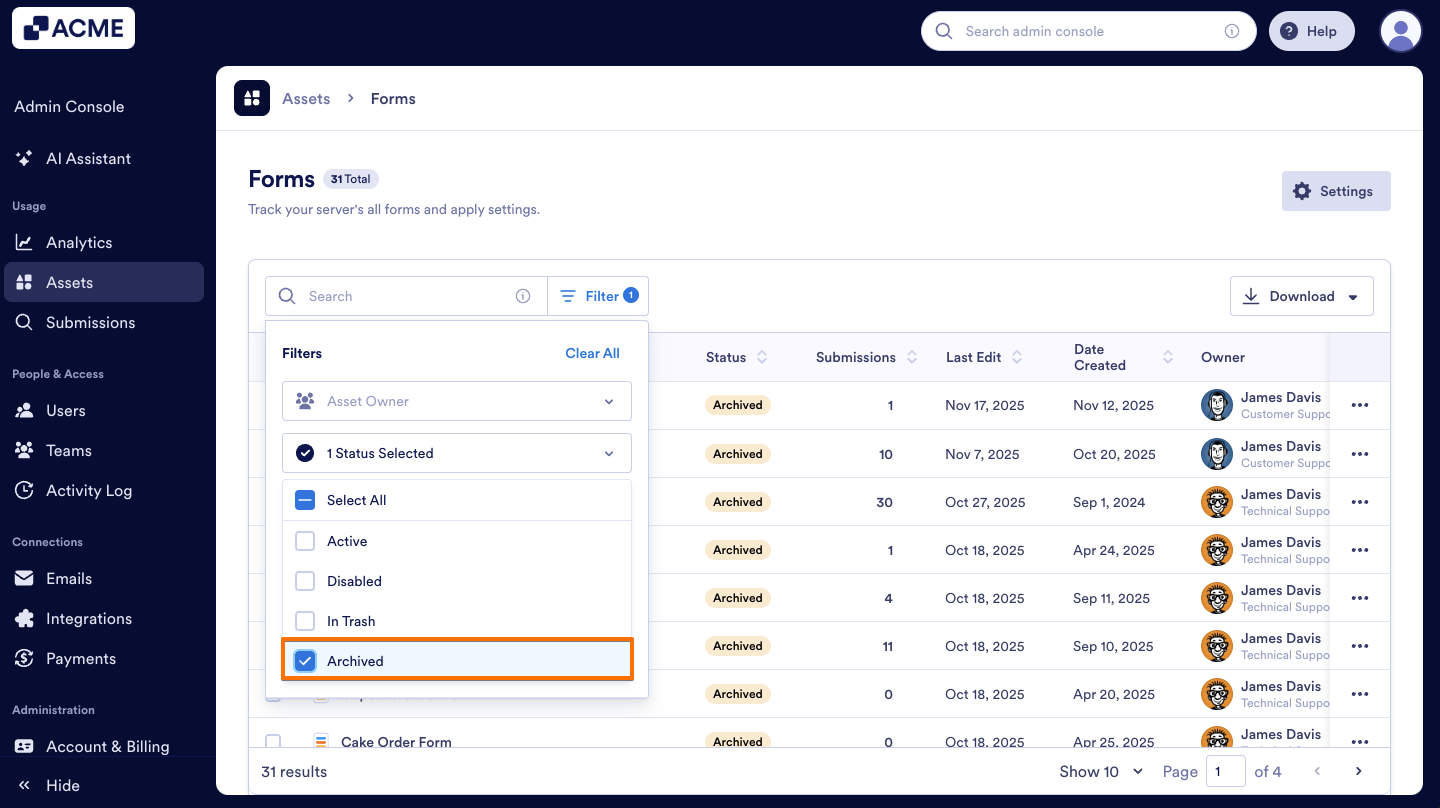
- Then, click on the Archived option to select it.

Send Comment: