The File Upload element lets you collect documents, images, and other media directly through your forms. It’s great for job applications that require resumes, event registrations that need signed waivers, or support forms where users upload screenshots or error logs.
By default, when you add a File Upload field to your form, the file size limit is set to 0–10,854 KB (approximately 10.6 MB). This is the recommended range, but you can go over this limit by increasing the maximum size to better suit your needs.
Once you’ve added a File Upload field to your form, adjusting the file size limit is quick and easy. Here’s how to do it:
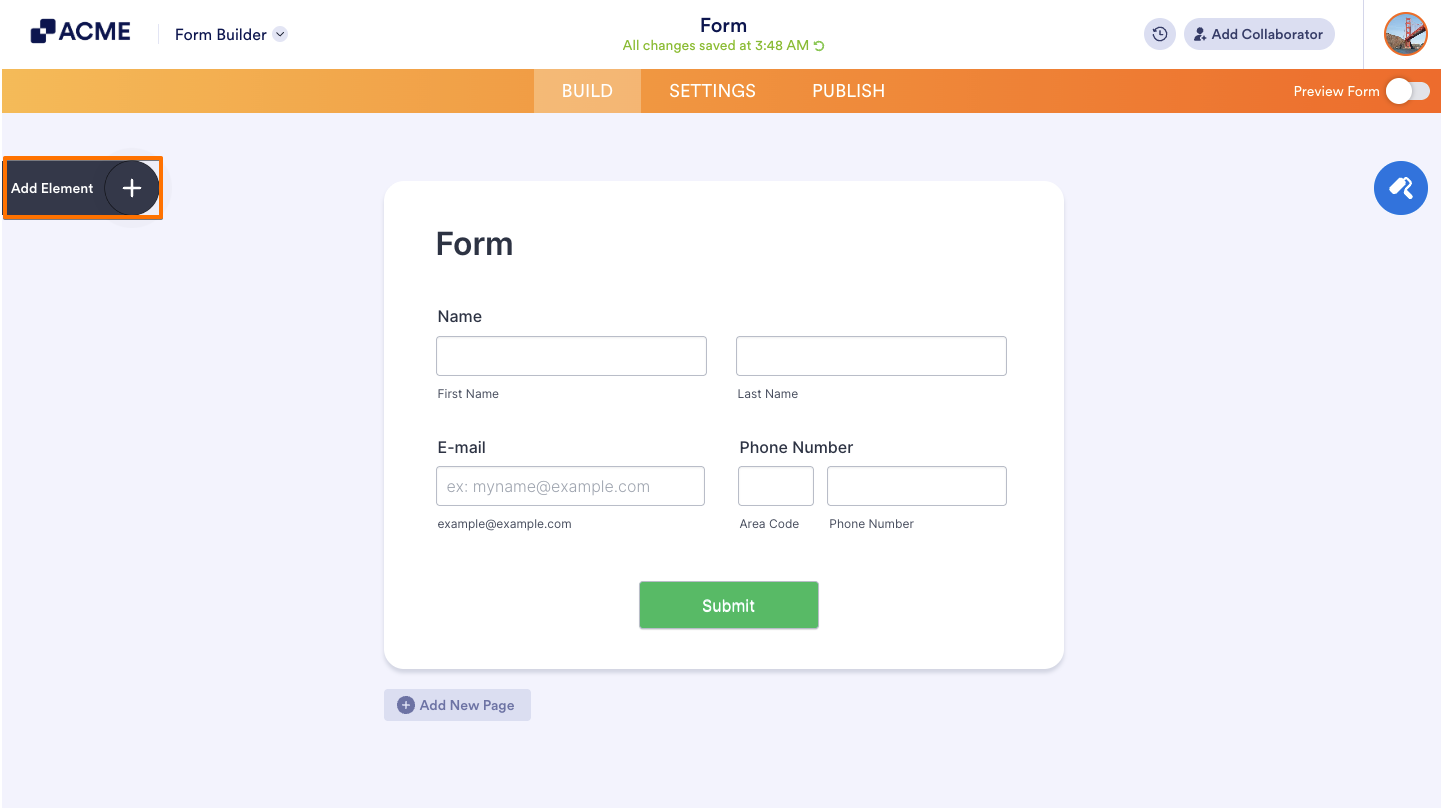
- In Form Builder, on the upper-left side of the page, click on Add Elements.
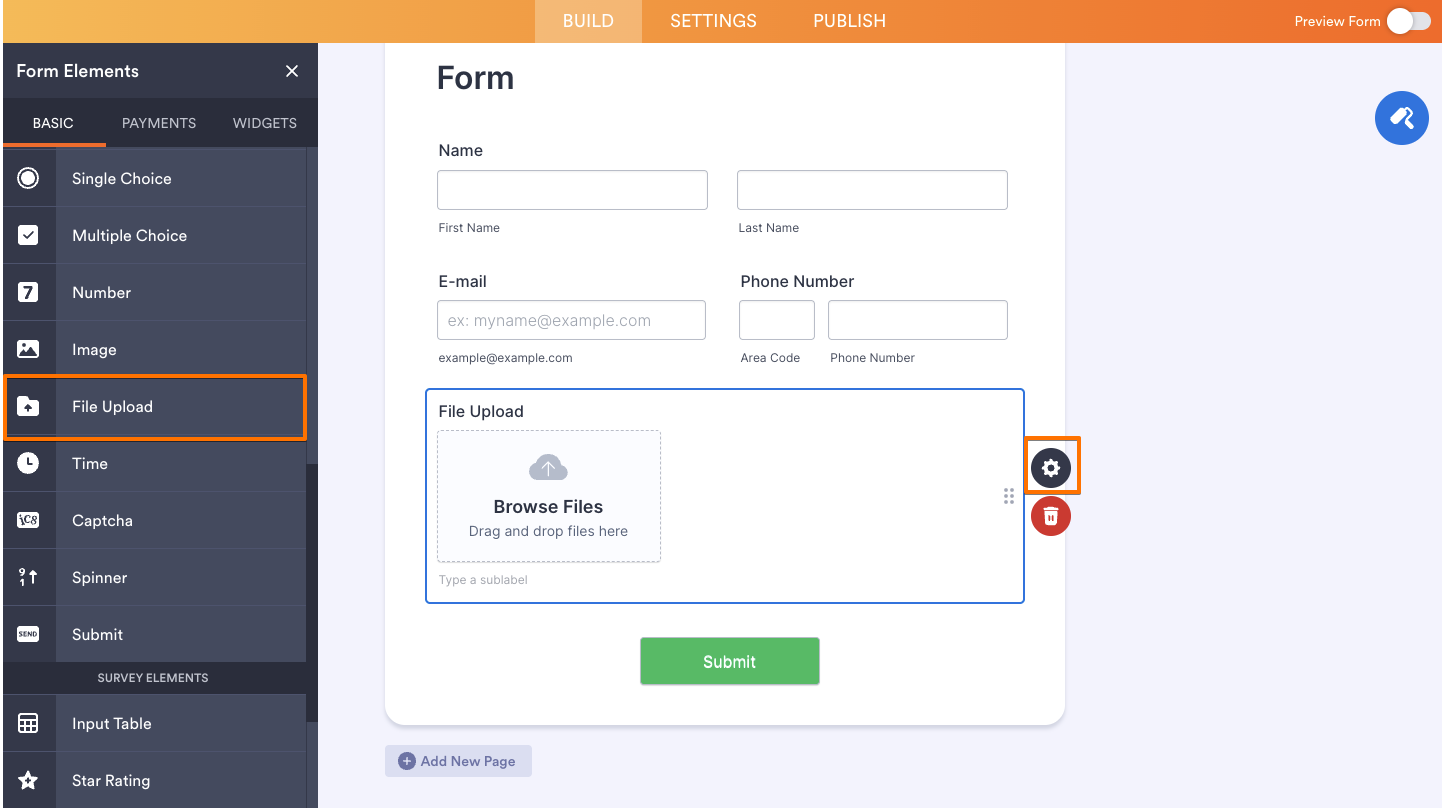
- Under the Basic Elements tab, click on File Upload to add it to the form.
- On the right side of the field, click on the Gear icon.
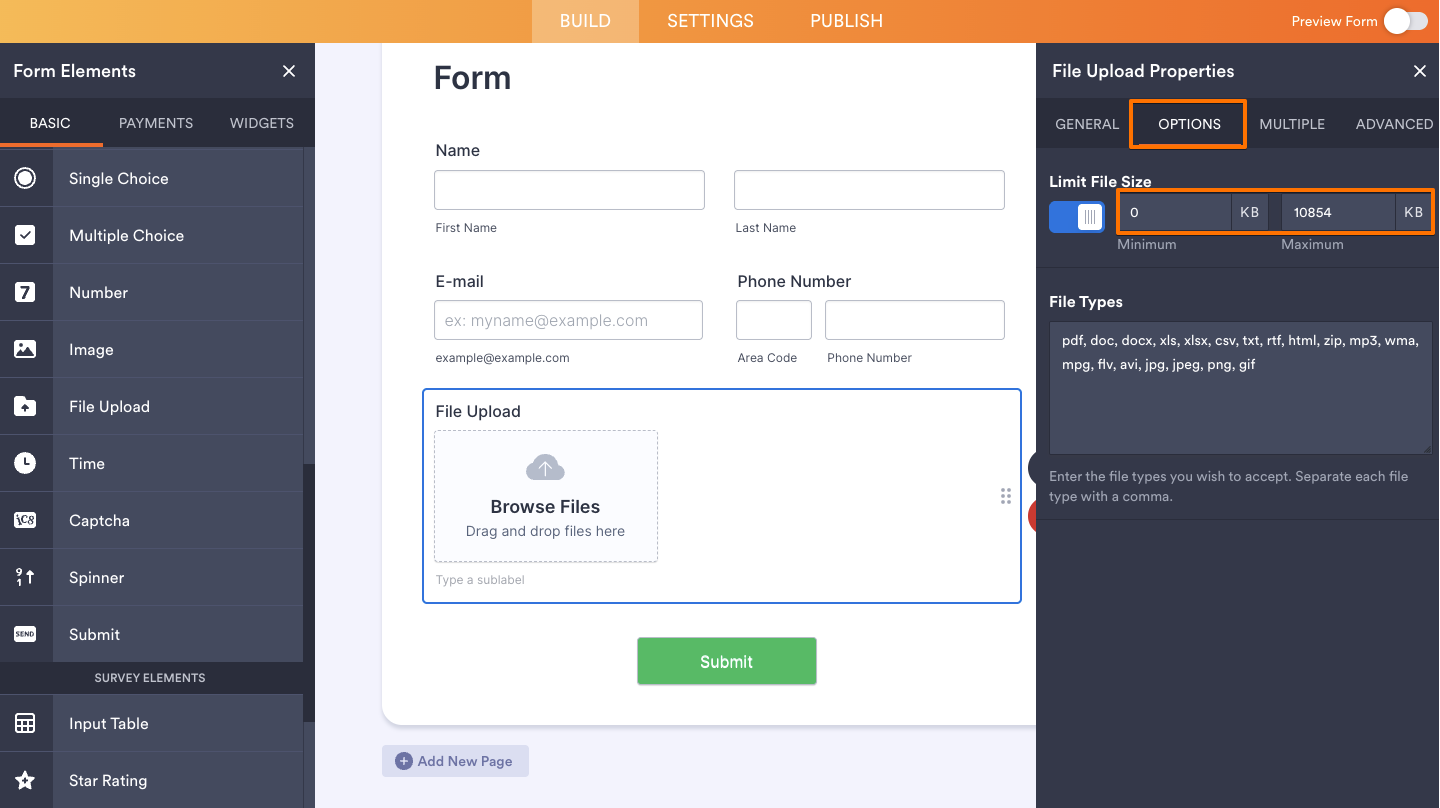
- Next, in the File Upload Properties panel on the right side of the page, open the Options tab.
- Under Limit File Size, enter the Minimum and Maximum file size in KB (1,024 KB equals 1 MB).
That’s it! You’ve successfully set the file size limit for your file uploads. If you also want to change the types of files allowed in your File Upload field, check out our guide on How to Change the Allowed File Types in File Uploads.
Notes
- Any changes you make to the file size limit are automatically saved.
- The maximum individual file size allowed is 1 GB (1048576 KB).
- The recommended maximum number of file uploads is 25 per entry.
- If your form is connected to a cloud service like Google Drive or Dropbox, uploads won’t be completed if the file size exceeds the available storage space in your cloud account.

Send Comment: