Jotform makes it easy to embed your AI Agents into popular platforms and website builders like WordPress, Shopify, GoDaddy, Wix, and more. With just a few steps, you can place an agent where your users already are, so they can get answers and support without leaving the page.
This setup boosts engagement and streamlines the user experience, helping you stay connected and respond faster.
Embedding Your Agent on Other Platforms
The Platforms tab lets you install your AI Agent directly into supported platforms and website builders. This provides platform-specific instructions to ensure proper installation and compatibility. Here’s how to do it:
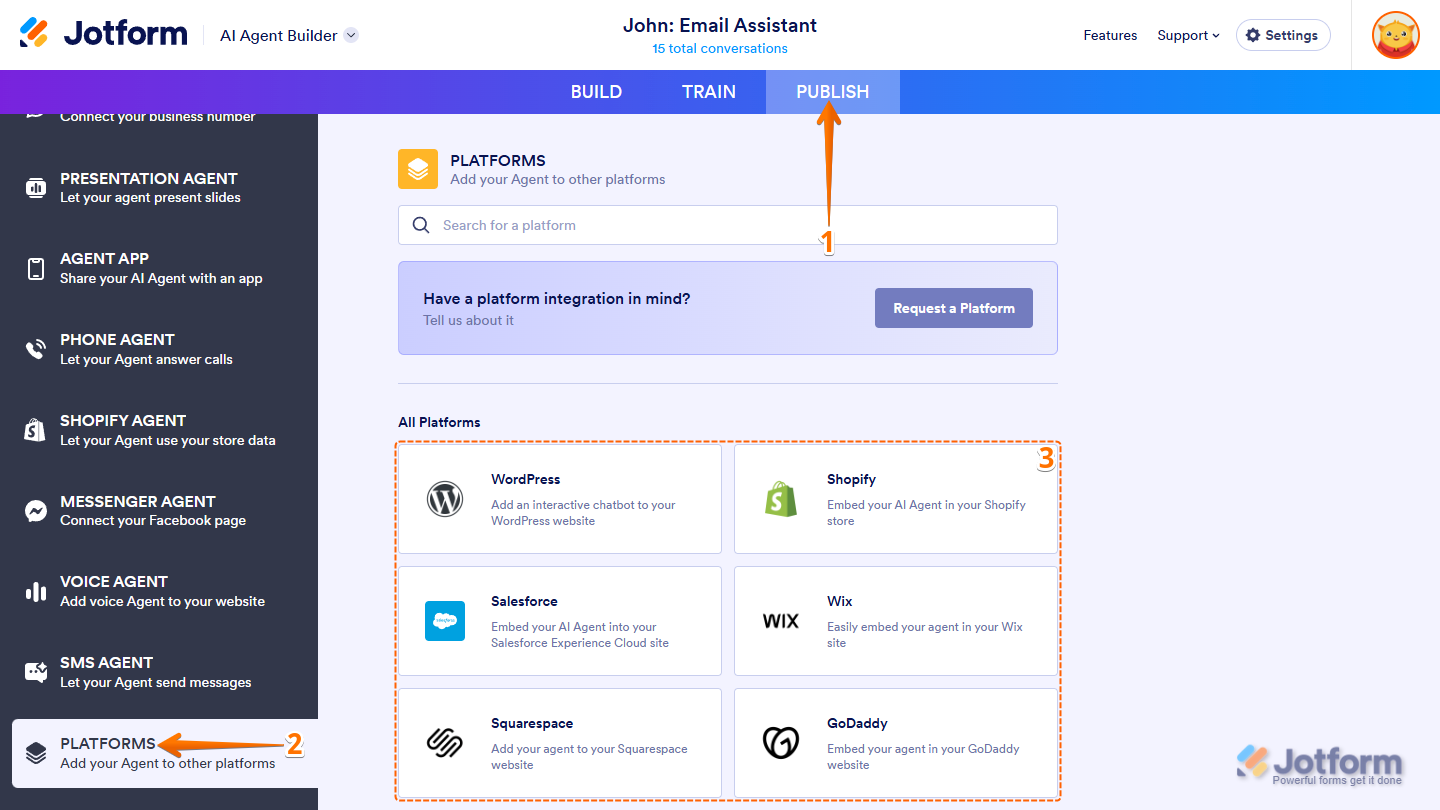
- In AI Agent Builder, in the blue navigation bar at the top, click on Publish.
- Then, in the menu on the left, scroll down and click on Platforms.
- Next, in the All Platforms section, search for or click on the platform you want to embed your AI Agent in.
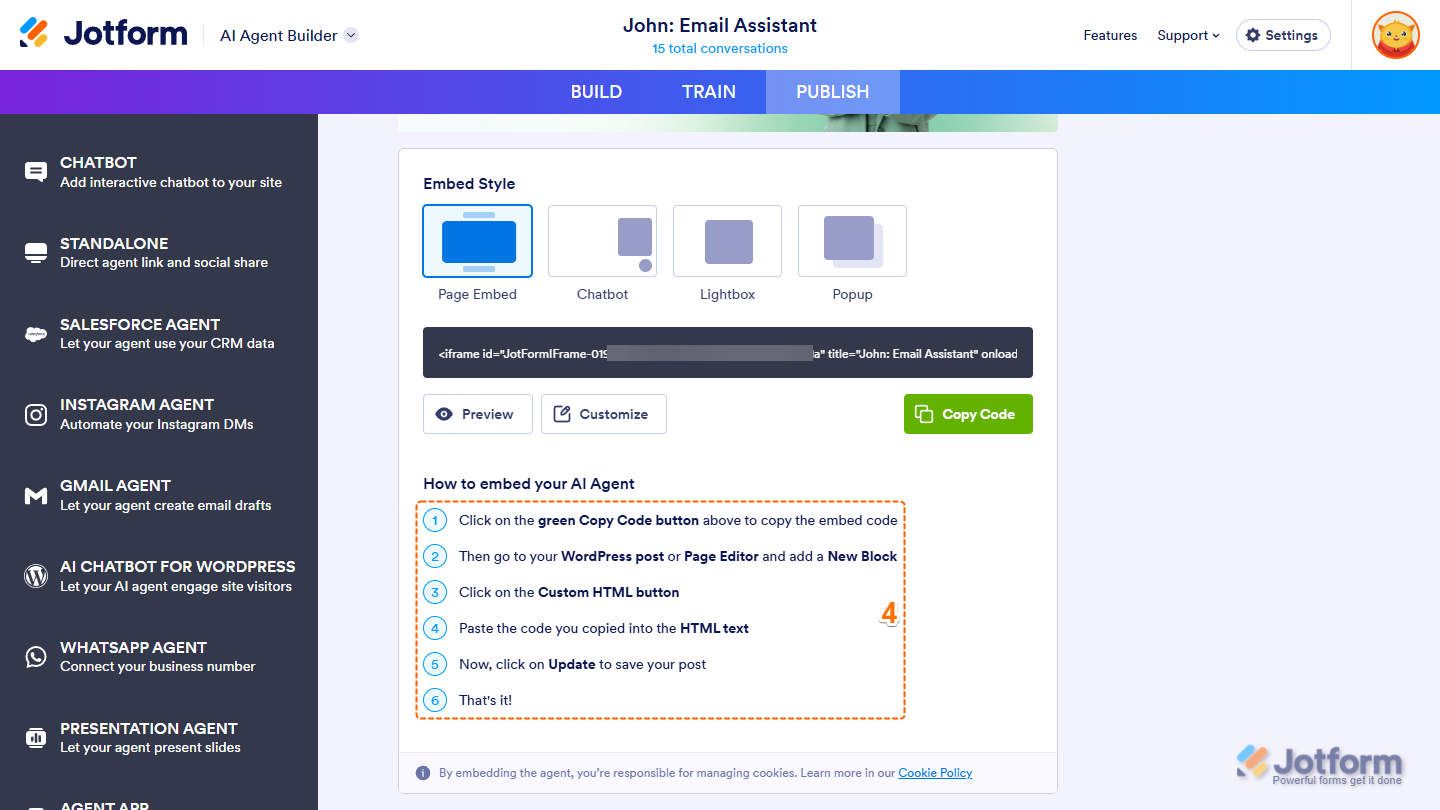
- For example, if you selected WordPress, follow the installation instructions for that platform, and you’re all set.
Note
Each platform may require a different embedding method. Some platforms provide an embed code, while others require platform connections, app installs, or share links instead. Certain platforms may also offer multiple embed styles such as page embed, chatbot widget, popup, or lightbox. Be sure to review the instructions that appear after selecting a platform.
Here’s the list of supported platforms:
- WordPress
- Shopify
- Salesforce
- Wix
- Squarespace
- GoDaddy
- Google Sites
- Joomla
- Drupal
- BigCommerce
- Weebly
- Unbounce
- Framer
- Duda
- Ghost
- Blogger
- Tumblr
- Yola
- Cargo
- Piwigo
- LiveJournal
- Jigsy
- IM Creator
Embedding Your Agent on Your Website
Aside from platform-specific installations, you can also embed your AI Agent directly into any website using the Chatbot option under the Publish tab. This is ideal for custom websites or platforms not listed in the Platforms section.
Before embedding, you can also customize how the chatbot appears on your site by adjusting its layout, position, greeting message, and placeholder. If you want to get the embed code directly, here’s how:
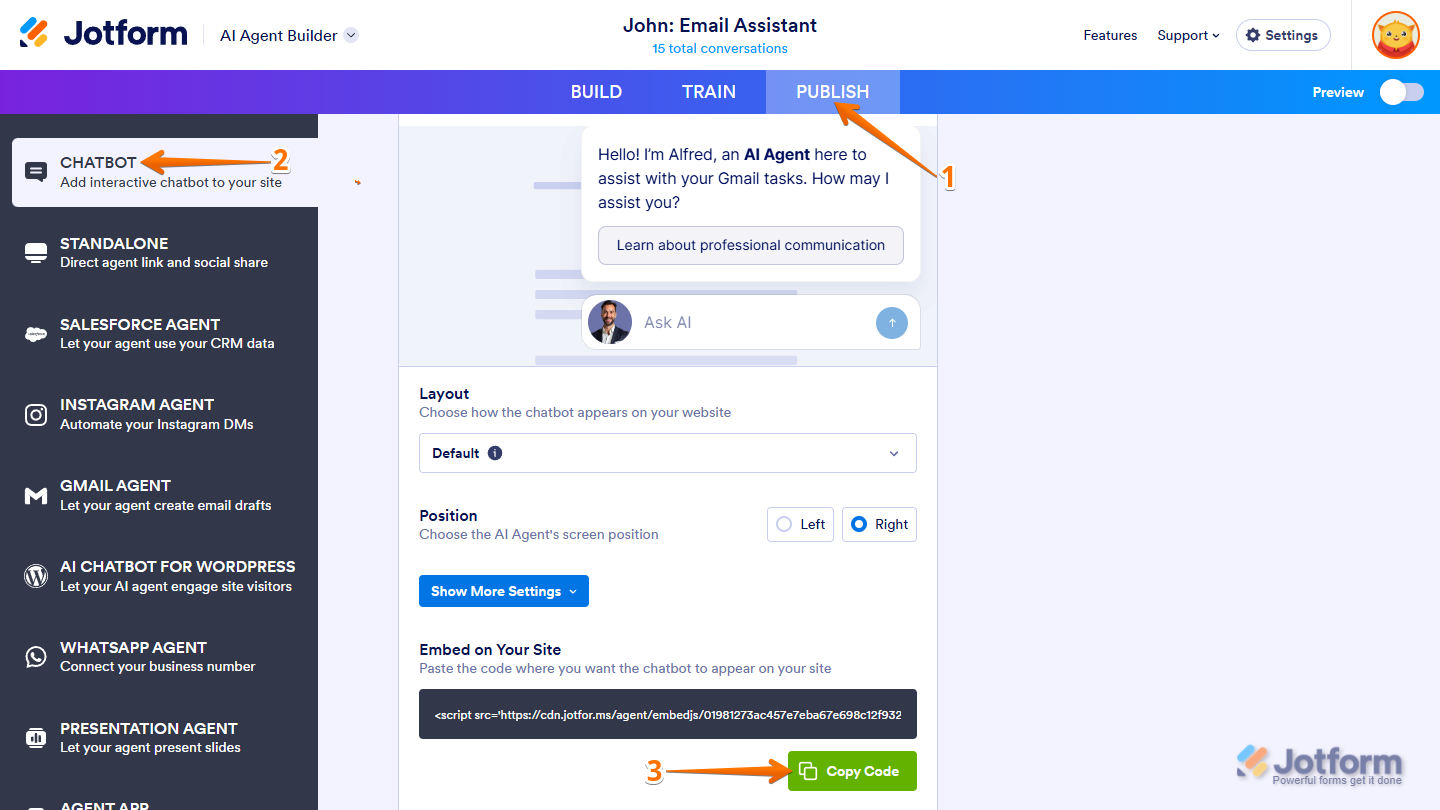
- In AI Agent Builder, in the blue navigation bar at the top, click on Publish.
- Then, in the menu on the left, click on Chatbot.
- Now, scroll down to the Embed on Your Site section, then click on Copy Code, and you’re done.
Once embedded, your AI Agent will appear on your website or platform, ready to assist users and respond in real time.


Send Comment:
2 Comments:
November 1, 2025
how to publish our AI
March 23, 2025
Can i embed the AI agent onto a Canva website? Does Canva support it ?