AI template creation allows you to generate a new form using AI prompts and then publish it as an organizational template. An organization admin needs to enable this feature first.
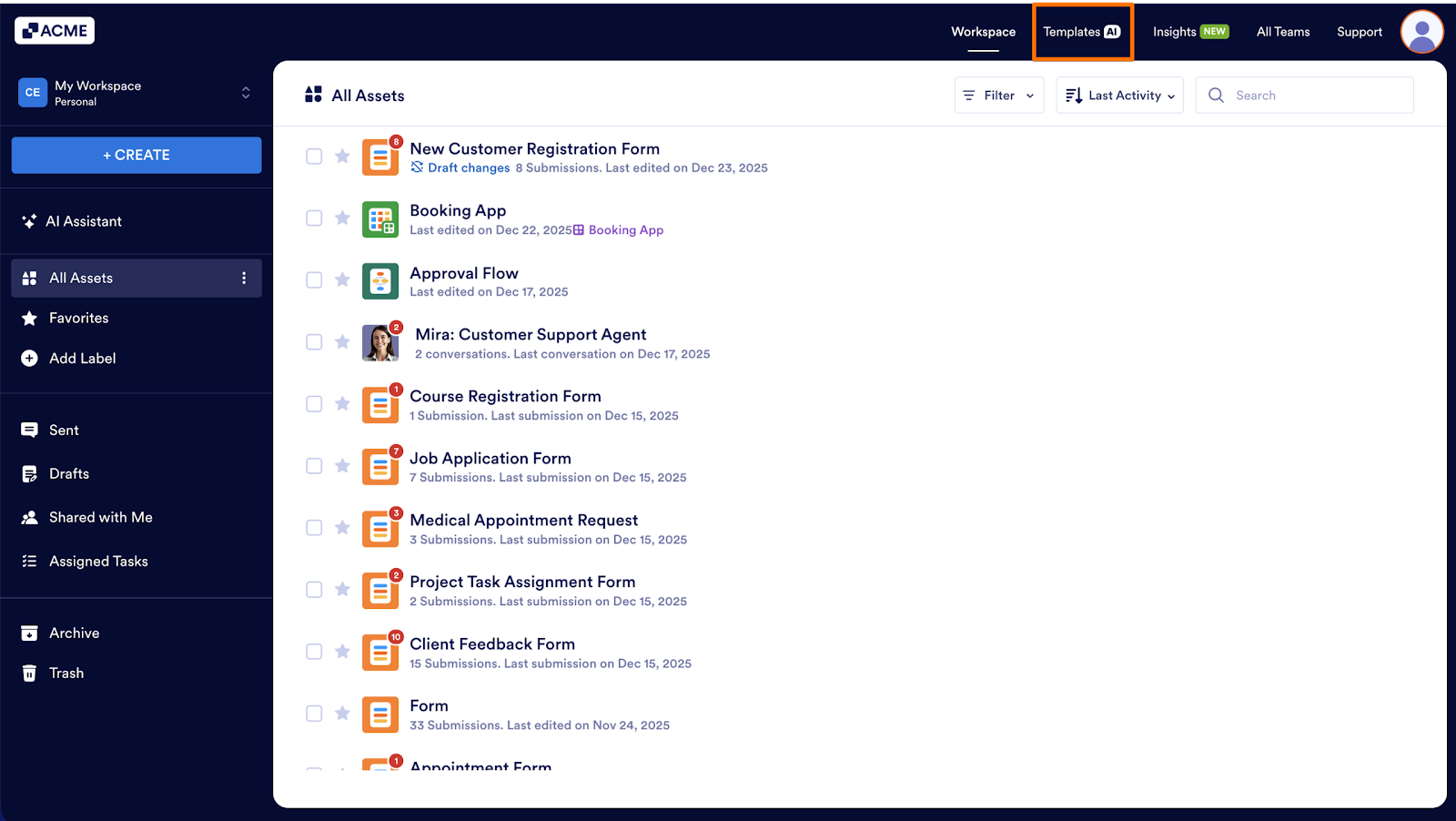
- In My Workspace, click on Templates in the upper right-hand corner of the page.
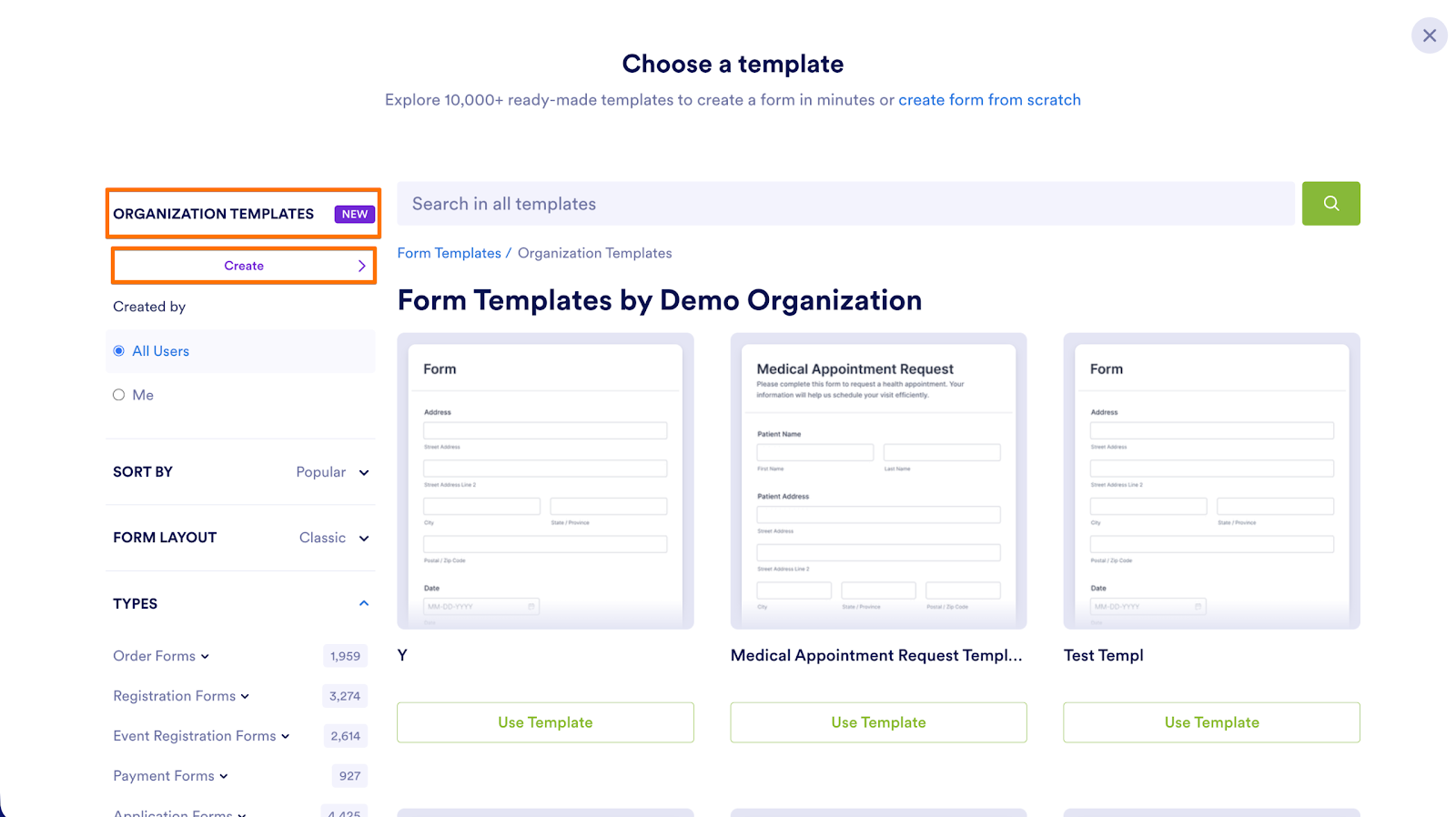
- Click Organizational Templates on the left.
- Then, select Create.
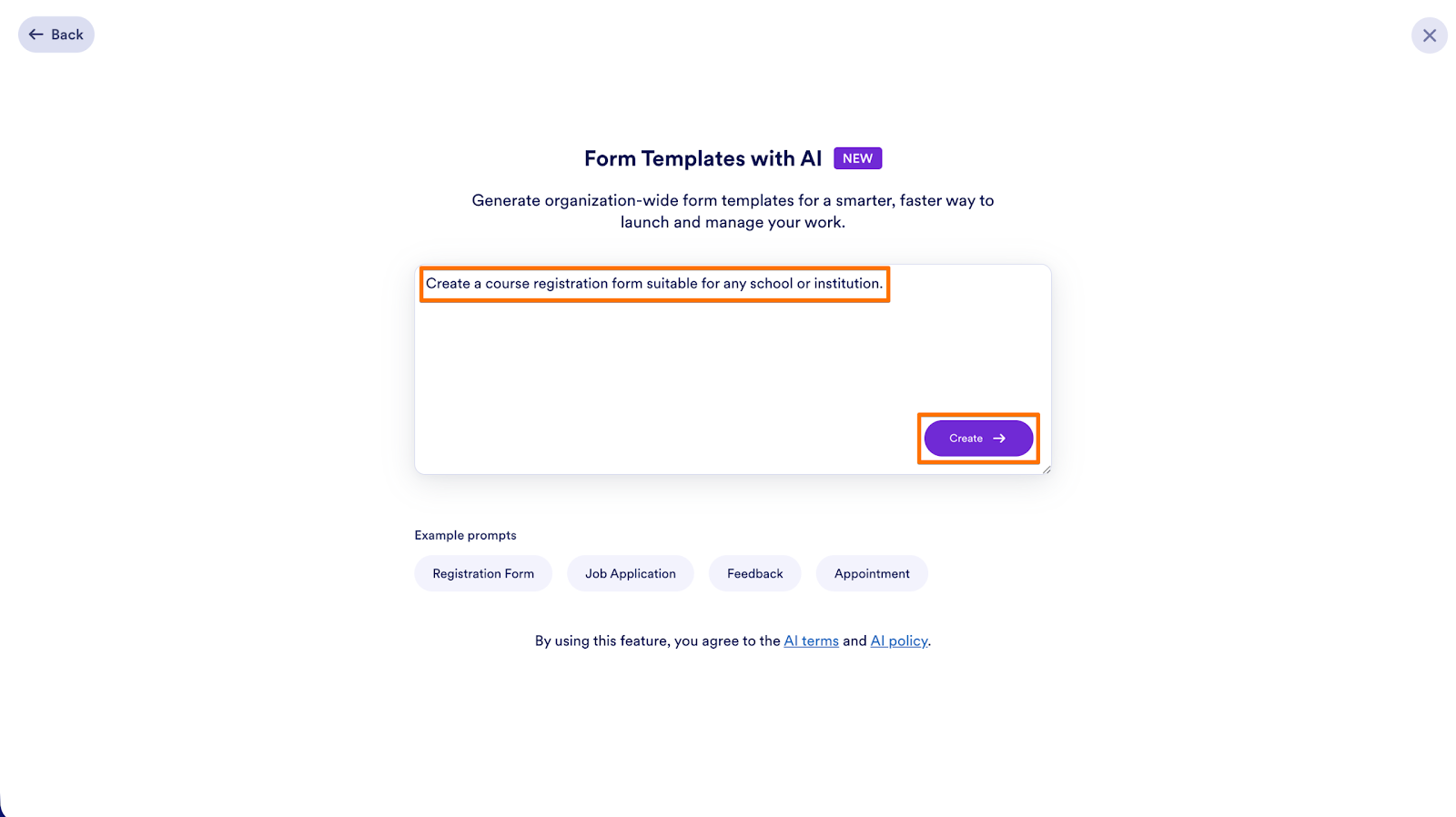
- On the next page, provide your prompt and click on Create.
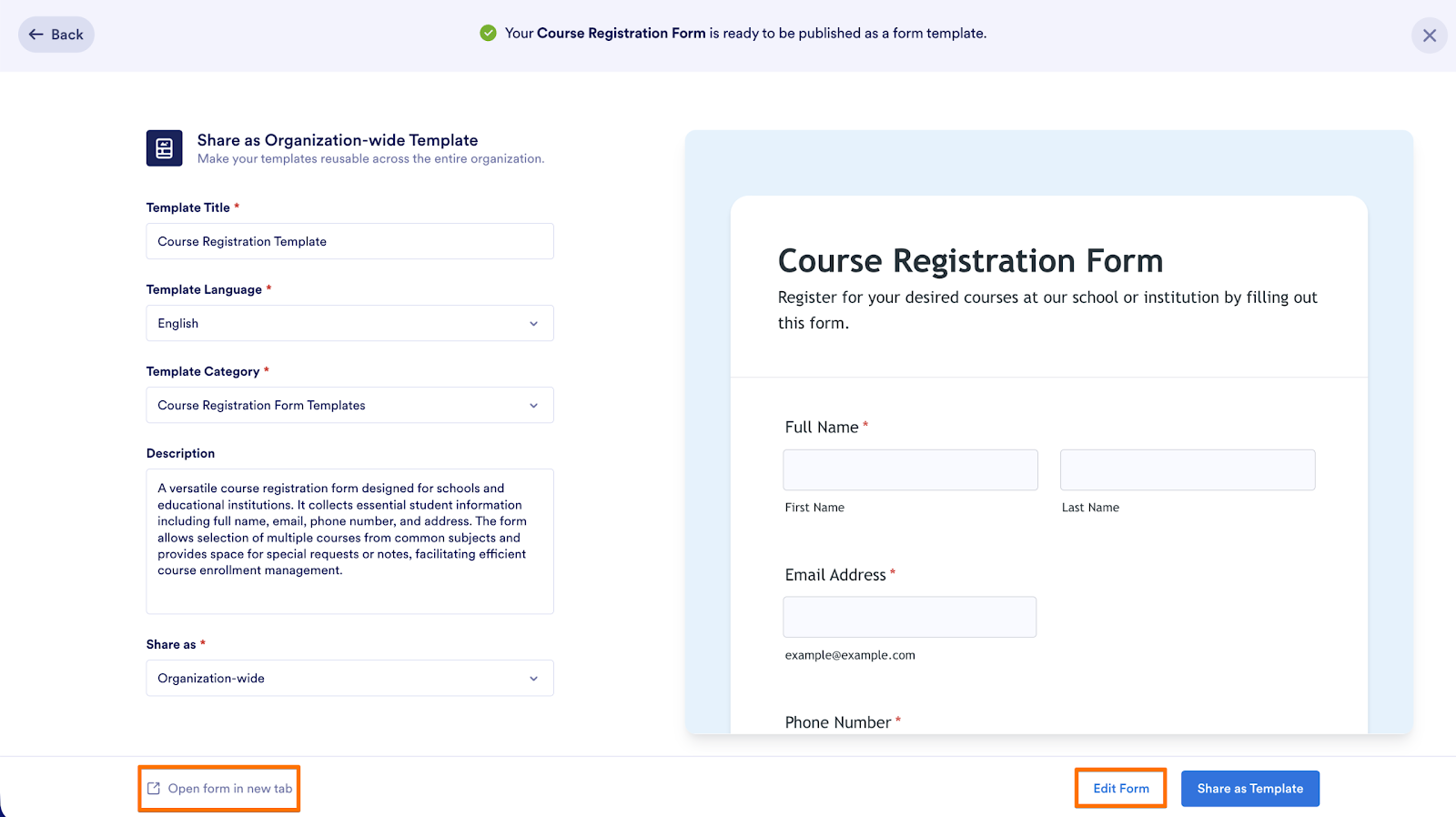
- Enter the template information such as title, language, category, description and whether it’s an organization-wide or private template.
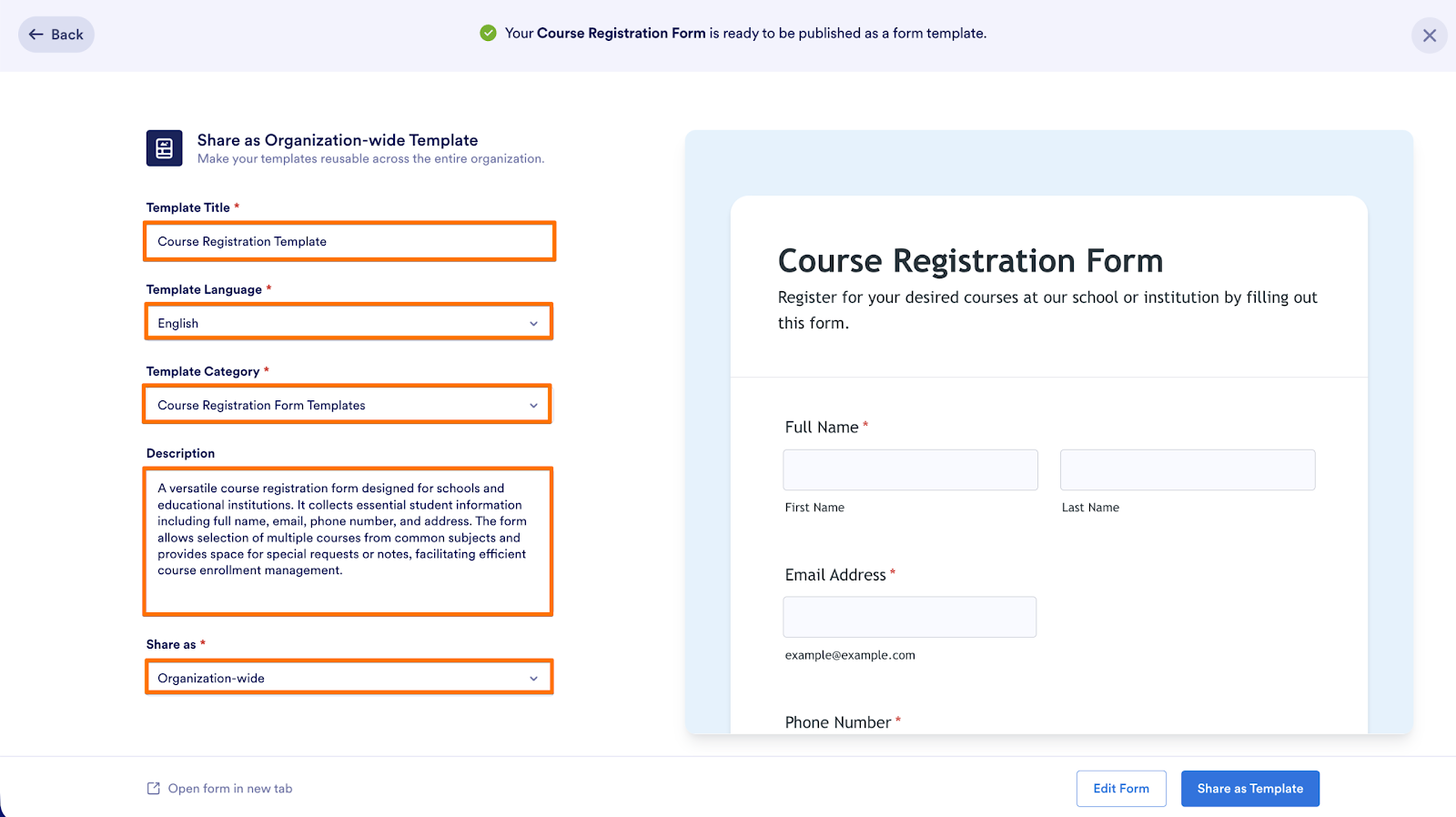
- If you want to take a look at the form before sharing the template, you can click on Open form in new tab on the bottom left.
- If you want to make some changes to the form, click on Edit Form to open the Form Builder.
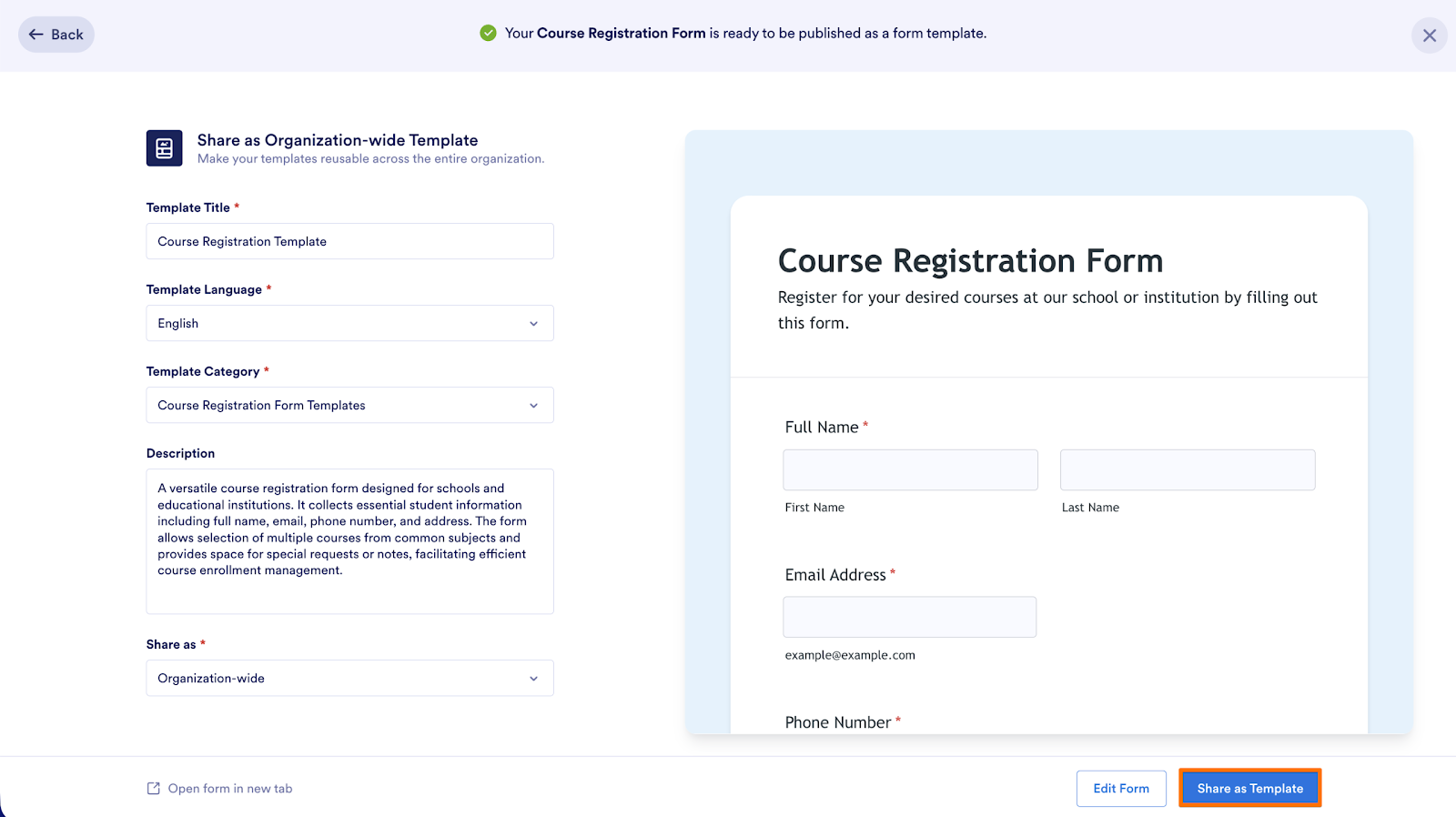
- Finally, publish the template by clicking on Share as Template on the bottom right.

Send Comment: