The form builder includes a built-in designer that helps you style your form without coding.
But if you want to go beyond the default options—such as adjusting spacing, changing fonts, or hiding specific elements—you can add your own CSS to take full control over the appearance of your form. In this guide, we’ll go over the steps to inject custom CSS on your forms:
- In Form Builder, under the Build tab, click on the Paint Roller icon on the top-right side to open Form Designer.

- Now, under the Styles tab, scroll down to the Inject Custom CSS section.
- Enter or paste your CSS code into the code editor box.
- Then, click on X to close the menu and save your changes.
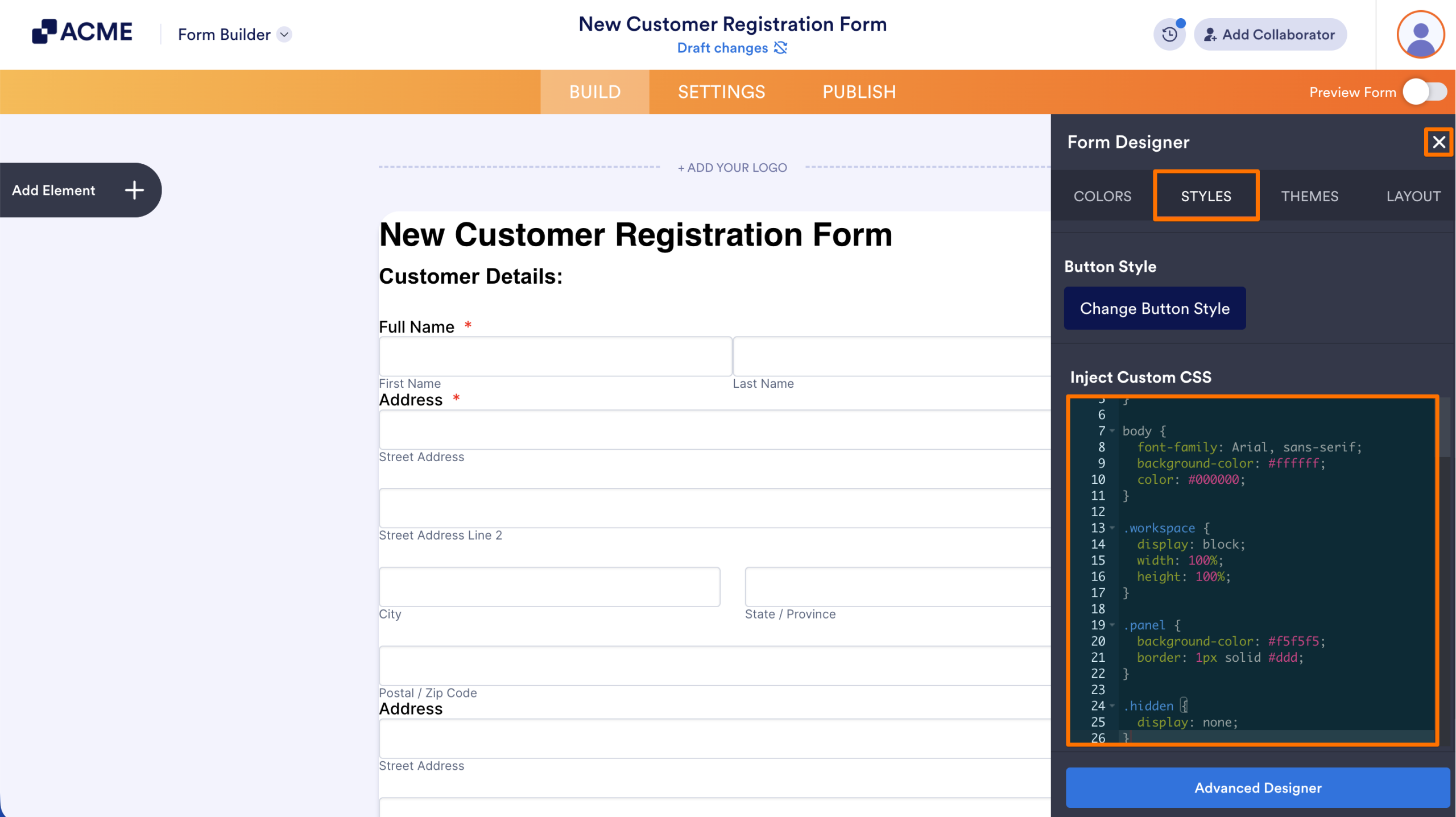
To preview your CSS on your form, you can toggle on the Preview Form switch in the upper right-hand corner of the page.

Send Comment: