MailerLite is email marketing software for businesses of all shapes and sizes. You can integrate your form with MailerLite to seamlessly update your email list.
The integration is quick and easy! Please proceed to the steps below:
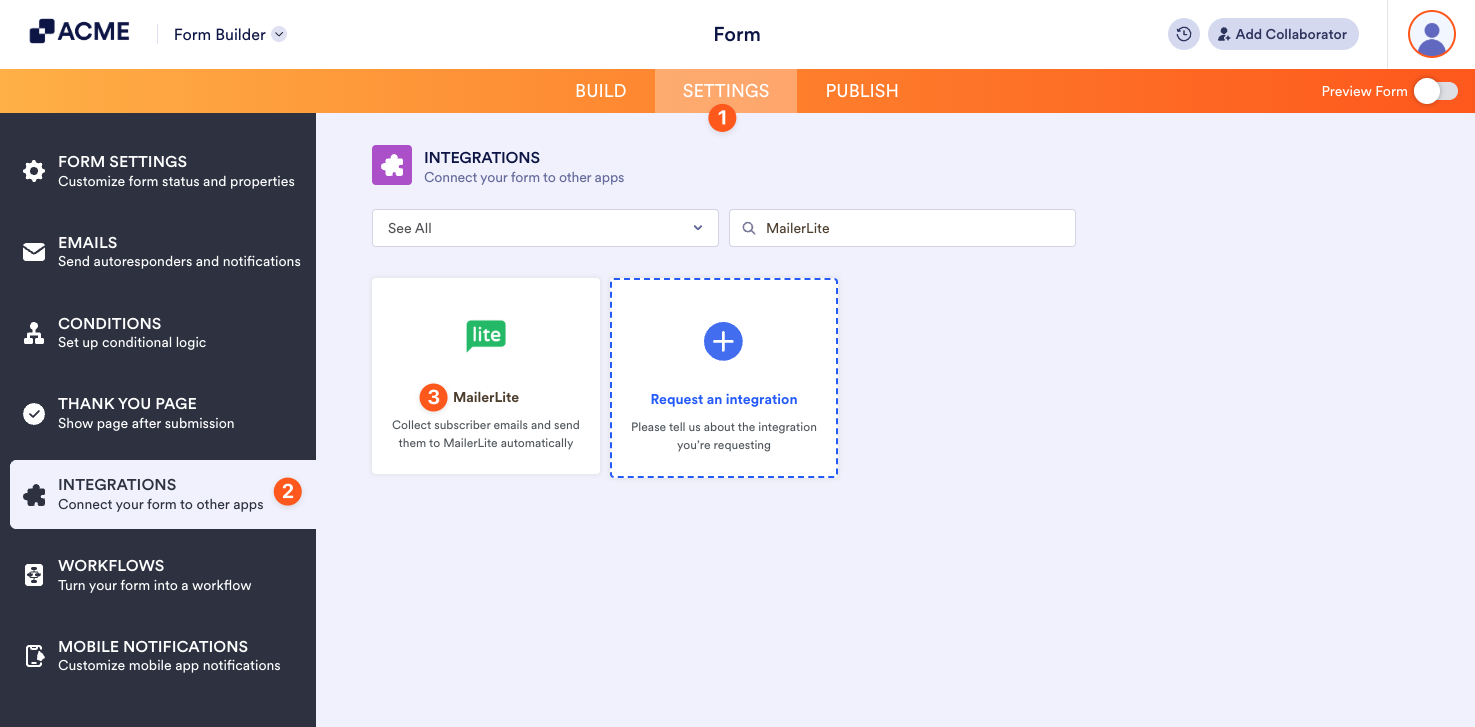
- In the Form Builder, go to Settings at the top.
- Click Integrations on the left panel.
- Search for MailerLite, and click it.
- Provide your MailerLite API Key and click the Authenticate button.
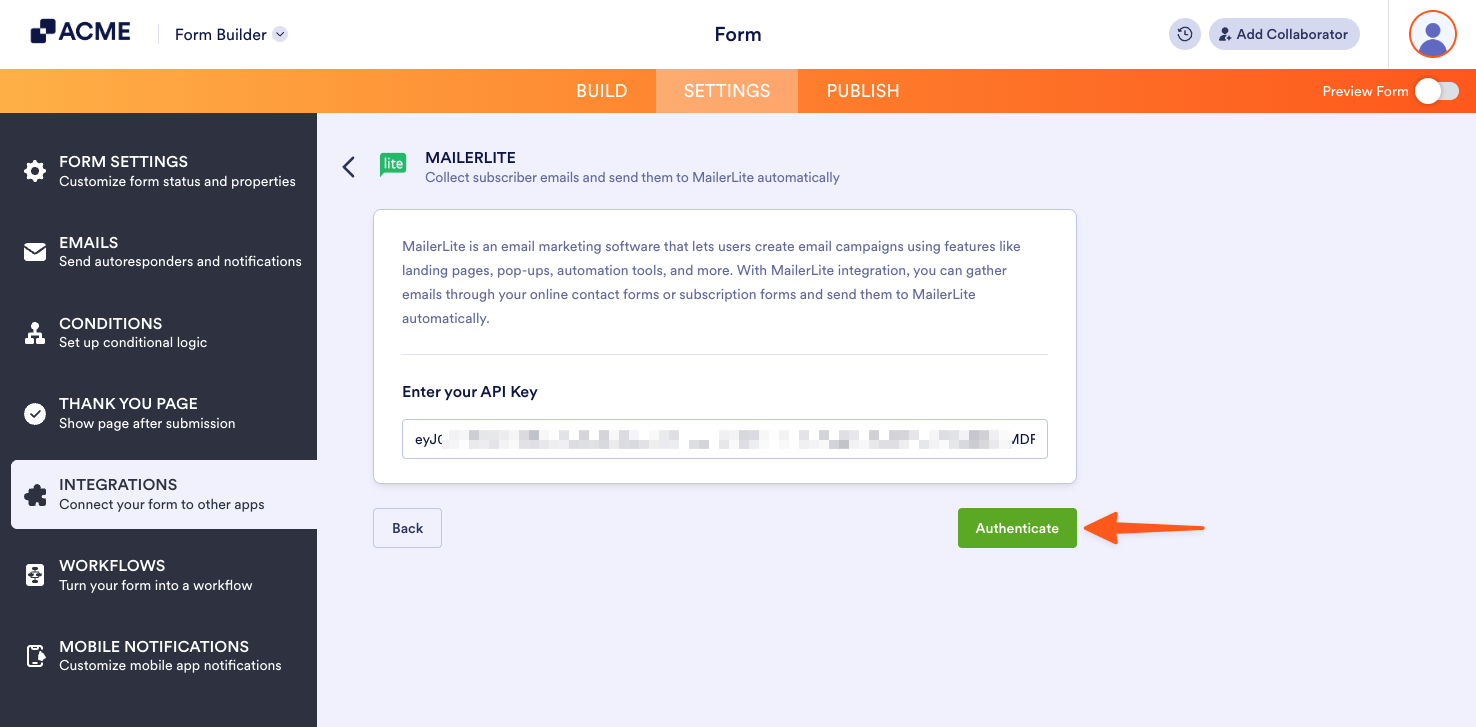
To get your MailerLite API Key, access the Developer API of your account. For more information, visit Where to find the MailerLite API Key.
- Next, set the following:
- Match Your Fields — The integration will automatically match all equivalent fields. Click the Add Field button to match the other fields, such as the custom fields.
- Select a Group — You can add subscribers to a group.
- Update existing contact — You can opt to update existing contacts in MailerLite if the user who submits the form is already a subscriber.
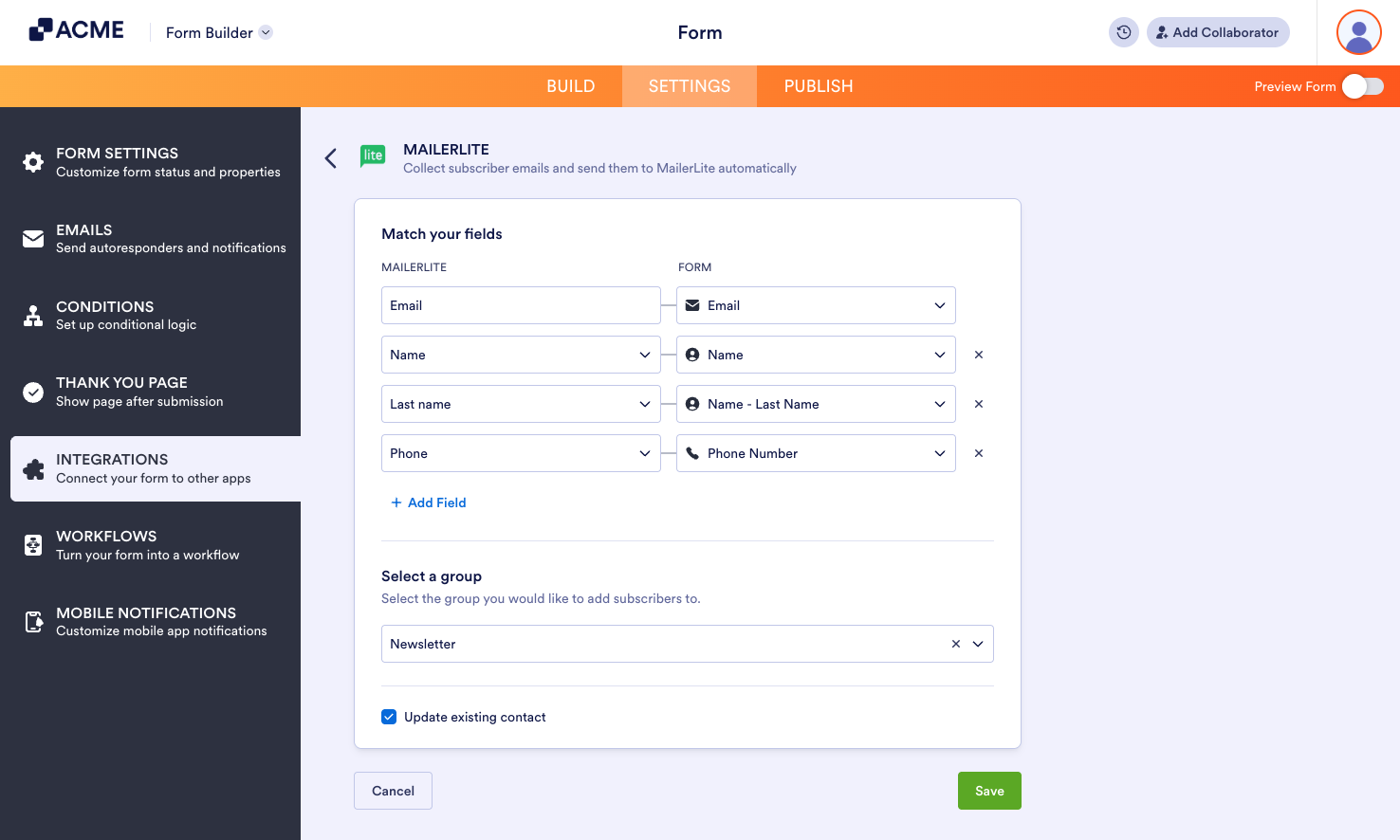
- Click the Save button to save your settings.

Send Comment: