As an Admin, you can log users out of all active sessions in your organization directly from the Admin Console. This can help ensure account security or quickly end a user’s current session when needed.
Logging Users Out Individually
You can access user accounts and log them out from two different locations in your Admin Console: from the User Management Screen or within a specific user's profile. Let's walk through both of those options below:
From the User Management Screen
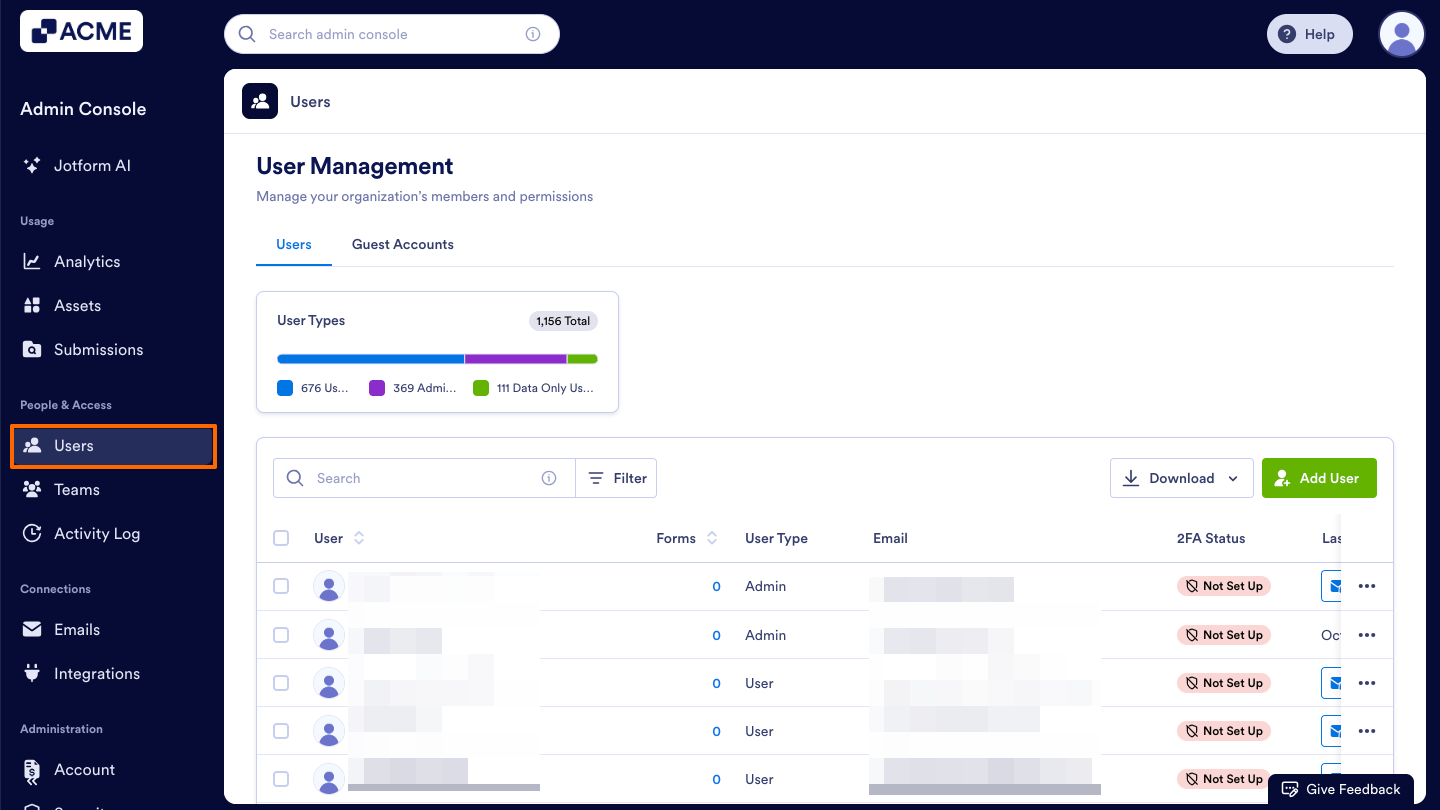
- Starting in the Admin Console, click on Users in the menu on the left side of the page.
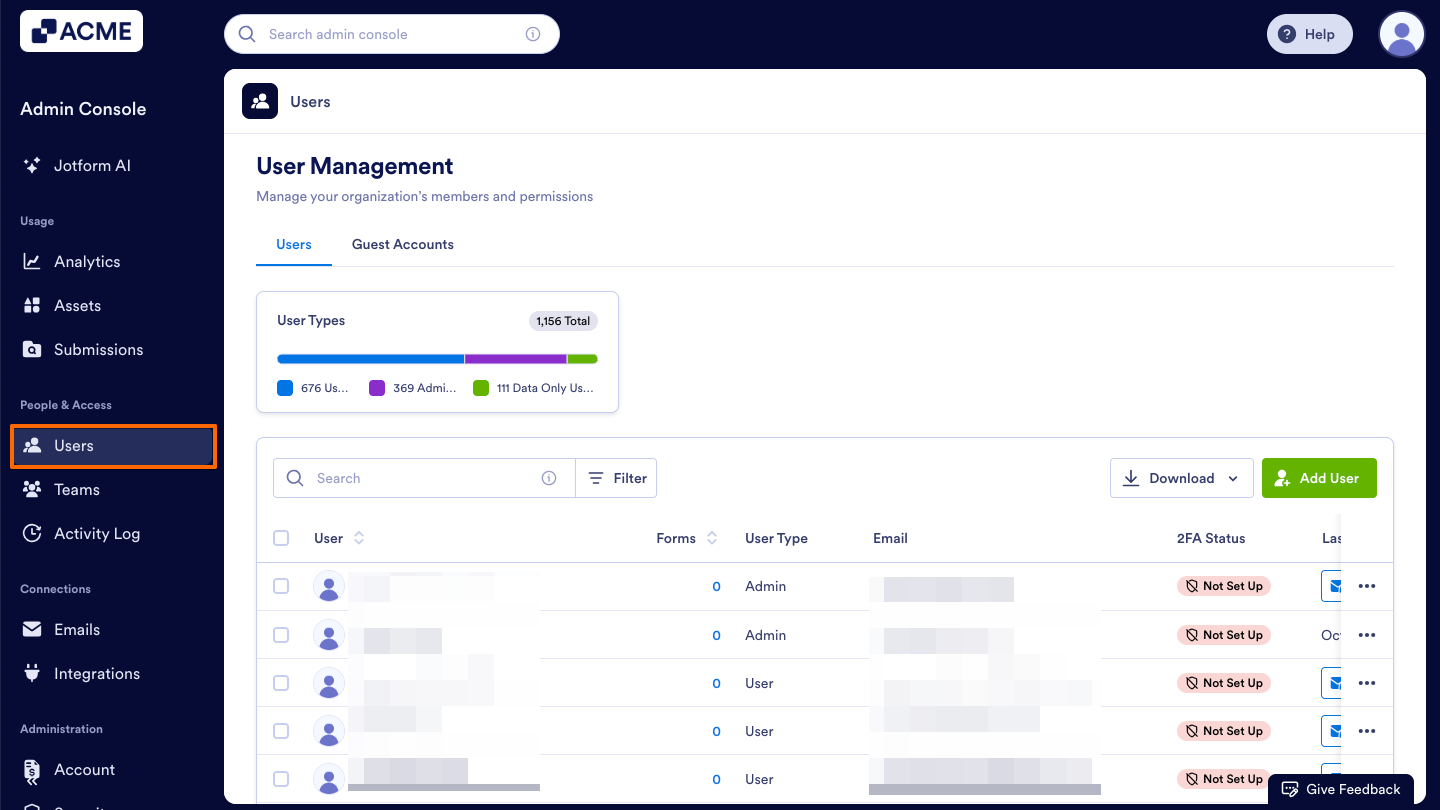
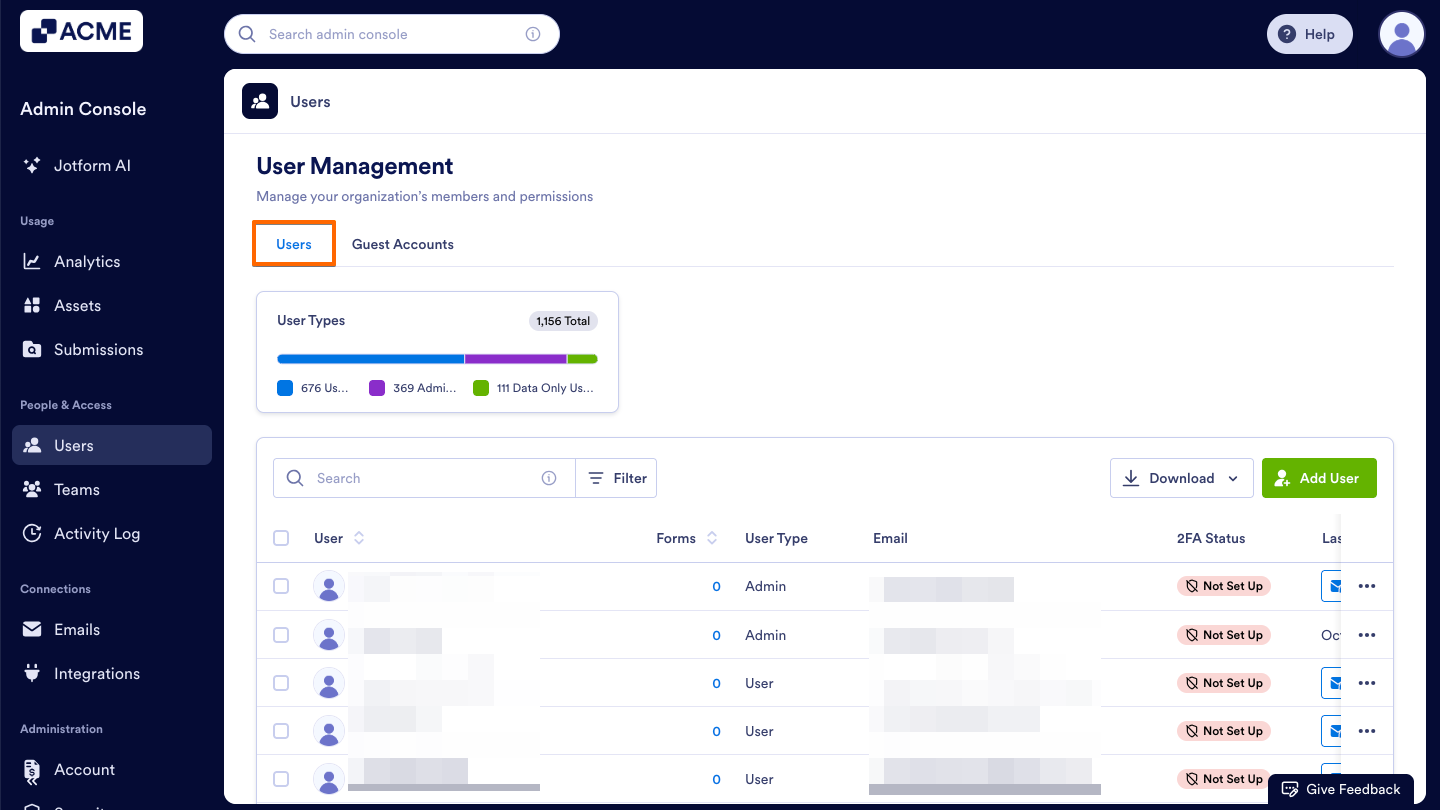
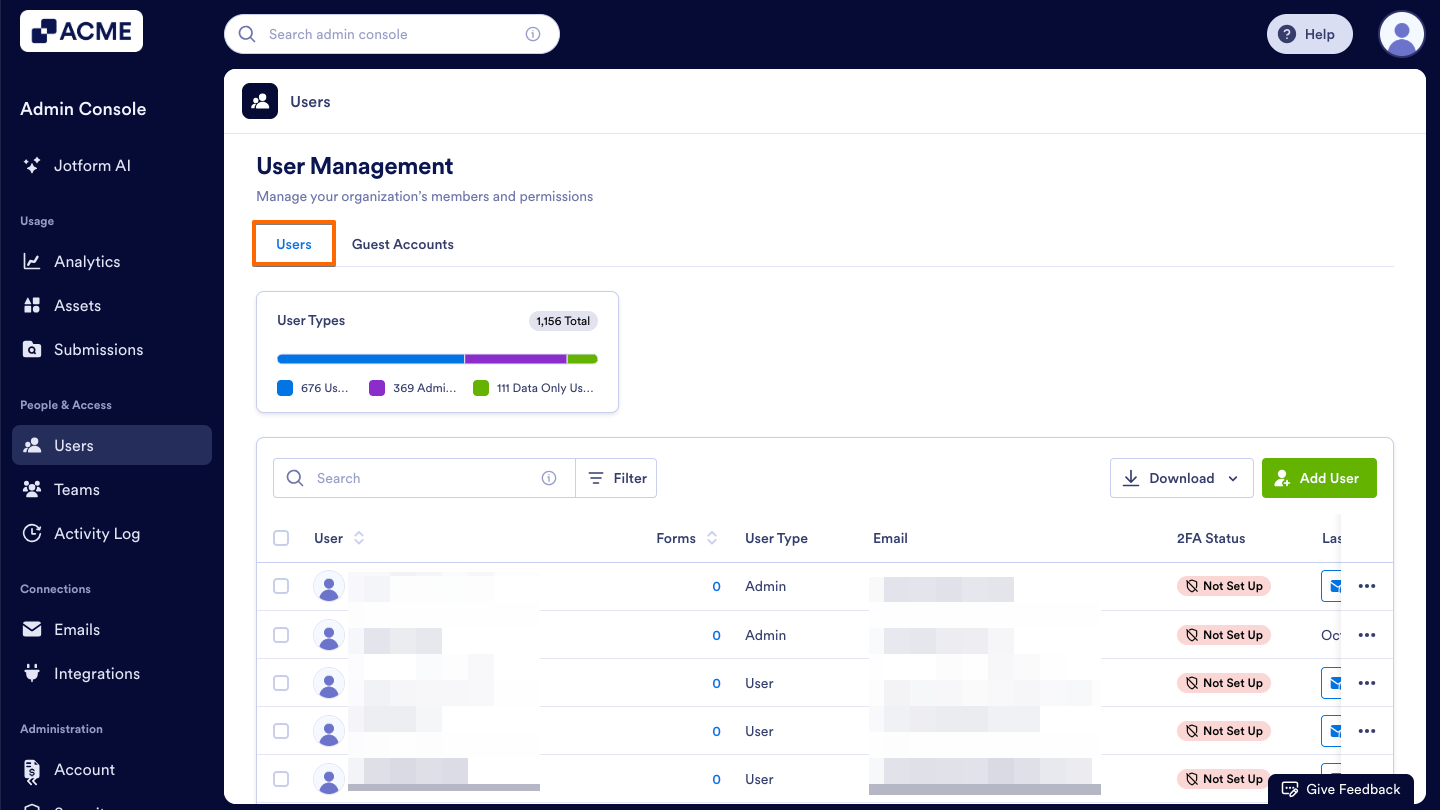
- Next, click on the Users tab located at the top of the User Management page.
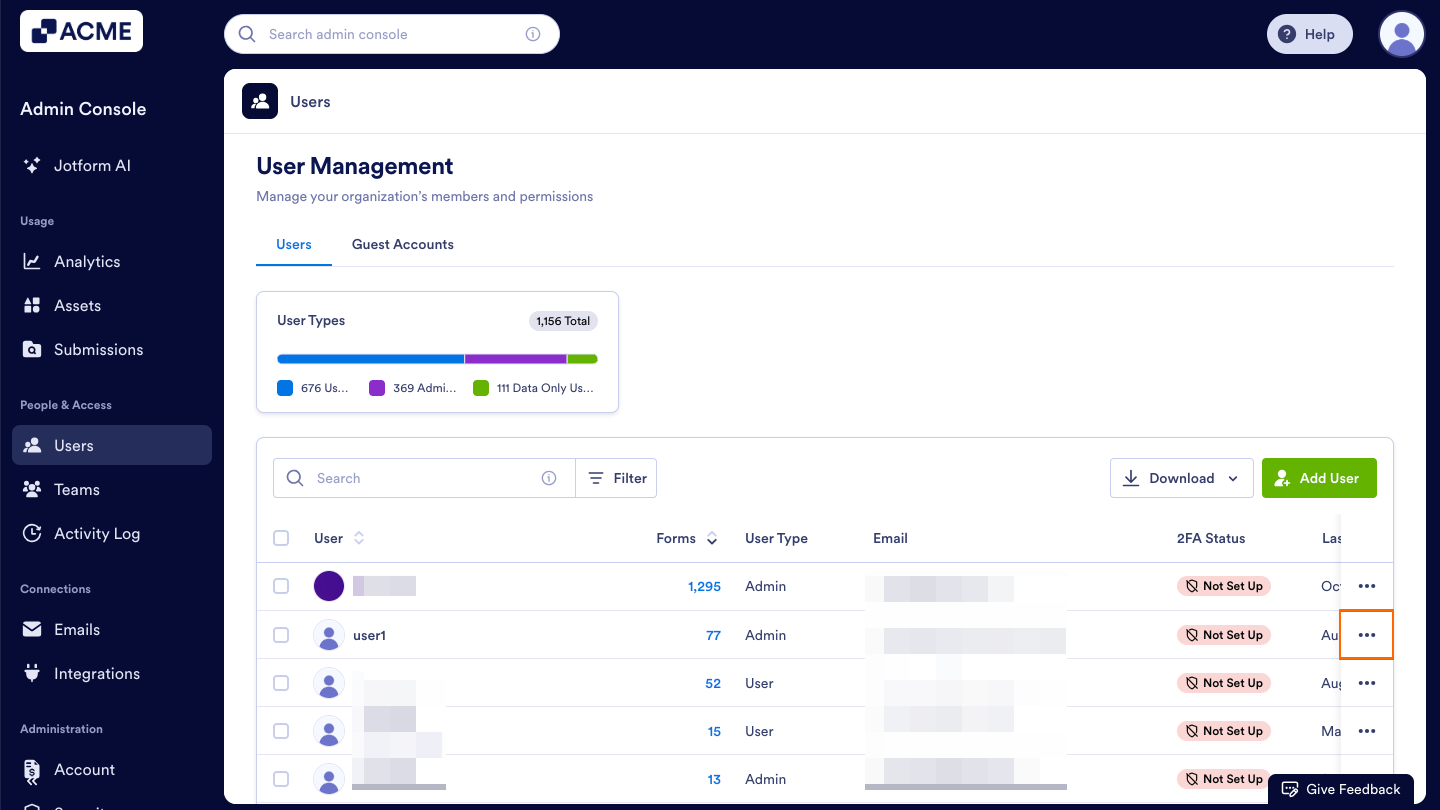
- Now, click the Three Dots icon located to the right of the user you want to log out.
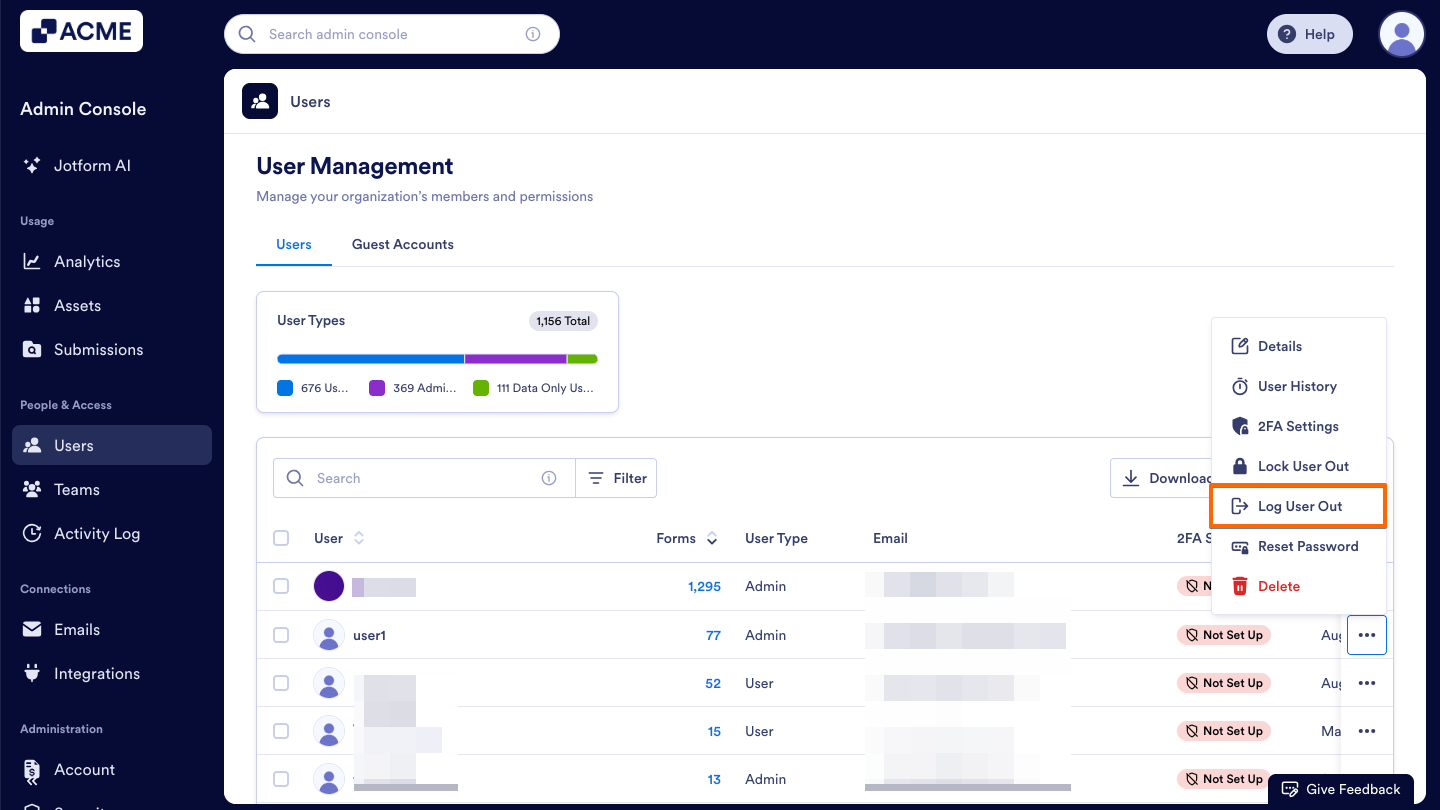
- Then, click Log User Out in the dropdown menu.
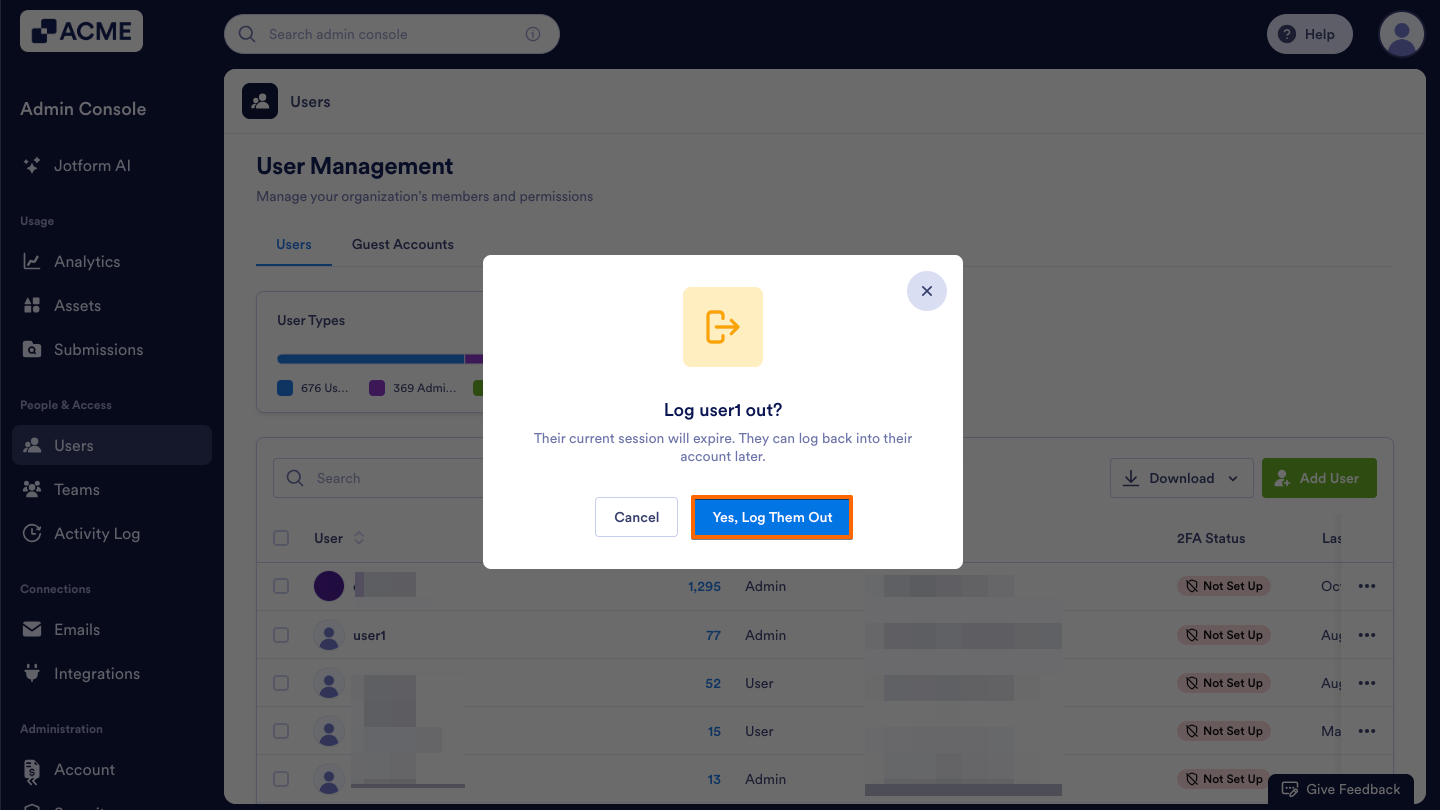
- Confirm this action in the popup window by clicking Yes, Log Them Out.
From the Assets Tab within a Specific User’s Profile
- Starting in the Admin Console, click on Users in the menu on the left side of the page.
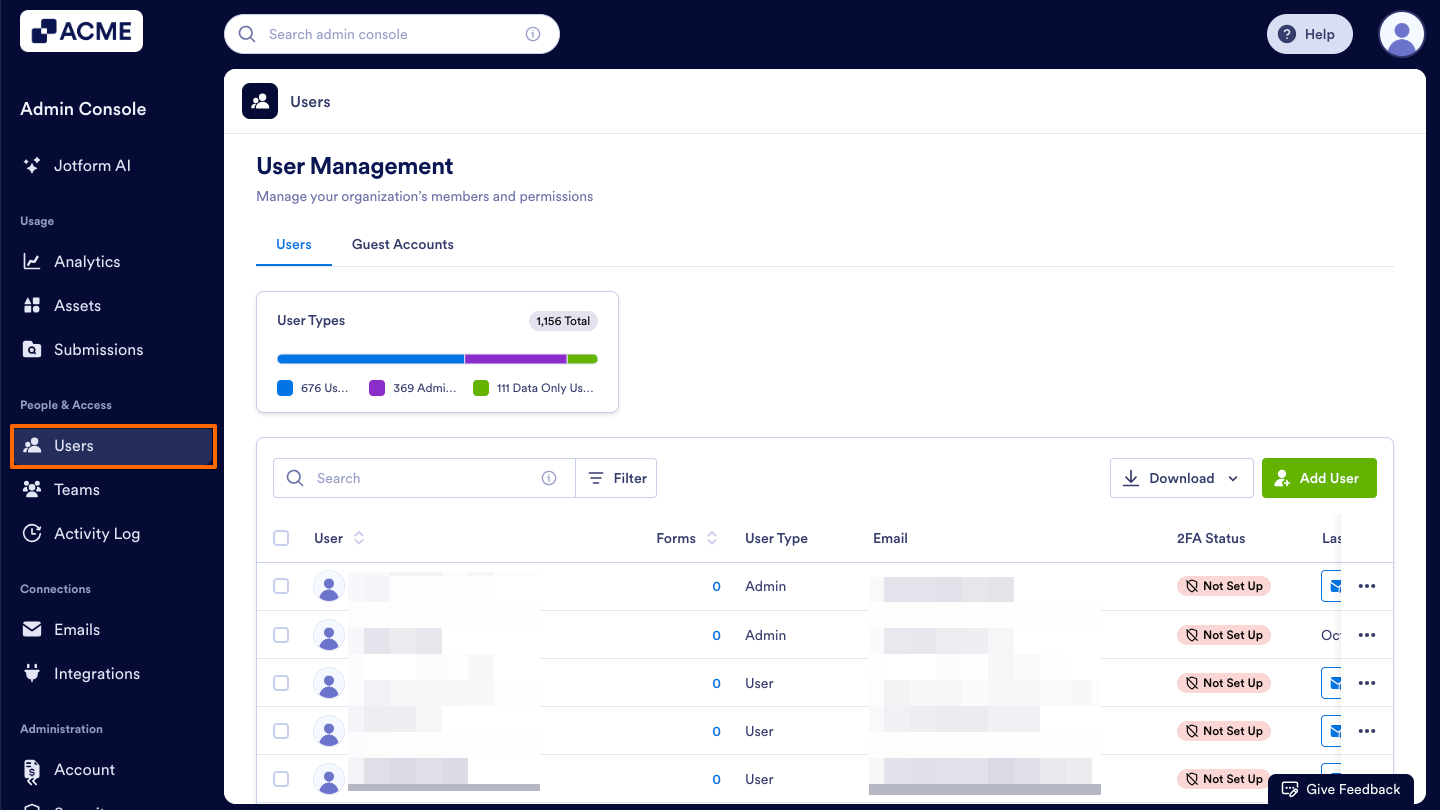
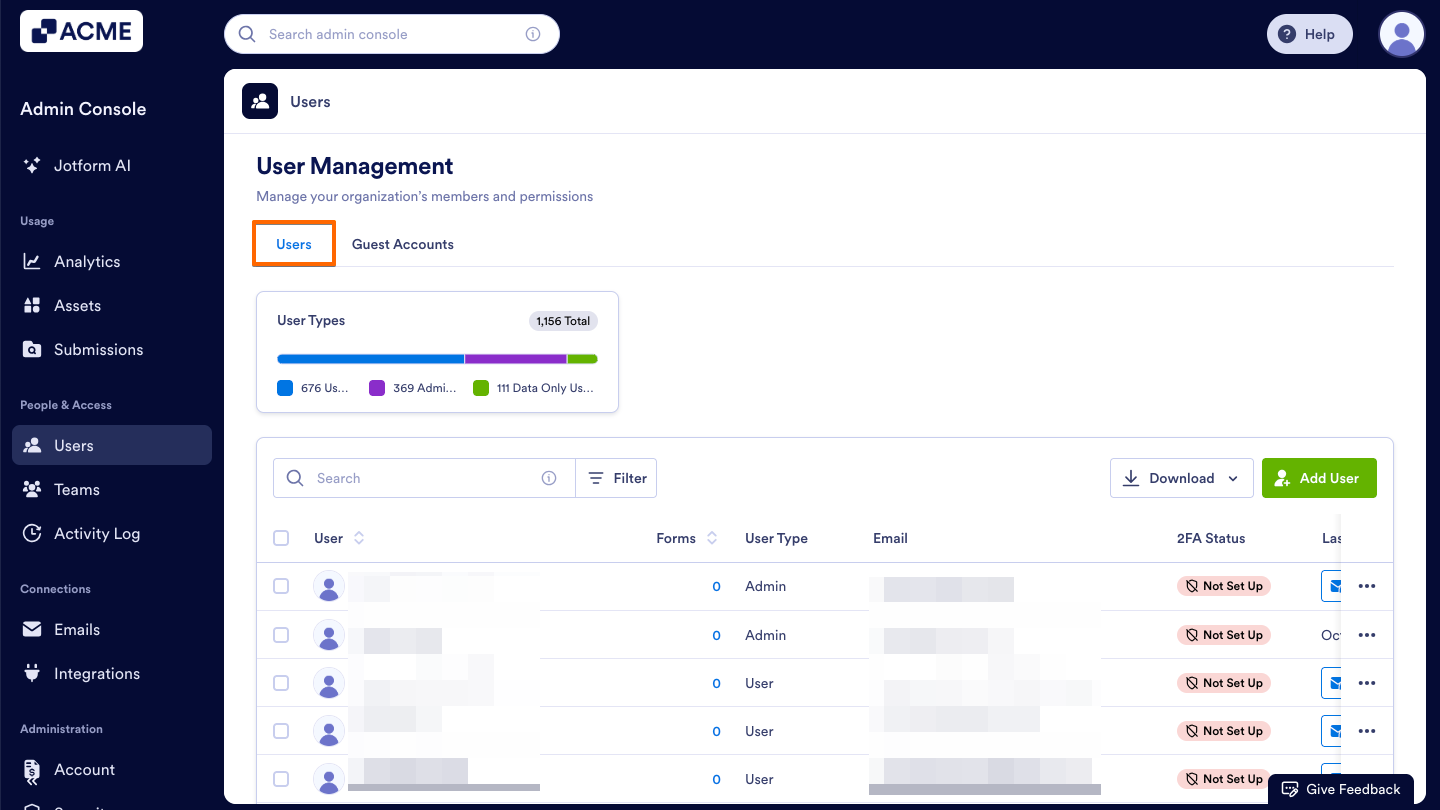
- Next, click on the Users tab located at the top of the User Management page.
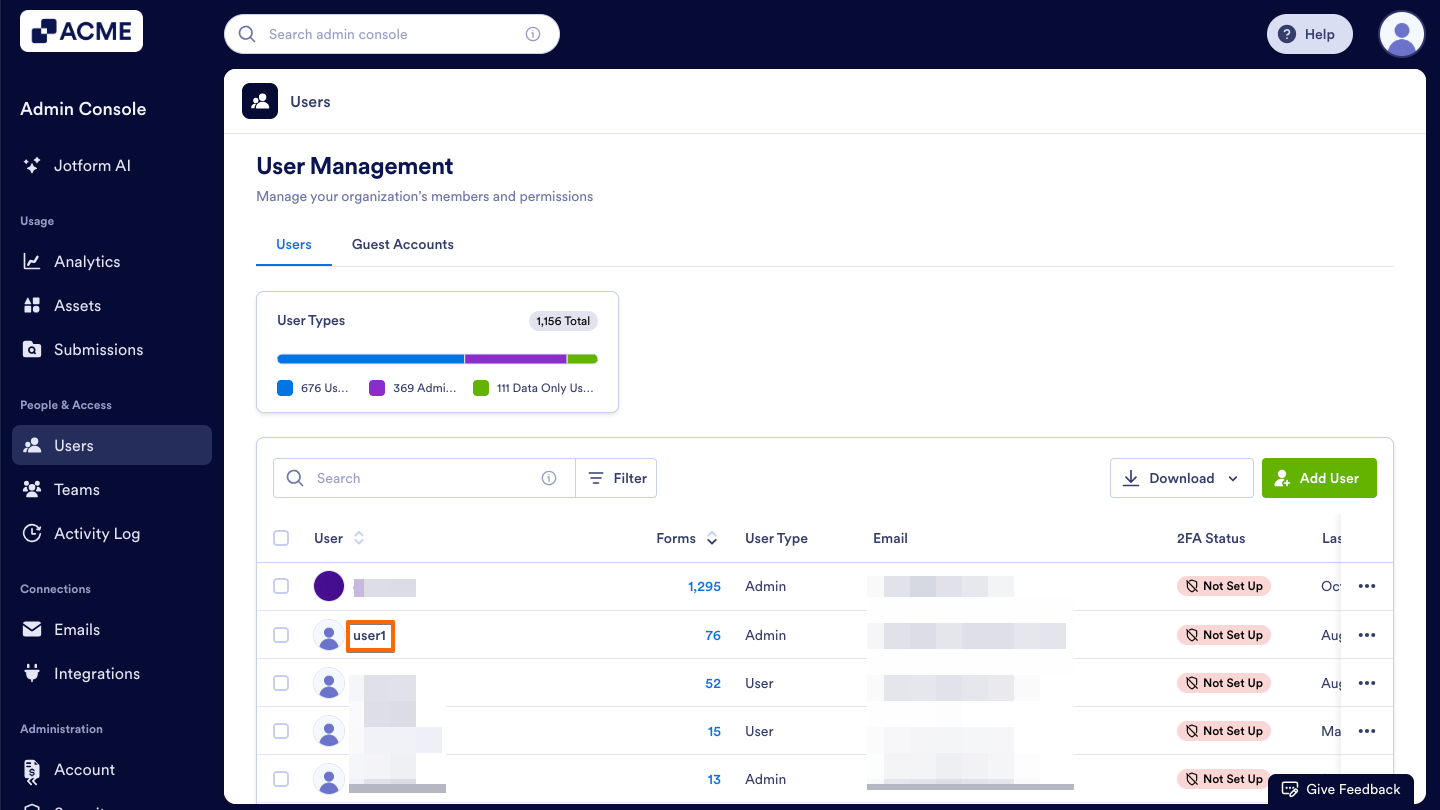
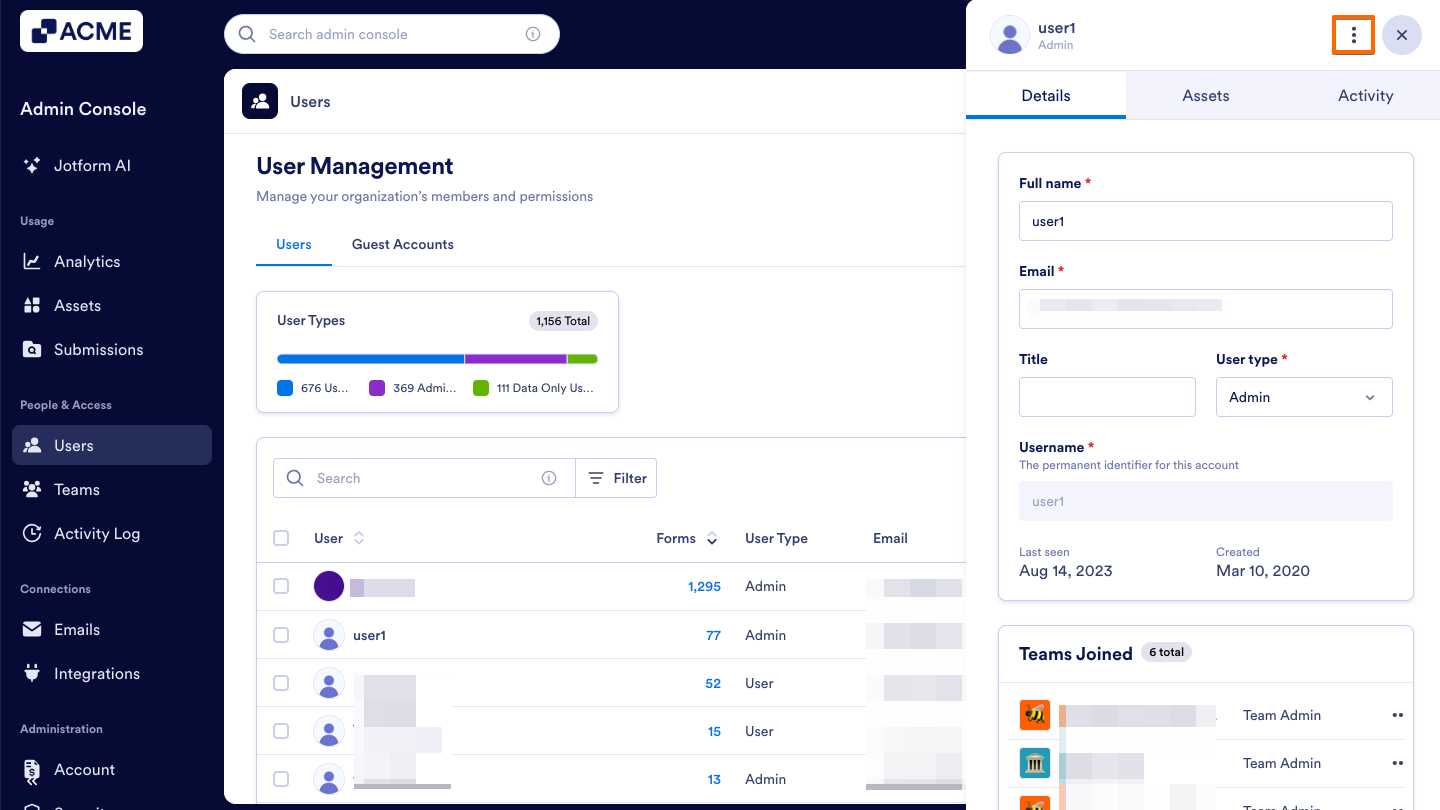
- Locate the user whose activities you want to view, and click on their name.This opens a sidebar on the right side of the screen that contains several tabs, such as Details, Assets, and Activity.
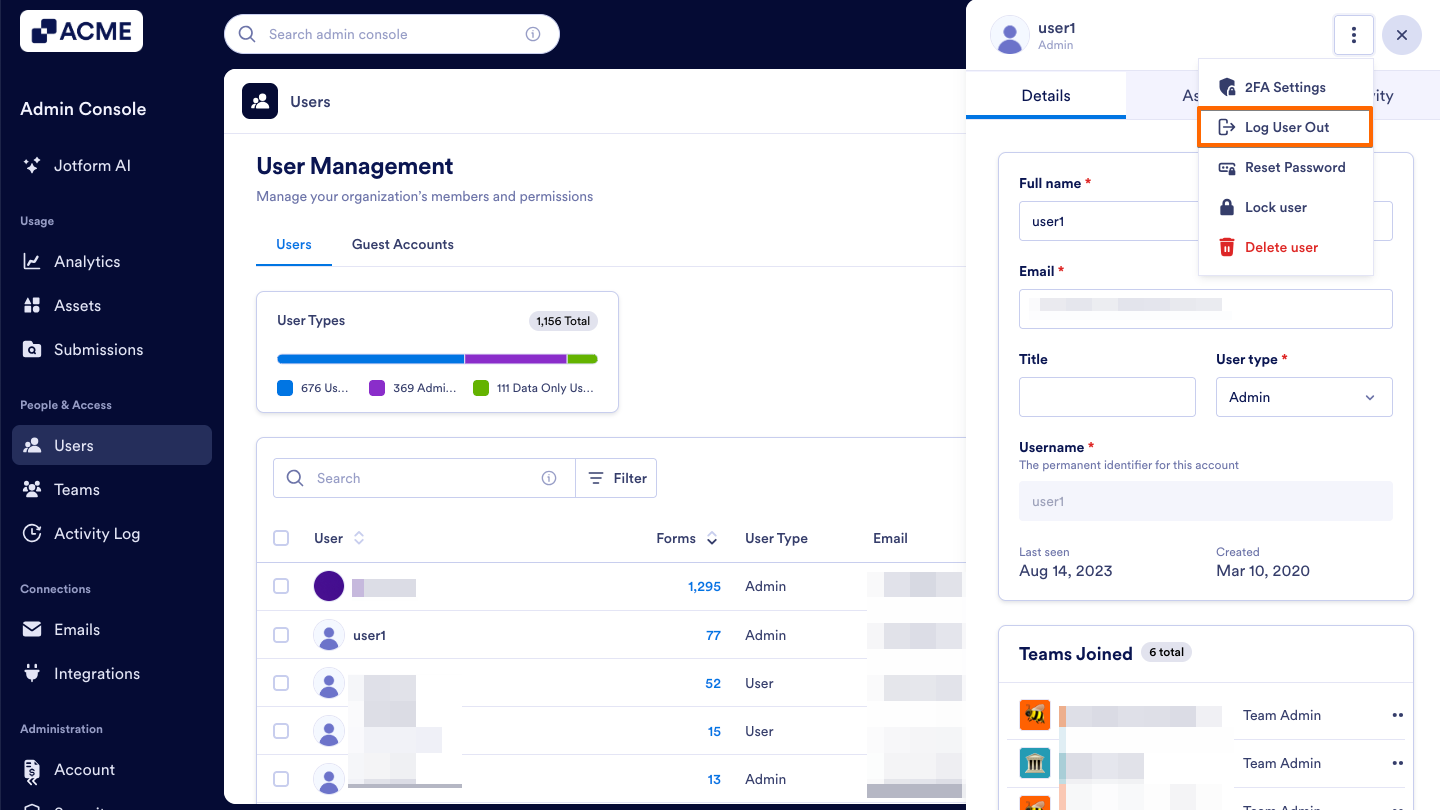
- Now, click on the Three Dots icon located near the top right of the sidebar.
- Then, click Log User Out in the dropdown menu.
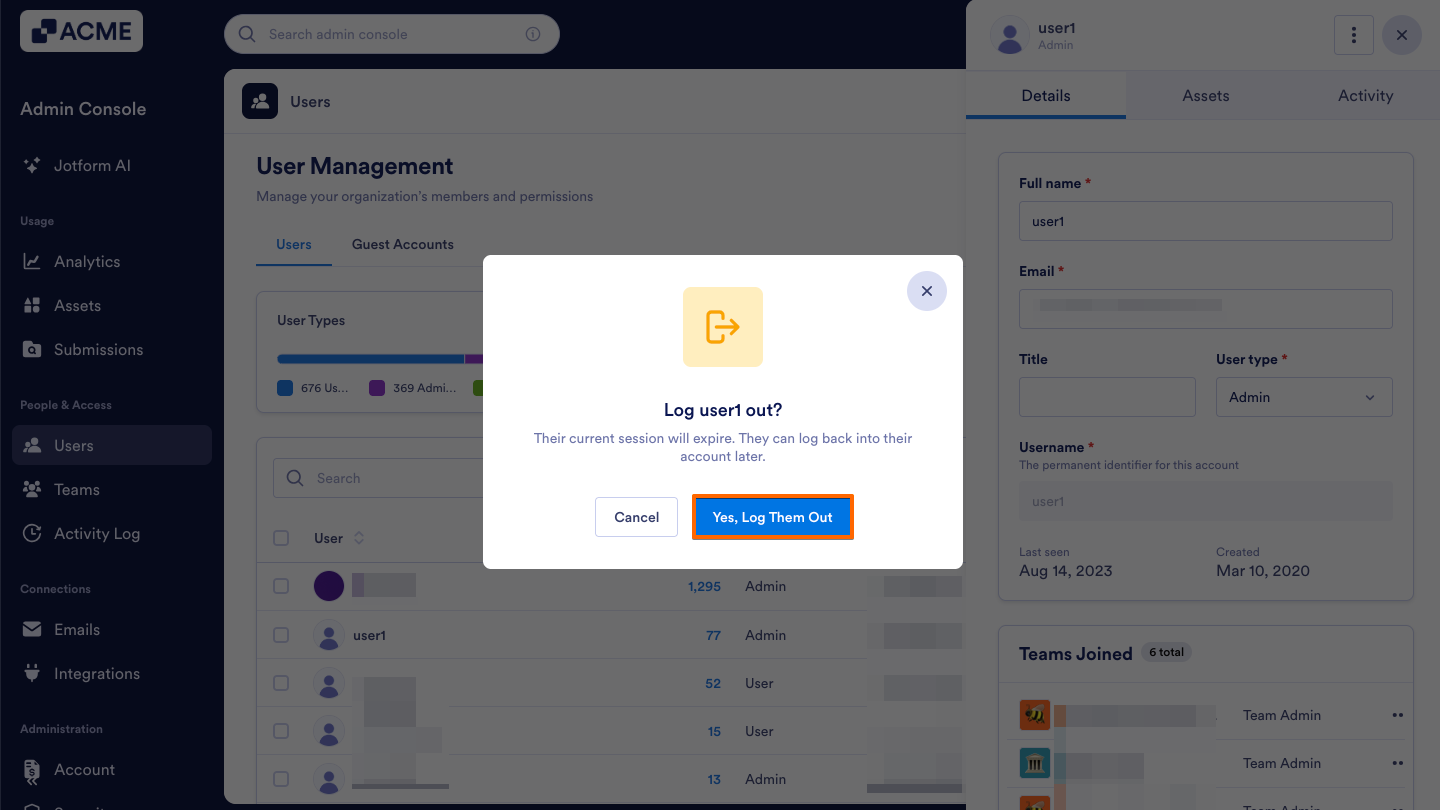
- Confirm this action in the popup window by clicking Yes, Log Them Out.
Tip
If you’d like to review the user’s recent activity before logging them out, see How to View Individual User Activities in Your Organization from the Admin Console.
Logging Users Out in Bulk
You can also log out multiple users at once from within your User Management Screen.
- Starting in the Admin Console, click on Users in the menu on the left side of the page.
- Next, click on the Users tab located at the top of the User Management page.
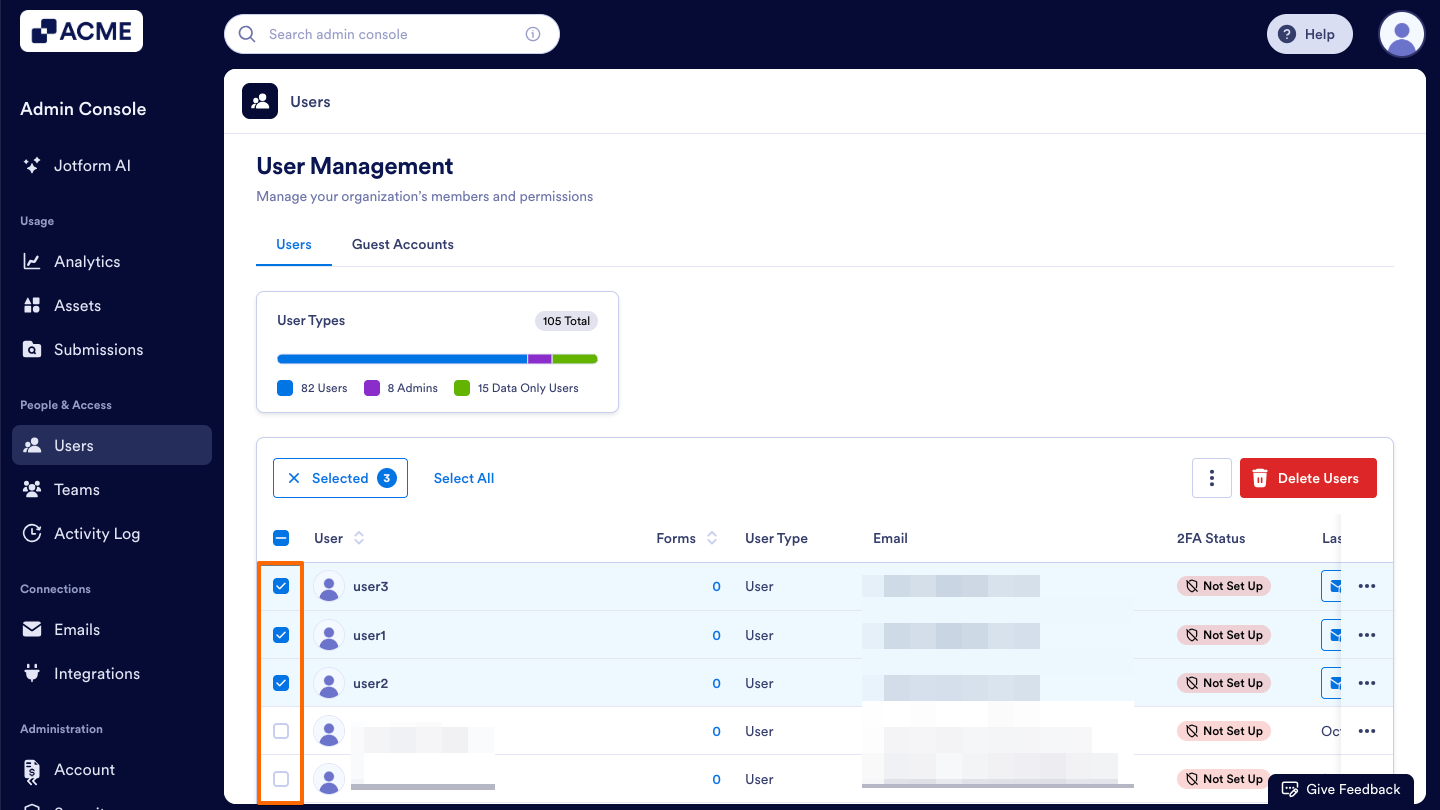
- Once you’ve decided which users you want to log out, click on the checkboxes to the left of their names to select them.
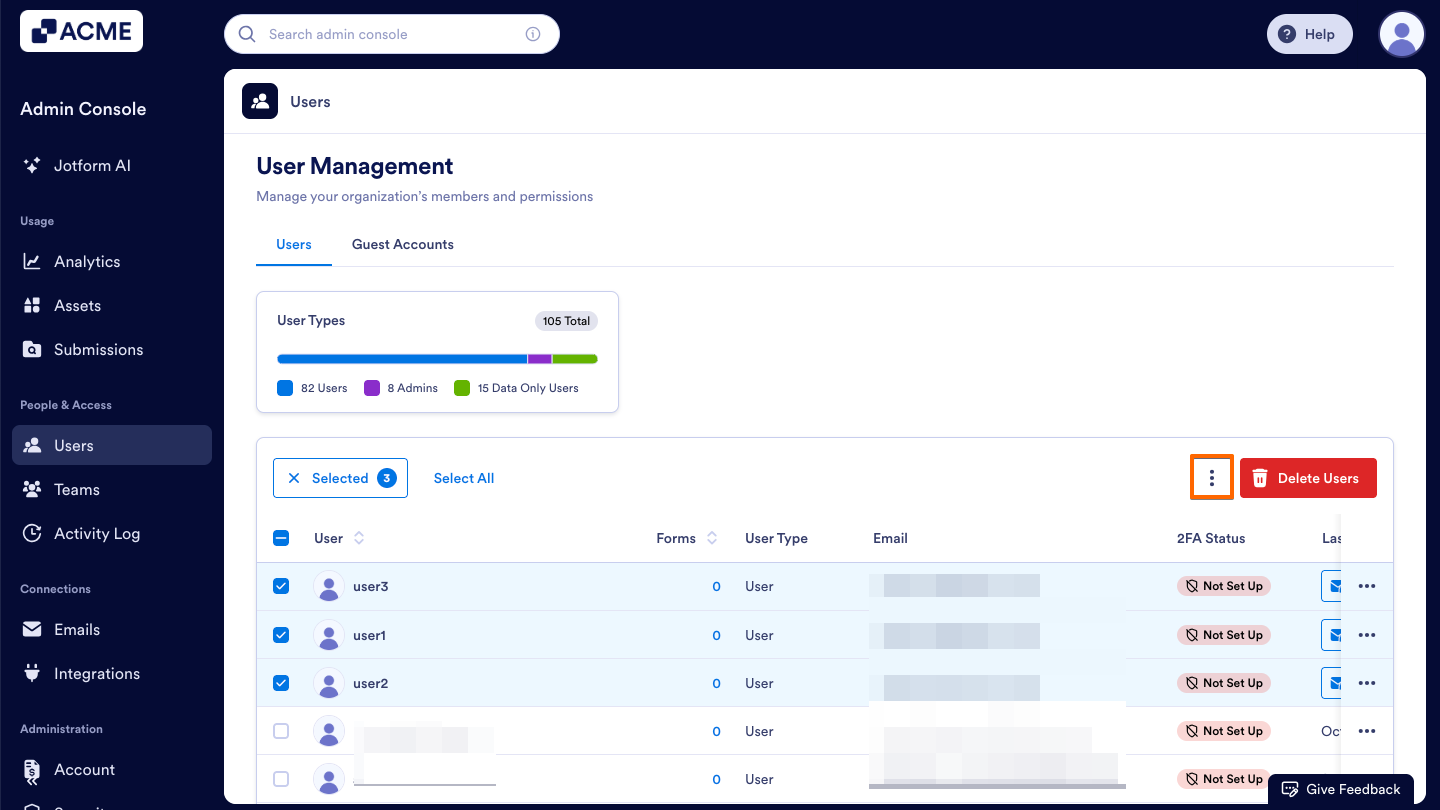
- Now, click on the Three Dots icon near the top right of the User table.
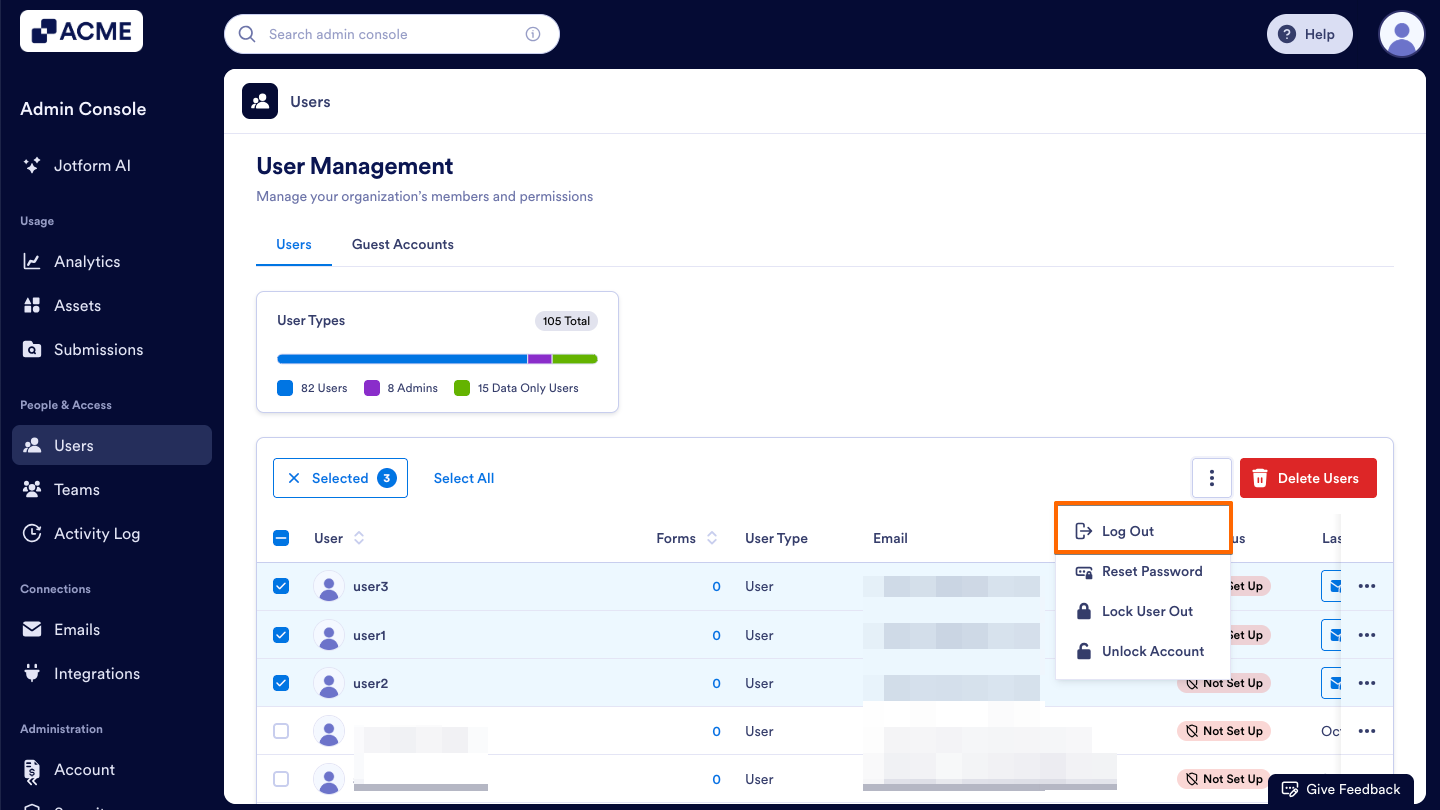
- Then, click Log Out in the dropdown menu.

Send Comment: