How to Manage AI Generated Form Templates Organization-Wide from the Admin Console

January 13, 2026

AI template creation allows you to generate a new form using AI prompts and then publish it as an organizational template. A server admin needs to enable this in the Admin Console first.
Enabling AI Template Creation

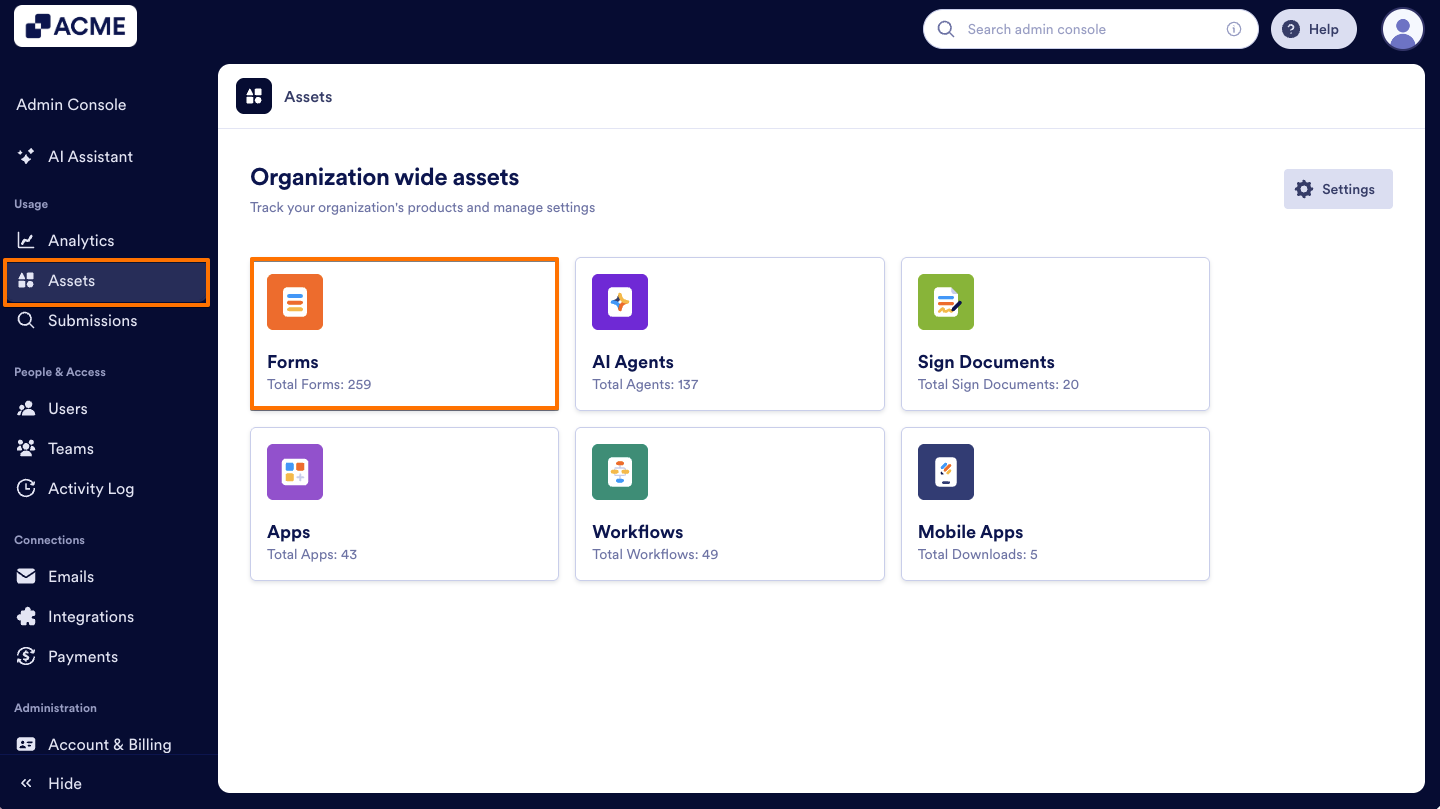
  1. In the Admin Console, click on Assets from the navigation menu on the left.
  2. Select Forms.
How to Manage AI Generated Form Templates Organization-Wide from the Admin Console Image-1
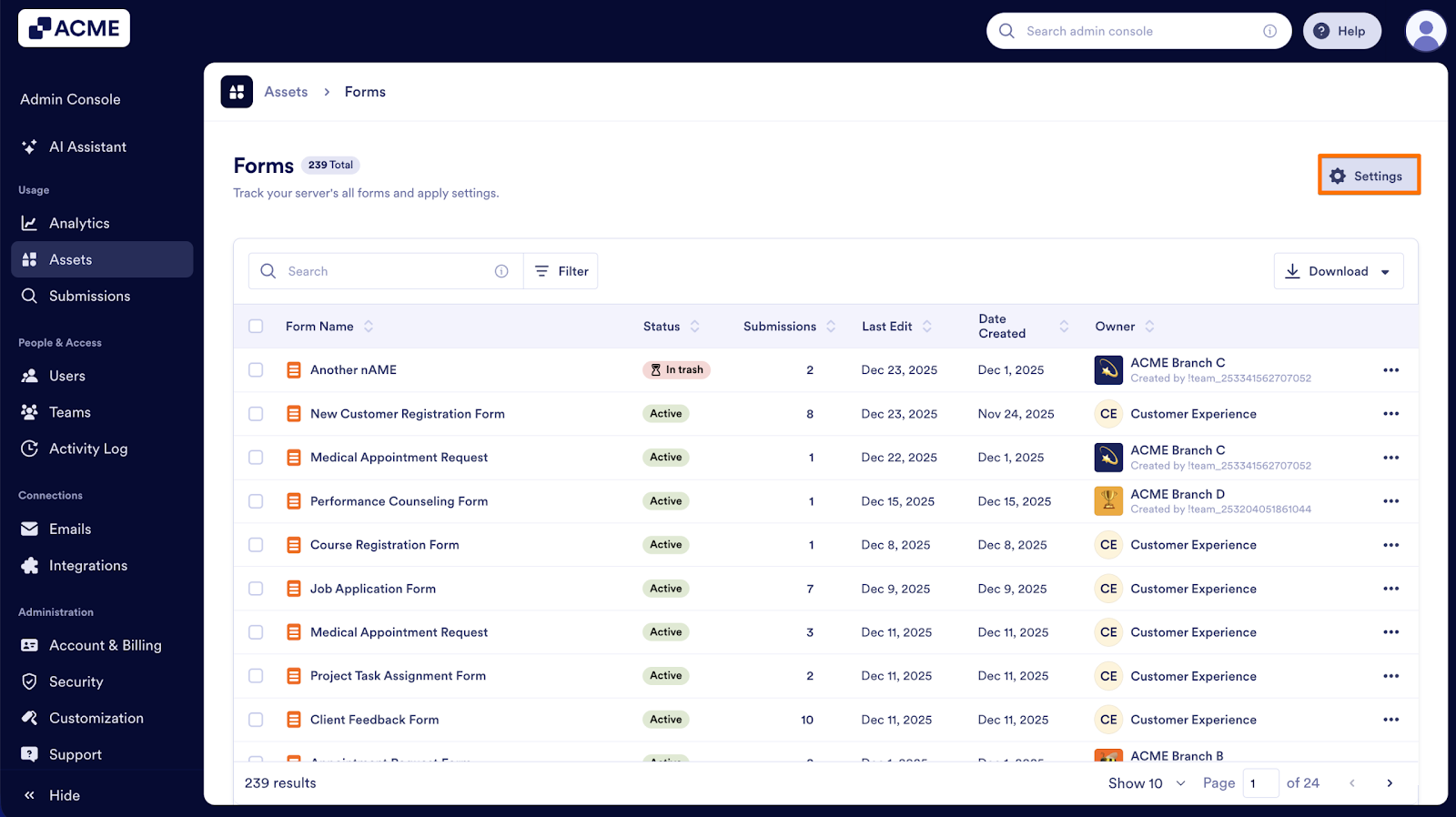
  1. Next, click on Settings on the right.
How to Manage AI Generated Form Templates Organization-Wide from the Admin Console Image-2
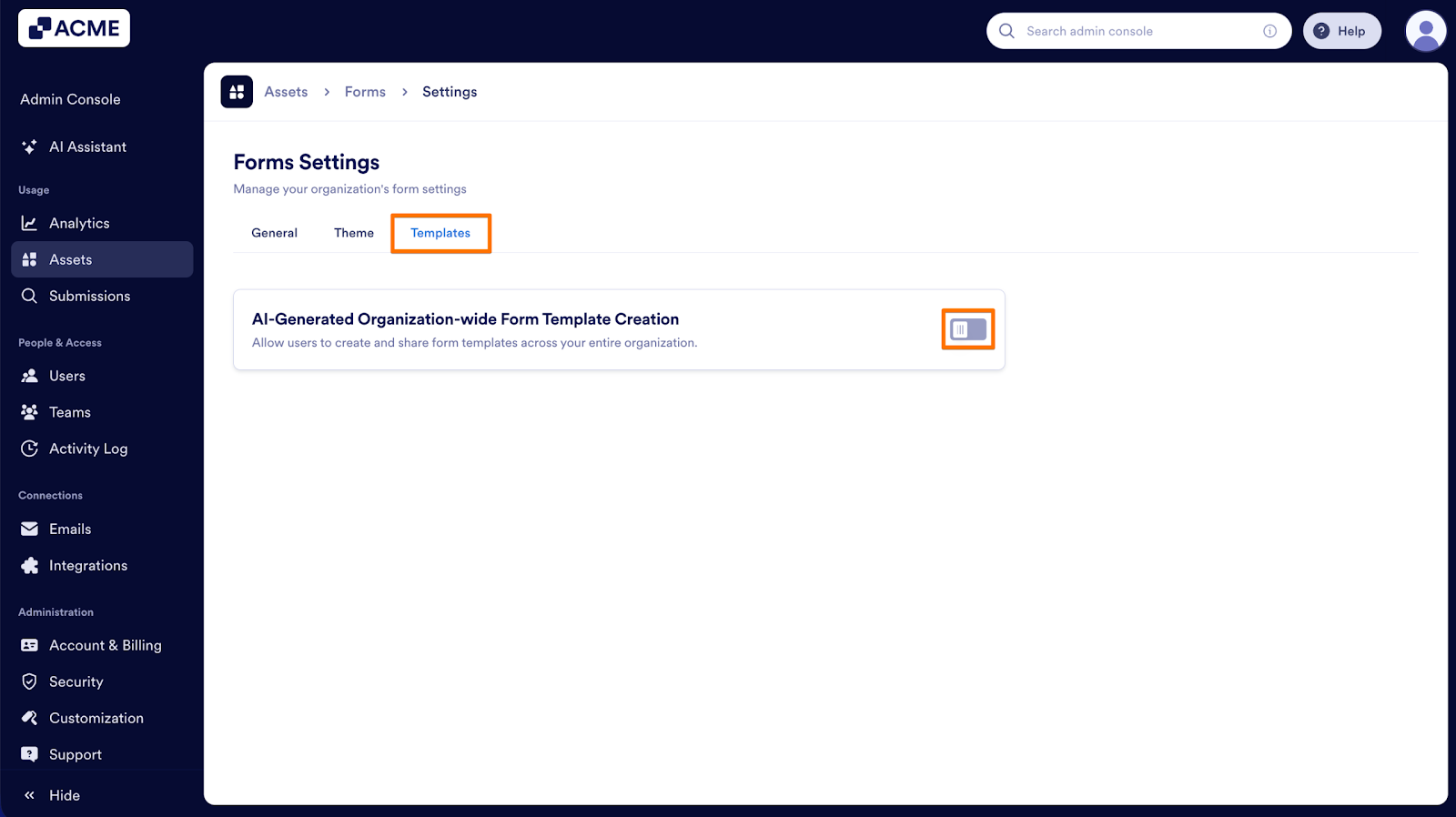
  1. In Settings, navigate to the Templates tab.
  2. Then, toggle on the switch labelled AI-Generated Organization-wide Form Template Creation.
How to Manage AI Generated Form Templates Organization-Wide from the Admin Console Image-3
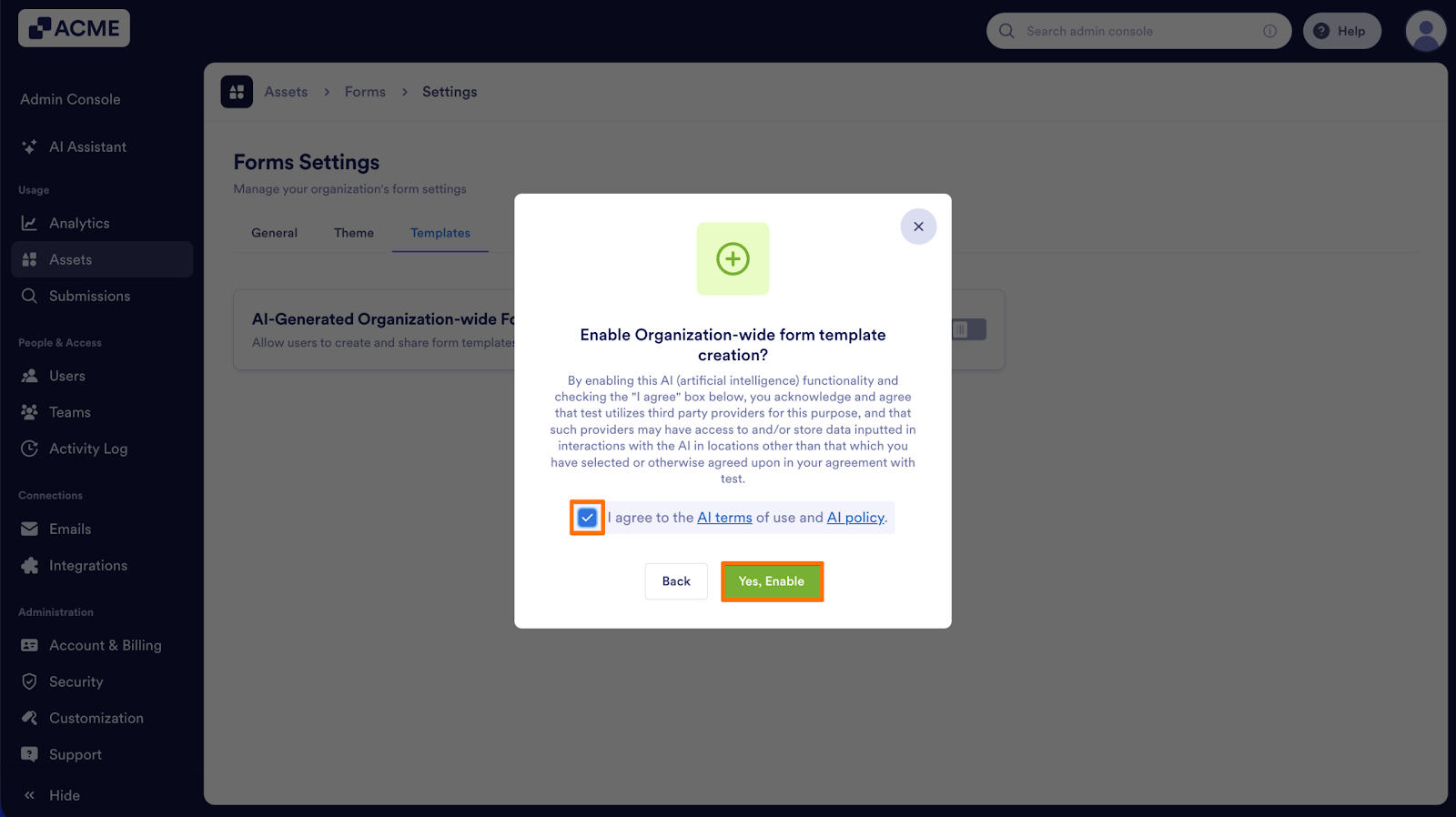
  1. Agree to the AI terms of use and AI policy and click on Yes, Enable.
How to Manage AI Generated Form Templates Organization-Wide from the Admin Console Image-4
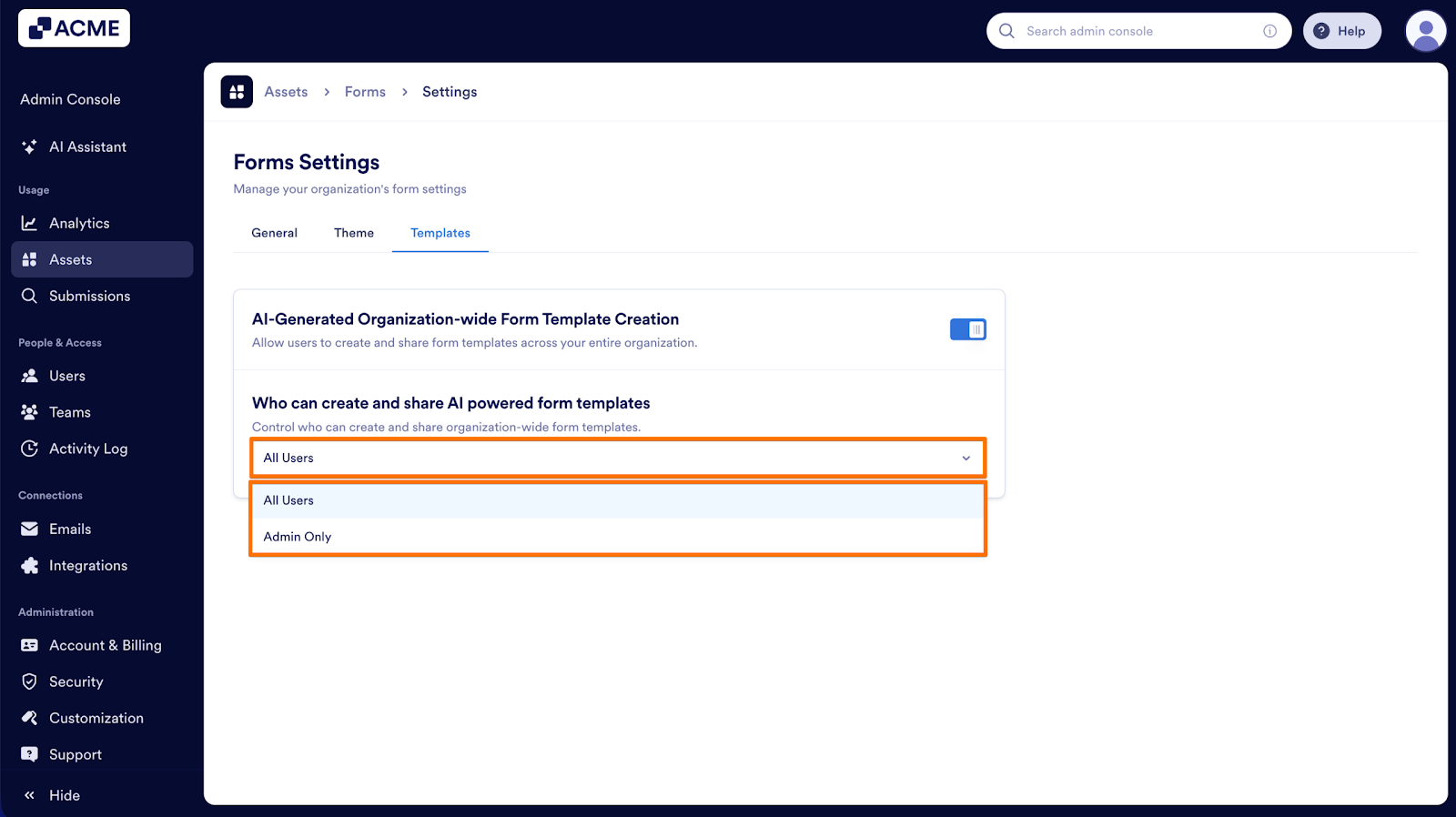
  1. Under Who can create and share AI-powered form templates, choose whether all users or only admins can create AI-based templates.
How to Manage AI Generated Form Templates Organization-Wide from the Admin Console Image-5

Once this setting is enabled, depending on whether you selected All Users or Admins, users can begin creating organizational templates using AI.

Send Comment:

Jotform Avatar
This site is protected by reCAPTCHA and the Google Privacy Policy and Terms of Service apply.

Podo Comment Be the first to comment.
Still have unanswered questions?

We’re here for you 24/7, anytime you need us day or night. Have a question or need a hand with something? Our team is always ready to help out.