Asset Domains allow you to publish your form using a branded domain that your admin has made available to you. This guide explains how to select an available Asset Domain in the Form Builder.
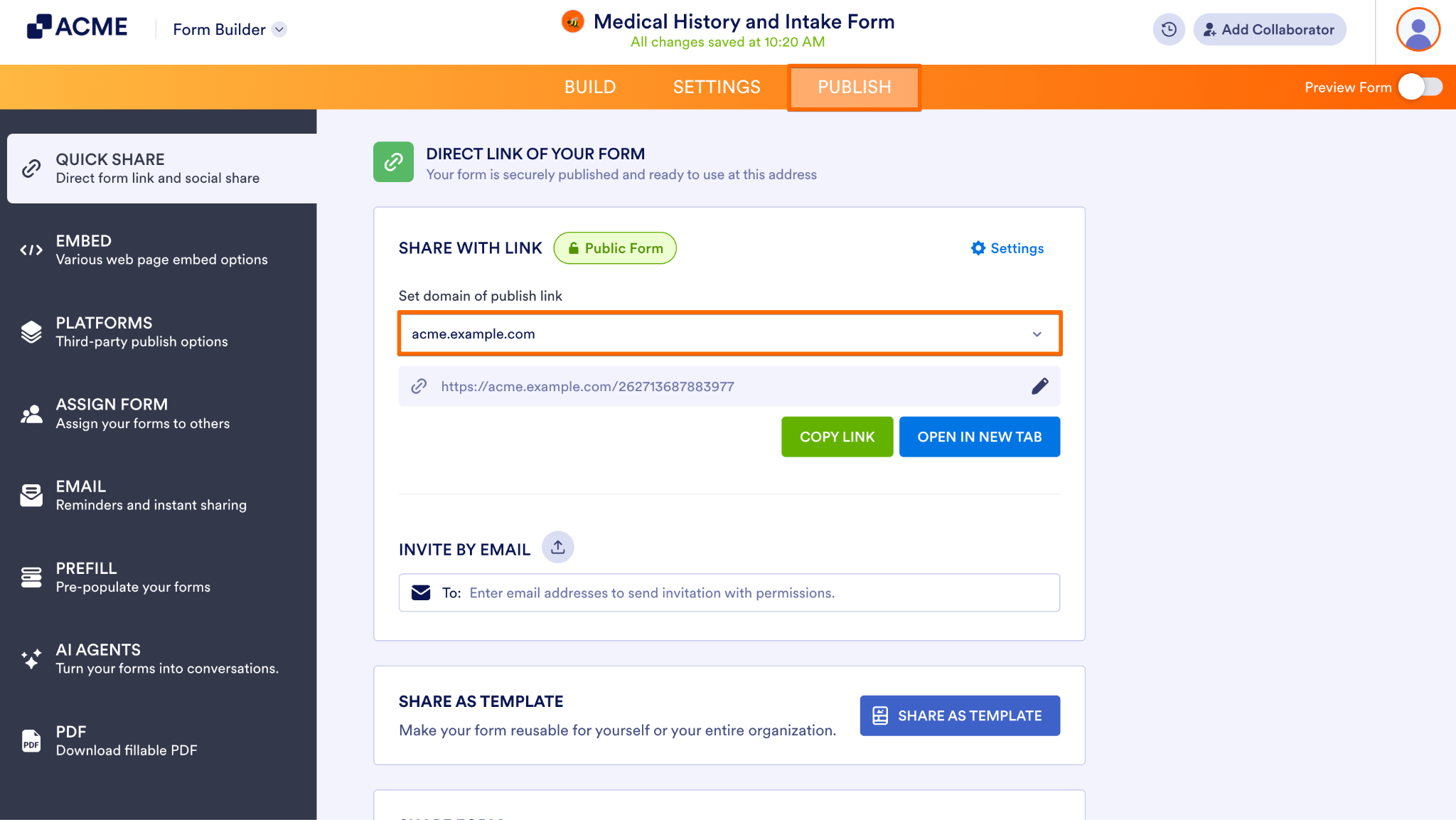
- In the Form Builder, click Publish in the orange navigation bar at the top of the page.
- Next, click on the Domain dropdown under Set domain of publish link.
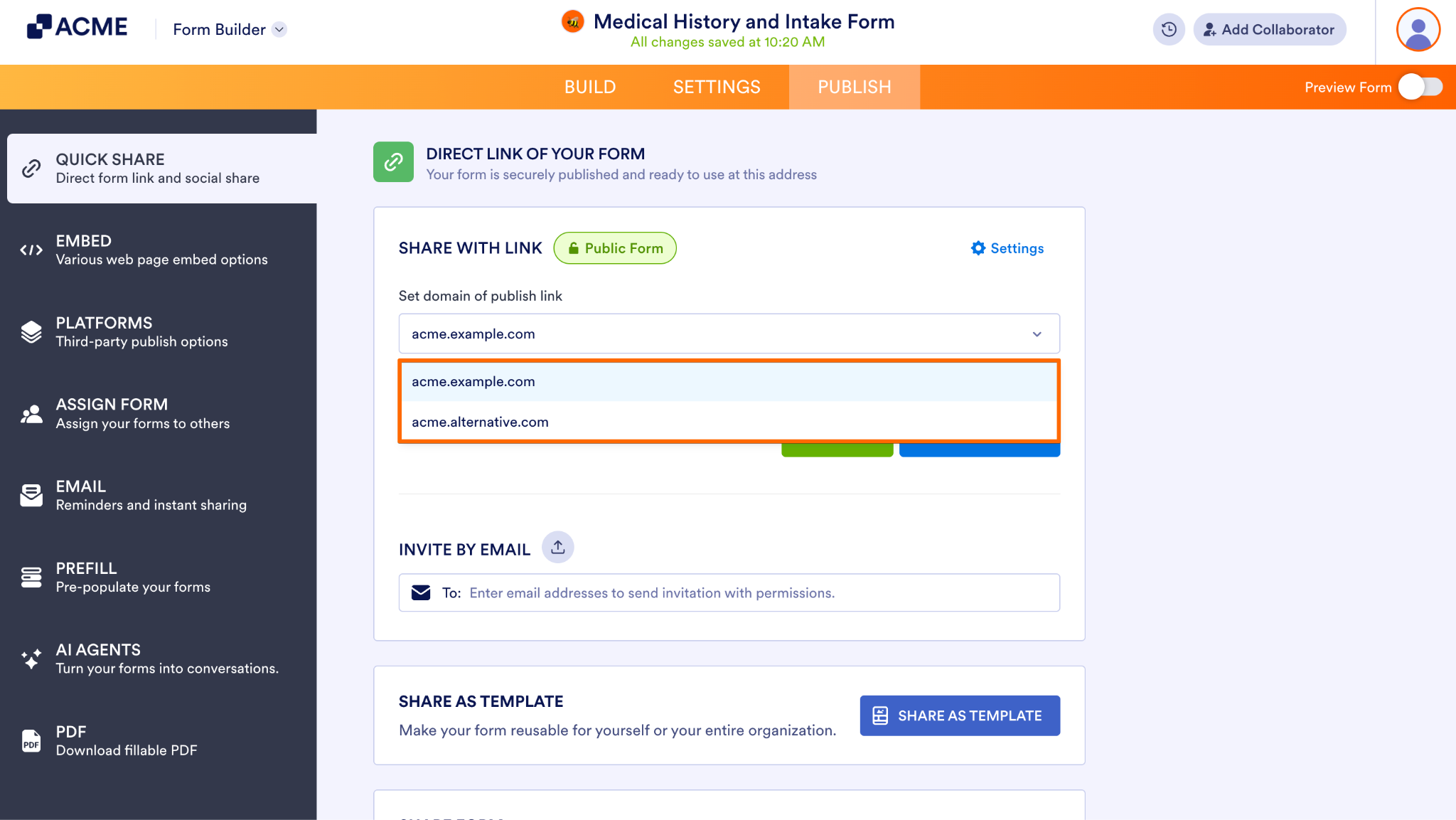
- Then, in the Domain dropdown, select the domain you want to use.
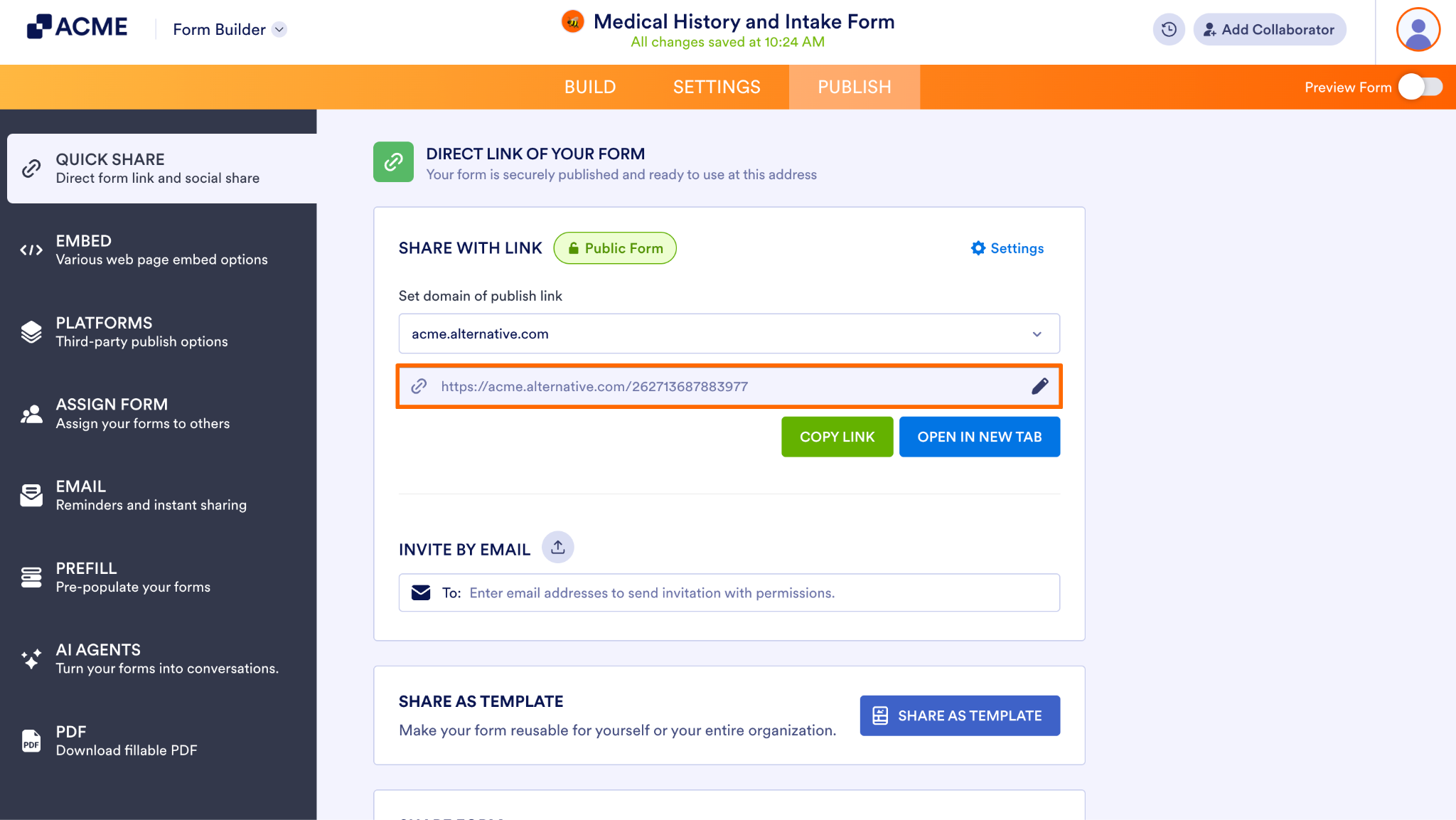
- Finally, review the published URL and confirm that the correct domain has been selected before sharing.
Tip
If only one domain is available, the Form Builder may show the publishing URL directly instead of displaying a domain choice.

Send Comment: