How to See Your Draft Forms from the Workspace

December 5, 2025

All your forms, along with drafts, are displayed in the Workspace Dashboard. This way, you can easily identify which forms are ready to be published and which are Live. 

Locating Unsynced Forms

  1. In My Workspace, in the left menu, click on All Assets.
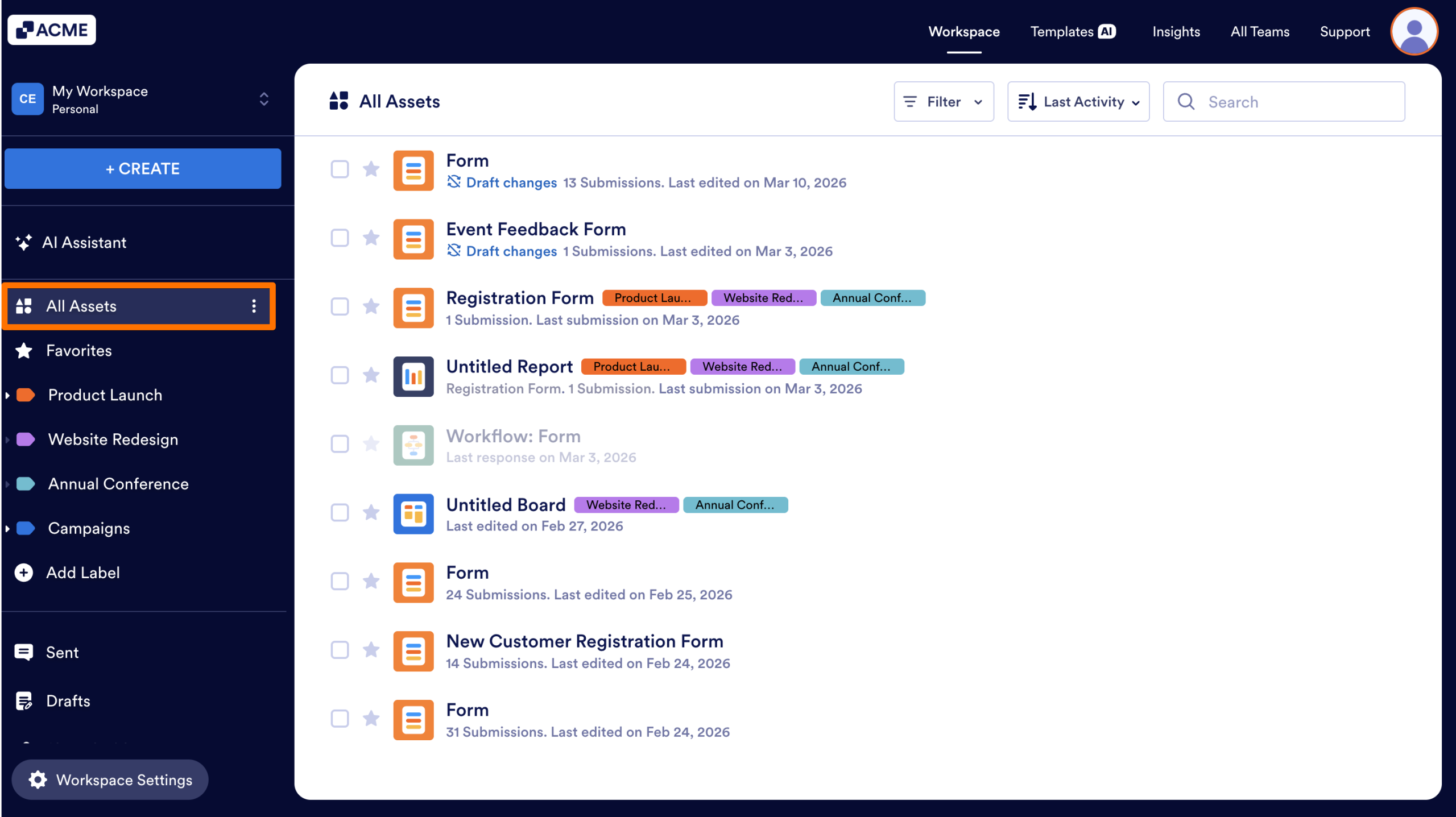
How to See Your Draft Forms from the Workspace Image-1

Forms that have a current draft version will have a blue Draft changes label under the form title. 
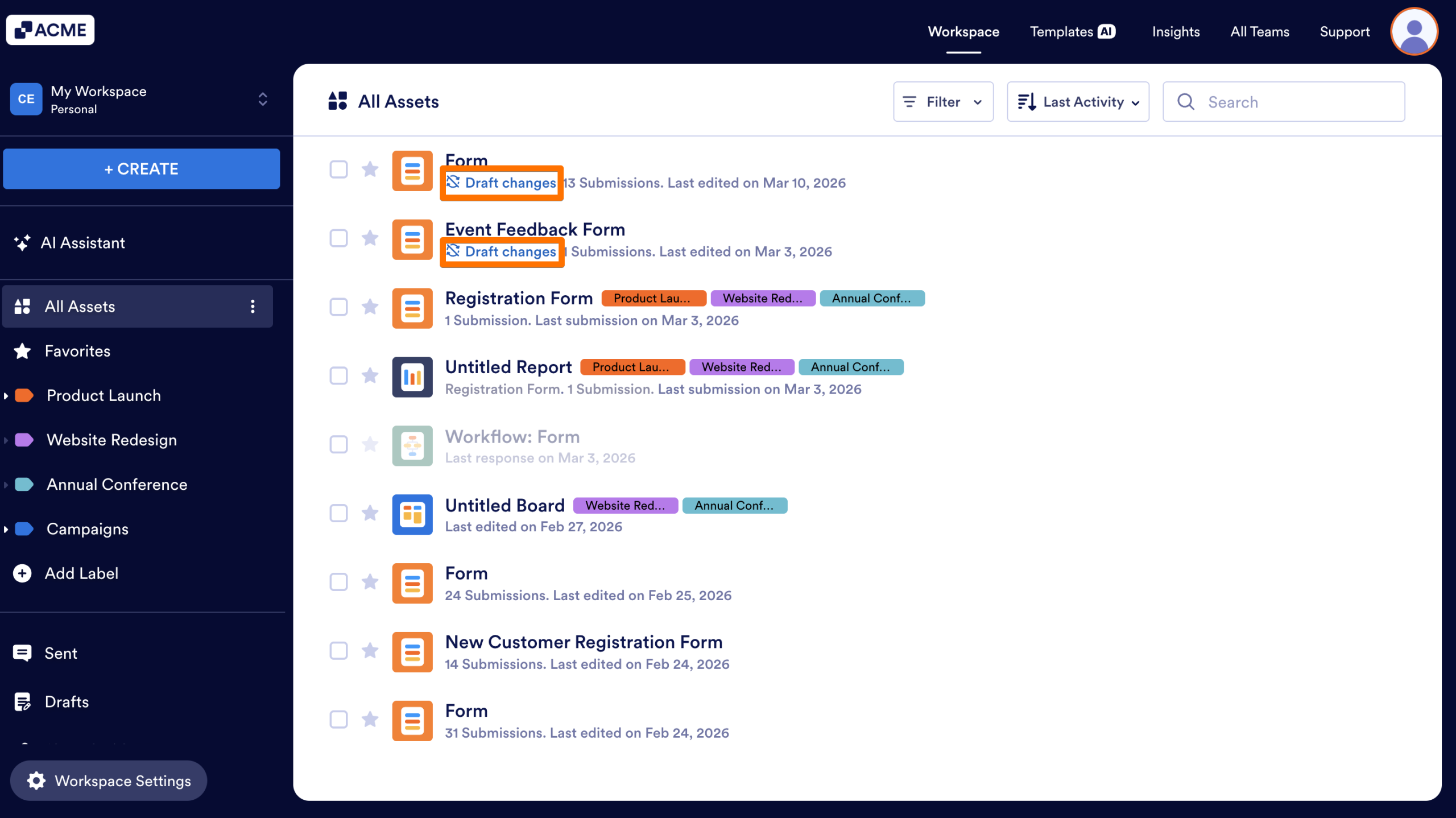
How to See Your Draft Forms from the Workspace Image-2

Click on this label to open the form’s Revision History, where you can sync the draft version or restore a previously published version of the form.

See also:

Send Comment:

Jotform Avatar
This site is protected by reCAPTCHA and the Google Privacy Policy and Terms of Service apply.

Podo Comment Be the first to comment.
Still have unanswered questions?

We’re here for you 24/7, anytime you need us day or night. Have a question or need a hand with something? Our team is always ready to help out.