Managing forms effectively is essential to keeping your organization organized and up to date. Through the Admin Console, you can move forms to the trash when they are no longer needed, helping reduce clutter and ensure that only relevant forms remain active.
Forms moved to the trash are not immediately deleted. However, if no action is taken within 30 days, they will be permanently deleted.
Move to Trash
Moving a form in your organization to the Trash from the Admin Console is easy. Let me show you how:
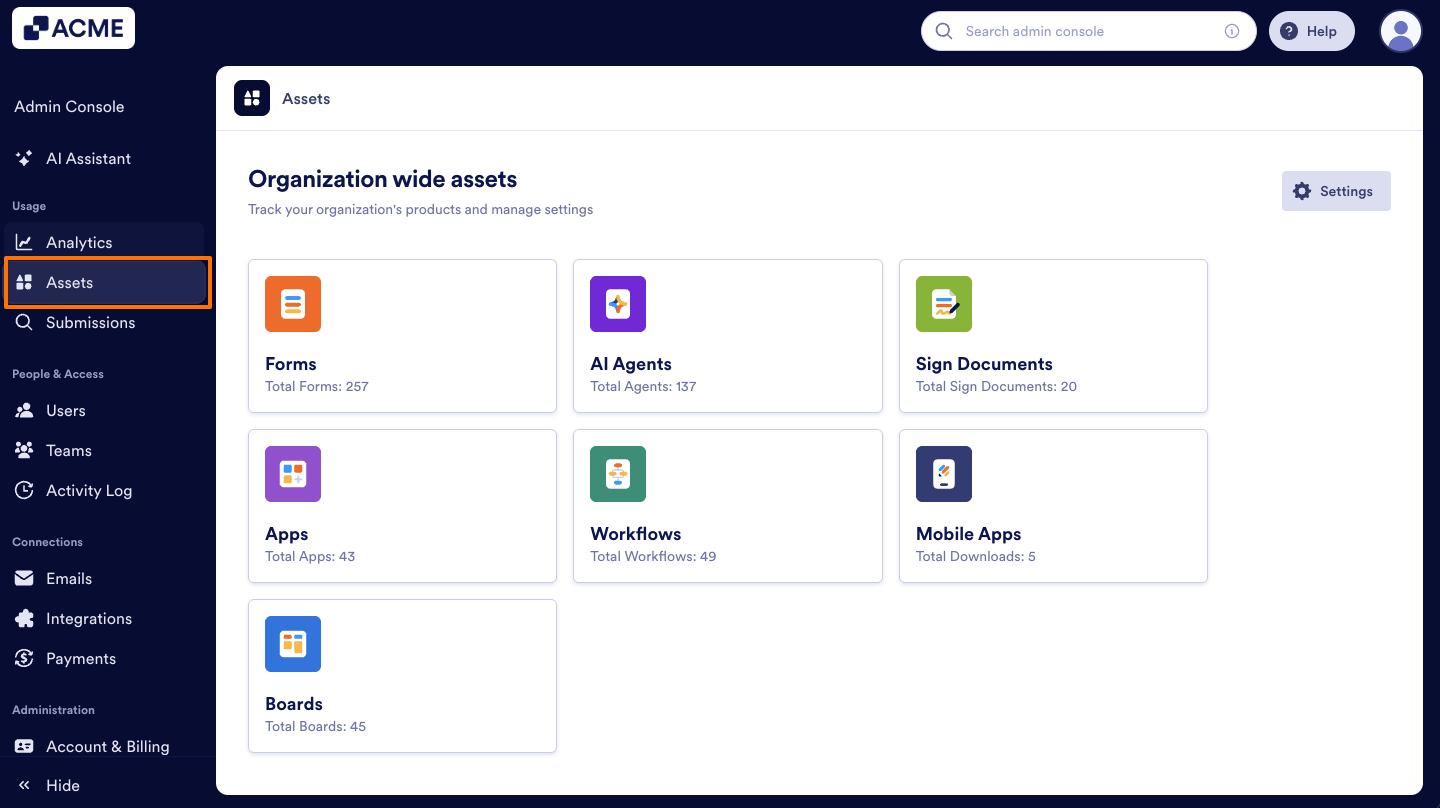
- In your organization’s Admin Console, on the left side of the page, click on Assets.
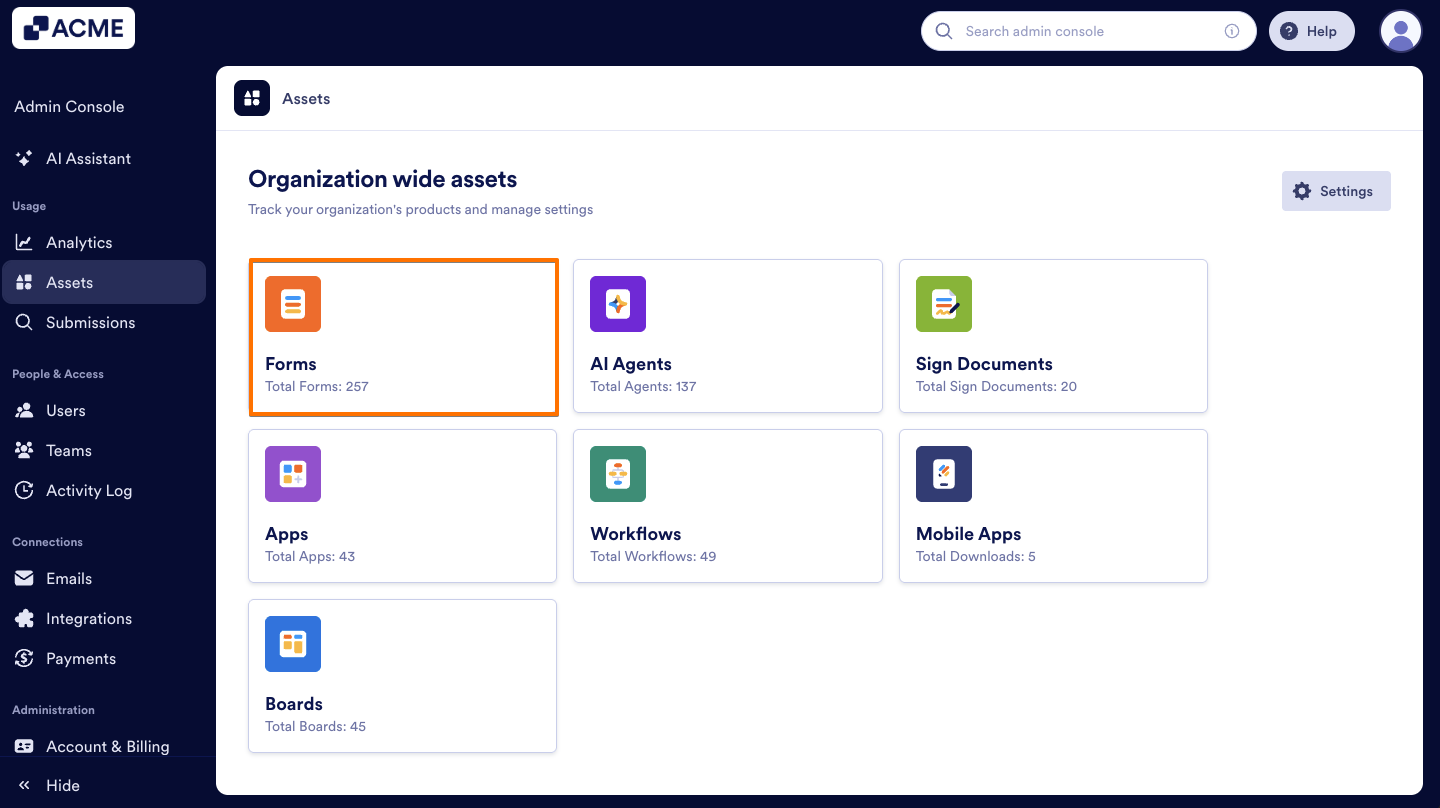
- Then, click on Forms.
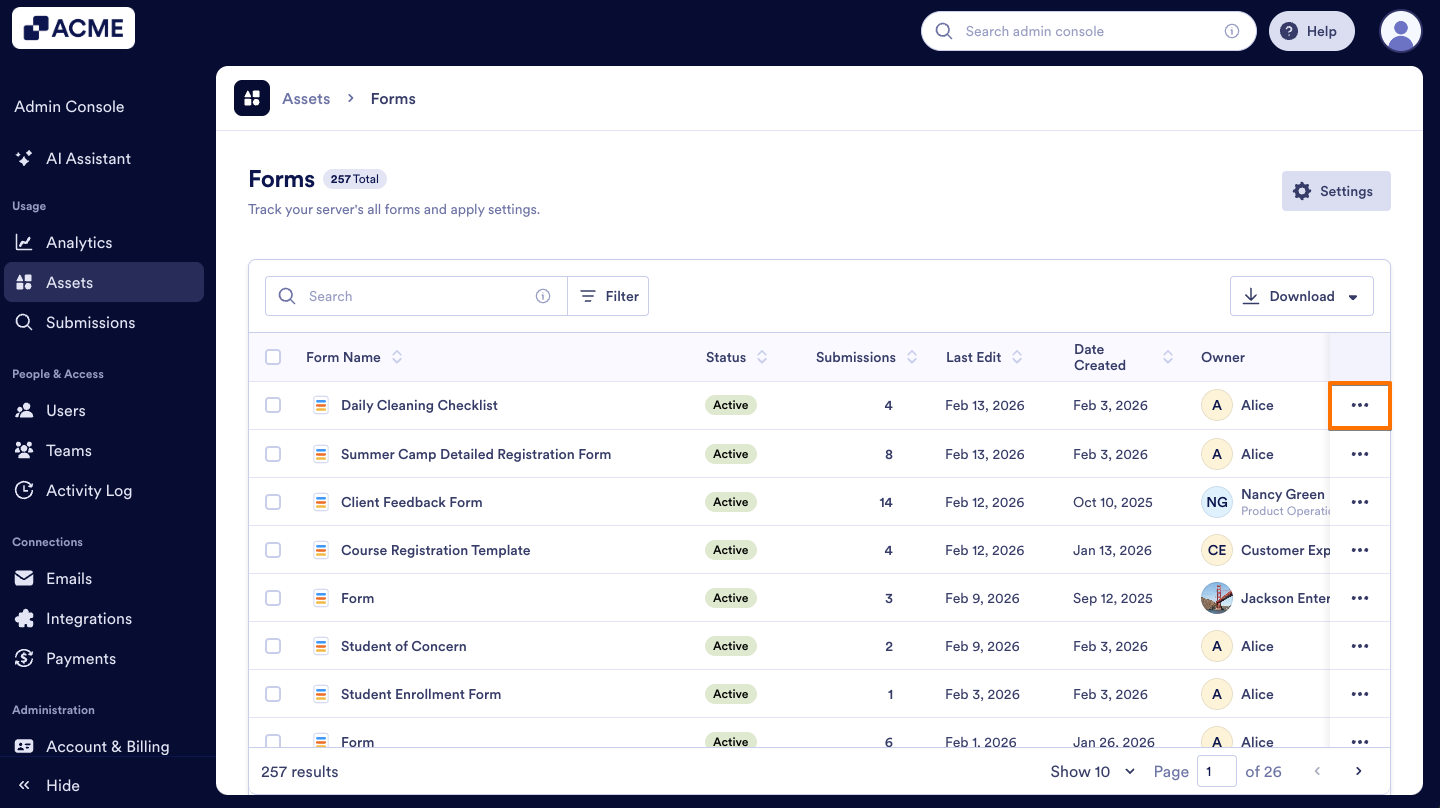
- On the right side of the form you want to trash, click on the Three dots icon.
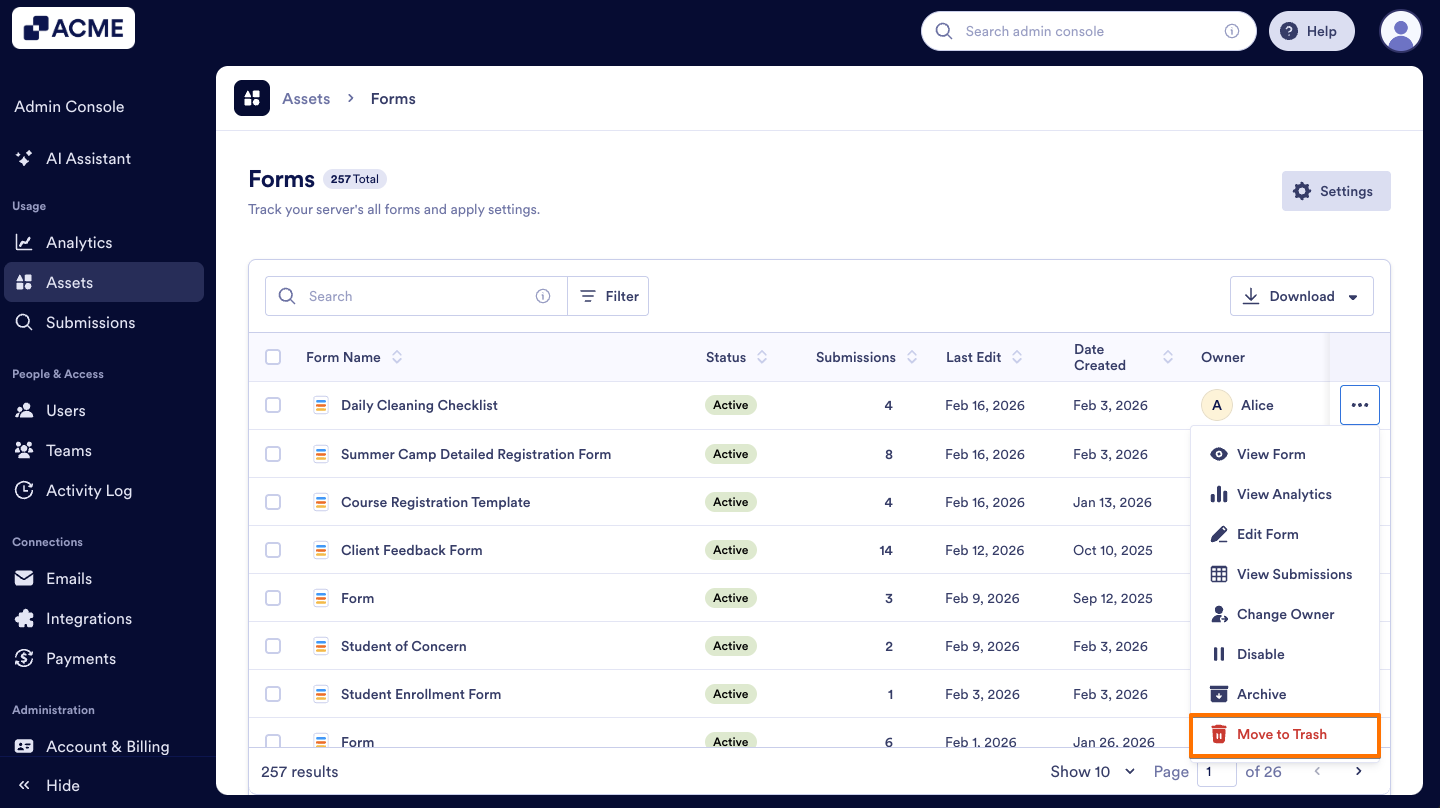
- Select Move to Trash from the menu.
- On the pop-up window that opens, click on Yes, Move to Trash.
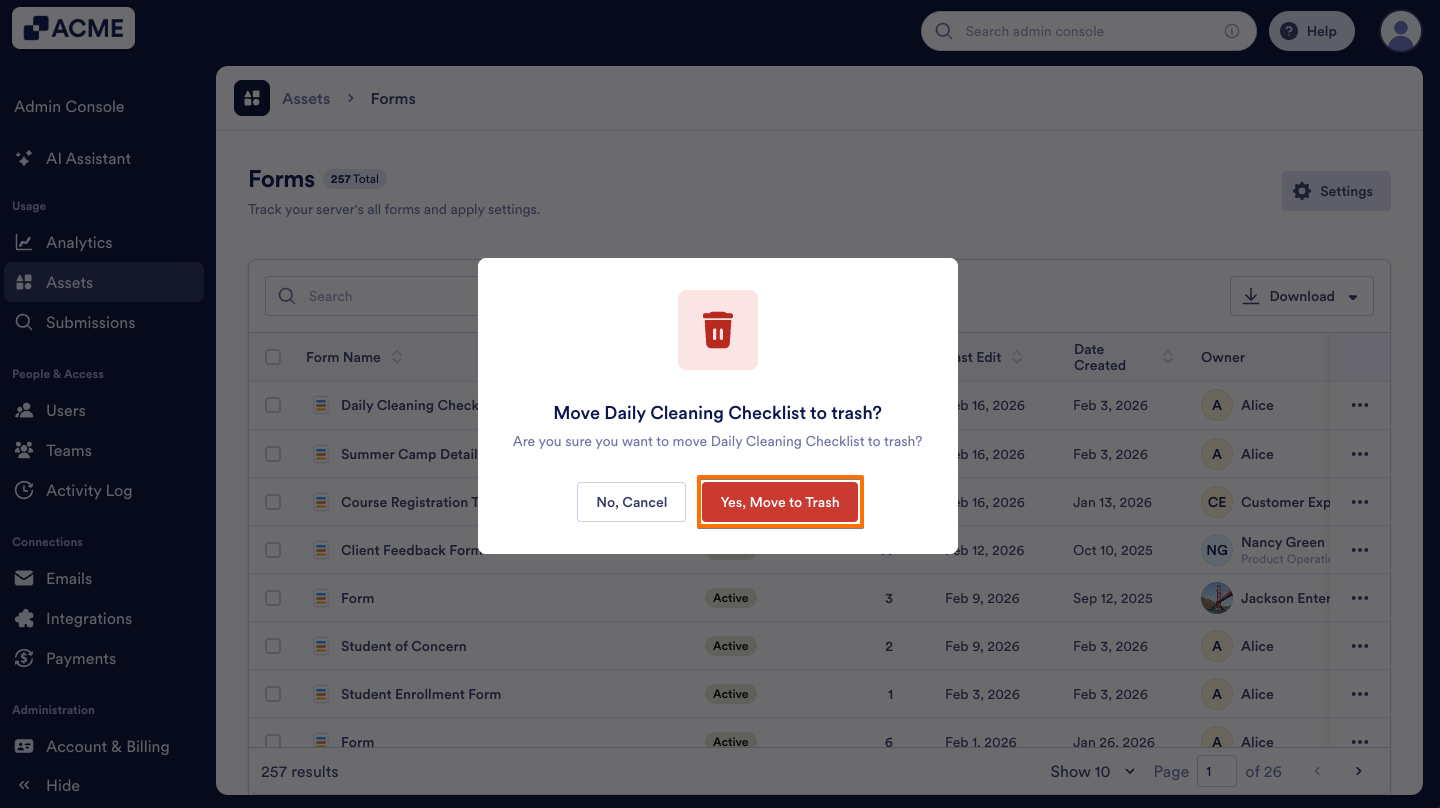
Note
Make sure you are deleting the correct form, as this may also impact connected assets such as Apps, Workflows, and AI Agents.
Restore
To restore the trashed forms you can:
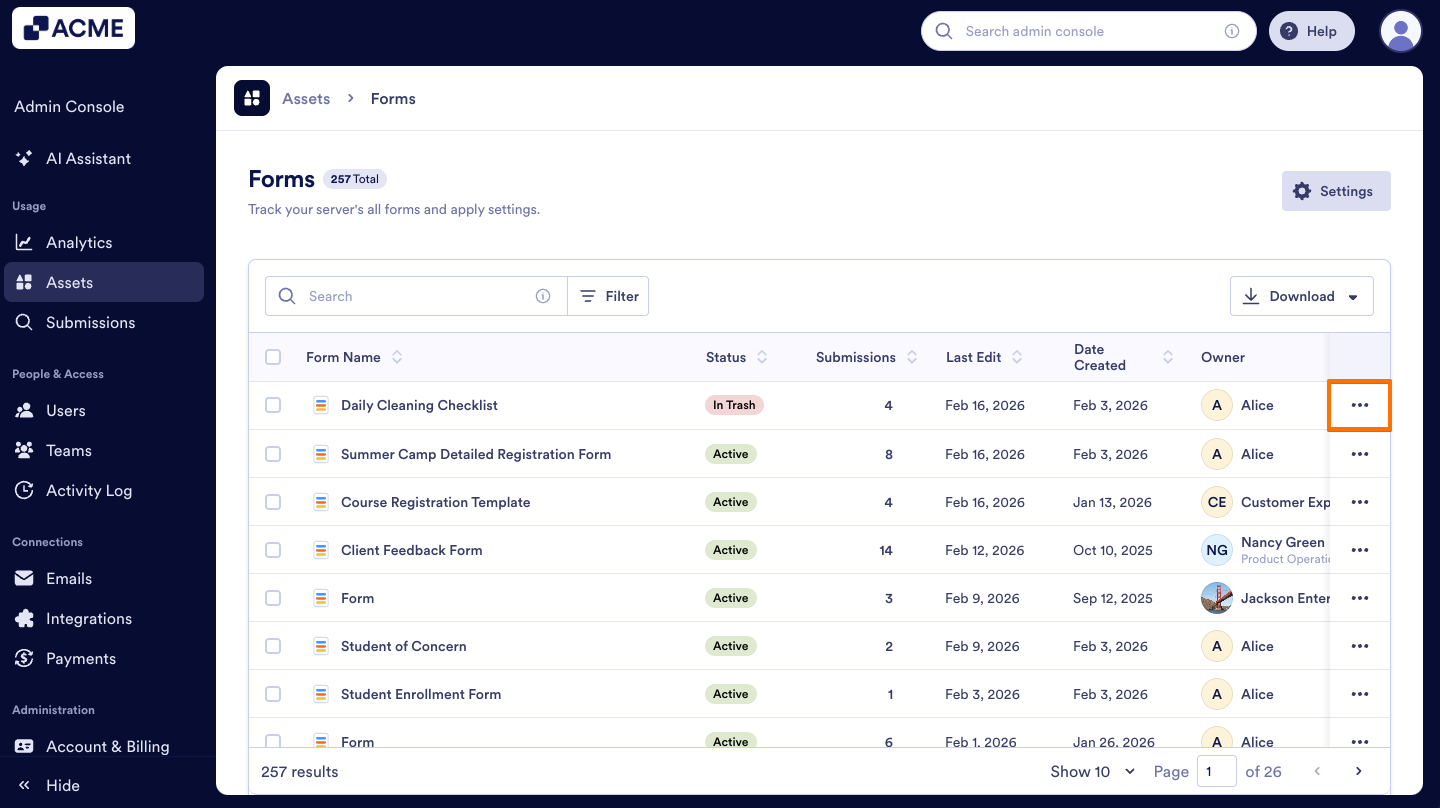
- In the Forms page, click on the Three dots icon next to the form you want to restore.
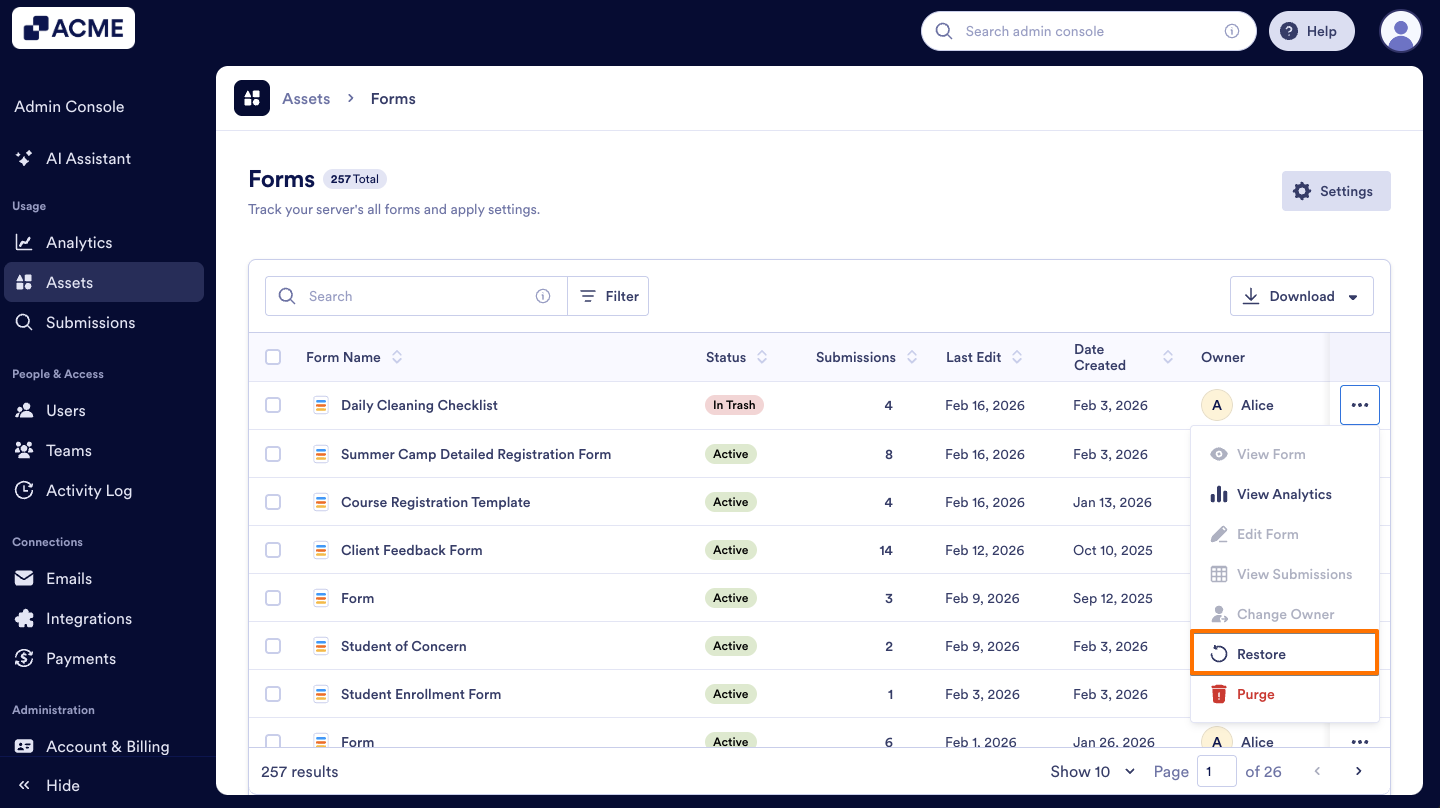
- Then, in the menu, select Restore.
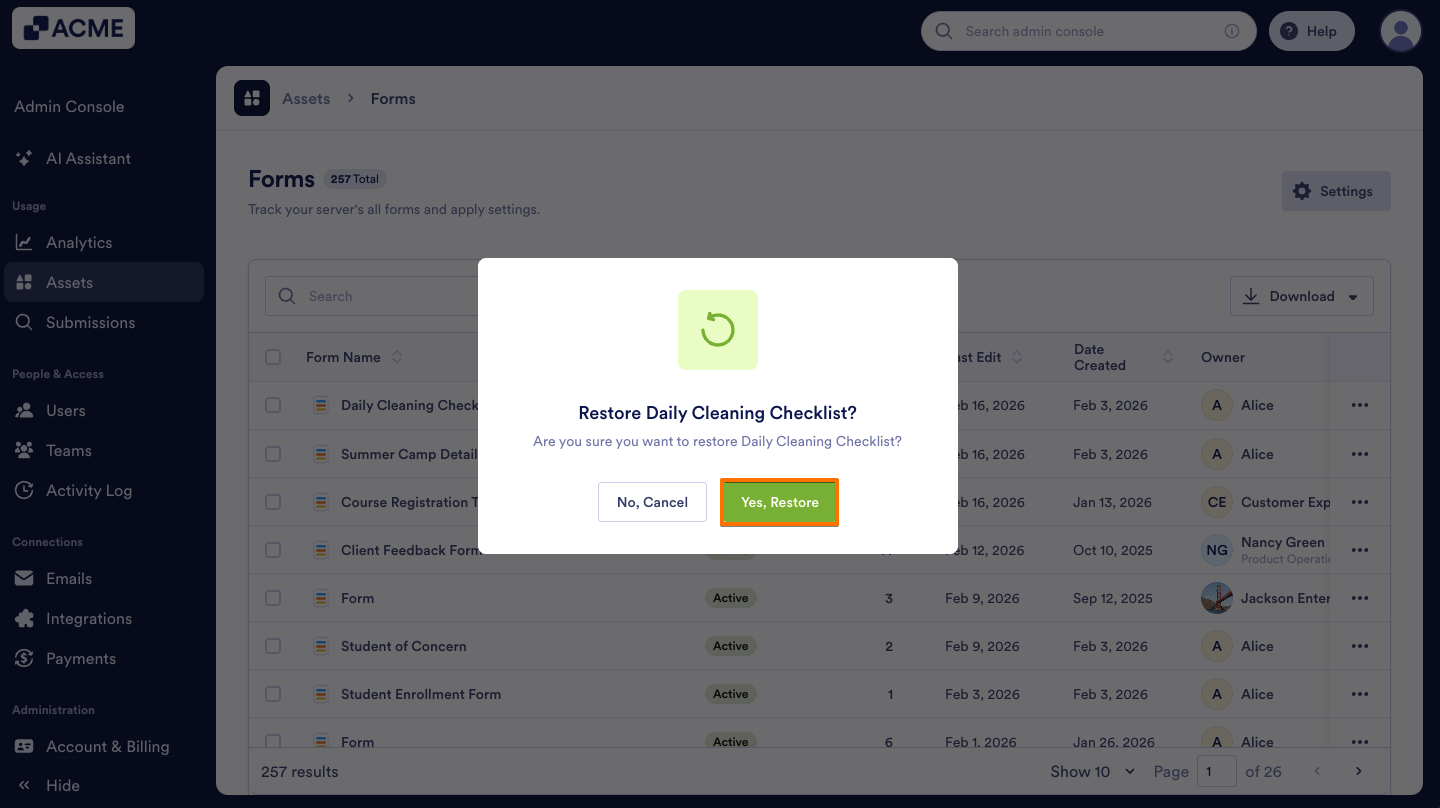
- On the pop-up window that opens, click on Yes, Restore.
Move to Trash Forms in Bulk
You can also move multiple forms to Trash at the same time. Here’s how:
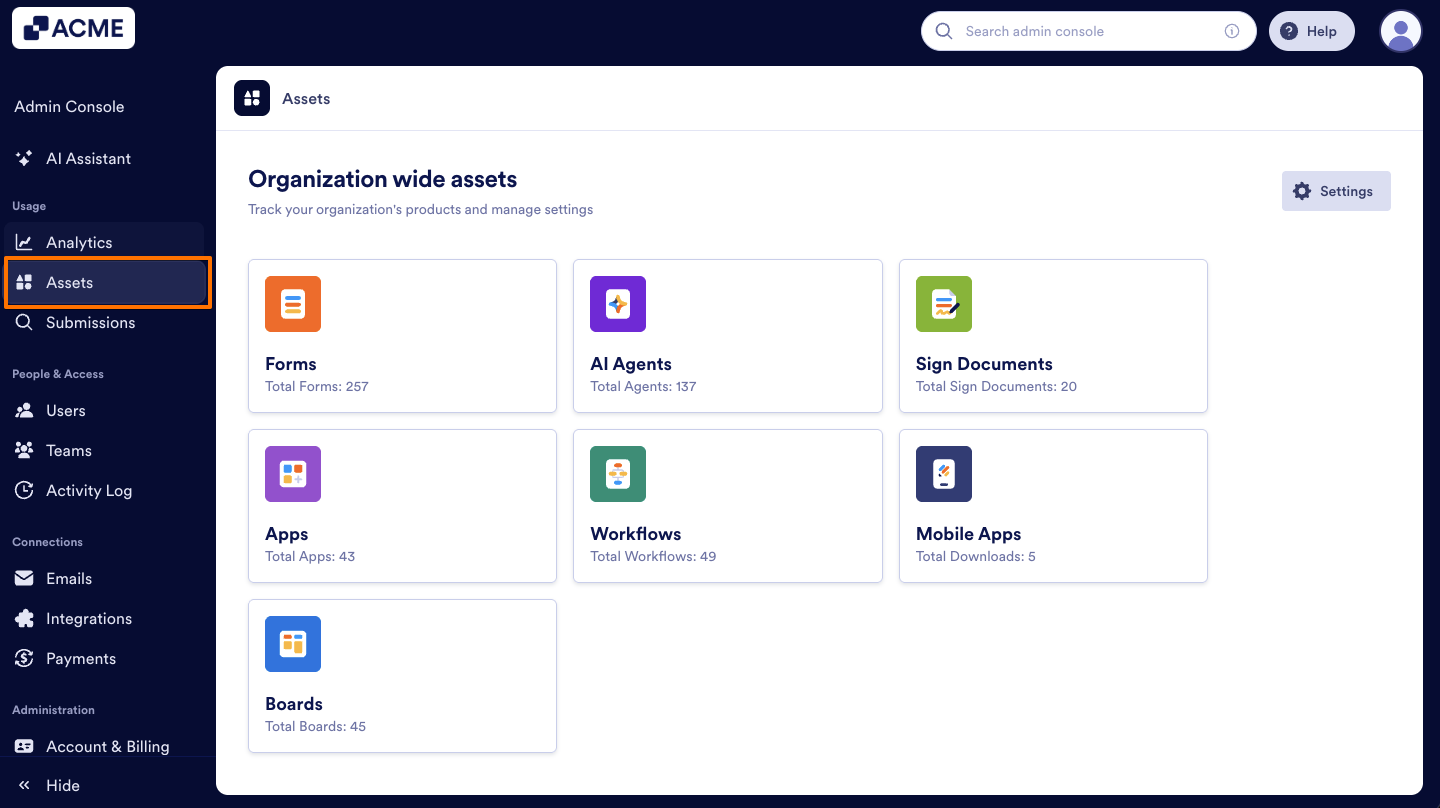
- In your organization’s Admin Console, on the left side of the page, click on Assets.
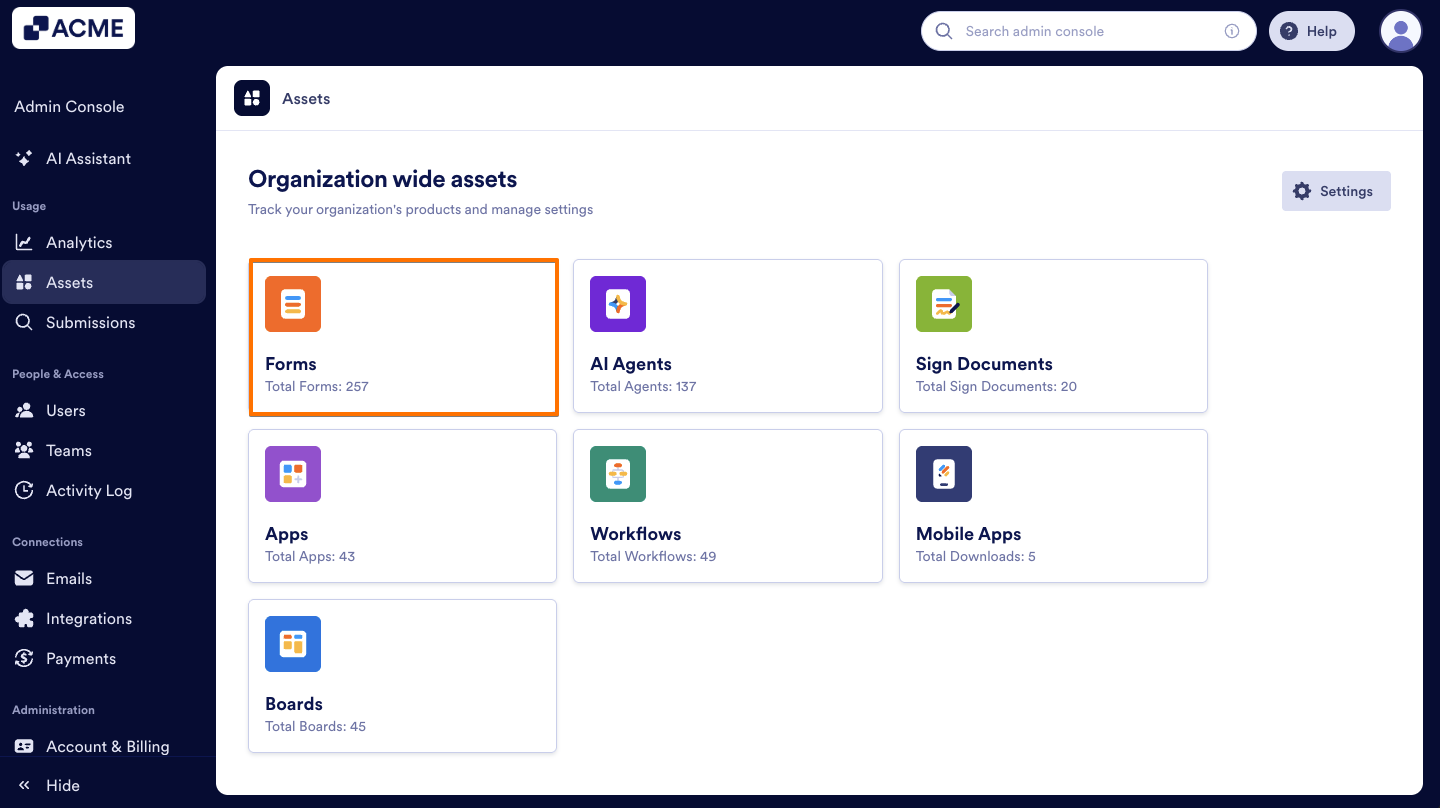
- Then, click on Forms.
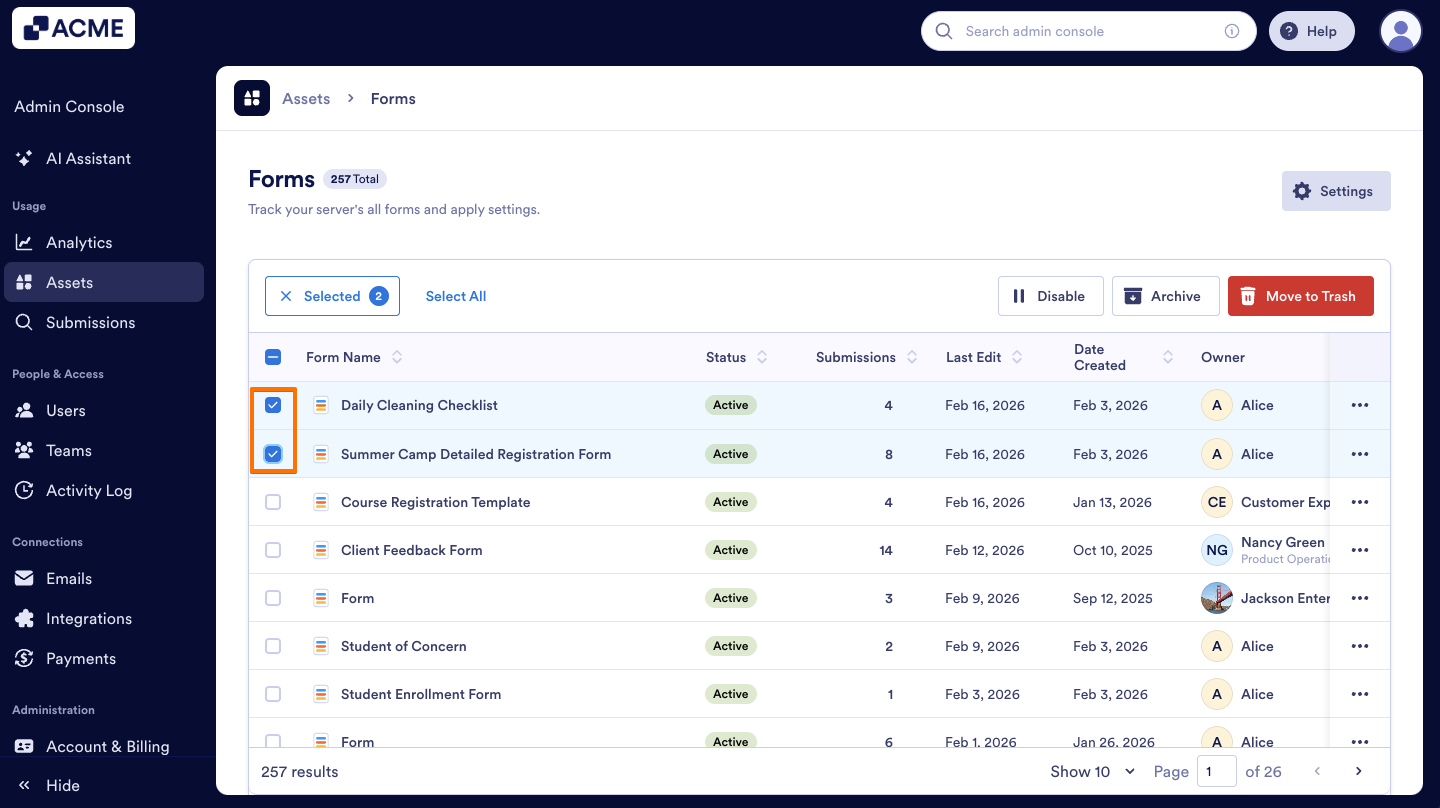
- On the left side of the forms you want to delete, click on the Checkbox.
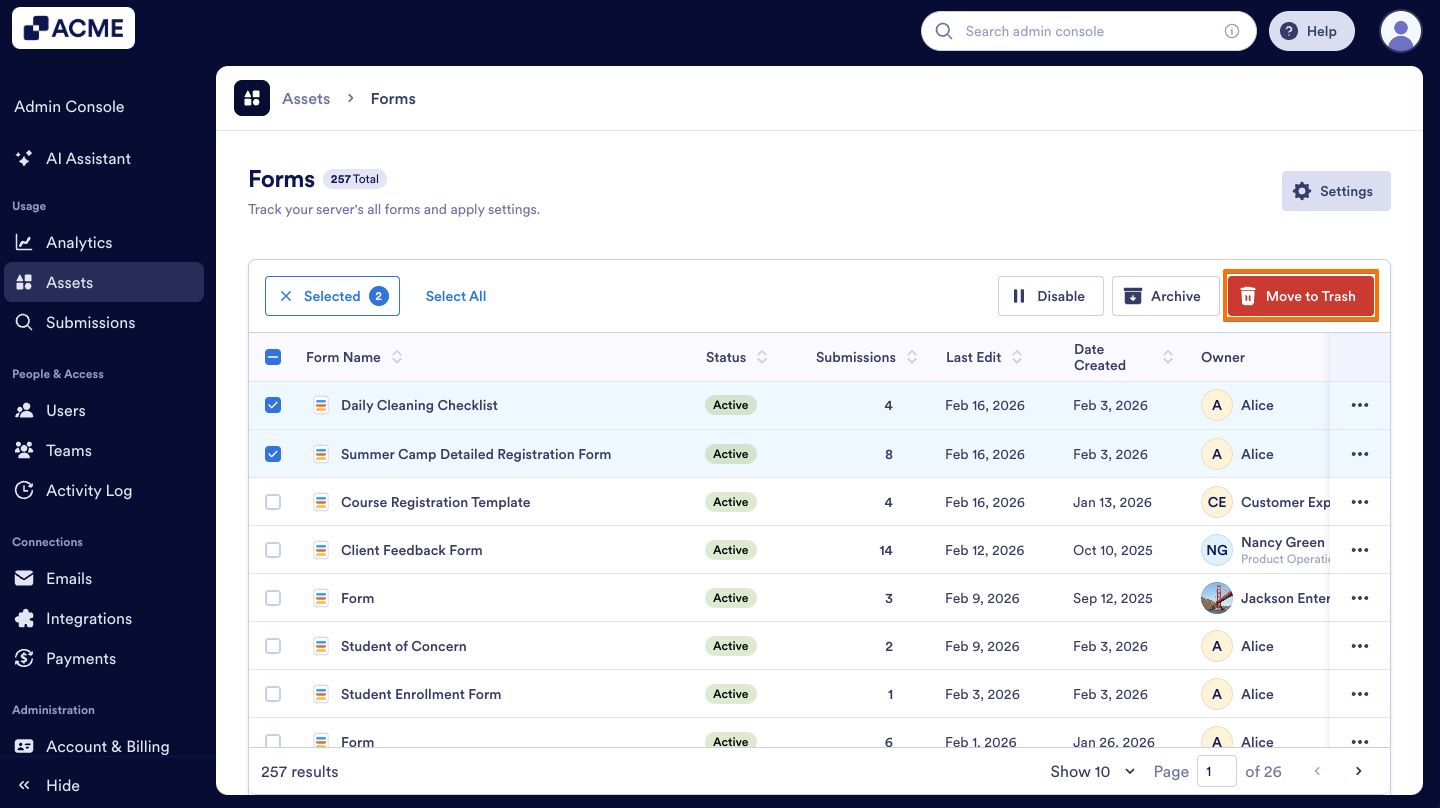
- Above the list of forms, select Move to Trash.
- In the pop-up window, click on Yes, Move to Trash.
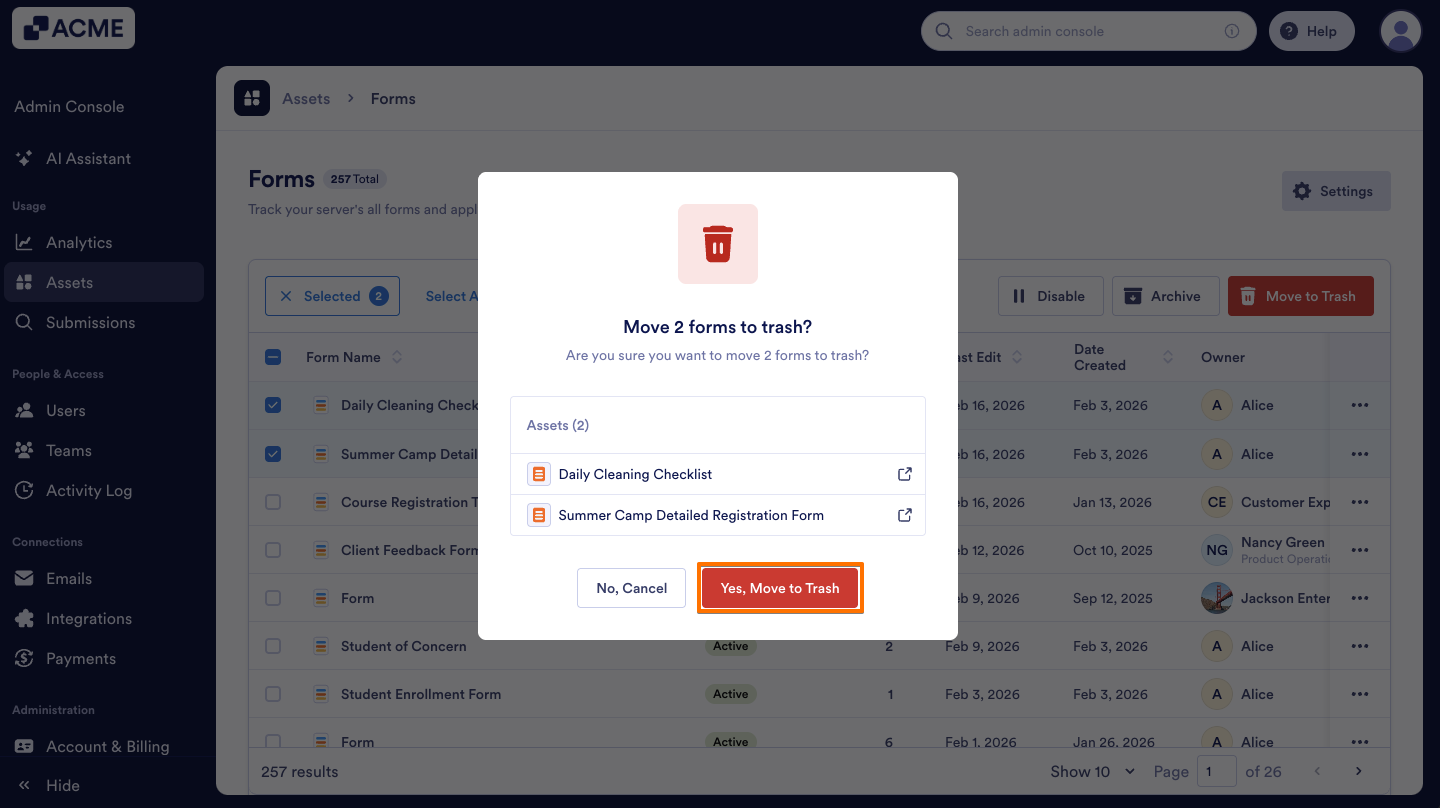
Restore the forms in bulk:
- On the Forms page, select the Checkbox to the left of the forms you want to restore.
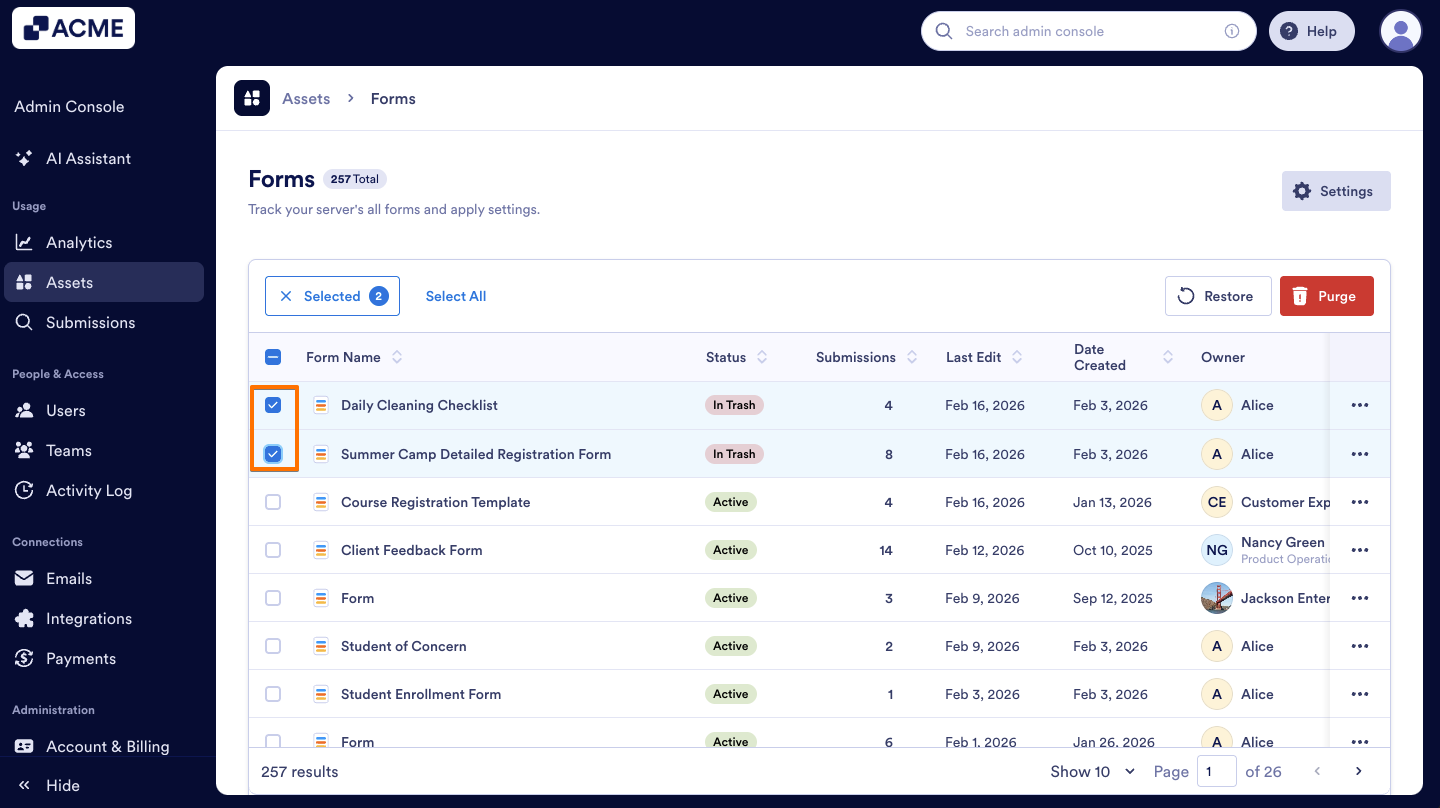
- Click on the Restore button above.
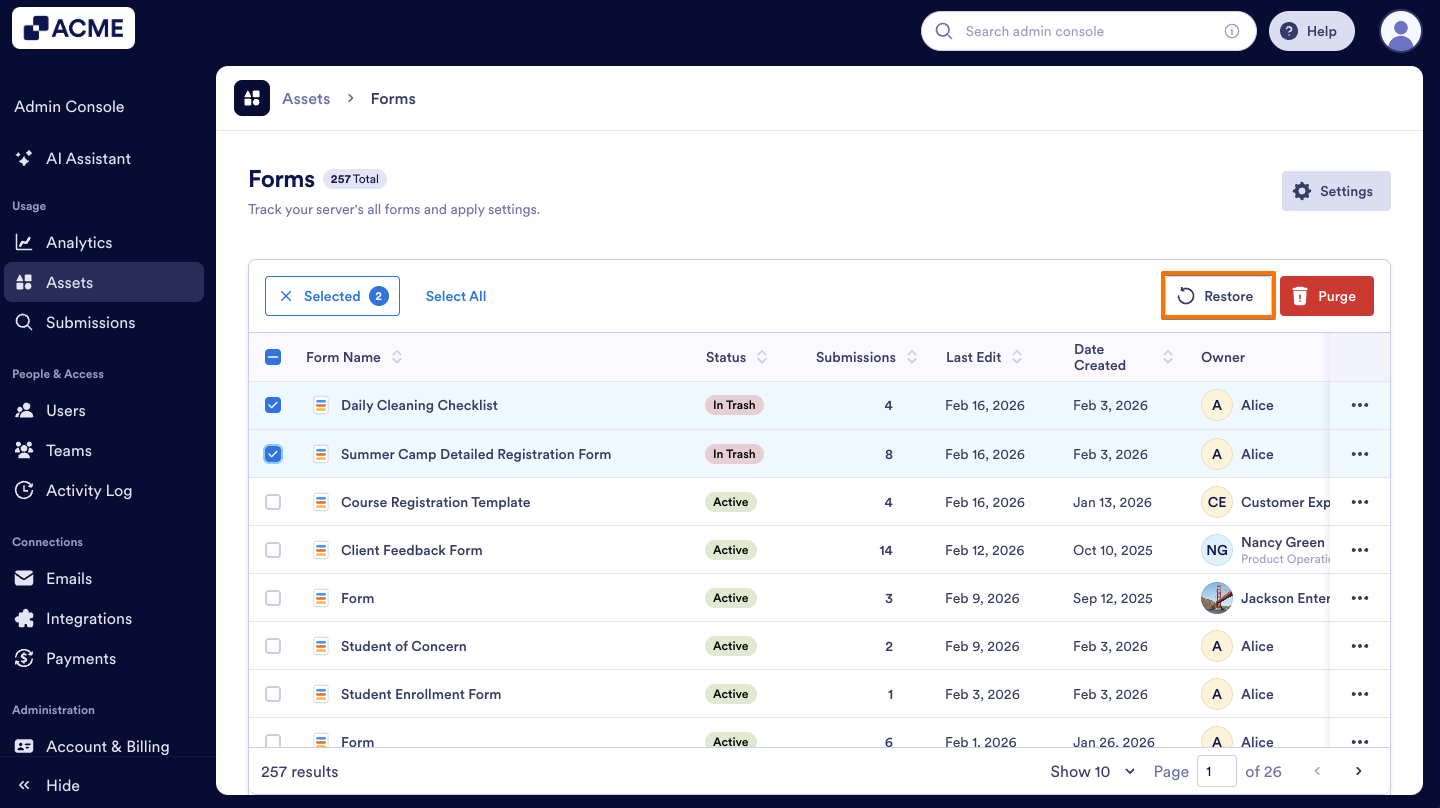
- In the pop-up window, click on Yes, Restore.
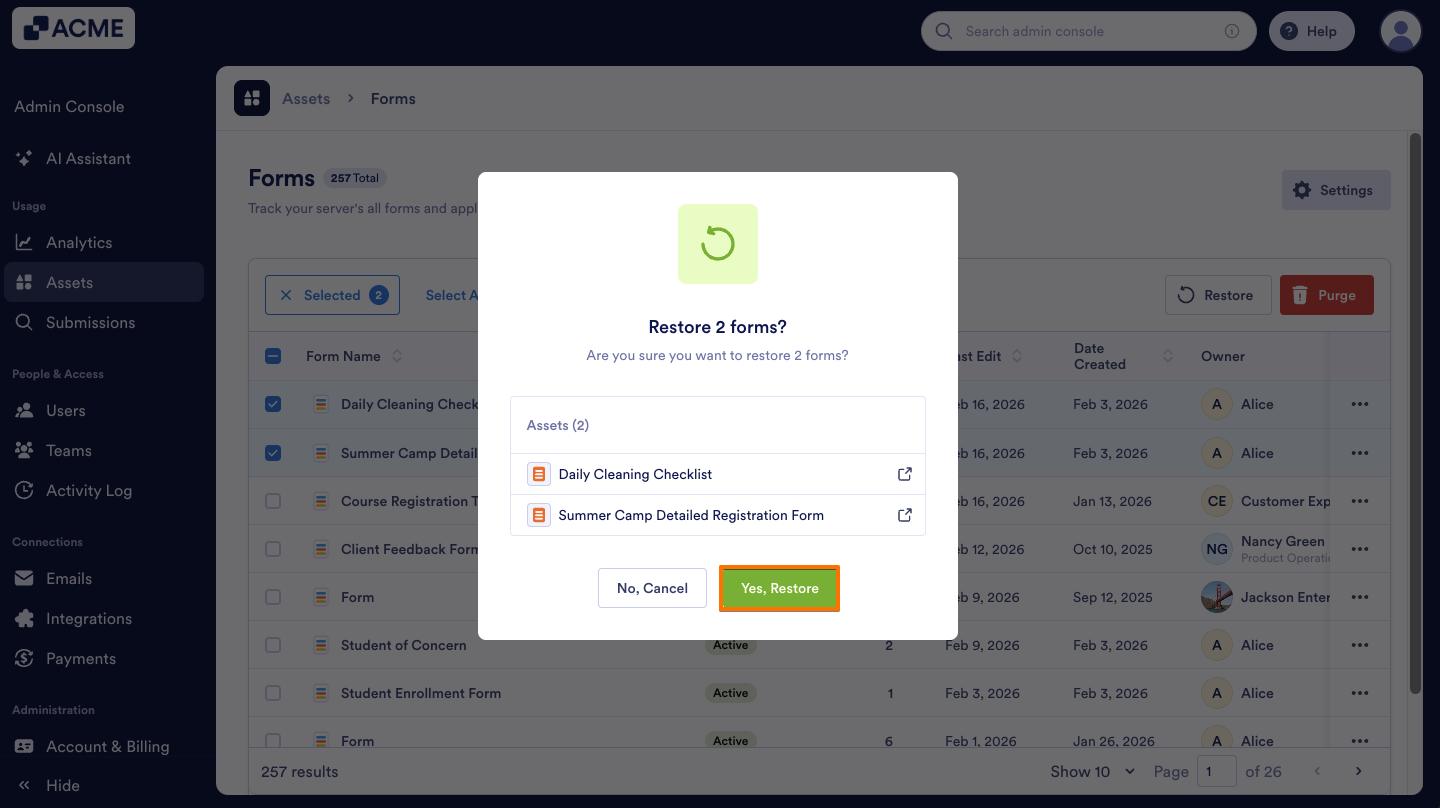
Purge
If you want, you can permanently remove trashed forms from the Admin Console by purging them. Let me show you how:
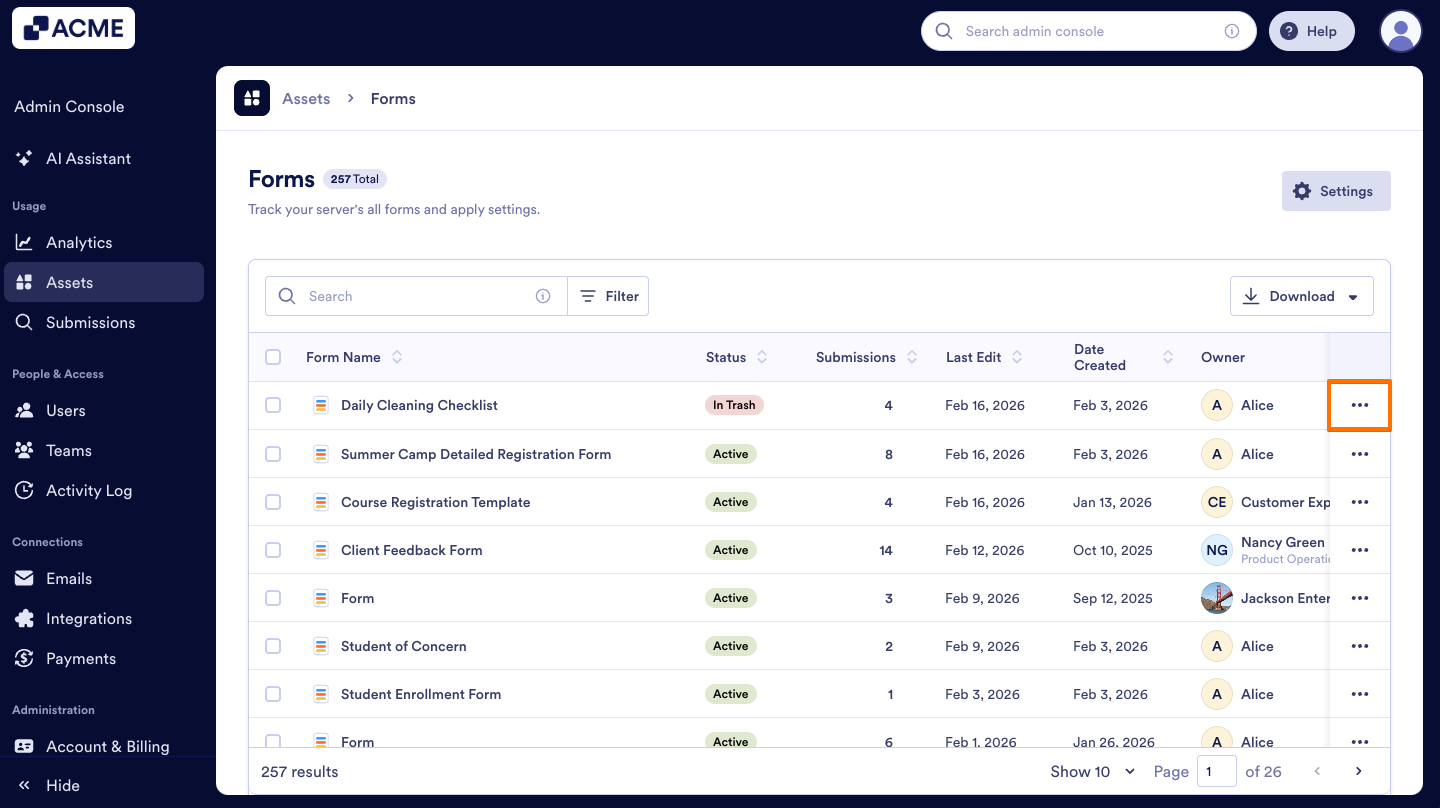
- On the Forms page in the Admin Console, click on the Three-dot icon next to the form you moved to the trash.
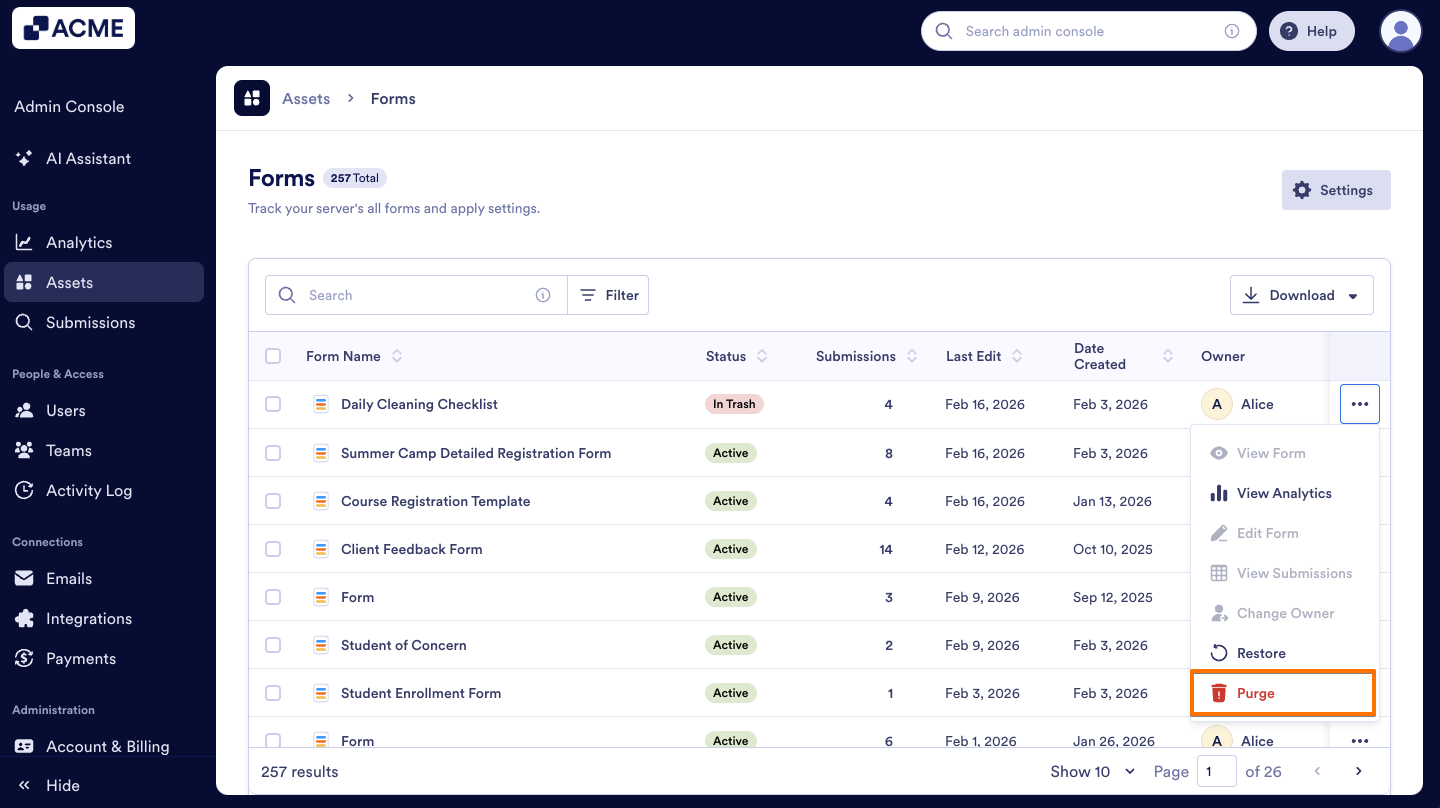
- In the menu, select Purge.
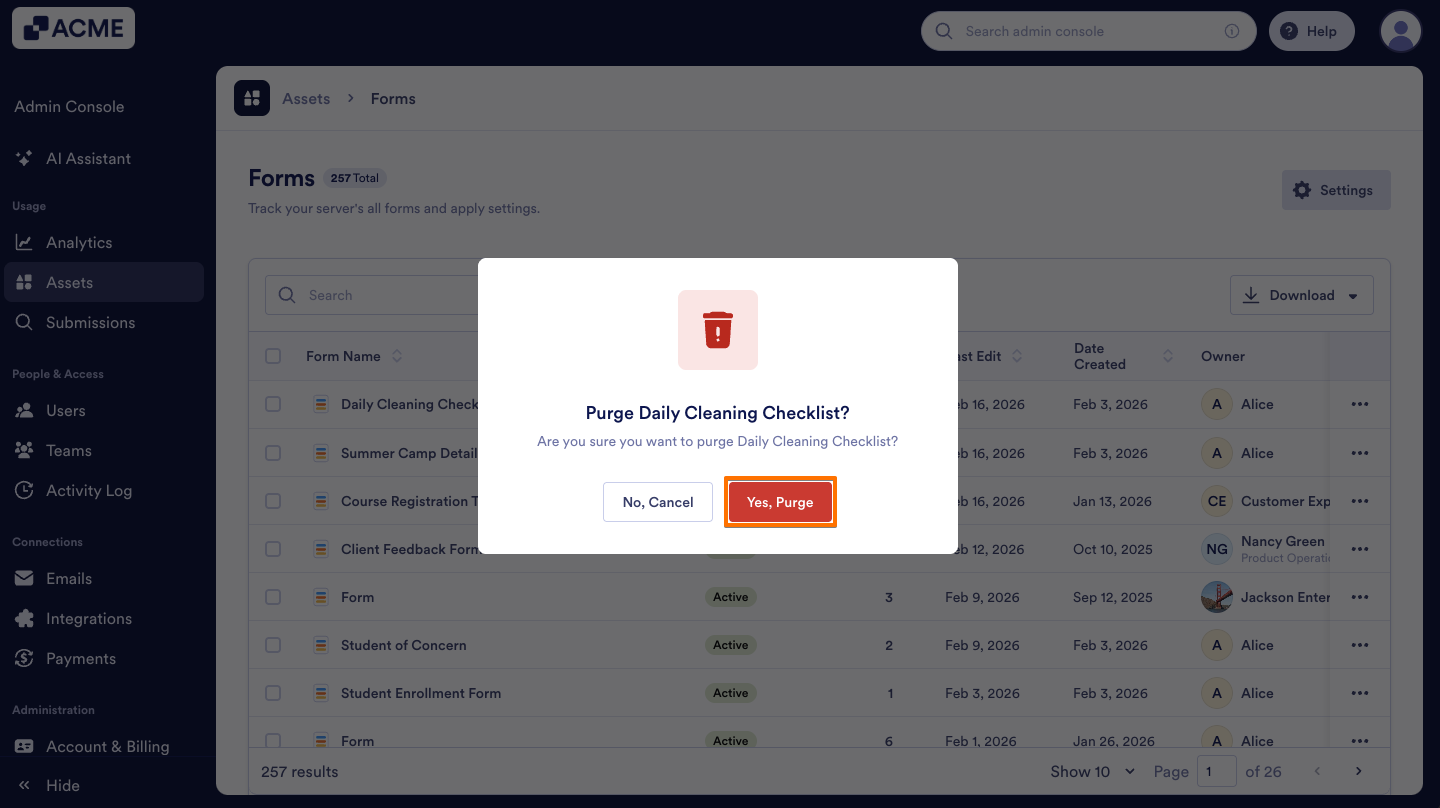
- In the pop-up window, click Yes, Purge to confirm.
Purge Forms in Bullk
After moving forms to the Trash in bulk, you’ll also have the option to permanently delete them in bulk. Let me walk you through it:
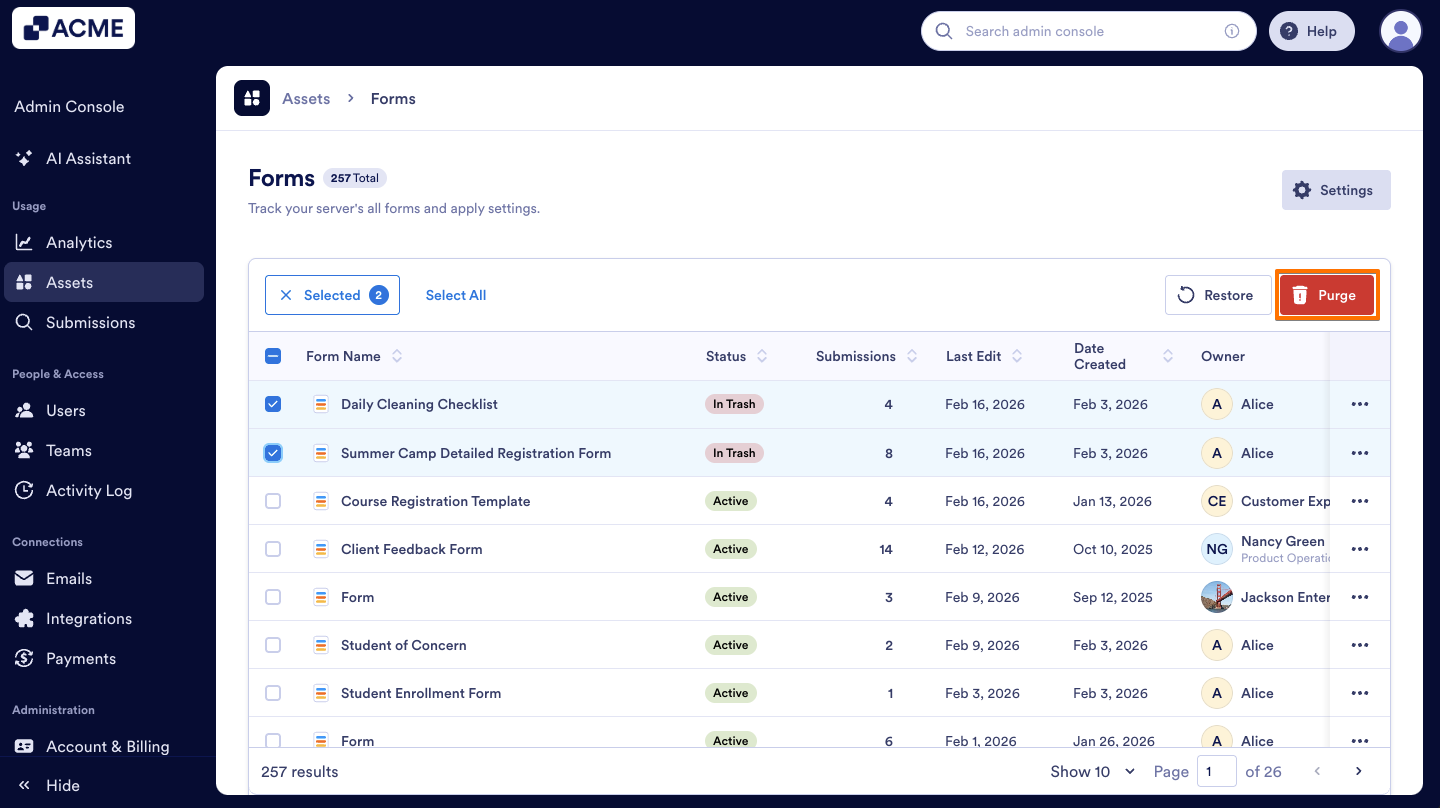
- On the Forms page, select the Checkboxes to the left of the forms you want to delete.
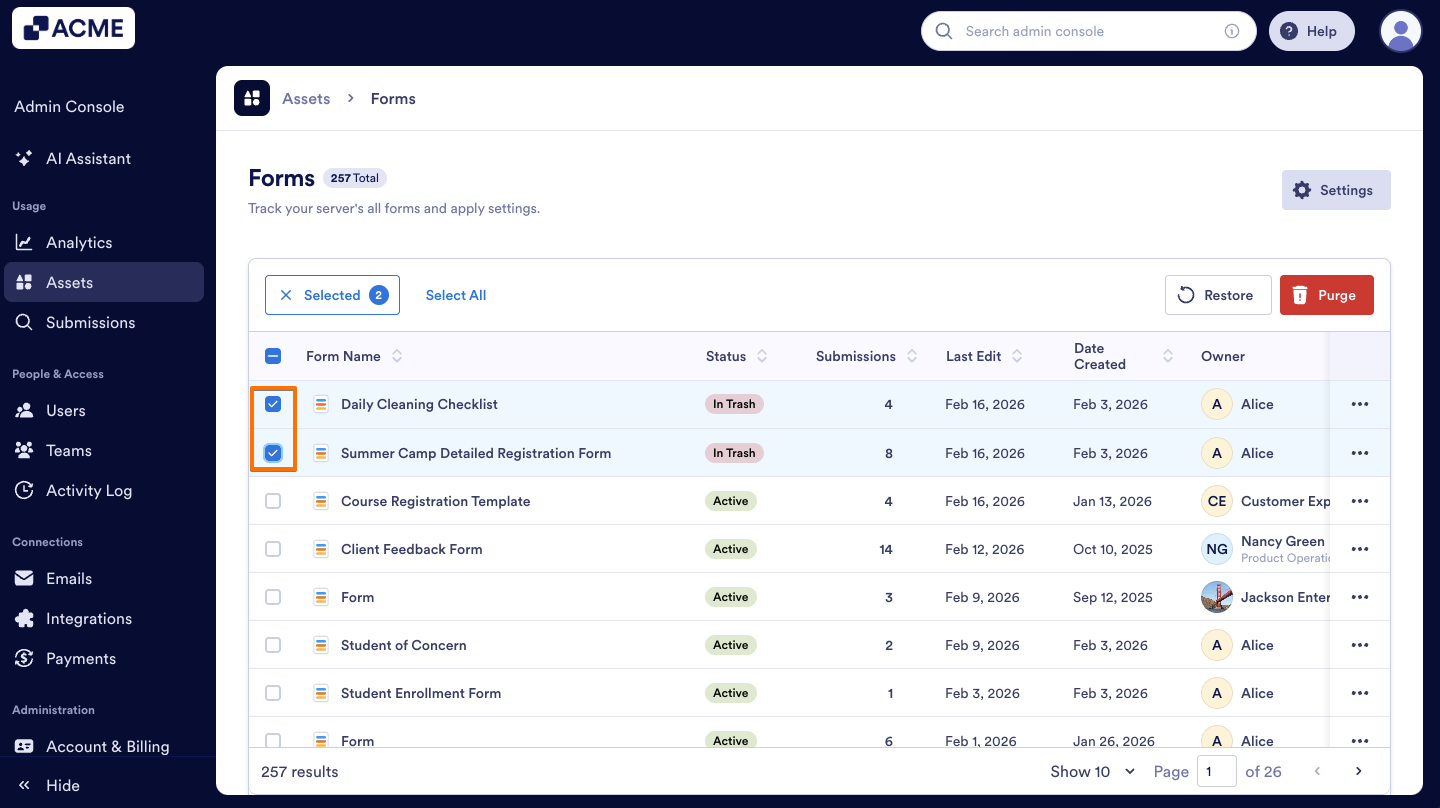
- Above the list of forms, click on the Purge button.
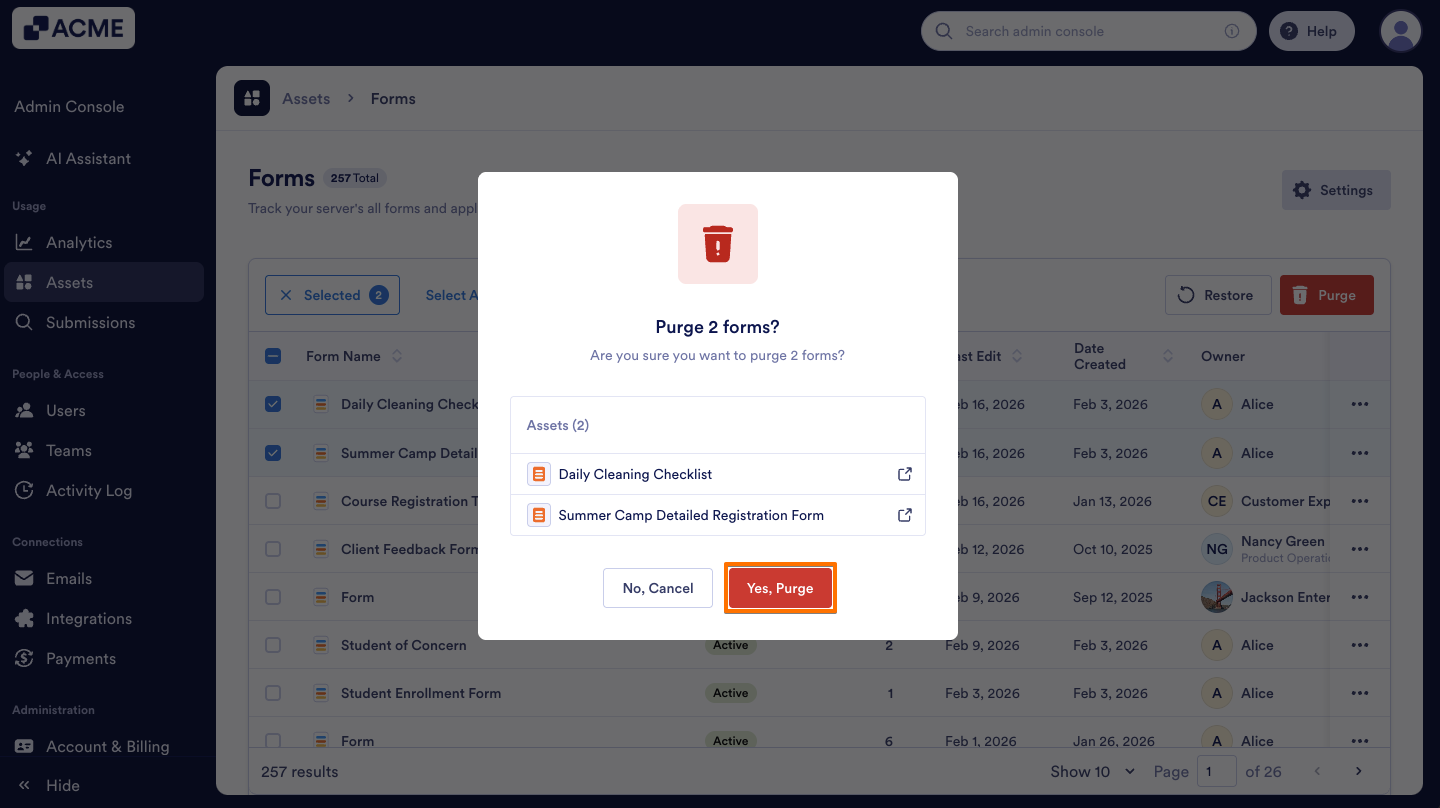
- In the pop-up window, click Yes, Purge to confirm.
Finding All Disabled or Active Forms in Your Organization Using Filter
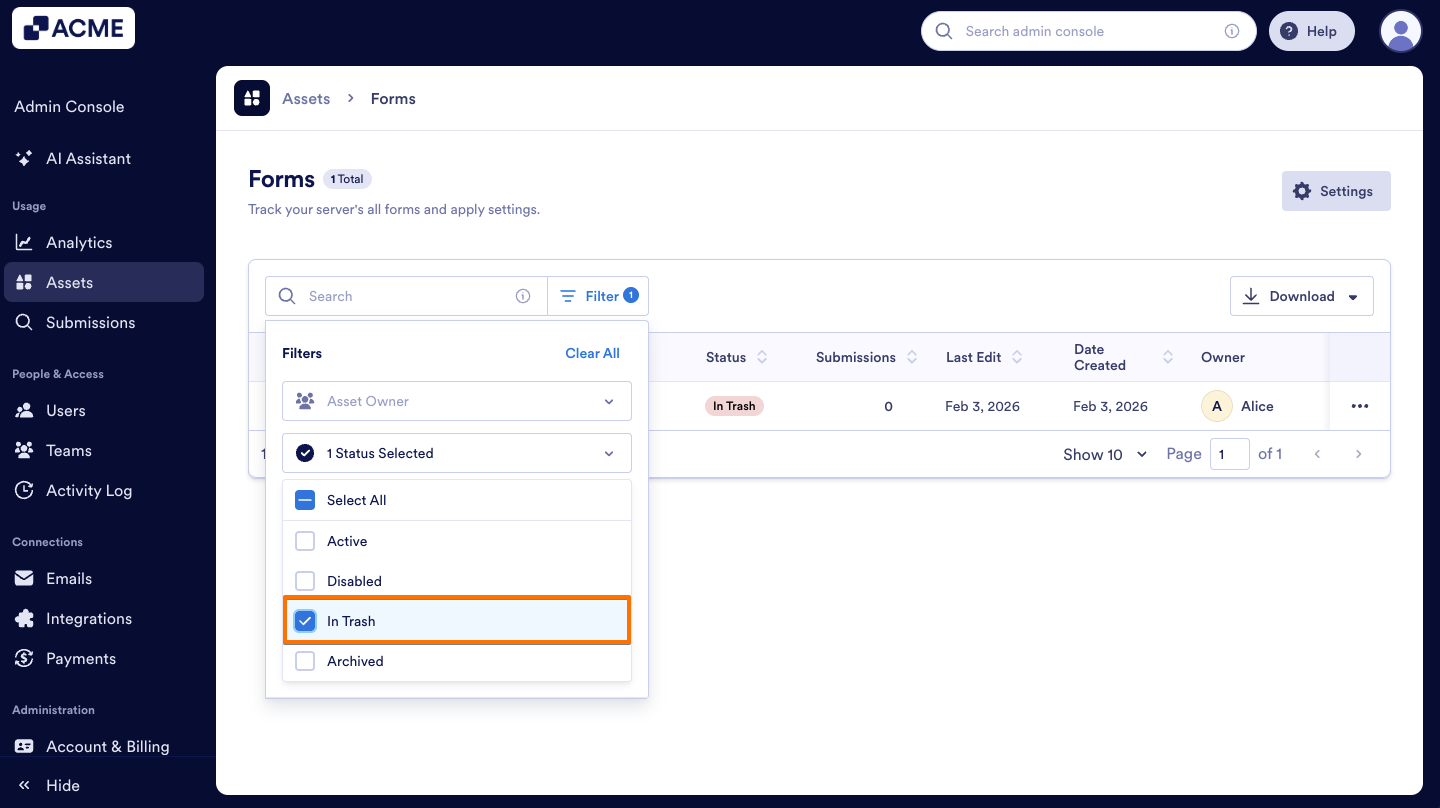
You can quickly locate all forms that have been moved to the Trash by using the filter options in the Admin Console. Here’s how to do it:
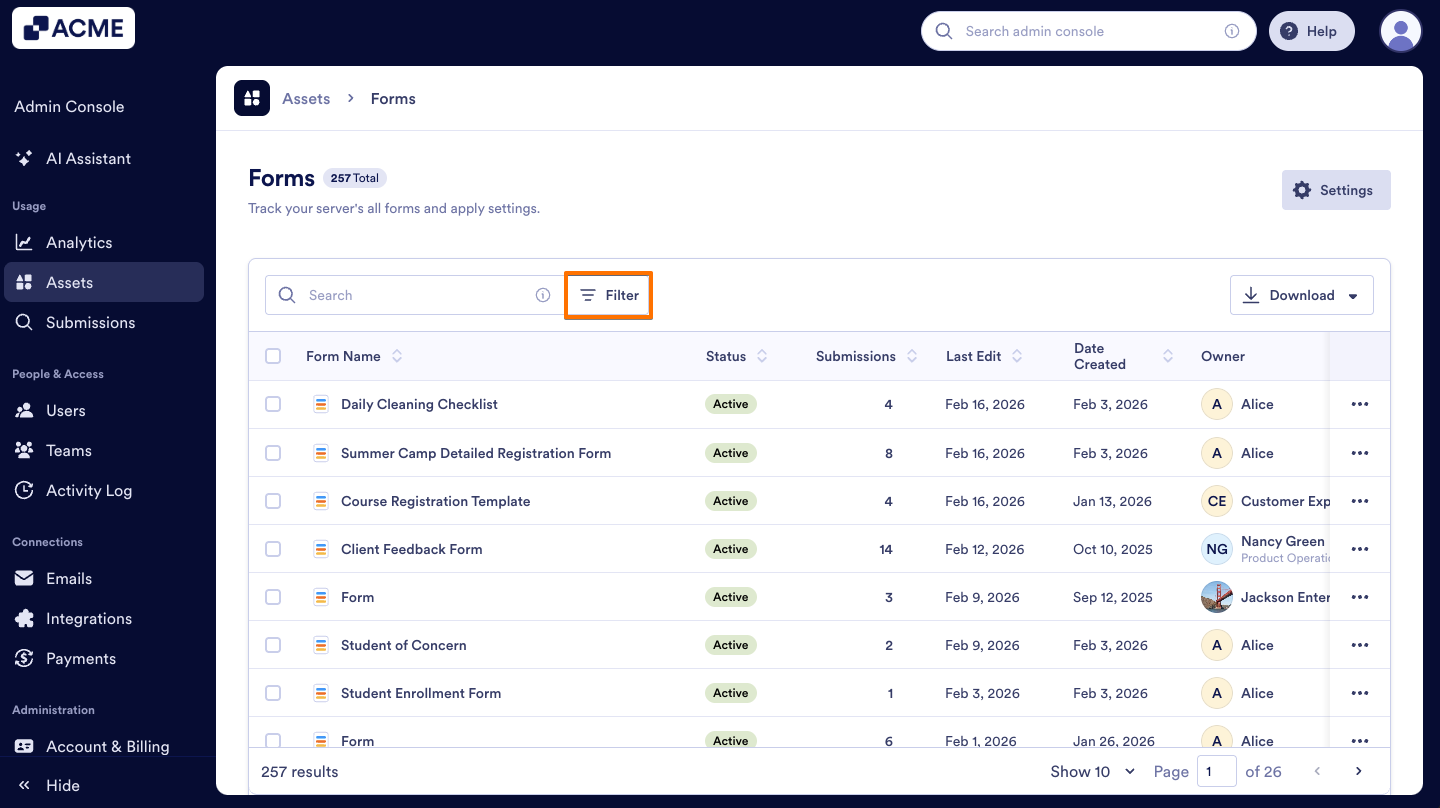
- On the Forms page in the Admin Console, click the Filter option next to the search bar.
- Click on the Status dropdown menu.
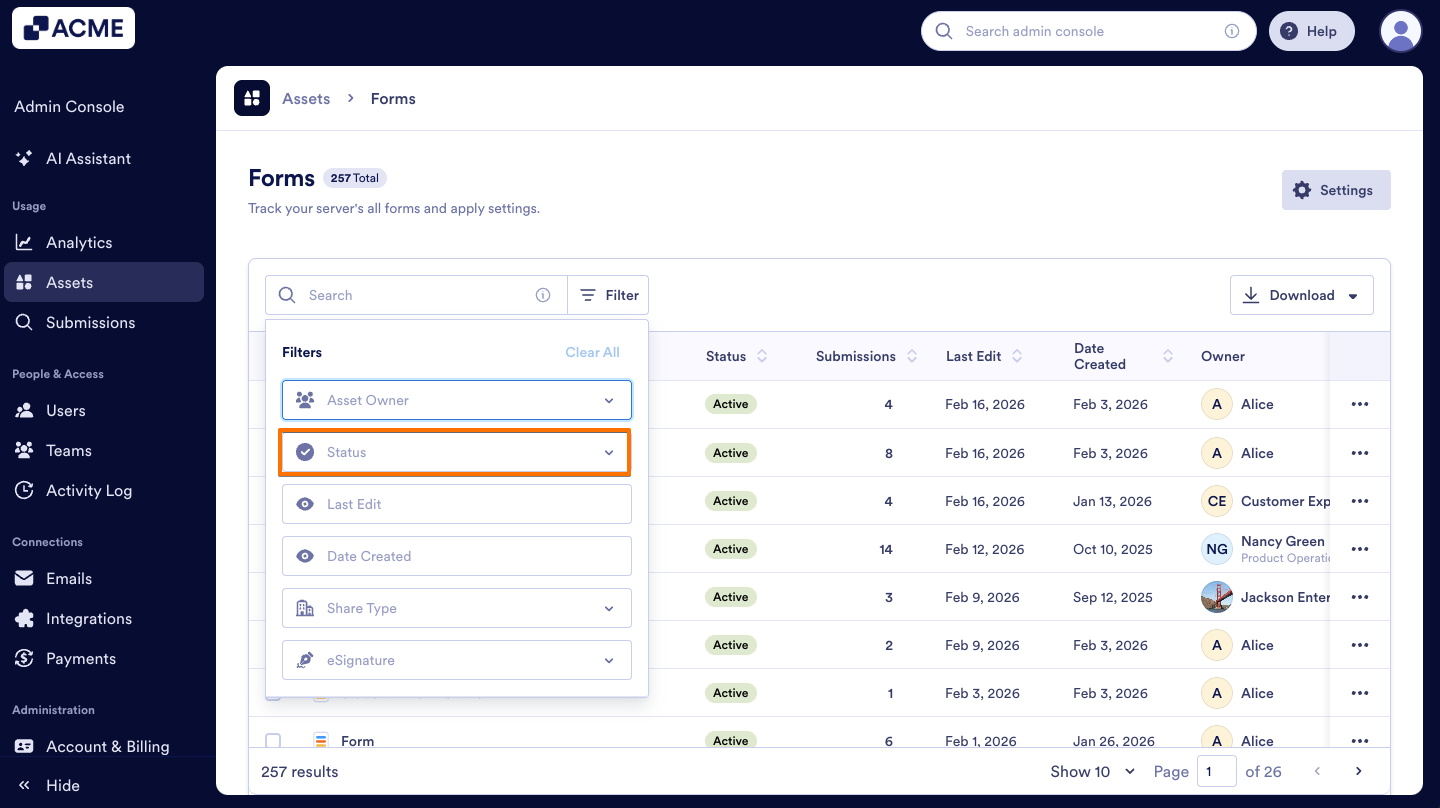
- Finally, select In Trash to view all the forms that have been deleted.

Send Comment: