Overview
As an Admin, you can view your server’s assets directly in the Admin Console.
Assets
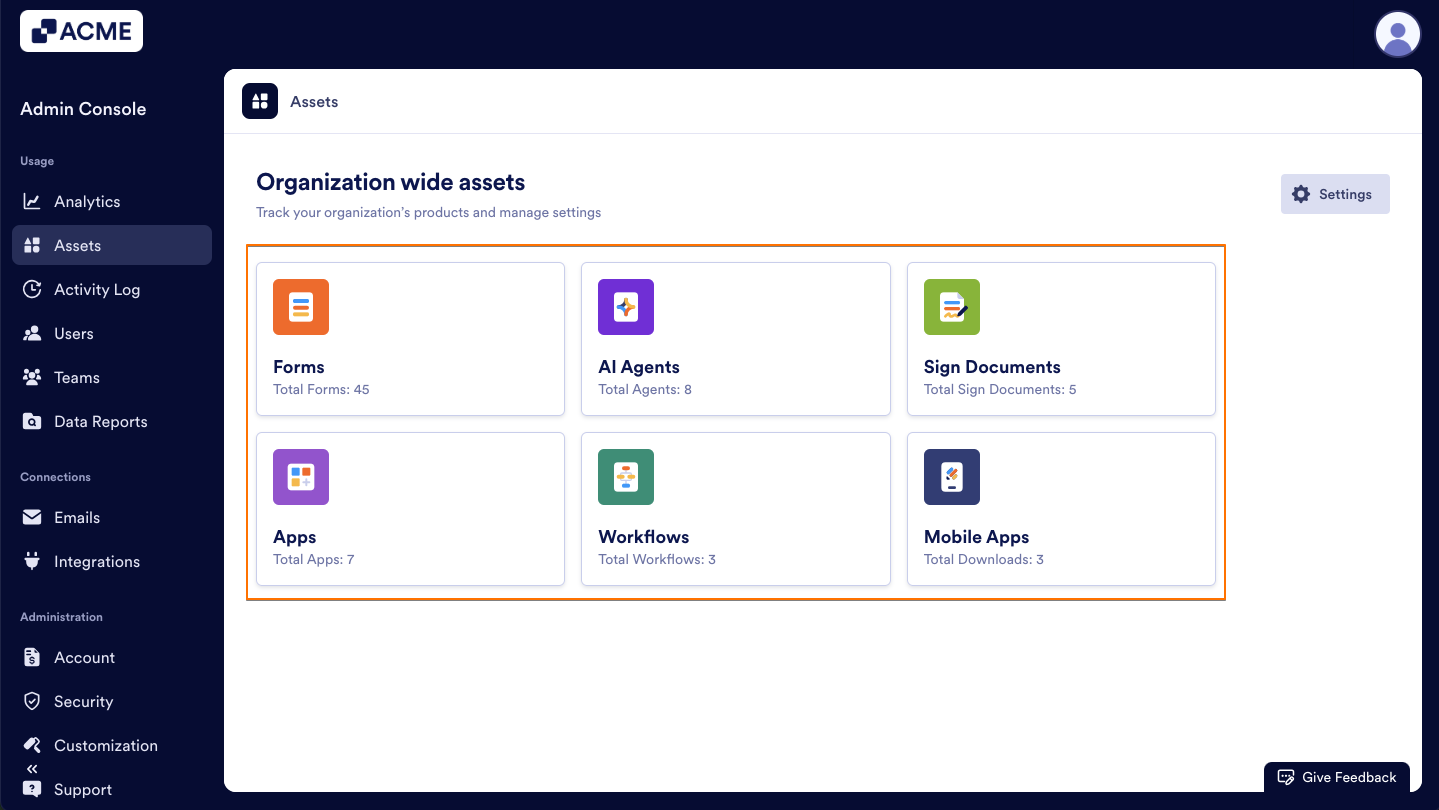
In the Admin Console, you can view all of the following assets, regardless of who created them or if they’re in a Team:
- Forms
- Workflows
- AI Agents
- Sign Documents
- Apps
- Mobile Apps
Process
Let’s walk through how to reach this page:
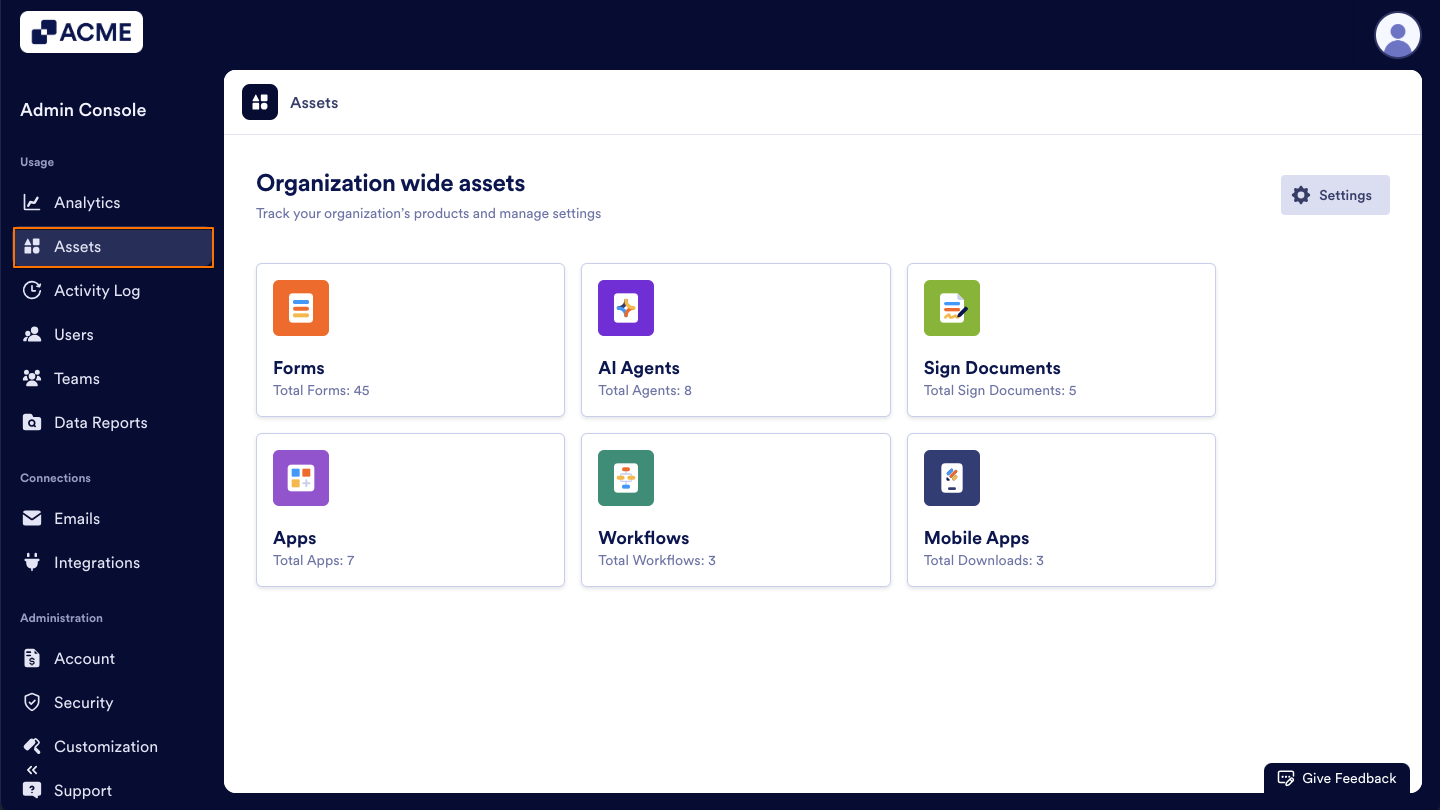
- In the Admin Console, click on Assets on the left-hand side of the page.
- Then, select the asset you’d like to view and manage.
For more information about managing individual assets, you can check out our guides:
- How to View and Manage Organization-Wide Forms Usage from the Admin Console
- How to View and Manage App Usage in your Organization from the Admin Console
- How to View and Manage Sign Document Usage in your Organization from the Admin Console
- How to View and Manage Agents Usage in your Organization from the Admin Console
- How to View and Manage Workflow Usage in your Organization from the Admin Console

Send Comment: