In Form Insights, you can track the performance of forms, monitor submissions, understand how users interact with your forms, and gain insights to improve engagement and results. You can also select the form/forms that you want to gain insights about with the form filter.
How to Filter Forms in Form Insights
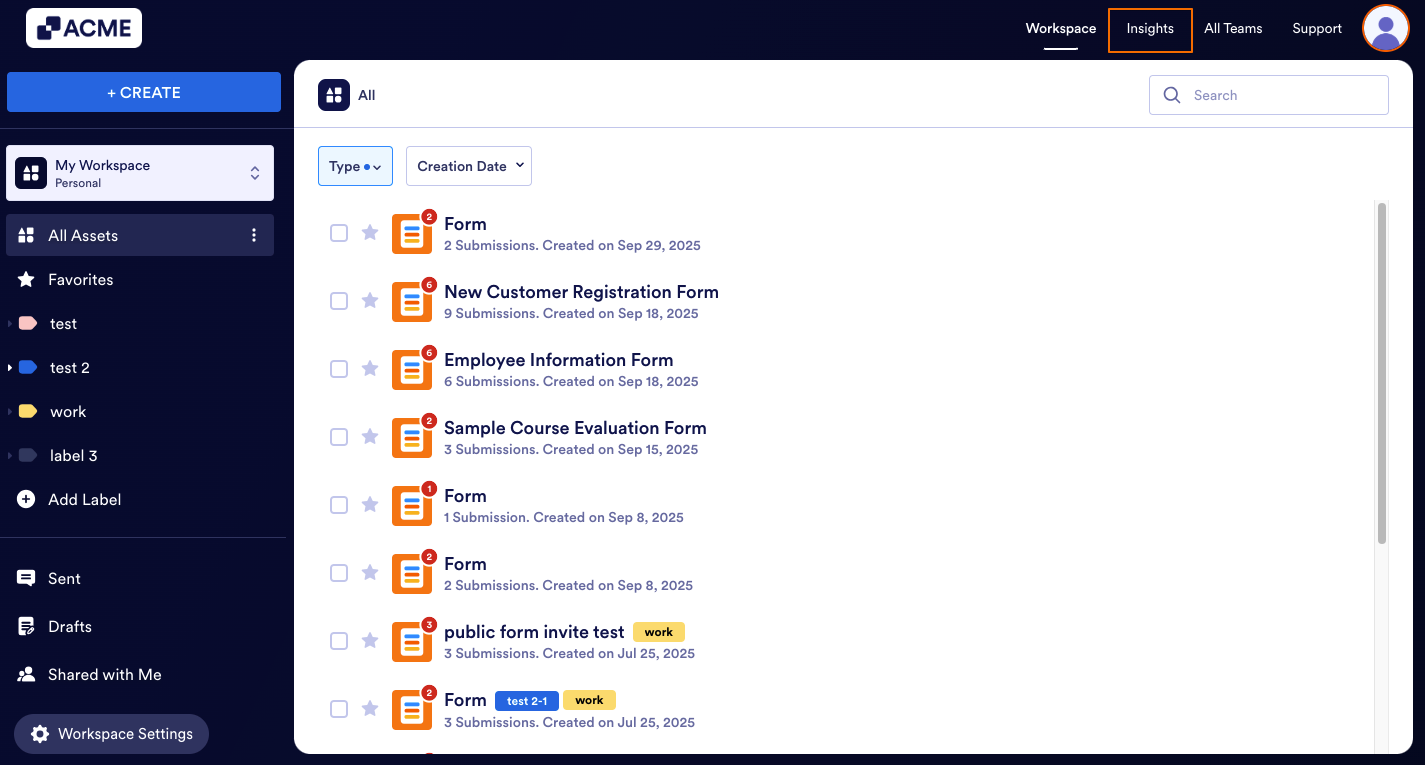
- In My Workspace page, click on Insights on the top right side of the webpage.
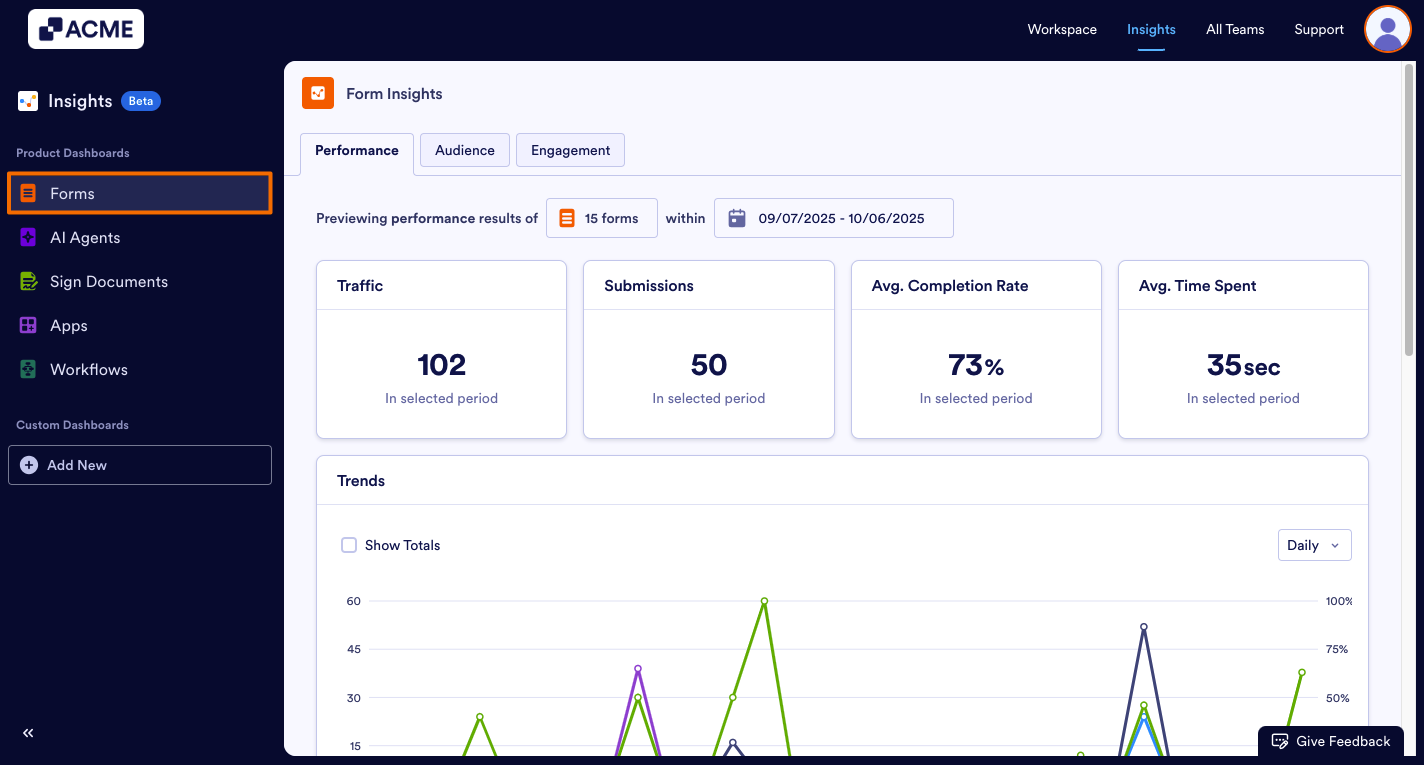
- In the Insights page, click on Forms from the menu on the left side of the page.
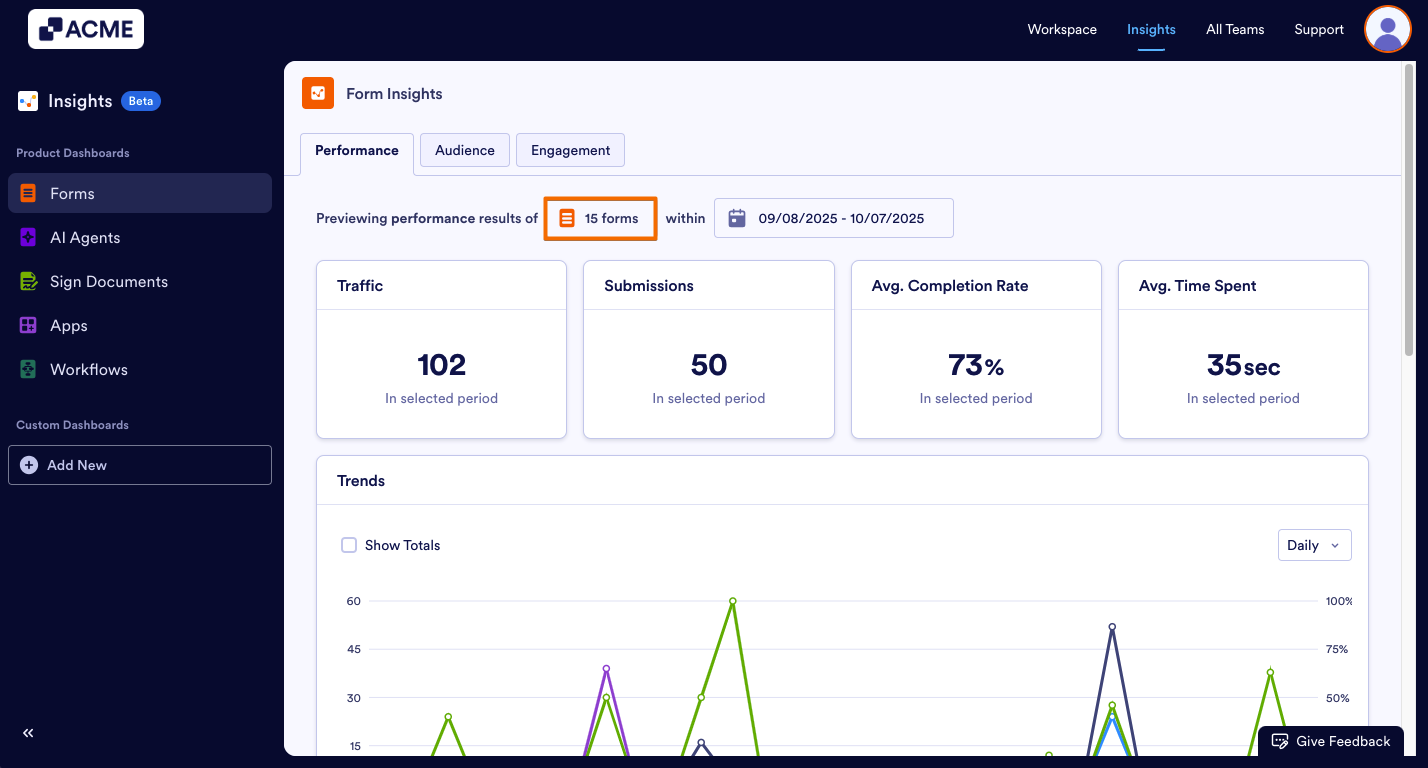
- From the Form Insights, click on the click on the Form Number.
- In the window that opens on the right side, check the box next to the form you want to view the results of and click on Apply Changes.
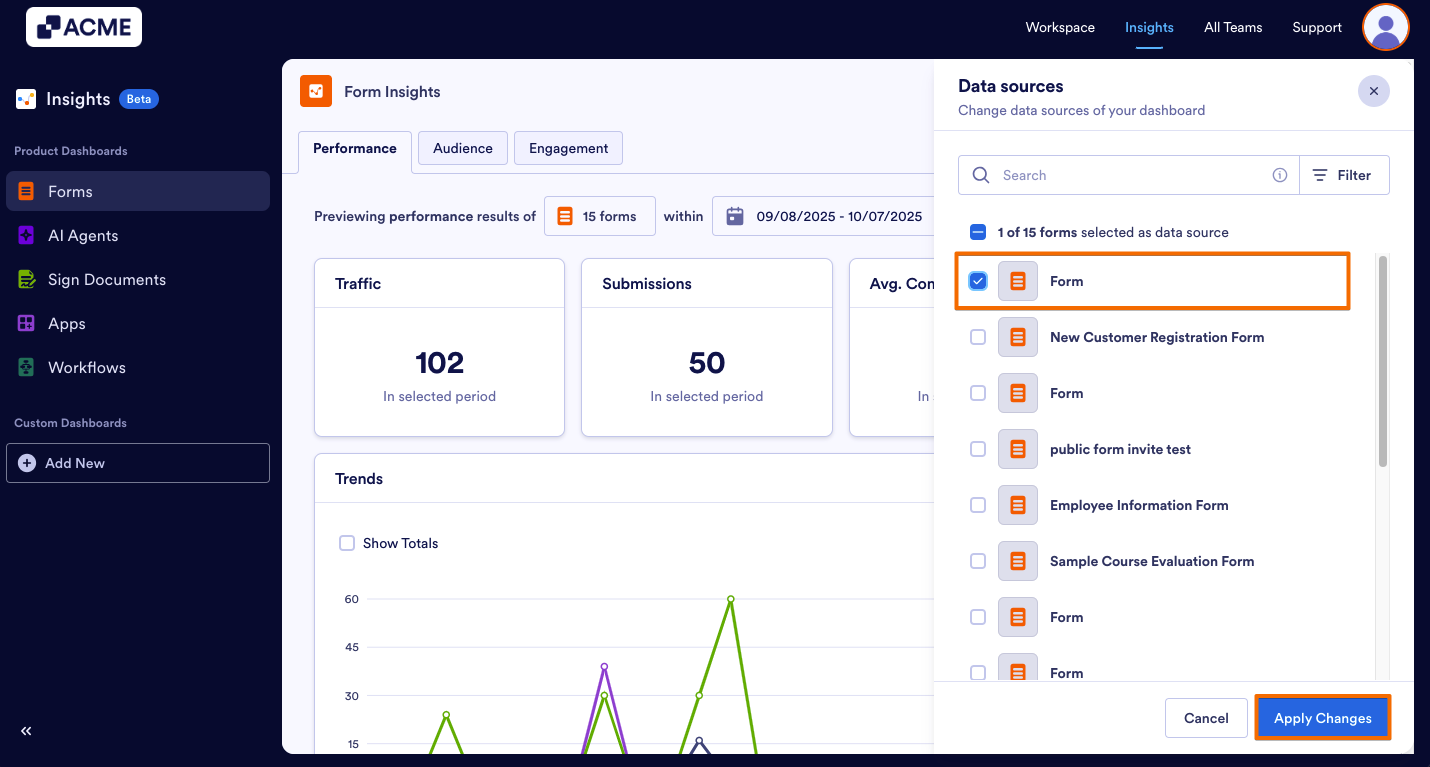
Note: When you set a filter with selected forms and date range, you will be able to view data with the same filter when you visit the Performance and Engagement tabs. You do not need to set a filter every time you visit other tabs inside the Form Insights.
Accessing an Individual Form’s Insights from Workspace
You can also go to the Insights page by clicking on More next to the desired asset in your Workspace. Let move to the steps:
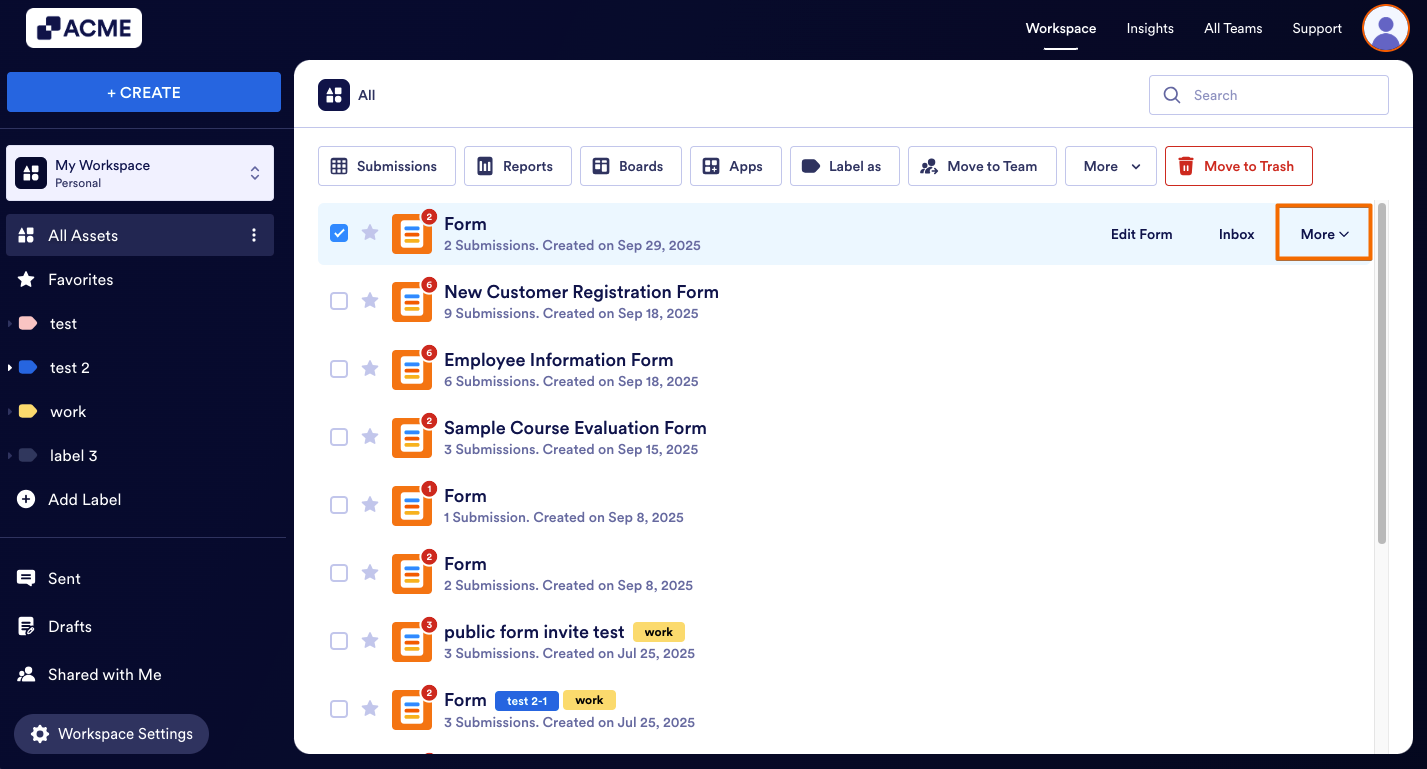
- In My Workspace page, hover your mouse over the form and click on More.
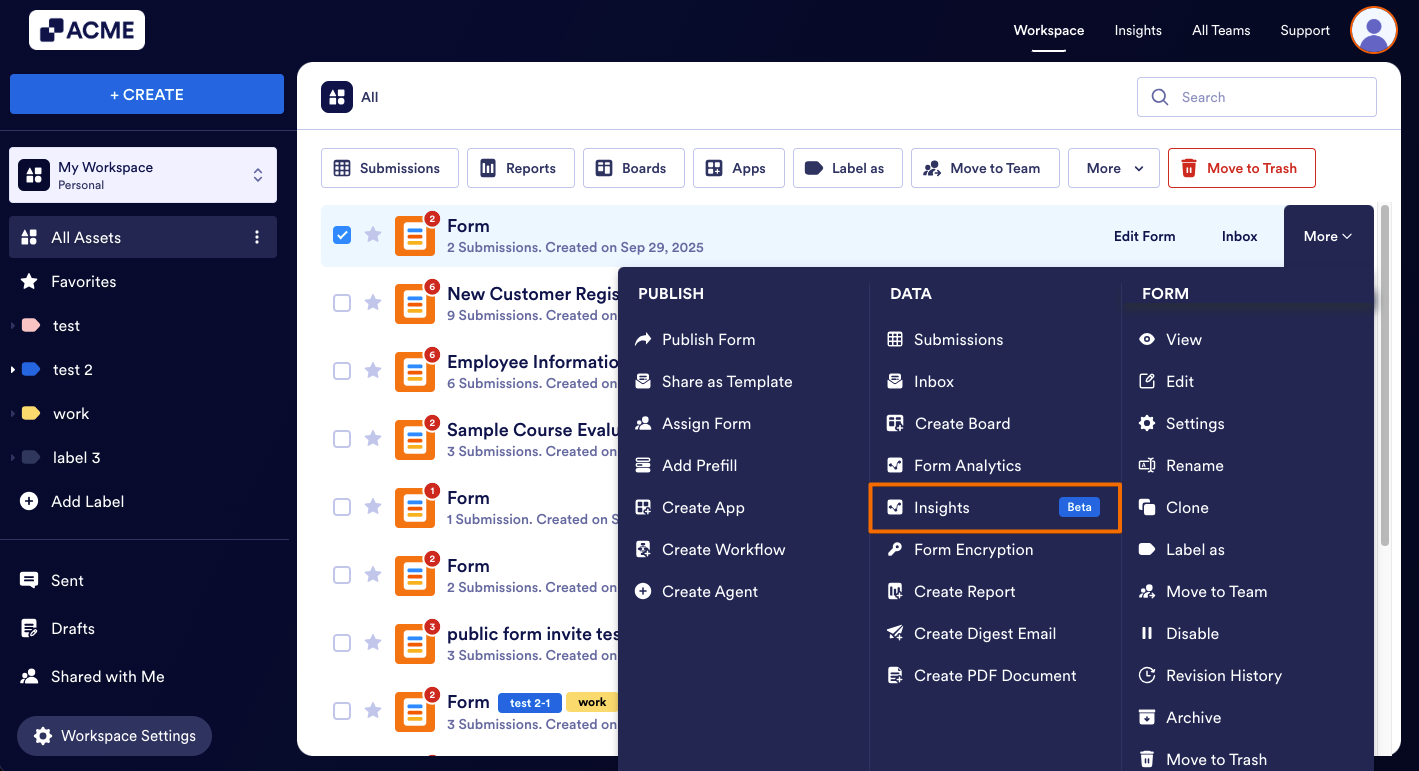
- In the menu that opens, click on Insights under the Data section.
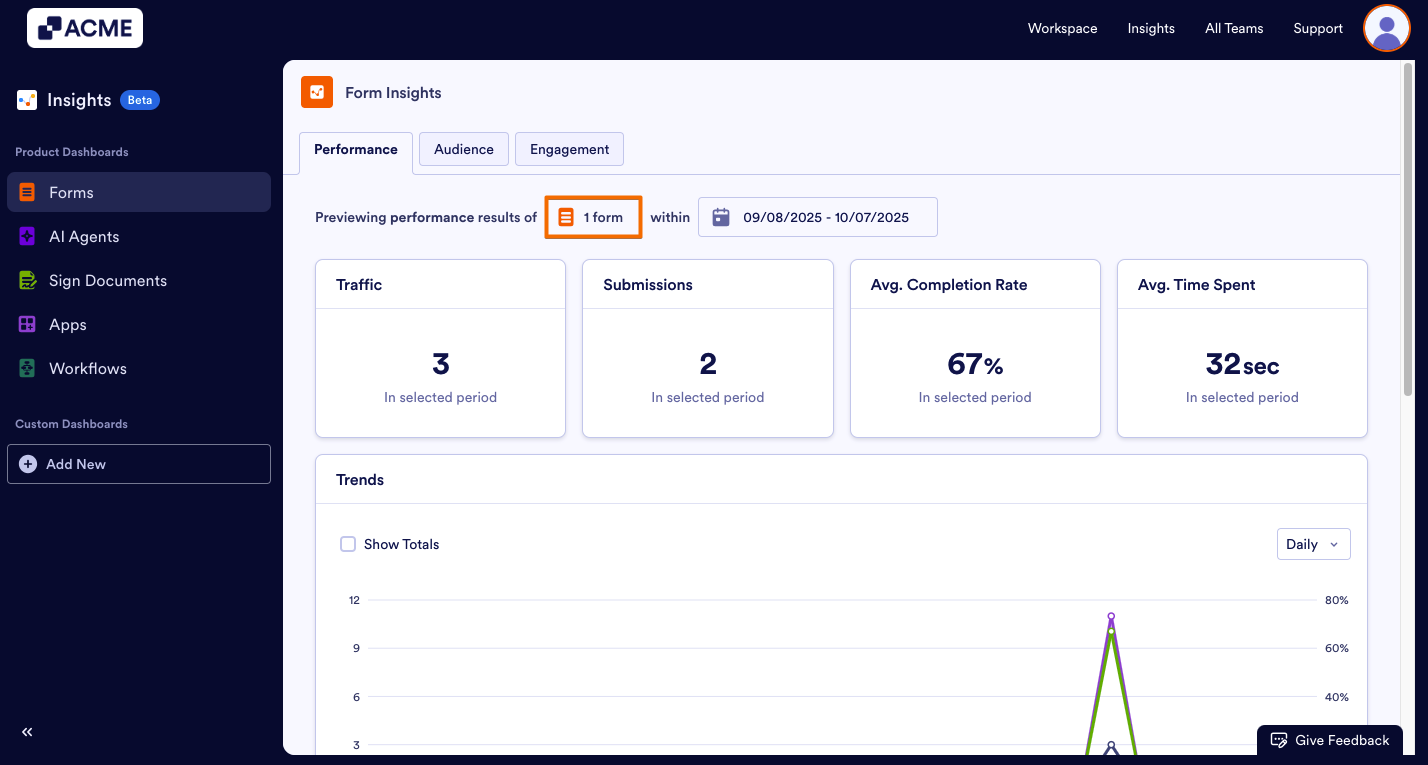
When you select this option to go to the Insights, you will see that only a single form is selected in the filter, the form is the one you select in the workspace to view:
Filtering a Form in a Team Workspace
You can also filter the forms in a team workspace. Here’s how to do it:
- In My Workspace page, click on Insights on the top right side of the webpage.
- In the Insights page, click on Forms from the menu on the left side of the page.
- From the Form Insights, click on the click on the Form Number.
- In the window that opens on the right, click on the checkbox on the top to unselect previously selected forms.
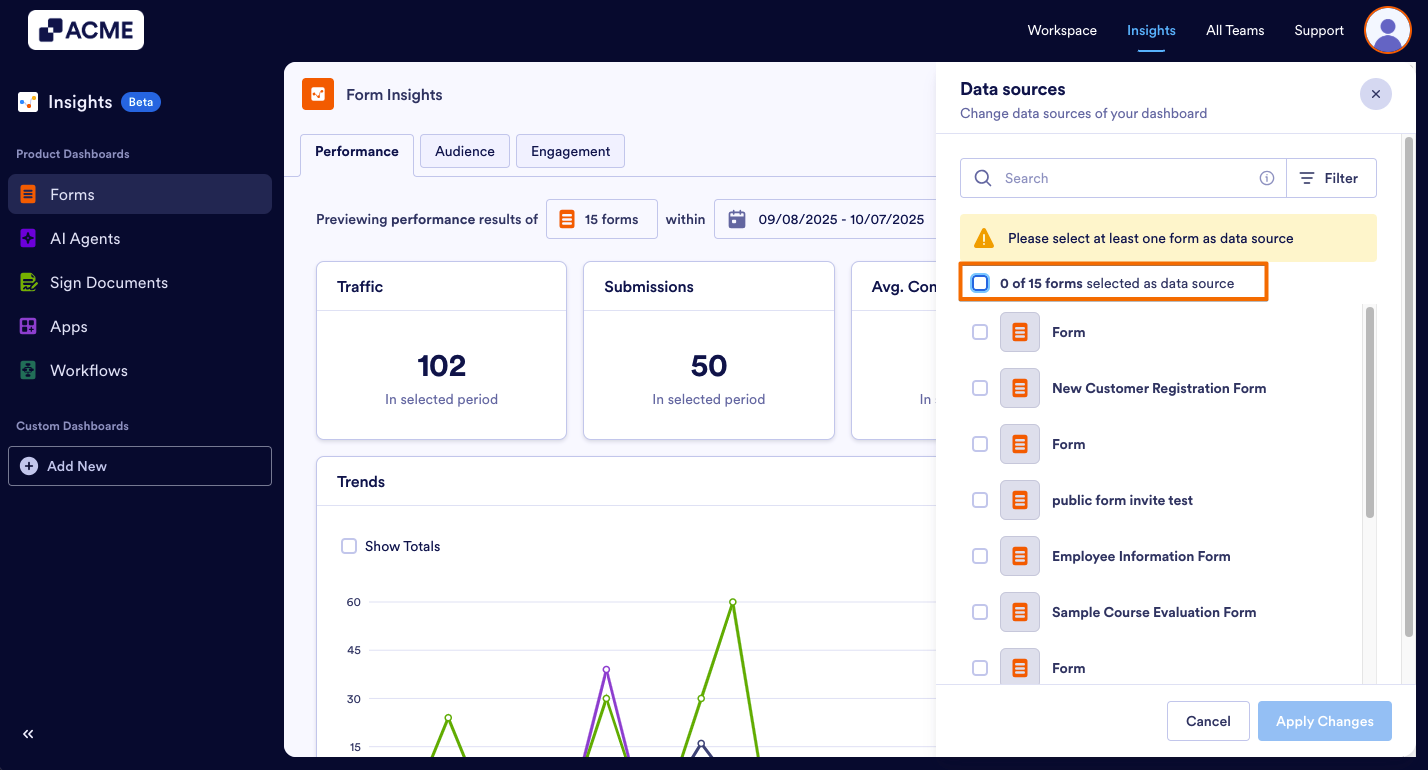
- Now, click on Filter and select the team under Owner dropdown.
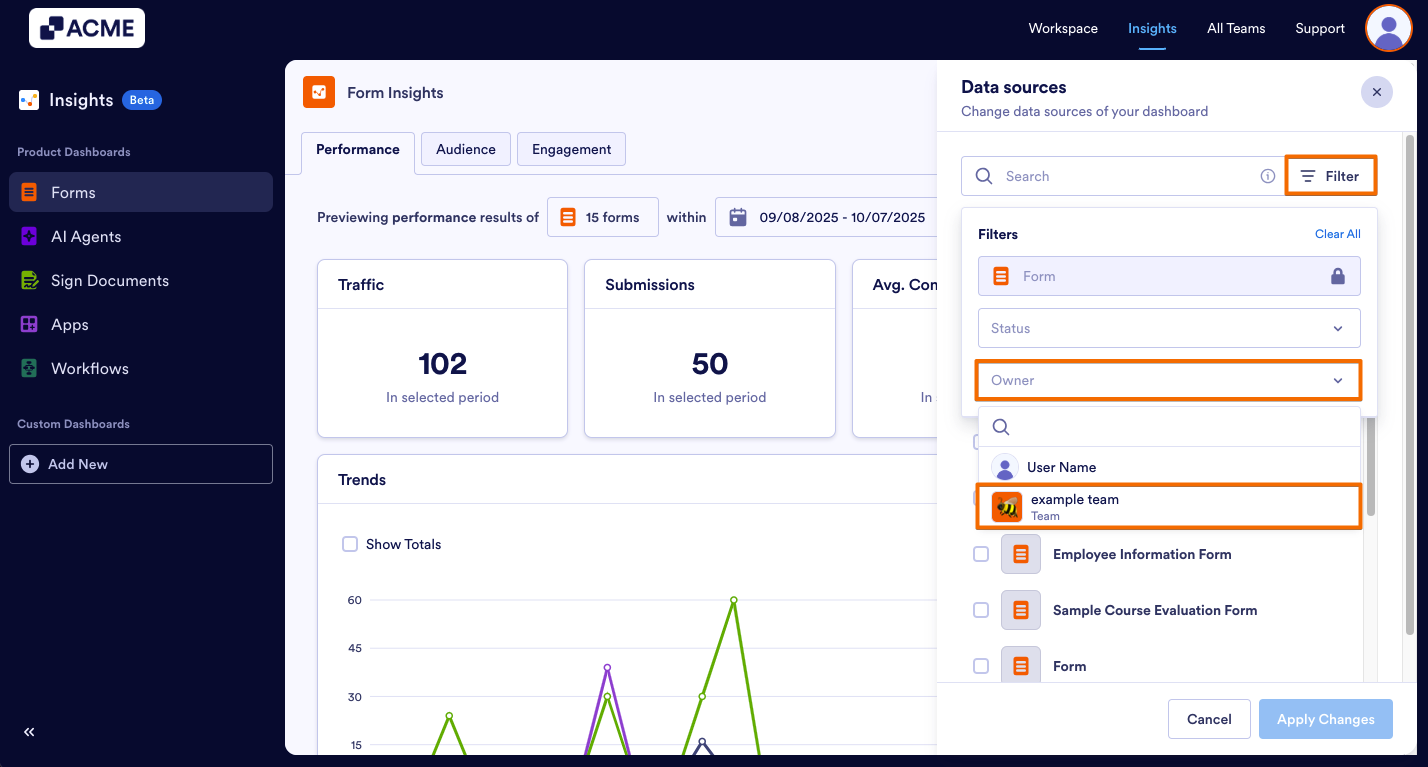
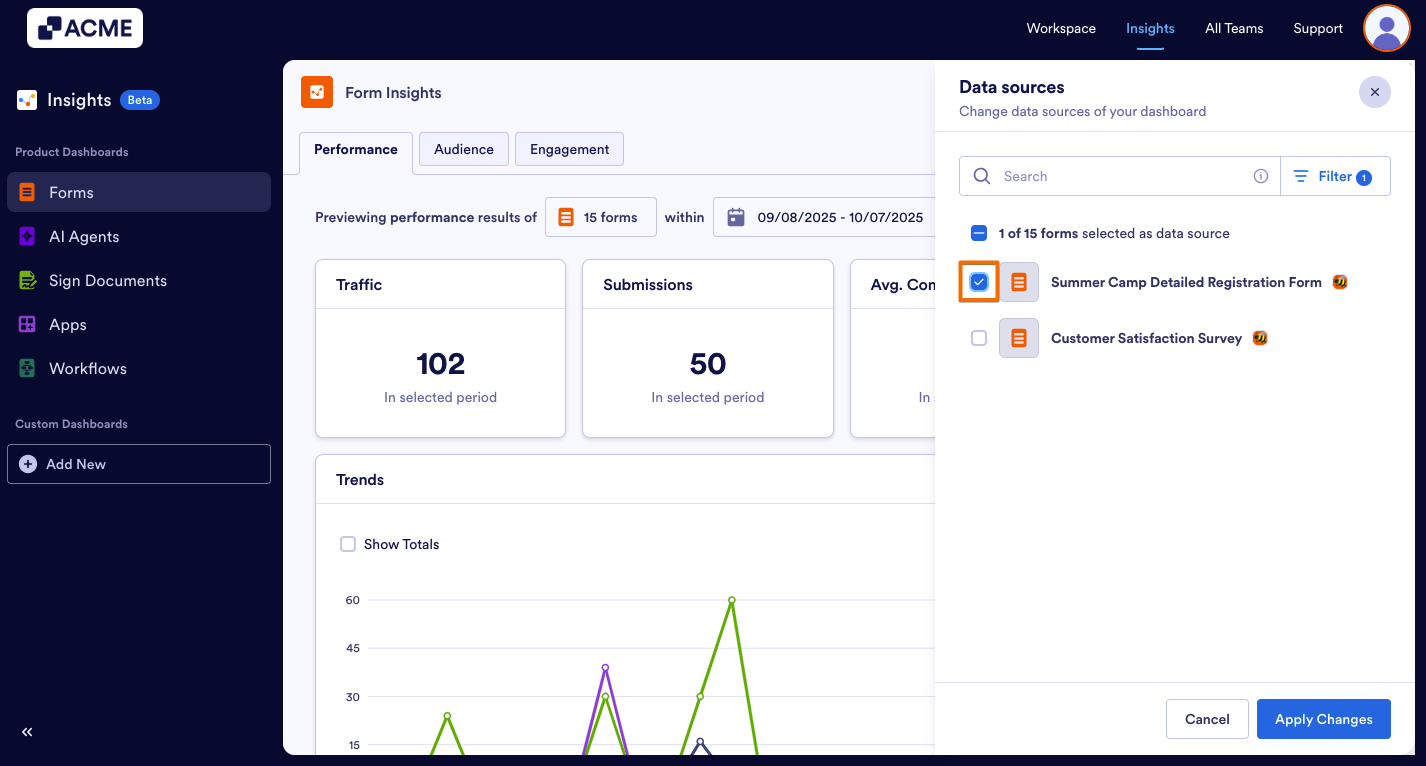
- Select the forms in the Team Workspace.
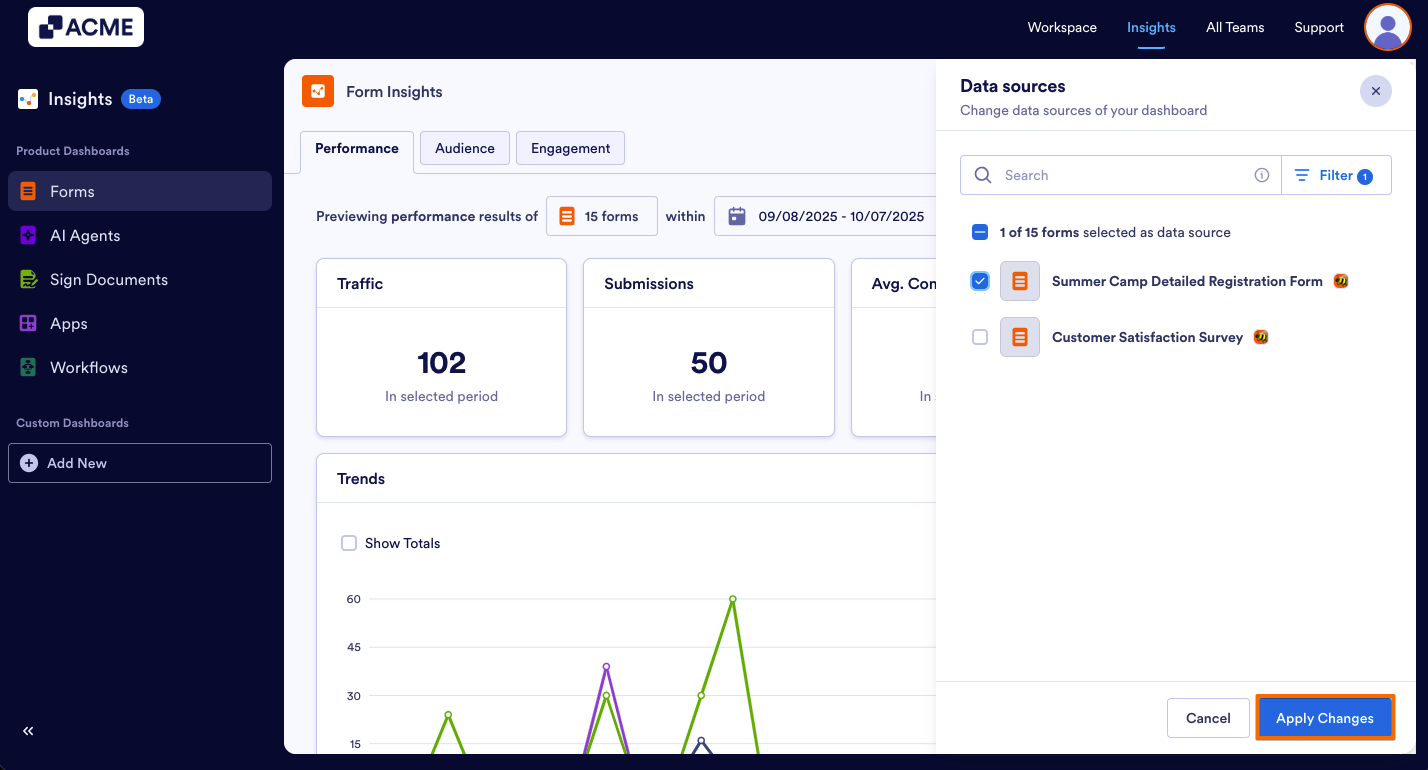
- Finally, click on Apply Changes at the bottom.
See also:
How to Filter and View Form Metrics in a Specific Date Range in Insights?

Send Comment: