What Are Errors and Warnings in Jotform Workflows?

February 14, 2025

If required items aren’t configured for an element, a red circle with a one inside it will appear on the top-left side of the element. That indicates an error. Click on the red one on the element or at the top right corner of the Workflow Builder. 
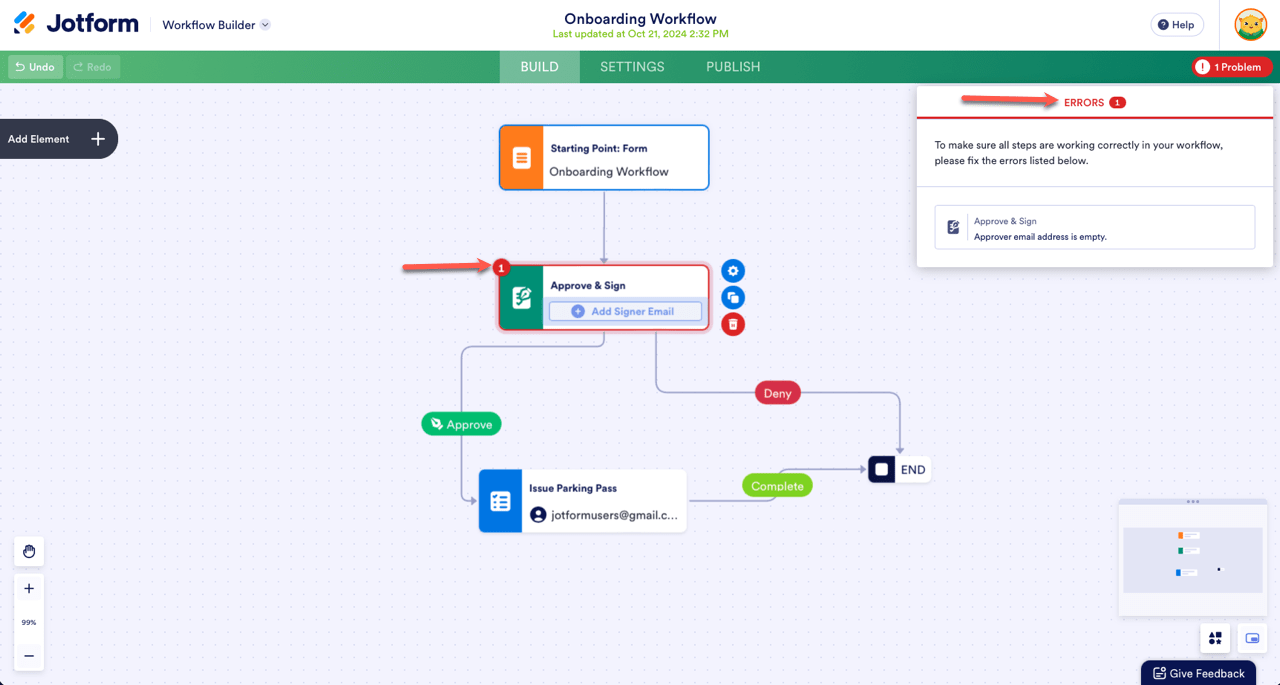
Onboarding workflow showing Approve & Sign fields and error in the field

On the screenshot above, the Approve and Sign element is missing the approver’s email address.

You’ll also see the error on the Inbox page regarding the changes in your approval flow. You have the option to either Cancel or Restart the flow.
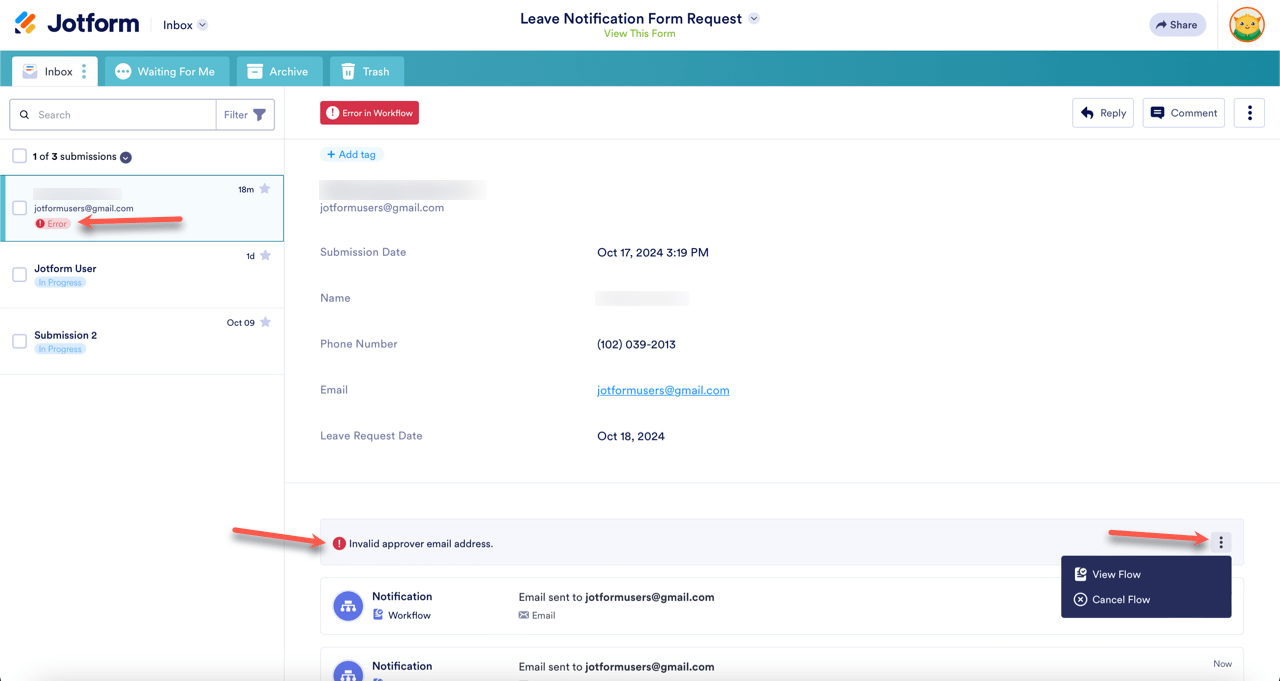
Jotform Inbox showing an error message due to invalid approver email address

Send Comment:

Jotform Avatar
This site is protected by reCAPTCHA and the Google Privacy Policy and Terms of Service apply.

Podo Comment Be the first to comment.
Still have unanswered questions?

We’re here for you 24/7, anytime you need us day or night. Have a question or need a hand with something? Our team is always ready to help out.