

Attendance Sheets

Lembar Kehadiran Bulanan
Baik jika Anda perlu memantau kehadiran siswa sekolah Anda, karyawan Anda, atau sukarelawan di lembaga nonprofit atau badan amal Anda, kelola kehadiran bulanan Anda dengan lebih baik, secara online, menggunakan Lembar Kehadiran Bulanan gratis dari Jotform! Untuk memulai, sesuaikan template agar sesuai dengan organisasi Anda dan masukkan info kehadiran Anda dari perangkat apa pun. Jangan ragu untuk mengunduh spreadsheet Anda sebagai dokumen CSV, PDF, atau Excel untuk membagikan catatan kehadiran Anda secara online dengan cepat. Sesuaikan spreadsheet ini hanya dalam beberapa klik menggunakan interface Jotform yang mudah digunakan — tambahkan nama atau warna label baru, atur ulang baris atau kolom Anda, atau pisahkan ruang kelas, grup sukarelawan, atau informasi departemen karyawan Anda ke dalam tab yang berbeda. Dengan menggunakan Lembar Kehadiran Bulanan ini, Anda akan dapat dengan mudah memantau kehadiran siswa bulanan, sukarelawan, atau karyawan secara online, Anda juga dapat menghabiskan lebih sedikit waktu untuk menghadiri permasalahan logistik dan lebih banyak waktu di tempat yang penting!
Buka Kategori:Attendance Sheets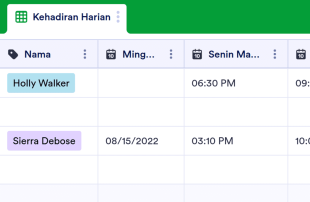
Lembar Kehadiran Harian
Baik jika Anda perlu melacak kehadiran siswa atau karyawan, mulailah dengan Lembar Kehadiran Harian online gratis dari Jotform! Yang harus Anda lakukan adalah memasukkan informasi tentang setiap orang dan memeriksa kehadiran mereka di spreadsheet. Anda bahkan dapat mengatur formulir kehadiran untuk diisi setiap hari — entri akan secara otomatis muncul di Lembar Kehadiran Harian Anda! Tanpa pengkodean apa pun, Anda dapat menyesuaikan Lembar Kehadiran Harian agar lebih sesuai dengan kebutuhan Anda. Cukup seret dan lepas untuk menambahkan lebih banyak baris dan kolom, buat label berkode warna, dan sisipkan tab untuk memisahkan kehadiran berdasarkan minggu, bulan, atau sesi terjadwal. Setelah diisi, Anda akan dapat melihat Lembar Kehadiran Harian Anda dari perangkat apa pun, mengunduhnya sebagai lembar PDF, CSV, atau Excel, dan mencetaknya hanya dalam satu klik. Melacak kehadiran dengan mudah tidak seperti sebelumnya dengan Lembar Kehadiran Harian online khusus.
Buka Kategori:Attendance Sheets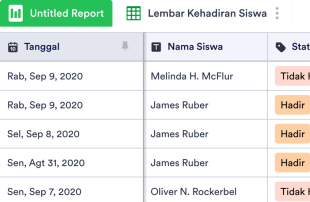
Lembar Kehadiran Siswa
Apa pun tingkat kelas yang Anda ajar, Lembar Kehadiran Siswa online gratis kami akan membantu Anda melacak kehadiran siswa dengan lebih mudah. Cukup masukkan nama siswa dan informasi kehadiran ke dalam spreadsheet menggunakan komputer atau perangkat seluler Anda — atau siapkan formulir kehadiran online untuk diisi siswa di akhir kelas! Entri akan langsung disimpan ke dalam spreadsheet, yang akan mudah diakses, dengan mudah diunduh sebagai file PDF, CSV, atau Excel, atau dicetak untuk catatan kelas Anda. Anda tidak perlu mempelajari cara membuat kode untuk menyesuaikan Lembar Kehadiran Siswa untuk kelas Anda. Cukup seret dan lepas untuk menambahkan baris dan kolom, membuat label berkode warna, memisahkan kelas menurut tab, dan memfilter data menurut grup. Setelah selesai, Anda akan memiliki Lembar Kehadiran Siswa yang efisien dan Anda akan dengan cepat mengambil kehadiran siswa tanpa menghabiskan waktu kelas yang berharga, sehingga Anda dapat fokus mengajar siswa Anda lebih banyak — Anda tidak akan pernah kembali ke lembar kehadiran kertas lagi!
Buka Kategori:Attendance Sheets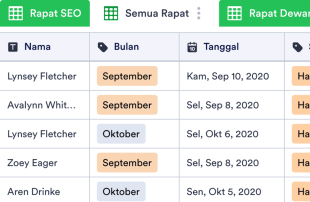
Lembar Kehadiran Rapat
Lacak kehadiran karyawan dengan mudah di rapat perusahaan Anda dengan Lembar Kehadiran Rapat online gratis! Dengan memasukkan rincian kehadiran dengan cepat dalam spreadsheet digital profesional ini, Anda dapat menyimpan dan memantau catatan kehadiran di seluruh perusahaan tanpa pengkodean apa pun — sempurna untuk departemen SDM, sekretaris, manajer, dan banyak lagi. Anda bahkan dapat mengunduh Lembar Kehadiran Rapat Anda sebagai dokumen CSV, PDF, atau Excel untuk menyimpan salinan cetak offline sebagai catatan Anda! Buat template ini sesuai dengan perusahaan Anda dengan memperbarui nama dan warna label, menambahkan tab baru untuk departemen yang berbeda, atau mengatur ulang tata letak dengan memindahkan baris dan kolom. Anda bahkan dapat mengunggah file seperti PDF dan presentasi PowerPoint untuk menyimpan catatan rapat Anda juga, atau membagikan formulir terlampir sebagai kode QR untuk membantu karyawan mengisinya lebih cepat. Dengan Lembar Kehadiran Rapat online gratis yang membantu Anda melacak kehadiran rapat dengan ahli, Anda dapat dengan cepat melihat rapat mana yang dihadiri oleh karyawan Anda dan mengelola perusahaan Anda dengan lebih baik.
Buka Kategori:Attendance Sheets
Lembar Kehadiran Kelas
Catat kehadiran siswa secara online dengan templat spreadsheet gratis ini. Mudah disesuaikan, diunduh, dan dicetak. Sempurna untuk guru dan pendidik. Tanpa coding.
Buka Kategori:Attendance SheetsTentang Attendance Sheets
Lacak kehadiran Anda secara online dengan Lembar Kehadiran, gratis dari Jotform! Untuk memulai, pilih templat spreadsheet dari daftar di bawah. Kemudian sesuaikan agar sesuai dengan sekolah, lembaga nonprofit, atau bisnis Anda dan masukkan info kehadiran Anda di perangkat apa pun. Jika Anda ingin staf atau rekan kerja mengisi formulir untuk mengisi spreadsheet secara otomatis, bagikan formulir dengan rekan kerja atau supervisor dengan menyematkannya di situs web Anda, mengirimkannya dengan tautan, atau menggunakan kode QR untuk memungkinkan orang lain dengan cepat membuka formulir Anda di perangkat apa pun.
Setiap template Lembar Kehadiran di bawah ini sepenuhnya dapat disesuaikan, sehingga mudah untuk mengatur ulang tata letak, menambahkan baris dan kolom, atau menyertakan tab tambahan untuk memisahkan catatan kehadiran Anda untuk ruang kelas atau departemen yang berbeda. Anda bahkan dapat beralih antara tampilan spreadsheet, tampilan kartu, atau tampilan kalender untuk melihat catatan kehadiran Anda dengan cara yang sesuai untuk Anda, dan mengunduh catatan sebagai file CSV, PDF, atau Excel dalam satu klik! Organisir dan lacak kehadiran online dengan Lembar Kehadiran digital.
Why Use Attendance Sheets?
- By using Attendance Sheets, form owners eliminate the tedious task of manually transferring data from form submissions to spreadsheets. This automation ensures responses are captured accurately and reduces the risk of human error, allowing teams to focus on more strategic tasks.
- Collecting responses through Jotform Forms and managing them in Jotform Tables keeps all attendance data centralized. This consolidation means that users can quickly access any record when needed, streamlining the process of data retrieval.
- The detailed review capabilities in Jotform Tables allow for a complete examination of each submission, including any uploads or supplementary information. This thorough approach ensures all necessary details are considered when analyzing attendance records.
- Coordinating follow-up actions is simplified, as Jotform Tables enables users to track changes and updates to any entry. This feature ensures that everyone involved is aware of any modifications, aiding in effective communication and coordination.
- Reporting on collected data is made easy with Jotform Tables’ various views, such as Report View, which helps form owners create comprehensive summaries of attendance records. This ability to generate reports supports informed decision-making and strategic planning.
Common Problems Solved by Attendance Sheets
- One common issue is manually copying submissions from forms into spreadsheets, which is both time-consuming and prone to errors. Jotform Tables solves this by automatically populating the connected table with submissions, ensuring accuracy and saving time.
- Scattered responses across different platforms can lead to difficulty in locating specific records. Attendance Sheets centralize all responses, making it much easier to find and access the information when needed.
- Inconsistent review processes can occur when team members have varying methods of handling data. Jotform Tables standardizes the review process through uniform views and structured data presentation, leading to more consistent and reliable outcomes.
- When context is missing, it can be challenging to understand the full scope of a submission. Jotform Tables allows for detailed views of entries, ensuring that users have all the necessary information to make informed decisions.
- Hard-to-review uploads can slow down the process of data analysis. With Uploads View, Jotform Tables simplifies the examination of attached files, making it easier to review and incorporate them into the decision-making process.
Matching Form Submission Use Cases to Jotform Tables Features
- When collecting attendance data through Jotform Forms, the auto-population feature ensures that each submission automatically appears in the connected table. This seamless integration allows for immediate access and management of the data.
- For reviewing and organizing submissions, Table View and Detail View provide comprehensive options to analyze each entry. Users can utilize search and filters to quickly locate specific records, ensuring efficient data management.
- Teams can manage access settings and assign responsibilities to specific members, facilitating collaboration and maintaining accountability. Real-time tracking and revision history further support coordinated team efforts by providing transparency in the workflow.
- Using Report View, form owners can generate detailed summaries of the collected attendance data. This feature aids in presenting findings, identifying trends, and making data-driven decisions.
- For those needing to connect their Attendance Sheets to related data, linked tables and integrations offer powerful tools for expanding data relationships and automating workflows with other applications.
How to Use Attendance Sheets with Jotform Forms
- Start by selecting a relevant Jotform Tables template, a blank table, or a table connected to an existing Jotform Form. The Jotform Form is used to collect the category-specific information, and as responses are submitted, they automatically appear in the connected table for immediate access.
- Configure the table to suit your submission review needs by naming columns and choosing appropriate column types. Select relevant views such as Table View, Detail View, Calendar View, Uploads View, or Report View to effectively organize and analyze the data.
- Manage submissions with various tools like search, filters, grouping, and formulas. Utilize access settings and assign tasks to team members when necessary. Track changes using revision history, link tables for comprehensive analysis, and use action buttons for efficient data handling.
Top Use Cases for Attendance Sheets
- For Form Owners: Form owners benefit from the ability to review incoming responses promptly as they appear in their connected table. They can edit submission data when required, ensuring that all information is accurate and up-to-date. By checking details and uploads thoroughly, form owners maintain a well-organized collection of records within Jotform Tables, streamlining their workflow and supporting their data management needs.
- For Teams: Authorized team members can easily find necessary submissions within the centralized database, maintaining and updating entries as needed. By coordinating responsibilities through assignees, teams ensure accountability and efficient task distribution. Access settings and revision history further support shared work by providing a clear record of changes and decisions, fostering a collaborative environment.
- For Managers: Managers play a crucial role in overseeing collected data and identifying category-specific patterns or trends. By reviewing submissions in different views such as Report View, they can gain insights into progress and ownership, ensuring that operations align with organizational goals. Managers can also use these insights to make informed decisions and drive strategic initiatives.
Summarizing Attendance Sheets
Attendance Sheets provide a valuable framework for collecting and managing attendance-related information through Jotform Forms and Jotform Tables. By automating the transfer of submissions to a central table, users can efficiently organize, review, and act on data. This seamless workflow enhances data accuracy, facilitates collaboration, and supports strategic decision-making, making Attendance Sheets an integral part of any data management strategy.
Tanya Jawab
1) Is it free to use Attendance Sheets with Jotform Tables?
Jotform menawarkan paket Pemula, yang memungkinkan pengguna untuk menggunakan Lembar Kehadiran dan fitur lainnya. Paket ini memberikan cara untuk menjelajahi kemampuan Tabel Jotform tanpa komitmen finansial langsung. Ini adalah titik awal yang sangat baik untuk tim kecil atau individu yang ingin mengelola data mereka secara efisien.
2) How do submissions from Jotform Forms appear in Attendance Sheets?
Submissions from Jotform Forms automatically appear in the connected Attendance Sheets table. As respondents fill out and submit the form, their responses are instantaneously transformed into entries in the table. This process ensures that new submissions continue to auto-populate, providing a seamless and efficient data collection and management experience.
3) Can I edit, search, filter, group, and calculate data in Attendance Sheets?
Yes, Attendance Sheets allow for comprehensive data management, including editing submissions to ensure accuracy. Users can search, filter, and group data to find specific records quickly and easily. Additionally, formulas and calculations are available to perform necessary data analysis, supporting informed decision-making.
4) Can I export the data inside the tables as CSV or Excel?
Exporting data as CSV or Excel is possible with Attendance Sheets, providing flexibility in how information is used or shared. This feature allows users to integrate existing data with new submissions collected through connected forms. It supports further analysis and reporting outside of Jotform Tables.
5) Which Jotform Tables views can I use with Attendance Sheets?
Attendance Sheets offer various views, including Table View for a comprehensive overview, Detail View for in-depth analysis, and Calendar View to track submissions over time. Report View helps summarize findings, while Uploads View makes reviewing attached files straightforward. Each view serves a specific purpose in data management and review.
6) Can teams collaborate on submissions in Attendance Sheets?
Teams can collaborate effectively on submissions within Attendance Sheets by using access settings to control who can view or edit data. Assignees can be designated for specific tasks, and real-time tracking ensures everyone is updated on changes. Revision history provides a transparent record of all modifications, supporting coordinated team efforts.
7) Can I connect Attendance Sheets to related data or other applications?
Yes, linked tables and integrations enable users to connect Attendance Sheets with related data sets or external applications. Action buttons facilitate workflows, ensuring that processes are seamless and efficient. This connectivity enhances data management capabilities, allowing for comprehensive analysis and automation.
8) Can I create reports, PDFs, and manage files from Attendance Sheets?
Attendance Sheets support creating reports through Report View, providing valuable insights into collected data. Users can generate PDFs for documentation purposes and manage files efficiently with Uploads View. These capabilities ensure that all aspects of data management, from review to reporting, are covered comprehensively.