

スタッフフォーム

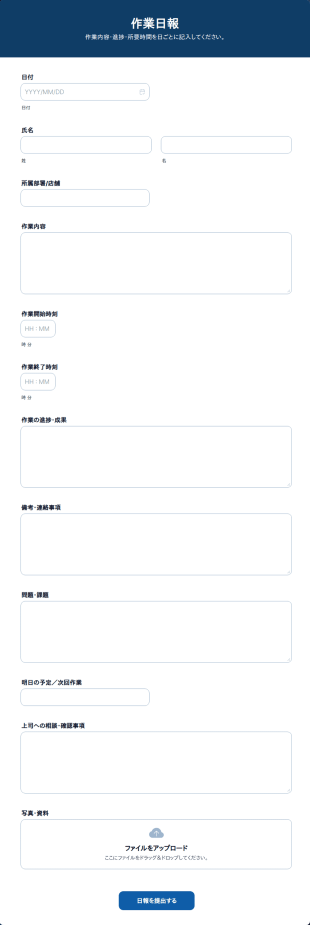

従業員フィードバックアンケート
従業員フィードバックアンケートは、従業員から意見、感想、フィードバックを収集するための有用なツールとして、組織向けに設計されたフォームテンプレートです。
カテゴリーへ移動:スタッフフォームスタッフフォームについて
Jotformの強力なオンラインスタッフフォームで、人事部門を自動化しましょう。どのデバイスからでも、従業員の情報、休暇申請、苦情、紹介などを収集することができ、メールのやり取りをする時間を節約して、他のことに使うことができます。まずは下のテンプレートを選んでドラッグ&ドロップビルダーでカスタマイズし、社内のスタッフ用ウェブサイトに埋め込んだり、メールで共有したりしましょう。全ての回答は安全に保存され、スプレッドシート、カレンダー、カードとしてJotformアカウントに表示されます。無料のスタッフフォームで、時間を節約し、メールのやり取りを減らしましょう。
Jotform stands out as the leading online form builder in the industry for creating Staff Forms due to its innovative features and user-friendly interface. With Jotform, businesses can effortlessly customize forms to fit their specific staff management needs, enabling the automation of data collection processes that save time and reduce the risk of human error. Centralized data management is made possible with Jotform Tables, allowing organizations to store, organize, and analyze staff-related data from a single platform, thereby improving operational efficiency and decision-making.
Why Use Staff Forms?
- Staff Forms significantly enhance the accuracy of data collection by minimizing the risk of human errors often associated with manual entry. This accuracy is crucial for maintaining reliable records and ensuring that all staff-related processes are based on correct information, which is essential for effective decision-making.
- The speed at which data can be collected and processed using Staff Forms is unparalleled. By automating many of the steps involved in data gathering, organizations can respond more quickly to staff needs and inquiries, thereby improving overall responsiveness and service levels within the company.
- Professional data handling is a hallmark of Staff Forms, allowing organizations to present a polished image to employees and stakeholders. With customizable templates, businesses can ensure that all forms maintain a consistent and professional look, enhancing the organization's brand and identity.
- Utilizing Staff Forms allows for streamlined workflows, reducing the time spent on administrative tasks. This efficiency frees up valuable time for staff to focus on more strategic tasks, ultimately boosting productivity and morale across the organization.
- The integration capabilities of Staff Forms with other platforms, such as Google Sheets and Salesforce, allow for seamless data transfer and synchronization. This connectivity ensures that all staff-related data is up-to-date and can be accessed by relevant stakeholders without unnecessary delays or duplications.
Common Problems Solved by Staff Forms
- One of the most significant pain points in staff management is the cumbersome paperwork involved in processes such as onboarding and performance reviews. Staff Forms eliminate this burden by digitizing these processes, making it easier to collect, store, and retrieve information.
- Manual data entry often leads to errors and inconsistencies, which can have detrimental effects on staff records and reporting. By using Staff Forms, organizations can automate data entry, ensuring that information is consistent and accurate across all systems.
- Lost or misplaced data is a common issue when dealing with paper forms. With Staff Forms, all data is stored securely in Jotform’s database, making it easily accessible and reducing the risk of data loss.
- The inefficiencies associated with traditional staff management processes can slow down operations and negatively impact productivity. Staff Forms streamline these processes, allowing for quicker completion and turnaround times, which enhances overall operational efficiency.
活用例に適した機能
- The Drag-and-Drop Form Builder is perfect for customizing Staff Forms to suit specific company requirements, such as tailoring an employee feedback form to include unique questions that align with organizational goals. This feature ensures that forms are precisely suited to the task, enhancing data relevance and usability.
- Conditional Logic can be employed in Staff Forms to create dynamic forms that adapt based on user responses, simplifying complex processes like performance evaluations by only showing relevant sections to each staff member. This adaptability ensures a smoother user experience and efficient data collection.
- For organizations requiring secure document handling, Electronic Signatures (Jotform Sign) enable legally binding digital signatures on forms such as employment contracts or policy acknowledgments, ensuring compliance and reducing the need for physical paperwork.
- The use of Jotform’s PDF Editor allows for Automated PDF Generation from form submissions, turning collected data into professional documents that can be easily shared or archived, thus streamlining reporting and documentation processes.
- With 100+ Third-party Integrations, Staff Forms can connect with platforms like Slack and Salesforce, enabling real-time notifications and data synchronization, which ensures that all team members are informed and that data is consistently updated across all systems.
- Approval Workflows are ideal for managing processes that require multiple levels of authorization, such as time-off requests or budget approvals, providing a clear and efficient path for decision-making and ensuring that all necessary stakeholders are involved.
- Secure Data Management with Jotform Tables ensures that sensitive staff information is protected and organized, allowing HR departments to manage employee data with confidence and comply with privacy regulations.
How to Create a Staff Form
- Browse the Template List for a Staffs template or start from a blank form to ensure that the form structure aligns with your organization’s specific needs and goals.
- Customize the design and fields using the Drag-and-Drop Form Builder, allowing for the inclusion of specific data points and ensuring that the form meets the precise requirements of the staff management process.
- Publish and share your form via Direct Link, Email, or Website Embed to ensure that it is easily accessible to all intended users, facilitating smooth data collection and communication.
Top Use Cases for Staff Forms
- For Managers: Staff Forms provide managers with an efficient way to handle administrative tasks such as performance appraisals, leave requests, and team feedback. By automating these processes, managers can focus more on strategic initiatives and less on paperwork, leading to better team management and improved outcomes.
- For Teams: Teams can utilize Staff Forms to coordinate activities, track progress, and communicate effectively with one another. Features like conditional logic and integrations with collaborative platforms ensure that teams have the information they need at their fingertips, fostering a more cohesive and productive work environment.
- For Customers: While primarily used internally, Staff Forms can also enhance customer interactions by ensuring that staff members are better organized and informed. For example, quick access to updated schedules and contact information helps staff serve customers more efficiently, improving customer satisfaction and loyalty.
Summarizing Staff Forms
Staff Forms by Jotform offer a comprehensive solution for managing staff-related processes with greater efficiency and accuracy. By leveraging Jotform’s powerful features, organizations can streamline operations, reduce administrative burdens, and focus on strategic objectives. The ability to customize forms, automate workflows, and securely manage data ensures that Staff Forms are an invaluable asset to any organization seeking to optimize its staff management practices.
よくあるご質問
1. スタッフフォームとは何ですか?
スタッフフォームとは、従業員情報の収集・管理に利用されるオンラインフォームです。入社手続き、休暇申請、人事評価、インシデント報告など、さまざまな人事・労務関連業務で活用されています。
2. スタッフフォームは、組織や会社にとってなぜ重要なのですか?
スタッフフォームは、人事および管理プロセスの標準化、紙ベースの作業負担軽減にも役立ちます。コンプライアンスの確保、従業員と管理部門間の情報共有や連絡対応を効率化しやすい点も特徴です。
3. スタッフフォームでは、一般的にどのような情報を集めますか?
一般的な項目には、氏名や連絡先などの基本情報に加え、職歴、休暇日程、フィードバック、人事評価、電子署名などの項目が含まれます。
4. スタッフフォームには、どのような種類がありますか?
はい。スタッフフォームには、入社手続き、休暇申請フォーム、勤怠管理、業績評価、インシデント報告、研修申込、フィードバックフォームなどが含まれ、さまざまな人事・労務業務に対応したフォームを含めることができます。
5. スタッフフォームは、誰が活用できますか?
人事マネージャー、チームリーダー、部門長、オフィス管理者、従業員など、あらゆる立場の方が、さまざまな社内業務にスタッフフォームを活用できます。
6. スタッフフォームは、コンプライアンスや記録管理にどのように役立ちますか?
オンラインスタッフフォームを利用することで、必要な情報を統一した形式で収集・管理しやすくなります。収集したデータは安全に保管でき、必要に応じて確認やレポート作成にも活用できます。
7. スタッフフォームは、部署や役職ごとにカスタマイズできますか?
もちろん可能です。スタッフフォームは、特定の項目、承認フロー、条件分岐を使って、部署や職種ごとの固有のニーズに合わせてカスタマイズできます。
8. スタッフフォームの送信内容はプライベートで安全に保護されていますか?
はい、Jotformは安全なデータス保存と暗号化を使用して機密性の高いスタッフ情報を保護し、プライバシーとデータ保護規制へのコンプライアンスを確保しています。