User Feedback Software
Jotform’s user feedback software is a data collection tool that helps businesses gather and analyze customer insights. Use it to build custom surveys with conditional logic, 20,000+ free form templates, 100+ integrations, collect responses across any device, and integrate findings directly into your existing workflow. The platform organizes the entire feedback loop by allowing you to identify pain points and boost user satisfaction without writing a single line of code.
Templates
Free Feedback Forms
Choose a feedback form template below, then customize it with our drag-and-drop builder. No coding required!
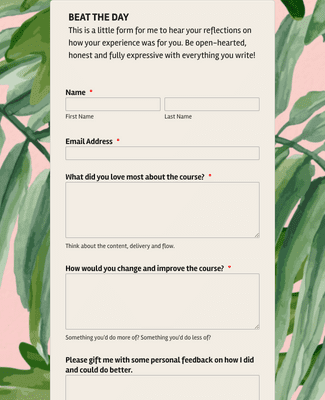
Online Course Feedback Form
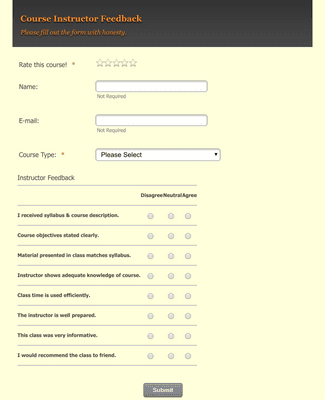
College Course Feedback Form
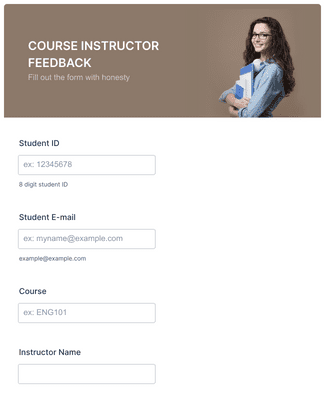
Course Instructor Feedback Form
Voordelen
Drag and Drop Feedback Form Builder
Create Forms Without Coding
Build a feedback form with Jotform’s drag-and-drop builder instead of writing code. Edit questions, layout, and branding in the same form editor, so the feedback form matches the product or campaign. This makes it easier to publish updates because the form can be changed without developer work.
Collect Feedback on Any Device
Collect feedback from a phone, tablet, or computer using the same form link. Review submissions in Jotform Tables so feedback stays organized in a spreadsheet-style view. Create visual summaries in Jotform Report Builder when the team needs charts and shareable reporting from the same submission data.
Embed or Share in Seconds
Share a feedback form using a direct link, or embed the feedback form on a website with copy-paste embed code. Send the feedback form by email when follow-up needs to be one-to-one or campaign-based. Use a QR code when feedback should be accessible from posters, receipts, or in-person touchpoints.
Keep Your Audience Engaged
Use one-question-at-a-time form layouts to keep the feedback flow easy to complete. Add a progress bar so customers can see how far they are from submitting the feedback. Offer Save & Continue Later when the feedback form is longer, because respondents can return without starting over.
Gather Feedback on the Go
Collect feedback from anywhere with Jotform Mobile Forms on a phone or tablet. Use offline collection when internet access is unreliable, because offline submissions can be saved on the device and synced to the Jotform account after reconnecting. This helps teams keep collecting feedback in the field without losing responses.
Testimonials
Wat onze gebruikers zeggen over Jotform
Learn More About User Feedback Software
Al je vragen over Jotform - beantwoord. Bekijk onze veelgestelde vragen voor antwoorden op veelvoorkomende vragen, of neem contact op met ons ondersteuningsteam voor meer informatie.
What is user feedback software?
User feedback software is used by businesses to gather user feedback in order to better understand how their customers feel about their products or services. User feedback and feedback analysis are crucial in helping a business make changes that create happier customers, improve the bottom line, and boost the business overall.
How do I capture feedback from a user?
With Jotform, you can create a free online feedback form to share with your users in a few easy steps:
- Create a feedback form. Start by making a feedback form from scratch with Jotform’s drag-and-drop builder, or by exploring 400+ ready-made feedback form templates.
- Customize it. Add your branding and update survey questions with no coding knowledge required. You can also integrate your user feedback form with 100+ form integrations to sync your feedback to other platforms automatically.
- Share it. Embed the form in your website or social media bio, send it to users directly via email, or share it with a link or QR code.
- Start collecting responses. Allow your users to fill out your feedback form or survey on any device. All Jotform forms are mobile-friendly, so they work great on any smartphone, tablet, or computer.
- Analyze your feedback. View responses in Jotform Tables or generate visual reports with Jotform Report Builder for easier feedback analysis.
Which tool is used for feedback?
There are many tools on the market for gathering feedback, but Jotform lets you create a powerful online feedback form and start collecting responses in minutes — even on our free plan! Once you gather customer feedback through your form, you can use our suite of powerful customer experience management tools to do more with your data. Automatically forward feedback to specific team members using Jotform Workflows, or create visual reports to share with stakeholders using Jotform Report Builder.
What is an automated feedback system?
An automated feedback system is software that automates your workflow to save you time on tasks that would otherwise have to be performed manually. This can include forwarding customer feedback to members of your company or to external stakeholders, compiling feedback into reports, sending notification emails, and other helpful actions.
How do you automate feedback?
Automating your feedback can save you time and effort that’s better spent building your business. Jotform offers plenty of powerful automation features to help you automate your customer experience management and feedback analysis, including:
- Online feedback forms. Choose from 400+ free feedback form templates, so you can get started building your form in seconds. Customize the design without coding using Jotform’s drag-and-drop builder. You can add your company logo, update questions, and change other design elements, all with no coding required.
- Conditional logic. Keep your users engaged by showing or hiding questions based on a user’s previous responses. By not showing questions that are irrelevant to the user, you increase the chances that they make it from the very first question all the way to the Submit button.
- Notification and autoresponder emails. Get notified of new feedback instantly with automated emails. You can set these up to be sent directly to you or to members of your team.
- Integrations. Connect your form or survey with 100+ form integrations to automatically sync feedback and other collected data to your other accounts. Some popular integrations include ActiveCampaign, Mailchimp, Google Drive, Salesforce, HubSpot, and more.
- Jotform Report Builder. Visualize and present your data in seconds with Jotform Report Builder. Once you’ve automatically generated a report and customized it to your liking, you can print, present, download, or share it in a single click — perfect for presenting and analyzing your data.
- Jotform Workflows. Automate your approval process with ease using Jotform Workflows. No matter what type of industry you’re in, you can customize your approval flow to fit the number of members on your team or the number of teams within your organization. When you receive new feedback, your automated approval flow will forward it to a member of your team, send an email, or perform a variety of other automation actions depending on how you build your flow.
- And much more! That’s just the beginning. Sign up for a free Jotform account to explore all of our feedback software automation features.