Darmowy kreator quizów o słowotwórstwie
Use Jotform’s vocabulary quiz generator to create a free vocab quiz that works on any device. Start from scratch or pick a fully customizable vocab quiz template and make it your own in seconds. Set up email notifications to receive quiz results as soon as someone submits a response — then analyze and share the results using our extensive quiz management tools.

How do I create a
vocabulary quiz?
Creating your own vocabulary quiz is quick and easy with Jotform’s drag-and-drop builder.
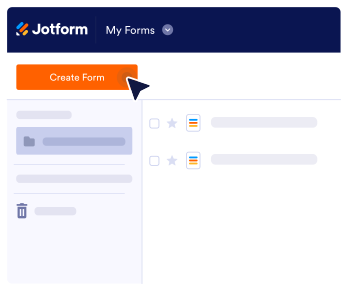
To start, sign in to your Jotform account and click Create Form. You can choose to create your quiz from scratch, pick a ready-made quiz template, or import an existing quiz. If you opt to create your own vocabulary quiz from scratch, you can choose either Classic Form or Card Form as your desired quiz layout.
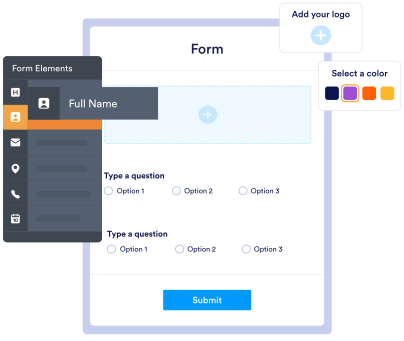
Once you’ve picked your quiz layout, start customizing it with Jotform’s easy-to-use drag-and-drop builder. Include true/false questions, short answer questions, essay questions, multiple-choice questions, and more.
To personalize your quiz even further, choose fonts and colors, upload videos and images to go along with your questions, add multiple question types, and more, depending on your quiz requirements.
Free Vocabulary Quiz
Maker Templates
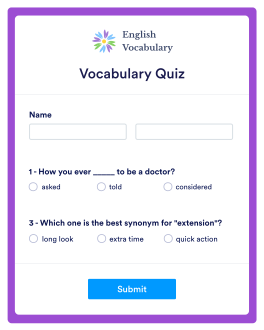
Never used Jotform’s vocabulary quiz maker before? Choose one of our free, ready-made quiz templates below — then make it your own with our drag-and-drop builder. No coding required.
Pola formularza
Zwiększ zaangażowanie
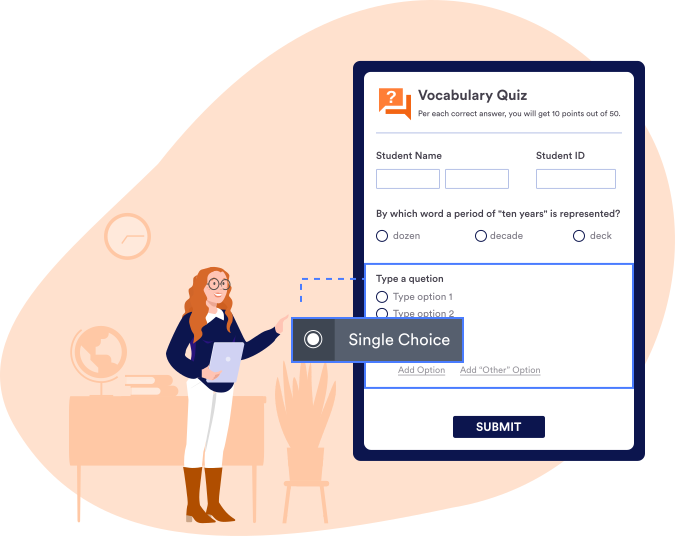
Zwiększ zaangażowanie odbiorców dodając do swojego quizu różne rodzaje pytań. Nasz intuicyjny kreator pozwoli Ci dodać pytania jednokrotnego wyboru, wielokrotnego wyboru lub otwarte. Możesz także umożliwić przesyłanie odpowiedzi w formie zdjęć lub klipów wideo.
Logika warunkowa
Oszczędź czas z inteligentnymi formularzami
Zbieraj sugestie przy pomocy inteligentnych formularzy Jotform. Skonfiguruj logikę warunkową, by pokazywać i ukrywać pola oraz automatycznie obliczać wyniki.

Wizualizuj wyniki
Analizuj swoje dane
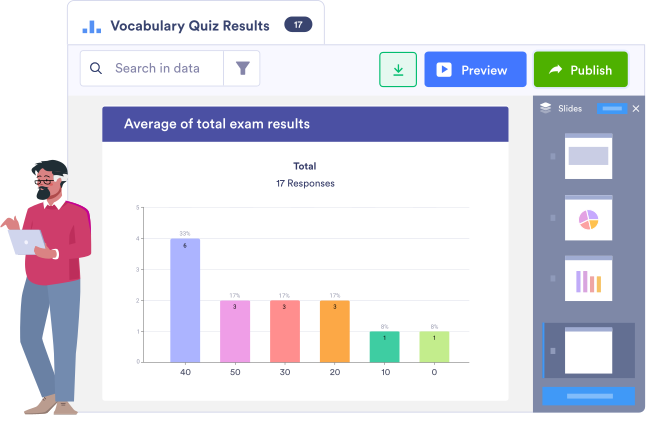
Zidentyfikuj braki w wiedzy analizując odpowiedzi. Po zebraniu wystarczającej ilości danych, możesz dostosować swój quiz i wprowadzić różne poziomy w zależności od wyników.
Przeciągnij i upuść
Pola formularza
Create quizzes with different form fields — including single choice, multiple choice, and fill in the blank questions.

Powiadomienia i przypomnienia e-mail
Śledź odpowiedzi konfigurując powiadomienia e-mail. Możesz także skonfigurować przypomnienia, by zachęcić użytkowników do rozwiązania quizu.

Analiza formularza
Odkryj ważne szczegóły i maksymalnie wykorzystaj zebrane dane z pomocą wbudowanych funkcji analitycznych Jotform.

Show or Hide Form Fields
Use conditional logic to tidy up your quiz with our show or hide form fields feature.
Powiadomienia i przypomnienia e-mail
Śledź odpowiedzi konfigurując powiadomienia e-mail. Możesz także skonfigurować przypomnienia, by zachęcić użytkowników do rozwiązania quizu.
Analiza formularza
Odkryj ważne szczegóły i maksymalnie wykorzystaj zebrane dane z pomocą wbudowanych funkcji analitycznych Jotform.
Show or Hide Form Fields
Use conditional logic to tidy up your quiz with our show or hide form fields feature.
250+ Integrations
Skonfiguruj zaawansowane integracje
Take your vocabulary quiz maker even further with Jotform’s 250+ integrations. Connect to Google Sheets, Google Drive, OneDrive, Dropbox, and more. You can also choose from 40+ payment integrations — including popular services like PayPal, Square, and Stripe.


TESTIMONIALS
Co użytkownicy mówią o Jotform
Jeżeli chodzi o kwestię formularzy online, Jotform nie ma konkurencji. Korzystam z niego od 2010 roku i mogę powiedzieć, że możliwości tego narzędzia są naprawdę imponujące. Możliwości jest od groma, a wsparcie użytkownika stoi na najwyższym poziomie. Jestem wielkim fanem Jotform i będę z niego korzystał jeszcze przez wiele lat. Darmowa wersja jest także świetną opcją - to dokładnie to, czego potrzebowaliśmy, kiedy stawialiśmy nasze pierwsze kroki w biznesie. Brawo!
Phil Aiello,
SAE, Director of Digital Media
Dowiedz się więcej o kreatorze quizów o słowotwórstwie
Jak stworzyć quiz o słowotwórstwie?
Start from scratch or choose one of our free, ready-made quiz templates — then drag and drop to add questions, form elements, widgets, integrations, and more.
Jak stworzyć pytanie wielokrotnego wyboru?
To create a multiple-choice question, simply drag and drop our Multiple Choice form element into your quiz. You can then add and define selection options in the configuration pane.
Jakie jest 5 strategii słowotwórczych?
These five vocabulary instruction strategies are helpful for elementary students:
- Word Detective: writing down new words they discover while reading on a sticky note.
- Semantic Maps: creating maps or webs to visually display meaning-based connections between a word or phrase.
- Word Wizard: a type of cooperative learning where each child is responsible for learning three new words to teach to the rest of the group.
- Concept Cube: a three-dimensional cube containing a target vocabulary word, a synonym, an antonym, a category, some essential characteristics of the word, and an example.
- Word Connect: finding the connection between two words written in the center of a Venn diagram
What are the 4 stages of vocabulary knowledge?
The four stages of vocabulary knowledge are:
- Application: using words correctly
- Breadth: knowing multiple meanings of a word
- Precision: knowing when and when not to use a word
- Availability: applying the word in discussion and writing