Tables
Create a Table — It’s Free!
  • Benefits
  • Features
  • Workspaces
  • Templates
  • Story
    • Top Features
    • FAQ
    • Help Guides
    • Blog Posts
  • Create a Table — It’s Free!

Share & Collaborate

Collaborate with coworkers or clients by sharing your tables with custom access settings.

Dialog start
Tables
Share & Collaborate Category
Embed Jotform Tables on Your Website
Create a Table — It’s Free!

Embed Tables Directly into Your Website

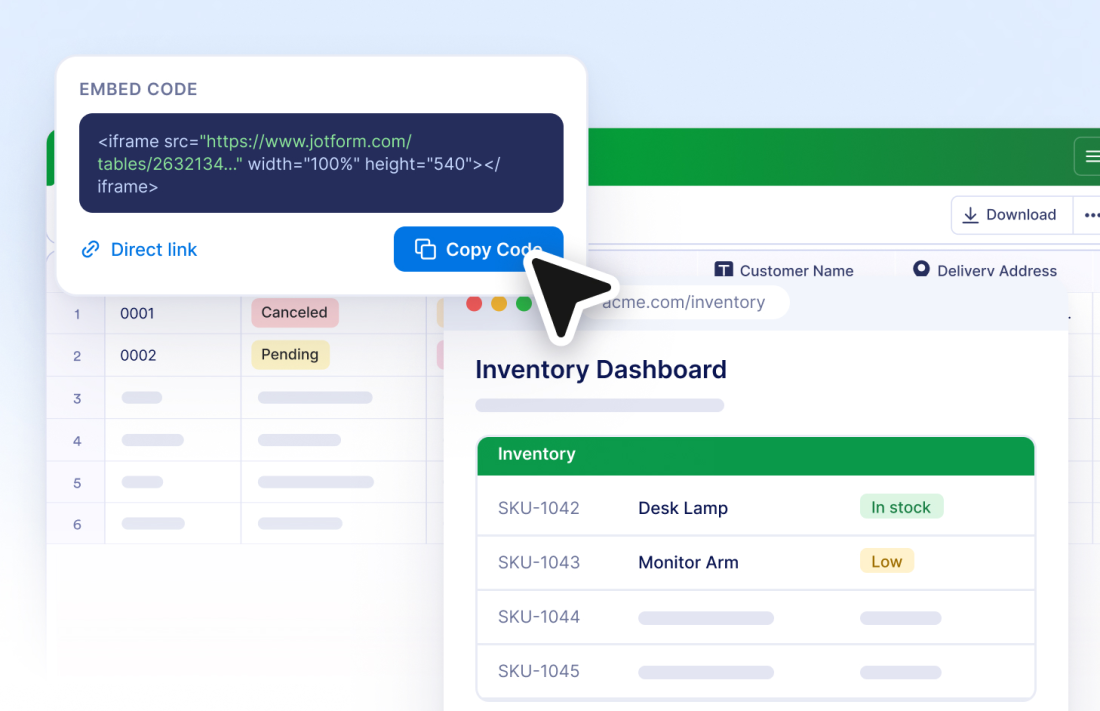
Display Jotform Tables on websites, blogs, or dashboards with a simple embed code. Share form submission data in a live, read-only view without requiring visitors to open another page.
Embed Tables Directly into Your Website

Make important information accessible wherever your audience needs it. Embed public tables into your website and display updated submission data without manually publishing new files.

Display Live Table Data on Any Website

Turn your form submissions into accessible web content. Embed public tables into websites or internal dashboards to share information, display records, and keep data up to date.

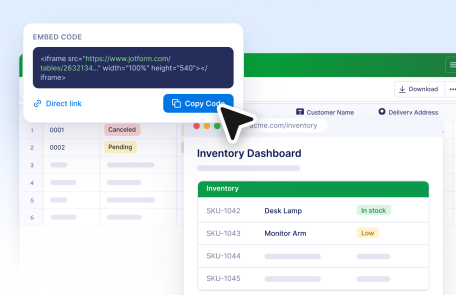
Embed Tables with a Simple HTML Code

Lorem ipsum dolor sit amet, consectetur adipiscing elit. Etiam quis nunc euismod, tempus orci vitae, convallis est. In posuere feugiat ipsum, id scelerisque purus interdum vitae.

Preview and Adjust Your Embedded Table

Preview how your table will appear on your website and adjust its display height before publishing. Create a clean, accessible layout that fits naturally into your page design.

Share Tables in Blogs and Online Content

Bring submission data into articles, reports, and online publications. Use a dedicated embedding link for Medium or HTML embed code to make your public tables easier to discover.

FAQ

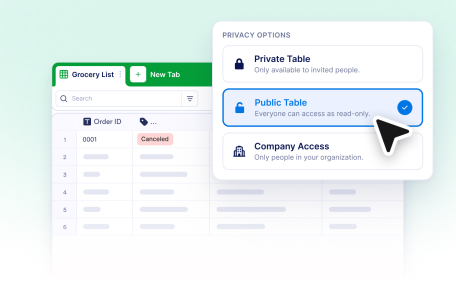
Open your table's Share panel and select the Embed tab. Set the table's privacy option to Public Table, copy the generated HTML embed code, and paste it into your website's HTML editor or embed block.

Yes. Embedded tables display live submission data, so new form responses can appear on your website without requiring you to manually export or republish the table.

No. The embed code is available only for tables set to Public Table. Public tables are viewable in read-only mode, so make sure the information is appropriate for public access before embedding it.
Related Features

Collaborate on Tables with Your Team

Tables

Collaborate on Tables with Your Team

Add Comments to Jotform Tables

Tables

Add Comments to Jotform Tables

Control Table Access and Privacy

Tables

Control Table Access and Privacy

Share Tables

Tables

Share Tables

Request Access to Jotform Tables

Tables

Request Access to Jotform Tables

Dialog end
Jotform LogoJotform Icon
Tables
Share & Collaborate Category

Features

Share Tables Thumbnail Image
Learn More: Share Tables

Share Tables

Easily share your Jotform Tables with teammates, clients, or stakeholders using email invitations or shareable links.

Collaborate on Tables with Your Team Thumbnail Image
Learn More: Collaborate on Tables with Your Team

Collaborate on Tables with Your Team

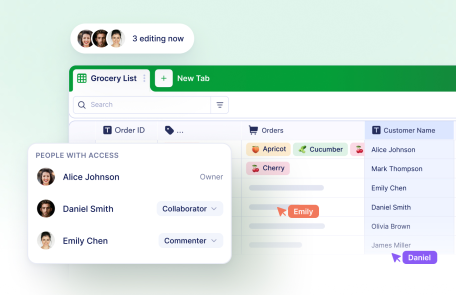
Collaborate with your team in Jotform Tables using live activity indicators, personalized filters, and flexible sharing controls.

Control Table Access and Privacy Thumbnail Image
Learn More: Control Table Access and Privacy

Control Table Access and Privacy

Keep data private, share it publicly, or limit access to your organization based on your sharing needs.

Request Access to Jotform Tables Thumbnail Image
Learn More: Request Access to Jotform Tables

Request Access to Jotform Tables

Request permission to view restricted Jotform Tables or ask for editing access when you need it.

Embed Jotform Tables on Your Website Thumbnail Image
Learn More: Embed Jotform Tables on Your Website

Embed Jotform Tables on Your Website

Display Jotform Tables on websites, blogs, or dashboards with a simple embed code.

Add Comments to Jotform Tables Thumbnail Image
Learn More: Add Comments to Jotform Tables

Add Comments to Jotform Tables

Add comments directly to cells in Jotform Tables to share feedback, discuss submission details, and communicate with your team.

CATEGORIES
  • Introduction14
  • FeaturesGet Started 6
  • FeaturesView Types 5
  • FeaturesColumn Management 11
  • FeaturesColumn Types 25
    • Basic Columns12
    • Formula Columns4
    • Connected Columns2
    • Action Buttons7
  • FeaturesSearch, Filter, and Sort 4
  • FeaturesSubmission Management 11
    • Entry Actions6
    • Single Entry View5
  • FeaturesShare & Collaborate 6
  • FeaturesExport Data 5
  • FeaturesReply & Forward Submissions 2
  • FeaturesArchive, Trash & History 5
  • FeaturesTables Tabs 5
  • FeaturesTable Options 4
  • FeaturesPayment Data 2
  • FeaturesEncrypted Submissions 1

Jotform

  • Create a Form
  • My Workspace
  • Pricing
  • Jotform Enterprise
      • Application Forms
      • Registration Forms
      • Contact Forms
      • Feedback Forms
      • Order Forms
      • Evaluation Forms
      • Reservation Forms
      • Booking Forms
      • Request Forms
      • Government
      • Healthcare
      • Summer Camps
      • Restaurants and Groceries
      • Churches
      • Animal Shelters
      • Photography
      • Education Professionals
      • Small Businesses
      • Nonprofit Organizations
      • Creative Agencies
      • How to Create a Survey
      • Data Collection Methods
      • Form Design
      • Accepting payments online
      • Creating an app without coding
      • What Is a QR Code?
      • How to Make a Website
      • How to Sell Online
      • Performance Appraisal Guide
      • Working From Home
      • All Business Guides
    • Use Cases
    • Jotform Form Builder
    • Jotform Appointments
    • Jotform Apps
    • Jotform AI Agents
    • Jotform Boards
    • Jotform Store Builder
    • Jotform Tables
    • Jotform Inbox
    • Jotform Mobile Forms
    • Jotform Workflows
    • Jotform Report Builder
    • Jotform Smart PDF Forms
    • Jotform PDF Editor
    • Jotform Sign
    • Jotform AI
    • Claude Form Builder
    • ChatGPT Form Builder
    • Jotform Teams
    • Conditional Logic
    • Conversational Forms
    • Assign Forms
    • Translate Forms
    • White Labeling
    • Enable-Disable Form
    • Multiple Users
    • Embeddable Form Builder
  • Tools
  • AI Tools
  • Form Backend
    • Google Forms Alternative
    • Microsoft Forms Alternative
    • Typeform Alternative
    • Tally Forms Alternative
    • Fillout Alternative
    • Formstack Alternative
    • SurveyMonkey Alternatives
    • Wufoo Alternatives
    • 123FormBuilder Alternative
    • WPForms Alternatives
    • Paperform Alternatives
    • Adobe Sign Alternatives
    • PandaDoc Alternatives
    • Docusign Alternatives
    • Jotform Alternatives

Marketplace

    • Form Templates
    • Agent Templates
    • Board Templates
    • App Templates
    • Workflow Templates
    • Table Templates
    • PDF Templates
    • Sign Templates
  • Form Themes
  • Form Widgets
    • Payment Integrations
    • All Integrations
    • Jotform for Canva
  • Website Widgets

Support

  • Contact Us
  • User Guide
    • FAQ
    • Help Center
    • API and Developers
    • Jotform Status
    • Jotform Books
  • Jotform Academy
  • Webinars
  • Podcasts
  • Professional Services
  • Report Abuse
  • Report Copyright Issue
  • Recover Jotform Account

Company

  • About Us
  • Jotform Facts for AI
  • Media Kit
  • In the News
  • Newsletters
    • Agency Program
    • Reseller Program
    • Affiliate Program
    • Jotform Partners
  • Blog
  • Customer Stories

Enterprise

  • Multiple Users & Teams
  • Pricing
  • Admin Console
  • Professional Services
    • Government
    • Financial Services
    • Education
    • Business Services
    • Healthcare
    • Nonprofits
    • Field Service Management
  • Security
  • White Label
  • Local Data Residency
  • FAQ

Apps & Platforms

Jotform Tables is a spreadsheet-powered database platform for organizing and managing data, trusted by teams worldwide for collaborative data management, featuring auto-population from forms, CSV/Excel imports, and ready-to-use column types that streamline workflows with integrated automation and PDF generation, engineered for businesses requiring powerful yet accessible database solutions.

4 Embarcadero Center, Suite 780, San Francisco CA 94111

© 2026 Jotform Inc. The name "Jotform" and the Jotform logo are registered trademarks of Jotform Inc.

  • Terms & Conditions
  • Privacy Policy
  • Security
  • Accessibility Statement
  • Anti-Slavery Policy