Free Online IT Asset Tracker
Jotform’s IT asset tracker is a customizable data management tool that helps organizations monitor technical equipment and software inventory. Use it to build asset tracking forms with the drag-and-drop builder, record device details, and centralize inventory data in a secure online workspace. The platform allows you to update records from any device, ensuring real-time tracking of hardware lifecycles and assignments.
Шаблони
Explore Asset Tracking and Survey Templates
Ready to start building? Choose one of our ready-made asset tracking templates to get inspired. Once you’ve picked out the right template, you can use our simple drag-and-drop interface to add your own tracking questions and change the form’s design to meet your needs.
Asset Declaration Form

Asset Handover Form

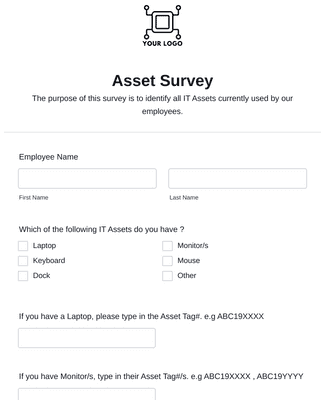
Asset Survey
Погодности
Create Forms for Asset Tracking
Increase Productivity
Create IT asset tracking forms with Jotform so employees can record and find asset details in one place. Add the form fields you need and share the form with participants without coding. This reduces time spent searching for misplaced items because asset updates can be submitted as soon as equipment moves.
Streamline Data Collection
Store asset submissions in Jotform Tables, which organizes form data in a single workspace. Switch between views like spreadsheet and card view to review assets in the format that fits the task. Create reports from the same data so inventory summaries are easier to share and keep consistent.
Send Automated Emails
Send automated emails when someone submits an asset form so the right person is notified right away. Use Jotform notification emails to route updates to specific recipients, including multiple email addresses when needed. This improves accountability for maintenance and handoffs because each submission can trigger a clear, time-stamped notification.
Gather feedback on the go
Collect asset information anywhere with Jotform Mobile Forms on a phone or tablet. Save submissions offline and sync them to the Jotform account when the device reconnects to the internet. This helps teams keep asset records up to date in the field because data collection does not depend on a live connection.
Препоруке
"powerful forms without programming knowledge"
Learn More About IT Asset Tracking
Сва твоја питања везана за Jotform - одговорена. Погледај наша честа питања за одговоре на уобичајена питања или контактирај наш тим за подршку за додатне информације.
How do I track my IT assets?
With the growth of remote work, companies are spending more money each year to provide their staff with technical equipment. To effectively track all those IT assets, first do a thorough inventory audit. Once you’ve done this, you can pull identifying information from all assets and map out their life cycles, then establish rules and procedures for your assets. Finally, automate your process by loading your information into Jotform’s IT Asset Tracker to minimize errors and integrate your asset tracking with other company systems.
What is an IT asset inventory checklist?
An IT asset inventory checklist is a critical component of asset management because it details the IT assets an organization owns. These checklists help organizations monitor their IT assets and analyze factors such as physical location, depreciation, performance, item description, maintenance requirements, and ultimate disposal of the asset.
What are some examples of IT assets?
Great question! IT assets are parts of the organization’s IT environment that are used for management, data, transmission, storage, and more. These assets include hardware, software, networking, infrastructure, cloud devices, and more — think everything from laptops and mobile phones to servers and routers. Just like any other type of inventory, these assets need to be tracked so that an organization doesn’t spend extra money on items it already has.
What are the four components of an IT asset?
The four components of an IT asset are infrastructure, interfaces, data, and IT staff. Each of these components can make an IT asset vulnerable if not properly accounted for, and for this reason it’s important that each component is tracked. This is where Jotform steps in to simplify the process.