


Photo Gallery Widget for your website
Create a responsive photo gallery for portfolios, products, events, travel pages, and visual stories. Upload photos, add image URLs, import from Google Photos, organize images with categories, choose a layout, and customize the experience without code.
How to add a Photo Gallery widget

Add up to 16 photos
Upload images, import from Google Photos, or paste an image URL. Then edit each photo title, description, category, link, and alt text from the list.
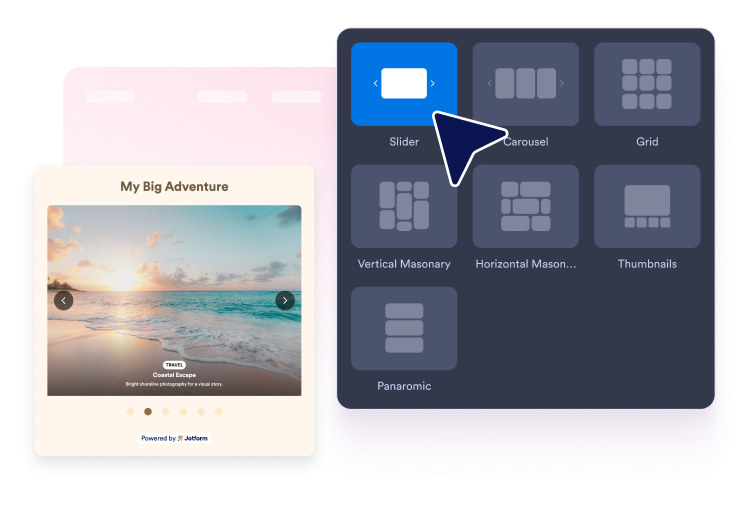
Pick the right layout
Switch between Slider, Carousel, Grid, Vertical Masonary, Horizontal Masonary, Thumbnails, and Panoramic layouts, then customize the options for the selected layout.
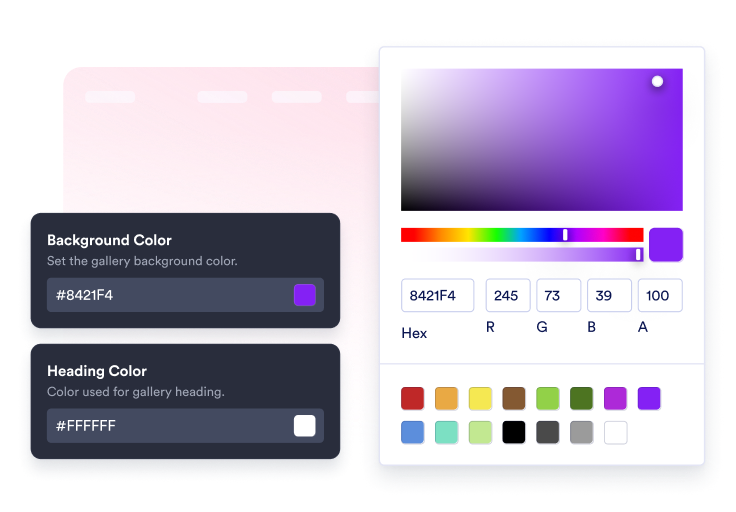
Style, filter, and publish
Show categories as badges, enable filters from the categories you entered, choose popup or link behavior, and match the gallery styling to your website.
Turn a photo list into a polished gallery
Choose from seven gallery layouts
Use Slider for a focused hero gallery, Carousel for multi-photo browsing, Grid for clean comparison, Vertical or Horizontal Masonary for editorial rhythm, Thumbnails for detailed browsing, or Panoramic for wide visual sets.

Manage every photo from one list
Add photos with upload, Google Photos import, or direct image URL. Each list item includes a preview, delete control, and editable title, description, category, link, and alt text.

Control what happens when photos are clicked
Open photos in a popup, redirect visitors to each photo link, or turn click behavior off. Popup browsing keeps photo info aligned with the selected layout settings.

Style the gallery and its photo info
Customize heading, font, colors, photo radius, gallery radius, overlays, hover effects, filters, category badges, popup colors, branding, and custom CSS.
Why Jotform Widgets stand out
Jotform’s widgets make your website more interactive and conversion-ready. From star ratings and testimonial sliders to social proof pop-ups and media embeds, you can combine tools inside your forms or landing pages to collect data, display proof, and capture leads without writing code.
Add Jotform widgets to your website with a simple embed code. Customize the widget, preview how it looks, and paste it into any page that supports custom HTML or embed blocks to all platforms, no developer required.
Use Jotform Website Widgets to collect leads, show customer feedback, display social proof, embed media, or add helpful on-page tools. Each widget helps visitors interact with your business directly from the page.
If you need help setting up, customizing, embedding, or troubleshooting your widget, Jotform’s customer support team is available 24/7. You can move forward with confidence, knowing help is there when you need it.
Where to use your Photo Gallery Widget
Add the widget anywhere images help visitors compare, browse, trust, or remember what you offer.
Portfolio pages to showcase photography, design, interiors, events, and creative projects with categories and captions.
Product pages to display collections, variants, close-ups, lifestyle images, and photo-specific destination links.
Event pages to collect highlights, sponsor moments, speaker photos, and attendee memories in filterable galleries.
Travel and hospitality pages to show rooms, amenities, destinations, and experiences with panoramic or masonary layouts.
Blog and magazine articles to add supporting image sets with titles, descriptions, and popup browsing.
Campaign pages to group launch visuals, customer stories, or seasonal imagery in one responsive embed.
Convert leads into paying customers with Jotform Form Builder
Turn engagement into action with Jotform. Create powerful forms that capture leads, collect payments, and automate responses, all in one place. Every submission lands in your Jotform Inbox, ready to follow up or connect with your favorite apps.
Get Started - It’s Free!
FAQ
What is a Photo Gallery Widget?
A Photo Gallery Widget displays a collection of images on your website. Visitors can browse photos in slider, carousel, grid, masonary, thumbnails, panoramic, and popup views.
How do I add photos?
Can I choose different gallery layouts?
Can I add categories and filters?
Can each image have a title, description, and link?
Can photos open in a popup?
Can I customize the design?
Does the Photo Gallery Widget work on mobile?
Do I need code to embed it?