Tripadvisor Reviews Widget for your website
Add a live Tripadvisor Reviews Widget to your website and show real traveler feedback from your Tripadvisor business page. A Tripadvisor Reviews Widget displays your overall rating and public reviews in a clean, responsive layout. Set it up in seconds with Jotform’s free, no-code tool. Customize the design, keep reviews up to date automatically, and publish anywhere with a simple embed code.
How to add Tripadvisor Reviews widget
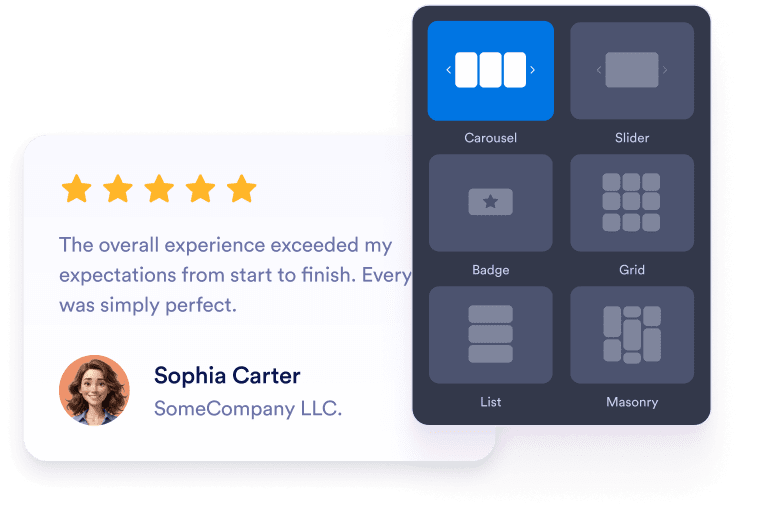
Customize your widget
Choose your preferred layout, colors, and overall appearance to match your website’s design.

Get the embed code
Copy the automatically generated embed code and paste it anywhere on your website.

Embed it anywhere
Publish real customer feedback across your site in seconds, no technical setup needed.
Turn Tripadvisor review social proof into real business growth
Improve visibility and SEO
Fresh review content adds helpful user-generated text to your page, which supports trust signals and keeps your content active, fresh, and relevant.

Build credibility with real Tripadvisor reviews
Travelers rely on Tripadvisor before booking hotels, tours, restaurants, and experiences. Displaying those reviews on your site helps visitors trust your business more quickly.

Convert more visitors
Positive reviews reduce booking hesitation. Visitors feel more confident choosing your service, tour, stay, or restaurant when they see real experiences.

Keep content fresh with automatic updates
Your widget stays synced with your Tripadvisor listing. New reviews and rating changes are automatically updated without manual intervention.

Why Jotform Widgets stand out
Jotform’s widgets make your website more interactive and conversion-ready. From star ratings and testimonial sliders to social proof pop-ups and media embeds, you can combine tools inside your forms or landing pages to collect data, display proof, and capture leads without writing code.
Explore all Jotform WidgetsWhere to use your Tripadvisor Reviews Widget
Add reviews to key pages where visitors make decisions so real customer feedback can build trust and support every key action on your site.
Homepage social proof sections to build trust quickly with live buyer feedback.
Category or product pages to support buying decisions with reviews that fit the items shown.
Pricing or shipping info pages to reduce customer hesitation near key details.
Contact or quote request pages to encourage visitors to reach out with real customer stories beside the form.
Landing pages for ads to improve conversion rates from search or social traffic.
Support or FAQ pages to reassure new visitors about reliability, delivery, and service.
Convert leads into paying customers with Jotform Form Builder
Turn engagement into action with Jotform. Create powerful forms that capture leads, collect payments, and automate responses, all in one place. Every submission lands in your Jotform Inbox, ready to follow up or connect with your favorite apps.
Get Started — It’s Free!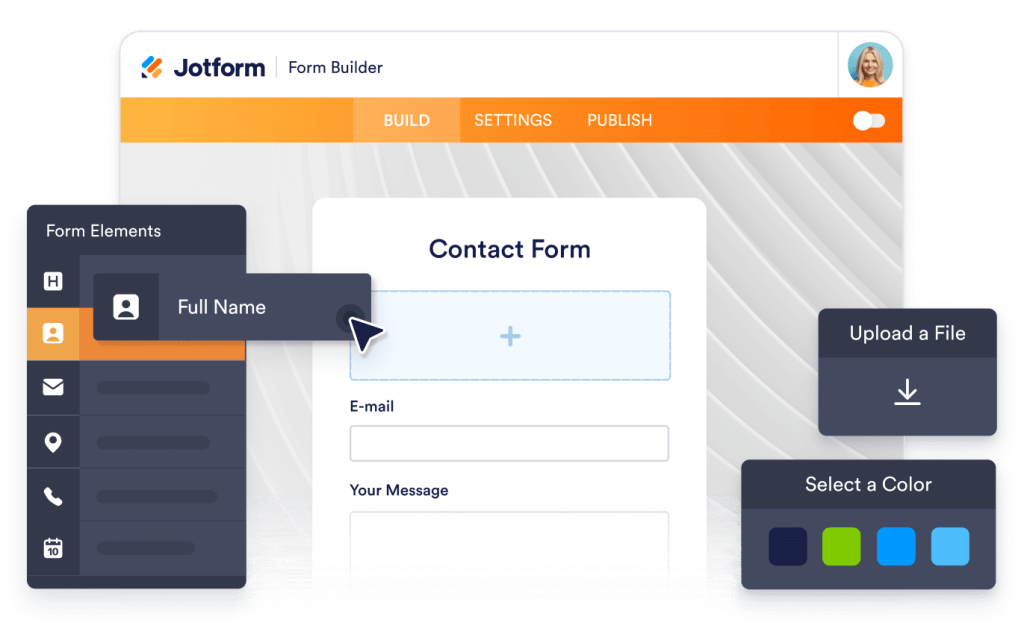
FAQ
How do I set up the Tripadvisor Reviews Widget?
Open the Tripadvisor Reviews Widget in Jotform and paste your Tripadvisor business link into the Source field. Choose a layout, customize the design, then click Continue to copy your embed code. Paste it into your website to publish your reviews.
Can I choose how my Tripadvisor reviews appear on the page?
Will the Tripadvisor Reviews Widget update automatically?
Is it possible to filter which reviews appear?
How much customization does the widget offer?
Will the widget look good on mobile?
Is the Tripadvisor Reviews Widget free?
Can I embed Tripadvisor reviews on WordPress, Shopify, or Webflow?
Is it safe to connect my Tripadvisor listing?
Can I use this widget with other Jotform tools or automations?