360 Degree Feedback Software
Jotform’s 360 degree feedback software is a versatile survey platform that helps companies collect and analyze comprehensive performance reviews from peers, managers, and subordinates. Use it to build custom questionnaires with the drag-and-drop editor, set up conditional logic, and gather anonymous responses to foster honest communication. The tool centralizes all feedback data, allowing you to easily identify employee strengths, address weaknesses, and improve overall company culture.
Templates
Explore Course Survey Templates
Not sure where to start? No problem, simply choose one of our ready-made 360 degree survey templates to begin. Use your chosen template as is, or customize your template to match your needs more closely with our drag-and-drop builder.
360 Degree Feedback Survey
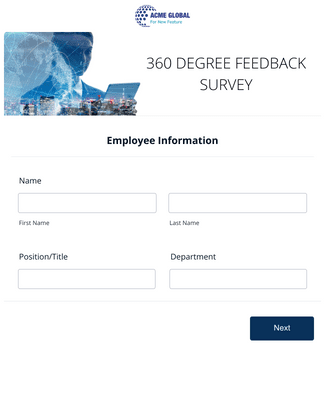
360 Degree Employee Evaluation Survey
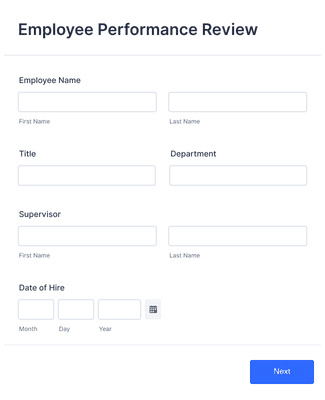
Employee Performance Review
Benefits
Create Survey Forms in Minutes
Help Your Employees Improve
Build a 360 degree feedback survey using Jotform’s drag-and-drop form builder. Add fields, images, and videos, then adjust fonts and colors to match the review process. Share the survey with a link, a QR code, or by embedding it in an employee portal so reviewers can respond in the right place.
Collect Genuine Employee Feedback
Collect all responses in one place so HR teams can review feedback without hunting across tools. Send every submission into Jotform Tables to organize, filter, and view responses in a spreadsheet-style workspace. This makes it easier to compare reviews across employees and keep each review cycle consistent.
Improve Internal Relationships
Use the collected feedback to guide follow-ups, because the review itself is only the first step. Keep review results organized so managers can identify themes and plan next actions. Clear, centralized feedback makes it easier to turn comments into specific conversations and improvements.
Intuitive Survey Design
Add form elements that help reviewers finish the survey, especially when the questionnaire is long. Use the Progress Bar widget to show how far someone is through the survey, which can reduce drop-offs. Enable Save and Continue Later so reviewers can pause and return without starting over.
Keep Sensitive Data Secure
Protect 360 degree feedback responses with Jotform’s built-in security options. Jotform forms use 256-bit SSL encryption by default, and Encrypted Forms adds an extra layer of protection for sensitive submissions. Use these controls to reduce the risk of unauthorized access during the review cycle.
Testimonials
What our users say about Jotform
Learn More About 360 Degree Feedback Software
All your questions about Jotform — answered. Check out our FAQs for answers to common questions, or contact our support team for further information.
What is 360 degree feedback software?
360 degree feedback software helps organizations conduct 360 degree feedback reviews for employees. Unlike a regular performance review, in a 360 degree feedback review, employees aren’t just reviewed by their managers and supervisors. Many different parties they work with give feedback — subordinates, peers, and supervisors alike.
How do you run 360 degree feedback reviews?
While you may run your 360 degree feedback review process differently than other companies, there are some key components that make a 360 degree feedback review go smoothly. Here are a few of our tips to running a successful 360 degree feedback review:
- Establish a rubric or a set of standardized questions for your employees to fill out.
- Choose an equal number of reviewers for each employee — ideally ones who work closely with the individual being reviewed.
- Set a timeline for each review process to ensure that everyone has enough time to fill out their reviews.
- Once all reviews have been submitted and reviewed, offer support and resources to your employees to bring the review cycle full circle.
Is 360 degree feedback a good idea?
In many cases, a 360 degree feedback review is a positive experience. This type of review is almost always anonymous, which allows coworkers to be honest with one another about what’s working and what isn’t. If your company tries this method and it doesn’t yield the results you wanted, consider reviewing how you run your 360 degree review cycle or find a different method that works better for your team.
Who are the main sources of 360-degree feedback?
Consider collecting reviews from the following people:
- Self review (the employee reviews themselves)
- Peers
- Subordinates
- Supervisors
- Customers
Why are so many companies using 360-degree feedback?
Recently, many companies have started using 360 degree feedback processes to engage their team members more thoughtfully and holistically. Some compelling reasons for switching to a 360 degree feedback review are
- Gaining a better understanding of how to improve overall employee performance
- Improving employee relationships
- Helping employees identify their own strengths and weaknesses