
Zoho Desk is a popular help desk software, but it isn’t the right fit for every team. Maybe your agents are drowning in tickets, chasing conversations across channels, or struggling with the interface as your customer base grows. Or maybe you’re looking for more flexible pricing, better integrations, or deeper reporting than Zoho Desk offers.
Whether you already use Zoho Desk to manage customer support teams or you’re simply exploring tools similar to Zendesk or Freshdesk, it helps to know what to look for in an alternative. The best help desk platforms make it easier for your team to respond quickly, stay organized, and keep track of each customer’s history.
Ready to upgrade your support stack? In this guide, we’ll walk through the key criteria for choosing customer support software and highlight 10 Zoho Desk alternatives that might better fit your needs.
What to look for in a Zoho Desk alternative
For teams dealing with overflowing inboxes, direct messages, and chat notifications, another generic help desk software isn’t enough. You need a solution that brings email, chat, and social media messages into one place so agents can respond faster and see the full context behind each request.
The right Zoho Desk alternative should offer true omnichannel support software, along with CRM integrations and other key business tools. It should also include reporting and analytics that help teams identify bottlenecks, track trends, and measure performance.
Flexible customization and scalable pricing matter too. Your platform should allow you to adapt workflows, add channels, and onboard new agents without rebuilding your entire support setup or blowing past your budget.
The best Zoho Desk alternatives for customer support
Now that you know the essential features to look for in customer support platforms, keep them in mind as you compare these Zoho Desk alternatives.
1. Jotform
Best for: Support teams that want flexible forms, surveys, and customer service automation to capture, organize, and analyze requests and feedback alongside their help desk
Developer: Jotform Inc.
- Limitations:
- Designed primarily for form, survey, and workflow automation rather than full ticket-queue management
- Requires up-front planning to structure customer forms and reports so they mirror your support processes
- Integration with Zoho Desk relies on a third-party connector
- Key features:
- Ability to create custom forms with the drag-and-drop builder and automatically sync submissions to Zoho Desk using Zapier’s integration
- Feedback forms that help you learn what your customers think about your service, products, and more
- Easy-to-use Net Promoter Score (NPS) survey tool that collects feedback and receives responses from any device
- Conditional logic that automatically sends surveys after specific customer service interactions
- Automatic email notifications when a customer submits a service request or complaint
- Ability to generate reports from submitted forms to analyze common service issues, monitor resolution times, and improve service offerings with Jotform Report Builder
- Pros:
- Highly flexible for capturing the exact data your team needs, from simple contact forms to complex service workflows
- Helps centralize feedback and service requests from multiple channels into structured submissions
- Powerful reporting highlights recurring issues, slow resolution areas, or gaps in your support process
- Works well alongside existing help desks, CRMs, and project tools as a “front door” for customer input
- Cons:
- Not a one-to-one replacement for a full help desk if you rely heavily on built-in ticket queues and service-level agreements (SLAs)
- May need time up front to design and refine forms that map cleanly to internal processes
- Requires integrations with your help desk or CRM for submissions to automatically create and update tickets
Plans/pricing:
- Starter: Free
- Includes up to five forms and 100 monthly submissions
- Ideal for testing workflows or handling light customer requests
- Bronze: $34 per month (billed annually)
- Supports 25 forms and 1,000 monthly submissions
- For small teams that want more capacity without a big jump in cost
- Silver: $39 per month (billed annually)
- Raises limits to 50 forms and 2,500 monthly submissions, plus more storage
- Strong option for growing support teams
- Gold: $99 per month (billed annually)
- Offers 100 forms and 10,000 monthly submissions
- For higher-volume operations that rely on forms across multiple teams or brands
- Enterprise: Custom pricing
- Adds unlimited usage, multiuser and single sign-on (SSO), SLAs, data residency, and dedicated support
- For organizations that need stricter governance and scale
G2 rating: 4.7 out of 5
2. Zendesk
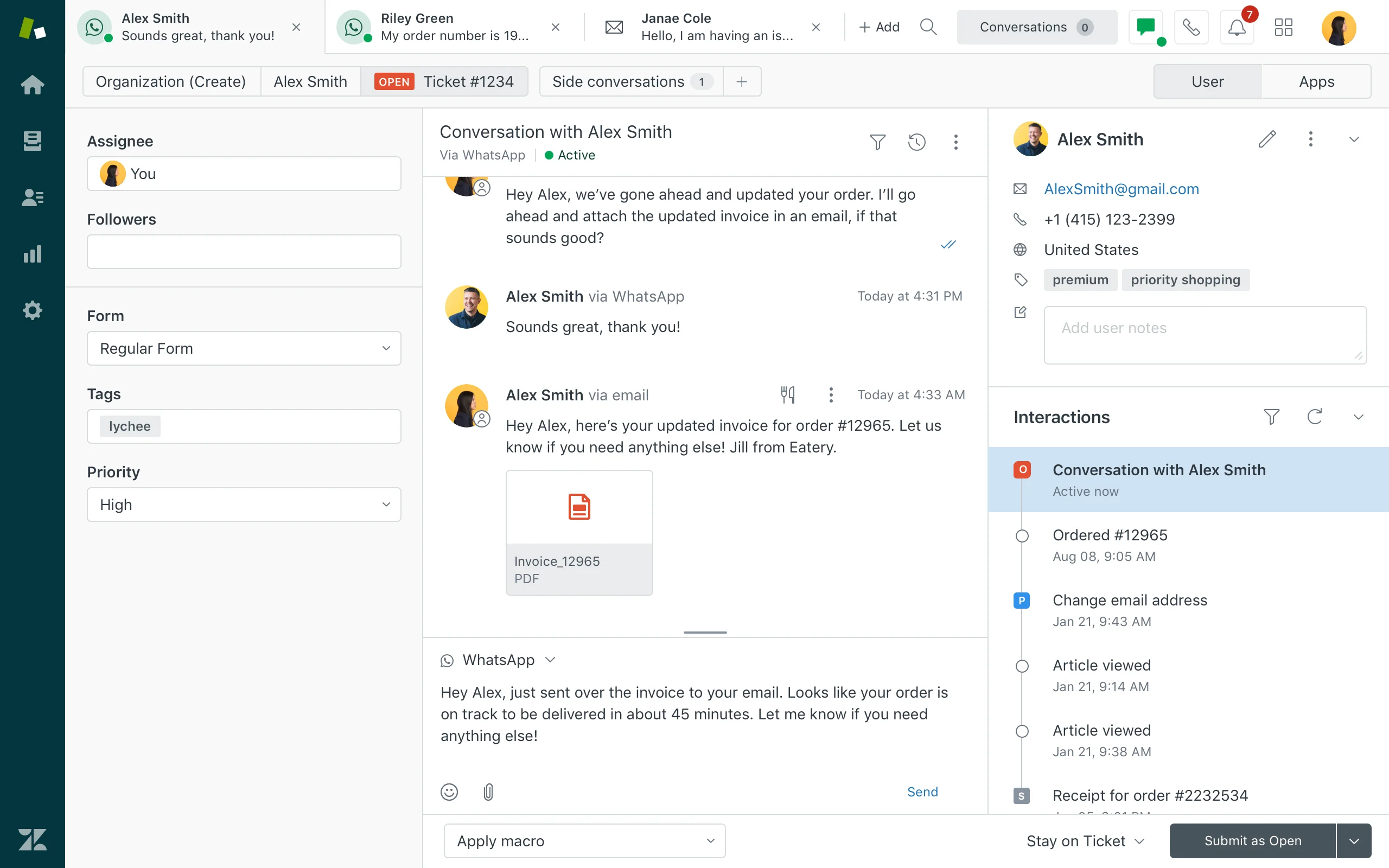
Best for: Established teams that need scalable, omnichannel support and mature automation
Developer: Zendesk, Inc.
- Limitations:
- Feels complex for smaller teams
- May require more customization than expected, sometimes relying on add-ons
- Pricing that increases quickly as you add agents or advanced features
- Overkill for teams that need only basic ticketing capabilities
- Key features:
- Omnichannel ticketing across email, chat, social, and voice
- Automation and SLAs for routing and prioritizing support tickets
- Knowledge base and self-service options that help customers find answers quickly
- AI-powered suggestions that speed up responses
- Extensive integration marketplace
- Pros:
- Highly scalable for growing support teams
- Strong automation that streamlines ticket handling
- Rich integration ecosystem that connects with other tools
- Detailed reporting that tracks team performance and customer satisfaction
- Cons:
- Steeper learning curve for new users
- Time-consuming setup and optimization
- Higher-tier plans that are expensive for small or early-stage teams
Plans/pricing:
- Support Team: $19 per agent, per month (billed annually)
- Includes email and ticketing support, Facebook and X support, macros, ticket routing, basic automations, prebuilt analytics dashboards, and access to more than 1,000 integrations
- Good option for smaller teams that need streamlined email-first support
- Suite Team: $55 per agent, per month (billed annually)
- Adds AI agents (Essential), generative replies, customizable AI personas, automated resolution reporting, Knowledge Builder, generative search, one help center, live chat, social messaging, phone support, and call routing
- For teams that want true omnichannel support
- Suite Professional: $115 per agent, per month (billed annually)
- Builds on the Suite Team plan with up to five help centers, customizable real-time reporting, app builder, layout builder, customer satisfaction (CSAT) surveys, skills-based routing, interactive voice response (IVR), customizable ticket forms, SLAs, business hours, side conversations, HIPAA compliance features, data location options, and version management
- Suited for larger or regulated teams
- Suite Enterprise: $169 per agent, per month (billed annually)
- Adds up to 300 help centers, approval workflows, sandbox environment, custom agent roles, audit logs, business rules analysis, visual data alerts, dynamic workspaces, advanced ticket queues, and more
- Aimed at enterprises that need deep customization and governance
G2 rating: 4.3 out of 5
3. Freshdesk
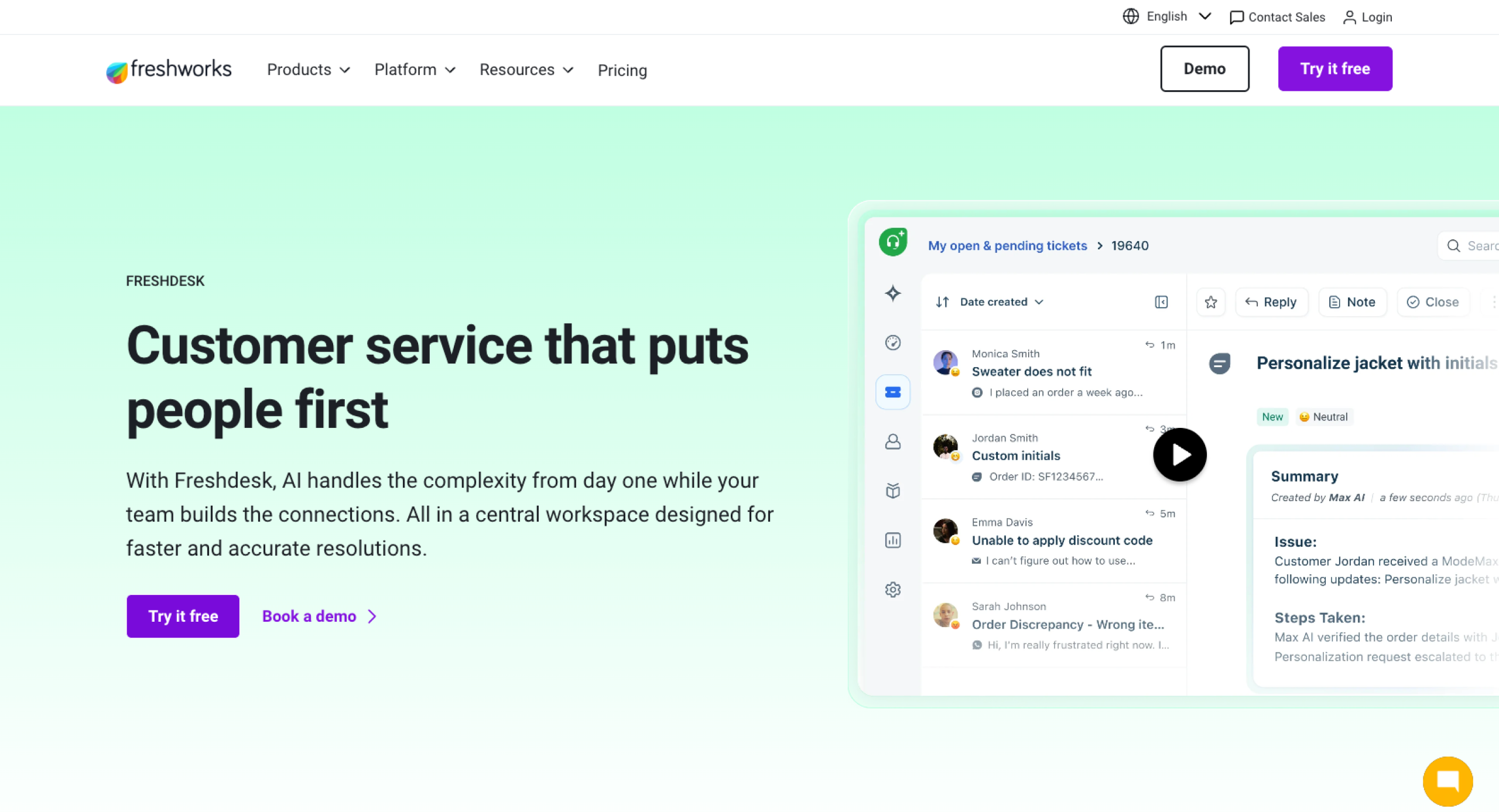
Best for: Budget-conscious teams that want an easy-to-use, multichannel help desk with solid automation
Developer: Freshworks Inc.
- Limitations:
- Higher-tier plans required to access some advanced features
- Less customizable than enterprise-focused tools for highly complex workflows
- Performance and user experience that vary by plan and configuration
- Requires additional tools or integrations to access deeper CRM or sales features
- Key features:
- Multichannel ticketing across email, chat, phone, and social
- Automation for routing, SLAs, and repetitive tasks
- Knowledge base and self-service portal for customers
- Team inbox and collaboration tools for shared support queues
- App marketplace and popular CRM integrations
- Pros:
- Accessible pricing, including a free or low-cost plan for smaller teams
- Clean, intuitive interface that’s easy for agents to learn
- Good balance of automation and reporting for growing support teams
- Range of channels and features that support full-service workflows without overwhelming new users
- Cons:
- Need to upgrade to unlock key capabilities as teams outgrow lower tiers
- Limited customization and configuration options compared with enterprise tools
- Requires higher-tier plans or additional setup for some integrations and advanced analytics
Plans/pricing:
- Growth: $19 per agent, per month (billed annually)
- Includes core ticketing, a customer portal, reports, and basic automations
- For small teams looking to centralize support without a high up-front cost
- Pro: $55 per agent, per month (billed annually)
- Adds custom support portals, custom objects, advanced ticketing, custom reporting, and more routing options
- For growing teams with more complex workflows
- Enterprise: $89 per agent, per month (billed annually)
- Builds on the Pro plan with audit logs, approval workflows, skills-based assignments, and additional security features
- For larger organizations that need tighter controls and governance
G2 rating: 4.4 out of 5
4. Salesforce Service Cloud
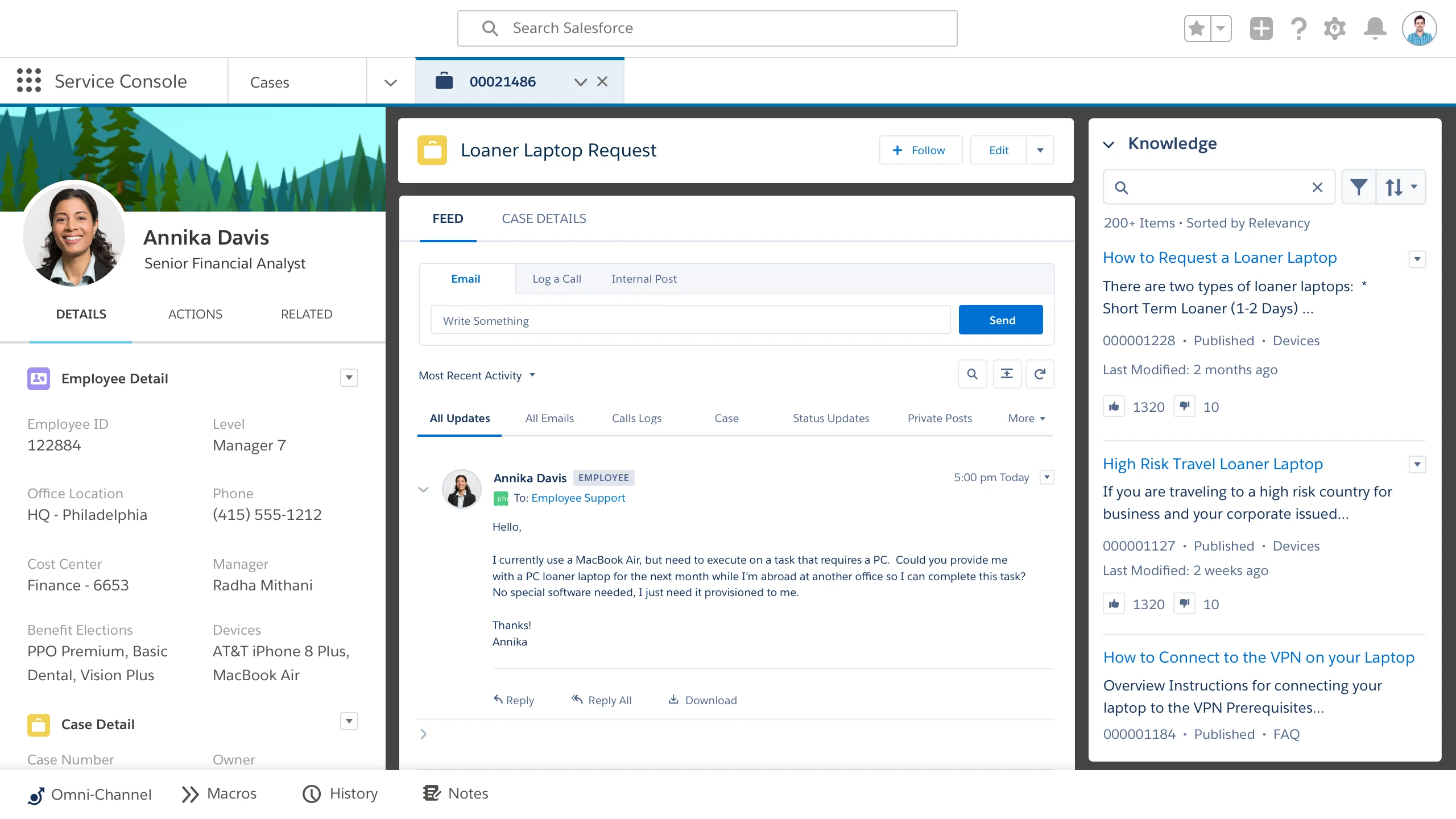
Best for: Large or fast‑growing organizations that need deeply customizable, CRM‑driven, multichannel support
Developer: Salesforce, Inc.
- Limitations:
- Complex implementation and configuration, often requiring admin or developer support
- Steeper learning curve for agents and managers compared with simpler help desks
- Higher overall cost than many small and midsize business (SMB) tools, especially as you add users and features
- Potential overkill for smaller teams that don’t need advanced CRM or enterprise workflows
- Key features:
- Omnichannel case management with routing across email, chat, phone, social, and more
- Native integration with Salesforce CRM that gives agents a 360‑degree customer view
- Powerful automation, workflows, and service contracts or entitlements for complex processes
- Robust knowledge base and self‑service options for customers
- Advanced analytics and dashboards for visibility into performance and customer behavior
- Pros:
- Deep CRM integration that keeps sales, service, and marketing on one platform
- Highly customizable to match industry‑specific or complex enterprise workflows
- Strong reporting and analytics for tracking SLAs, satisfaction, and long‑term trends
- Scalability for global or multi‑team support operations
- Cons:
- Resource-intensive setup and ongoing administration
- Interface and configuration complexity for smaller teams
- Higher total cost of ownership due to licensing and add‑ons compared with SMB tools
Plans/pricing:
- Starter Suite: $25 per user, per month (starting price, billed monthly or annually)
- Combines core CRM with basic service tools, including contact management, email marketing and analytics, sales flows, and Slack connections
- Ideal if you want an all‑in‑one starter CRM rather than a dedicated help desk
- Pro Suite: $100 per user, per month (starting price, billed annually with contract)
- Adds enhanced real-time chat, more customization and automation, sales quoting and forecasting, and access to the AppExchange
- Stronger option for growing teams looking for deeper workflows across sales and service
- Enterprise: $175 per user, per month (billed annually)
- Introduces AI for customer service, a self-service help center, and more advanced workflow automation
- Suits larger organizations that need smarter routing and self-service at scale
- Unlimited: $350 per user, per month (billed annually)
- Builds on the Enterprise plan with a chat function, chatbots, Salesforce Knowledge, and a Premier Success Plan with full sandbox
- For teams that want 24-7 support and heavier customization
- Agentforce 1 Service: $550 per user, per month (billed annually)
- Adds the full AI suite, real-time sentiment analysis via Tableau, and a generous amount of cloud credits
- Premium option for enterprises investing heavily in AI-driven service and analytics
G2 rating: 4.4 out of 5
5. Help Scout
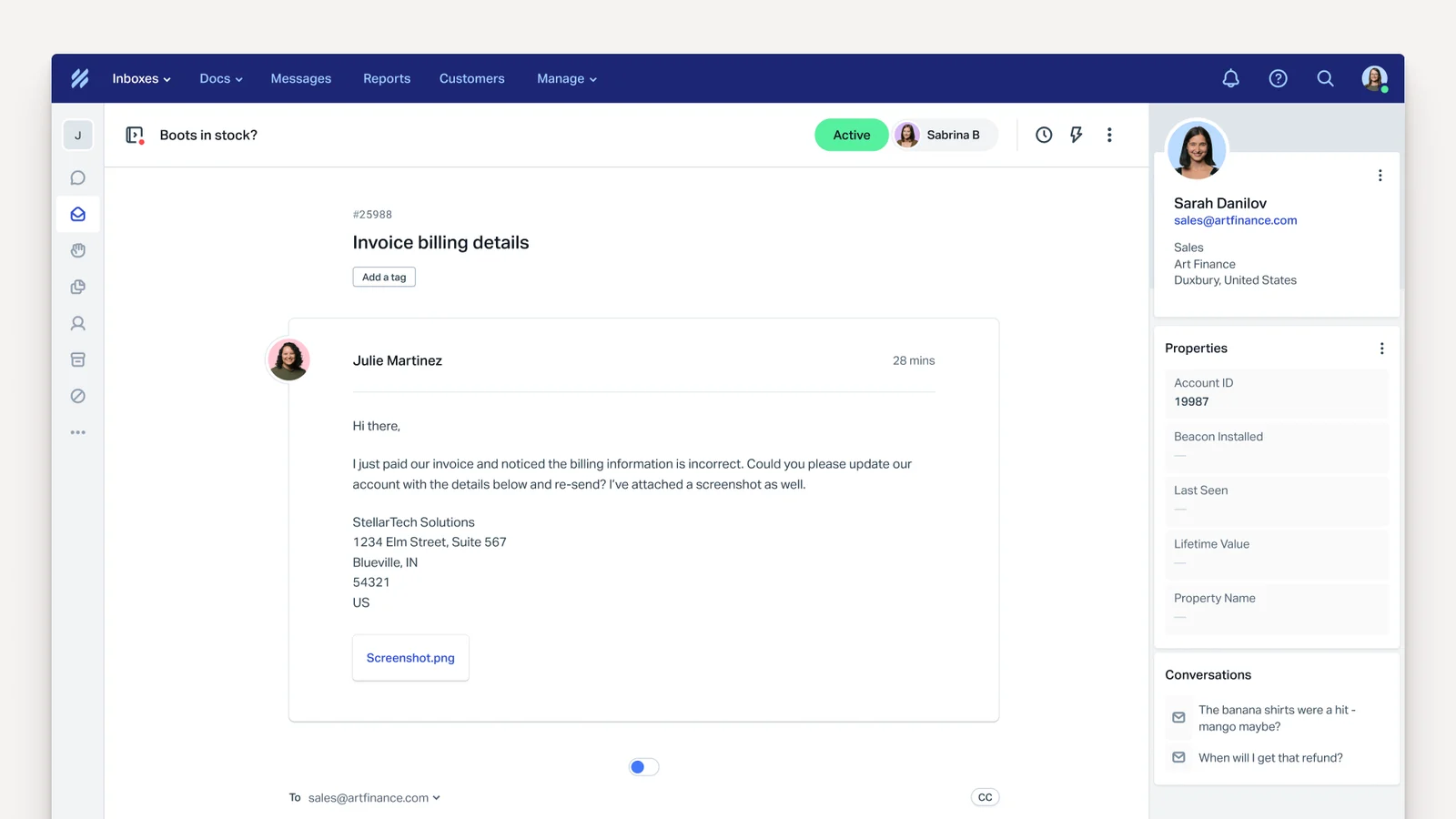
Best for: Teams that want a simple, inbox-style help desk focused on personal, human customer conversations
Developer: Help Scout PBC
- Limitations:
- Higher-tier plans required for some advanced automation and reporting features
- Limited workflow customization for highly complex or enterprise use cases
- Requires additional tools to support deep CRM, sales, or phone functionality
- Costs that increase with higher volume or the need for more advanced features
- Key features:
- Shared inbox that keeps email and other channels organized in one place
- Simple automation for routing, assignments, and follow-ups.
- Knowledge base (“Docs”) for self-service support
- Reporting tools for tracking volume, response times, and team performance
- Integrations with popular apps, including e-commerce, CRM, and chat tools
- Pros:
- Clean, intuitive interface familiar to teams that rely on email
- Personalized conversations rather than ticket-number-driven interactions
- Good fit for SaaS, e-commerce, and small to midsized teams that value simplicity
- Solid balance of automation and reporting that doesn’t overwhelm users
- Cons:
- Less suitable for complex, highly customized enterprise workflows
- Need to upgrade from lower-tier plans to access key features as teams grow
- Additional configuration or higher-tier plans required for some integrations and advanced analytics
Plans/pricing:
- Free
- Includes five users, one shared inbox, and one Docs site
- Good fit for teams that just need the basics to get started
- Standard: $25 per user, per month (billed annually)
- Adds multiple inboxes and knowledge bases, basic workflows, unlimited tags and saved replies, plus an AI inbox assistant
- For growing teams moving beyond simple email
- Plus: $45 per user, per month (billed annually)
- Advanced workflows, unlimited AI drafts, round-robin routing, and integrations with tools such as Salesforce, Jira, and HubSpot
- Better suited for higher-volume, multichannel teams
- Pro: $75 per user, per month (billed annually)
- Introduces unlimited workflows, additional routing types, SSO and Security Assertion Markup Language (SAML), HIPAA compliance features, up to 50 light users, and dedicated onboarding and account management
- For organizations that need more control and scale
- AI Answers add-on: Starts at 75 cents per resolution
- Enables teams to deflect common questions to an AI assistant while keeping human agents available for complex issues
G2 rating: 4.4 out of 5
6. HubSpot Service Hub
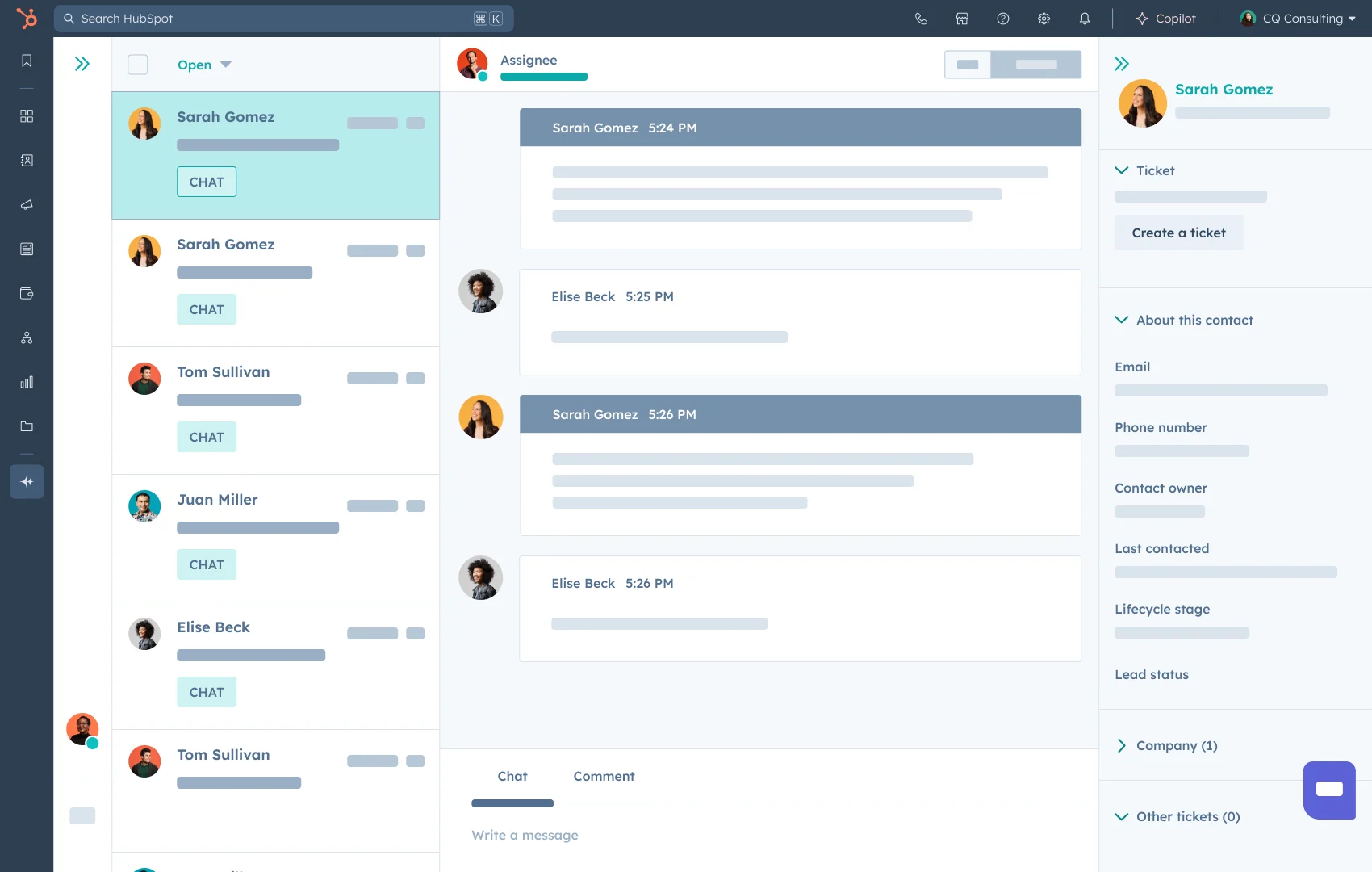
Best for: Teams that want a help desk tightly connected to marketing and sales data in a single CRM platform
Developer: HubSpot, Inc.
- Limitations:
- Higher cost than stand-alone help desks as you add seats and hubs
- Interface and reporting complexity for teams that need only basic support features
- Requires higher-tier plans to access some advanced automation and analytics features
- Best value comes from adopting the broader HubSpot ecosystem
- Key features:
- Ticketing tied directly to HubSpot CRM records and timelines
- Shared inbox, live chat, and conversational tools across channels
- Automation for routing, SLAs, and follow-up sequences
- Customer feedback tools, including surveys and CSAT/NPS
- Reporting and dashboards that combine service, sales, and marketing data
- Pros:
- Unified view of each customer across marketing, sales, and support
- Strong fit for teams already using HubSpot for CRM or marketing automation
- Built-in tools for feedback, knowledge base, and chat that reduce the need for multiple vendors
- Long-term scalability for growing businesses that want everything in one ecosystem
- Cons:
- Potential overkill for teams that don’t need CRM and marketing features alongside support
- Costs that increase as you expand into higher tiers or add more hubs
- Navigation and analytics that feel less straightforward than dedicated help desk tools
Plans/pricing:
- Free Tools: No cost for up to two users
- Good fit for very small teams that need basic shared inbox and ticketing capabilities without SLAs or AI
- Service Hub Starter: Starts at $9 per seat, per month
- More structured service tools for growing teams (but no AI support tools or SLA features)
- Starter Customer Platform: Starts at $9 per seat, per month (annual billing)
- Bundles service with broader CRM capabilities
- For teams standardizing the whole customer platform on HubSpot
- Service Hub Professional: Starts at $90 per seat, per month (annual billing)
- Introduces SLA features and more advanced service functionality with a $1,500 setup fee
- Better suited to teams ready to invest in a more robust rollout
- Service Hub Enterprise: Starts at $150 per seat, per month, for 10-plus seats (annual billing)
- Adds AI support tools (Breeze Suite), SLAs, and enterprise-level setup with a $3,500 fee
- Aimed at larger organizations that want more robust automation and governance
G2 rating: 4.4 out of 5
7. Jira Service Management
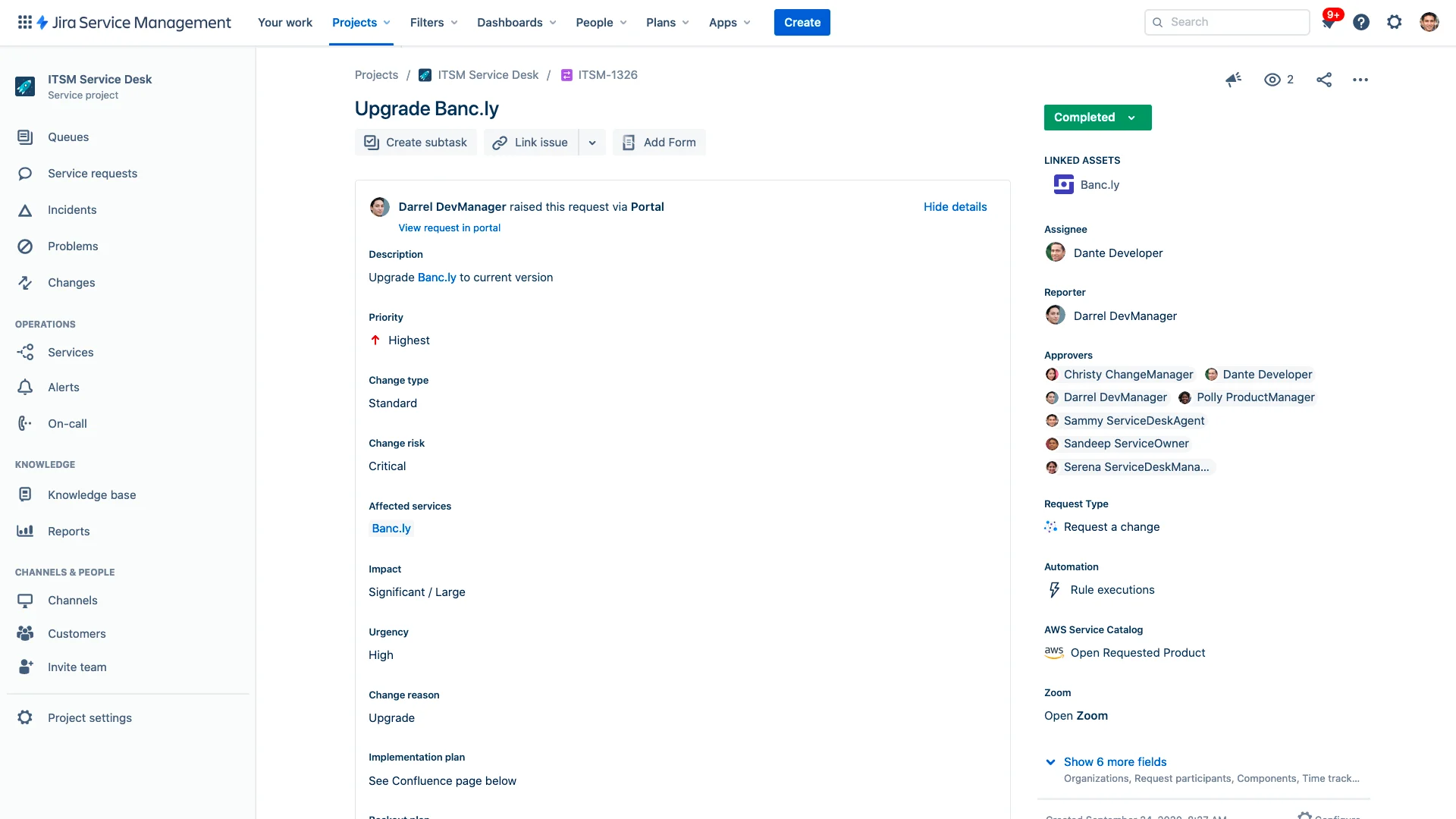
Best for: IT, software, and operations teams that want a help desk tightly connected to issue tracking and DevOps workflows
Developer: Atlassian
- Limitations:
- Strong focus on IT and technical teams rather than general customer support in some setups
- Interface and configuration complexity for nontechnical users
- Requires higher-tier plans to access advanced IT service management (ITSM) features, such as asset management
- Depends on other Atlassian tools (such as Jira Software or Confluence) to maximize value
- Key features:
- Service desk for managing requests, incidents, and changes
- Tight integration with Jira Software for escalating bugs and product issues
- Automation for routing, approvals, and repetitive tasks
- Knowledge base integration with Confluence for self-service
- Features that align with an Information Technology Infrastructure Library for incident, problem, and change management
- Pros:
- Excellent fit for product-led companies that already use Jira
- Visibility from support tickets into engineering work and back
- Flexible configuration for building IT, HR, or facilities service desks
- Scalability for growing technical teams with structured processes
- Cons:
- Less “out-of-the-box” simplicity than other customer-support-focused tools
- Best experience tied to the broader Atlassian ecosystem
- Time-consuming configuration and maintenance, especially for non-IT admins
Plans/pricing:
- Free: No cost for up to three agents
- Includes core service management apps, multichannel support (portal, email, chat), basic workflows, an embedded knowledge base, and community support
- Good option for very small teams testing IT or internal service requests
- Standard: $20 per agent, per month
- Adds AI-powered Rovo agents, search and chat functionality, asset and configuration management, custom-branded help centers, unlimited email notifications, audit logs, multiregional data residency, and support for up to 20,000 agents
- Premium: $51.42 per agent, per month
- Builds on the Standard plan with a virtual service agent, advanced AIOps capabilities, real-time incident monitoring, advanced incident and problem management, change management, and deployment gating with continuous integration/continuous deployment tools
- Good fit for larger or more mature IT organizations
- Enterprise: Contact sales for pricing (billed annually)
- Adds cross-product analytics and data lake, advanced admin controls and security, enterprise identity and access management, unlimited automations, status pages, and support for up to 150 sites
- For large enterprises with complex governance needs
G2 rating: 4.3 out of 5
8. Intercom
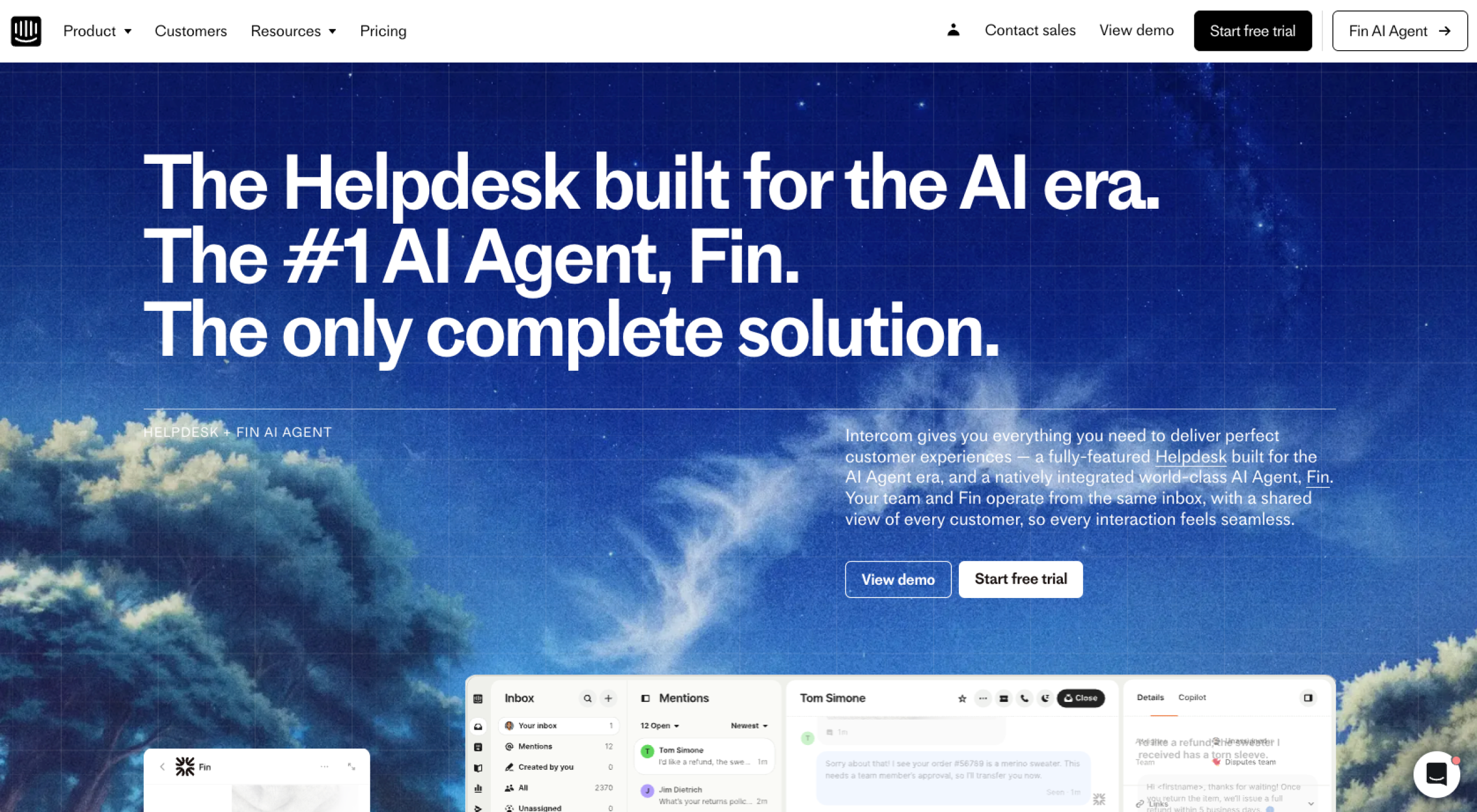
Best for: Product-led teams that want a conversational, messenger-first support experience with strong automation and in-app messaging
Developer: Intercom, Inc.
- Limitations:
- Higher cost than traditional help desks, especially as seat counts and AI usage grow
- Unpredictable budgeting due to pricing model
- Less focused on classic ticketing systems and back-office workflows than some help-desk-centric tools
- Works best when you invest in a well-maintained knowledge base for AI and bots to use
- Key features:
- Business messenger for in-app and web conversations, plus email and other channels
- AI agent (Fin) for answering common questions and deflecting repetitive requests
- Help center for self-service content, with multilingual and multibrand options on higher tiers
- Automation for routing, workflows, and proactive messages such as product tours and announcements
- Integrations with popular CRM, product analytics, and marketing tools
- Pros:
- Great for modern, conversational support inside your app or website
- Strong AI and automation tools that significantly reduce agent workload when configured well
- Combined support, onboarding, and engagement in one platform
- Good fit for growing SaaS and digital-product teams that blend customer support with life cycle messaging
- Cons:
- Higher total cost of ownership than many SMB-focused help desks, especially with AI usage and add-ons
- Less traditional ticketing experience for teams that prefer queue-based workflows
- Requires thoughtful setup of content, workflows, and data to realize the full value of AI and automation
Plans/pricing:
- Essential: $29 per seat, per month (billed annually), plus 99 cents per Fin AI resolution
- Includes Fin AI Agent, messenger, a shared inbox and ticketing system, prebuilt reports, and a public help center
- Great starting point for small teams looking for conversational support with AI
- Advanced: $85 per seat, per month (billed annually), plus 99 cents per Fin resolution
- Adds multiple team inboxes, a workflow automation builder, round-robin assignment, private and multilingual help centers, and 20 free Lite seats
- For larger or more complex teams
- Expert: $132 per seat, per month (billed annually), plus 99 cents per Fin resolution
- Builds on the Advanced plan with SSO and identity management, HIPAA support, SLAs, multibrand messenger/help center, and 50 free Lite seats
- Better fit for larger organizations with stricter compliance and brand needs
- Fin AI Agent (stand-alone): 99 cents per resolution, with minimum commitments
- Allows you to connect Intercom’s AI agent to an existing help desk (such as Zendesk or Salesforce) to answer common questions and hand off complex issues to human agents
G2 rating: 4.5 out of 5
9. LiveAgent
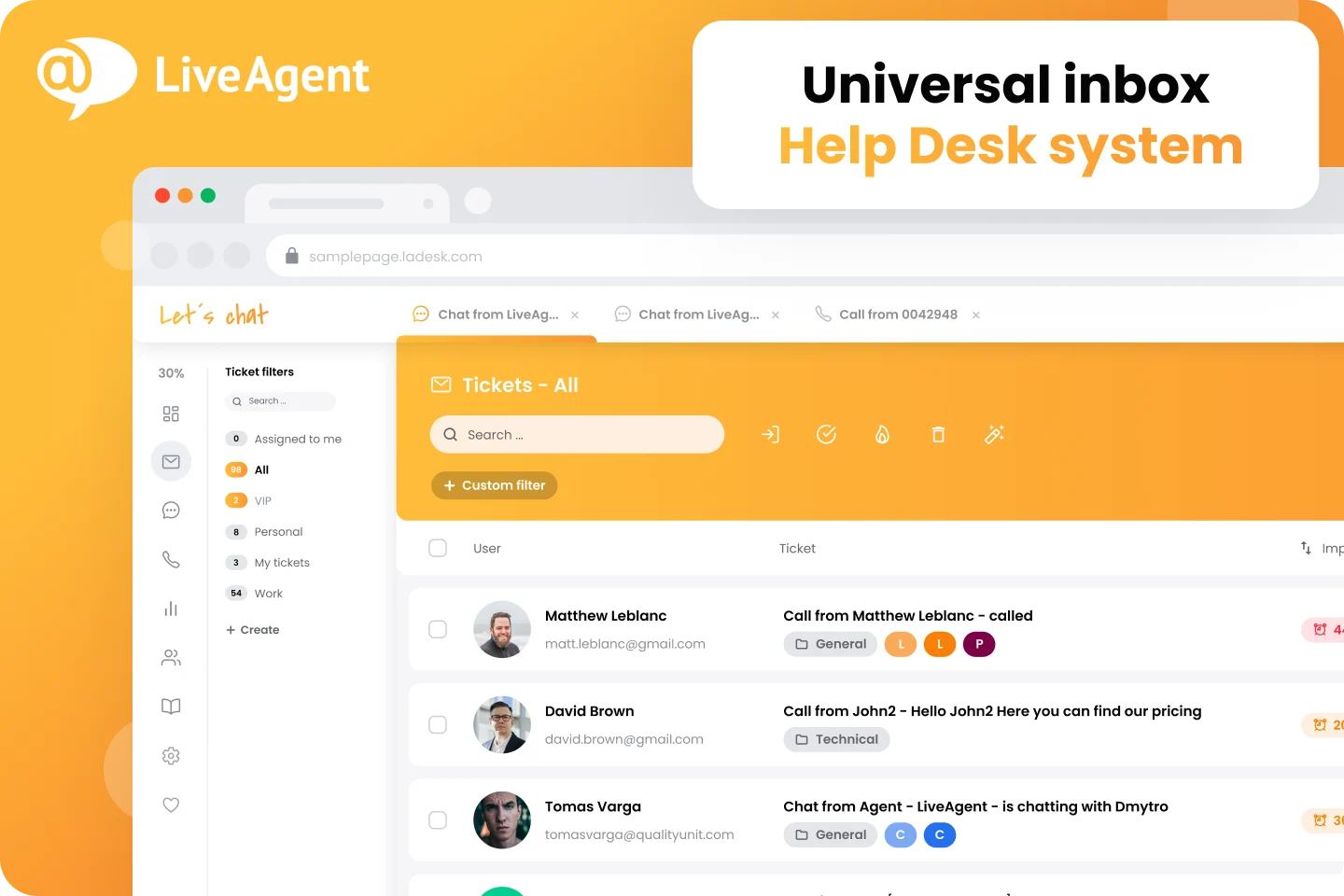
Best for: SMBs looking for an affordable, all-in-one help desk with strong live chat and call center features
Developer: Quality Unit, s. r. o.
- Limitations:
- Dated interface compared with newer, more modern tools
- Additional monthly fees for some social and messaging channel integrations on certain plans
- Requires higher-tier plans to access advanced reporting and management features
- Time-consuming setup to configure all channels, widgets, and automations to match your workflows
- Key features:
- Omnichannel ticketing across email, live chat, social, and phone
- Built-in call center with IVR, call recording, and automatic callbacks on eligible plans
- Live chat with proactive invitations and multiple chat button options
- Knowledge base, customer portal, and feedback buttons for self-service and idea collection
- Automation rules, SLAs, and integrations with more than 200 apps,
- Pros:
- Strong value for money, especially for teams that want chat, ticketing systems, and a call center in one tool
- Clear per-agent pricing simplifies budgeting as teams grow
- Flexibility across industries, including e-commerce, SaaS, and traditional service businesses
- High user ratings for feature depth and affordability
- Cons:
- Less modern user interface (UI) and user experience than newer competitors
- Additional channel fees (such as for X, Facebook, and WhatsApp) that can increase cost, depending on your mix
- Feature-heavy complexity for very small teams that need only simple email support
Plans/pricing:
- Small business: $15 per agent, per month (billed annually)
- Includes core ticketing, live chat, knowledge base, a customer portal, automation rules, integrations, multilanguage support, and AI tools such as an answer assistant and chatbot
- Good entry point for smaller support teams
- Medium business: $29 per agent, per month (billed annually)
- Adds a call center and IVR, time rules, reports, proactive chat invitations, agent ratings, sound configuration, and SLAs
- For teams that need more structure and voice support
- Large business: $49 per agent, per month (billed annually)
- Builds on the Medium business plan with SSO, custom roles, time tracking, and audit logs, plus social and messaging channels such as Facebook, Instagram, X, Viber, Telegram, and WhatsApp
- Enterprise: $69 per agent, per month (billed annually)
- Includes everything in the Large business plan, along with almost unlimited configuration, a dedicated account manager, priority support, assisted channel integrations, branding-free options, custom billing, service review calls, and release management
- For organizations that want a fully managed, enterprise-grade setup
G2 rating: 4.5 out of 5
10. HappyFox Help Desk
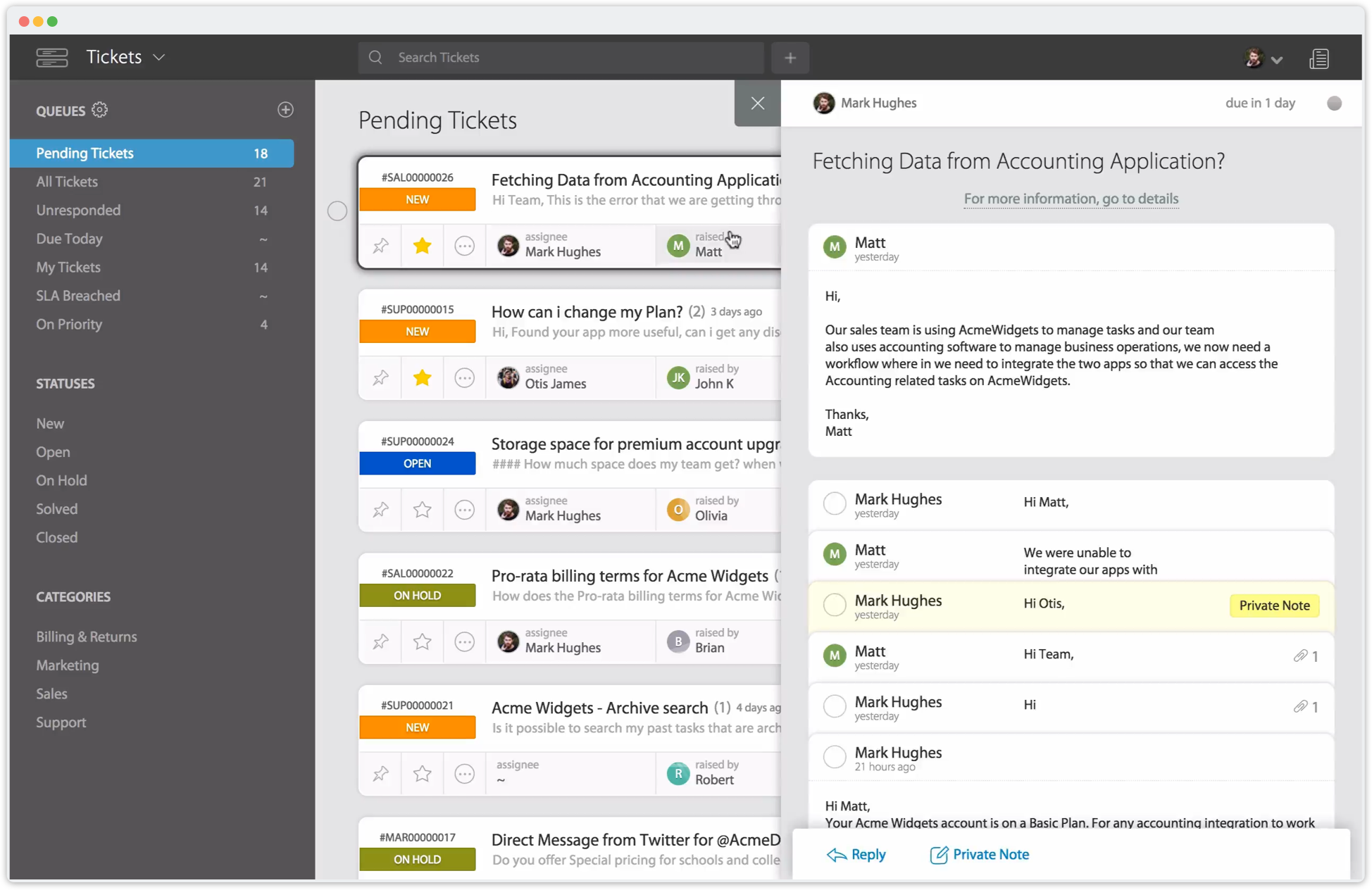
Best for: Support, IT, and operations teams that want an easy-to-set-up, omnichannel help desk with strong automation features and SLA management
Developer: HappyFox Inc.
- Limitations:
- Reporting complexity and limited access to advanced analytics on lower-tier plans
- Less refined contact management compared with competitors
- Less streamlined handling of simple tasks such as managing user status
- Increasing costs with add-ons such as AI, workflows, and chatbots
- Smaller app ecosystem than long-established platforms
- Key features:
- Omnichannel ticketing with email, web, and other channels feeding into a central help desk
- Smart rules, SLAs, and multiple work schedules to keep tickets prioritized and on track
- Canned responses and actions that speed up common replies and tasks
- Integrations and API access that connect with existing systems and extend workflows
- Options for live chat, AI add-ons, workflows, and business intelligence as needs become more complex
- Pros:
- Quick setup, with minimal configuration required to launch a working help desk
- Intuitive interface that simplifies new-agent onboarding
- Strong SLA and automation capabilities that help standardize support processes
- Flexibility across departments, including customer support and internal IT
- Cons:
- Less intuitive reporting and analytics on lower tiers
- Contact management and some admin tasks that feel less streamlined than newer tools
- Add-ons for AI, workflows, and chat that increase total cost beyond the base per-agent price
Plans/pricing:
- Basic: $24 per agent, per month (billed annually)
- Includes unlimited tickets, omnichannel ticket creation, SLA management, a knowledge base, SSO support (GSuite/SAML/Azure), and up to five agents
- Good fit for small teams that need structured ticketing on a limited budget
- Team: $49 per agent, per month (billed annually)
- Adds multibrand help desk support, custom email and domains, custom roles and permissions, custom ticket queues, 24-5 email support, and an optional European Union data center
- For growing teams that need more control and branding
- Pro: $99 per agent, per month (billed annually)
- Builds on the Team plan with proactive agent collision detection, task and asset management, scheduled tickets, IP-based restrictions, load-balanced ticket assignment, password policy management, 24-7 email support, and uptime SLAs
- Better for larger or more complex operations
- Enterprise PRO: Contact sales for pricing
- Adds agent scripting, 2 TB attachment storage, all-time reporting history, advanced audit logs, 24-7 phone support, and a dedicated customer success manager
- Aimed at enterprises that want deeper oversight and personalized support
G2 rating: 4.5 out of 5
Comparison table: Key features and pricing at a glance
If you made it this far, you probably have a few favorite customer service platforms in mind and want a faster way to compare them. The following table provides a simple side‑by‑side comparison of key features and starting prices to help you determine the best fit for your team.
As you review the table, consider the channels your customers use most, how each tool will connect to your CRM or internal systems, and whether each entry‑level plan gives you enough room to grow without upgrading right away.
| Tool | Omnichannel support* | Integrations highlight | Ease of use (for most teams) | Notable strength | Starting price (approx.) |
|---|---|---|---|---|---|
 Jotform |
Via forms embedded across channels; pairs with help desks for full ticketing |
Connects with CRMs, help desks, and apps via native integrations and Zapier |
High; drag‑and‑drop builder and templates |
Flexible data capture, surveys, and reporting for service workflows |
Free plan; paid plans starting at $34/month |
 Zendesk |
Email, chat, social, voice, and self‑service |
Large marketplace with hundreds of CRM, e-commerce, and productivity integrations |
Moderate; powerful but with a learning curve |
Enterprise‑ready automation, analytics, and scalability |
From $19/agent/month on core plans |
 Freshdesk |
Email, chat, social, and phone (on omnichannel tiers) |
Integrates with CRMs, e-commerce, telephony, and collaboration tools |
High for small to midsized teams |
Strong automation and value at lower and middle tiers |
Free tier; paid plans from around $19/agent/month |
 Salesforce Service Cloud |
Email, chat, phone, social, and more with advanced routing |
Deep, native integration with Salesforce CRM and AppExchange apps |
Moderate to low; best for teams with admin resources |
CRM‑driven support and highly customizable enterprise workflows |
Per‑user pricing on multiple tiers, starting at $25 |
 Help Scout |
Email and chat, with a shared-inbox feel |
Integrates with e-commerce, CRM, and collaboration tools |
High; inbox‑style interface |
Human, email‑first support that feels personal |
Entry tiers start at $25/user/month, with no free forever plan |
 HubSpot Service Hub |
Email, chat, and other channels tied to the HubSpot CRM |
Deep integration across HubSpot’s sales and marketing hubs |
Moderate; simpler if you already use HubSpot |
Unified view of customer life cycle across marketing, sales, and support |
Free tools available; paid plans from around $20/month |
 Jira Service Management |
Email, portal, and chat often paired with other Atlassian tools |
Tight integration with Jira Software and Confluence |
Moderate; best for IT and technical teams |
ITSM features and strong link between support and engineering |
Free tier for small teams; paid tiers from $20/agent/month |
 Intercom |
In‑app messenger, web chat, email, and other channels |
Integrates with CRMs, product analytics, and marketing tools |
Moderate; intuitive once workflows are set up |
Conversational, in‑app support with strong AI and automation |
From around $29/user/month, plus AI usage costs |
 LiveAgent |
Email, chat, social, and built‑in call center |
Connects with CRM, CMS, e-commerce, and more via integrations |
Moderate; feature‑rich but less modern UI |
Affordable all‑in‑one ticketing, chat, and call center |
From around $15/agent/month with multiple tiers |
 HappyFox Help Desk |
Email and web, with options to add chat, AI, and more |
Integrations and API access for connecting to existing systems |
High; quick to get started for most teams |
Strong SLAs and automation in a straightforward help desk |
From $24/agent/month on basic |
*Omnichannel support indicates whether the tool can handle multiple channels (such as email, chat, social, and phone) within the same platform, though the exact channel mix varies by plan.
Why switching to the right help desk matters
The right help desk software can change how your team works and how customers experience your support. When agents can reply quickly, keep conversations in one place, and see the context behind each interaction, they’re more likely to resolve issues on the first try. That leads to higher satisfaction survey results, lower churn, and more trust in and loyalty to your business.
It also improves day-to-day operations. With automation, clear queues, and a help desk that connects to your CRM, agents spend less time chasing information and more time solving meaningful problems.
As your business and team grow, scalable features such as analytics, integrations, and customizable workflows make it easier to forecast staffing needs, reduce bottlenecks, and handle higher ticket volumes without overloading your team or constantly switching tools.
Taking the right next step for your support
There’s no single right way to move on from Zoho Desk, and that’s probably why you’re exploring alternatives. Your options range from full-featured, omnichannel help desks such as Zendesk, Freshdesk, and HappyFox to CRM-driven platforms such as Salesforce Service Cloud and HubSpot Service Hub, along with more specialized tools such as Intercom, Jira Service Management, LiveAgent, and Help Scout.
As you compare options, focus on how each tool fits your everyday workflows. Consider the channels your customers use, how your team prefers to work, the reports you need, and how easily each platform can scale with your business.
And if you want a flexible way to collect requests, feedback, and customer data alongside your help desk, consider adding Jotform to your toolkit. It helps streamline forms, surveys, and reporting without locking you into a single system.
This article is for customer support leaders, CX managers, and operations teams who feel like their current help desk can’t keep up, whether that means rising ticket volume, scattered conversations across channels, limited automations, or reporting that doesn’t help you spot bottlenecks.



























































Send Comment: