

Top ChatGPT CRM apps
ChatGPT CRM apps are enhancing sales teams’ workflows. These integrations allow reps to work more efficiently using natural language, completing tasks and workflows within minutes by asking AI to surface and manage CRM activity directly inside ChatGPT, rather than navigating multiple reports and dashboards to draw conclusions or complete work.
Having CRM functionality available within ChatGPT is fairly new. These platforms can now surface live data, identify prospects and high-potential leads, automate tasks, and respond to prompts directly in conversation, enabling efficient, actionable GPT-powered CRM workflows.
As awareness of the benefits of AI CRM software grows, so does the number of tools entering the market. Sales teams are evaluating yet another layer of technology before deciding on their CRM stack.
To help sales teams choose the right ChatGPT app, I’ve written this article outlining the best ChatGPT CRM apps for automating sales. For each tool, I outline what it does, what it’s best suited for, potential limitations, key features, and a balanced view of the pros and cons, so you can choose a CRM GPT app that best suits your needs.
Build faster with Jotform AIDescribe what you need, and let Jotform AI build it for you instantly.
Get Started Now
What are ChatGPT CRM apps?
A ChatGPT CRM app is an integration that connects your CRM data to ChatGPT. When you integrate these two software, you essentially create a CRM chatbot for sales teams. Users can query records, generate content, complete work (like generating entire forms in minutes), and trigger workflows using natural language.
GPT-powered CRM tools layer conversational AI on top of existing systems. They’re a bit like a CRM add-on that acts as a new, committed team member; an all-knowing, AI copilot that knows everything about the state of your prospects and sales, and will undertake once-time-consuming tasks, such as drafting follow-ups, summarizing calls, enriching contact records, or ticket responses, directly inside the chat.
With ChatGPT CRM apps, sales teams expedite the sales workflow and keep humans focused on the work that truly moves the needle.
There are two ways that ChatGPT and CRM workflows are working together:
- A native ChatGPT app that connects directly to your CRM data inside ChatGPT
- A CRM with built-in GPT functionality that uses LLMs to generate insights, content, or actions
Common use cases include:
- Sales conversations and pipeline management: An AI-enhanced sales CRM with ChatGPT enables reps to summarize call notes, draft personalized follow-ups, generate outbound sequences, and request pipeline insights in plain language. Instead of manually updating fields, reps can describe what happened and let the system structure and log the activity, all through ChatGPT.
- Customer support automation: Customer support CRM AI tools help draft ticket responses, summarize case histories, suggest resolutions, and automatically categorize issues. Agents gain instant context from past interactions, reducing response time while maintaining consistency.
- Data enrichment and lead qualification: AI customer relationship management systems can enrich contact records, score leads based on conversational inputs, and identify missing data. ChatGPT CRM apps can also analyze conversation transcripts or form responses to automatically extract structured information.
Top 5 ChatGPT CRM Apps
1. Jotform
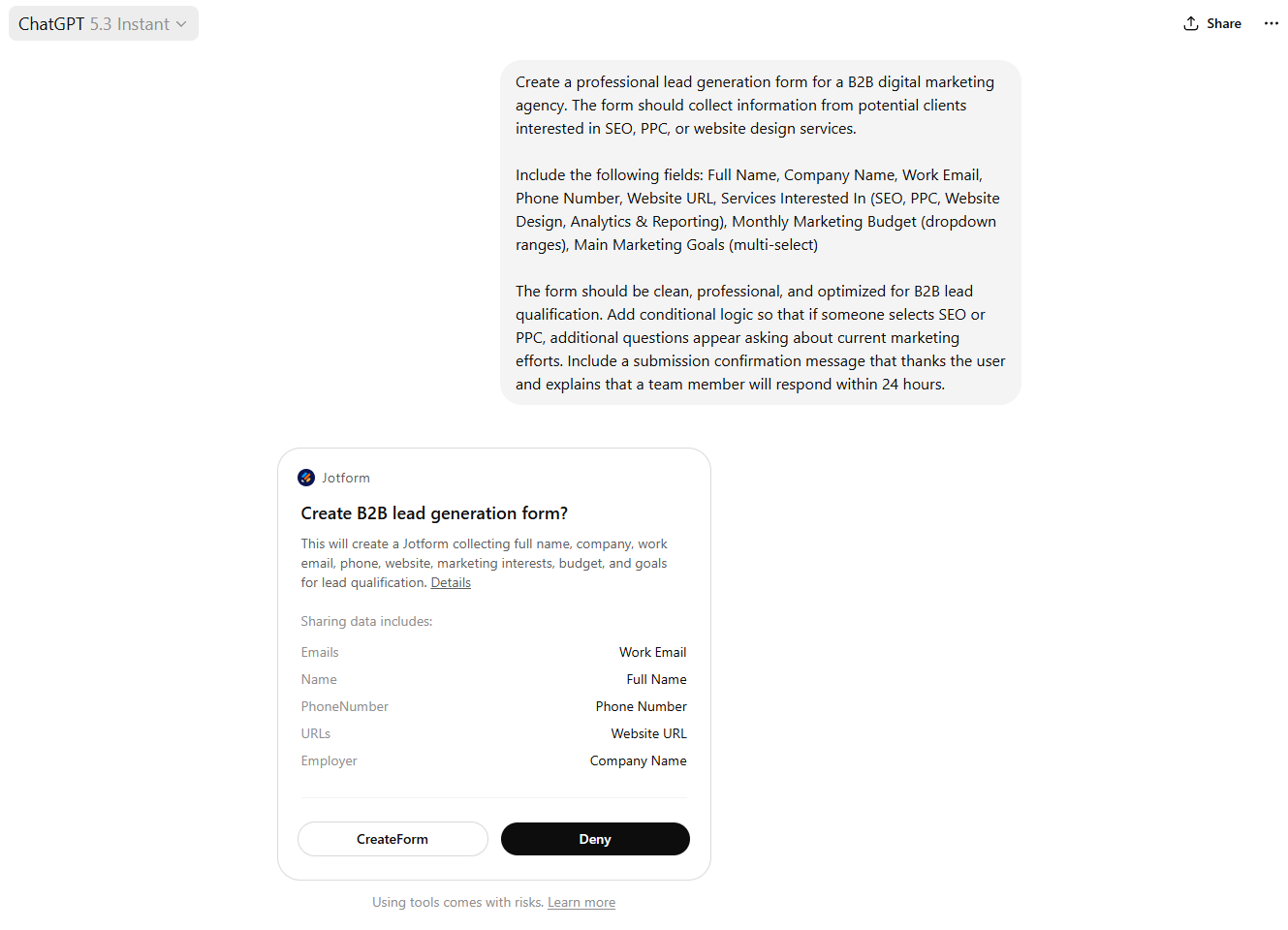
Jotform’s ChatGPT App brings its AI-powered form builder directly into ChatGPT, allowing users to create, edit, and manage online forms using natural language. Instead of logging in to a separate dashboard, you can start a new chat in ChatGPT.
Here’s how you do it:
- Trigger the app by typing /jotform
- Describe the form you need in chat and send the message
- The AI will generate a structured, shareable form instantly
- Share your link and start collecting responses
I tested Jotform’s app with ChatGPT and had a fully functional lead-capture form live in under two minutes. The app automatically generated fields, including my logo, since I already have a Jotform account with this information set up.
Pro Tip
Since you’re working in ChatGPT to create your form, you can open separate chats to help create the brief. You can go from idea to form in minutes.
Best for: Creating and editing online forms
Developer: Jotform Inc.
Limitations
- Not designed for complex, multi-stage CRM automation or deep pipeline management
Key features:
- Generate complete forms from a natural-language prompt directly in ChatGPT. The form will be designed with your logo and branding, assuming you’ve provided this information to Jotform.
- Edit form fields, logic, design, and email confirmations conversationally without navigating dashboards
- Publish and share forms instantly for lead capture, surveys, or support intake
Pros:
- Extremely fast setup, which is ideal for sales teams that need campaign-specific forms quickly
- No-code AI CRM workflow reduces dependency on developers.
- The ChatGPT AI has other functionality, such as surveys and feedback analysis.
Cons:
- Functions primarily as a lead capture and data collection layer rather than a full sales CRM with ChatGPT pipeline management capabilities
If you want to create forms, capture and manage customer data, and simplify your CRM tasks while harnessing the power of AI, you can also try Jotform’s native solution, Jotform AI.
2. Clay in ChatGPT and ChatGPT App
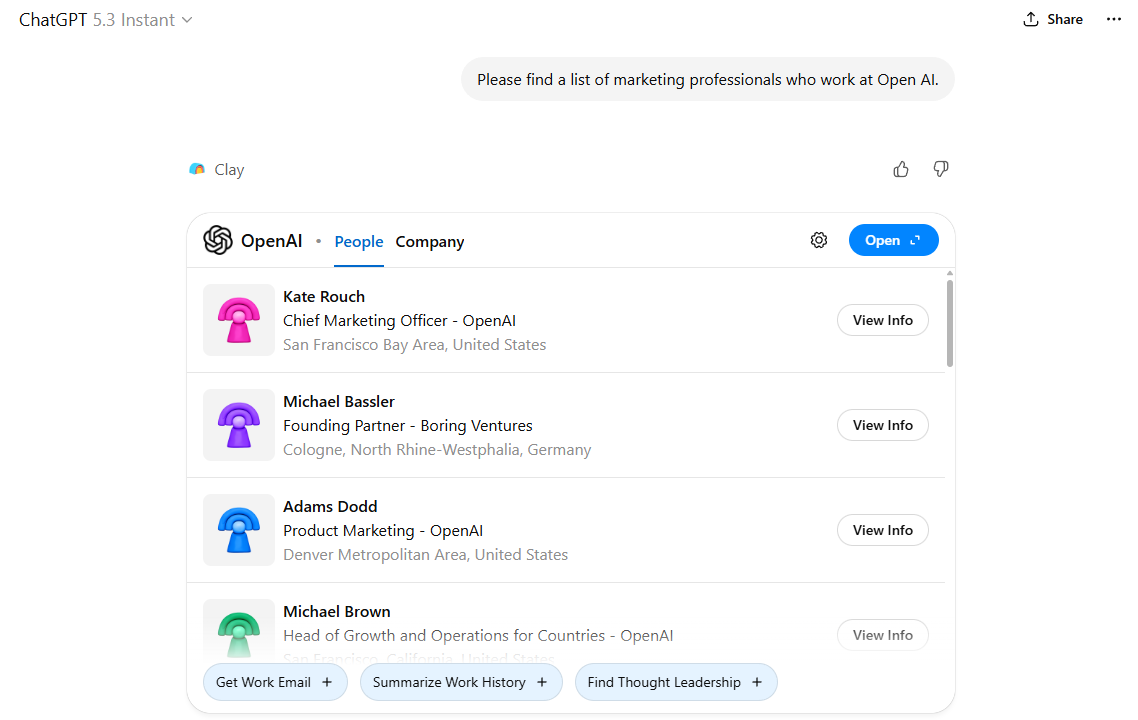
Clay in ChatGPT brings prospecting and contact information into your conversational chat window, streamlining the prospecting workflow. Instead of toggling between spreadsheets, LinkedIn profiles, and CRM fields, you can ask Clay in ChatGPT to pull in contact insights, summarize interactions, and suggest next steps, all from natural language prompts.
I tested it, and once I provided Clay with a company, it quickly surfaced relevant contact information, including names, job titles, company, and contact details.
Best for: Prospecting workflows
Developer: Clay
Limitations
- You need to provide a domain or company to target, rather than making a broader search. For example, I would’ve liked to search broadly for companies of a certain size built on specific content management systems (CMS).
Key features:
- You can research a person or company conversationally and receive structured summaries with verified data points.
- The app enriches contact records with additional firmographic and role-based insights.
- It can sync enriched data back to your CRM or sales tools to keep records up to date.
Pros:
- Saves time on manual data lookup, making it an ideal add-on for sales teams that need high-quality contact context fast
- Simplifies prospecting workflows by replacing multiple tools with conversational prompts.
Cons:
- The prospecting is good, but Clay’s app does not replace a full sales CRM for deal tracking or revenue reporting.
3. HubSpot
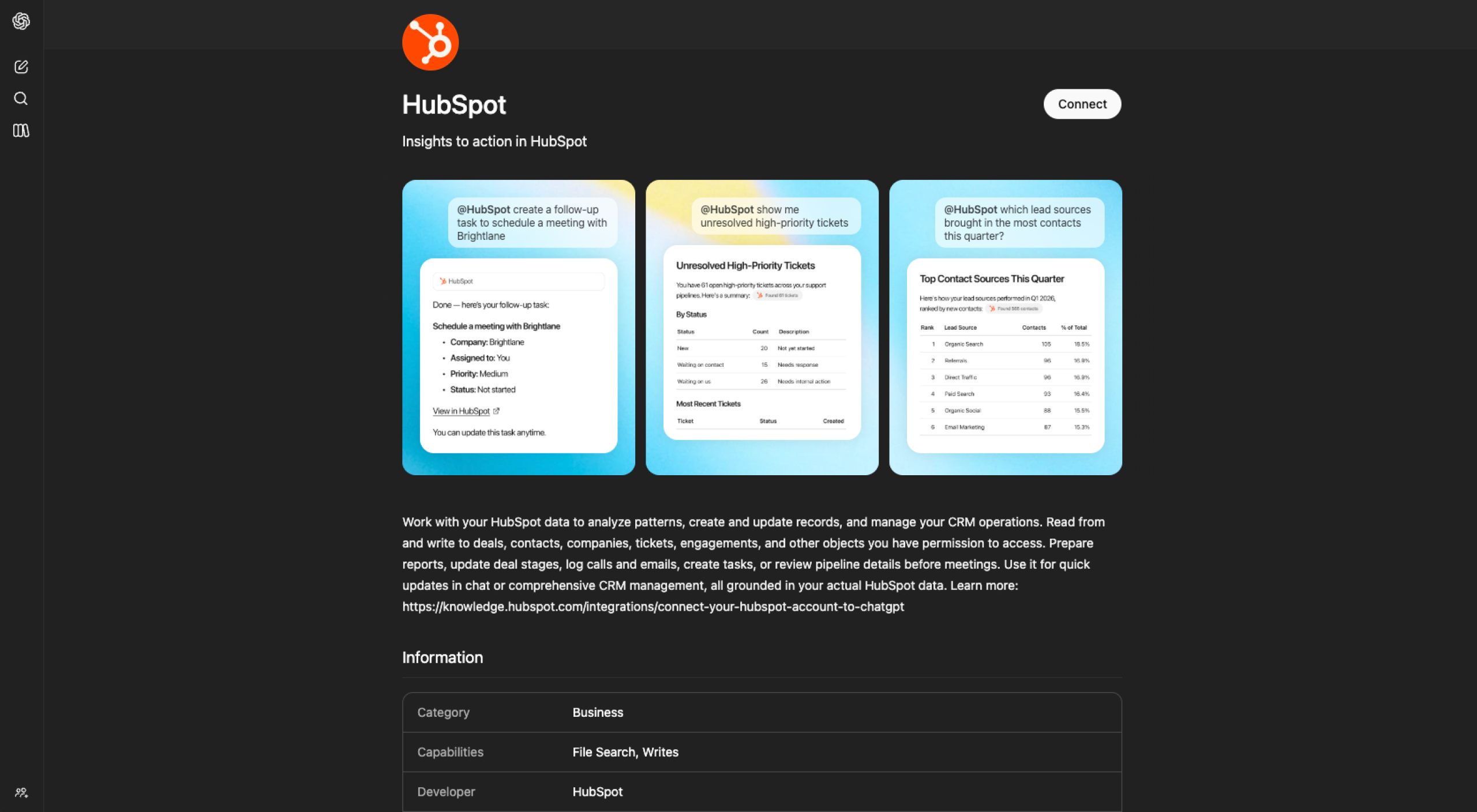
HubSpot offers a native ChatGPT connector that allows users to access, analyze, create, and update CRM records directly from the chat interface. Instead of switching between tabs, this conversational CRM tool lets teams ask questions about contacts, deals, or tickets and receive live answers from their HubSpot account.
Sales teams can request pipeline summaries or deal updates in natural language.
Best for: Conversational CRM management and pipeline insights inside ChatGPT
Developer: HubSpot
Best for: Analysis of CRM data
Developer: HubSpot Inc.
Limitations
- Bulk record creation or updates are limited to 10 records at a time.
Key features:
- Create and update contacts, companies, deals, tickets, and tasks directly from the ChatGPT window with approval controls.
- Access and analyze full engagement histories, including emails, calls, meetings, and notes.
- Use deep research mode to generate structured, citation-backed reports based on live HubSpot CRM data.
Pros:
- Enables real-time CRM updates without leaving ChatGPT, which reduces admin time for sales and support teams.
- Respects existing HubSpot permissions and logs actions, making it suitable for larger teams with governance requirements.
Cons:
- The app won’t replace the need to build complex workflows or marketing automations within the HubSpot platform.
4. HighLevel
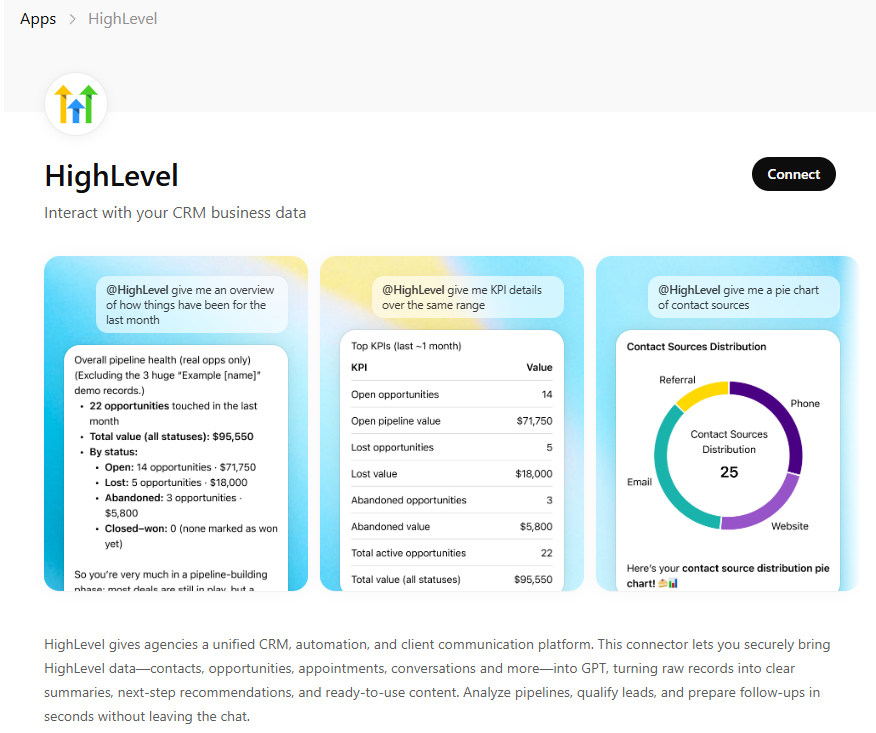
HighLevel is now available as a public GPT Connector inside ChatGPT, allowing agencies and small businesses to access live CRM data through conversation. Once connected, users can ask plain English questions about their pipeline, leads, appointments, and conversations, and ChatGPT will pull and analyze real HighLevel data in response.
Best for: Conversational pipeline analysis and marketing automation insights
Developer: HighLevel
Limitations
- Insights depend heavily on clean and consistently structured CRM data.
Key features:
- Query live pipeline data using natural language, such as identifying stalled deals or revenue by stage.
- Analyze appointments, lead sources, and campaign performance without building manual reports.
- Summarize cross-channel conversations (SMS, email, WhatsApp) and draft follow-up messages directly in chat.
Pros:
- Instead of exporting reports or navigating multiple dashboards, teams can “talk to” their CRM. The connector turns ChatGPT into a conversational analyst that summarizes trends, flags risks, and suggests next steps based on real-time sales and marketing data.
- Reduces manual reporting time, enabling agencies and small teams to make faster sales and marketing decisions.
Cons:
- More complex workflow builds and automation logic still need to be configured inside the HighLevel platform itself.
5. Agentforce Sales
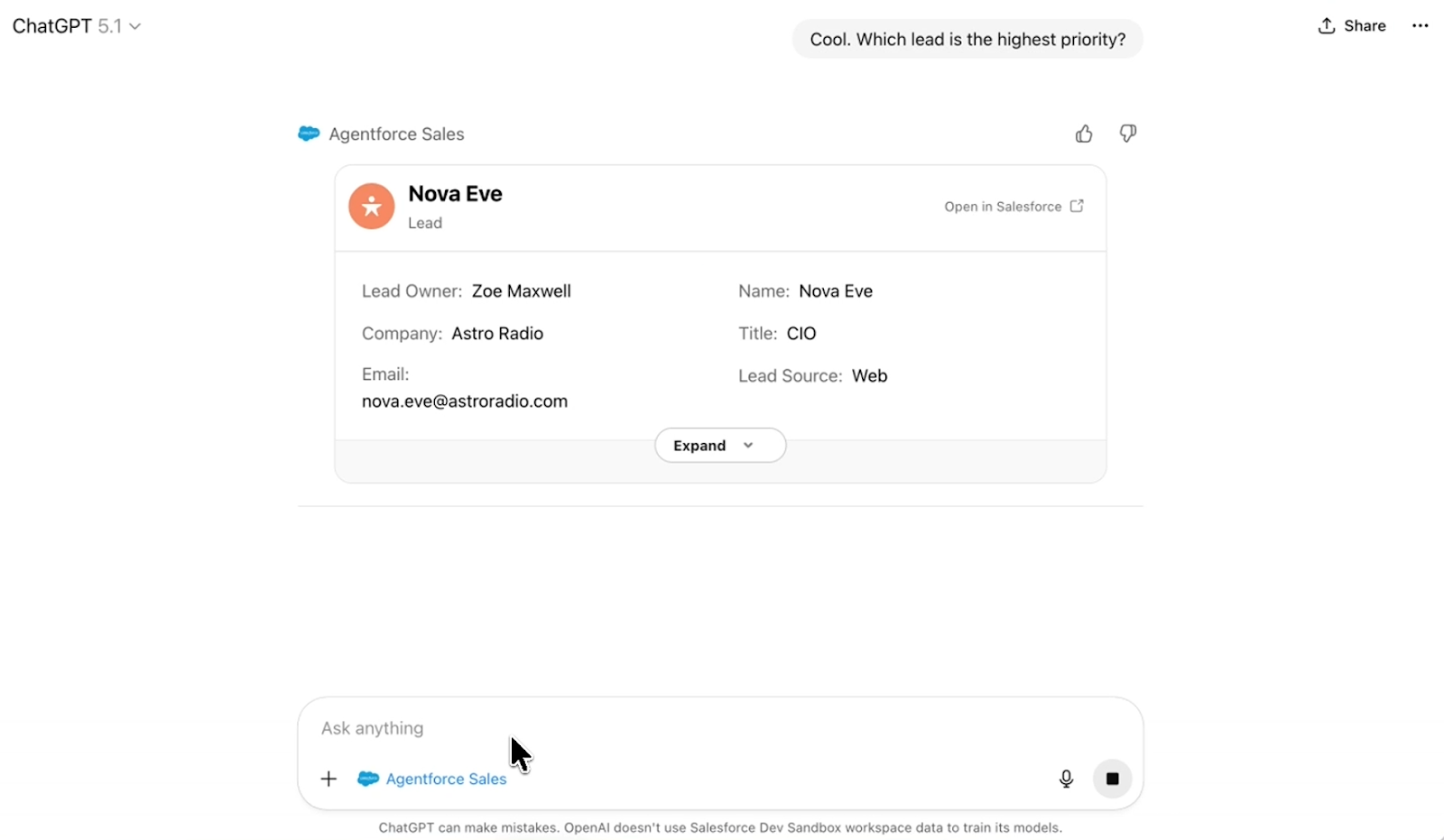
Agentforce Sales connects Salesforce CRM data directly to ChatGPT, allowing sales teams to prioritize deals, update records, and generate account strategies from a single conversation. Instead of copying context between systems, the app brings live pipeline data and AI reasoning together.
Users can ask questions like “Show me my highest-priority leads” or “Update this opportunity to Closed Won” and take action immediately and without switching platforms.
Best for: Enterprise sales prioritization and deal execution inside ChatGPT
Developer: Salesforce
Limitations:
- Designed primarily for Salesforce customers, so it is not suitable for teams using other CRM platforms.
- Advanced functionality may require specific Salesforce editions or add-ons.
Key features:
- Pull live leads, opportunities, and pipeline data directly into ChatGPT using natural language prompts.
- Update CRM records, assign leads, and trigger follow-up actions from within the conversation.
- Generate account plans and prioritization insights by combining Salesforce data with external intelligence.
Pros:
- Eliminates manual copy-paste workflows, improving seller productivity and reducing administrative friction.
- Combines internal CRM data with AI reasoning, enabling more strategic prioritization of deals and accounts.
Cons:
- While powerful for Salesforce-native teams, it reinforces platform dependency and may not integrate as deeply with non-Salesforce ecosystems.
How to choose the best ChatGPT CRM app for your business
Choosing the right ChatGPT CRM app comes down to your team’s and your business’ needs. Worry less about which app is more advanced or has more features, and consider which app solves the problems your team encounters.
Three key considerations:
- Business size and CRM maturity. If your sales or support operations are just getting started, tools that simplify setup, require minimal training, and automate basic tasks can offer a fast impact. Mature teams running multi-stage pipelines and segmented support flows will benefit from deeper CRM integrations that can handle complex workflows and governance.
- Budget and pricing flexibility will always help make decisions. Some CRMs come with a hefty price tag, taking them out of your shortlist immediately. If you can’t work with the CRM in the first place, there’s no point in thinking about the app.
- Integrations and customization level influence how seamlessly a ChatGPT CRM app will fit into your tech stack. Check the app supports the specific objects, activity types, and external tools you rely on (e.g., ticketing systems, messaging channels, marketing automation).
Why ChatGPT CRM Apps Are Reshaping Sales and Support Workflows
As conversational AI becomes embedded directly into CRM systems, the interface itself is evolving. GPT-powered CRM tools are not replacing CRMs; they are becoming an intelligent conversational layer that sits on top of them, enabling faster decisions and expediting workflows.
Adoption should be grounded in workflow fit, not novelty. The most effective ChatGPT CRM integration is the one that maps directly to how your team qualifies leads, manages pipelines, resolves tickets, and reports on performance.
If you’re overwhelmed by choice, start with an app that works straight away so you can test its functionality. Jotform’s ChatGPT App will create a form or survey for you in minutes. All you need to do is create an account and download the ChatGPT app. It’s all completely free.
This article is for sales leaders, RevOps teams, and growth-focused reps who rely on a CRM every day but want to cut down on busywork, speed up follow-ups, and get clearer pipeline answers without living in dashboards.





































































































Send Comment: