

Creating a form in ChatGPT means using natural language and AI to design and generate an online form. You describe what you need, and ChatGPT helps shape the form for you.
AI-assisted form creation is especially useful when you want to move faster, avoid repetitive setup, or turn ideas into working forms without switching between multiple tools. Note: On its own, ChatGPT can suggest questions, field types, and structure for your form, but it doesn’t host or publish forms. You’ll need a separate AI-powered form tool for that.
What does it mean to create a form in ChatGPT?
Creating a form in ChatGPT usually means generating a form structure, not manually dragging fields around or designing layouts. ChatGPT helps define what the form should include, how questions are phrased, and how data might be collected.
ChatGPT can help you design many types of forms, including surveys, quizzes, event registrations, RSVP forms, feedback forms, and simple data collection forms. It excels at translating plain-language requests into structured form logic, making it easier to get started without technical expertise.
While ChatGPT can help you design a form, it can’t build a final, usable form by itself. ChatGPT needs a form platform to turn your ideas into real forms. Without an integrated form builder, it can generate only text-based outlines or suggestions, not live, shareable forms.
How to create a form using ChatGPT and the Jotform ChatGPT App, step by step
Creating a form in ChatGPT becomes a practical, end-to-end experience when you use the Jotform ChatGPT App, which works within ChatGPT’s system.
Step 1: Start with a natural-language request.
Begin by describing your needs directly in ChatGPT, such as “I’m a teacher, and I want to create a math quiz” or “Create a simple event registration form.” There’s no special syntax required; plain language works.
Step 2: The form is created.
Using Jotform’s existing Form Builder, the form is generated behind the scenes. During this process, you’ll see a short loading state in ChatGPT.
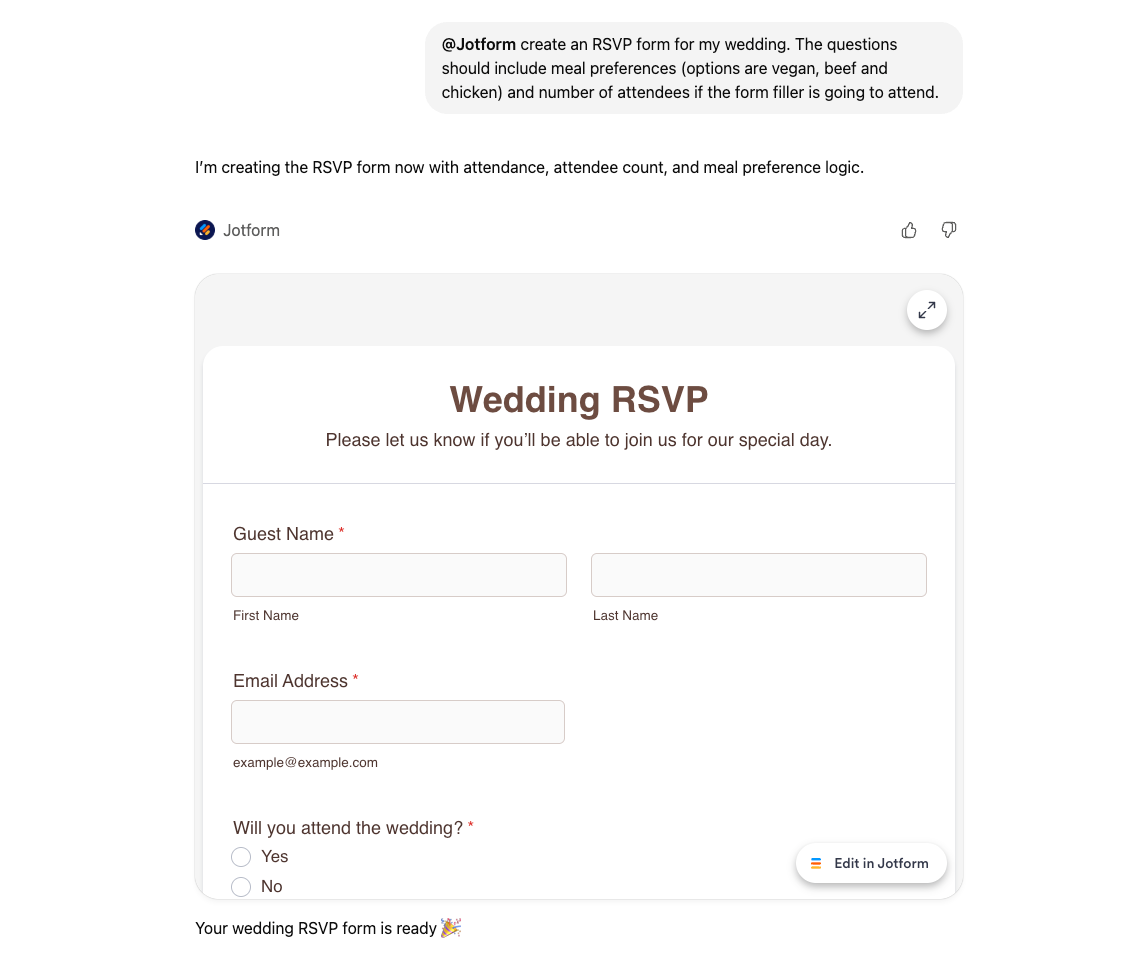
Step 3: Preview the form in ChatGPT.
Once created, the form appears as a live preview directly in the ChatGPT interface. You can immediately see the fields, structure, and overall flow without leaving the conversation.
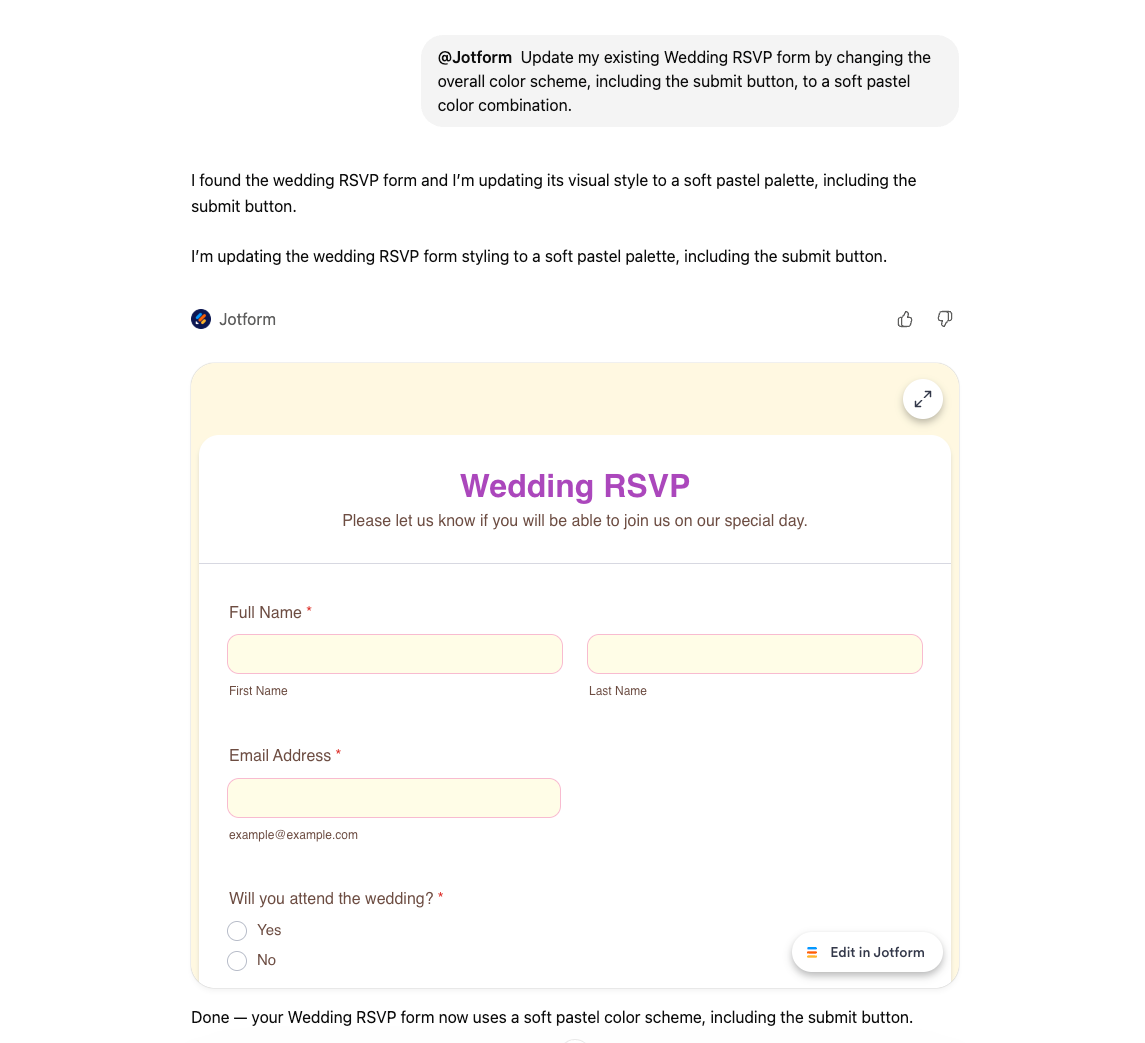
Step 4: Edit the form using conversational commands.
You can continue refining the form by saying things like “add a name field,” “remove the email question,” or “change the form design.” All edits are limited to what Jotform’s existing editor allows, ensuring stability and consistency.
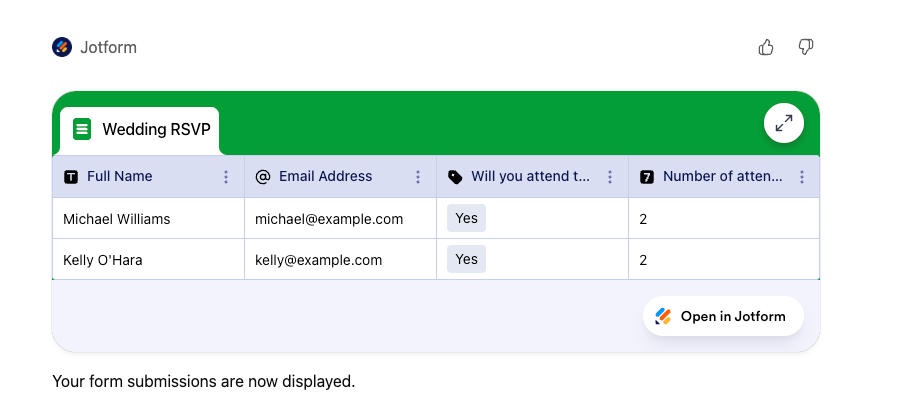
Step 5: Work with forms and view data.
After you’ve sent your forms, you can use Jotform to list your forms, filter them, and explore submissions. You can also ask ChatGPT to analyze submission data, such as calculating averages or summarizing responses.
Best ChatGPT prompts for creating forms
Strong prompts lead to better forms because they give ChatGPT clear context, intent, and constraints. The more specific you are about your goal and audience, the more usable the generated form will be.
A good prompt usually includes three elements: whom the form is for, what the form’s purpose is, and what type of data you want to collect. You don’t need to mention field types explicitly unless you have strict requirements.
Here are a few prompt examples:
- Survey: “Create a customer satisfaction survey for an online store with questions about delivery, product quality, and overall experience.”
- Quiz: “I’m a teacher. Create a short multiple-choice math quiz for middle school students.”
- Event registration: “Build an event registration form that collects name, email, attendance status, and meal preference.”
- RSVP: “Create an RSVP form for a small wedding with attendance confirmation and dietary restrictions.”
If the result isn’t exactly what you want, you can refine it conversationally instead of starting over. That iterative flow is one of the biggest advantages of AI-powered form creation.
Final thoughts: Creating forms with ChatGPT in practice
When creating forms, ChatGPT helps you move faster, clarify structure, and work with data more naturally, while a dedicated AI-powered form platform ensures reliability and control.
Start with simple forms and experiment with prompts before moving on to more complex workflows. Focus on clarity, data quality, and user experience rather than trying to automate everything at once.
When building AI-assisted forms, prioritize transparency, accuracy, and the limits of automation. Used thoughtfully, tools like the Jotform ChatGPT App bridge conversational AI with a fully functional form builder, letting you shape structure and language naturally while the technical side of data collection and publishing is handled behind the scenes. The result is a faster, more intuitive way to build forms without compromising on quality.
If you want to go even further, explore Jotform AI for the same conversational experience natively inside Jotform, and it’s free!
This article is for educators, small business owners, event organizers, and anyone who wants to quickly create structured online forms using ChatGPT and AI-powered tools without technical complexity.








































































































Send Comment: