

Real estate agents, brokers, and teams are always racing the clock. Between showings, paperwork, marketing, and client communication, there’s little time left for writing or research.
When used strategically, ChatGPT may be the best AI for real estate agents. It can streamline listings, emails, even market reports — saving time while improving clarity and consistency.
10 ChatGPT prompt examples for real estate
Each of the prompts below is built around a real task agents face daily — not generic AI experiments. You can copy them directly, swap in your property details or client context, and get a working draft in seconds. Start with whichever fits your most pressing need right now.
1. Write property listing descriptions
Writing listing descriptions is one of the most time-consuming and repetitive parts of an agent’s workflow. ChatGPT can turn raw property details into polished marketing copy in minutes, giving you a strong starting point.
Listing prompt:
Write two distinct property listing descriptions for the same property based on the details below.
Vary the tone slightly between versions while keeping the information accurate and professional. Keep each description between 150–250 words. Avoid exaggeration or unsupported claims. Write in a clear, engaging style suitable for an MLS listing.
Property details to include:
[List the relevant information]
ChatGPT should return: Two polished, ready-to-edit listing descriptions with slightly varied tones. Each should be between 150–250 words and suitable for direct use in marketing materials or a multiple listing service.
2. Create automatic email follow-ups with prospects
Following up after showings or consultations is critical — but it’s also an easy task to put off when your day gets busy. ChatGPT can help you draft thoughtful, timely follow-up emails in minutes.
Prospect follow-up email prompt:
Act as an experienced real estate agent writing a follow-up email to a client. Include the client’s name ([name]), date of showing/meeting ([date]), and current status ([actively searching, struggling to sell, paused, etc.]). Thank the client for their time and ask them to reach out with any questions.
Here is a sample email I’ve written that reflects my voice — please match it in tone and style.
[Paste sample here]
ChatGPT should return: A personalized follow-up email in your tone and voice, referencing the client’s name, the showing date, and their current status in the buying or selling process.
Pro Tip
If you use Gmail, you can streamline this even further with Jotform Gmail Agent, which lets you draft follow-ups using AI directly inside your inbox without ever switching tabs.
3. Generate informative market reports
A clear market report helps buyers and sellers understand pricing trends, timing, and local momentum. ChatGPT can help you draft market reports that your clients will appreciate.
Market report prompt:
Act as an experienced real estate broker preparing a [timeframe — e.g., Q1 2026, year-over-year, etc.] market report for clients for [city and state]. Format the report with clear section headings and concise, client-friendly explanations. At the end, include a simple summary table. Keep the tone professional, informative, and easy to understand.
Please include the following data:
[Specify the data you’d like to include, such as average/median sales price, inventory levels, etc.]
ChatGPT should return: A professionally formatted market report with clear section headings, client-friendly explanations of the data you provide, and a summary table at the end.
Pro Tip
After you’ve had ChatGPT generate the market data, you can then turn it into a polished, visual report using Jotform Report Builder. The tool will make it easy to present findings to your clients in a format that’s both professional and sharable.
4. Create social media content for your business
Consistent social media posting builds visibility and trust. However, planning content across multiple platforms can quickly become overwhelming. ChatGPT can help you generate a strategic mix of content tailored to Facebook, Instagram, Threads, X, or LinkedIn.
Instagram new listing post prompt:
Act as a real estate agent creating an Instagram post for a new listing for a target audience of [e.g., first-time buyers, move-up buyers, investors]. Start with a strong hook. Highlight the two best features. Keep the tone tailored to the target audience. End with a brief call to action and contact info (e.g., “DM me for details” and phone/email). Keep the caption under 1,200 characters.
Include the following property details:
[List the number of bedrooms/bathrooms, general location, two features to highlight, etc.]
ChatGPT should return: An Instagram caption that’s ready to post, with a strong opening hook, two highlighted property features, and a call to action. All of it should be tailored to your specified target audience.
5. Create property comparisons for clients
Comparing similar, recently sold properties (“comps”) is one of the most valuable services an agent provides. ChatGPT can help organize that data into a clear, client-friendly format.
Comps prompt:
Act as a real estate broker preparing a comparative market analysis for a buyer. In a neutral, professional tone, write a clear comparison discussing value, strengths, and potential drawbacks. Keep explanations concise and easy for a non-expert to understand. Include a summary table highlighting the most important data points for quick scanning.
For each property, include:
[Specify details to include, such as listing price, address, etc.]
ChatGPT should return: A clear, neutrally written comparison of the properties you provide, including a summary table that makes it easy for clients to evaluate their options quickly.
6. Write longer-form articles or blog content
Blog posts and newsletters help position you as a trusted local expert. ChatGPT can support an iterative writing process, giving you more control over strategy, structure, and voice.
Iterative blog workflow prompts:
- Generate 10 blog post ideas for a real estate website targeting [target audience] in [city/state]. Each idea should clearly demonstrate the agent’s value and expertise.
- For the idea titled “[chosen topic],” generate 3–5 eye-catching title options (maximum 50–60 characters). For each title, include 3–5 primary SEO keywords it would target.
- Create a detailed outline for the selected title. Include clear H2 and H3 subheadings with major points and subpoints.
- Using the outline, write a draft article of 800–1,200 words. Follow current SEO best practices and include clear subheadings, natural keyword usage, and a meta description under 150 characters.
ChatGPT should return: A series of increasingly refined outputs, from topic ideas and title options to a full outline and an actual draft with SEO best practices built in.
7. Draft summaries of contracts
ChatGPT can go beyond marketing uses of AI in real estate. Use it to generate a clear, plain-language summary that highlights the most important terms of real estate contracts. To use this effectively, attach the full contract (Word, PDF, or text file) and instruct ChatGPT to focus on the most critical elements.
Of course, you need to stress that this should never replace a careful review of the full document — and you should ensure that you don’t feed ChatGPT any confidential information.
Contract summary prompt:
Please draft a clear, client-friendly summary of the attached real estate contract in plain English. Include a brief disclaimer at the end stating that this summary does not replace a full review of the contract and that the client should read the entire document carefully.
Focus on the most important terms, including:
[Specify the terms you’d like to include]
ChatGPT should return: A summary written in plain English about the attached contract, highlighting the most critical terms you specified, along with a disclaimer reminding the client to review the full document.
Pro Tip
If you need an even faster way to digest the information in a lengthy contract, use Jotform AI PDF Summarizer. You upload the PDF from your device, Google Drive, or Dropbox and then it quickly generates a summary of the key details in the contract.
8. Create a portfolio of similar properties
When clients want options, speed matters. ChatGPT can help you organize a short portfolio of comparable properties based on specific criteria. This is especially useful when buyers are narrowing their search or relocating from another area.
Real estate portfolio prompt:
Act as a real estate agent preparing a short portfolio of properties for a client. Present five property examples that fit these criteria. For each property, include a brief description highlighting why it matches the client’s needs. Format the portfolio clearly with headings for each property. Keep the tone professional and client-focused.
Search criteria:
[List all relevant search criteria such as location, price range, etc.]
ChatGPT should return: A neatly formatted portfolio of five properties matching your client’s criteria, each with a brief description explaining why it fits their needs.
9. Prepare for client objections
Objections are part of every deal. Clients have price concerns, timing doubts, commission questions, and hesitation about market conditions. ChatGPT can help you prepare thoughtful, professional responses in advance so you’re not improvising under pressure.
Client objections/responses prompt:
Act as an experienced real estate agent responding to a client’s objection. Suggest three different response approaches for the following client type, objection, and my recommendation — one should be direct and data-driven, another empathetic and relationship-focused, and the third strategic and solution-oriented.
ChatGPT should return: Three different approaches to a possible objection from a client. One should be driven by data, one should be more empathetic and relationship-oriented, and one should be solution-oriented, giving you options depending on the situation.
10. Build a listing presentation outline
Winning listings often come down to preparation. ChatGPT can help you organize a structured, persuasive listing presentation tailored to a specific seller and property.
Listing presentation outline:
Act as a real estate broker preparing a listing presentation outline. Create a structured presentation outline that includes the following sections: Market overview, pricing strategy, marketing plan, timeline, commission explanation, and why I’m uniquely qualified. Keep the outline clear, logical, and persuasive.
Property details: [Specify property details to include]
Seller priorities: [Fast sale, highest price, minimal disruption, etc.]
Local market conditions: [Add a brief summary]
ChatGPT should return: An outline for a presentation that will be persuasive to the client. It should include an overview of the market, pricing strategy, marketing plan, timeline, commission explanation, and your unique qualifications as an agent.
Capture structured information with the Jotform ChatGPT App
Most real estate workflows begin with structured information, like buyer intake forms, seller requirement sheets, open house feedback, and showing requests. When that information is scattered across emails and notes, follow-up becomes slower and less precise.
The Jotform ChatGPT App connects structured data capture with AI-powered output. Inside a ChatGPT conversation, teams can create and refine forms, collect submissions, and immediately turn that structured data into listing descriptions, follow-up emails, market summaries, or client insights — all without switching tabs or platforms.
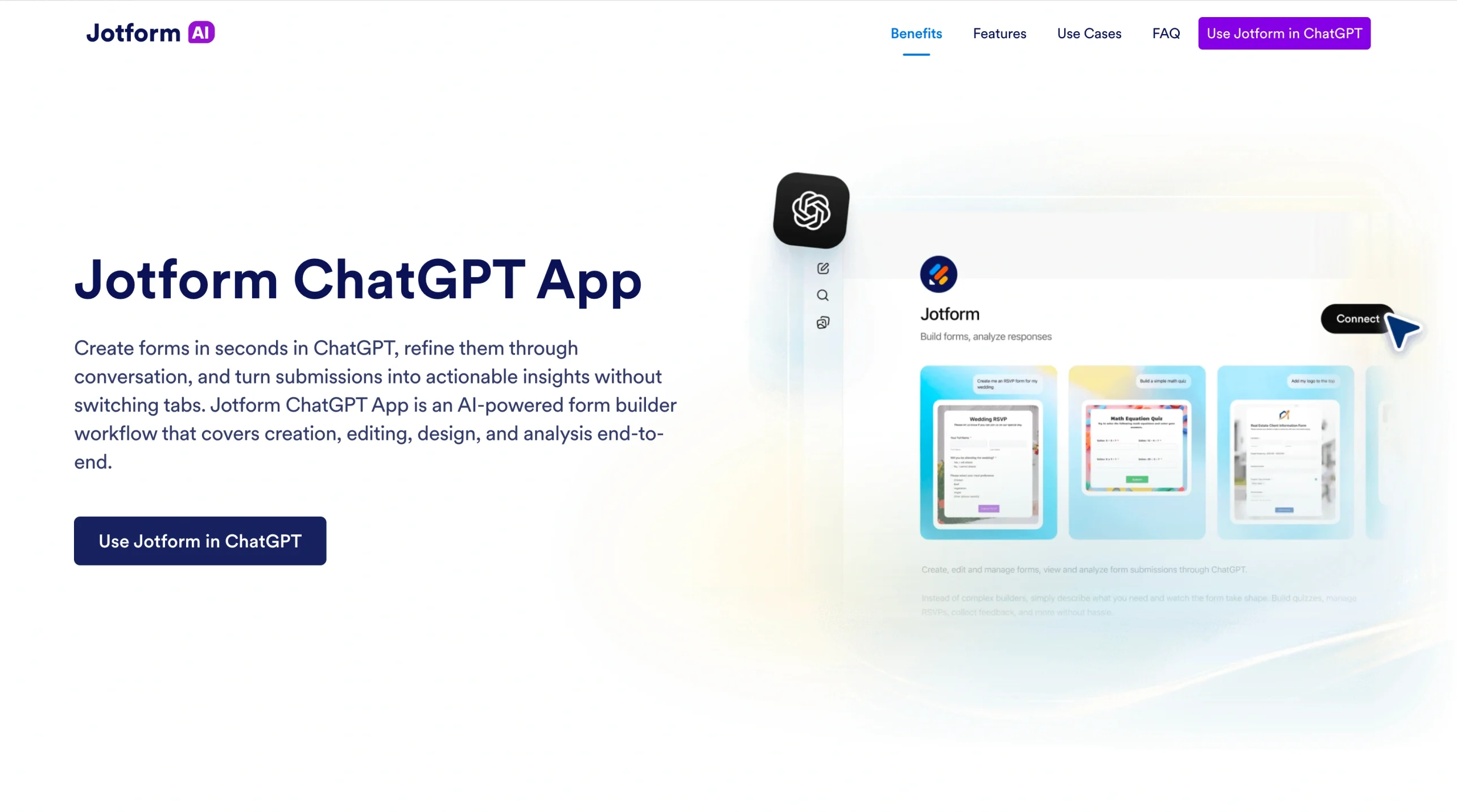
Because ChatGPT apps can be called directly by name within a conversation, this workflow feels natural. You move from “Create a buyer intake form” to “Draft a follow-up based on these responses” in one continuous exchange.
What you can do with the Jotform ChatGPT App
The Jotform ChatGPT App brings full form functionality directly into your ChatGPT workflow, turning raw responses into actionable intelligence.
Form creation and editing
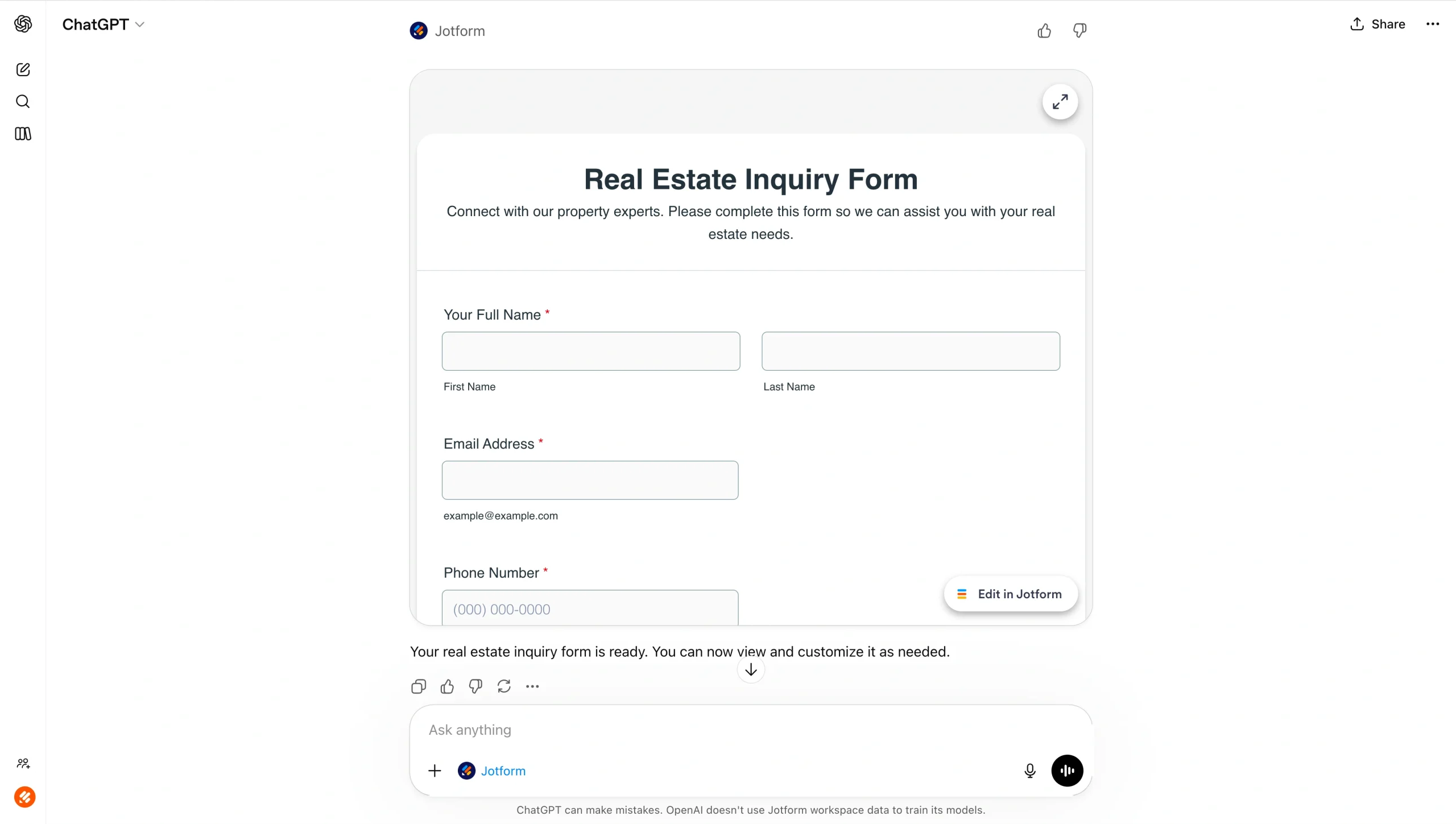
Forms appear with a complete user interface inside the conversation, with no device or app switching required. Build qualification forms, listing intake sheets, event registrations, or client surveys in minutes with the help of Form Builder’s features.
Live customization
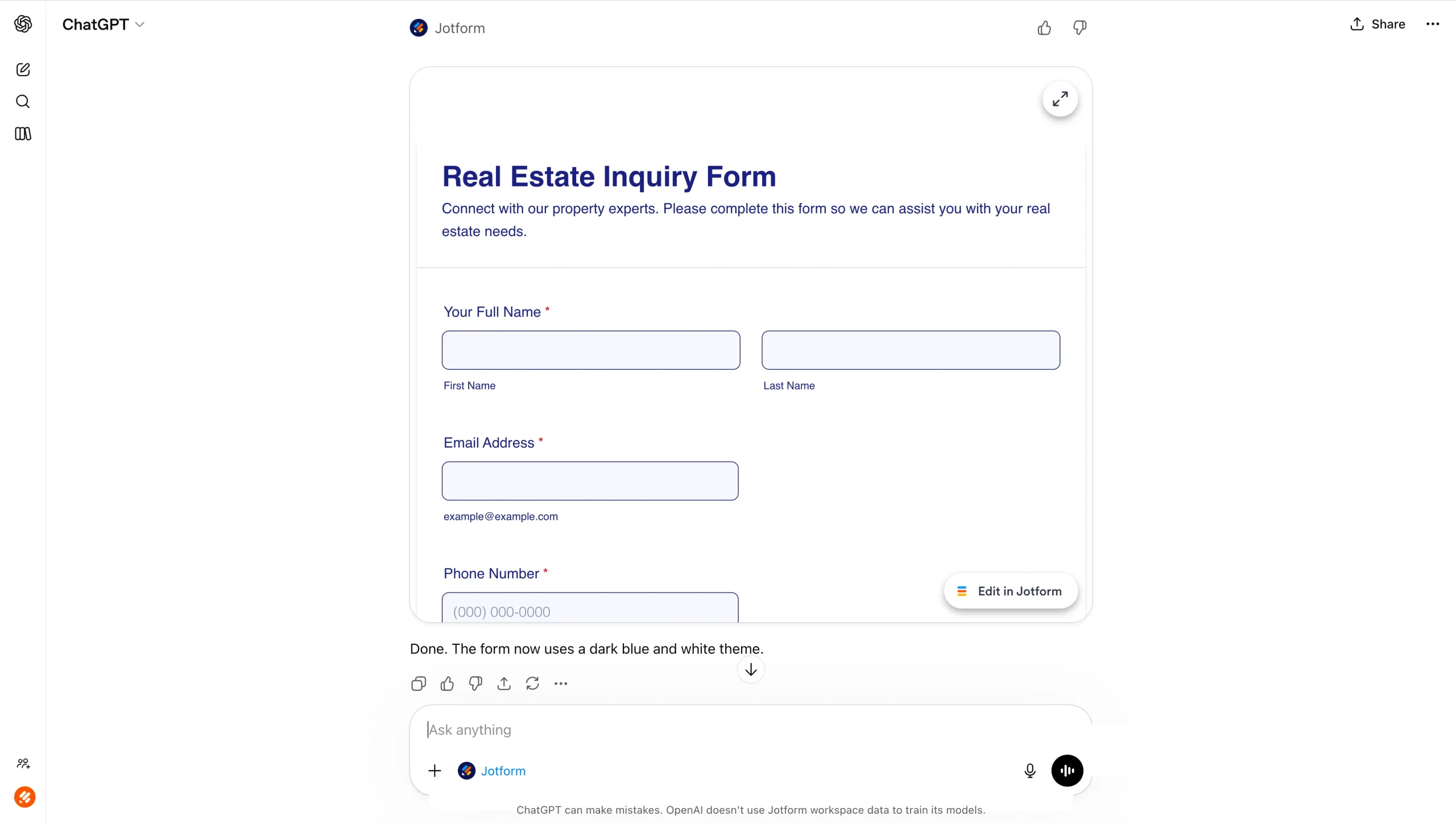
With the base form created, you can instruct ChatGPT to
- Add or remove fields
- Rewrite or simplify questions
- Reorder sections
- Rename headings
- Adjust background or styling
Your form updates in real time.
Jotform Tables (submissions) management
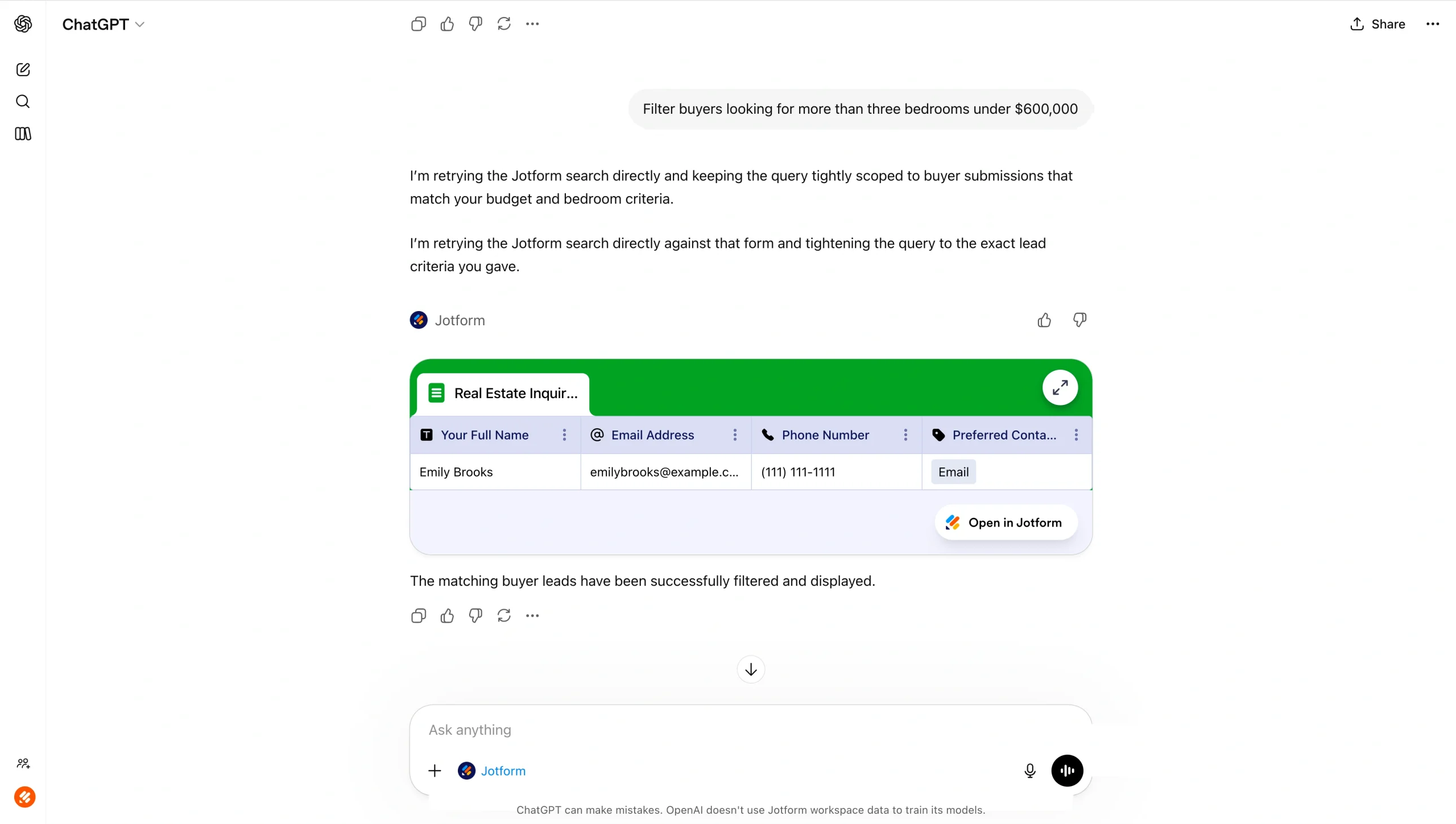
Once responses are collected, you can retrieve and analyze submissions directly inside ChatGPT. Apply filters and queries, such as
- “Who answered the first question correctly?”
- “Show only open house attendees from last weekend.”
- “Filter buyers looking for more than three bedrooms under $600,000.”
ChatGPT can then summarize trends, identify patterns, generate targeted follow-ups, or even produce sales and marketing templates from real client data.
How to use ChatGPT in real estate with the Jotform ChatGPT App
Wondering how to use ChatGPT to automate tasks? Here’s a simple real estate use case: a buyer intake workflow that captures preferences and automates follow-ups. The step-by-step workflow would look like this:
- Create the form
Ask ChatGPT to create a buyer intake form using the Jotform ChatGPT App. Include fields for budget, preferred neighborhoods, bedrooms/baths, financing status, timeline, and must-have features. - Customize live
Refine the form using prompts like- “Add a question about HOA tolerance.”
- “Reorder so that budget appears first.”
- “Rewrite questions to sound more conversational.”
- “Change the background to a minimalist design.”
- Collect responses
Share the form link with prospects. Submissions populate automatically. - Retrieve and filter data
Inside ChatGPT, dig deeper into your submissions using prompts like- “Show buyers with a budget over $750K.”
- “Filter clients ready to purchase within 3 months.”
- Generate targeted outputs
Use filtered responses to draft personalized property portfolios, follow-up emails, or showing schedules.
For busy real estate professionals, this kind of flow reduces friction — which is often the difference between opportunity captured and opportunity lost. You can also use Jotform’s built-in AI to create forms and streamline workflows with simple prompts.
Build faster with Jotform AIDescribe what you need, and let Jotform AI build it for you instantly.
Get Started Now
Build AI into your real estate workflow
As real estate agents and brokers continue to use AI to improve their work and productivity, ChatGPT’s ability to write faster, organize data more clearly, and help agents think through strategy can be invaluable. However, it doesn’t replace expertise or mean ethics matter any less. In real estate, relationships still close deals, judgment matters, and accuracy is non-negotiable.
The key, as always, is intentional AI use. Provide structured inputs. Review outputs carefully. Personalize everything before it reaches a client. And whenever possible, integrate AI into systems that make its outputs stronger and more reliable.
For real estate professionals willing to approach it strategically, ChatGPT isn’t a shortcut — it’s a competitive advantage. See how Jotform ChatGPT App can make that advantage even greater.
This article is for Learn how to use ChatGPT in real estate with practical prompts, real-world use cases, and a step-by-step guide to capturing structured data using the Jotform ChatGPT App.








































































































Send Comment: