
Drawing Competition Entry App is an app template for schools, arts programs, community groups, nonprofits, and event organizers collecting artwork for judged drawing contests. Participants can submit a drawing and its entry information, while organizers can present eligible artwork in a browsable gallery. Dedicated entry views make it easier to review participant details, age groups, and review status, then share competition results from the same experience. This organized approach supports classroom contests, youth art events, community exhibitions, and online creative campaigns while reducing scattered files, emails, and manual status updates.
With Jotform, organizers can adapt this app template through a no-code app builder and an intuitive drag-and-drop interface. Pages, buttons, visual branding, and navigation can be adjusted to match the competition, and connected forms support consistent data collection. Teams can bring entry intake, review workflows, artwork browsing, and participant self-service into one mobile-friendly app. Once ready, the Drawing Competition Entry App can be published and shared through a direct link or QR code, giving participants, reviewers, and audiences convenient access from almost any device.
Related templates

Community Membership App
A community membership app allows community members to connect to each other from any device. Build your own Community Membership App without any coding with our free template. It includes a membership application form and a list of qualifications that can be accessed from any smartphone, tablet, or desktop computer. Submitted applications will be received instantly and stored in your secure Jotform account, ready to view, share, and approve.Make this Community Membership App your own by customizing it with our drag-and-drop builder. You can easily add more forms, upload logos, change the qualifications, embed links to other resources, and update the app name, icon, and splash page. Share your app by adding the link in your website, posting it on social media accounts, or sending it directly to interested applicants. Keep your community connected with an easy-to-use Community Membership App that works on the go.
Go to Category:Booking Apps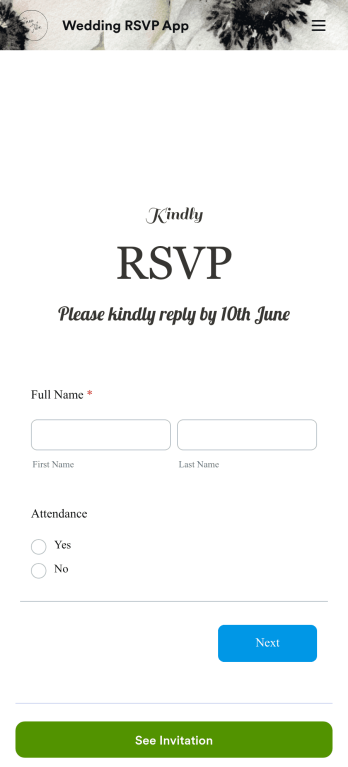
Wedding RSVP App
A wedding RSVP app is a type of mobile application used by couples and wedding planners to track and collect guest RSVPs. To build your own, use this free Wedding RSVP App Template from Jotform. Ask your guests to fill out your RSVP form, collect information about dietary restrictions and plus-ones, and share information about the venue — all from one convenient app. You can also share your registry link or add a Donation Box element for your honeymoon fund.Have a specific theme for your wedding in mind? Make your design vision come to life by customizing your Wedding RSVP App with our no-code builder. Switch up font types and colors, add or remove forms, change the background, select a unique app icon, and more. You can even choose to integrate your app with 200+ platforms to send guest data to your other accounts. Start organizing your ideal wedding with Jotform Apps today.
Go to Category:Event Registration Apps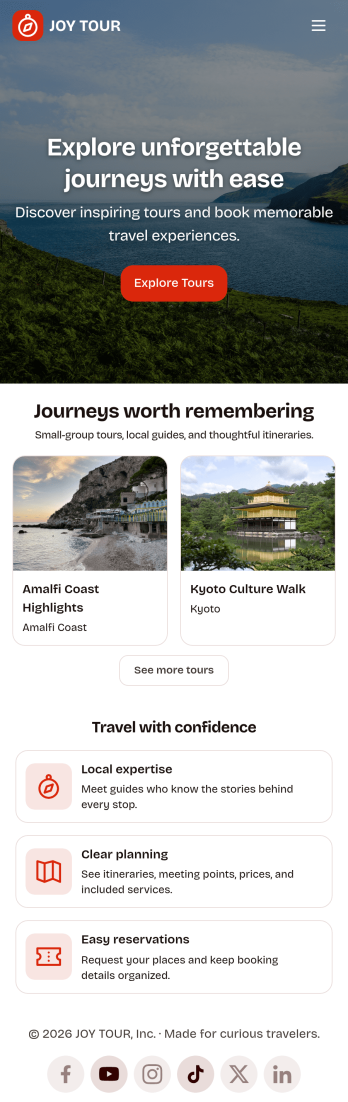
Touring App
Touring App is an app template designed to enhance the travel experience of tourists, travelers, and tour operators by facilitating destination exploration, tour booking, itinerary access, and real-time travel information delivery. Ideal for travel organizers and agencies, this mobile-friendly interface acts as a central hub for all your travel-related needs, providing all the necessary details and updates for a seamless touring experience. The app enables travelers to discover and compare destinations, plan and book tours, access detailed itineraries, and get live updates on travel information. As a result, it eliminates the need for multiple platforms and scattered information, providing a comprehensive and cohesive platform that takes your travel experience to a higher level. The Touring App is best suited for travel coordinators, guides, and touring companies seeking to offer their clients a hassle-free, all-in-one travel solution.With Jotform’s no-code app builder, you can easily tailor the Touring App to align with your brand. The drag-and-drop interface allows you to modify forms, select fonts and colors, and upload your logo, transforming the app into a unique reflection of your brand without any coding knowledge required. The app offers cross-platform compatibility, ensuring it functions flawlessly across smartphones, tablets, and desktops. Downloadable as a Progressive Web App (PWA), travelers can add the app directly to their device's home screen for instant access. No extra transaction fees are applied when collecting payments through the app, and the app's publish options can be customized to suit your needs, making the Touring App not just a travel companion, but also a sound business solution. Create your custom Touring App with Jotform today and elevate your travel business to new heights.
Go to Category:Appointment & Booking Apps
Party RSVP App
A party RSVP app is used by party planners or other individuals organizing an event. This type of app is perfect for gathering an accurate guest headcount and planning party details ahead of time. Create your own Party RSVP App for free with Jotform Apps — you can add your party details, send it to your guestlist, and even send reminder emails for those that haven’t responded yet.Personalize your Party RSVP App to cater to your theme with Jotform’s easy-to-use online app builder. Drag and drop to make design and content changes with no coding required. Upload photos of the venue, integrate with useful calendar tools, add a section to collect dietary restrictions, and more. Let Jotform help you plan a party to remember with this ready-made Party RSVP App.
Go to Category:Entertainment Apps
Private Event RSVP App
A private event RSVP app is used to collect and manage guest reservations for a private party or event — perfect for individual party hosts or event management companies. To build your own, use this ready-made Private Event RSVP App from Jotform. Gather RSVPs, get information about plus-ones and dietary restrictions, share details about the venue and dress code, and more.Want to personalize your Private Event RSVP App to more closely match your event’s theme? Use Jotform’s intuitive, no-code app builder. Drag and drop to choose a unique app icon, add or remove forms, change colors and fonts, and more. You can even integrate with 200+ useful platforms to send guest data to your other accounts automatically. Jotform allows you to make your app private, so only your chosen guests can access it.
Go to Category:Event Registration Apps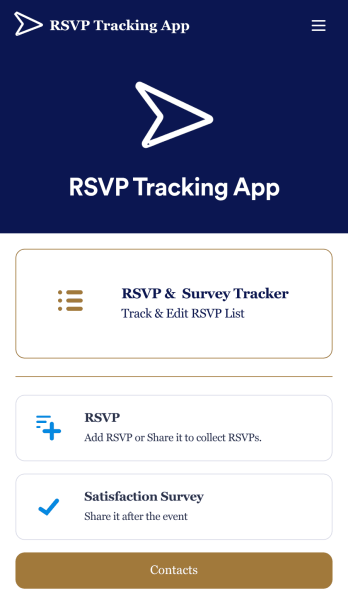
RSVP Tracking App
An RSVP tracking app is a type of mobile application used to track and manage RSVPs. This type of app is great for those planning events, parties, or other sorts of gatherings. Build your own with this free RSVP Tracking App from Jotform Apps. Add RSVP forms, post-event satisfaction surveys, and ticket payment forms to your app to manage all aspects of your event from one centralized app. Customize this RSVP Tracking App to match your needs with our no-code builder. Drag and drop to add or remove forms, upload images and videos, You can also opt to integrate the forms with 200+ platforms like Calendly, Square, and Google Drive for added convenience. Make your RSVP process seamless for everyone with this free RSVP Tracking App.
Go to Category:Event Planner Apps