
Pastry Production Tracker App gives bakeries, pastry kitchens, catering teams, and food production managers a central place to record and review production batches. Staff can enter a batch, browse recorded batches, and compare planned quantity with actual quantity alongside production status and date. This app template helps teams monitor daily output, identify quantity differences, maintain clearer production records, and coordinate work across shifts. It is useful for small bakeries, commercial kitchens, commissaries, and hospitality businesses that need consistent data collection without relying on scattered paper logs or spreadsheets.
Jotform App Templates make it easy to adapt this production workflow to the way your kitchen operates. Using Jotform’s no-code app builder and drag-and-drop interface, you can update pages, branding, navigation, and connected forms without programming. Link the app to tables and automated workflows to organize batch records, notify team members, or support internal review processes. Once customized, the app can be shared through a direct link or QR code, giving authorized staff mobile-friendly access wherever production takes place.
Related templates
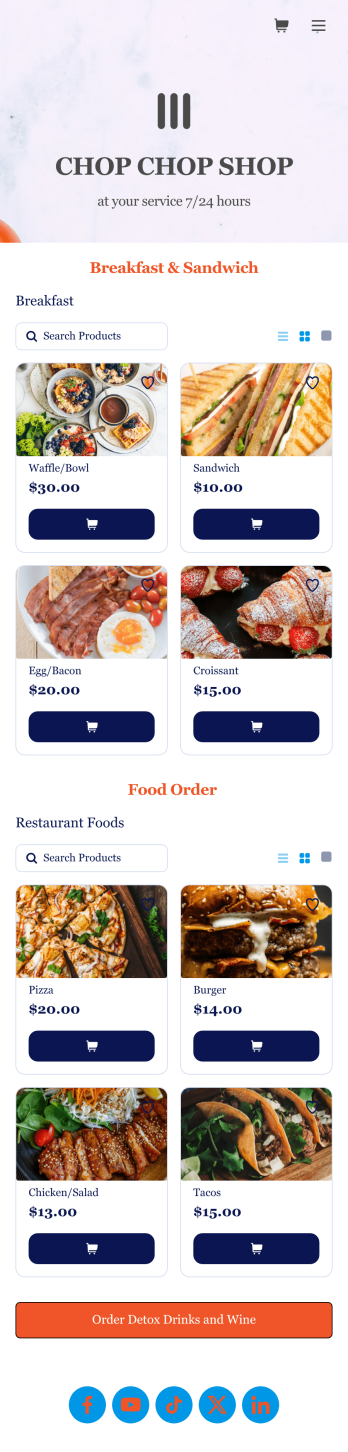
Food Order App
Discover how to sell food orders online with Jotform. No matter what type of cuisine you serve, make online ordering easy for your customers and sell food orders online with Jotform’s free Food Order App! This customizable mobile app bundles together multiple order forms and contact forms. Once they’ve downloaded your app onto their favorite device, customers can easily place their orders and submit payments all in one go. You’ll receive form submissions instantly, so you can begin fulfilling orders without delay.Customize this Food Order App for your business in just a few clicks. Jotform’s drag-and-drop interface makes it easy to create and attach forms, upload logos, add links, and include other elements in your mobile app. When you’re done customizing, share your app with customers by posting the link on your website, social accounts, or in newsletter emails. Customers can save your Food Order App onto their computer or any iOS or Android device, so they can order your food no matter where they are!
Go to Category:Delivery Apps
QR Code Menu App
Want to learn how to sell menu items online? A QR menu app is used by restaurants, cafes, and diners who wish to replace a traditional menu with a QR code menu. With this app template, customers can scan a QR code with their smartphones to access your online menu. Once scanned, diners will be presented with your app’s splash screen, where they can navigate between drink and food menus and place no-contact orders for dine-in, pick-up, or delivery. Orders received through your app are automatically synced to your online account, which can be accessed by servers and kitchen staff from any device.Customize this app template to fit your needs using Jotform’s intuitive form builder. No coding required — simply drag and drop to add or change form elements, upload your logo, choose fonts and colors, attach thumbnail images to menu items, and more. You can even create a custom splash screen to run promotions or showcase popular dishes. Once you’re finished, connect your app to a unique QR code, and customers can then scan and access your menu from any smartphone or tablet. Build a custom no-contact online menu in minutes and sell item items online with this free QR Menu App from Jotform.
Go to Category:Food & Beverage Apps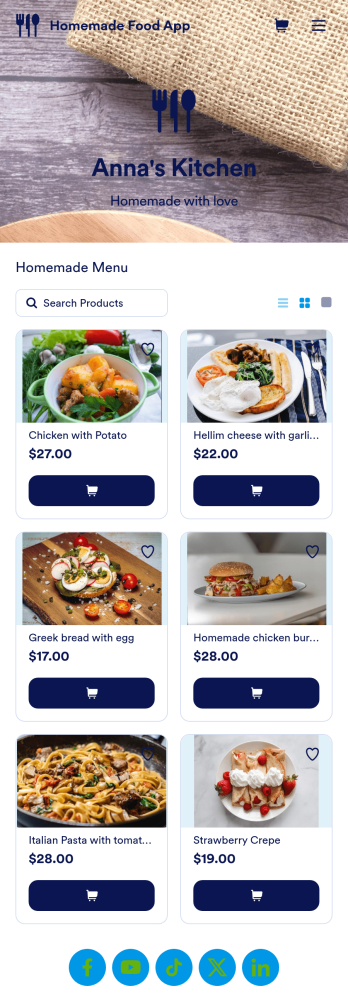
Homemade Food App
Need an easy way to sell your delicious homemade food? With Jotform’s Homemade Food App, you can make your own personalized homemade marketplace in minutes. Begin your app creating journey by starting from scratch or by choosing one of our ready-made app templates to get things cooking. List all the products you have for sale and update as products change. You can even customize your listings with personal product images and descriptions.Customize your Homemade Food App to your liking by using Jotform’s app builder. Our intuitive drag-and-drop store builder allows you to create a store you’re proud of. Integrate with different types of useful widgets and pick from our 25+ payment processors to make checkout a positive experience for you and your patrons. Share your custom app with your customers via link, scannable QR code, or by directly embedding it in your restaurant or bakery’s website. Feed your community and create your own Homemade Food App today.
Go to Category:Delivery Apps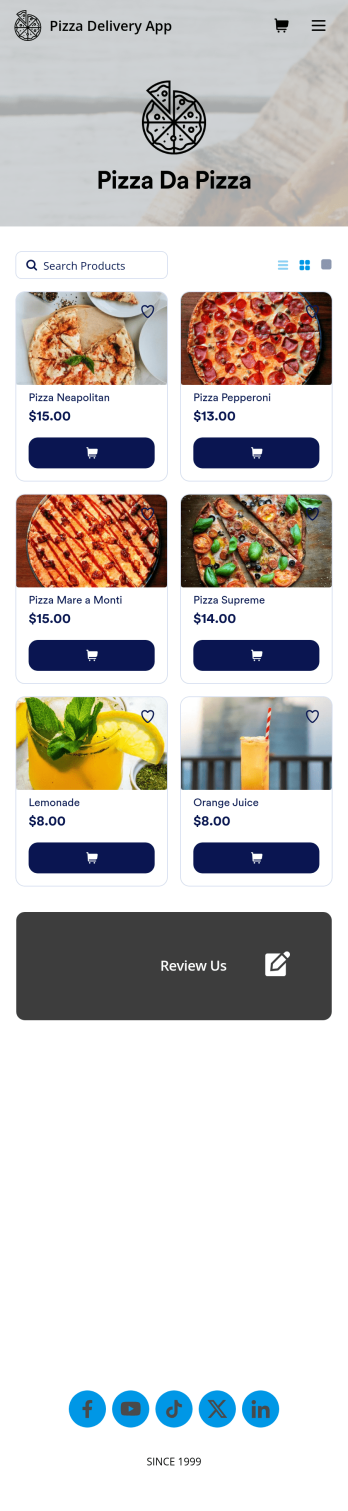
Custom Pizza Delivery App
Need to know how to sell pizza online to take your business to next level? Give your customers an easier way to order pizzas for delivery with this free Pizza Delivery App from Jotform. Start by adding your pizza and topping options to the app using our drag-and-drop builder, then connect the app with your preferred payment gateway to gather payments online — all while paying no extra transaction fees to Jotform! All orders are stored in your Jotform account, ready to be viewed, prepared, and delivered by you and your team.Need to make other changes to this Pizza Delivery App template? Drag and drop to add your company logo, change fonts and colors, and make other design updates with no coding. Not only does the app’s order form integrate with 30+ gateways like PayPal, Stripe, and Square, but it also connects with 100+ apps so you can track orders in other accounts too. Ditch time-consuming phone calls and enjoy a more efficient way to sell pizza online with a Pizza Delivery App.
Go to Category:Delivery Apps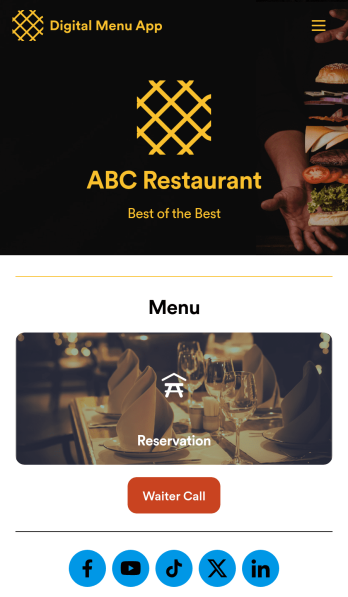
Digital Menu App
A digital menu app is used by restaurant owners to gather food orders or reservations from customers. Need to know how to sell things off your digital menu online? With this free Digital Menu App from Jotform, your restaurant can create a custom app that includes your unique menu items, reservation slots, and even a button that lets customers call your restaurant in a single click. All responses through the app are stored in your Jotform account, ready to view instantly from your own mobile device.Want to change the design of this free app template? Add your logo, update the form designs, include photos of your dishes, update the app’s background and icon, and make other changes with no coding required. Just drag and drop to get the look you want! Then customers can download your custom Digital Menu App onto their smartphone, tablet, or computer to submit orders or reservation requests whenever they like.
Go to Category:Online Store Apps
Customizable Coffee Shop App
Wondering how to sell coffee online? A coffee shop app is used by coffee shops as a way to collect orders from customers. With this app template, you can create an online menu with product thumbnails, descriptions, and prices, and customers can place to-go and delivery orders from their favorite device. You can also easily include item discounts, customer testimonials, location, and contact number, as well as social media links. Orders are immediately synced to your secure Jotform account, which baristas can access from a tablet or desktop at the counter.Want to make changes to this app template? Jotform's intuitive app builder makes it easy for anyone to customize the look and feel of their app with just a few clicks. No coding required — just drag and drop to add or change form elements, choose custom color schemes to match your branding, upload your logo, add payment integrations, and more. Once you’re satisfied with the look and feel of your online menu, you can share your app with customers by embedding it in your website or generating a custom QR code to hang in the window of your coffee shop. Give your customers the option to order ahead from any device and sell coffee online with this Coffee Shop App from Jotform.
Go to Category:Food & Beverage Apps