
The Story-Based Learning App gives educators, tutors, trainers, and learning program coordinators a focused space for teaching through narratives and guided reflection. Learners can browse a story collection, read selected material, consider prompts, make personal or topical connections, and submit a learning check. This app template works well for classroom enrichment, remote lessons, tutoring sessions, professional development, and community education. It helps turn passive reading into active learning while giving instructors a consistent way to encourage thoughtful choices and gather feedback.
With Jotform, you can adapt this Story-Based Learning App without writing code. The no-code app builder and drag-and-drop interface make it easy to update pages, adjust navigation, apply your visual style, and connect forms for data collection. Educators can organize stories and learning activities in one mobile-friendly experience, then share it by link or QR code. Jotform App Templates also support connected workflows, helping teams review responses, monitor participation, and refine future lessons while providing convenient self-service access to learning resources.
Related templates
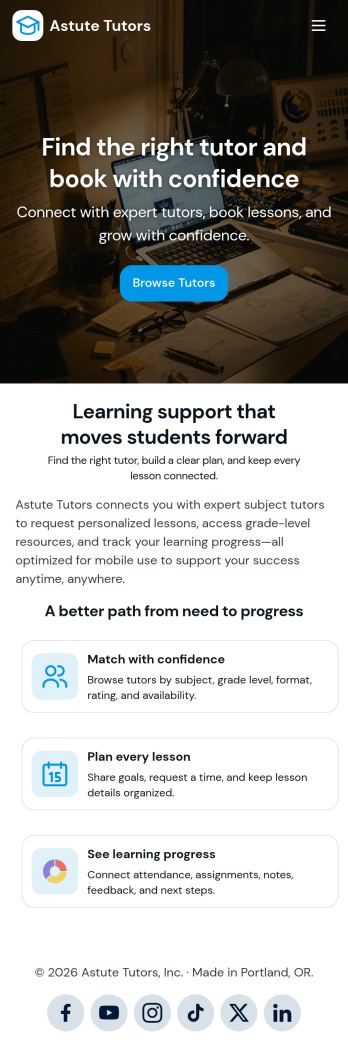
Tutoring App
Tutoring App is an app template designed to streamline the process of finding and connecting with suitable tutors. This app aids in the submission of tutoring requests, providing a platform for students, parents, and educational institutions to specify their learning goals and subject needs. This app is ideal for anyone in need of personalized academic support and learning assistance, providing a central hub for one-on-one or group instruction. The template collects information such as subject areas, desired tutoring schedules, and specific learning objectives, bringing clarity and consistency to the tutor-student matching process. It is a perfect fit for those desiring an efficient and systematic approach to locating the right tutoring support.Jotform's Tutoring App brings additional benefits to the tutoring process by offering cross-platform compatibility enabling usage across smartphones, tablets, and desktops. With its no-code app builder, customization of the app is straightforward, allowing users to tailor the app to their specific needs without writing any code. Adding forms or customizing layouts is made possible with its drag-and-drop interface. The app also provides options for sharing directly via email, social media, or QR codes, thereby making it convenient for users to distribute their tutoring requests widely. Jotform's Tutoring App, with its focus on creating a seamless experience for its users, is the go-to solution for efficient and effective tutoring coordination.
Go to Category:Course & Training Registration Apps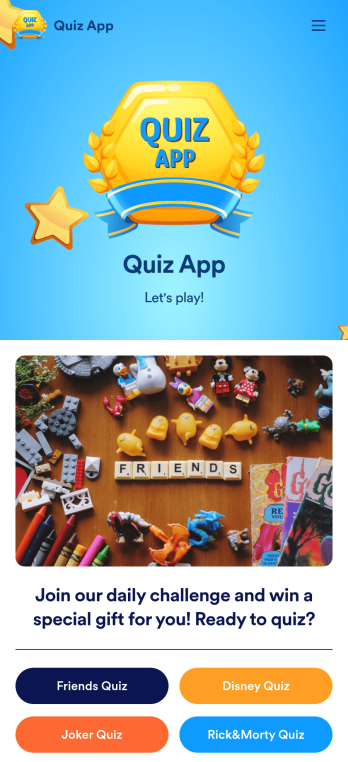
Quiz App
A quiz app lets you take quizzes and submit answers from any device. Whether you need a place to share quizzes for your classroom, office party, or friend group, get started with Jotform’s free Quiz App! This ready-to-use template includes four premade quizzes that you can fill out using any device and share with others. Using our drag-and-drop builder, you can create and add your own quizzes. All responses will be instantly synced to your secure and easily-accessible Jotform account for quick and easy scoring.Make this Quiz App your own in just a few clicks. All you need to do is drag and drop to build and add quizzes, upload tables to see results, embed links and documents, create new pages and buttons, upload photos and videos, and much more. When your app is ready to use, download it onto your favorite device and share it with others via the app link or by sending email invites. Take your online quizzes to the next level with a fully custom and engaging Quiz App that works anywhere.
Go to Category:Education Apps
Football News App
A football news app is used to display football-related news, scores, and collect subscriptions from fans. As the app owner, you can aggregate news articles from other websites, or upload your own original work. Football fans can download your app onto their favorite device and sign up to receive email updates whenever your app is updated with football news or scores. Subscriber information is stored securely in your Jotform account.This Football News App can be fully customized to your liking with Jotform’s intuitive app builder. No coding knowledge required — simply drag and drop to add form elements, create new pages and forms, customize your app’s main screen, upload your own images and branding, and much more. You can even install one of our 30+ payment gateway integrations to charge for premium subscriptions fees. Create an all-in-one Football News App to keep sports fans in the know with this free app template from Jotform.
Go to Category:Education Apps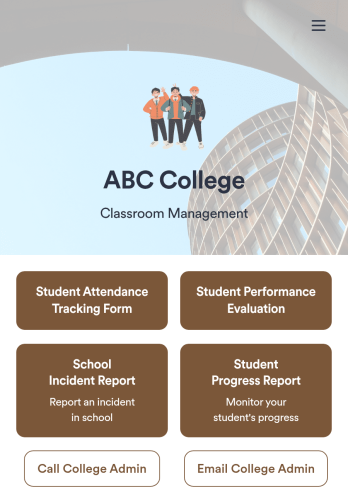
Classroom Management App
A classroom management app is used by schools and educational institutions for recording students’ attendance and progress. This all-in-one Classroom Management App contains four useful forms: teachers can mark attendance with a Student Attendance Tracking Form, record student progress with a Student Progress Report Form, keep track of student evaluations with a Student Performance Evaluation Form, and report incidents with a School Incident Report Form.This app template can be easily customized to suit your school or classroom’s particular needs. Using our drag-and-drop interface, you can add or swap out form elements, change text, choose fonts and colors, upload images, and more — all without any coding. After you’re done, you can share your app with a link or embed it in an internal website for teachers to access and download on any device. Stay on top of your students’ progress and performance with this free Classroom Management App from Jotform.
Go to Category:Classroom Management Apps
Community Membership App
A community membership app allows community members to connect to each other from any device. Build your own Community Membership App without any coding with our free template. It includes a membership application form and a list of qualifications that can be accessed from any smartphone, tablet, or desktop computer. Submitted applications will be received instantly and stored in your secure Jotform account, ready to view, share, and approve.Make this Community Membership App your own by customizing it with our drag-and-drop builder. You can easily add more forms, upload logos, change the qualifications, embed links to other resources, and update the app name, icon, and splash page. Share your app by adding the link in your website, posting it on social media accounts, or sending it directly to interested applicants. Keep your community connected with an easy-to-use Community Membership App that works on the go.
Go to Category:Booking Apps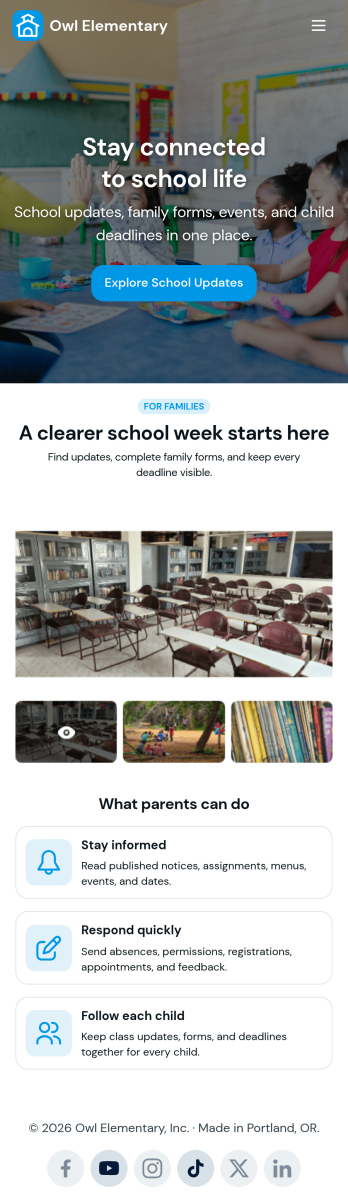
Custom School Parent App
A school parent app is a parent portal that allows parents to access and provide student data from any device. Create a parent portal mobile app for your school with our free School Parent App. This ready-made template includes a student information form, student enrollment form, concern report form, and summer camp registration form, as well as links to a parent handbook and school website. Parents can download and use your app from any smartphone, tablet, or desktop computer.Customize your School Parent App without any coding using our drag-and-drop builder. Jotform’s List Element feature lets you connect Tables and add actions, making it easy to organize data and manage your app’s flow. You can add or remove forms, embed links to other education sites, include tables, update text, upload your school logo, and modify app settings. Share your app with parents by sending them the link via email or by posting it on your school’s education website—they’ll be able to save the app onto their preferred devices for easy access. Give parents secure, real-time access to student information with an easily accessible online School Parent App.
Go to Category:Education Apps