
Before a prospective patient books an appointment or even sets foot in your office, their first impression of your healthcare practice often comes from your website. But making improvements to that first impression usually means calling in a web developer for even the smallest change, like adding a review section, setting up appointment booking, or providing answers to FAQs.
Jotform Website Widgets change that. They’re a free, no-code way to add practical, patient-facing functionality to any website — no developer required. Just pick a widget, customize it to match your site, and copy the provided embed code into WordPress, Wix, Squarespace, Webflow, or your custom website.
Built for the way healthcare teams actually work
Healthcare websites have to do a lot: build trust, answer questions, make it easy to book, and keep patients informed — often across multiple providers, departments, and locations. Website Widgets are designed to make those jobs easier, without adding to your team’s workload.
Here’s how practices and healthcare organizations are already putting widgets to use:
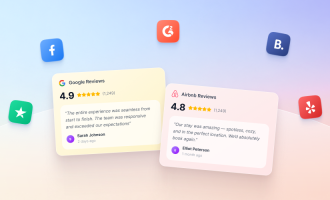
Build trust before the first appointment. Add widgets that pull reviews from Google, Facebook, Yelp, and other platforms, so prospective patients see your reputation the moment they land on your site instead of sending people elsewhere to check reviews.
Make it easy to reach the right location. Multi-location practices and larger healthcare groups can add click-to-call, business hours, and appointment booking widgets, so patients always know how and when to reach the right office.
Answer the questions patients ask most. FAQ widgets let you address common concerns about insurance, intake, or what to bring to a first visit, for example, right on your site, cutting down on repetitive phone calls to your front desk.
Keep patients in the loop. Announcement banners and popups make it simple to share office updates, new patient specials, or seasonal notices (e.g., flu shot season, holiday hours) without waiting on a website update from IT.
Free to start, easy to build
Website Widgets are free to use today, with no usage limit and no plan requirement to get started. That means any practice — from a single-provider office to a multi-location group — can try them and see what they do for its site without committing to anything up front.
With a growing library of widgets to explore, there are likely already widgets that your practice can take advantage of. Browse the directory, try a few (review, booking, and FAQ widgets are a great place to start), and see what a little added functionality can do for your patients’ experience on your site.






Send Comment: