
Top 5 age verification widgets
If your business sells regulated products or hosts restricted content, age restriction is the cornerstone for protecting the physical and mental safety of minors. Beyond best practice, age restriction is often a legal necessity. The Electronic Frontier Foundation reports that in 2025, half of US states required age verification for adult content or social media platforms, with more states expected to follow suit in the coming years.
But it’s easy for compliance and user experience to fall out of balance. An intrusive, slow, or poorly designed age gate can ruin search rankings and frustrate adult customers. The best age verification for your website strikes the right balance between compliance and user experience, giving you a legally sound, polished, customizable, and lightweight age gate. In this guide, we break down the top age verification widgets for websites to help you quickly deploy professional age gates through a simple copy-paste embed code.
Top age gate website widgets at a glance
| Best for | Price | Customization | Embed flexibility | |
|---|---|---|---|---|
 Jotform |
No-code teams looking for full design control |
Free unlimited access until January 2027 |
Live editor, colors, layouts, copy, and popup design |
Embed on any website with a simple embed code |
 Elfsight |
Quickly building a polished, branded age gate |
Free plan; paid plans $4–$16/month (billed annually) |
Templates, colors, overlay images, logo, and custom CSS |
Embed on virtually any website with HTML code |
 Common Ninja |
People managing several sites on different platforms |
Free plan; paid plans $7.79–$18.20/month (billed annually) |
Skins, colors, fonts, and custom CSS |
Works with 200+ platforms using an embed code |
 Embeddable |
AI-assisted, on-brand design without a designer |
Free plan; paid plans $18–$130/month (billed annually) |
AI-generated design, multistep logic, visual editor |
Embed codes work across major website builders |
 POWR |
Simple yes/no age gates |
Free plan; paid plans $4.83–$79.19/month (billed annually) |
Live editor for fonts, colors, borders, and spacing |
Embed on any POWR-supported website builder |
1. Jotform Age Verification Widget
Best for: Teams that want a fully branded age gate without having to write code

If you need a customizable, modern, and friction-free age gate, the Jotform Age Verification Widget for websites is an all-around great choice. It’s among the most straightforward paths to create an age gate because it requires no coding. On the platform, you create a standalone age verification popup from a template and then copy and paste its embed code into any content management system (CMS). You can add the widget to platforms such as WordPress, Shopify, Squarespace, Wix, and Webflow. And because Jotform offers many essential features on its free plan, it’s one of the best free age verification options.
Design control is also where Jotform pulls ahead of most website age gate widgets. You get full control over how the text, layout, colors, and background appear, so you can customize everything to match your site’s branding. For the full setup walkthrough, see how to add an age vertification widget to your website.
- Key features
- Three verification methods (yes/no, birth year, or full date of birth)
- Intelligent cookie memory to avoid re-prompting returning visitors
- Custom actions for failed attempts, including warnings or external redirects
- Full design control over text, layout, colors, and backgrounds
- 100 percent mobile responsive
- Free to start
- Pros
- Free age verification popup widget to start using immediately
- Highly customizable for on-brand age gates
- Works on any CMS with a single embed code
- Cons
- Unlimited free access is limited through January 2027
- Higher traffic will require a higher-tier plan after January 2027
2. Elfsight Age Verification Widget
Best for: Site owners who want a polished age gate live in minutes

Elfsight Age Verification widget can handle just about anything you need to create a polished, functional age gate. Like Jotform’s offering, this widget offers three verification methods (yes/no buttons, birth year, or full date of birth) and lets you set a custom minimum age to meet your industry’s requirements. You also get the option to display the widget as a full-page overlay that blocks all content until visitors verify their age. Once you’re done creating it, you can add your age verification popup embed code to more than 40 website platforms.
- Key features
- Yes/no, birth year, or full date of birth verification methods
- Custom minimum age with full page overlay display option
- Cookie-based visitor memory for a set number of days
- Custom colors, background, overlay images, and logos
- Works on 40-plus platforms via a single embed code
- Pros
- Full-page overlay option for stricter compliance needs
- Flexible enough for different age-restricted industries
- Extensive styling options for creating a branded age gate
- Cons
- Limited monthly views on the free plan
- Pricing scales with page views, so high-traffic sites cost more
3. Common Ninja Age Verification Widget
Best for: Agencies managing sites on different platforms

Common Ninja’s Age Verification Widget is suitable for multi-platform site management. If you’re looking to intercept website visitors before they reach age-restricted content on multiple sites, you’ll appreciate that the widget supports 200-plus platforms. Just pick your preferred age-check method, customize the wording and rejection behavior, and the platform will generate an embed code. You can add the widget to platforms such as GoDaddy, Squarespace, Carrd, and Webador. This age verification widget for websites offers you multiple pre-built skins, or you can customize colors, fonts, spacing, and CSS to match your brand.
- Key features
- Yes/no, date of birth, or country-specific drinking age checks
- Multiple pre-built skins plus full custom CSS support
- Configurable redirect for visitors who fail the age check
- One line of embed code across 200-plus platforms
- Free plan with no time limit and no credit card requirement
- Pros
- Broad platform support, including niche builders
- Fast setup
- Multiple verification options for different age-restricted use cases
- Cons
- The free plan can’t upload images or edit CSS
- Paid plans required for over 10,000 monthly views
4. Embeddable Age Verification Widget
Best for: Designing an age verification widget with AI

Let’s say you want to build an age verification widget for your website without using templates or writing a single line of code. Or perhaps the available templates don’t meet your brand’s needs because you want to create a brand-specific age verification widget for your website. With its AI-powered widget builder, Embeddable makes it easy to turn your idea into a working age verification widget, even if you have zero background in coding or design. Instead of picking from fixed templates like most age verification widgets, you describe the age gate you want and refine it through conversation. You can create a widget with standard verification types, including yes/no, birthday entry, and region-specific thresholds, as well as multistep logic if your site needs different minimum ages by market.
- Key features
- Yes/no, date of birth, checkbox age verification
- AI-generated age gate built from a plain-English description
- Multistep logic for region-specific age thresholds
- Visual editor for manual color, spacing, and layout refinement
- Single embed code across major website builders
- Free plan with no credit card required to start
- Pros
- AI build process cuts setup time for a fully custom look
- Easy to create a branded gate without design or coding skills
- Suitable for websites with complex age verification requirements
- Cons
- Free plan caps monthly AI prompts
- Free tier limits monthly page views to 200
5. POWR Age Validation Popup
Best for: Teams that only need a simple yes/no age check without deeper compliance logic

Unlike website age gate widgets from Jotform, Elfsight, Common Ninja, and Embeddable that offer multiple verification methods, POWR Age Validation Popup only offers a simple yes/no confirmation. On the platform, you can create popups that ask visitors whether they meet age requirements, then send them to custom URLs based on their responses. You can customize your popup’s appearance and add elements such as images, buttons, a countdown timer, and animations. The widget is no-code, so you can build your age gate from more than 250 themed templates and grab the embed code for any site. Since it’s compatible with WordPress, POWR is a straightforward, no-code WordPress age verification popup option.
- Key features
- Yes/no age confirmation with configurable redirect logic
- Live editor for fonts, colors, borders, and spacing
- Responsive layout for all screen sizes
- Shared editor with 60-plus other POWR apps
- Free plan available with no coding required
- Pros
- Familiar editor if you already use other POWR widgets
- Quick to set up for simple yes/no age checks
- Suitable for sites that need several no-code widgets
- Cons
- Only supports yes/no age verification
- No option to set different age requirements
Enhance your real-world user experience with zero-code web widgets
An age gate is only one part of creating a professional website for an age-restricted audience. Once your visitors pass the gate, you need to make it easy for them to find information, register for events, contact you, or complete a purchase. Jotform Website Widgets give you a library of no-code tools to keep your website secure, compliant, and professional without making your site heavy or piling on premium app subscriptions.
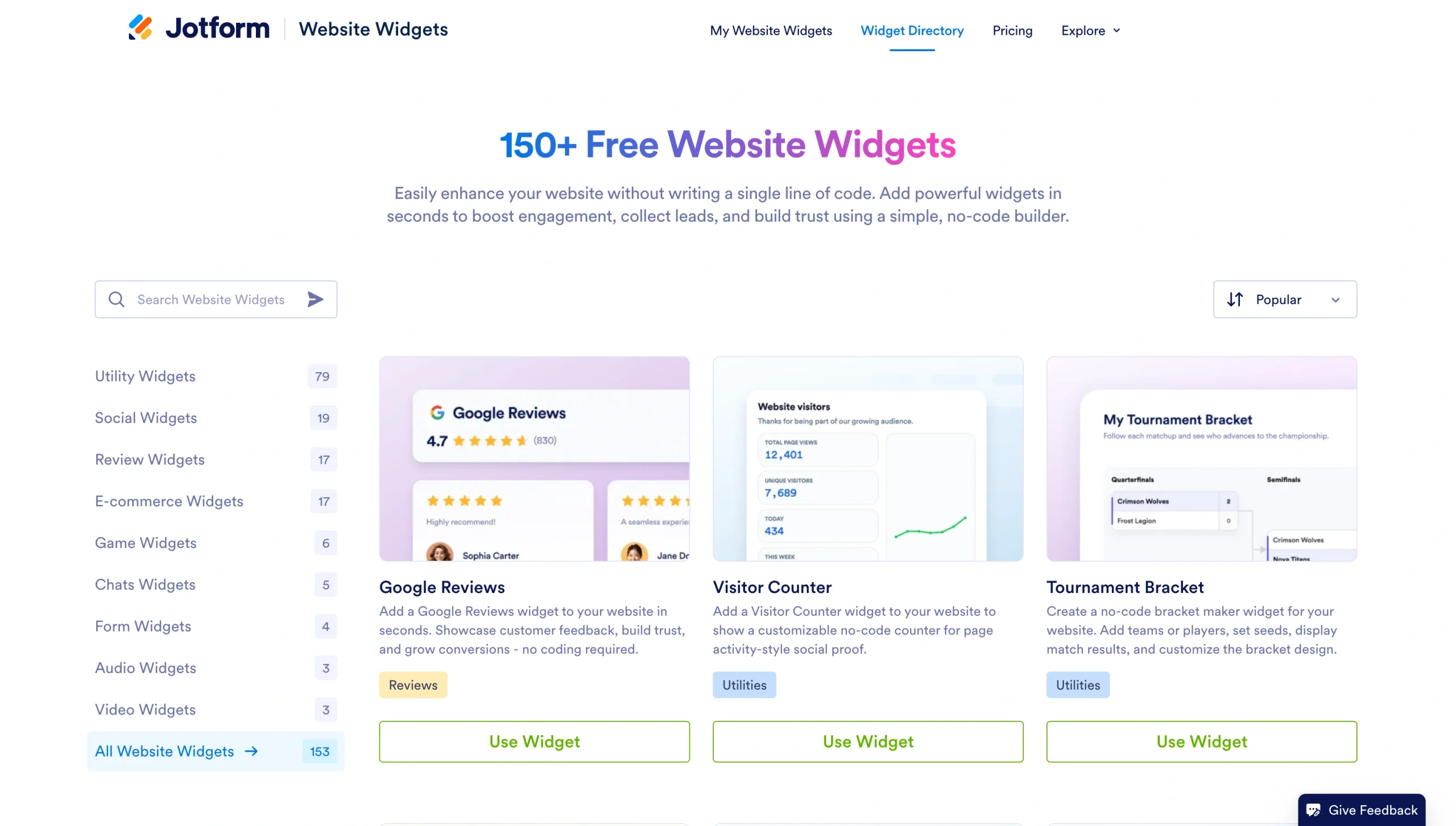
To create a more complete experience after visitors pass your age gate, you can add other Jotform Website Widgets based on what you want them to do next:
- FAQ Widget to answer common questions about eligibility, policies, products, or services
- An event calendar widget for website owners to showcase upcoming events and guide visitors to registration
- Contact Us Widget to give customers an easy way to reach your team
- Announcement Bar Widget to highlight important updates, promotions, or registration deadlines
If you’re a site manager making websites, you can do so without coding and add useful, professional-looking features without relying on a developer. Using cloud-hosted tools, such as Jotform Age Verification Widget, you can deploy a high-performance access gate across any CMS with zero plug-in conflicts or code overhead.
This article is for web designers, developers, and small business owners running age-restricted websites (such as e-commerce vendors for alcohol, vape, or tobacco; 18+/21+ event organizers; mature online membership communities; or regulated media hubs) who need a compliant, user-friendly way to verify user eligibility without touching code.











Send Comment: