
Top 5 number counter widgets
Visual data and social proof tell a compelling story. In a 2025 Canva report, 87 percent of marketers reported that data visualization enhances credibility. Hard metrics such as “Over 10,000 customers served” or “$50,000 raised” are highly persuasive, but plain statistical text often goes unnoticed.
A number counter widget for your website animates your statistics, drawing visitors’ attention to the metrics that matter most. In this comparison guide, we review the top five no-code animated counters for websites to help you instantly display your stats with a simple embed code.
| Number counter widget | Best for | Price | Customization |
|---|---|---|---|
 Jotform Number Counter Widget |
Creating highly customizable, no-code animated counters |
Free until 2027; paid plans available after that (pricing not published) |
Live editor, colors, fonts, labels, icons, prefixes/suffixes, and animation |
 Elfsight Number Counter |
Building animated statistic sections |
Free plan; paid plans $4–$16/month (billed annually) |
Ready-made templates, colors, typography, icons, and animation |
 Common Ninja Number Counter |
Designing branded counters |
Free plan; paid plans $7.96–$18.20/month (billed annually) |
Flexible layouts, colors, fonts, icons, spacing, and animation |
 Embeddable Counter |
Displaying live metrics from connected data |
Free plan; paid plans $18–$130/month (billed annually) |
Theme-matched styling, typography, colors, and data display options |
 MightyWidgets Counter |
Creating lightweight website counters |
Free plan; paid plans $6–$30/month (billed annually) |
Basic colors, fonts, labels, sizing, and animation |
1. Jotform Number Counter Widget
Best for: Creating highly customizable, lightweight number counters
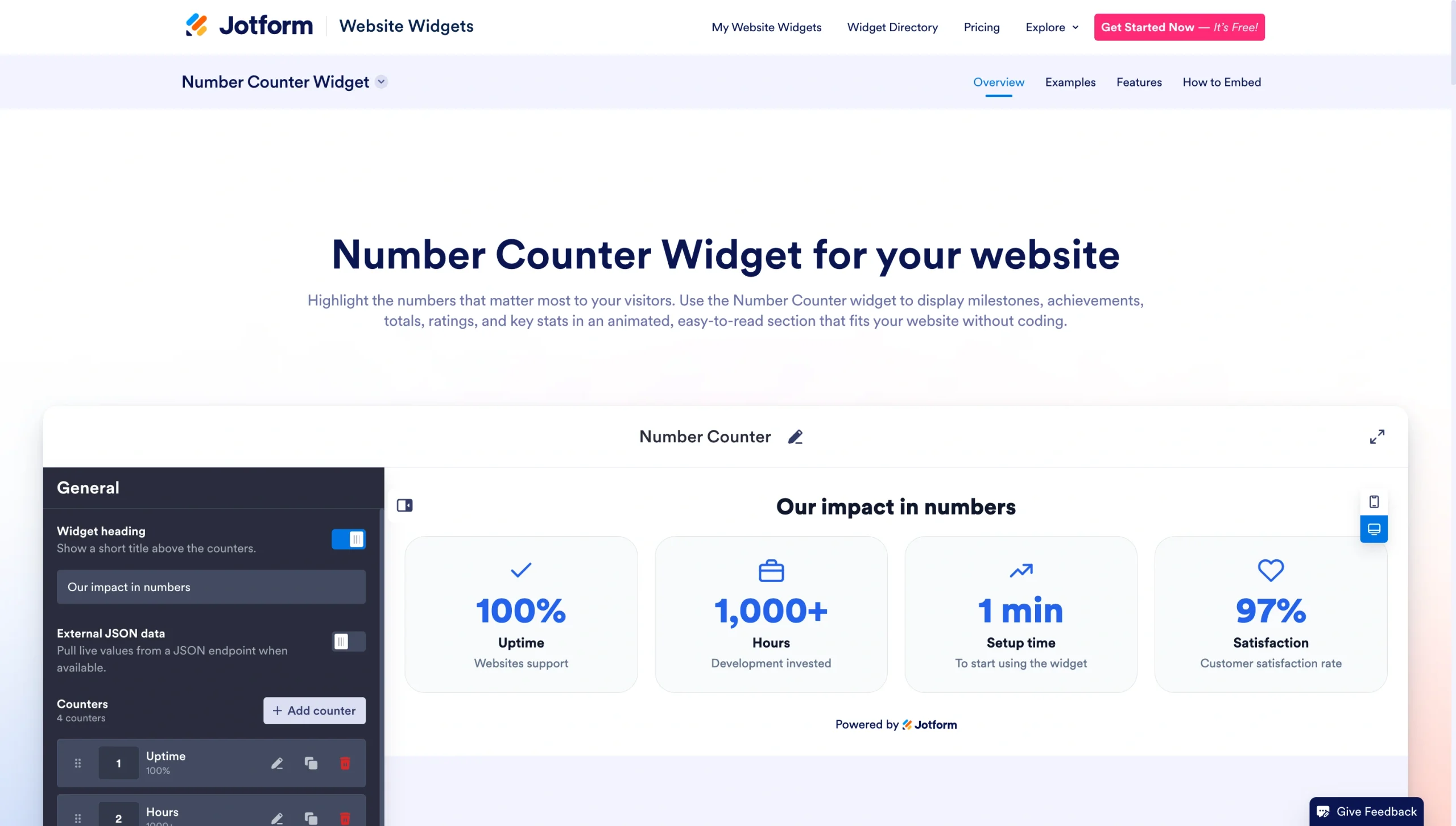
The Jotform Number Counter Widget is one of the most flexible, lightweight, and modern options for animating statistics on your site. It’s a completely no-code number counter that works with WordPress, Shopify, Wix, Squarespace, Webflow, and virtually any other platform, because it uses an embed code instead of a specialized plug-in. To build a Jotform counter widget, you use a visual editor and preview the result before you insert the generated HTML to embed it onto your site.
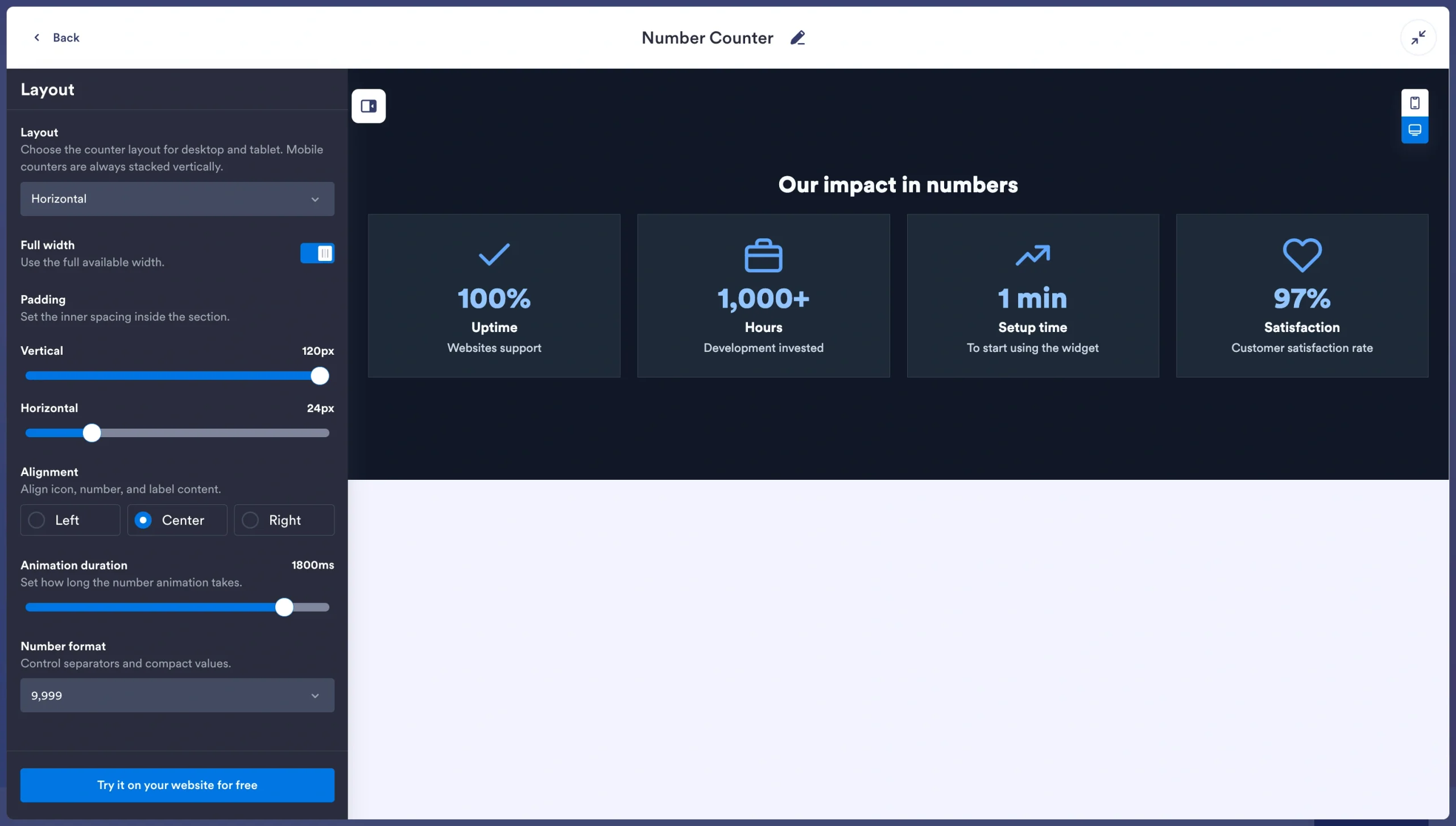
- Key features
- Customizable start and target value with smooth count-up animation
- Adjustable animation duration for rolling transitions
- Flexible prefix and suffix options for adding currency symbols, percentages, or plus signs to numbers
- Full color, typography, and background customization
- Mobile optimization and cloud hosting to avoid site bloat
- Pros
- Completely free website counter widget to start
- Highly flexible design options
- Compatibility with any website platform with a single embed
- Cons
- Need for paid plan to access some advanced features or for higher usage
- Jotform branding on the free tier
2. Elfsight Number Counter
Best for: Building polished number counter templates and ready-made designs
Elfsight’s Number Counter widget makes it easy to showcase key metrics with polished, ready-made templates. You can choose from three layouts and customize colors, icons, columns, and animation settings. To add the widget to your site, copy the embed code Elfsight generates and paste it onto your page.
- Key features
- Three predesigned templates and layouts
- Unlimited counters and columns on paid plans
- Prefix/post-fix text, icon, and link editing
- Scroll-triggered count-up animation
- Customizable number counter widgets for each device type
- Pros
- Ability to combine multiple counters into a single section
- Advanced animation triggers
- Extensive styling options without CSS
- Cons
- Limited views and Elfsight branding on free plan
- View-based pricing that can make the tool expensive for high-traffic sites
3. Common Ninja Number Counter
Best for: Designing branded, animated number counters
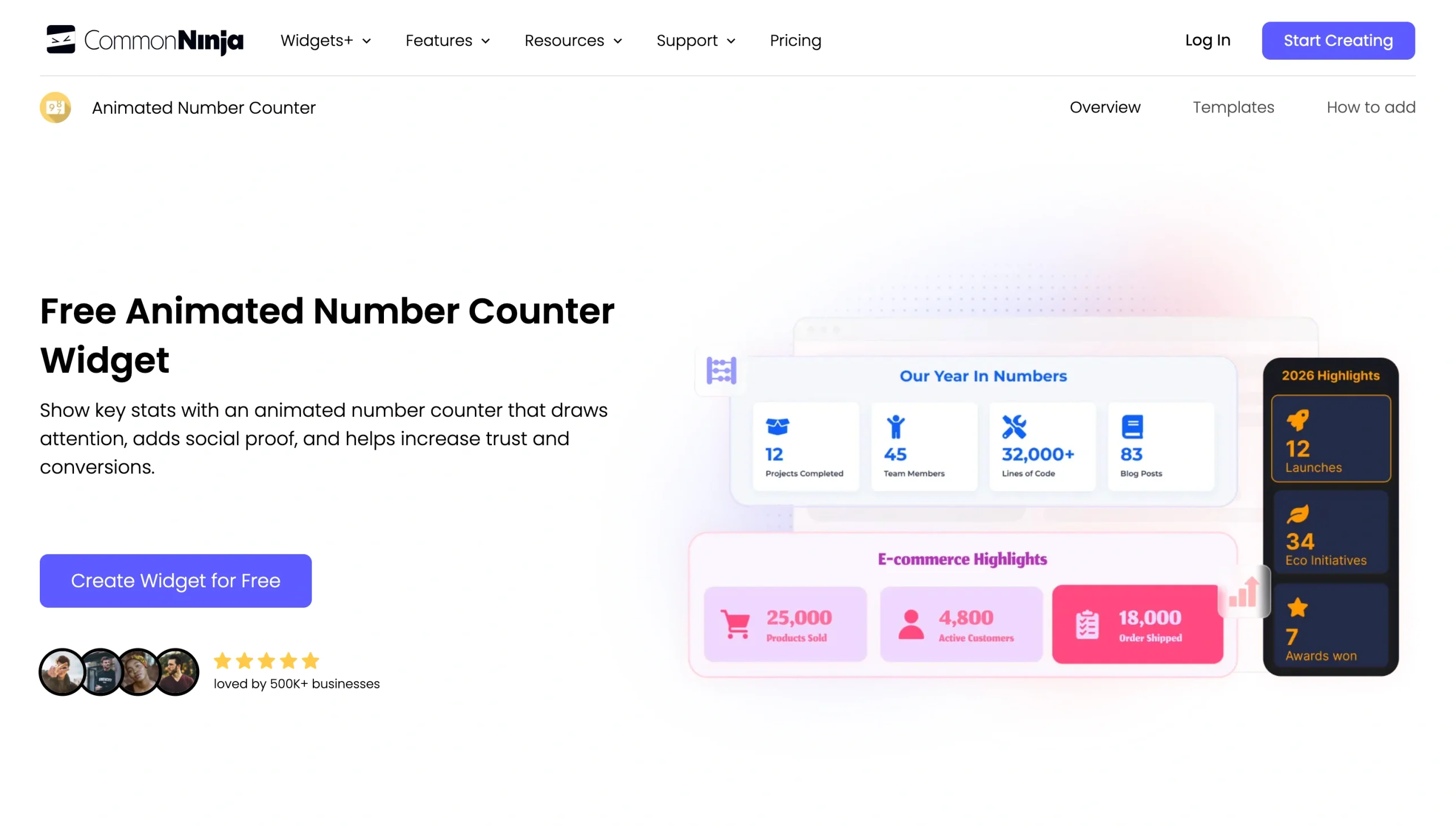
If your priority is adding more of your brand’s personality to your number counters, Common Ninja’s Animated Number Counter gives you flexibility without adding complexity. You can launch its live editor without signing up, create a milestone counter widget, add prefixes and suffixes, pick a layout, and copy a single line of embed code. The widget works on more than 200 platforms and typically takes minutes to launch. With Common Ninja’s free website counter widget, you can test the editor and publish basic counters before you commit to a paid plan.
- Key features
- Live editor with no signup required to start
- Multiple counters with start and end values
- No coding; quick setup
- Support for 200-plus platforms
- Visual editor with branding controls
- Pros
- No signup required to try the editor
- Ability to easily create multiple counters in one widget
- Good balance of flexibility and ease of use
- Cons
- Limited features on the free plan
- Paid plan requirement for advanced customization
4. Embeddable Counter
Best for: Displaying live metrics on custom, AI-built counters
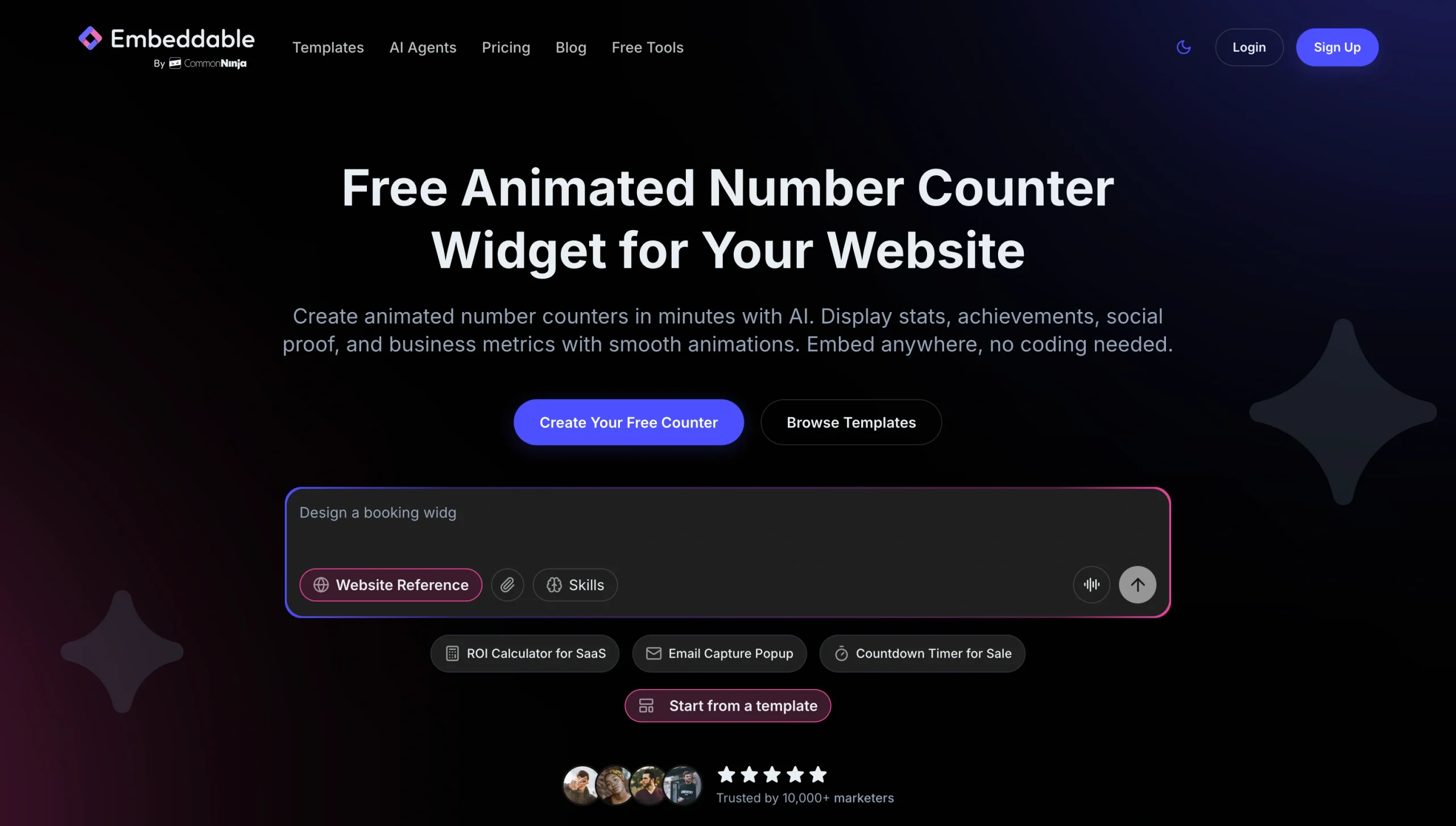
Unlike template-first tools, the Embeddable Counter widget builds counters through an AI tool. You can describe the counter you want, and the AI builds a working widget in seconds. You can then refine the counter further through conversation with the AI. With Embeddable, you can also connect your counter to live data sources, so a stat such as total donations or active users can update from a Google Sheet or JSON feed instead of requiring manual edits.
- Key features
- AI-generated counters built from a plain-English description
- Live data connection for automatic stat updates
- Visual editor for manual refinement and style adjustments
- Support for WordPress, Shopify, Wix, Squarespace, and custom HTML sites
- Token-based free plan for testing and light use
- Pros
- AI build process that cuts setup time
- Live numbers connected to an external data source
- Fast launch, even for non-standard counter designs
- Cons
- Paid plan requirement for advanced data connection
- Limited free plan using monthly tokens
5. MightyWidgets Counter
Best for: Creating lightweight website counters
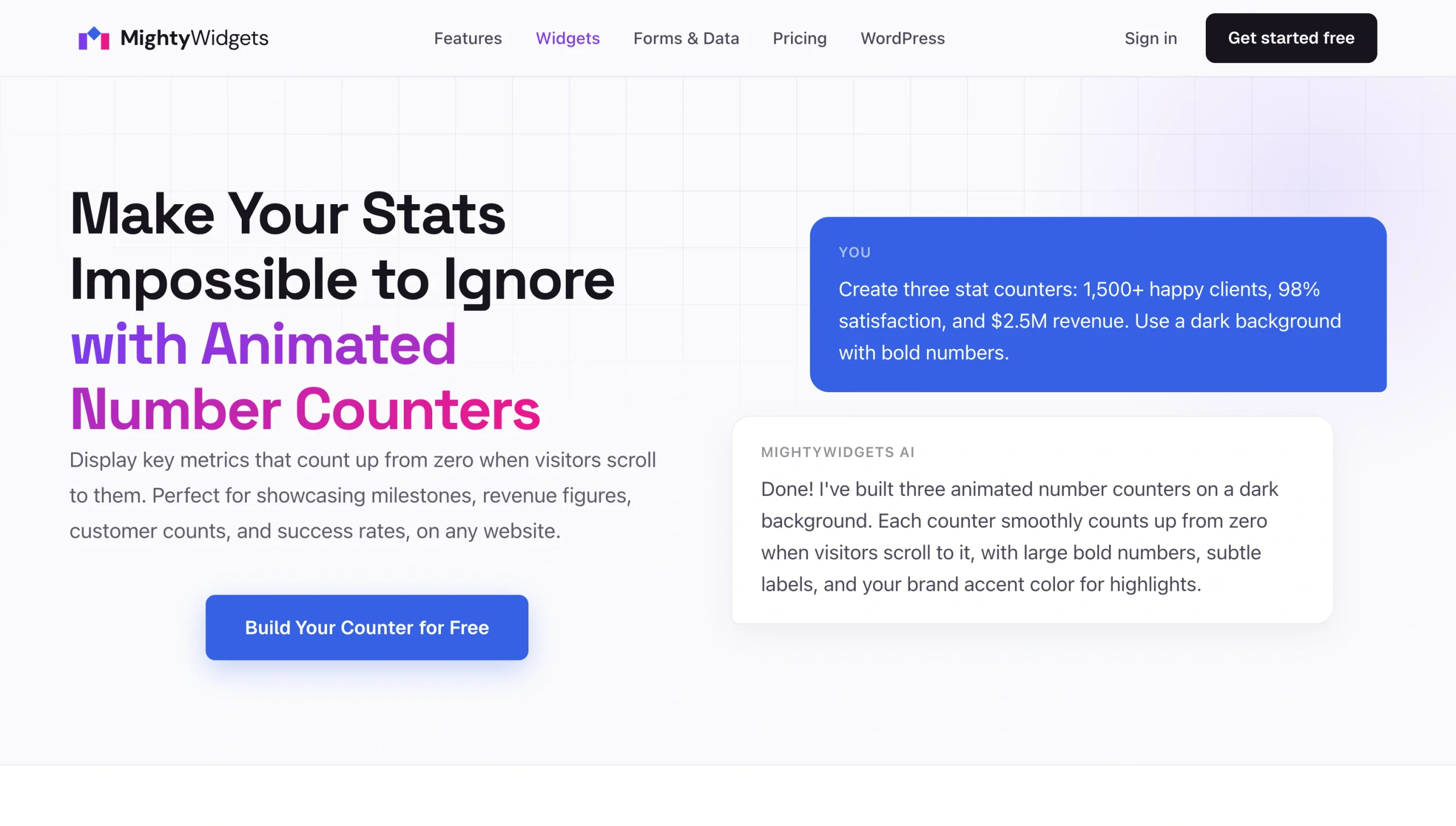
Like Embeddable’s counter widget, the MightyWidgets Counter widget is an AI-powered widget builder that lets you describe the counter you want, and the AI builds animated, scroll-triggered counters. You can keep refining your counter through follow-up prompts to adjust colors, animation speed, and number format. You can publish your widget as an embed code that works across WordPress, Wix, Weebly, Shopify, and custom-built sites.
- Key features
- AI-generated counter built from natural language
- Iterative refinement through conversational follow-up prompts
- Scroll-triggered count-up animations so the animation happens only when people are watching
- Single-embed widget for every platform without any platform-specific code
- Flexible number formatting
- Pros
- Fast launch through conversational prompts
- Flexibility for non-standard counter formats
- Natural-feeling, conversational editing
- Cons
- Credit system that uses up credits for both AI features and live widget loads
- No dedicated counter template, so setup relies entirely on the AI builder
Build instant authority with fast, high-impact website elements
Number counter widgets for websites draw attention to your key statistics, making important figures impossible to ignore. With the right solution, you can prove credibility, highlight milestones and impact, or feature case study stats.
Beyond counters, Jotform Website Widgets offers a wide range of high-impact, lightweight elements that pair naturally with your milestone counter. For instance, you can add the Facebook Reviews Widget to showcase customer feedback and the Testimonial Slider Widget to share detailed customer stories. Similarly, you can add the Google Reviews Widget or Visitor Counter to reinforce trust signals without premium plug-in subscriptions, while keeping your site secure and compliant, or to let your visitors stay updated on real-world events, you can even add a World Cup score widget.
Want to create a website without coding skills? Whether you’re making a website from scratch or improving an existing one, using free, cloud-hosted tools such as Jotform’s widgets will help you add professional polish without hosting overhead or plug-in conflicts.
This article is for web designers, small business owners, marketers, and non-profit organizers who want to display milestones, project statistics, customer counts, donations raised, or performance metrics dynamically on their website to build social proof.











Send Comment: