
Bring reviews, chats, popups, media, and more to your site
Building or customizing a website can be tough for many of us (non-coders, especially). We know what our site needs; often we’ve seen neat examples on other sites. But adding advanced functionality to our own site is either super time-consuming or costly, involving back and forth with someone else who’s on the clock.
Today we’re excited to introduce a new, turnkey way to add powerful website features without coding — Jotform Website Widgets. Now you can enhance any site experience with customizable, embeddable widgets.
Our library of 150+ widgets includes reviews, chats, bookings, countdowns, FAQs, media embeds, and more. With these widgets, users can quickly add functionality, increase engagement, and improve their websites. You can publish a website widget in minutes, and it costs nothing to do so!
Bring more functionality to your website
Want to add functionality to your site that will engage visitors, reduce your staff’s workload, and maybe even convince a prospective student to apply? With Jotform Website Widgets, you can do just that. These widgets will help you ramp up your site’s interactivity, make information easier to find, and build trust.
Here are a few of the ways educational institutions can put our widgets to work:
- Colleges and universities can add the Tuition Calculator to their admissions site to demystify costs and encourage applications.
- School districts can add a Help Center or FAQ widget to answer questions and direct site visitors to the information they need.
- Elementary, middle, and high schools can add an Announcement Bar for announcements and the Event Calendar for festivals, plays, and more.
With over 150 widgets to explore, there’s sure to be a widget to meet your institution’s needs.
How to add a widget to your site
Jotform Website Widgets are compatible with just about every site builder, CMS platform, and custom website. Adding a widget is easy. Just copy and paste a simple HTML embed code into your site.
Let’s dig in.
1. Browse the library and choose your widget
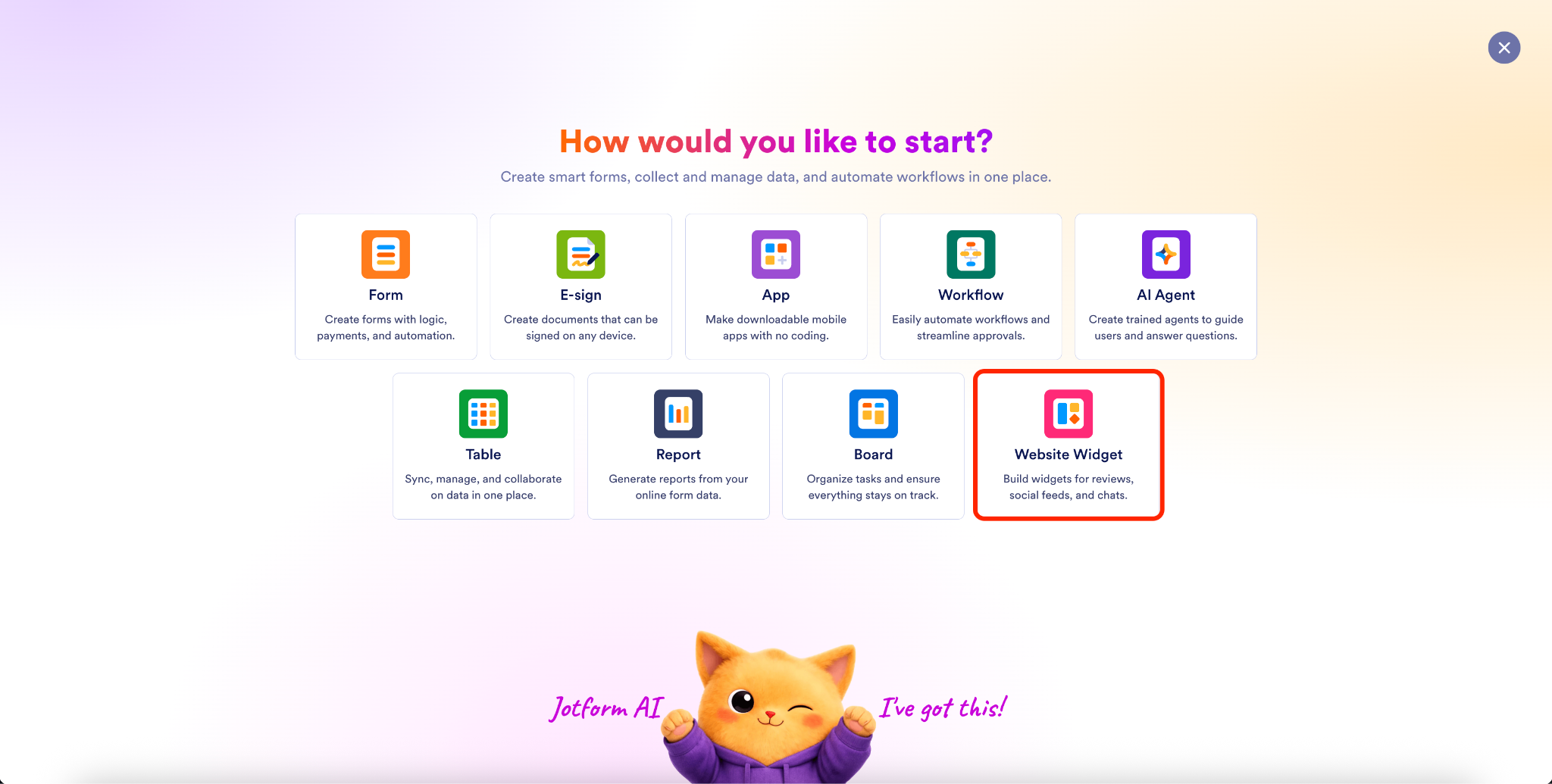
Access the Website Widgets through the landing page or your Workspace homepage (by clicking the Create button on the top left). You’ll go to the creation page, where you can click on the Website Widgets icon.
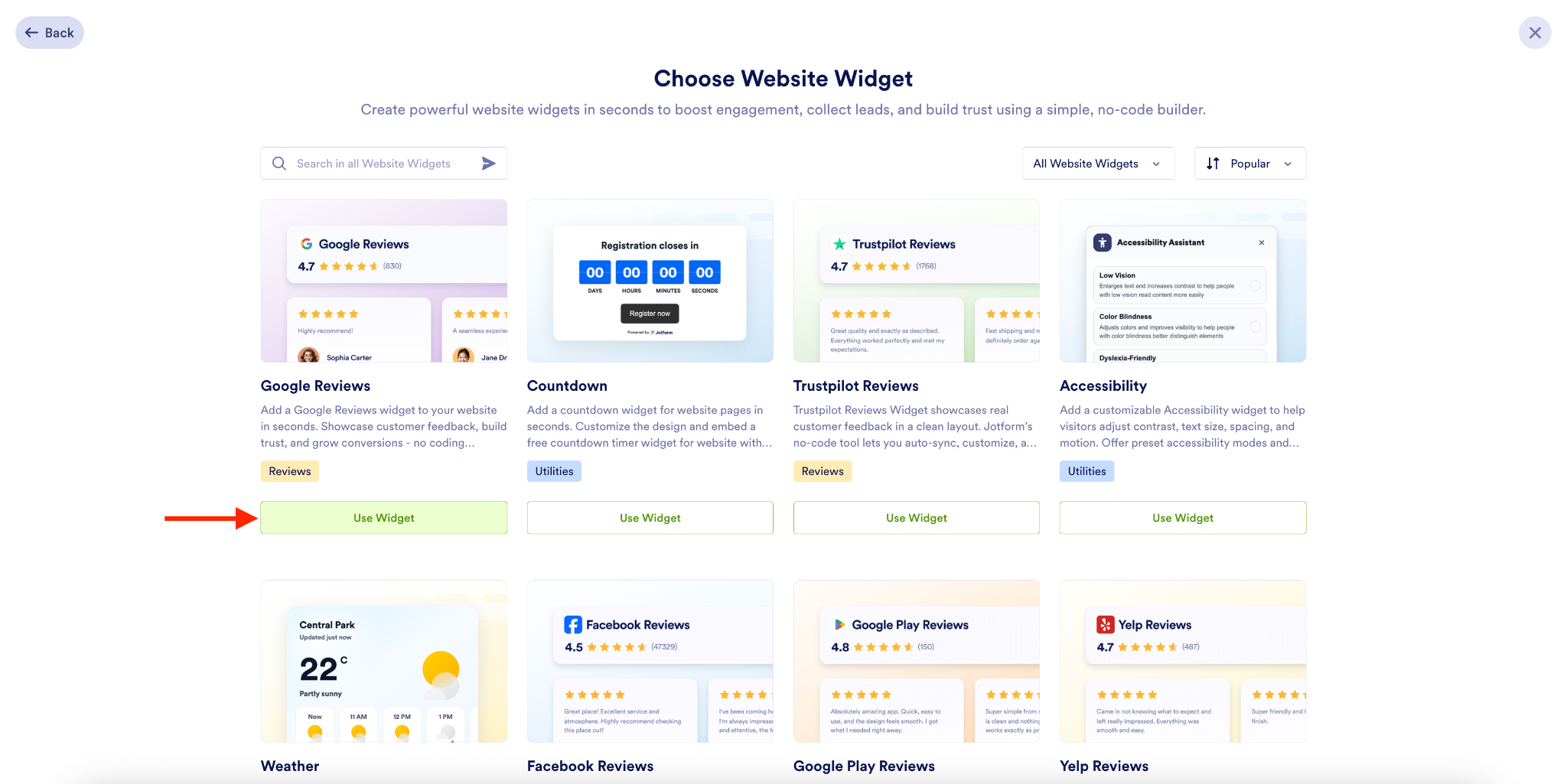
On the next page, browse the library of available widgets. When you’ve found one you like, click the Use Widget button that appears below it.
2. Customize the widget to your needs
Selecting your widget is just the beginning. You can customize it to suit your content, layout, behavior, and brand colors.
For example, the custom settings for the Google Reviews widget gives me the option to include (or not include) the title, header title, and photos of reviewers.
Also, I can decide whether or not to show the CTA and change the copy for the button. Plus, I can make other text and button color adjustments. Finally, there are different layout options for the reviews themselves.
3. Embed the widget on your website
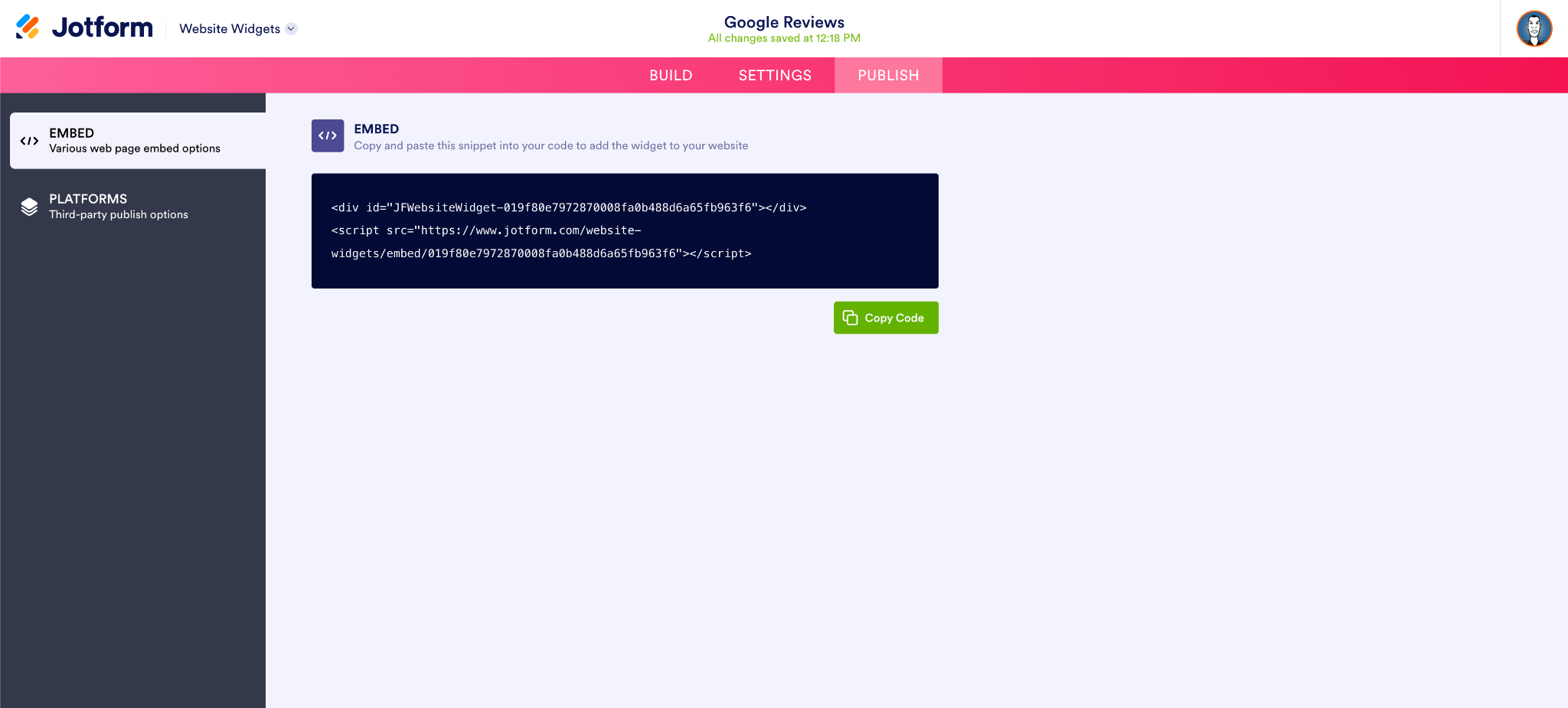
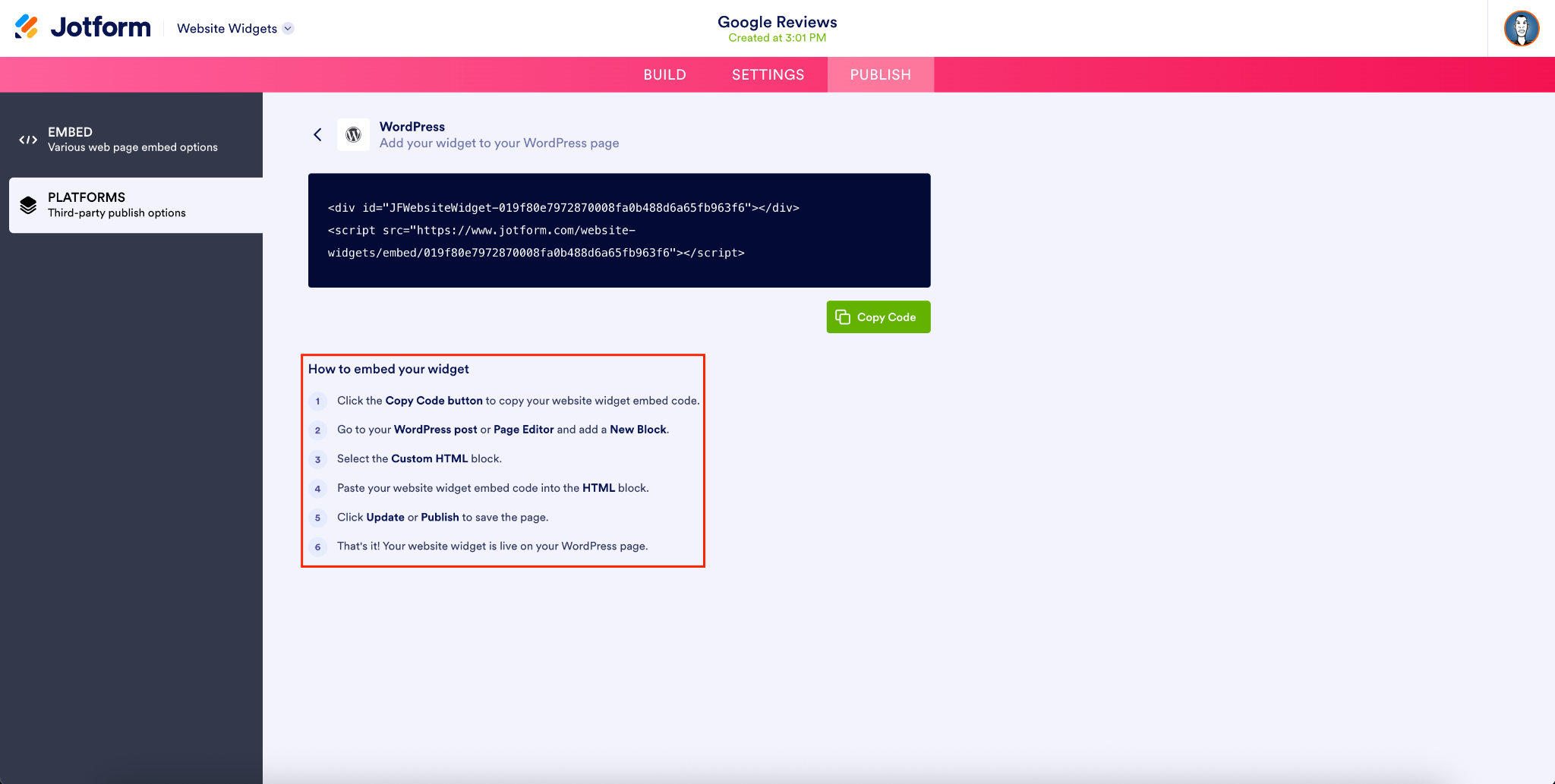
When the widget is ready and aligned with your specifications, add it to your website. This process is straightforward: Go to the Publish tab in the Website Widgets Builder, where you can copy the embed code to add to your web page.
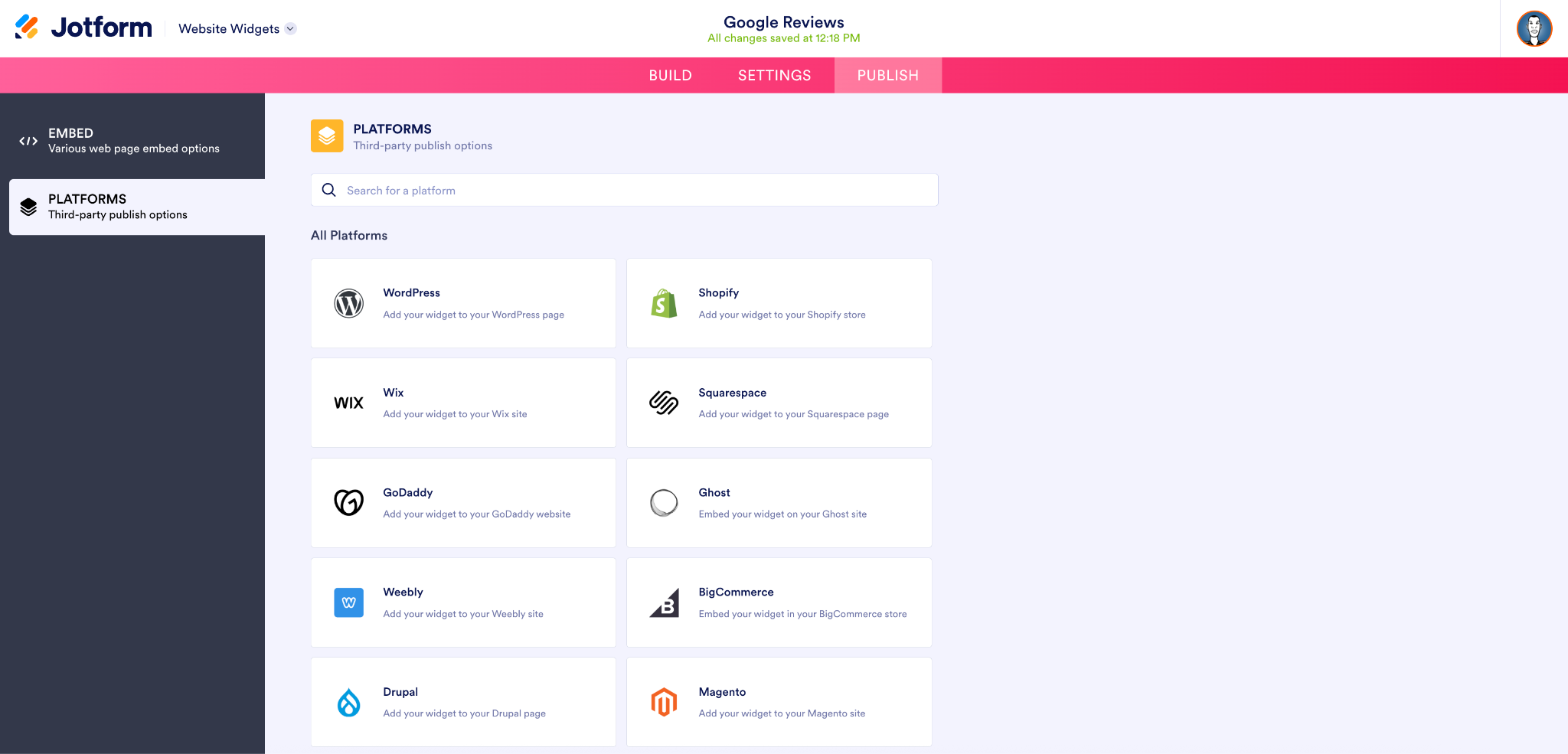
Jotform provides specific widget embed instructions for WordPress, Shopify, Wix, Squarespace, and other major CMSs. If your site is hosted on one of these platforms, just click on the respective tile for the instructions.
As an example, I added the Google Reviews widget to my sample site on the WordPress CMS.
First I copied the code.
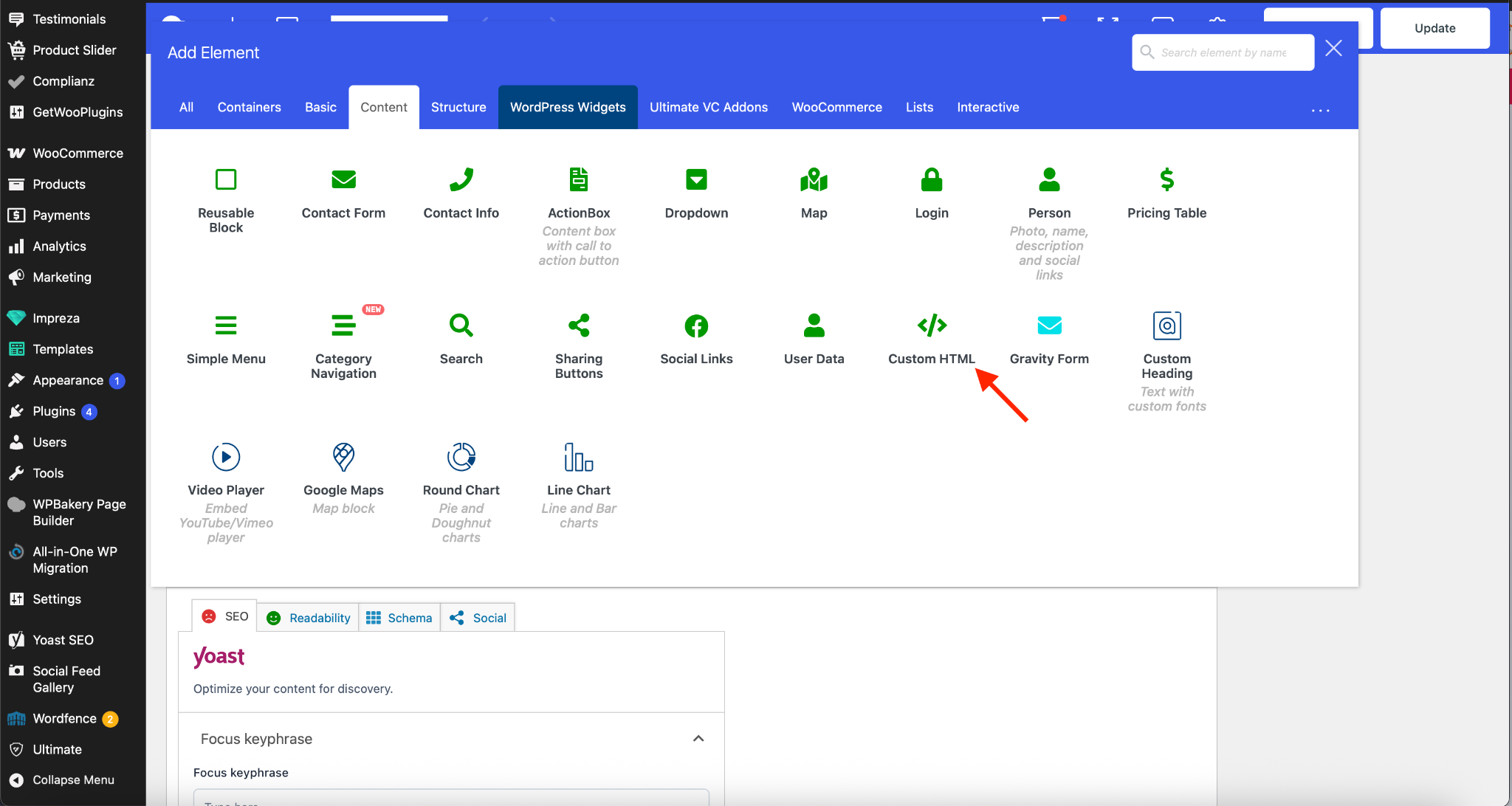
Then I clicked Edit on one of the site pages in the WordPress CMS. I added a new Element by hitting the + button and then Custom HTML.
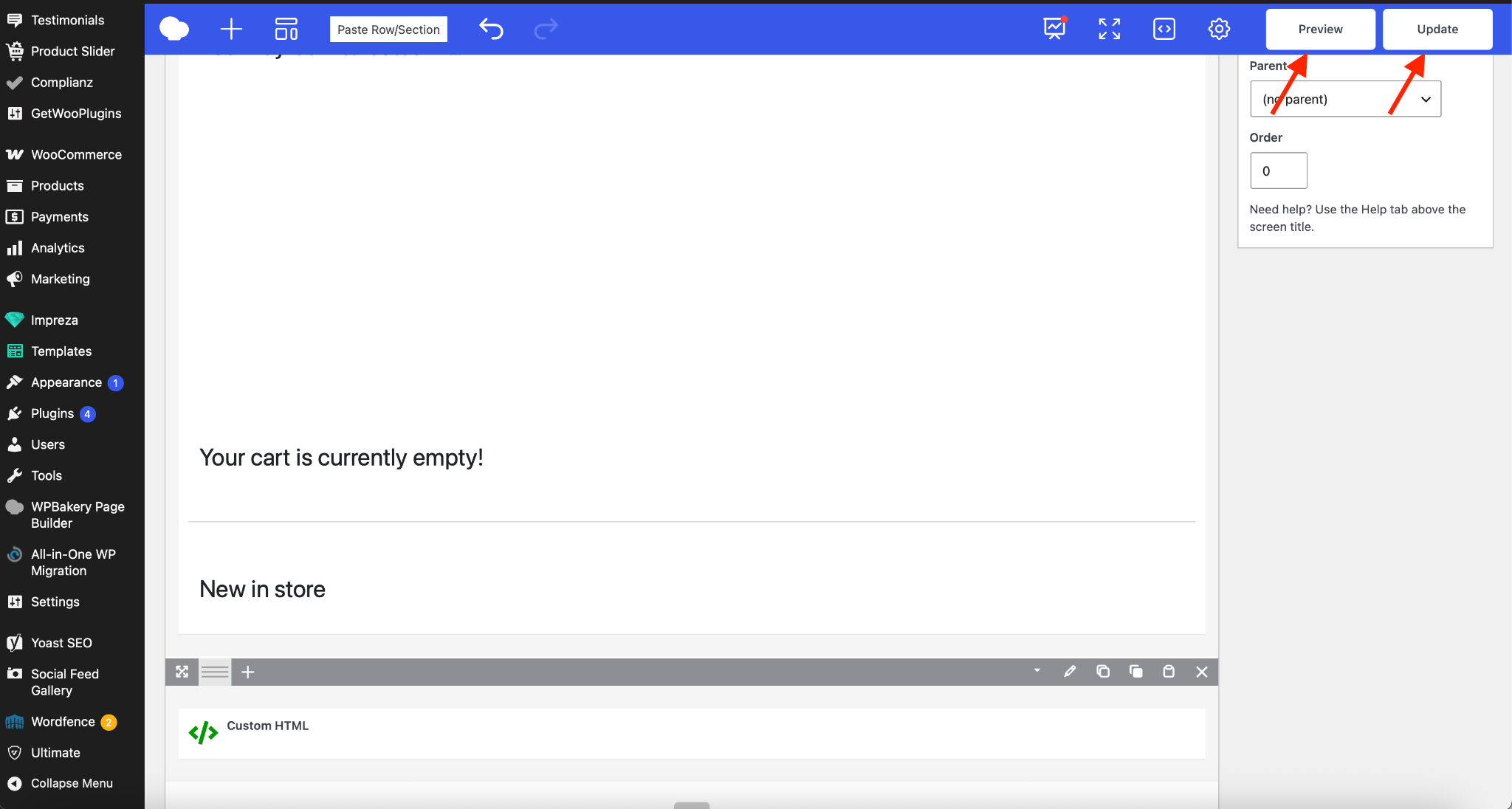
I clicked Save on the new HTML block, and that was it. From there, you can either Preview or Update (to save) your site page.
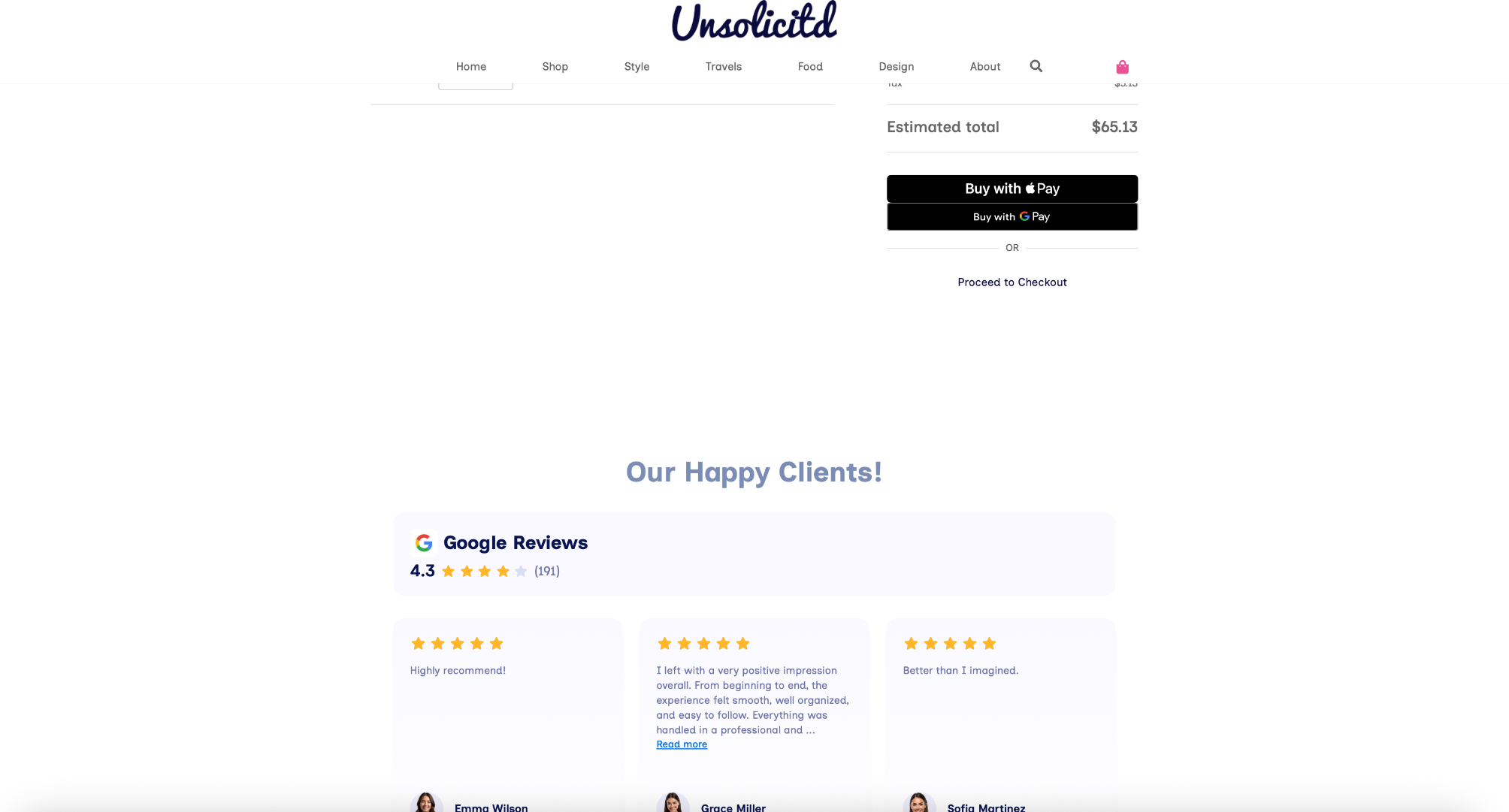
And voila! I added a new Google Reviews function to my website in about five minutes, for free.
Designed for speed and simplicity
Website Widgets offer a great combination of practical site functionality and ease, helping you add difference-making enhancements to your site in no time.
With Jotform Website Widgets, it’s simple to update the content/orientation of a site without having to update or rewrite the site’s code.
Designing and customizing each widget is simple and straightforward as well, from the color palette you choose to match your business to how the widget performs.
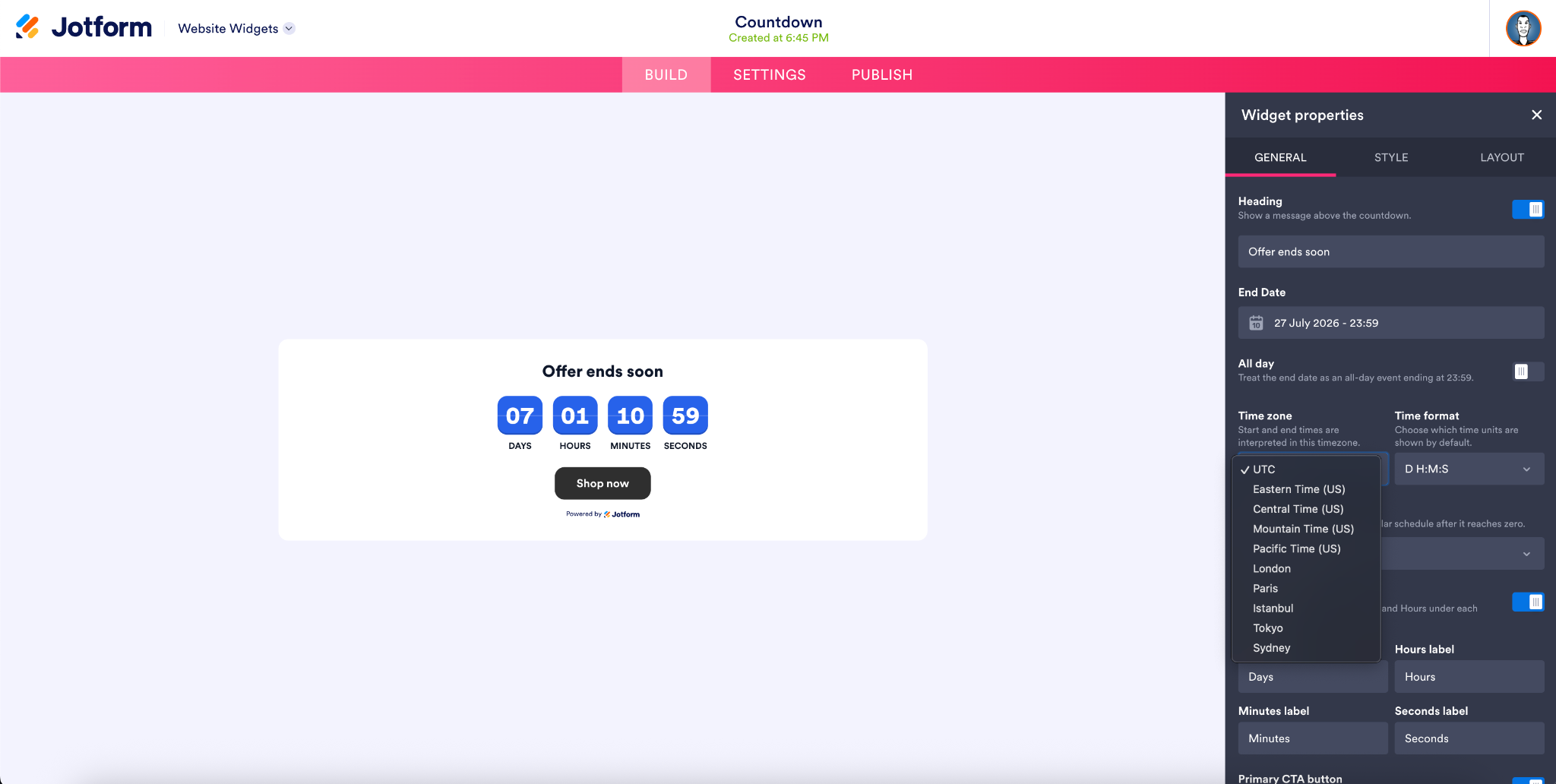
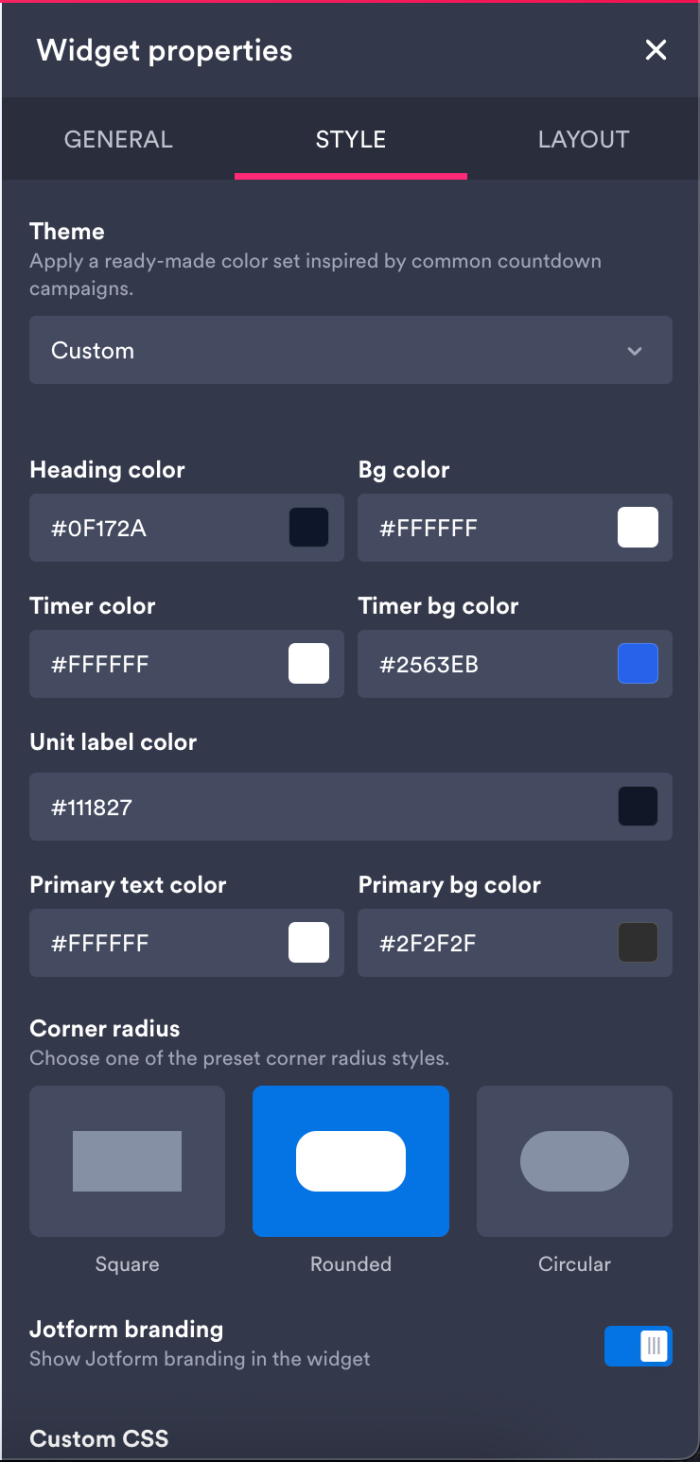
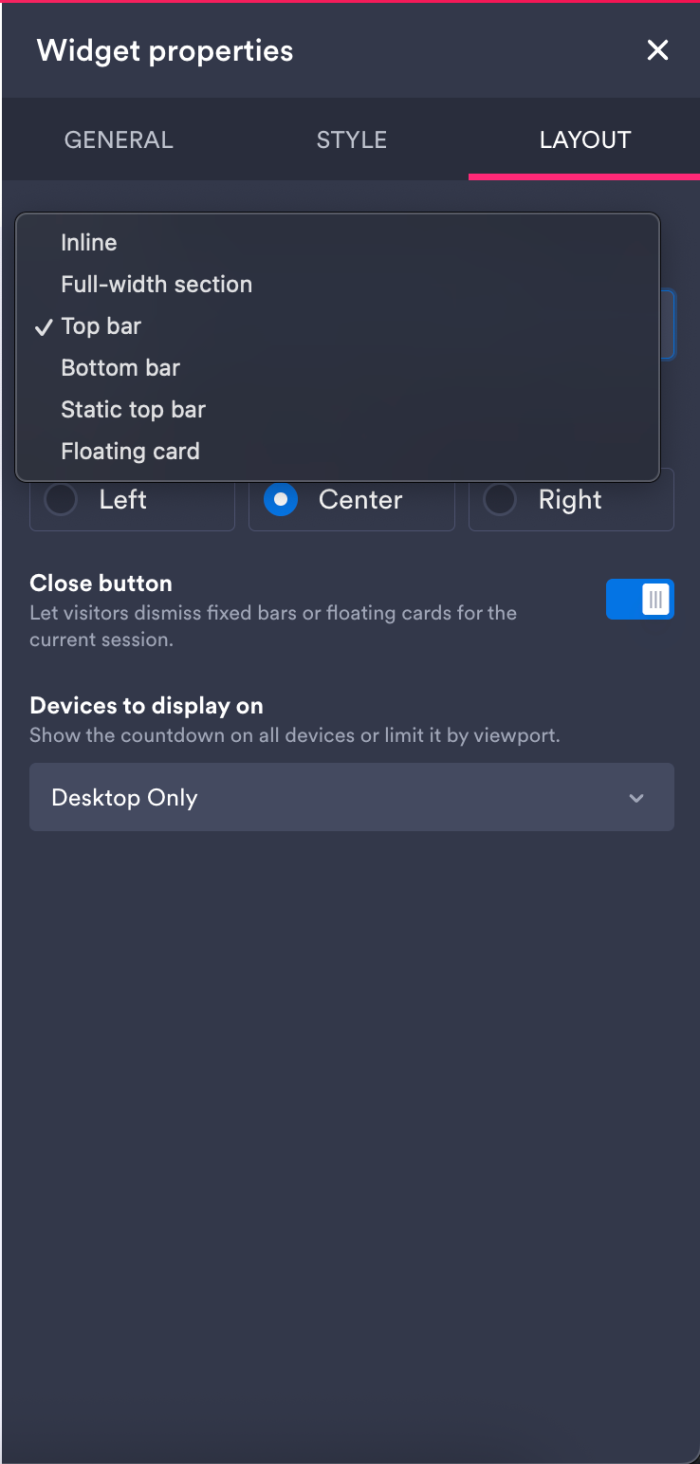
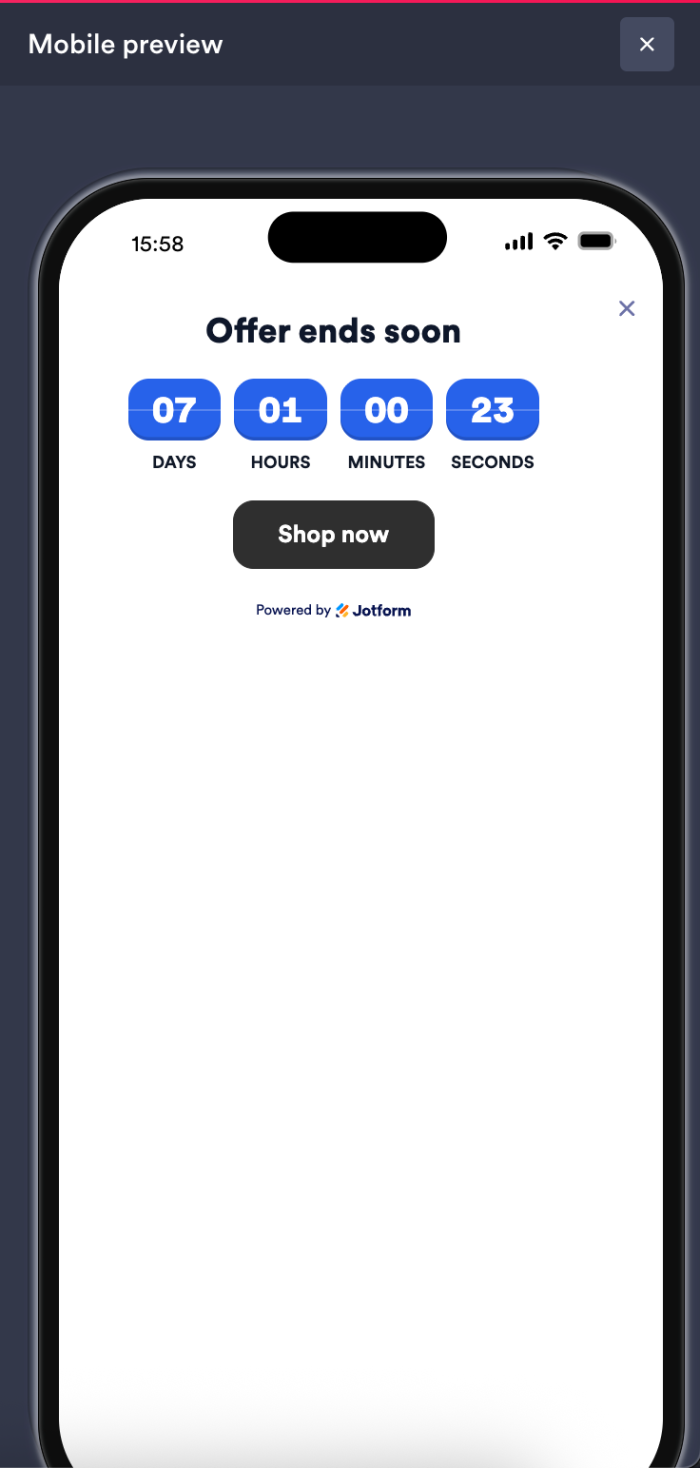
Need to see how the widget will appear on your mobile or desktop device before deploying it? Click the Preview icon on the far right of the Website Widgets Builder screen. You can check for orientation and alignment on the next screen.
Did you know?
Jotform Website Widgets are free, with no usage limits. 😎
A widget for every website need
Jotform Website Widgets offer a valuable range of widget types, whether you’re interested in building trust and credibility or customer engagement.
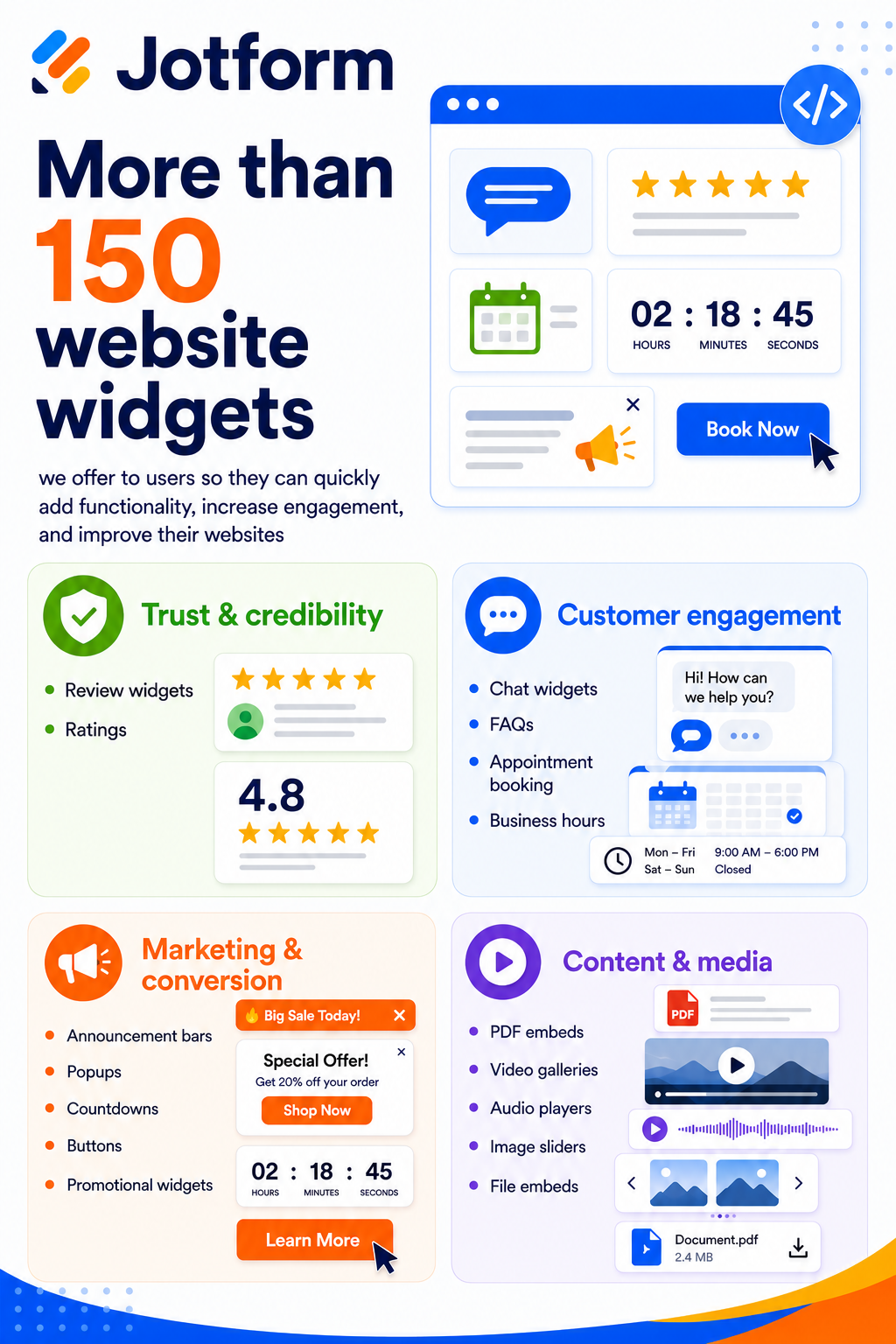
There are many more widgets that cover everyday uses and practical website needs.
Jotform is your new resource for increasing customer satisfaction
Jotform Website Widgets provide a fast, free, and easy way to add quality components to your website, enhancing the customer experience along the way. Whether you’re a small business, solopreneur, creator, educator, nonprofit organization, or anyone managing a website, widgets are built for flexibility and are available to all (without any usage limits).
If you’re already using Jotform for forms, apps, PDFs, and workflows, widgets offer a nice complement, giving you a way to enhance your website at the same time.
And if you’re sensing an overall theme of digital productivity, you’re right. Along with AI Agents that help you serve your customers and tools that empower you to create and automate more tasks, widgets give you another way to increase your end customer’s engagement and satisfaction.







Send Comment:
1 Comment:
July 29, 2026
I'm not trying to do this form