

We have a great news! If you have a Facebook page you can now use our new Jotform Tab Facebook app to embed a form on your Facebook page.


How to install
It only takes a couple of easy steps to install the Jotform Tab to your Facebook Page.
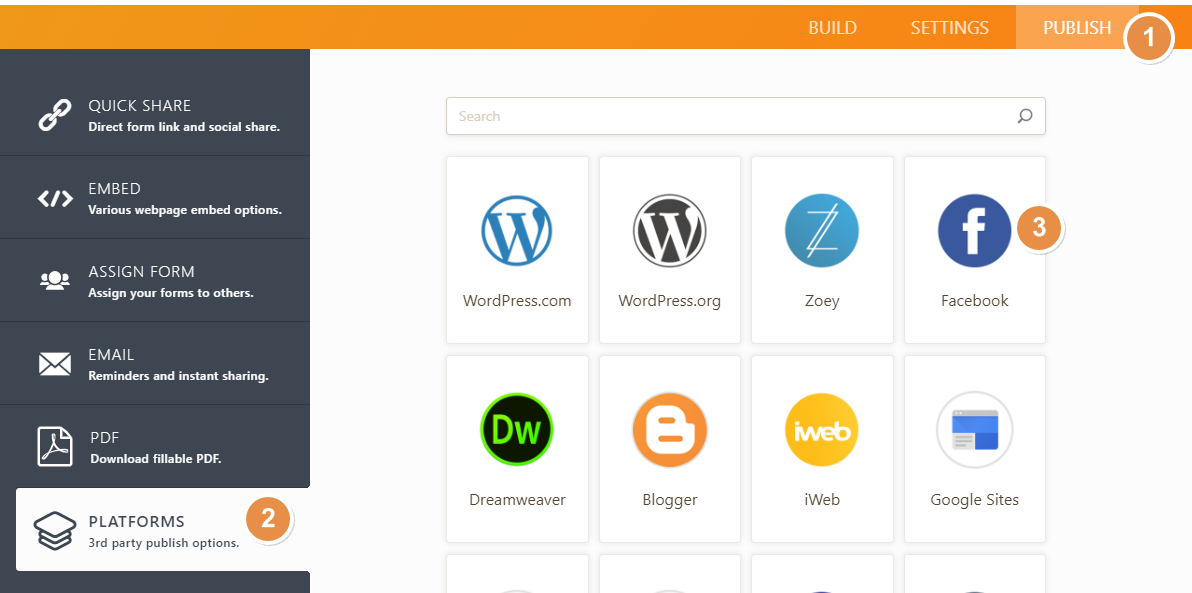
- Click the “PUBLISH” button at the top of your Form Builder.
- Click the “PLATFORMS” menu on the left.
- Select “Facebook” from the list.
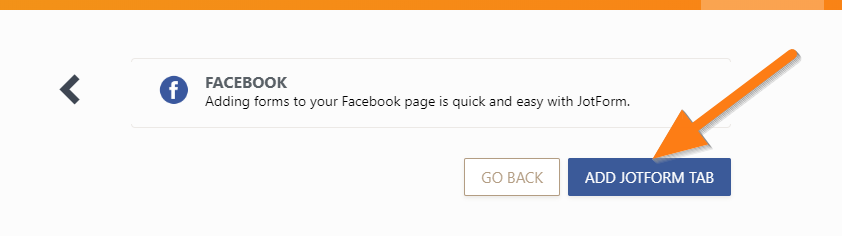
4) Click the “ADD JOTFORM TAB” button.
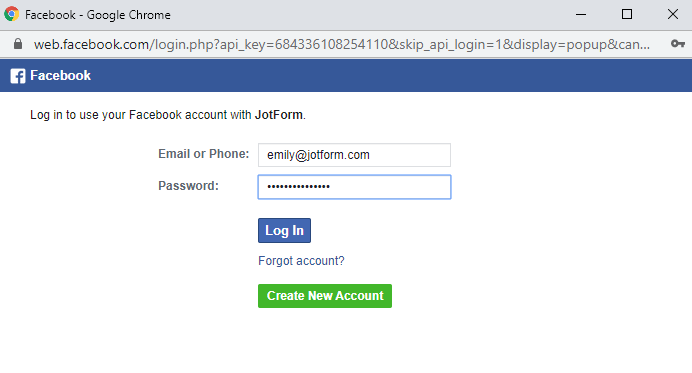
If you’re not logged in yet, you will be asked to your log in to your Facebook account.
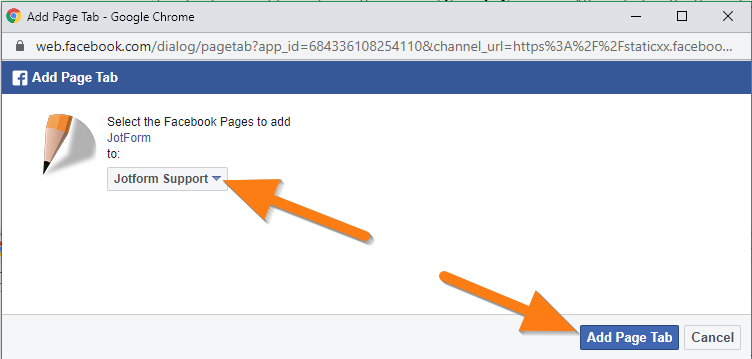
5. Once you’re logged in, the “Add Page Tab” window will appear, and you will have the option to choose the Facebook Page you would like your form to be added to. After selecting the Page, click the “Add Page Tab” button.
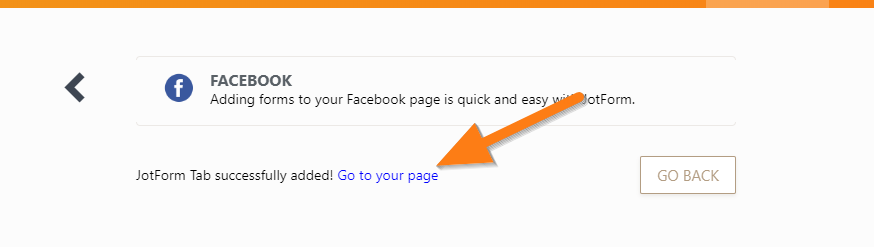
6. After successfully adding your form to your Facebook Page, the “Go to your page” link will appear. Click the link to access the tab.
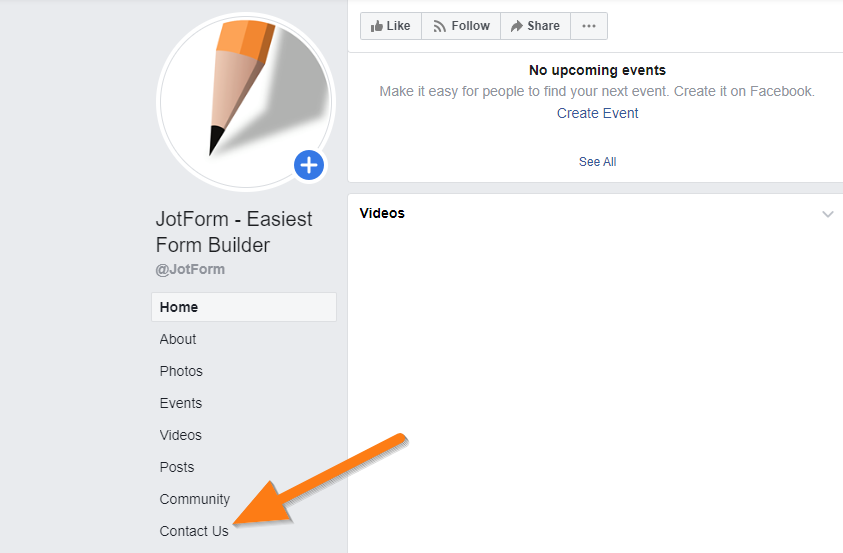
7. On your Facebook Page, you’ll see a “Contact Us” tab. Click it to view your form. And you’re done!
Important notes:
– You can only embed one form with Jotform Tab per Facebook Page.
– Make sure your Facebook Page has at least 2000 likes. According to Facebook, “To ensure tabs lead to high-quality, accurate content, the Page Tabs feature is only available to Pages with 2000 or more likes.”
– Facebook Tabs won’t work on mobile. Facebook hasn’t deployed this functionality yet. It should work as intended if you view it on a desktop.
How to change the embedded form
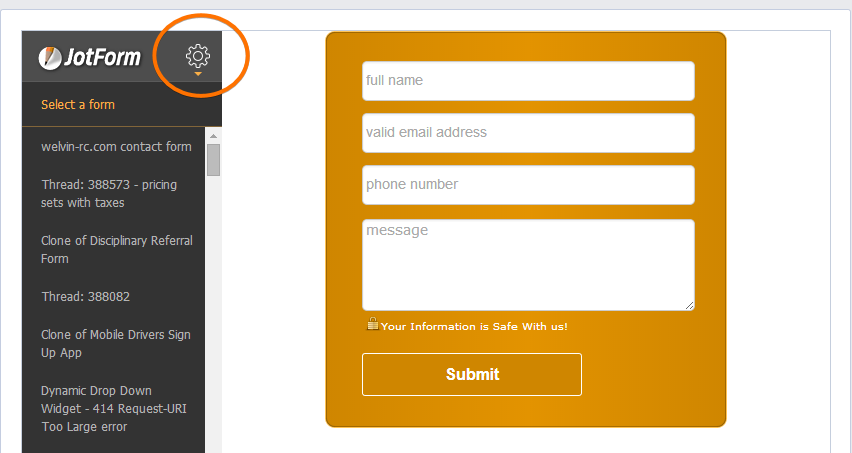
If you want to change the form, you can do so right on the tab/app page. You should see a gear (settings) icon on the left. Just click it and select a form from the list.
How to remove the Jotform Tab
1. Go to your Facebook Page.
2. Click the “Settings” menu, then “Templates and Tabs“.
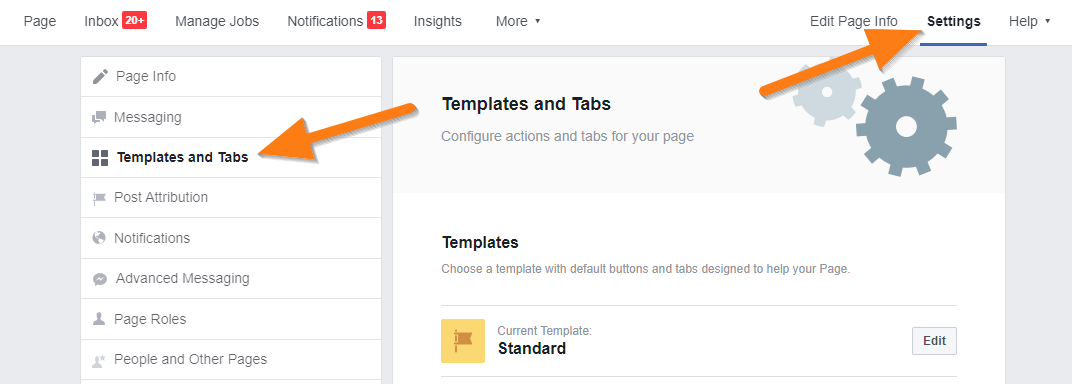
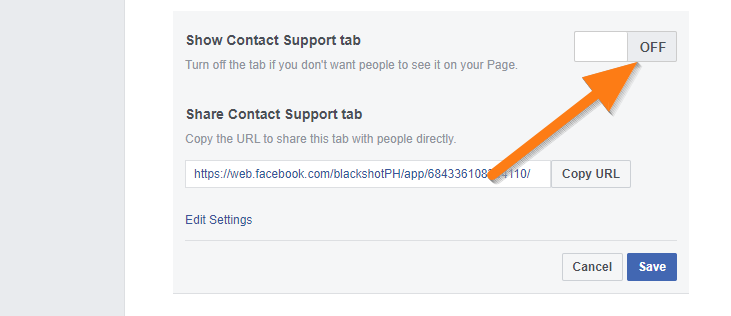
3. Look for the “Show Contact Support tab” option then turn it “OFF“. Click the “Save” button to save your changes.
How to change Jotform Tab’s name (Contact Us)
1. On your Facebook Page, click the “Settings” menu at the top then navigate to “Templates and Tabs“.
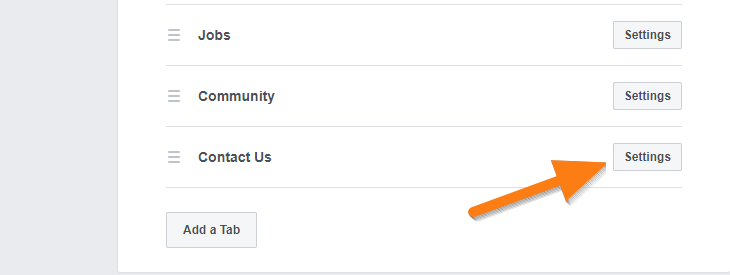
2. Scroll down to the bottom then click “Settings” under the “Contact Us” tab.
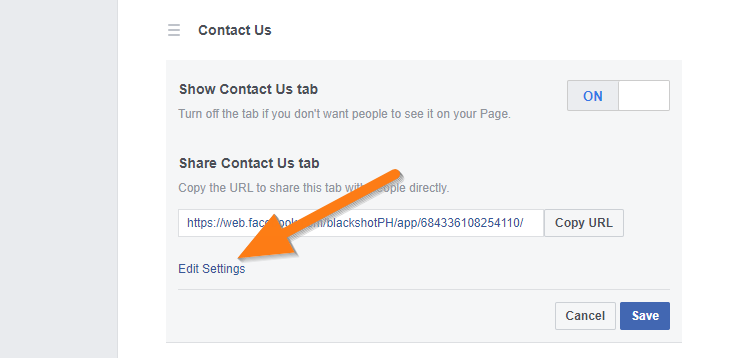
3. Click the “Edit Settings” link.
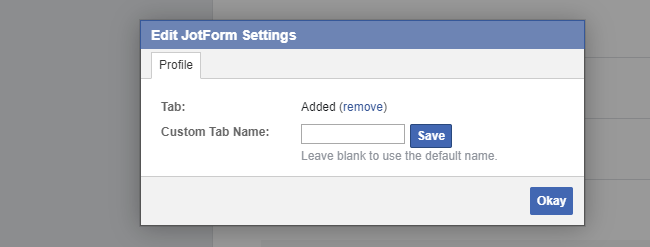
4. Type in your “Custom Tab Name“. Click “Save“, then “Okay” to exit and save your changes.











Send Comment:
38 Comments:
November 16, 2025
please show me how to get permission, on facebook to add your app?
December 6, 2023
Hello, i have difficulty connecting to facebook. I get the following error.
You must have permission to add apps to at least one Facebook Page to perform the requested action.
Can you please advise what can do?
August 7, 2023
Dear Jotform, really interested in your service and i have succesfully make a form. However, I cant manage to make the form appear in my facebook page. Please help !
September 21, 2021
This is completely incorrect. You can't change the name from "Contact Us"
August 16, 2020
I did exactly as instructed, but the Facebook message that popped up just said "An error occurred. Please try again later."
August 6, 2020
Is it possible to transfer submitted form to list up on feed in Faceboook Page?
June 3, 2020
Please update this page to show the Limitations: Only Pages with 2000 or more likes can create custom Page tabs on Facebook business pages
February 23, 2020
This page does not have permission to install the custom tab. I am getting this message from Facebook, and also this message. Please try closing and re-opening your browser window.
January 25, 2019
Hey Mr Tank, i have created a from on jot form for my customers to be seen on Facebook. unfortunately i m not able to see the form anywhere. could your team please help
January 9, 2019
The page I want to add the form to does not come up as an option, is there any way I can change that?
January 31, 2018
Awesome, thanks. :-)
September 25, 2017
I accidentally removed the contact tab how can I retrieve it?
September 19, 2017
Sort out FB tracking pixel and better customer support
August 24, 2017
Dear Jotform, really interested in your service and i have succesfully make a form. However, I cant manage to make the form appear in my facebook page. Please help !
July 26, 2017
Great!
July 23, 2017
Mitin oloshi anto enoke install facebook
November 19, 2016
The Jotform form is easy to embed on a FB web page, but the embedding does not reflect on FB apps.
Regards,
Martin
November 17, 2016
can embed facebook, it say i have no permission
October 21, 2016
HI, I have been trying to add my form to facebook but when I select 'Add Jotorm Tab' nothing happens? And it is not a pop up issue!
October 19, 2016
HI, I have been trying to add my form to facebook but when I select 'Add Jotorm Tab' nothing happens?
August 6, 2016
how can i get likes??
July 7, 2016
it really works better
June 8, 2016
Can messages arrive in my email box?
March 16, 2016
I want to add a form to my facebook page but only the pages that i created comes up. How do I publish directly to my own FB page
September 7, 2014
I JUST FIND OUT ALREADY. Thank you