Build Kiosk Waivers for Free
Jotform’s waiver kiosk lets you create and customize kiosk waivers for collecting e-signed waivers at in-person locations or events. With this waiver kiosk, you can build waiver forms without coding, turn a mobile device into a kiosk station, and start collecting signed waivers from customers, patients, or participants. Use ready-made templates or your own form to simplify onsite waiver collection and eliminate manual processing.
Pohjat
Free Waiver Kiosk Templates
Don’t know where to start? Choose one of our ready-made waiver templates to spark your creativity. Then all you need to do is customize it to your liking and enter kiosk mode to start collecting responses.
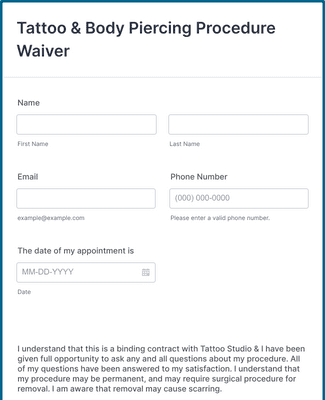
Tattoo & Body Piercing Procedure Waiver
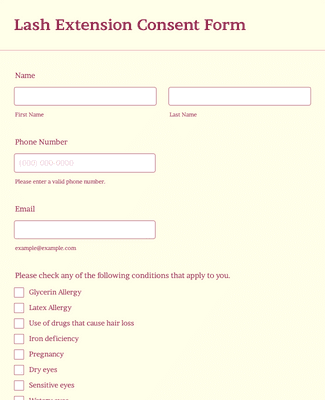
Lash Extension Consent Form
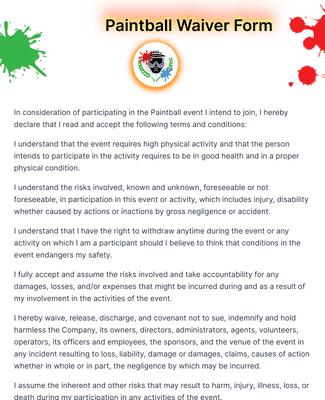
Paintball Waiver Form
Hyödyt
Helppokäyttöinen käyttöliittymä
Build kiosk waiver forms quickly using Jotform’s drag-and-drop form builder, so you don’t need coding skills to get started. Customize questions, branding, and design in minutes before entering kiosk mode. Once the waiver is ready, you can share, embed, or switch to kiosk mode to begin collecting submissions instantly.
Easily Collect Signatures Onsite
Collect electronic signatures from participants without printing or scanning paper waivers, which speeds up your check-in process. Jotform’s kiosk mode captures e-signatures onsite from tablets or mobile devices and converts each completed waiver into a PDF for easy record keeping. Automated signature capture reduces manual data handling and errors.
Pidä tiedot turvassa
Protect waiver submissions with security features like GDPR and CCPA friendliness, 256-bit SSL encryption, and optional HIPAA readiness when you require sensitive data protection. Kiosk mode also refreshes automatically after each submission, creating a new session so one user’s information doesn’t remain on the screen for the next. You can add CAPTCHA or encrypted fields if you need stronger data controls.
Enemmän kuin lomakkeita
Connect your waiver kiosk form to integrations such as payment processors, CRMs, and data tools so responses flow directly into your workflows. These integrations help automate tasks like sending confirmation emails, syncing customer records, or triggering notifications in other tools you use daily. A connected waiver process saves time and keeps data consistent across systems.
Kerää ja hallitse vastauksia
Track completed waivers in Jotform’s unified workspace using Inbox or Tables to organize submissions, search records, and sort data. Use Jotform Workflows to automate follow-ups and generate visual reports with Report Builder to help you review trends and insights. Automated data management helps you act on waiver responses faster and reduce manual analysis.
Suositukset
Mitä käyttäjämme sanovat Jotform-palvelusta
Usein kysytyt kysymykset
Kaikkiin kysymyksiisi Jotformista — on vastattu. Tutustu UKK-osioomme, josta löydät vastauksia yleisiin kysymyksiin, tai ota yhteyttä asiakastukeemme lisätietoja varten.
How can I create an e-waiver?
Creating your own e-waiver is simple and easy with Jotform. Open your Jotform account and click Create Form. Choose whether you’d like to start from scratch, use a ready-made template, or import a preexisting form. Then use our drag-and-drop builder to add form elements and customize the design to match your exact needs. Include e-signature fields, helpful integrations, payment processors, and more.
How can I make a waiver for my kiosk?
Making a waiver for your kiosk is simple with Jotform’s easy-to-use form builder. Start by clicking Create Form on the Jotform My Forms page. Select whether you’d like to build your waiver from scratch, use a ready-made waiver template, or import a preexisting waiver. After that, use our drag-and-drop builder to add or remove form elements and change your waiver’s design to align with your branding requirements. Add e-signature fields, helpful widgets, payment processors, and more.
After customizing the waiver to your liking, all you need to do is share your waiver via link or QR code, or set it up on your mobile or tablet device in Jotform’s handy kiosk mode.
Is it secure to collect waivers from a kiosk?
Yes, it is secure to collect waivers using Jotform’s kiosk mode. After every waiver submission, the form will instantly refresh and return to the start page — effectively creating individual sessions for each customer or client who uses the kiosk.
Why is it important to have a waiver kiosk?
Having a kiosk for your waivers is important for those who work jobs or events that require attendees or customers to sign release waivers. Having a dedicated kiosk saves time and resources that might have been used on filling out and processing paper forms.
Additionally, if you need to collect waivers offline or in a remote location, kiosk mode is a must. With Jotform’s kiosk mode, you can collect waivers without internet access, and the submissions will automatically sync with your Jotform account once you have access to Wi-Fi.