Adding your organization’s email domain to your Enterprise server is a powerful way to bring all your users under one secure, manageable umbrella. Many employees in your organization may be using standard Jotform accounts independently. By registering your domain, you can easily identify these users and consolidate them into your Enterprise plan, ensuring better security, centralized billing, and easier collaboration.
How to Add and Verify Your Domain
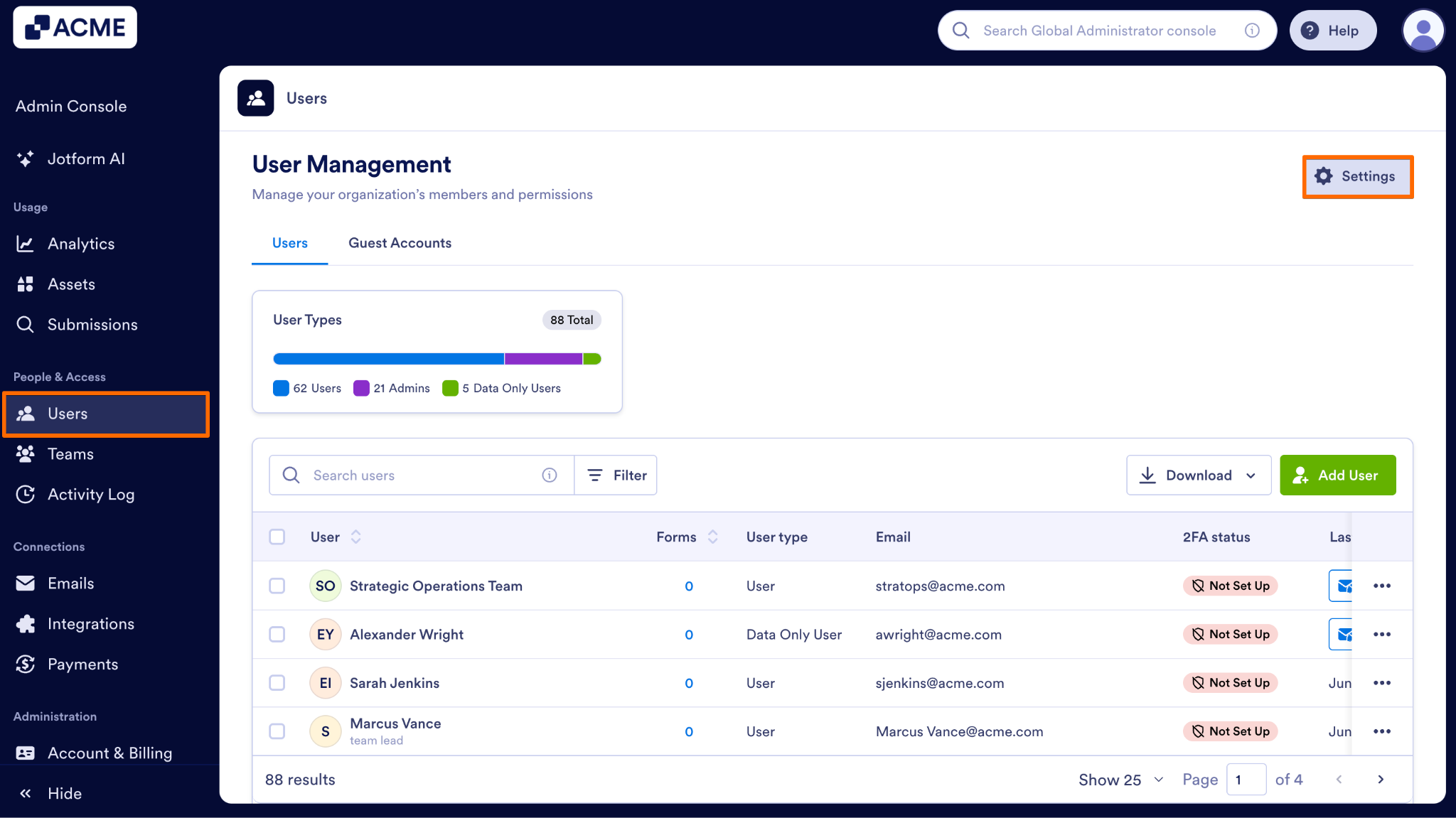
- In the Admin Console, on the left side of the page, click on Users.
- Next, on the right top of the page, click on Settings.
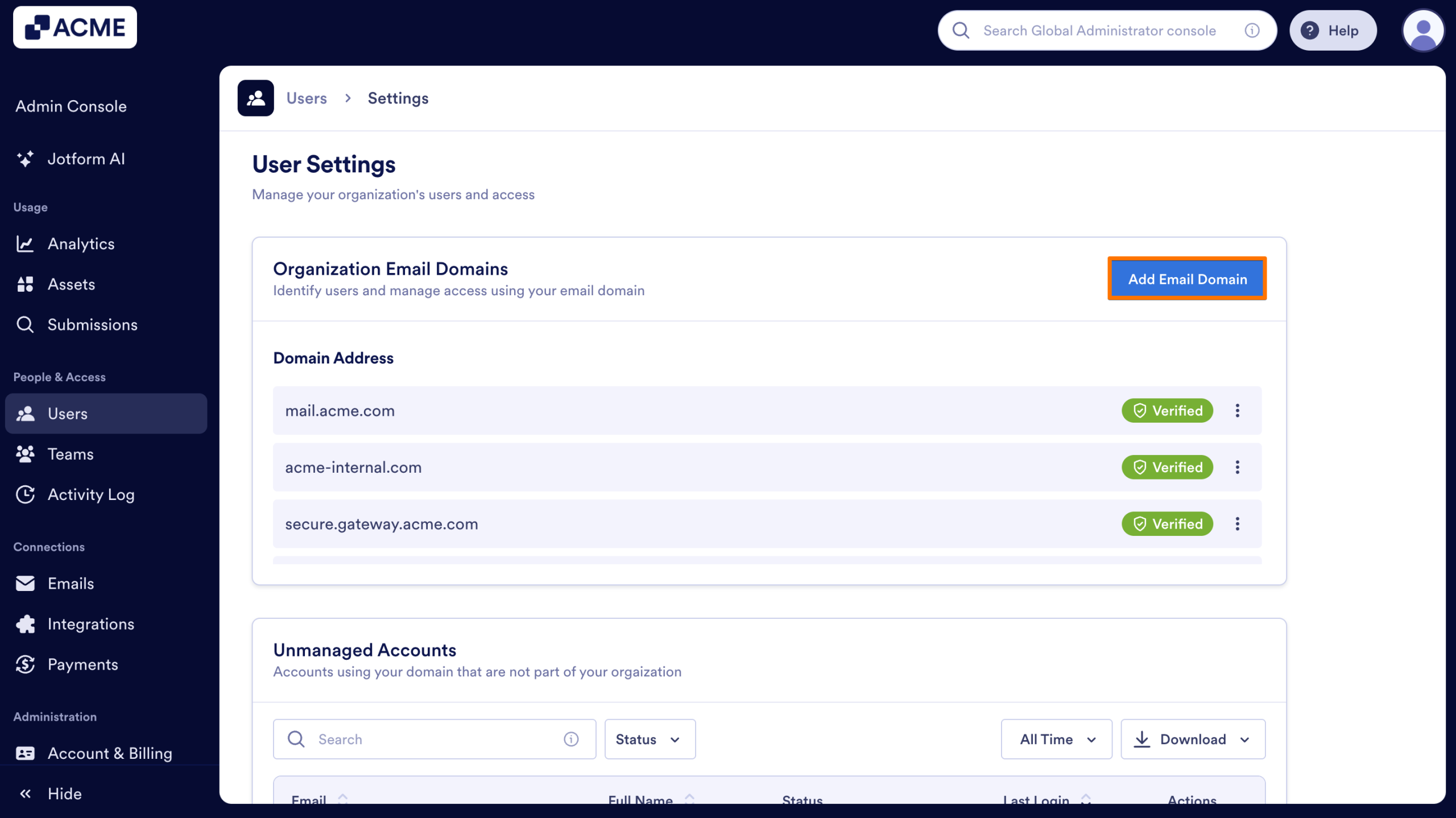
- Then, on the right side of the Organization Email Domains section, click on Add Email Domain.
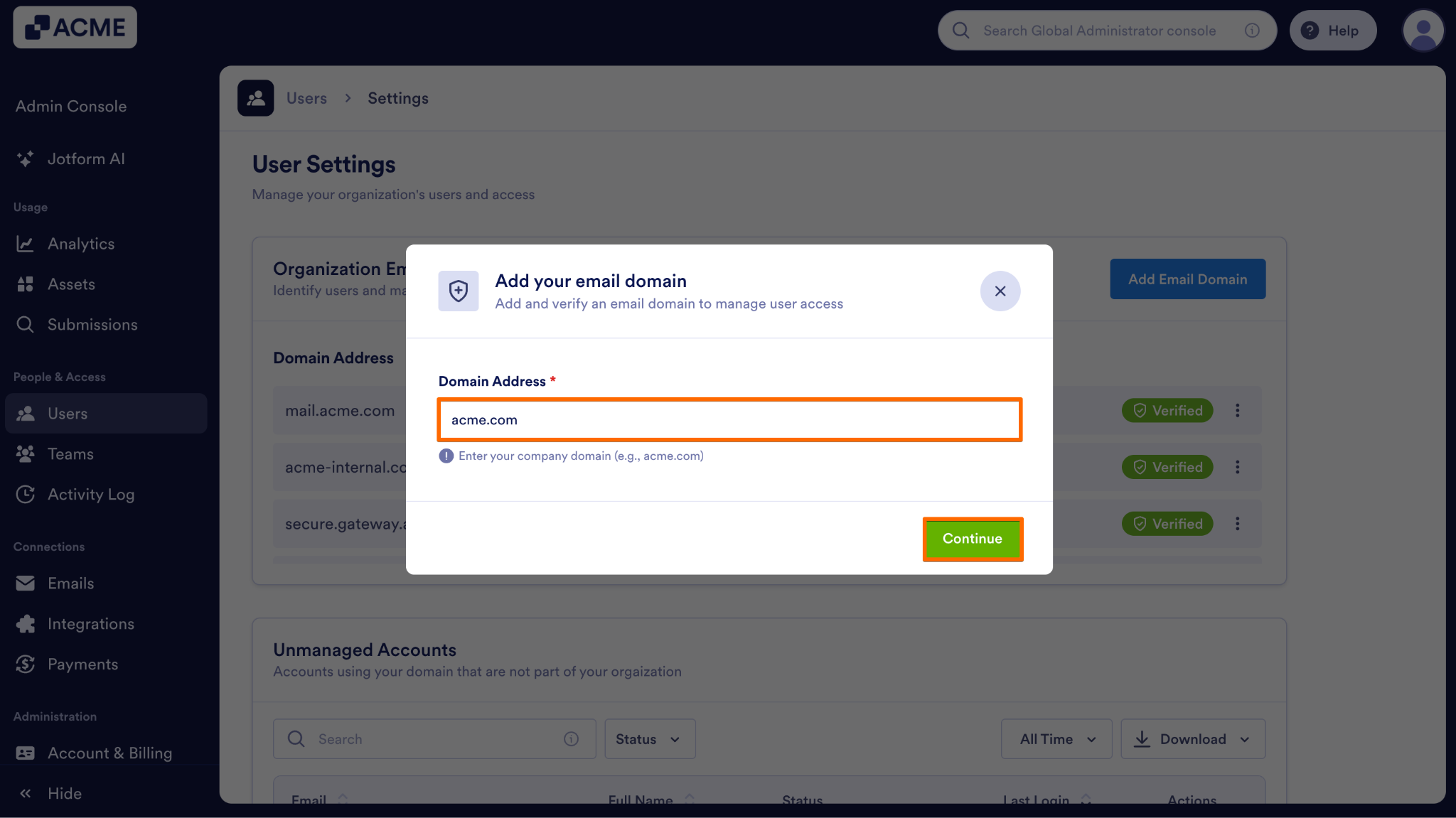
- In the Domain Address field, enter your company domain and click on the Continue button.
- Next, copy and paste the provided DNS TXT record in your domain provider’s DNS settings.
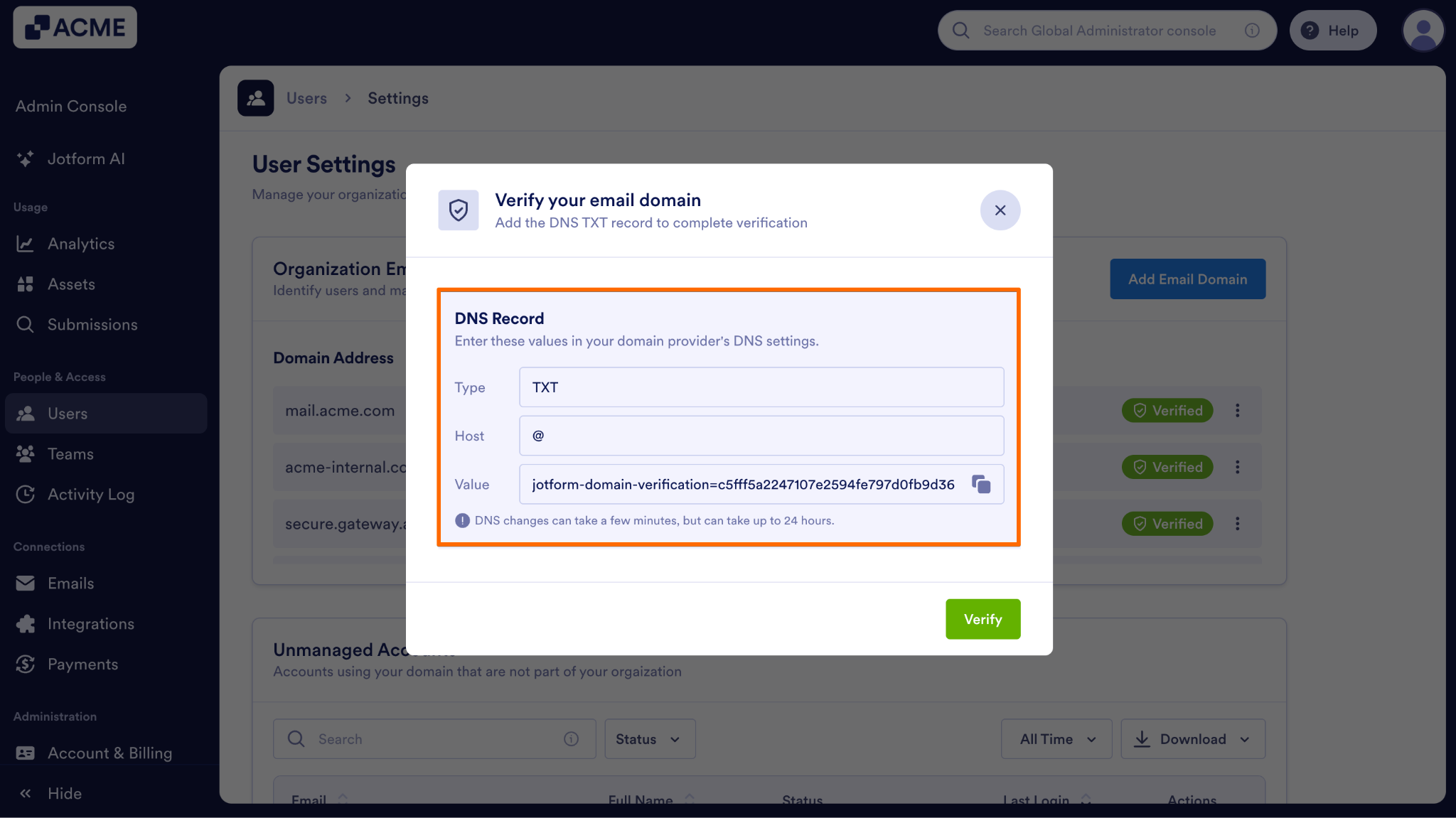
- Once added to your DNS provider, click on the Verify button.
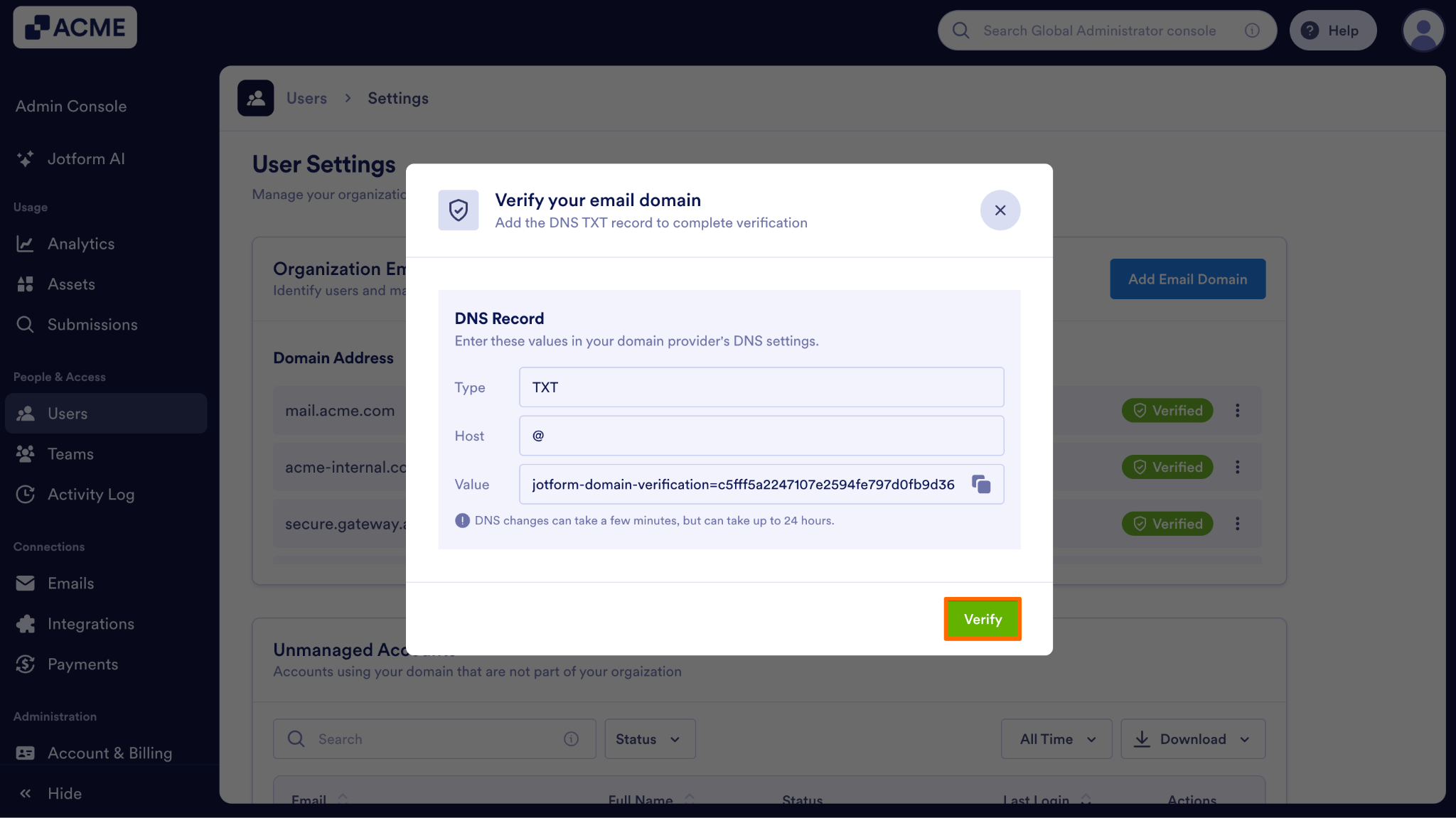
Note: DNS changes can sometimes take a little time to realize. You can close this pop up and come back to it later to verify your domain.
What Your Users Will See
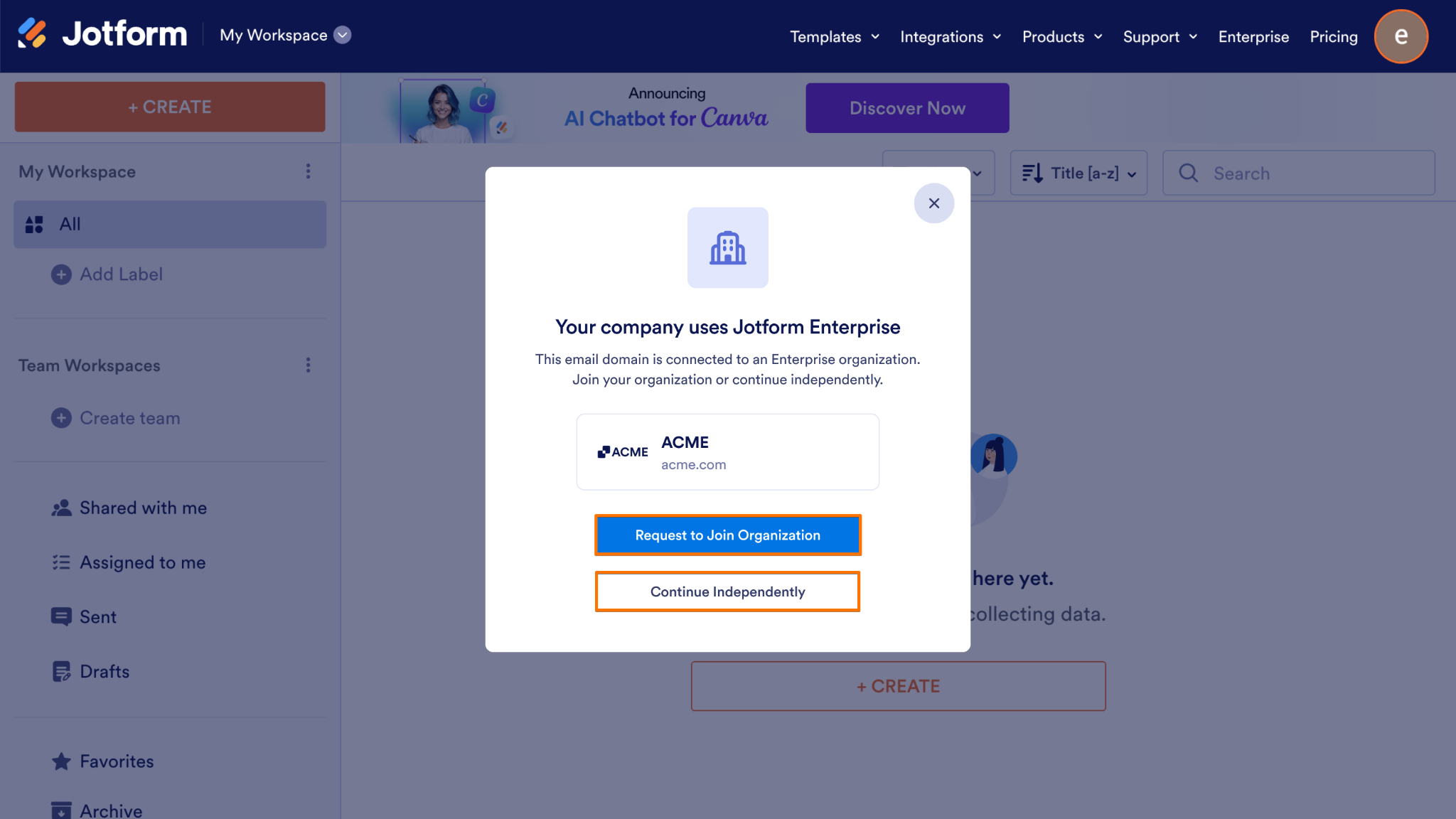
Once a domain is verified, when standard users who share your verified domain log into their regular Jotform accounts, they will be greeted with a pop-up modal informing them that their organization uses Jotform Enterprise. From this modal, the user has two choices:
- Request to Join Organization: If the user selects this option, a join request is sent directly to the Server Admin for review.
- Continue Independently: If the user selects this option, they can continue using their standard account.
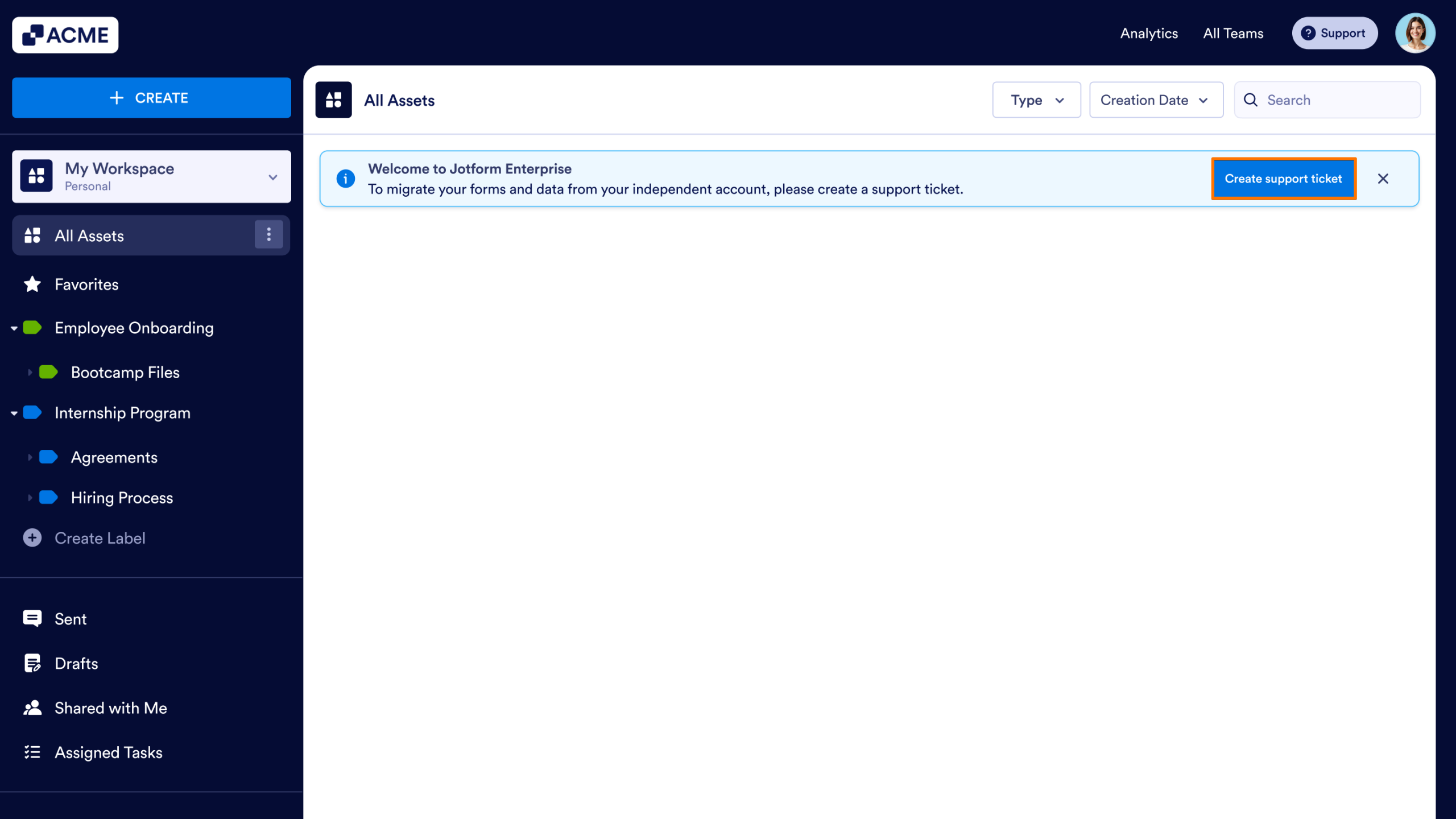
Note: If a user successfully joins your Enterprise server, they will subsequently be able to start a migration request to transfer their existing forms and data from their old account into their new Enterprise workspace.

Send Comment: