Whether you’re looking to scale your operations, discuss a renewal, or conduct a strategic review of your account’s usage, having a direct line to your Account Manager is key.
To make managing your partnership even easier, we’ve added a “Schedule a Call” shortcut directly within your dashboard. You can now skip the back-and-forth emails and book a strategy session—at no additional cost.
Who Can Schedule a Call with Your Account Manager?
By default, only Admins have access to the Admin Console. This ensures that high-level organizational decisions, seat counts, and plan details remain secure and are managed only by authorized personnel.
Booking a Call
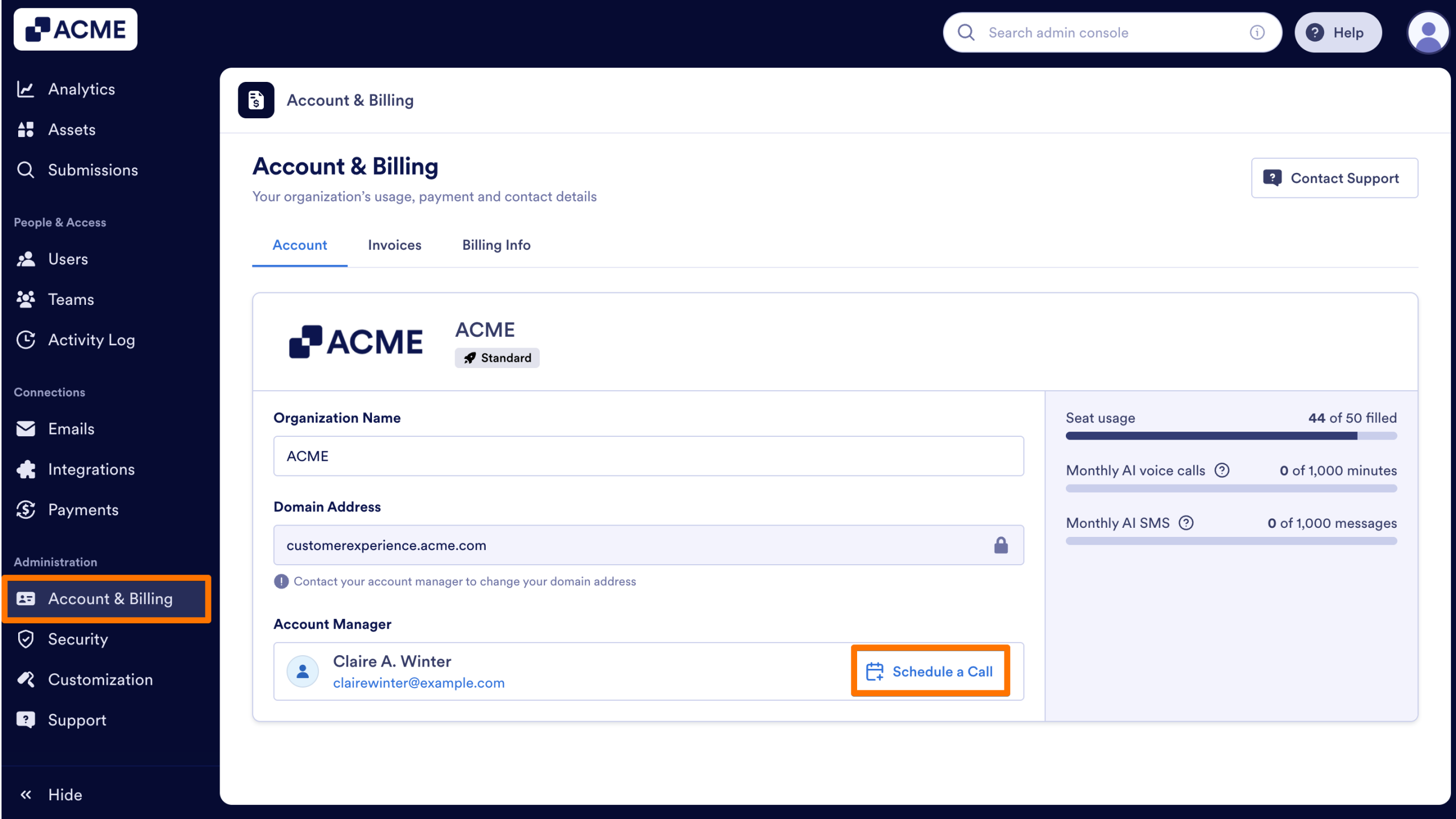
- In the Admin Console, click Account & Billing in the left hand menu. At the bottom of the page, you’ll see a section featuring your Account Manager’s name and contact information.
- Next to your manager’s contact information, click on the Schedule a Call button to view their live calendar.
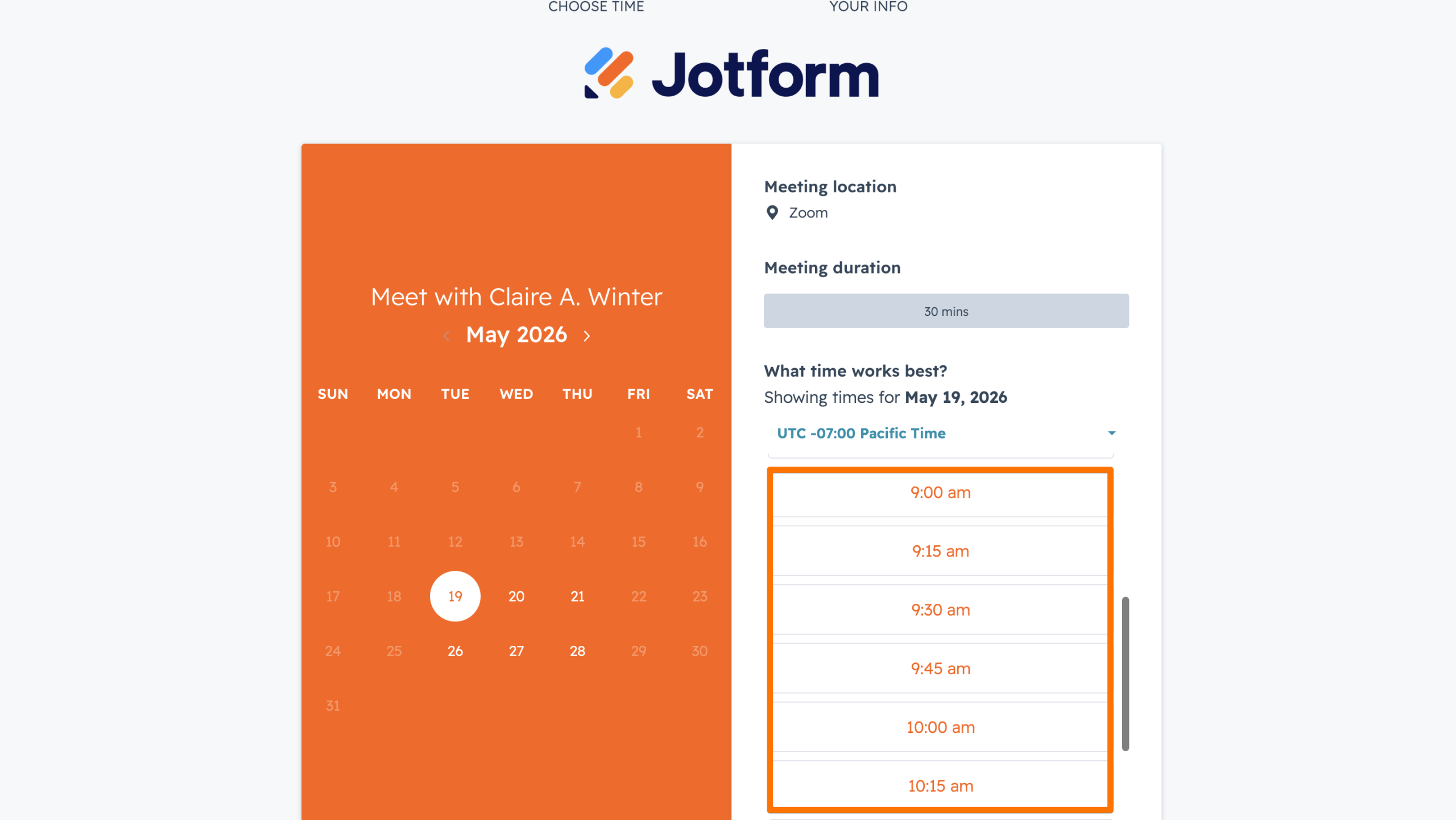
- Select a date and time that works best for you. Since the calendar shows real-time availability, you can confirm your meeting instantly without waiting for a manual reply.
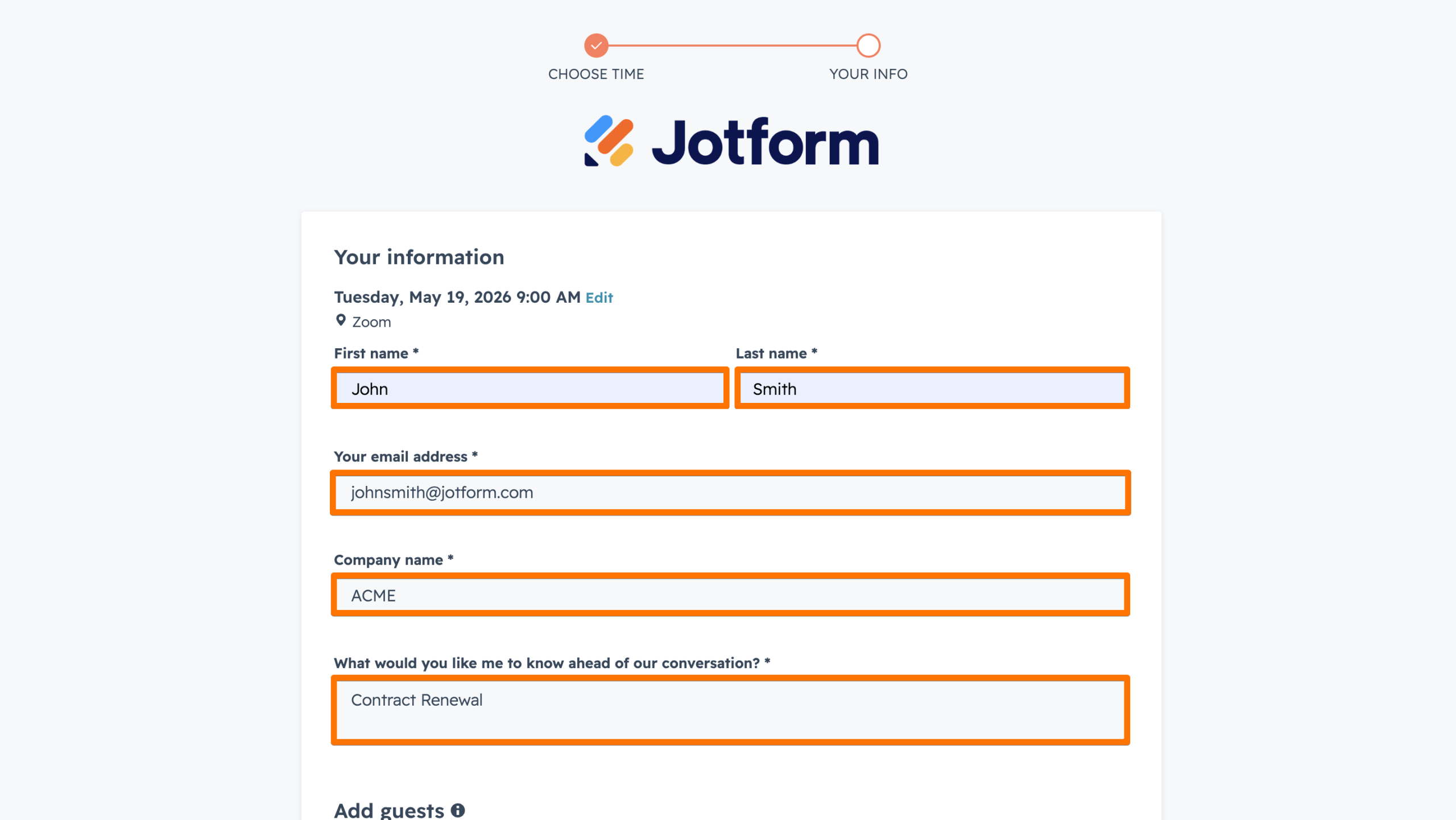
- After selecting your slot, enter your name, email, and a brief note about what you’d like to discuss.
Tip
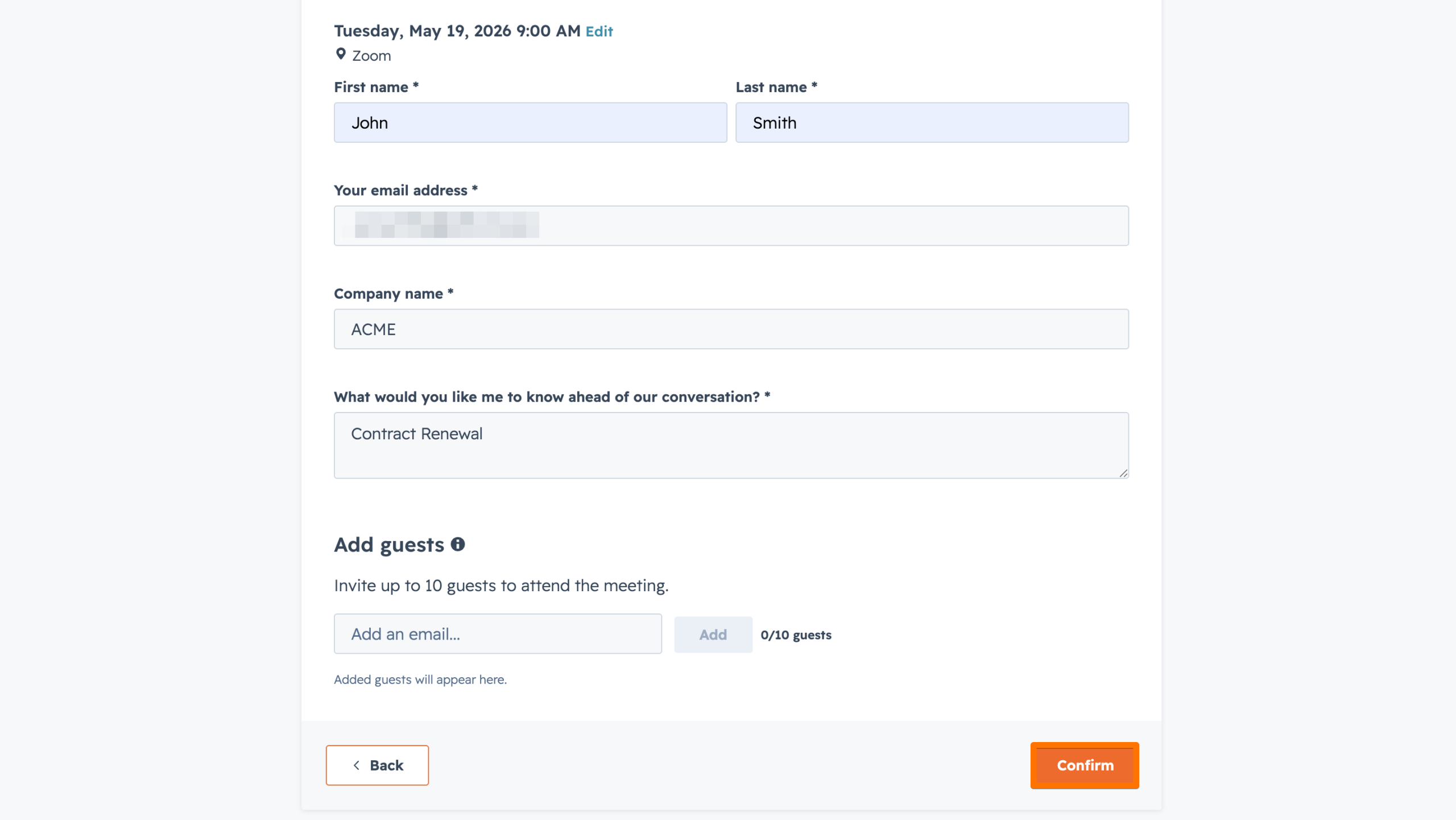
If you need to bring the rest of your team along, you can include up to 10 additional guests by adding their email addresses.
- Finally, click on Confirm. Both you and your account manager will receive a calendar invitation with the meeting link—no further steps required.
When to Use This Shortcut
While the Support tab is your best resource for technical troubleshooting or “how-to” questions, the Account Manager shortcut is the ideal way to schedule calls regarding:
- Strategic Growth: Adding more seats or upgrading your plan to accommodate new departments.
- Account Health: Reviewing how your organization uses Jotform Enterprise and finding ways to optimize.
- Contract Management: Discussing upcoming renewals or changing administrative details.
- New Initiatives: Planning how to implement Jotform Enterprise for a new project or workflow.
See also:

Send Comment: