Caches help your forms load faster and run more efficiently by storing temporary data. But, if your forms aren’t working as expected—such as loading slowly, not updating properly, or showing outdated information—clearing the form cache can often fix that. It’s a safe and simple process that won’t affect your form data or submissions, but it can help resolve common performance issues and get things running smoothly again.
You can clear your account’s form cache in a few easy steps. Here’s how to do it:
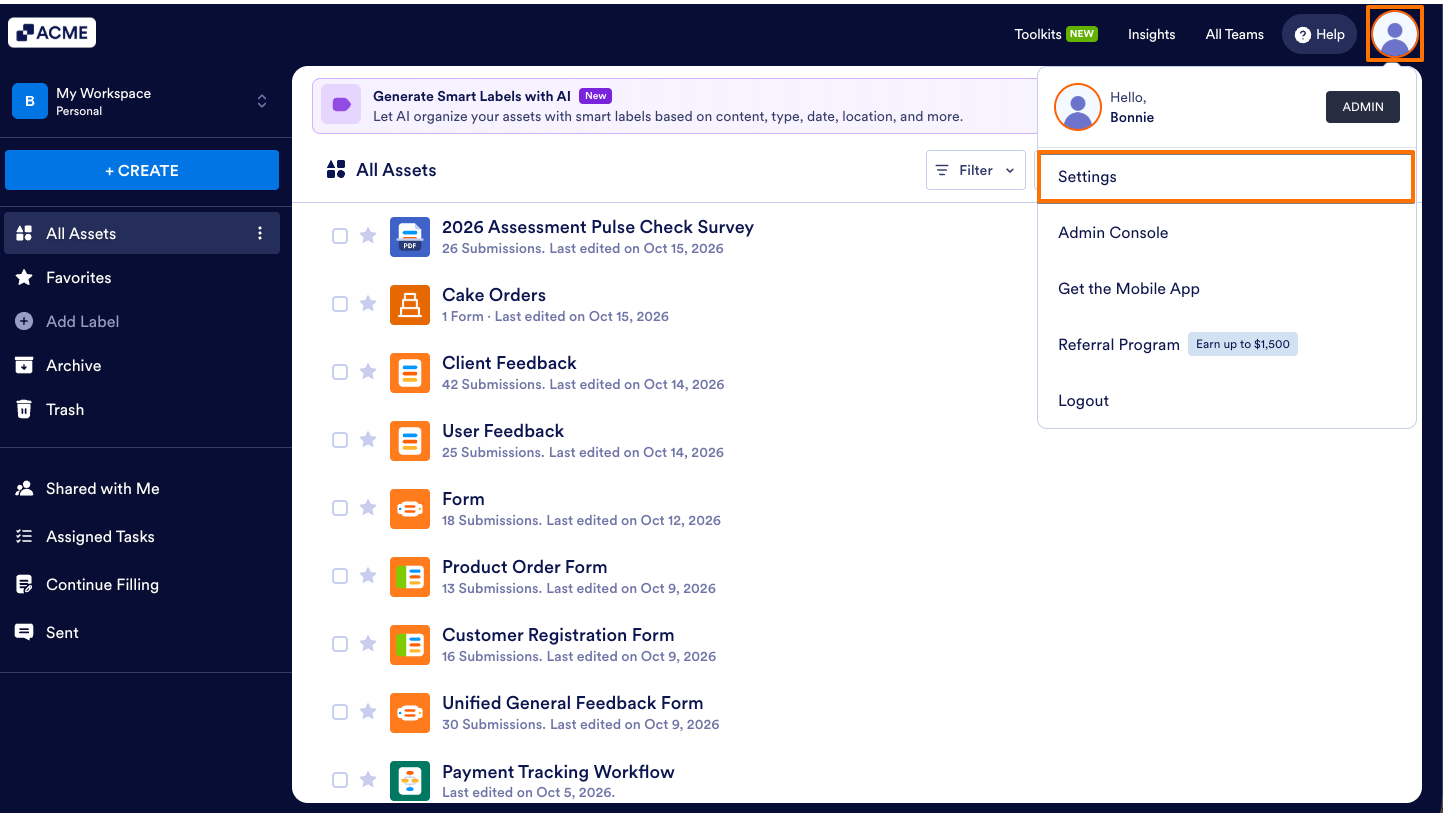
- On your Workspace page, click on your Profile Picture/Avatar on the top-right side of the screen.
- In the menu that opens, click on Settings to open your Account Settings page in a new browser tab.
- Now, on the right side of the Form Caches section, click on Clear Cache.
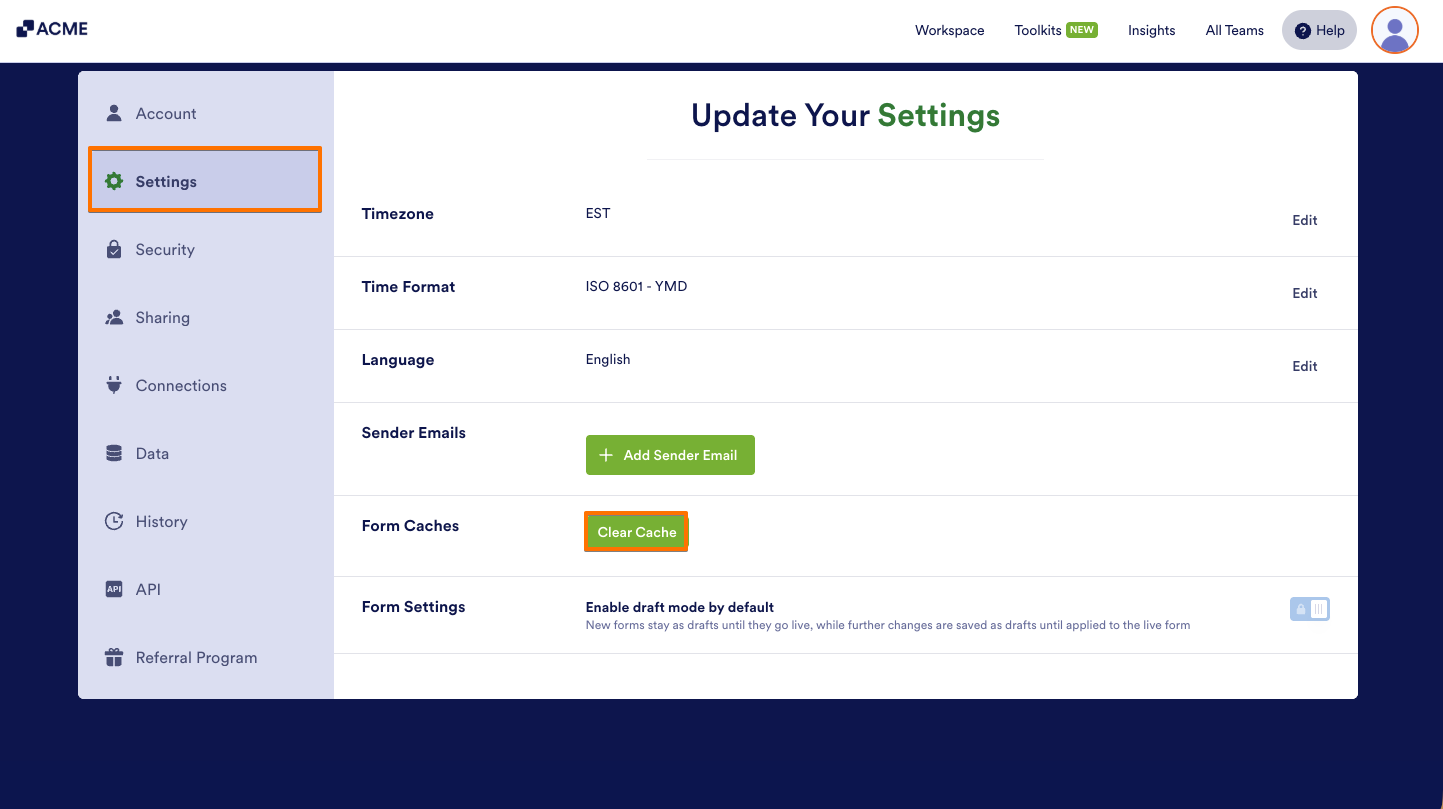
That’s it! You should see an ‘All caches are cleared’ message, which indicates you’ve successfully cleared them.

Send Comment: