Similar to the Form Builder where you can create multipage forms, Apps allows you to create multipage apps. You can create pages and sections to organize elements of your app, making it easier to navigate and manage.
Creating a Multipage App is pretty simple. Here’s how:
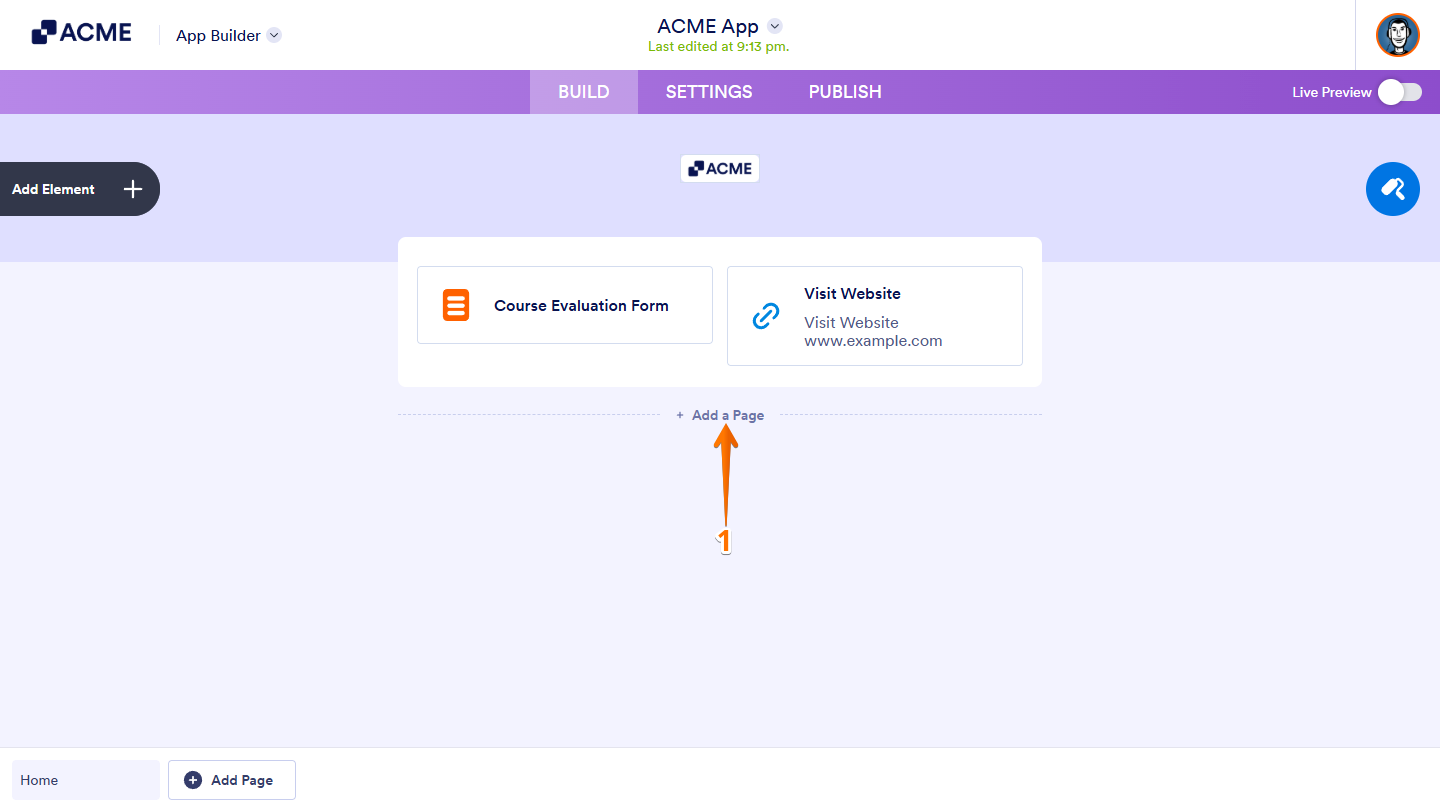
- In App Builder, at the bottom of the page, click on Add a Page.
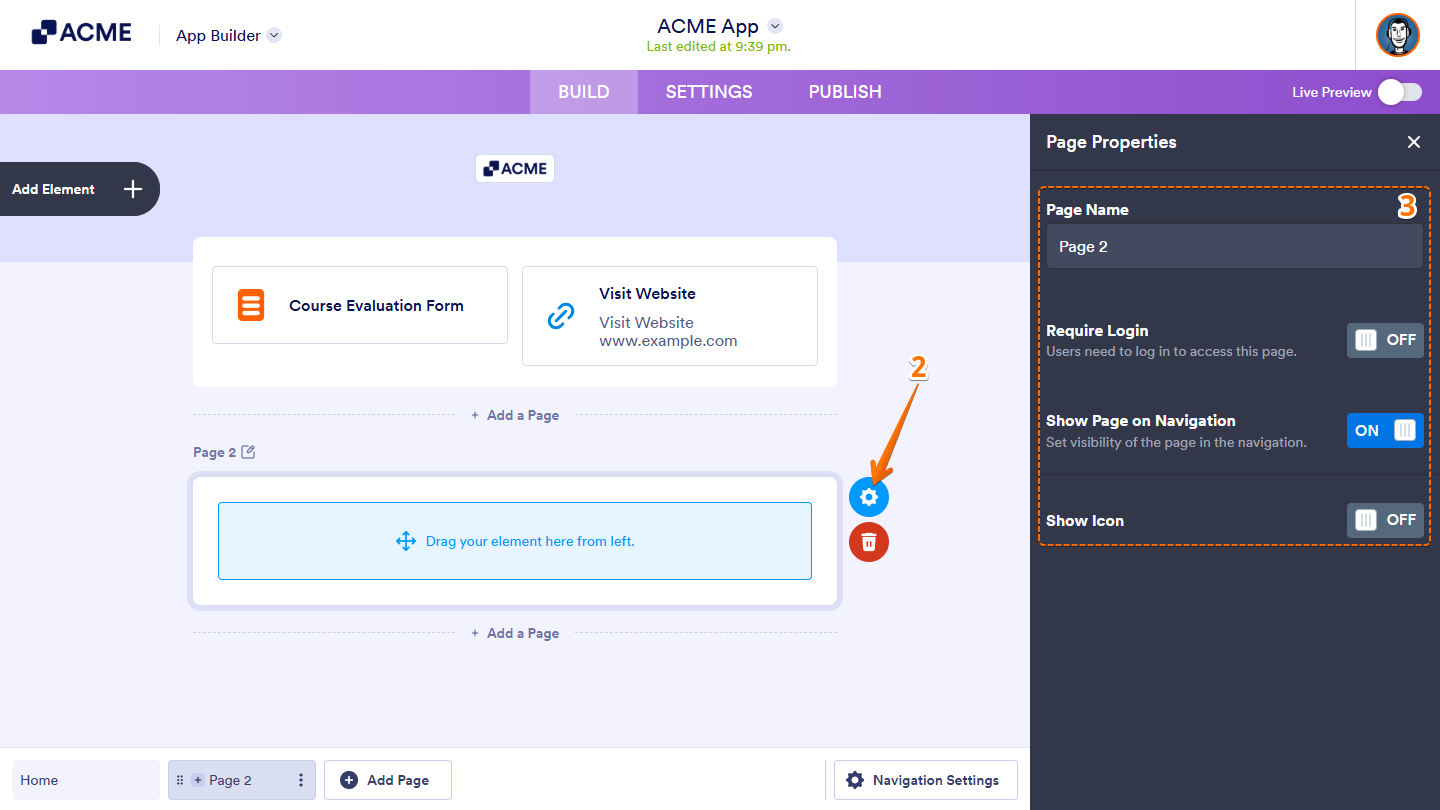
- Then, hover over the page you just added, and click on the Gear icon.
- Now, in the Page Properties window that opens on the right side of the page, set up the following options:
- Page Name — Enter a name for your page to help identify it within the app.
- Require Login — Enable this if you want users to log in before viewing the page.
- Show Page on Navigation — Toggle this on to display the page in the app’s navigation menu.
- Show Icon — Choose an icon that will appear next to your page name in the navigation bar.
And that’s it! You can now start adding app elements to your new page and customize your app to fit your needs.

Send Comment: