API keys make it easy to securely connect your form data with other tools, services, or even your own custom-built applications. Think of them as digital keys that unlock access to specific features and data in your account—safely and efficiently.
By using API keys, you can automate workflows, integrate with third-party platforms, and create smarter, more connected solutions that work seamlessly with your forms. It’s a simple but powerful way to bring your data and processes together, all while keeping your information protected.
Generating API Key
To generate your API key, you’ll need to access your account settings, where all your developer tools live. From there, you can easily create a new key that gives your external apps or custom systems permission to interact with your data securely. Here’s how to get going:
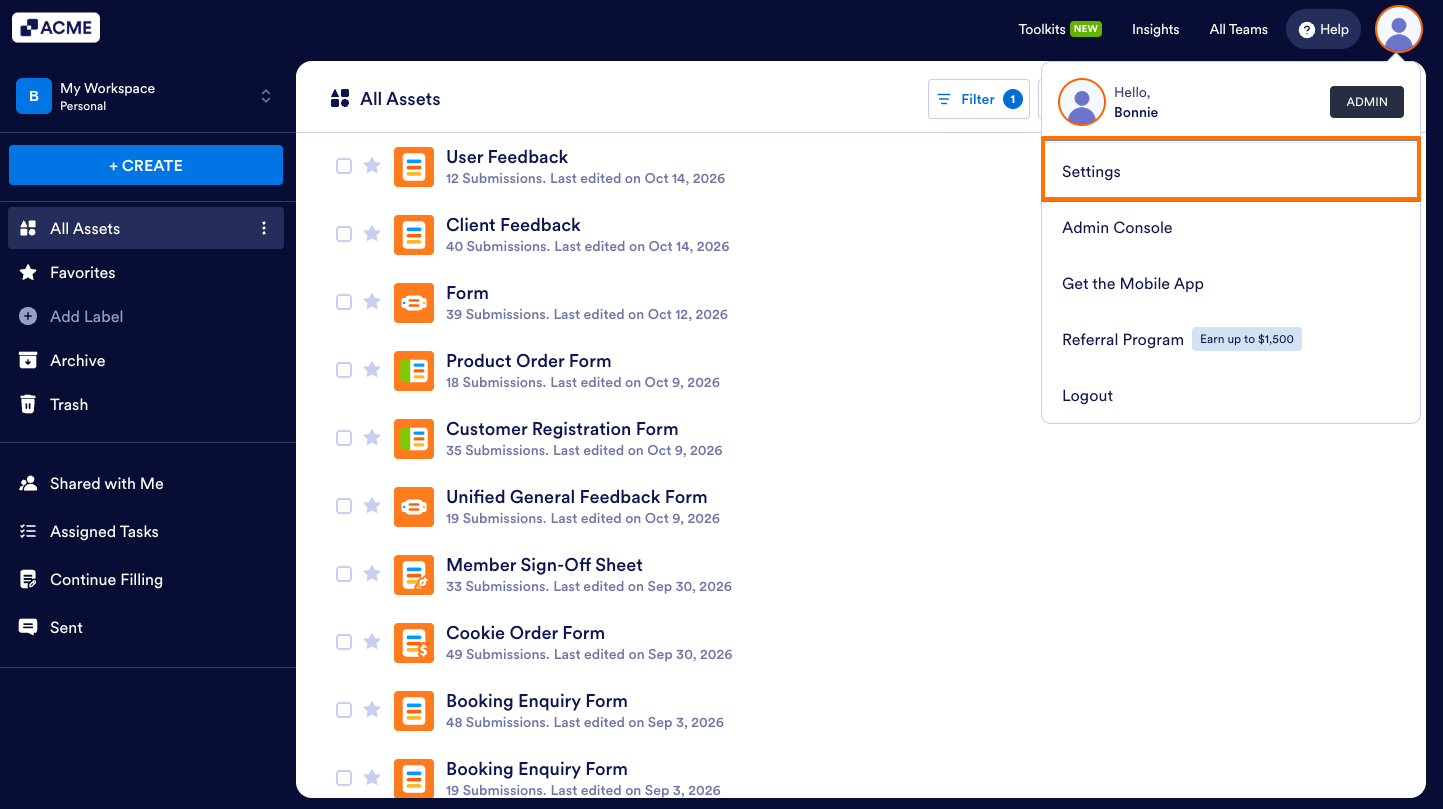
- Starting in your Workspace, in the top right corner of the page, click on your Profile picture.
- Next, in the dropdown menu, click the Settings option.
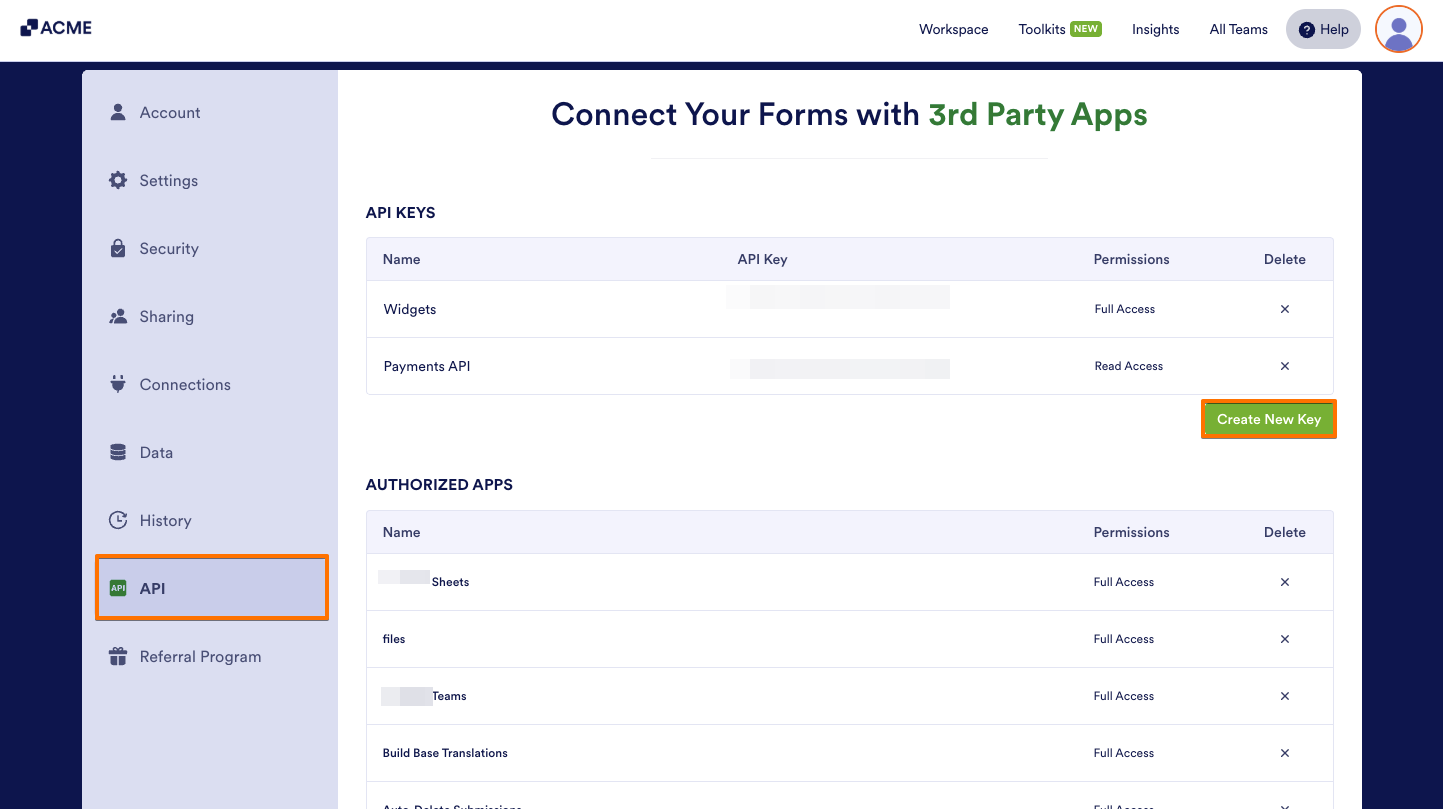
- Go to API, and on the right side of the page, click on Create New Key.
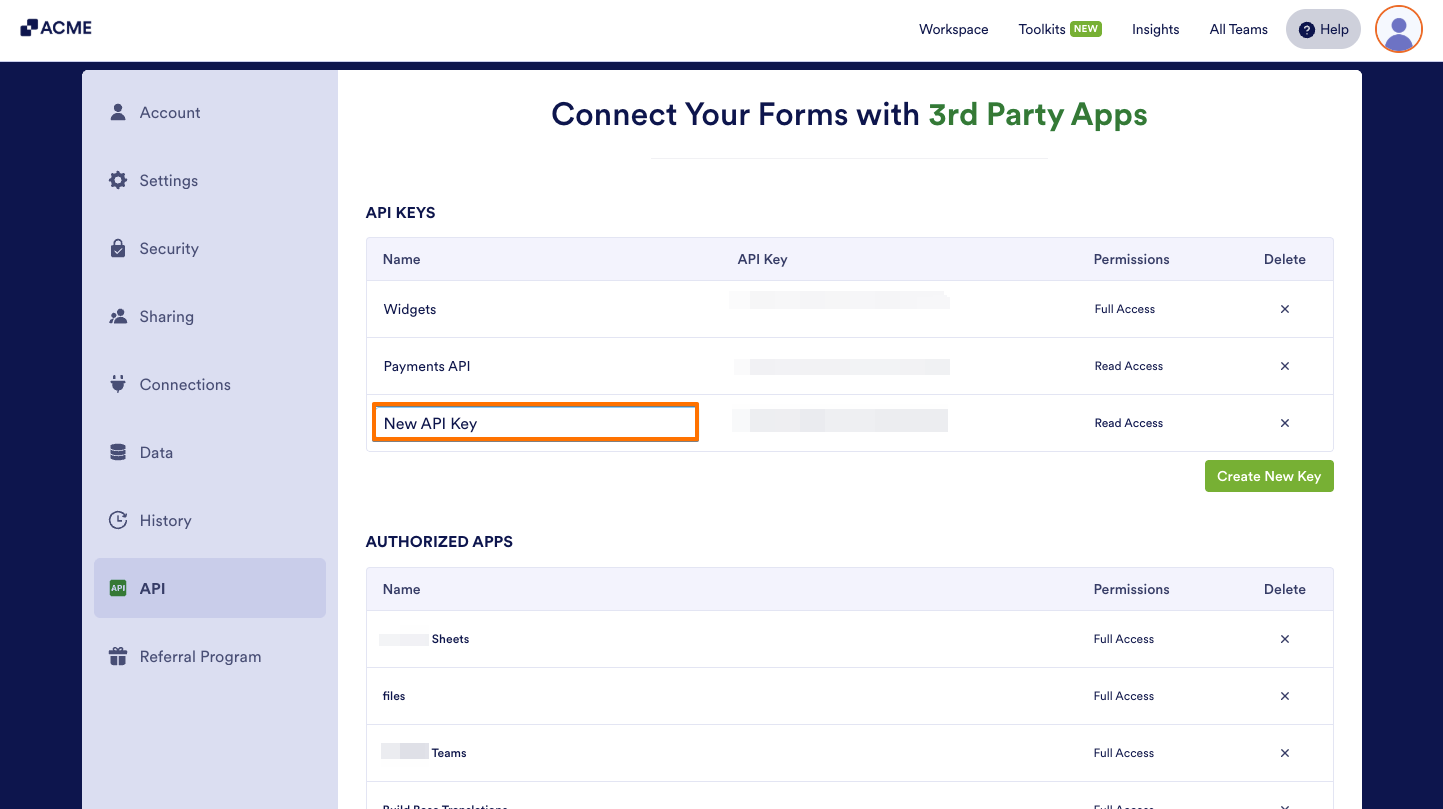
- Then, select your New API Key and enter your desired label.
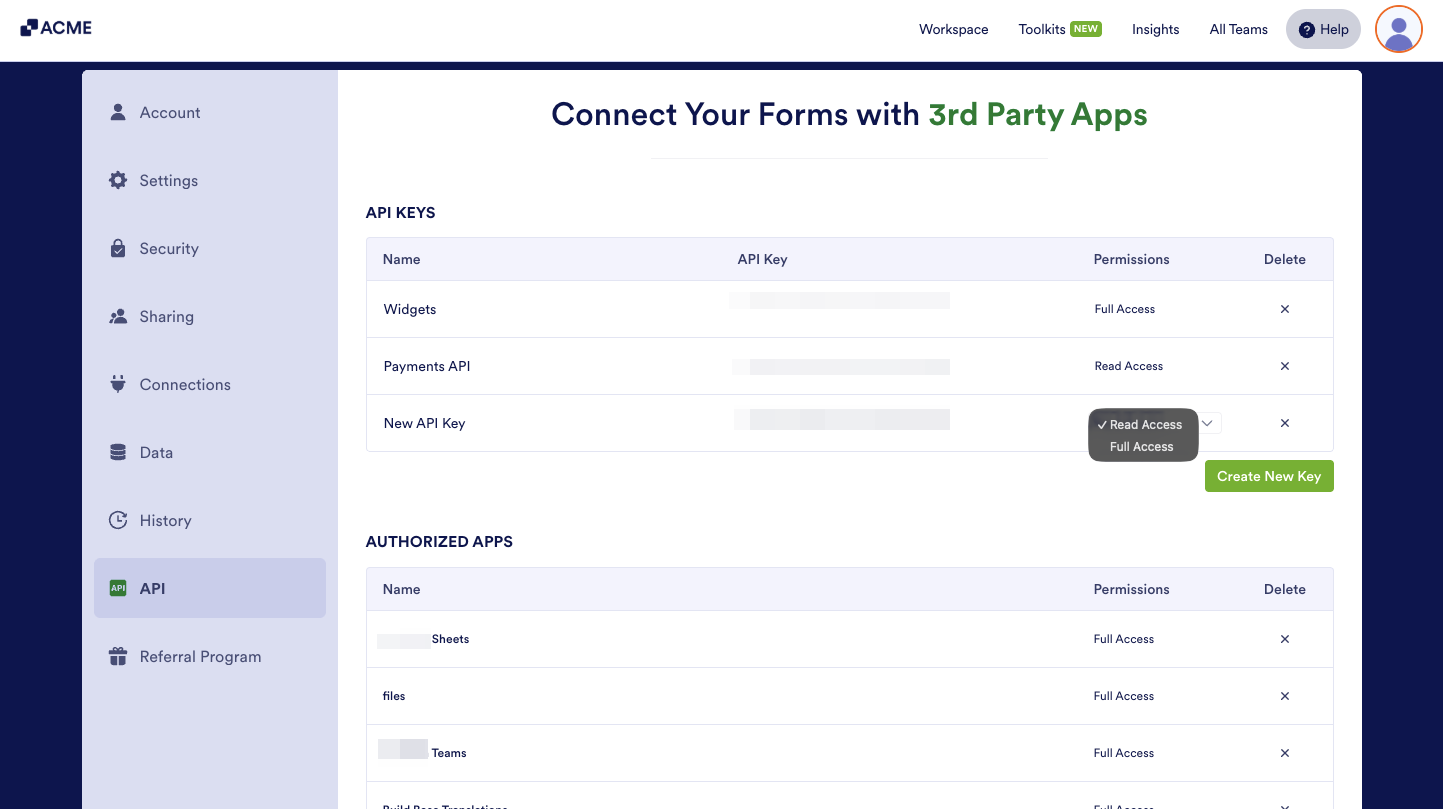
- If needed, under the Permissions column, click on the Dropdown Arrow icon to change permission:
- Read Access — Give access to your data in view-only mode, so others can see the information without making any changes.
- Full Access — This will allow full access to your data—meaning others can add, edit, or delete information as needed.

Send Comment: