You can easily customize your AI Agent’s language settings to align with your users’ preferences. Choose from nearly 20 available languages to ensure that interactions begin in the most appropriate and engaging way. This enhances user experience and fosters more effective communication.
You can select your AI Agent’s language in a few easy steps. Here’s how to do it:
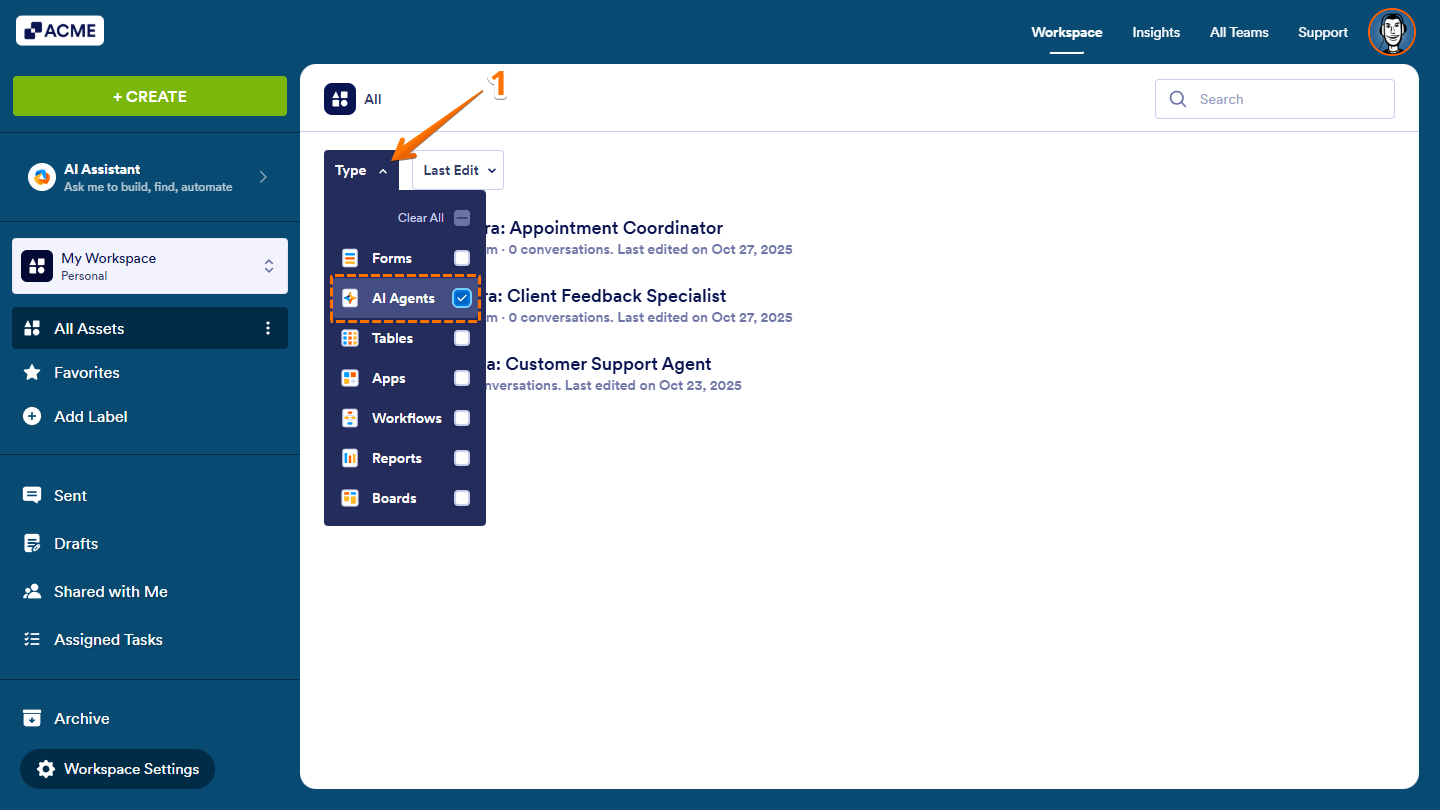
- On your Workspace page, click on Type at the top, and in the Dropdown menu that opens, uncheck the boxes next to all the assets except AI Agents, so only they’ll be shown on the page.
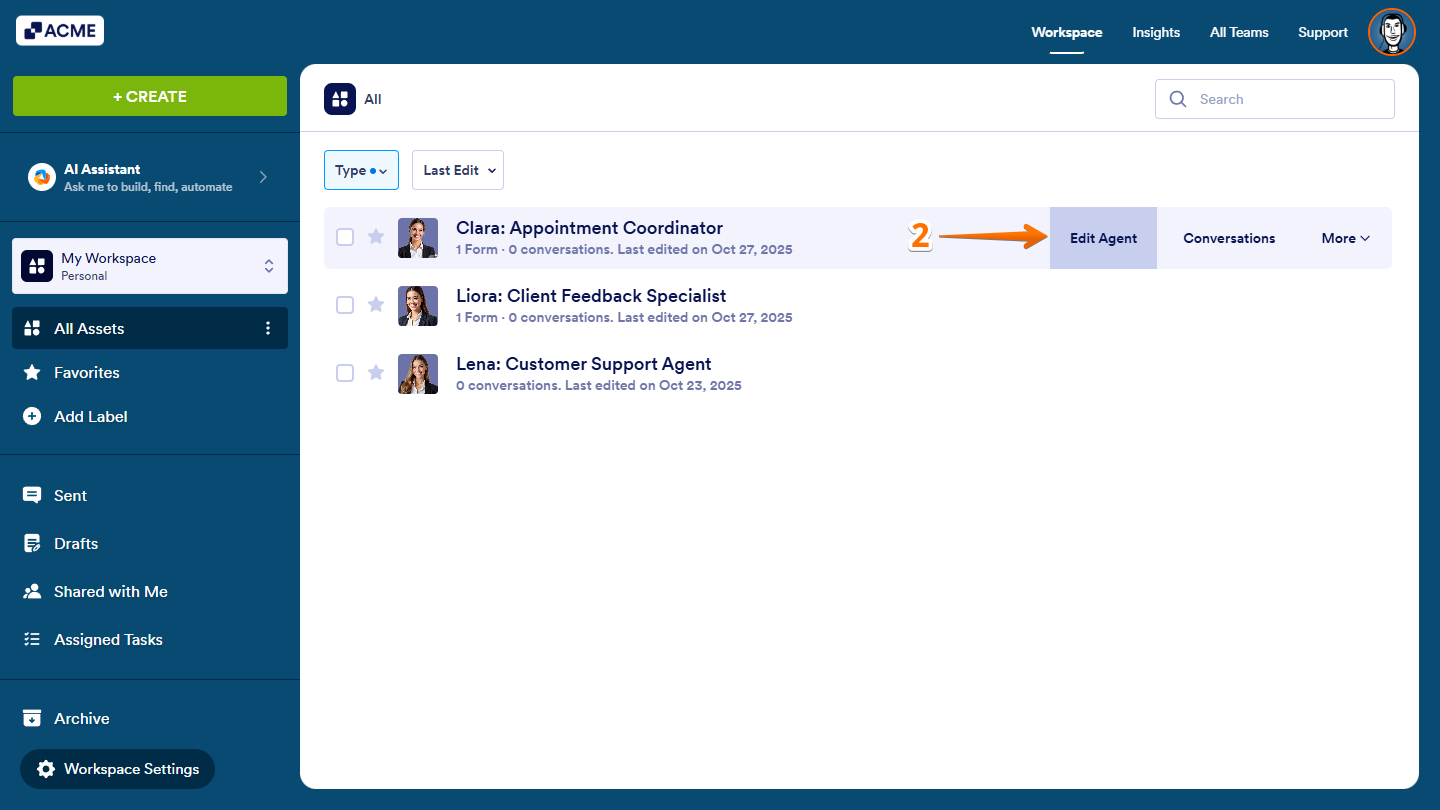
- Hover your mouse over your AI Agent and click on Edit Agent on the right side of the page.
- In Agent AI Builder, in the blue navigation bar at the top, click on Train.
- Now, click on AI Persona in the menu on the left, and then, under the AI Persona section on the right, click on the Default Language Dropdown menu to select one of the following languages:
- English
- Spanish
- French
- Italian
- Portuguese
- German
- Turkish
- Dutch
- Finnish
- Polish
- Russian
- Japanese
- Bulgarian
- Serbian
- Georgian
- Indonesian
- Arabic
- Korean
- Hungarian
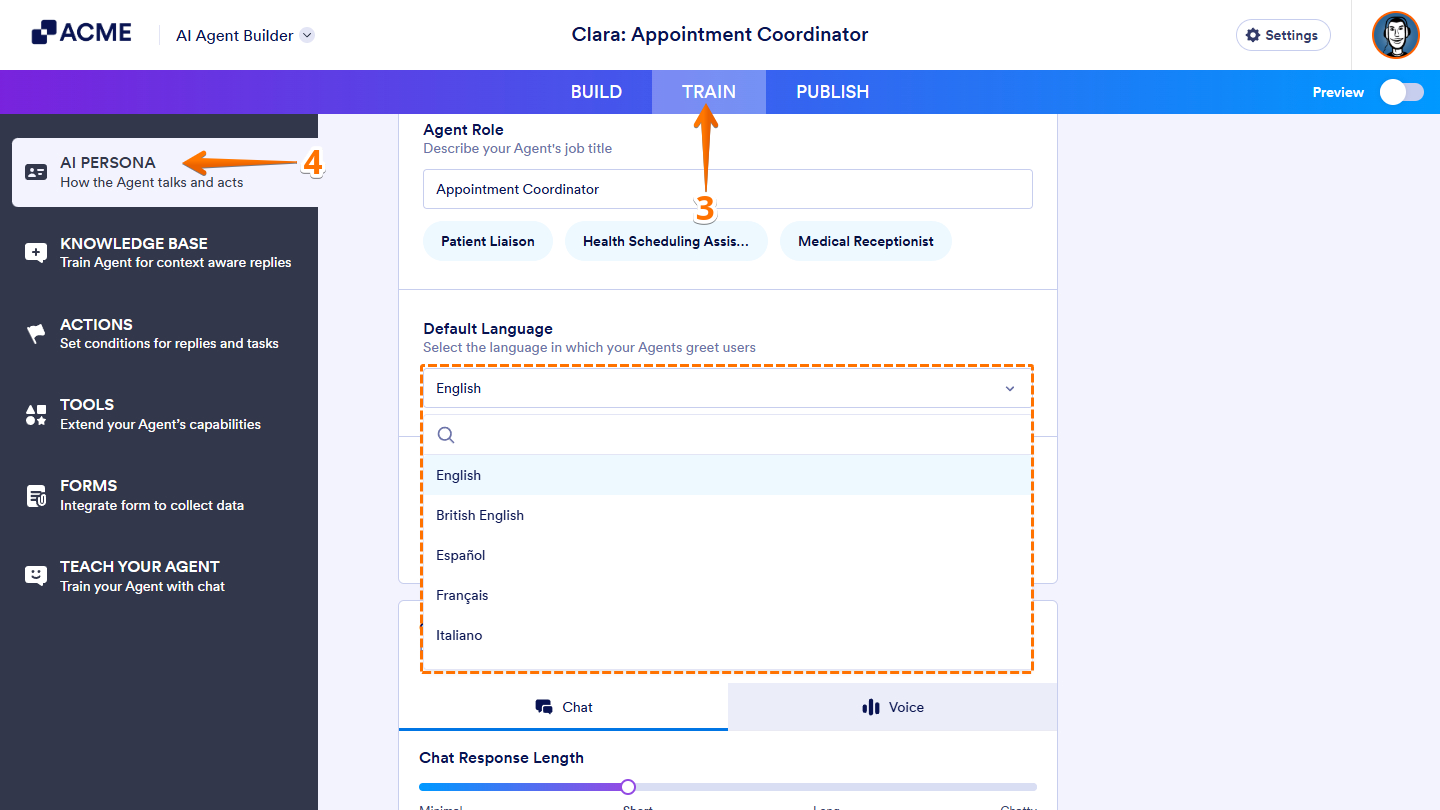
That’s it. You’ve updated the default language of your AI Agent.
Note: Any changes made in the AI Persona section of AI Agent Builder are saved automatically and will immediately be reflected in the AI Agent’s behavior and responses.

Send Comment: