With Jotform’s AI App Builder, users can create apps that display calculated data and real-time results based on user input. These apps can use AI Widgets to process data and deliver live calculations in a clear, visually engaging way. They can also include forms with built-in calculation features, handling everything from simple totals to more complex formulas seamlessly.
Together, these tools turn the app into a responsive experience that delivers accurate results as users interact with it. This makes it easy to present meaningful, data-driven outputs in a way that feels simple, intuitive, and easy to understand.
Displaying Calculated Data and Real-Time Results in Your App Using AI Widgets
You can use AI App Builder to create apps with AI Widgets that turn user inputs into instant visual insights. These components run calculations in the background and update results as new information is entered, giving users accurate outputs in real time without any manual setup. Here’s how to get going:
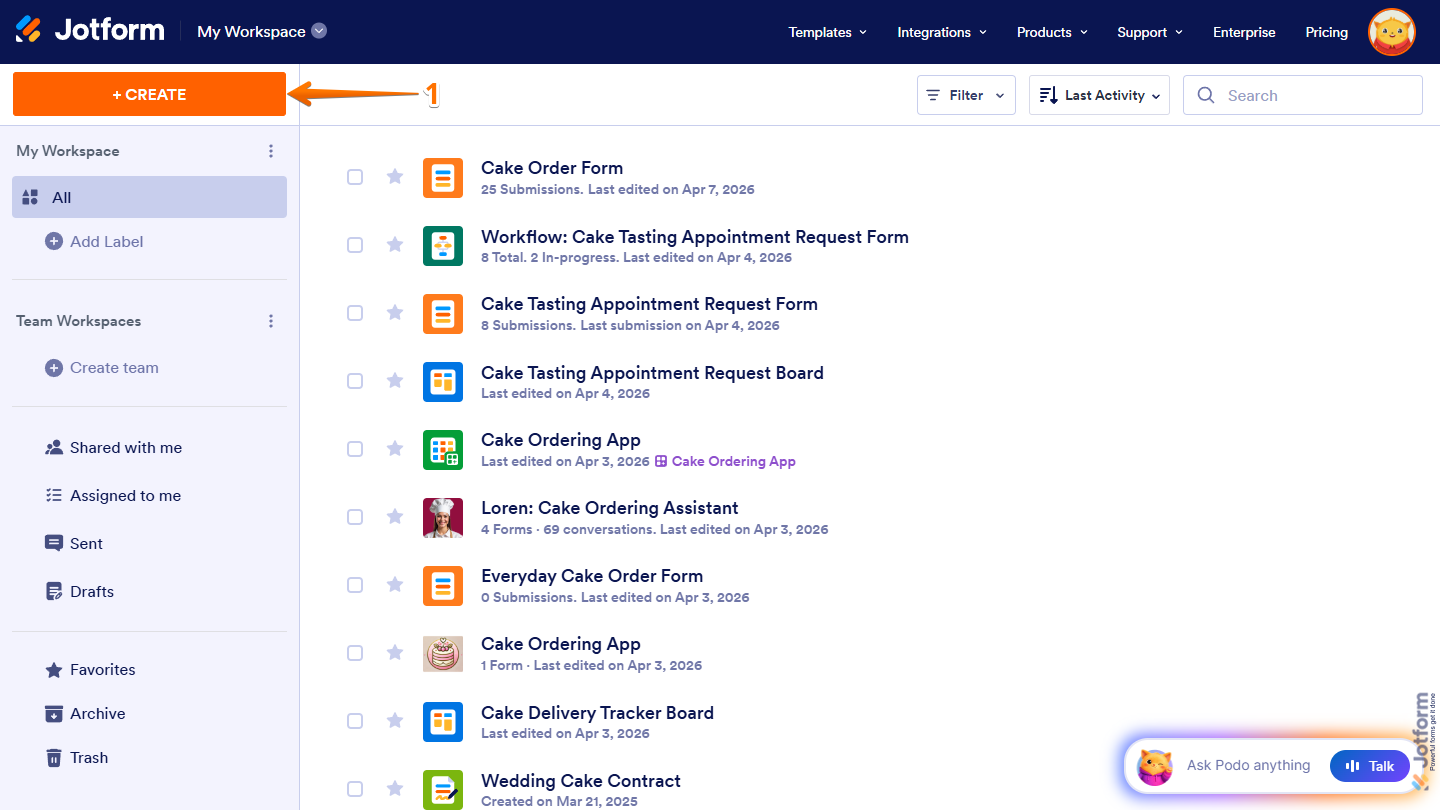
- On the top-left side of your Workspace page, click on Create.
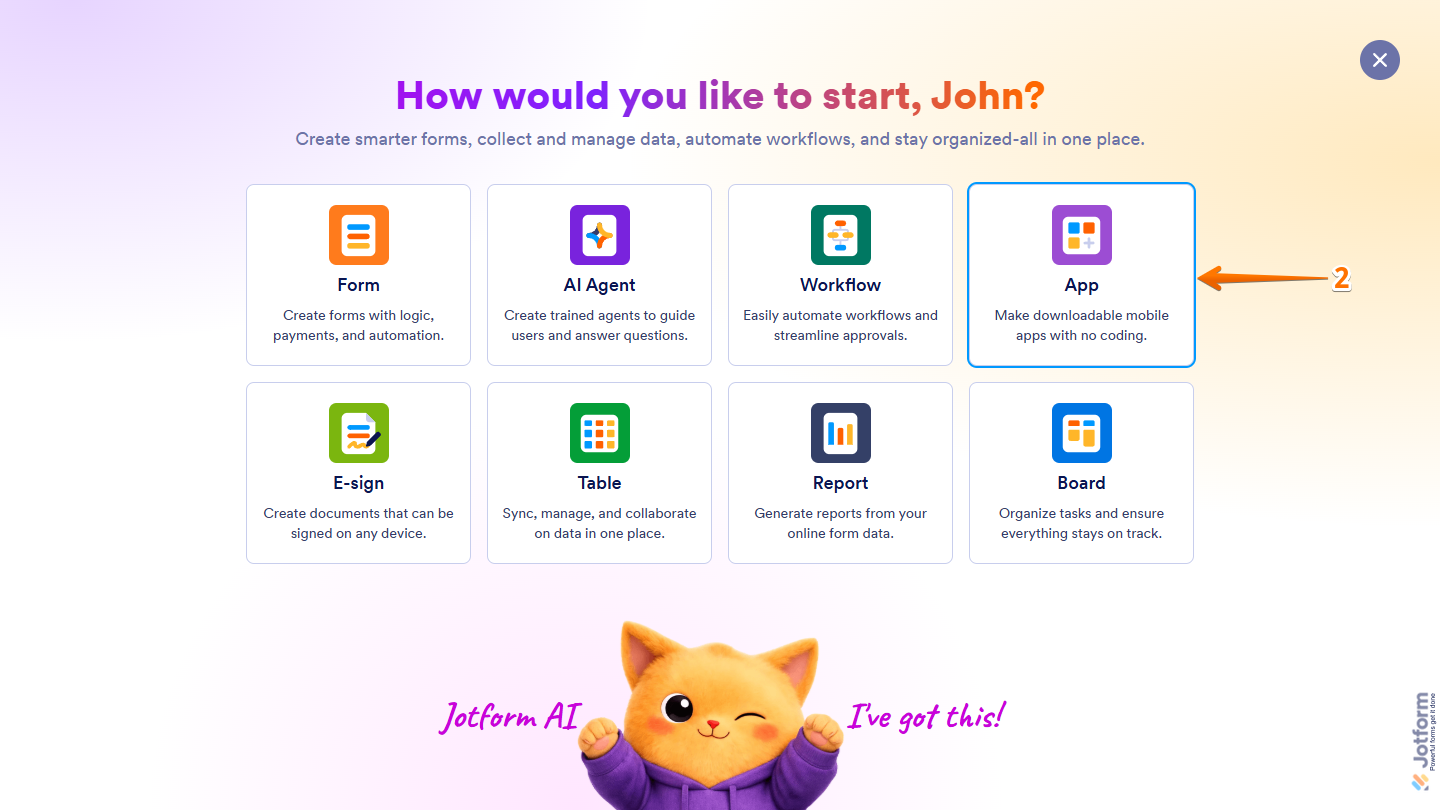
- Then, in the window that opens up, click on App.
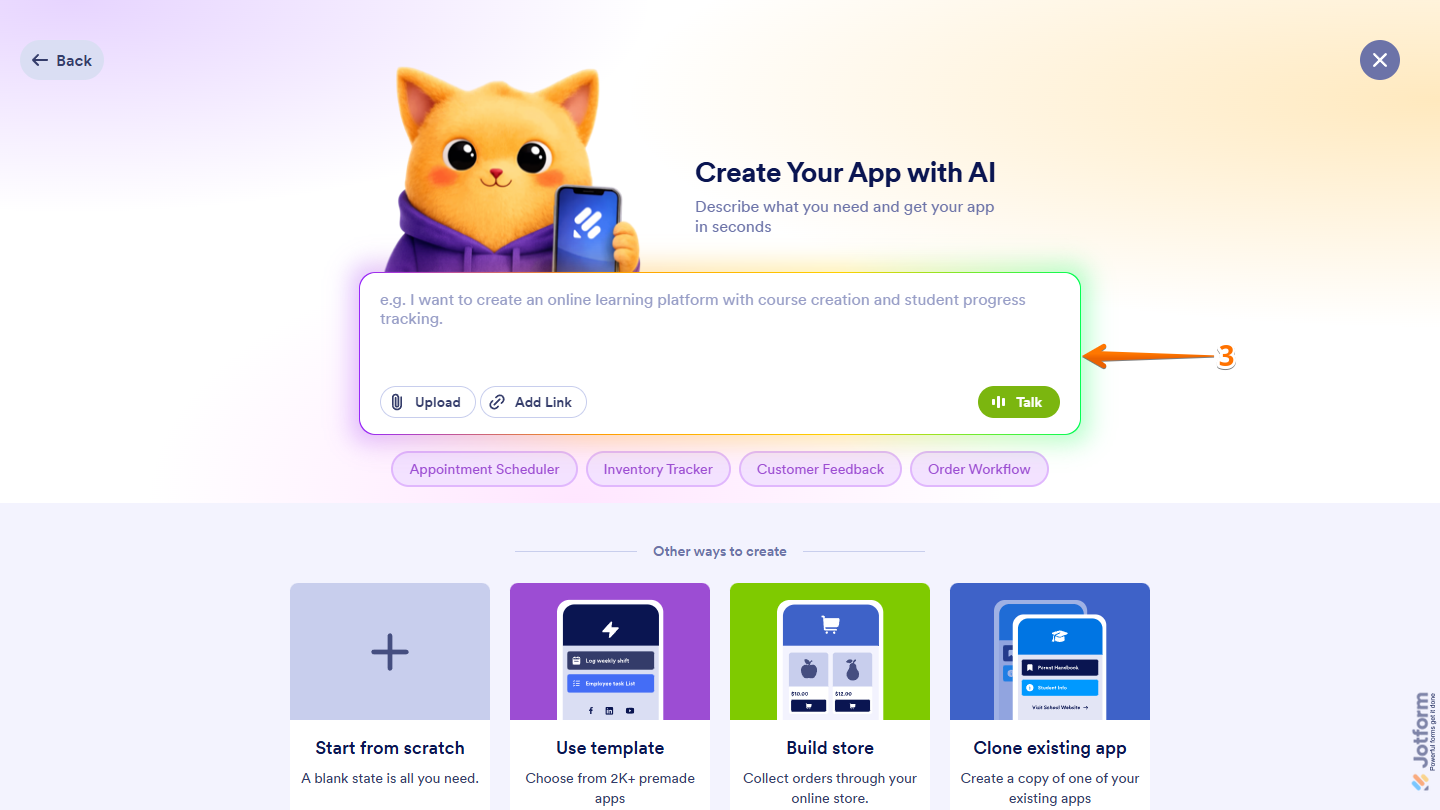
- Now, in the Prompt box in the middle of the page, describe the app you want to create and the widget it should include to process user input and display results.
Here are some example prompts you can try if you want to build apps that use AI Widgets to display calculated data and real-time results based on user input:
- Create a car rental app with a smart price widget that calculates the total cost based on the number of rental days, vehicle type (economy or luxury), and optional insurance add-ons.
- Develop a kitchen remodel app featuring a quick cost estimator where users can enter their room size and select material options to get an instant total price for cabinets and countertops.
- Design a gym progress app that includes a daily calorie widget that tracks what the user eats and subtracts calories burned from workouts to show their net calories for the day.
- Engineer a student dashboard app that includes a grade averaging widget where students can enter their exam scores to instantly see their current class average and passing status.
- Launch a freelance billing app that includes a simple invoice widget where freelancers enter their hourly rate and hours worked to calculate the total amount due, including tax.
- Code a home energy savings app featuring an estimator widget that takes the user’s current electric bill and calculates how much money they could save over the next five years.
- Make a family budget planner app with a monthly expense widget that adds up rent, groceries, and bills, then subtracts them from total income to show remaining savings.
- Build a backyard deck builder app that includes a wood and screw calculator widget that takes the deck dimensions and calculates the amount of materials needed.
- Create a second-hand car dealership app with a monthly payment widget that lets buyers adjust the down payment and loan term to see their monthly car payment.
- Develop a group trip planner app featuring a bill-splitter widget where friends enter total vacation expenses and the number of people to see how much each person owes.
- Once you’re done, click on Send or press the Enter key on your keyboard.
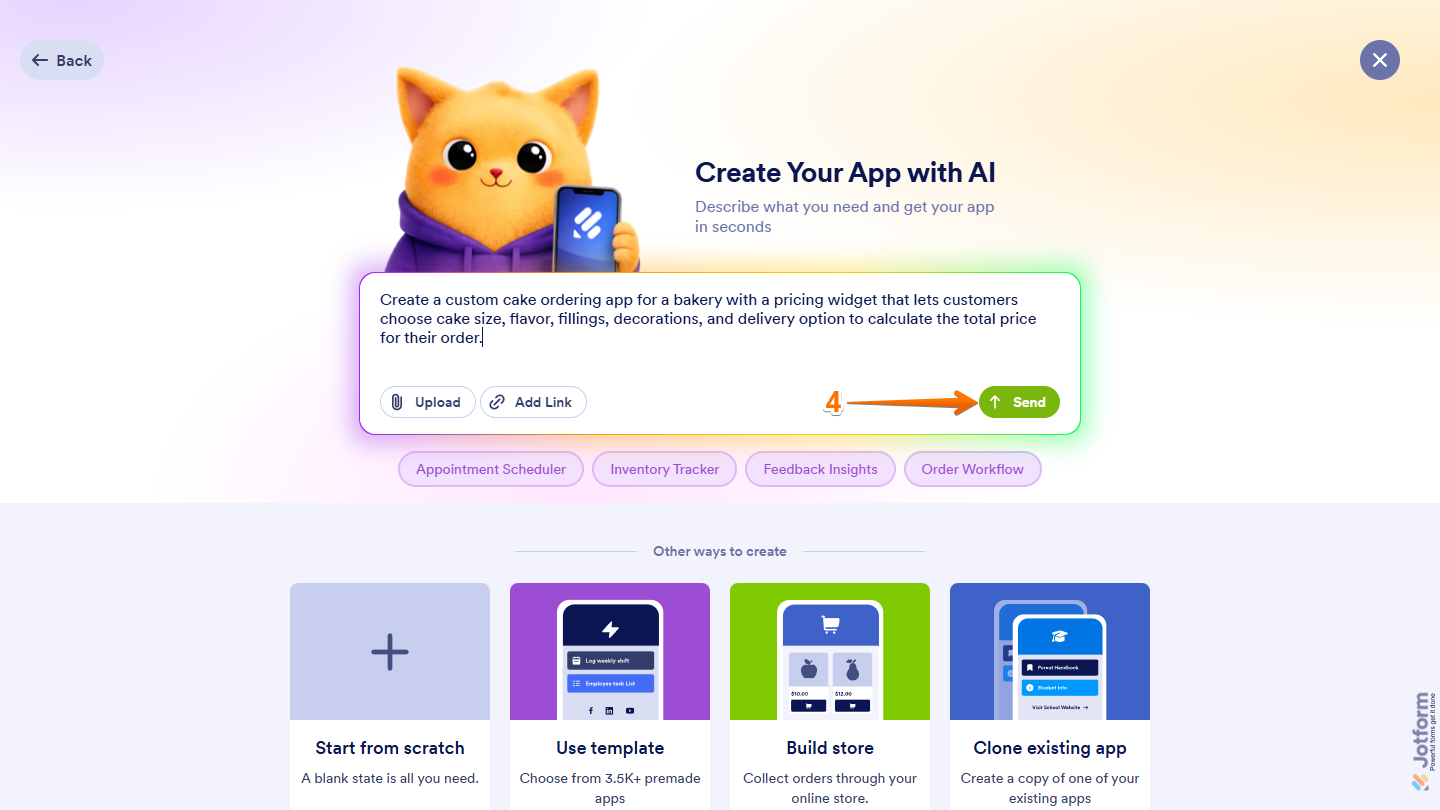
That’s it. Your app will be generated on the AI Creation page, where you can track its progress while it’s being built.
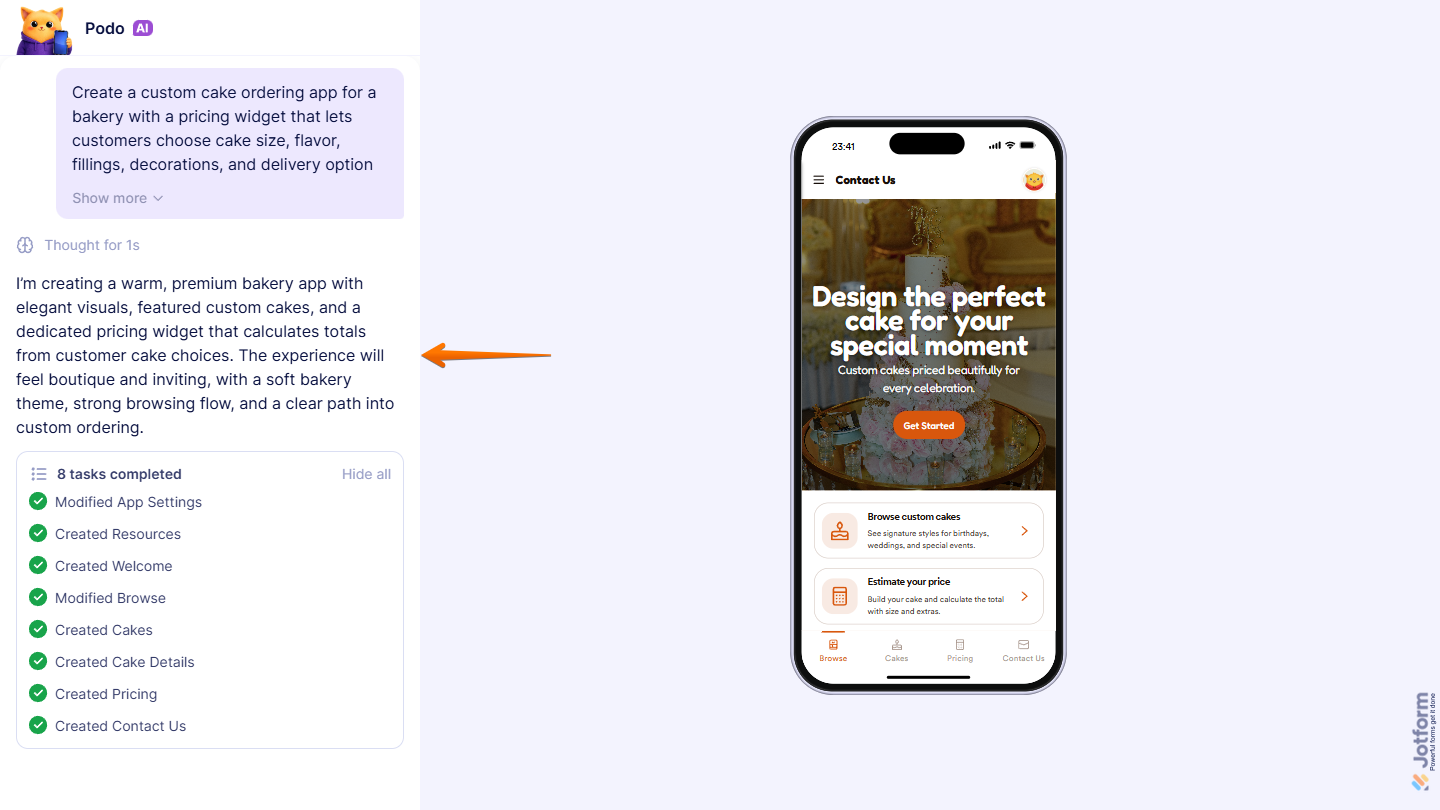
When it’s ready, your app will open in App Builder, where you can make additional changes if needed.
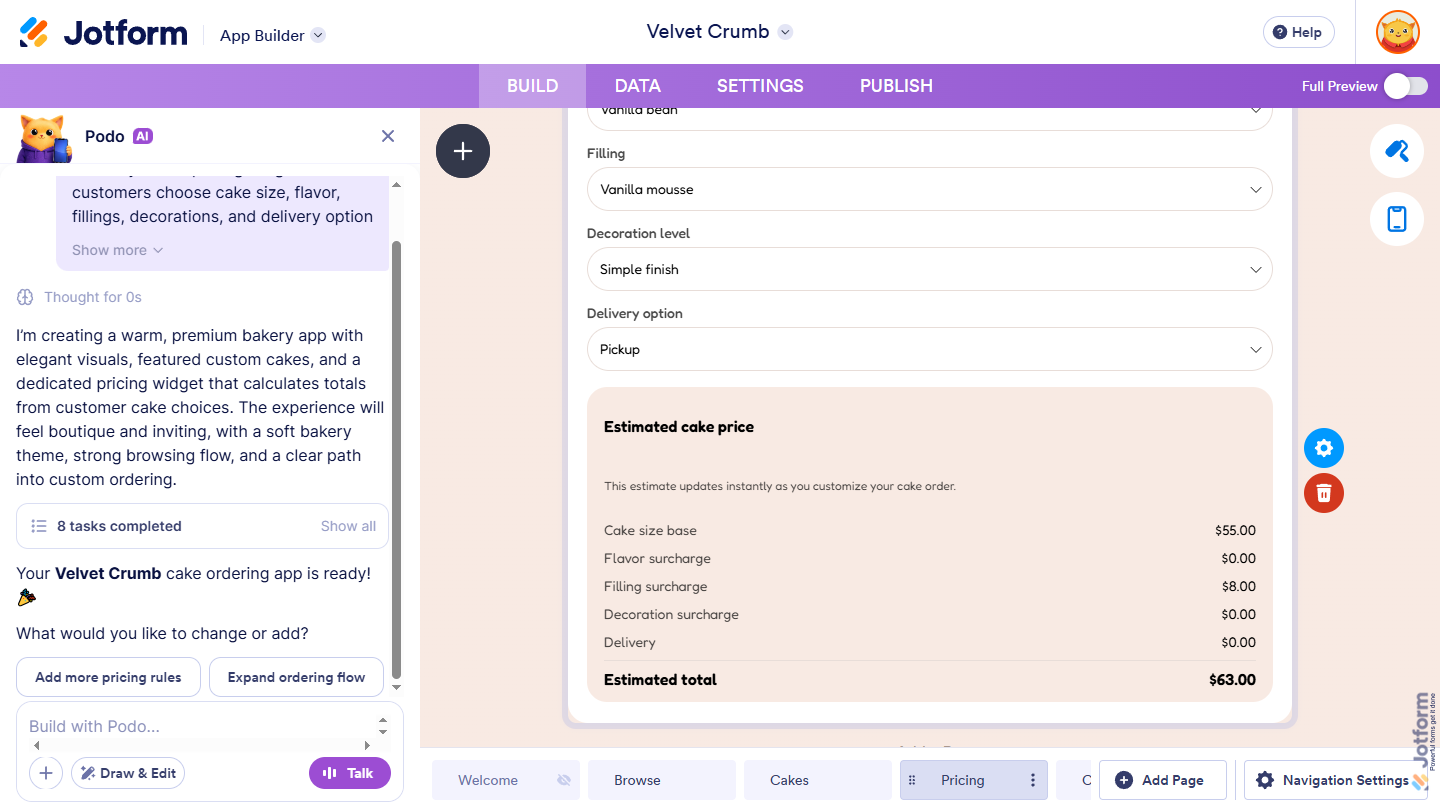
Displaying Calculated Data and Real-Time Results in Your App Using Forms
You can use AI App Builder to create apps that include Forms powered by Podo AI to handle complex calculations in the background while users enter inputs. The forms calculate scores, quotes, or custom totals based on the fields filled out, ensuring accurate results in real time. Here’s what to do next:
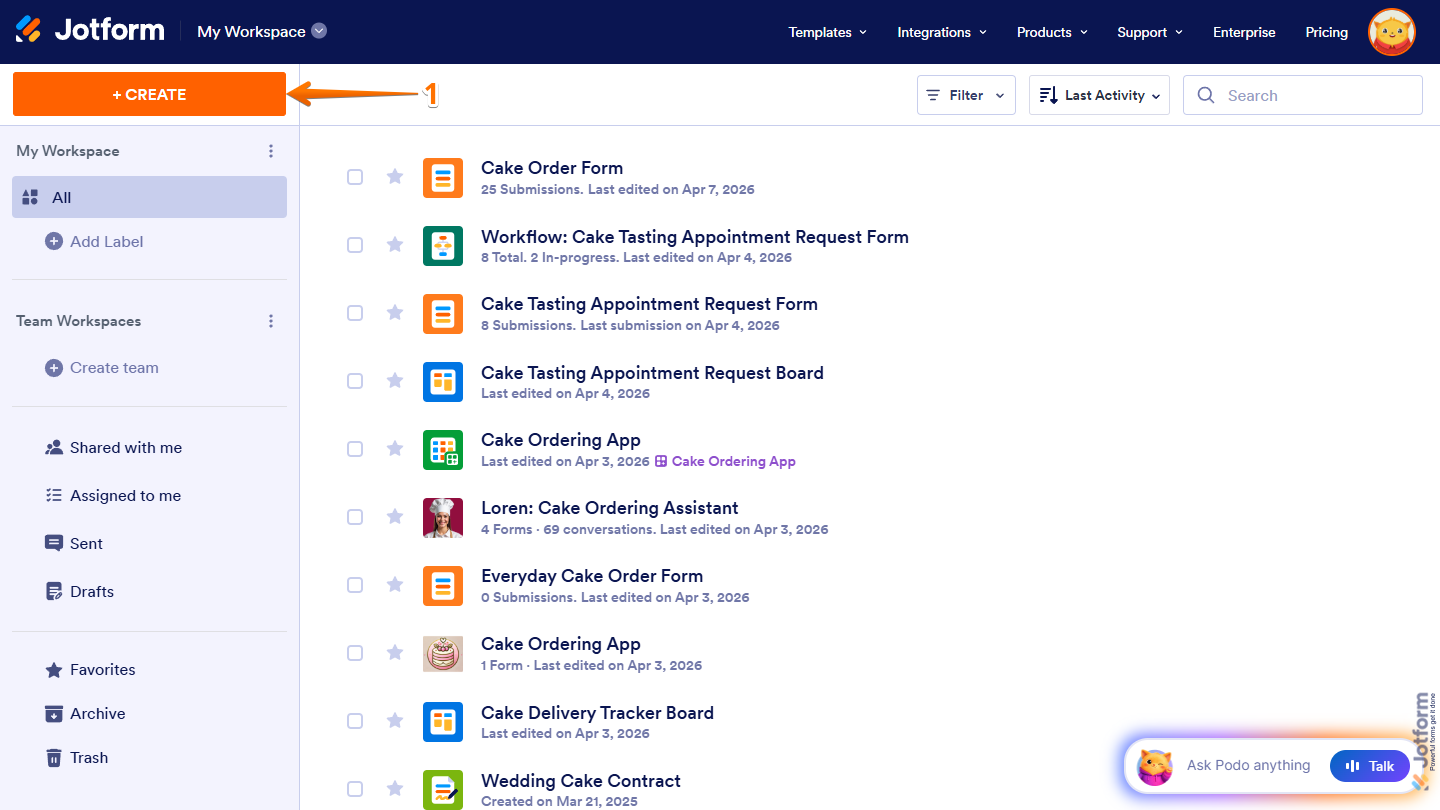
- On the top-left side of your Workspace page, click on Create.
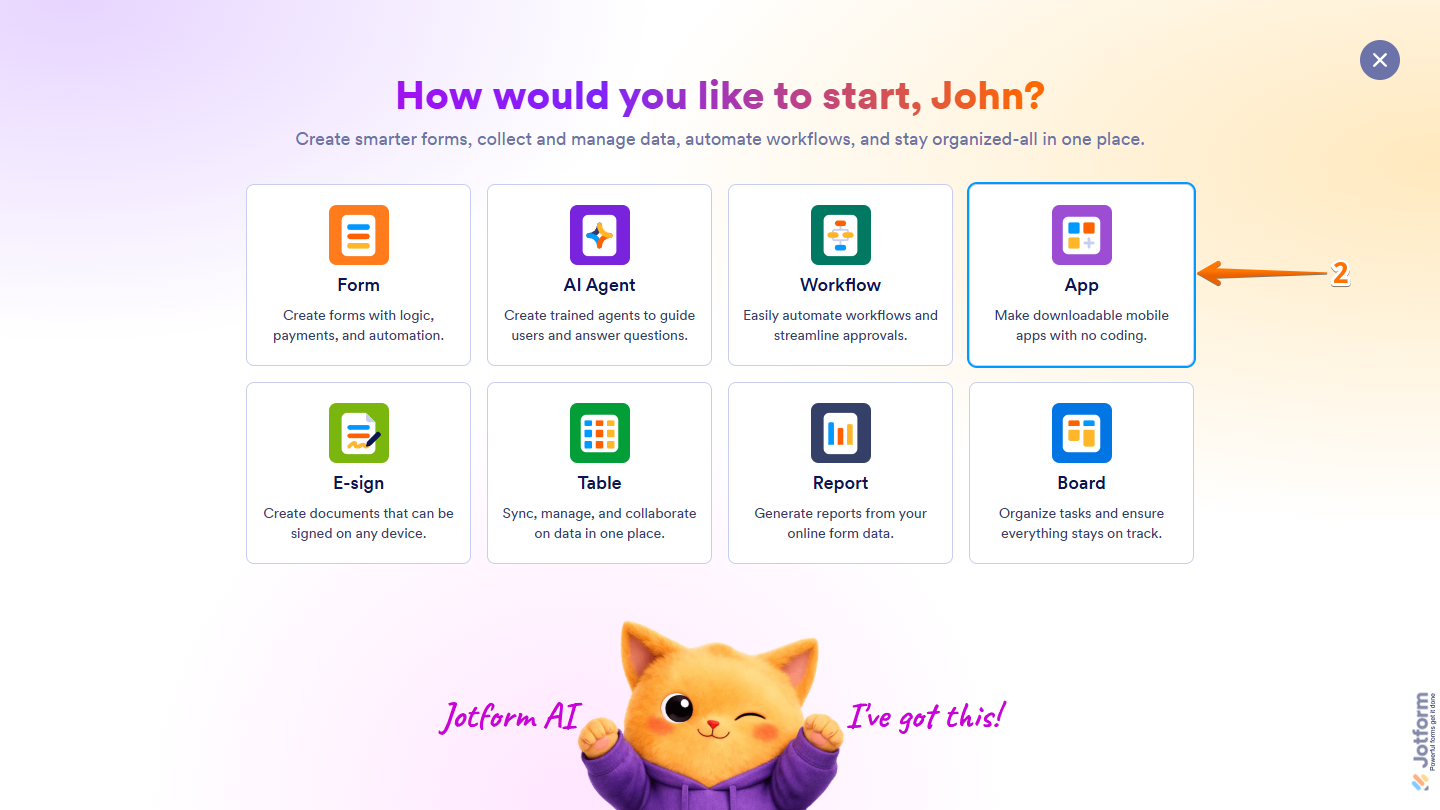
- Then, in the window that opens up, click on App.
- Now, in the Prompt box in the middle of the page, describe the app you want to create and the form it should include, along with the inputs and calculations it should perform to generate the results.
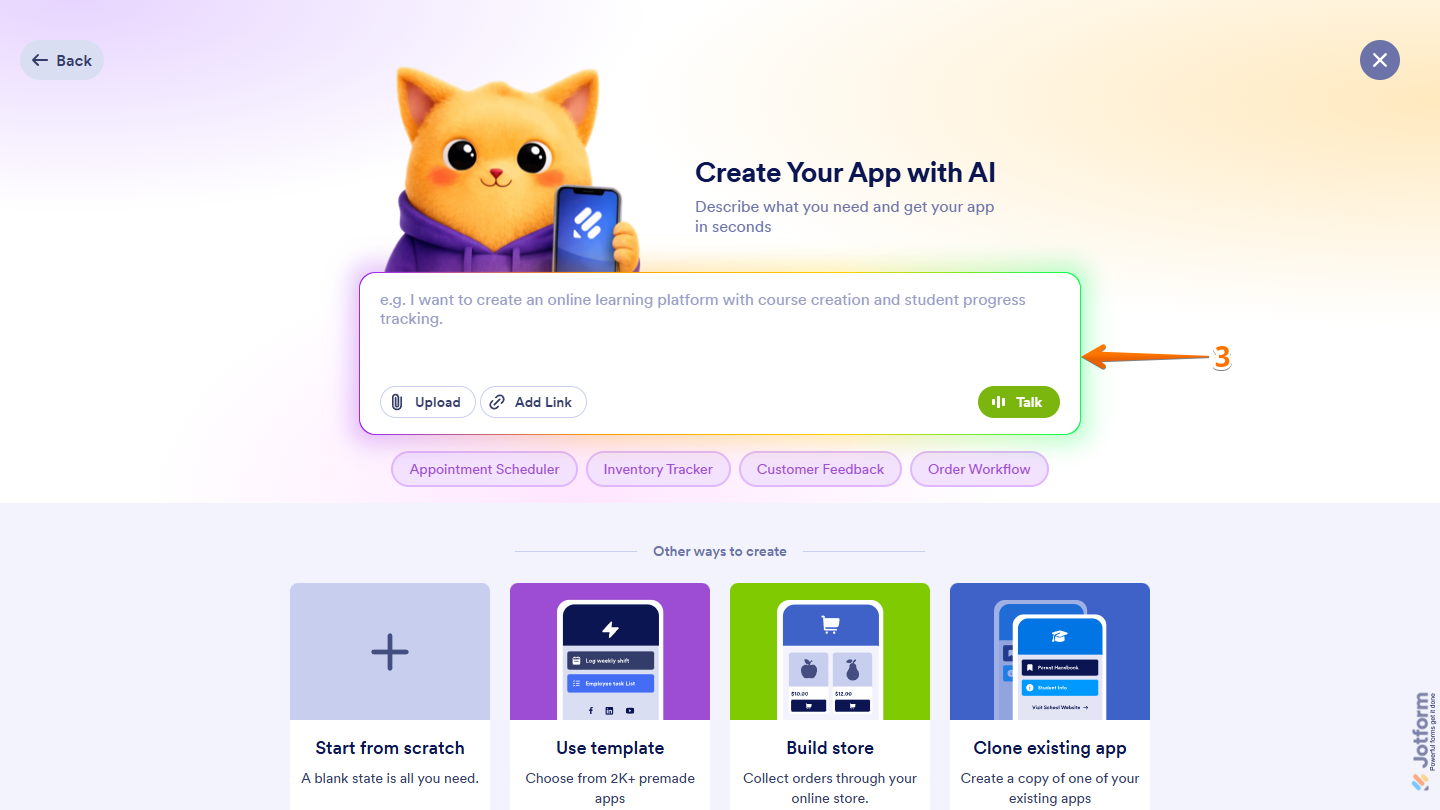
Here are some example prompts you can try if you want to build apps with Forms that display calculated data and real-time results based on user input:
- Create an event organization app featuring a catering order form where users select the number of guests, choose a menu type (buffet or plated), and add extra services like waiters to calculate the total catering cost.
- Develop a pet boarding and hotel app that includes a check-in form where pet owners select the number of pets, length of stay, and add-on services like dog walking or grooming to see the total booking price.
- Design a customized jewelry store app with an order configuration form where customers choose the metal type (gold or silver), ring size, and gemstone type from dropdowns to calculate the final price based on their selections.
- Engineer an eco-friendly carbon footprint app with a lifestyle quiz form where users enter their weekly driving mileage, flight hours, and monthly electricity usage to calculate their annual carbon footprint score.
- Develop a subscription box app for beauty products with an onboarding form where users choose delivery frequency (monthly or yearly) and number of product categories to calculate their subscription price.
- Code a commercial cleaning services app with an instant quote form where office managers select the number of rooms, total square footage, and cleaning frequency (daily or weekly) to calculate the monthly contract fee.
- Make a local bakery delivery app with a custom cake order form where customers choose the number of cake tiers, flavor fillings, and delivery distance to calculate the final price before placing the order.
- Build a smartphone repair shop app with a mail-in repair form where users select their phone model and choose damages (cracked screen, dead battery, water damage) to calculate the total repair and shipping cost.
- Create a coworking space booking app with a desk reservation form where users choose between a hot desk or private office, select the number of hours or days, and add meeting room access to see the total rental fee.
- Once you’re done, click on Send or press the Enter key on your keyboard.
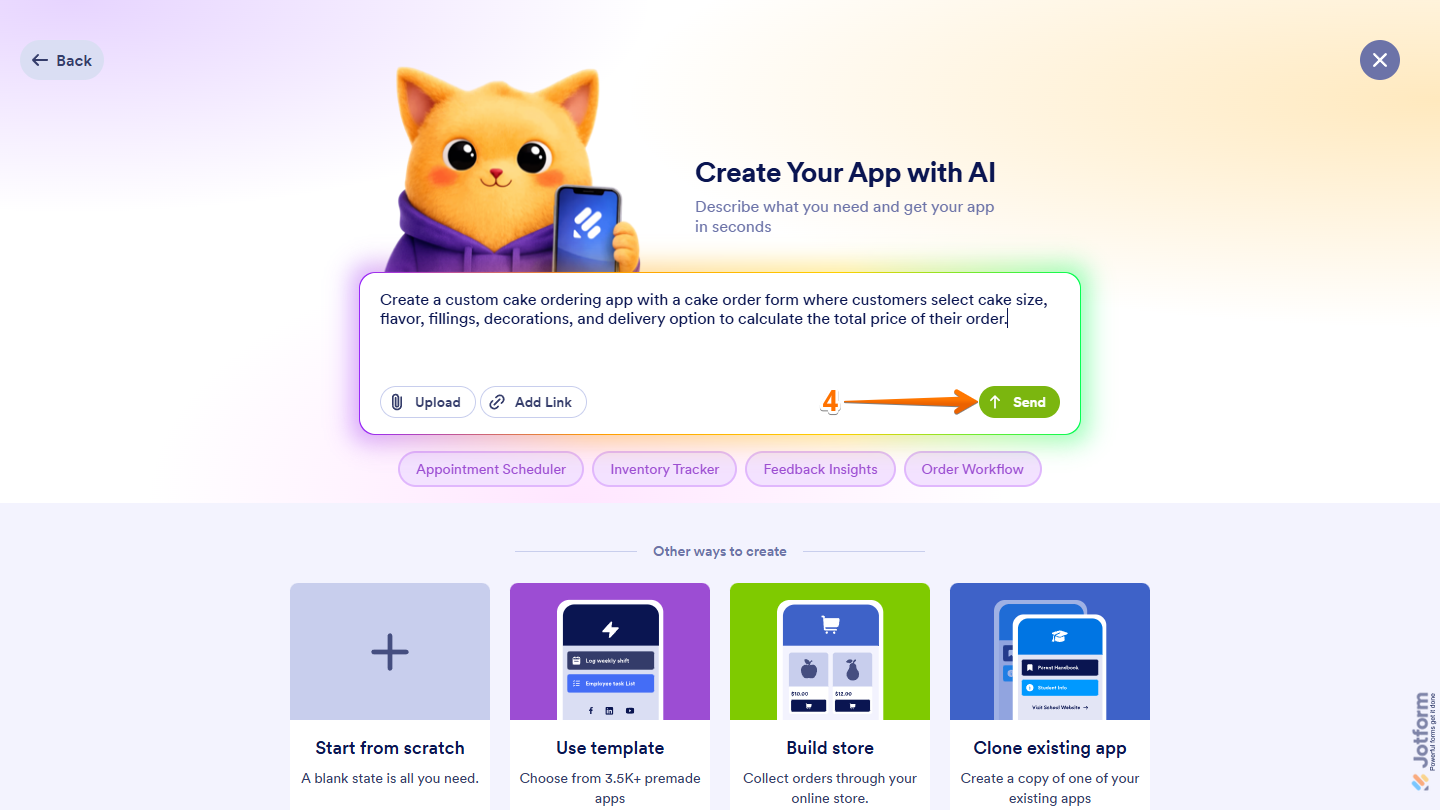
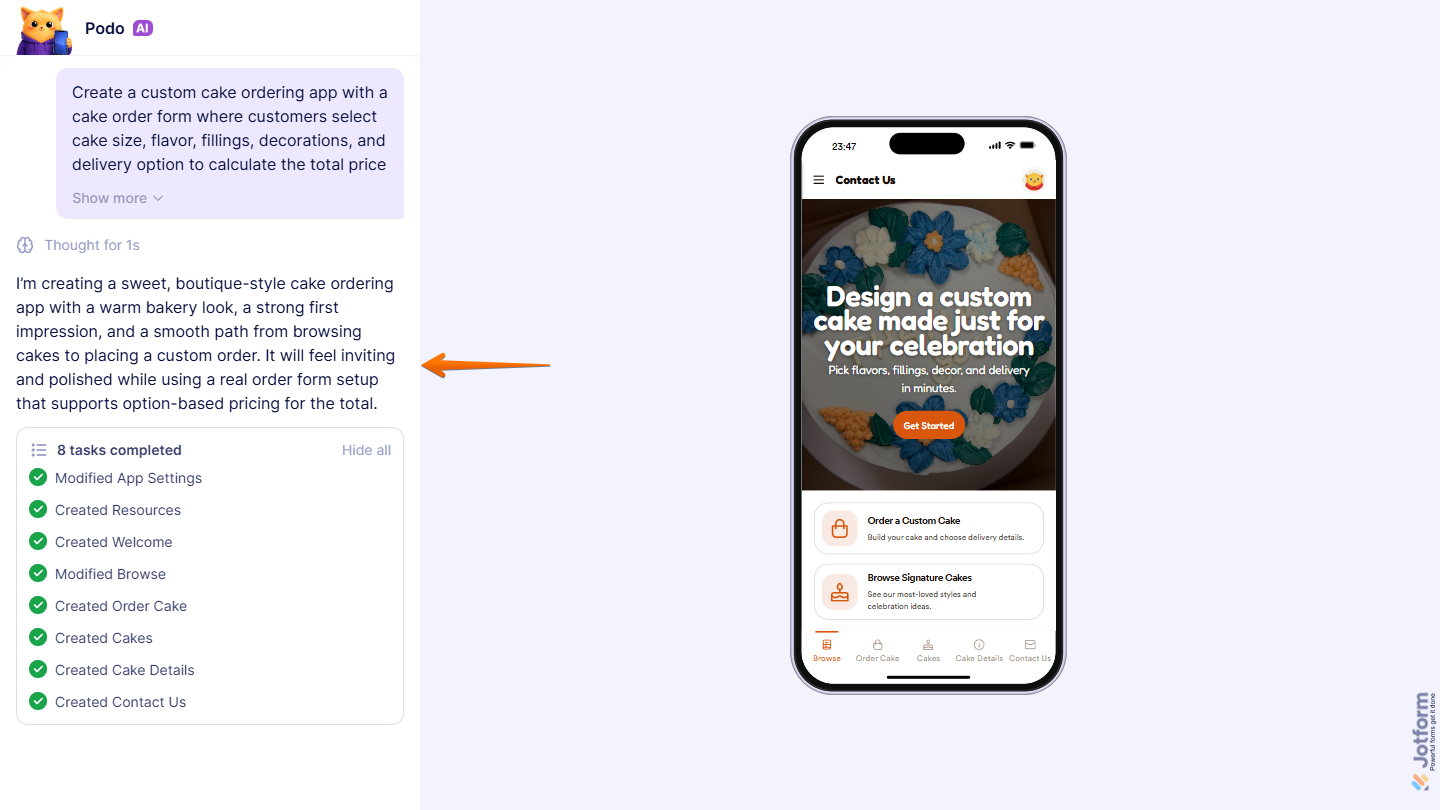
That’s it. Your app will be generated on the AI Creation page, where you can monitor its progress in real time.
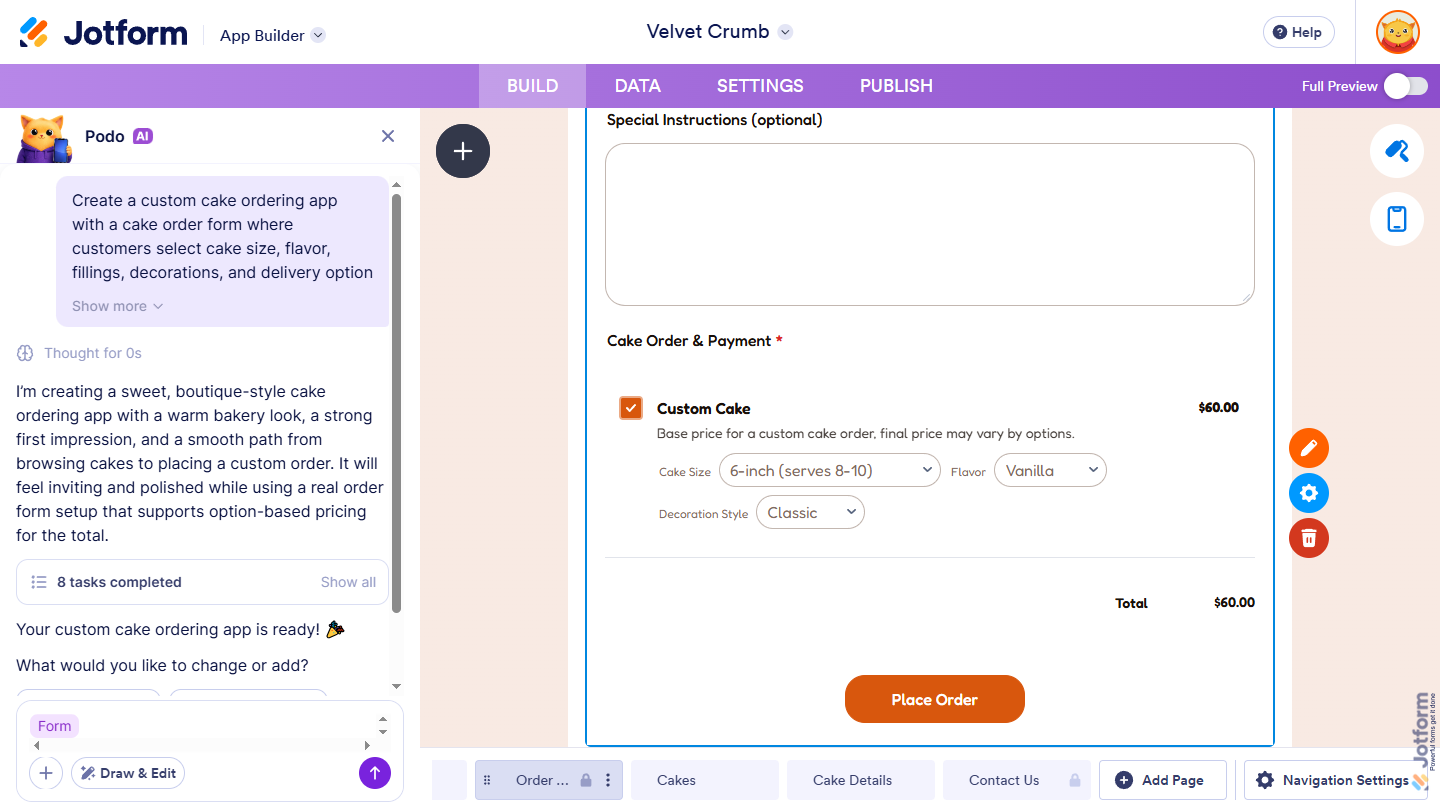
Once it’s ready, your app will open in App Builder, where you can continue refining it if needed.
Notes
- You can also create apps that make calculations from the other creation flows as well. For a full breakdown of how to do it, head over to our guide on How to Create Apps Using AI App Builder.
- If you’d rather use voice for your prompts, just click on Talk on the right side of the Prompt box, then allow permission for your browser to access your device’s microphone. You’ll find more info in our guide on How to Build and Edit Your App Using Voice Commands with AI App Builder.

Send Comment: