Downloading submissions gives you flexibility in how you use your data. You can use your preferred tools to analyze and manage the data or share it with others who do not have access to your Jotform account. Downloading submissions also allows you to have a backup of your data which can be useful in case of data loss or if you want to store the data offline for future reference.
You can easily download your submission from your inbox in a few easy steps. Here’s how to do it:
- In Inbox, put a check in the box for the submissions you want to download.
- Then, click on the Download button that comes up on the top.
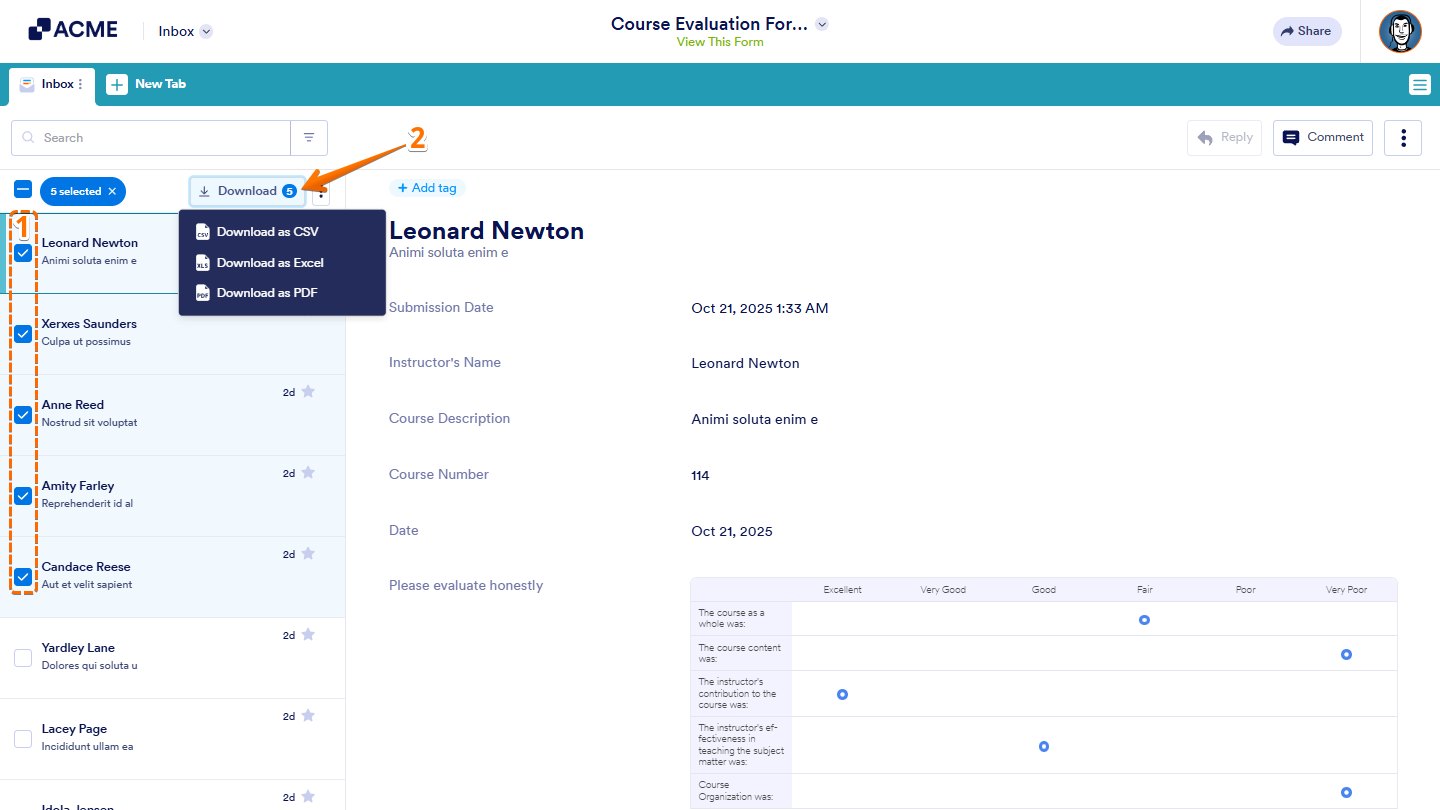
Now, you can download submissions in CSV, Excel, or PDF format. For forms with File Upload, there’s an option to download attachments. You can download specific entries, all entries, or entries based on filters.

Send Comment: